

QUICK ANSWER
Pause gameplay, open Options → Gameplay → Assist Mode, enable Assist Mode, choose a preset, adjust its parameters, and return to gameplay.
Pause gameplay, open Options → Gameplay → Assist Mode, enable Assist Mode, choose a preset, adjust its parameters, and return to gameplay.
You can change Assist Mode mid-session. You can choose a preset and tweak its parameters within Assist Mode.
How to enable and set up Assist Mode in Control Resonant
STEP 1/7
14%
Pause gameplay
Open the menu to pause gameplay.
STEP 2/7
29%
Open Options
Choose Options from the pause menu.
STEP 3/7
43%
Find Assist Mode
You’ll find Assist Mode in the Gameplay tab. Select it.
STEP 4/7
57%
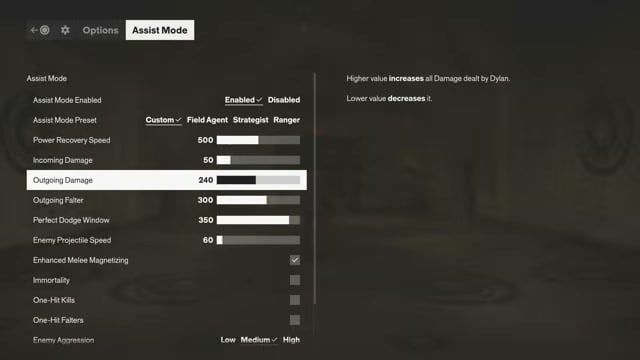
Enable Assist Mode
Switch Assist Mode Enabled from Disabled to Enabled.
STEP 5/7
71%
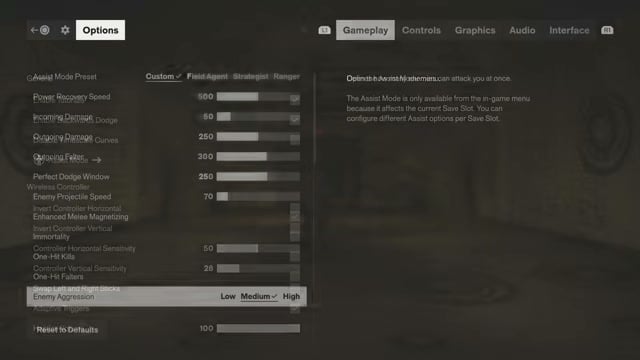
Choose a preset
Under Assist Mode Preset, pick Custom, Field Agent, Strategist, or Ranger.
STEP 6/7
86%
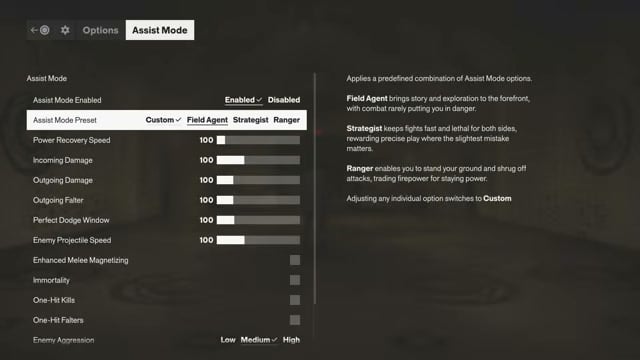
Adjust the controls
Set the individual parameters within Assist Mode.

STEP 7/7
100%
Return to gameplay
Leave Options when you’re ready to get back to gameplay.
Related Control Resonant guides






Leave a Reply