

What to know
- Car skins in NTE are applied through modification shops, not directly from inventory.
- “Rampage Players” garages are the primary customization hubs.
- You can preview both unlocked and locked paint jobs before applying them.
- A small in-game fee is required to finalize the new vehicle look.
Changing your car’s appearance in Neverness to Everness is one of the simplest but most satisfying customization features available. Whether you want a sleek modern finish or something flashy, the system is built to be accessible early on while still offering progression through unlockable skins. Once you understand where to go and how the interface works, you can refresh your vehicle’s look in minutes.
Here is a quick overview of car modification in NTE:
| Feature | Details |
|---|---|
| Customization Type | Paint jobs / vehicle skins |
| Location Required | Rampage Players modification shop |
| Example Area | Herland – Moomin Street |
| Cost | Small in-game currency fee |
| Unlock System | Some skins locked behind progress |
| Preview Option | Yes |
Where to find modification shops like Rampage Players
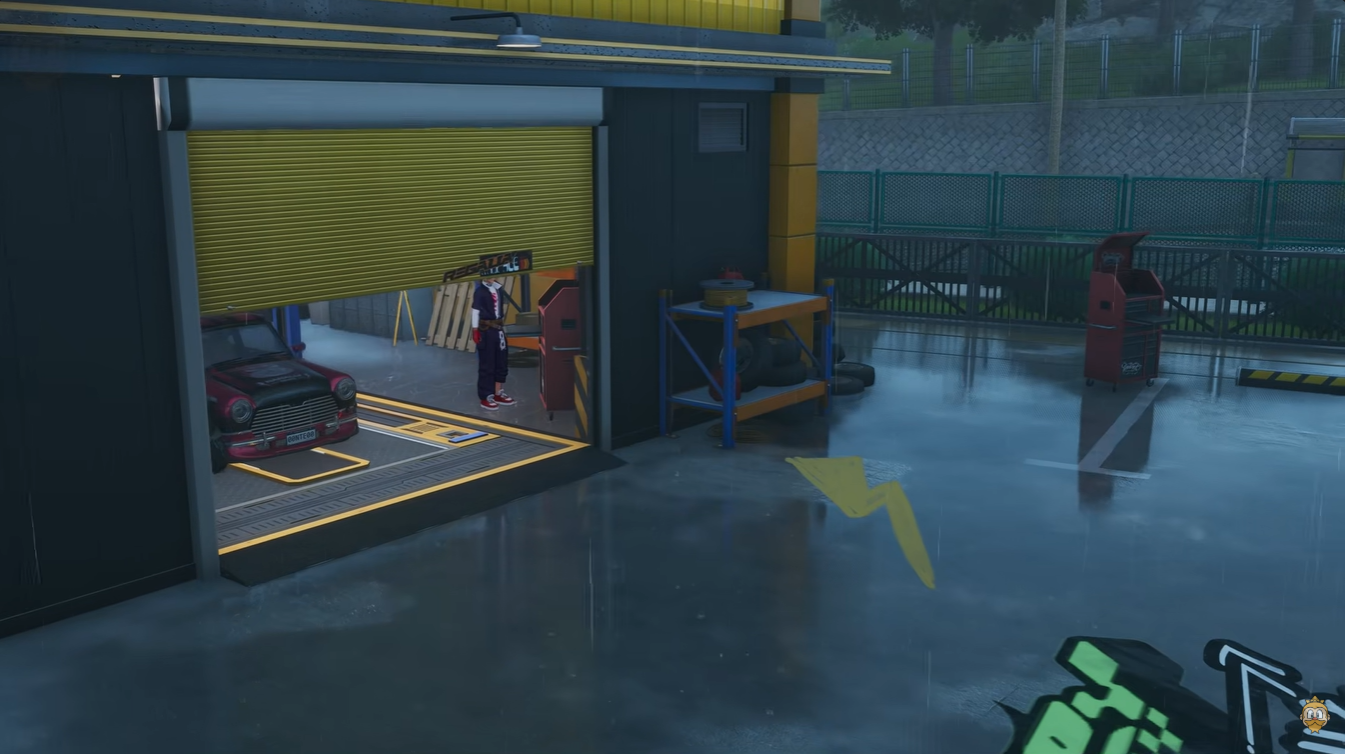
The key location for vehicle customization is the “Rampage Players” garage network. These are specialized modification shops scattered across the game world, and one of the easiest early-access points is in the Herland region, specifically around Moomin Street.
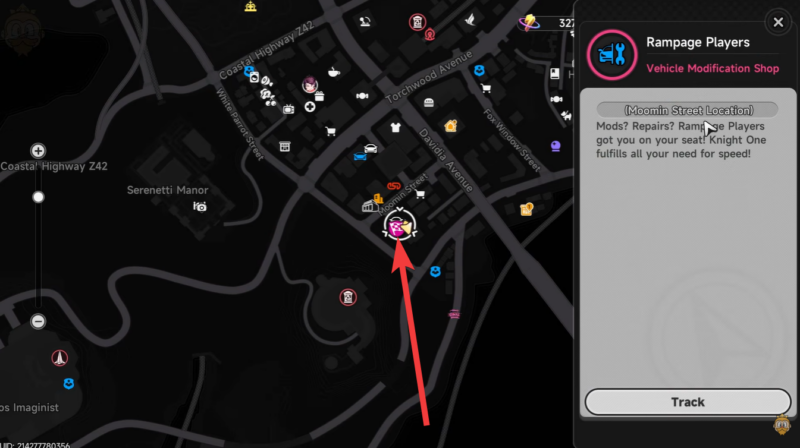
When you enter the garage, you’ll notice it functions as a dedicated tuning and visual customization hub. Unlike standard menus, this is an in-world interaction system, meaning you must physically visit the location to modify your vehicle. This design keeps customization grounded in exploration and progression.
How to change your car skin in NTE
Here is how to access vehicle modification and apply a new paint job in NTE:
Step 1
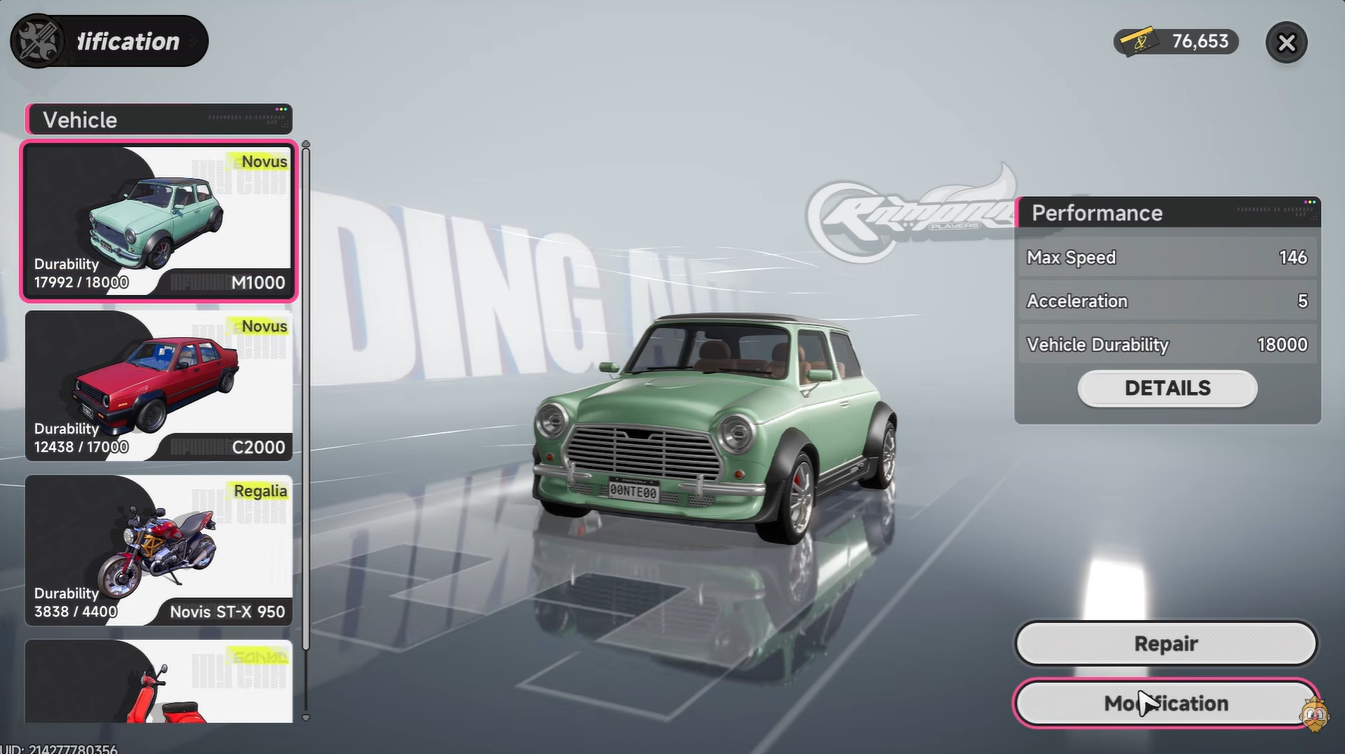
Select your vehicle from your current vehicle menu. This ensures you are modifying the correct car, especially if you own multiple vehicles.
Step 2
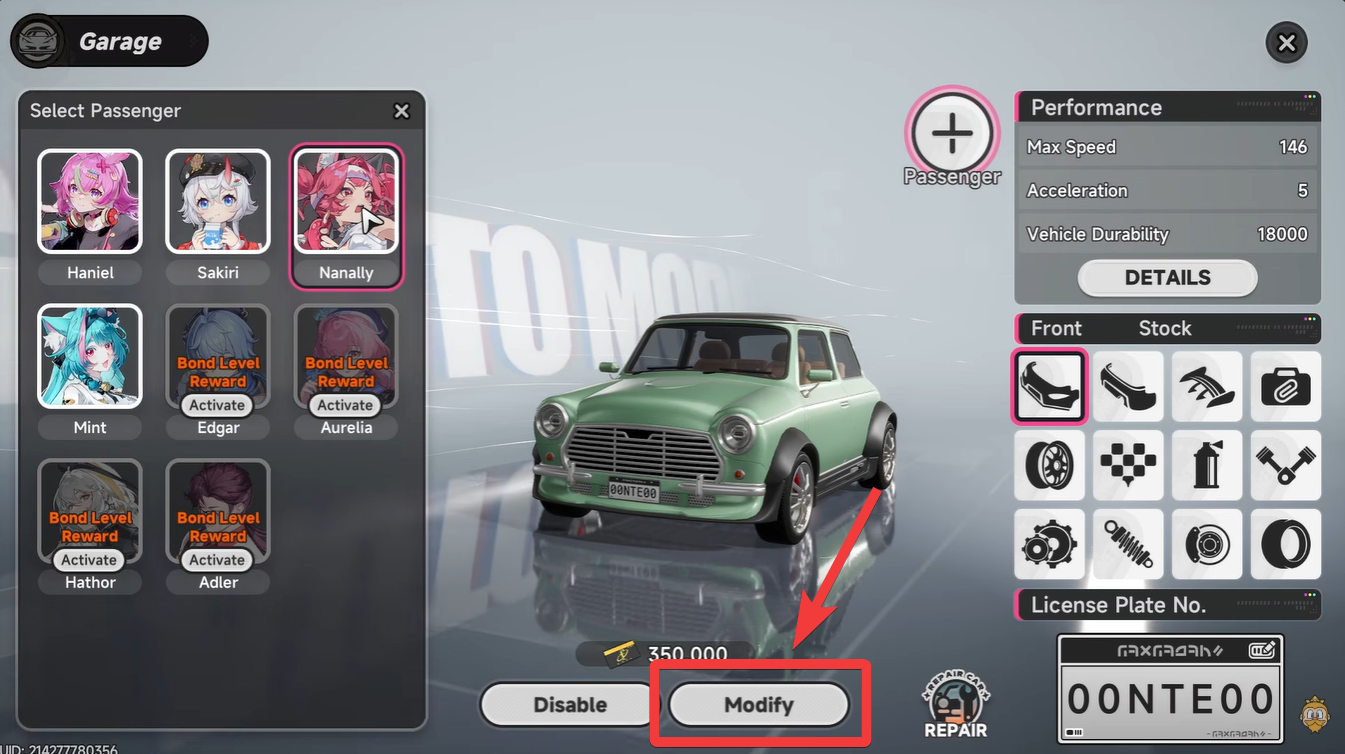
Choose the “Modify” option from the vehicle interface. This automatically directs you to the nearest available garage, typically a Rampage Players location.
Step 3
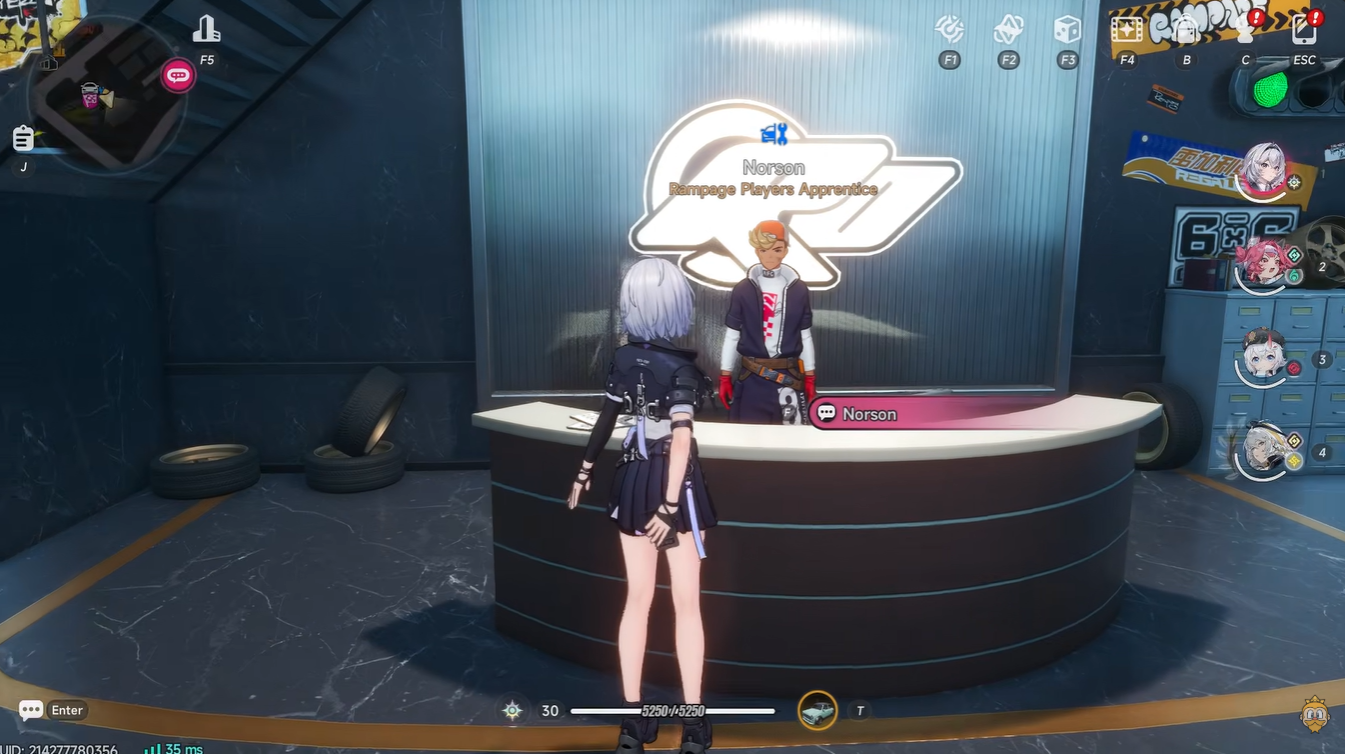
Enter the garage and locate the customization NPC. The NPC acts as the interaction point for all modification features, including skins and upgrades.
Step 4
Open the modification menu again through the NPC. This brings up the full list of customization options available for your selected vehicle.
Step 5
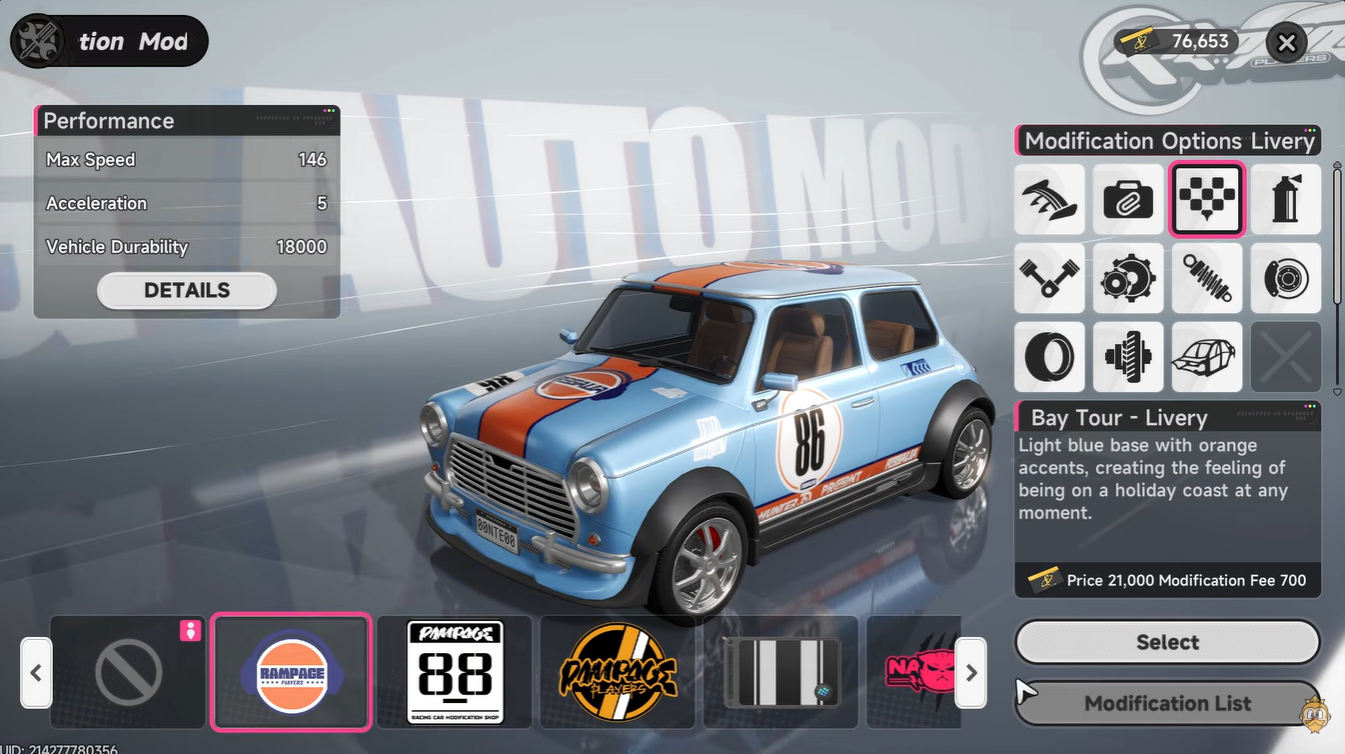
Browse available paint jobs and skins. You’ll see both unlocked and locked options, allowing you to preview styles before committing.
Step 6
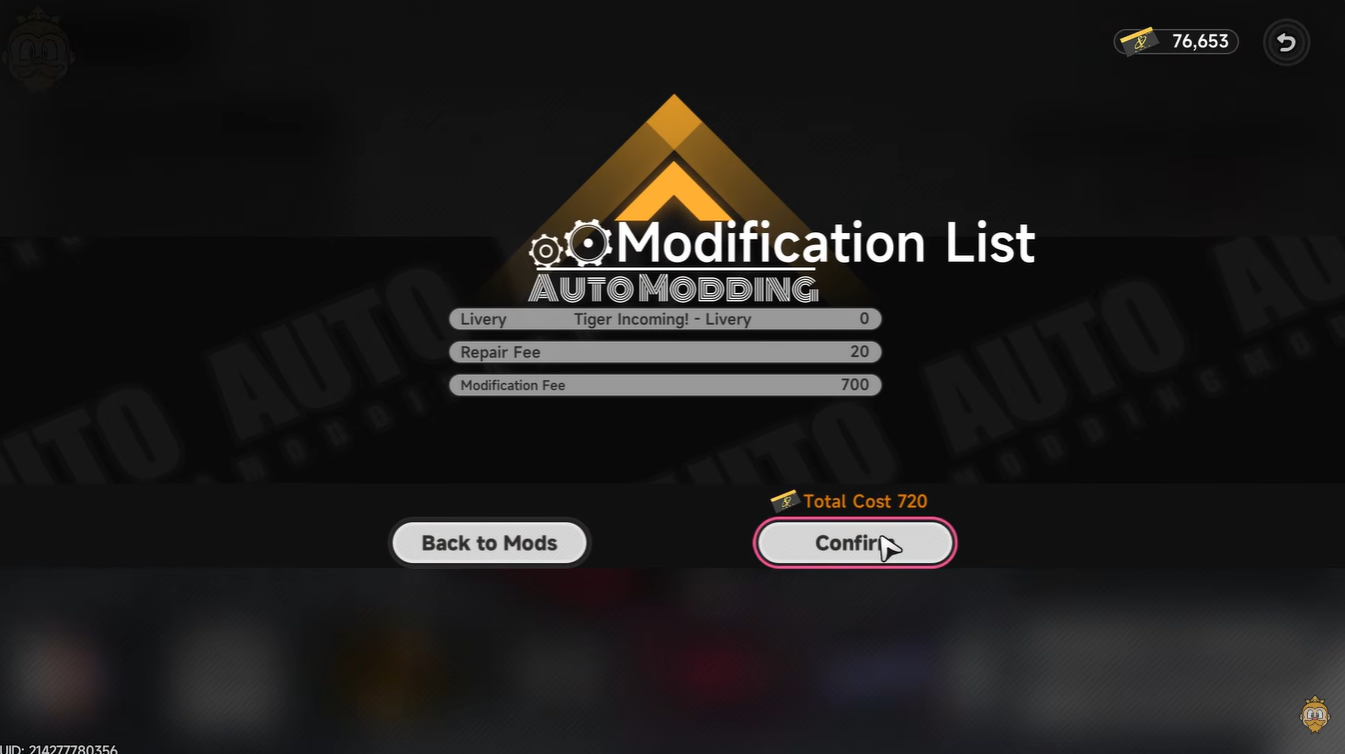
Select your desired skin and confirm the change. A small in-game fee is required, after which the new paint job is instantly applied.
Understanding locked skins and progression
Not all skins are immediately available, and this is where progression comes into play. Some vehicle skins are tied to achievements, missions, or in-game purchases. When browsing the customization menu, locked skins will still be visible, giving you a preview of what you can unlock later.
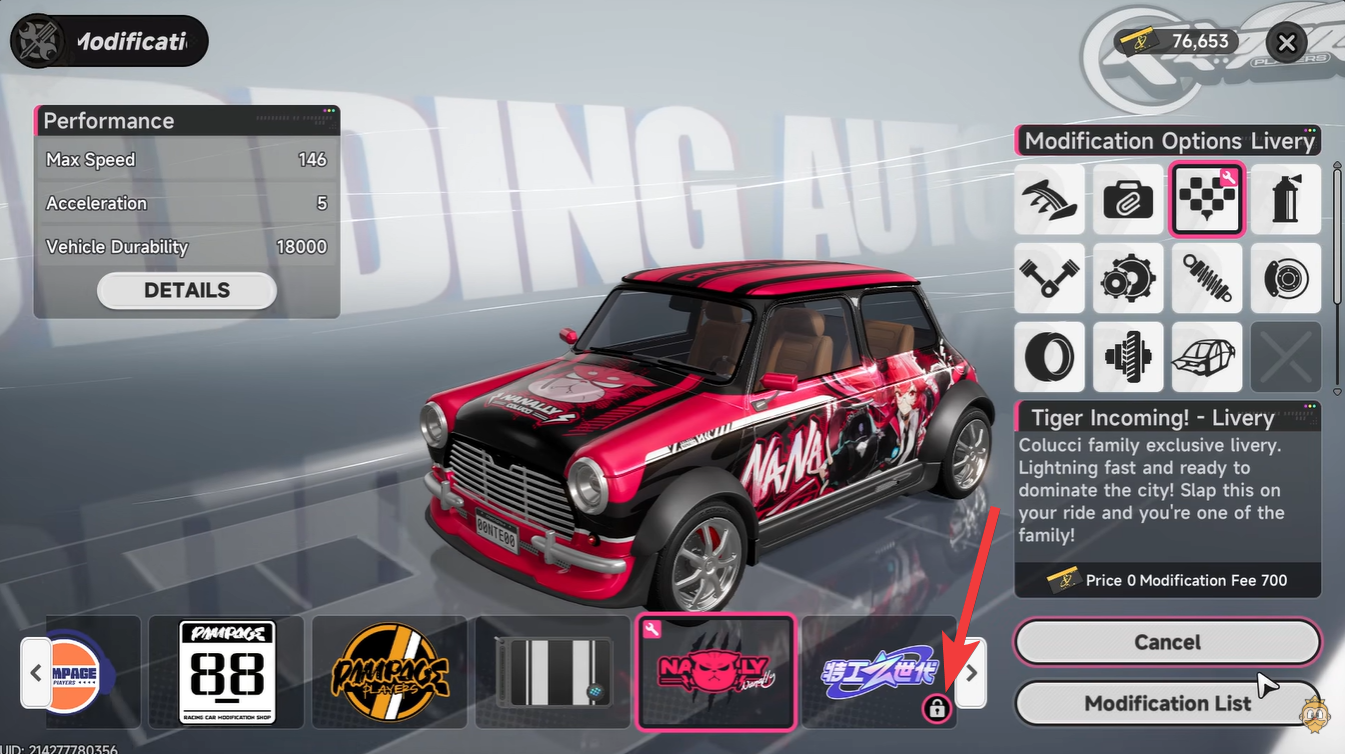
This system encourages you to keep playing and exploring, as better or rarer designs often reflect your progress in the game. It also adds a layer of personalization, since not every player will have access to the same styles at the same time.
Why customization matters beyond visuals
Vehicle skins in NTE are purely cosmetic, but they contribute heavily to player identity and immersion. When you’re driving through the city, your car becomes an extension of your character. A customized vehicle helps you stand out, especially in multiplayer or shared-world scenarios.
Additionally, the process itself reinforces the game’s urban simulation feel. Instead of instant menu changes, visiting a physical garage adds realism and makes customization feel like a meaningful activity rather than a quick toggle.
Tips for making the most of vehicle skins
You should regularly check modification shops as you progress, since new skins may unlock without explicit notifications. It’s also worth saving some in-game currency specifically for customization, especially if you like experimenting with different looks.
If you’re unsure about a skin, use the preview feature extensively before confirming. This helps avoid unnecessary spending while ensuring you pick a design that truly fits your style.
Changing your car skin in Neverness to Everness is a straightforward but rewarding system that blends exploration, progression, and personalization. By visiting Rampage Players garages, interacting with NPCs, and selecting from a growing list of paint jobs, you can continuously refresh your vehicle’s appearance as you advance through the game. Once you get used to the process, customizing your ride becomes second nature and adds a unique flair to your overall gameplay experience.




Leave a Reply