


What to know
- You can change your gamertag once every 72 hours (3 days).
- The option is located inside the in-game profile menu.
- No special item is required—just access the Edit Profile section.
- The same menu also includes features like unstuck and redeem codes.
Changing your name in Neverness to Everness (NTE) is a simple process, but it’s slightly hidden behind the profile interface. If you’ve outgrown your original name or just want something fresh, you can update it in under a minute—as long as your cooldown has expired.
| Feature | Details |
|---|---|
| Name Change Availability | Every 72 hours |
| Cost | Free |
| Menu Location | Profile → Edit Profile |
| Other Features There | Unstuck, Redeem Codes, Stats |
| Platform Support | All platforms |
How to change your name in Neverness to Everness
Step 1
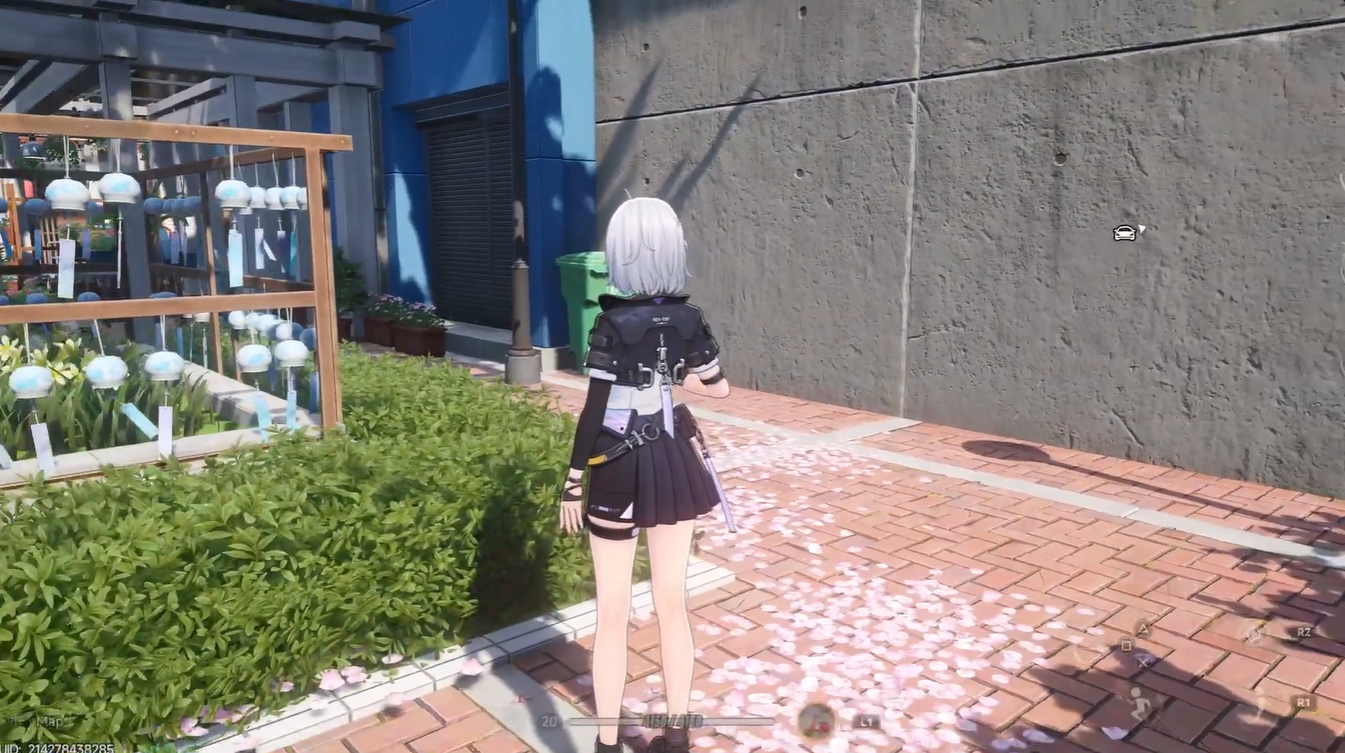
Launch the game and wait until you fully load into your character’s world. Make sure the UI is visible and responsive.
Step 2
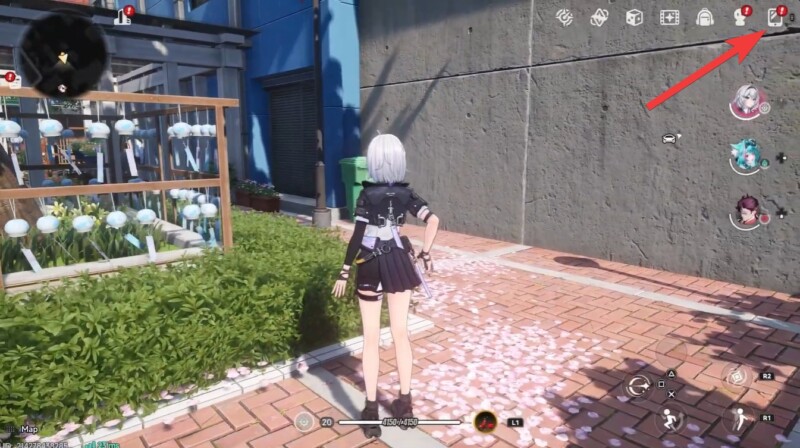
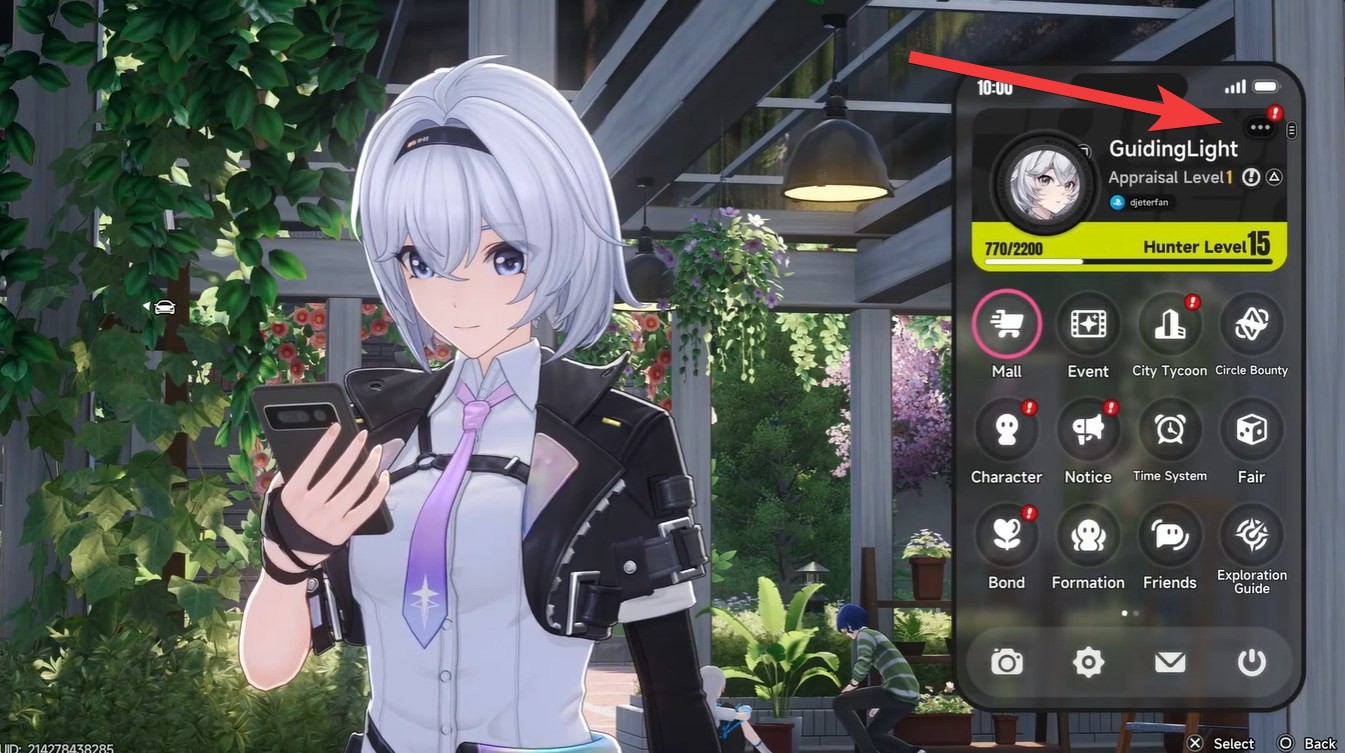
Look at the top-right corner of your screen and locate your current gamertag. Just above it, click on the three-dot menu icon.
Step 3
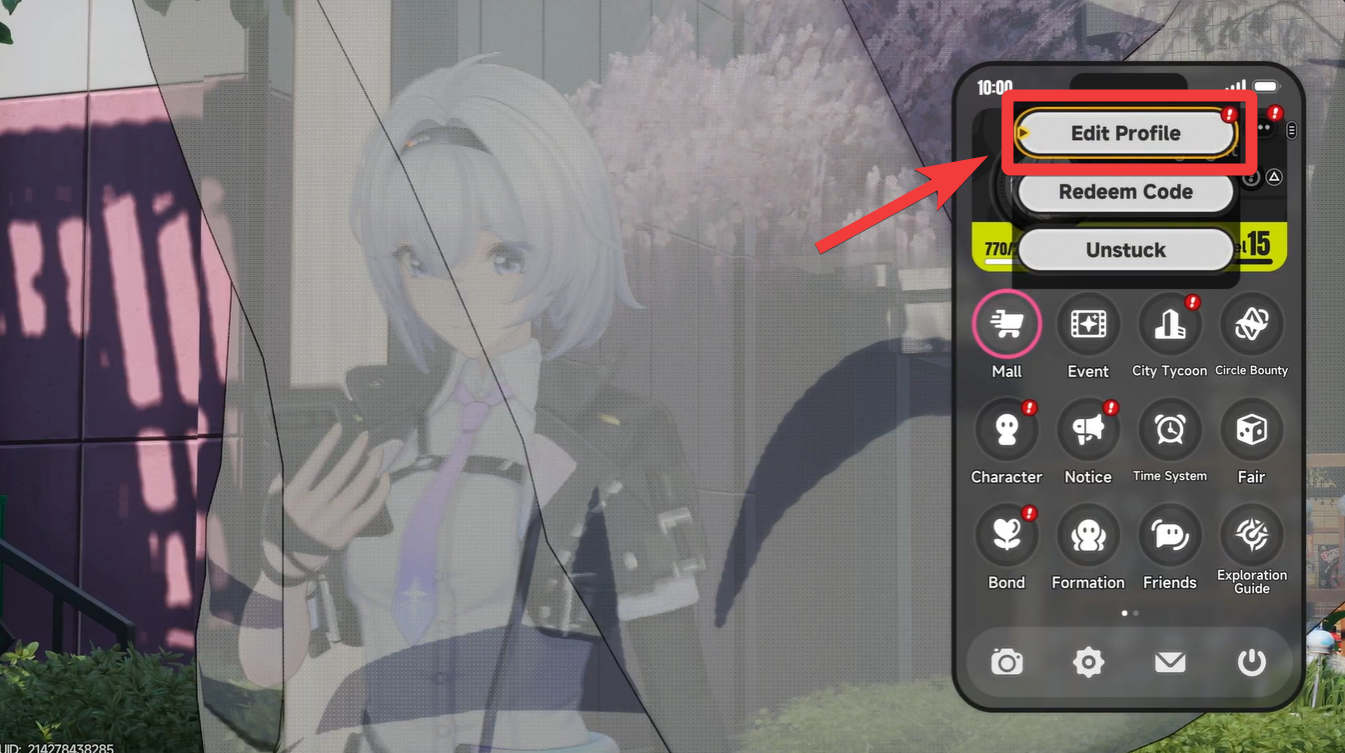
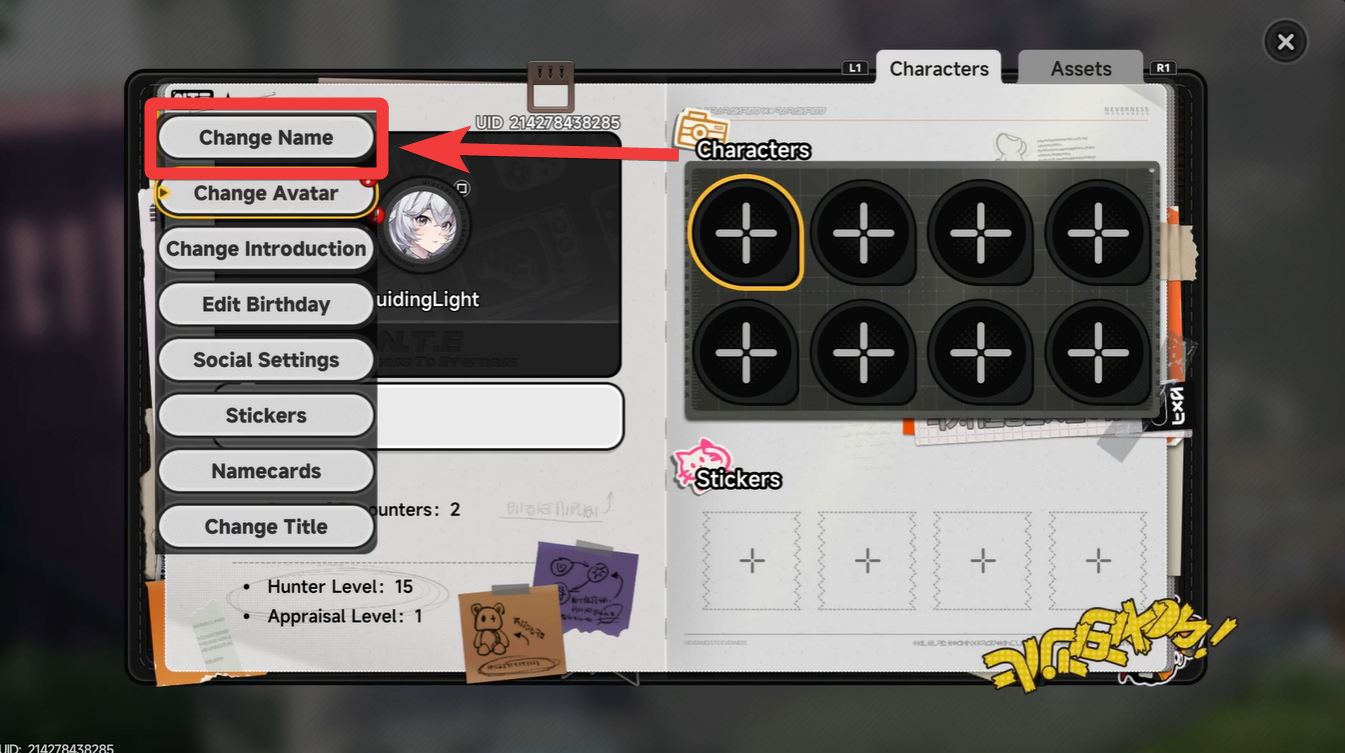
From the dropdown menu, select “Edit Profile.” This opens a new interface with multiple account-related options.
Step 4
Inside the profile menu, find the “Change Name” option. It is usually listed alongside other customization settings.
Step 5
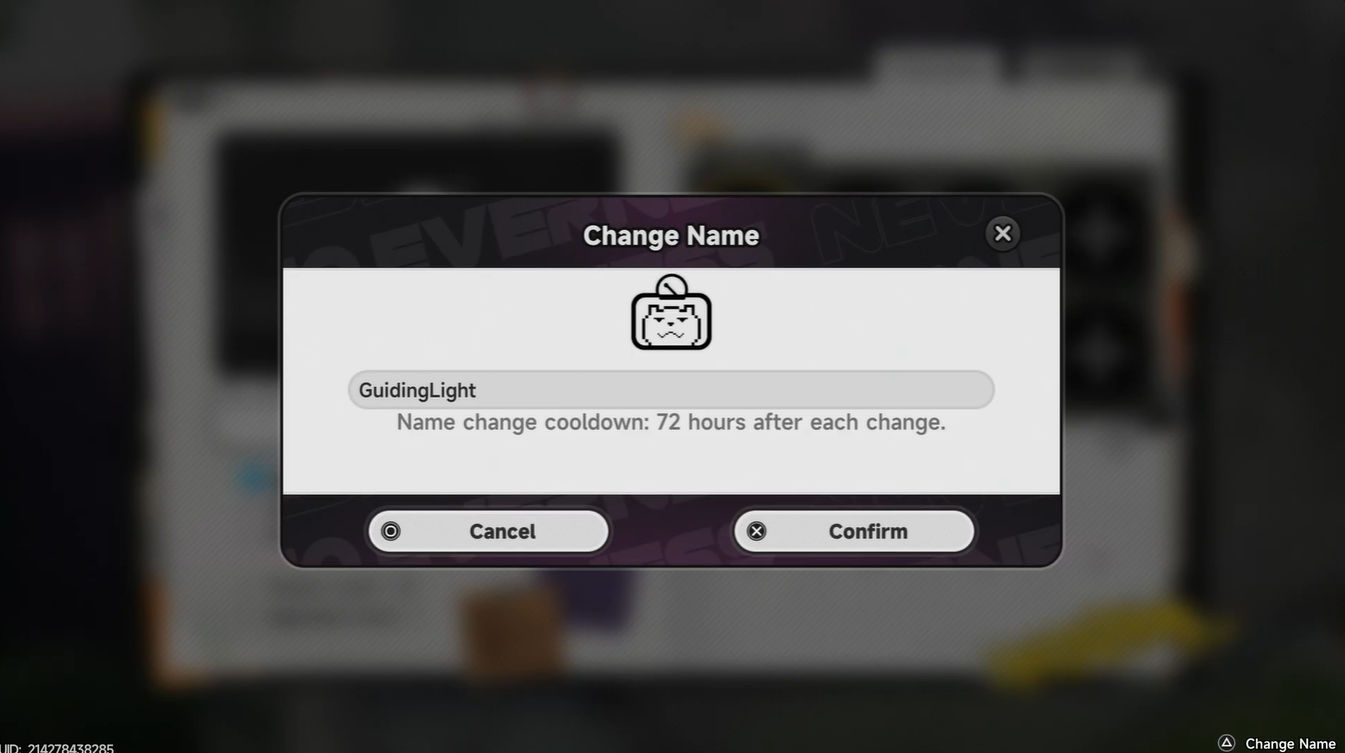
Enter your new desired gamertag carefully. Double-check spelling, as frequent changes are limited.
Step 6
Confirm and save your changes. Your new name will update instantly across the game.
The Edit Profile section isn’t just for changing your name—it’s actually a central hub for several useful features. You can use it to fix minor gameplay issues or access account utilities without needing to leave the game.
| Feature | Description |
|---|---|
| Unstuck Option | Relocates your character if stuck in terrain or glitches |
| Redeem Codes | Enter promo or reward codes for bonuses |
| Stats Overview | View your performance and progression data |
| Achievements | Track milestones and completed challenges |
Tips for choosing a better gamertag
The 72-hour cooldown is strict and begins immediately after you confirm your name change. This means you won’t be able to edit your gamertag again until the timer fully resets.
Pick something that reflects your playstyle or identity in the game. Since NTE has social and multiplayer elements, your name becomes part of how others recognize you.
Avoid overly complex or hard-to-read names, especially if you plan to engage in co-op or competitive modes. A clean and memorable tag will serve you better in the long run.
Changing your gamertag in Neverness to Everness is quick, free, and accessible—but limited by a 72-hour cooldown. Once you know where to look, the process becomes second nature. Take a moment to pick a name that fits you well, and you’ll avoid unnecessary waiting between changes.




Leave a Reply