

What to know
- You can access team management through the in-game phone menu.
- Formations allow you to swap, add, or remove characters instantly.
- Multiple team presets can be created and renamed.
- Changes apply immediately, letting you experiment with builds freely.
Managing your team in Neverness to Everness (NTE) is one of the most important systems if you want to progress efficiently and tailor your playstyle. Whether you prefer aggressive damage setups, balanced squads, or utility-heavy teams, the game gives you flexibility to adjust your lineup anytime outside of restricted scenarios.
Below, you’ll find everything you need to understand how team switching works and how to make the most of it.
| Feature | Details |
|---|---|
| Access Point | Phone Menu (ESC key) |
| Main Section | Formations |
| Team Slots | Multiple presets available |
| Customization | Add/remove characters freely |
| Naming Teams | Yes, editable presets |
| Effect Timing | Immediate application |
How formations and teams work in NTE
The formation system acts as your central hub for team management. Once you open your in-game phone, you’ll find the formations icon, which takes you to the team setup screen. Here, you can clearly see your current lineup along with available characters.
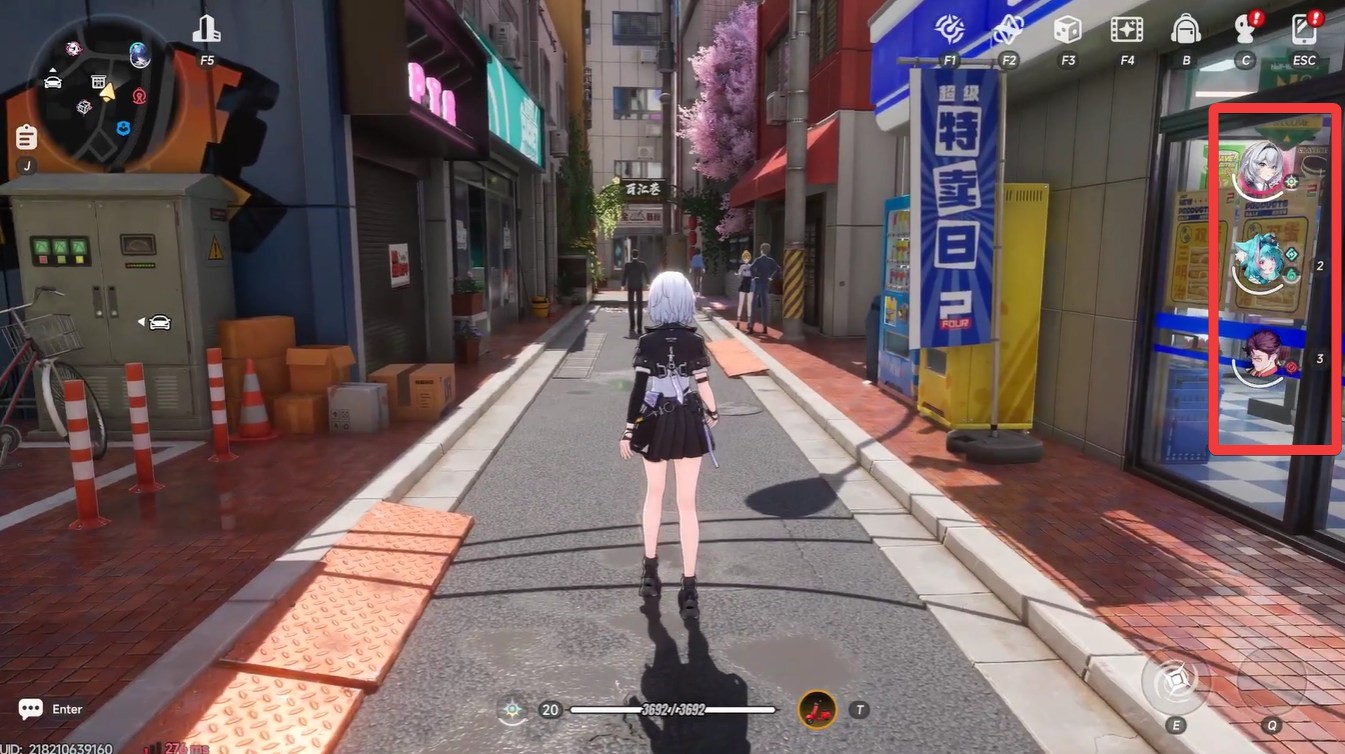
Each team consists of a set number of characters that you can swap depending on your needs. This allows you to build specialized squads for different scenarios such as exploration, boss fights, or farming.
One of the most useful aspects is that changes are applied instantly. You don’t need to confirm or reload anything—once you switch a character, your team is updated in real time.
How to change teams and characters in NTE
Step 1
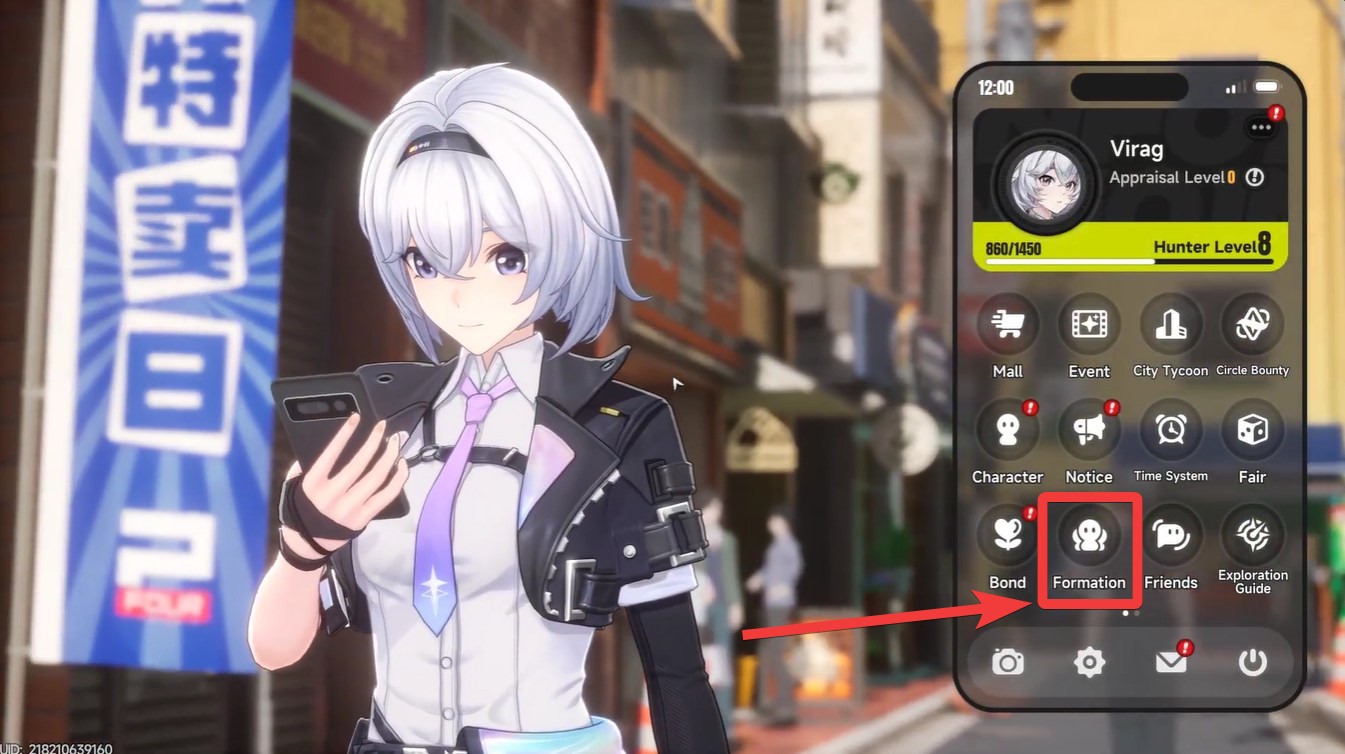
Press the ESC key to open your in-game phone menu. This is your main navigation hub for most systems in NTE.
Step 2
Locate and select the formations icon. This will open the team management interface.
Step 3
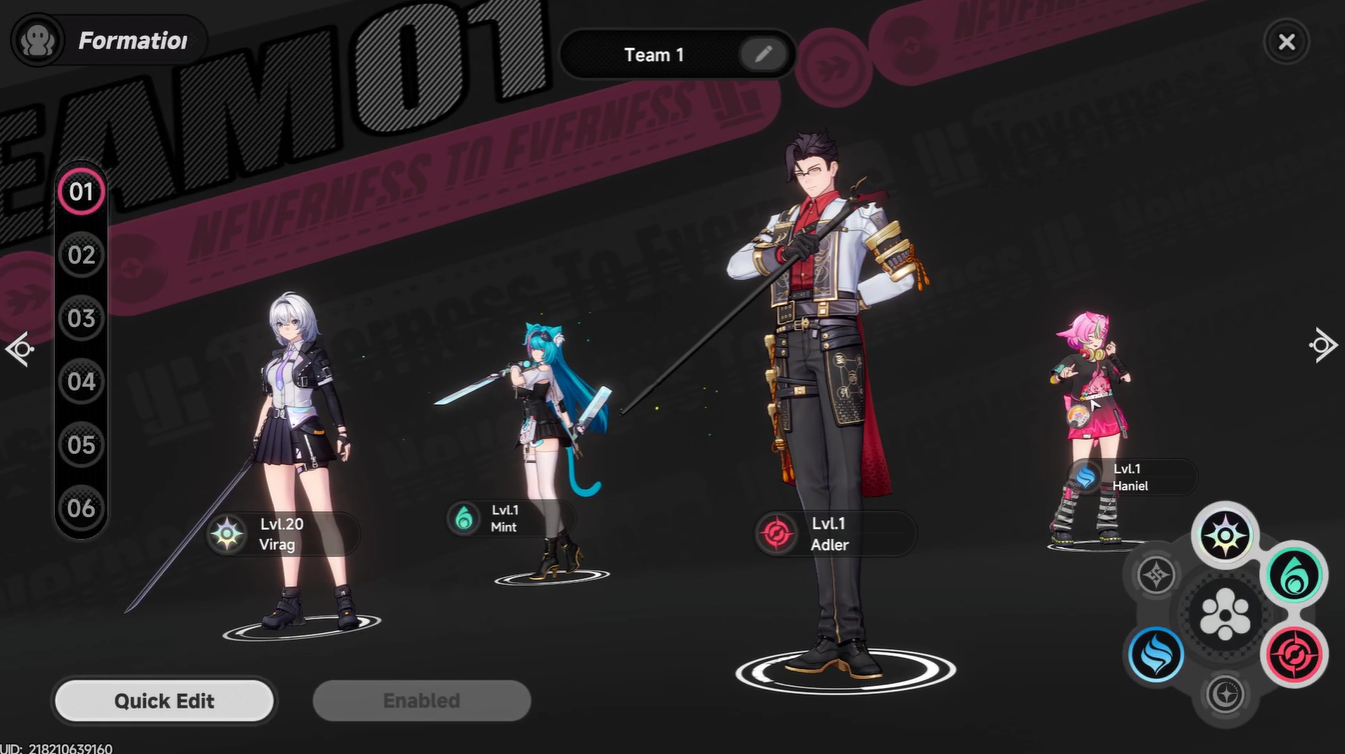
Choose the characters you want to add or remove. You can replace existing members or build an entirely new lineup from available characters.
Step 4
Interact with the team button to manage presets. Here, you can create multiple team setups and even rename them for easy identification.
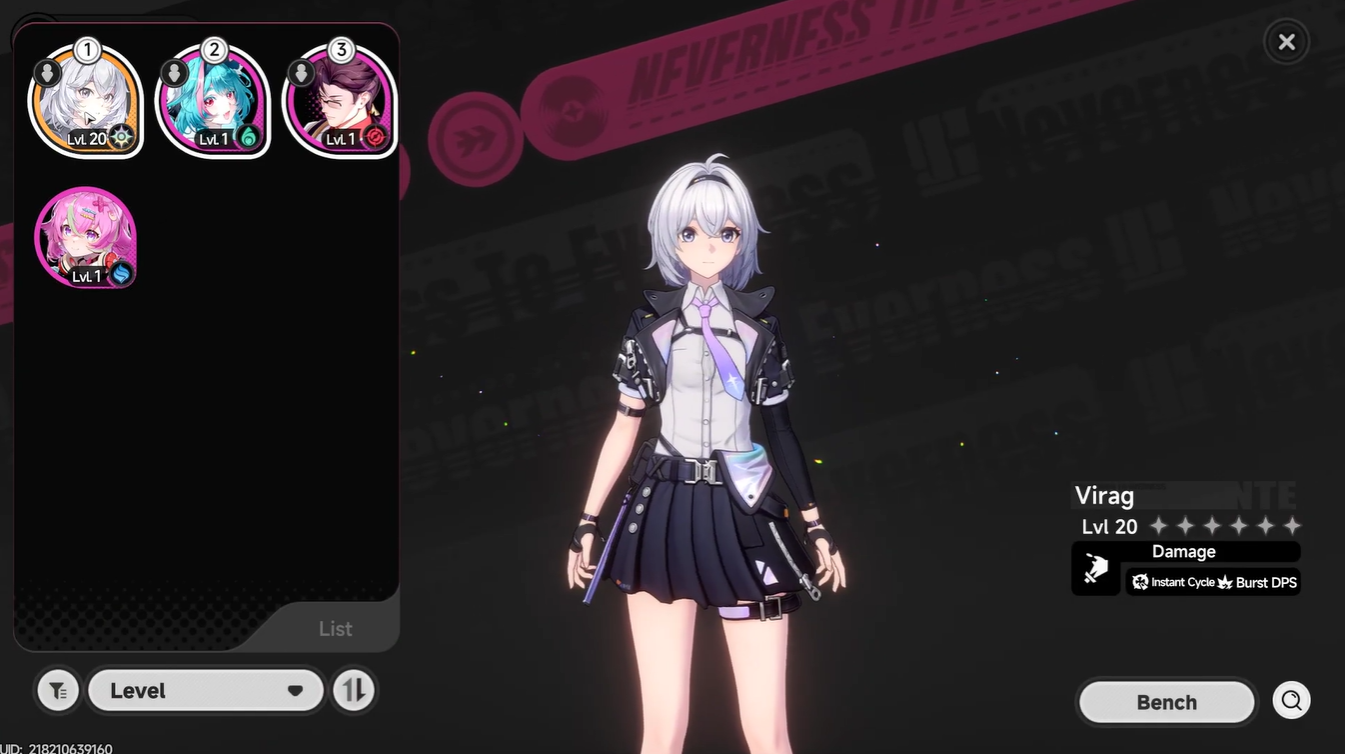
Step 5
Finalize your changes by simply exiting the menu. Your selected team is immediately active without any additional confirmation.
Making the most of multiple team presets
Team presets are where the system truly shines. Instead of constantly swapping characters one by one, you can create predefined teams for different playstyles.
For example, you might set up one team focused on raw damage and another built around survivability or utility. This flexibility allows you to adapt quickly depending on the situation without wasting time in menus.
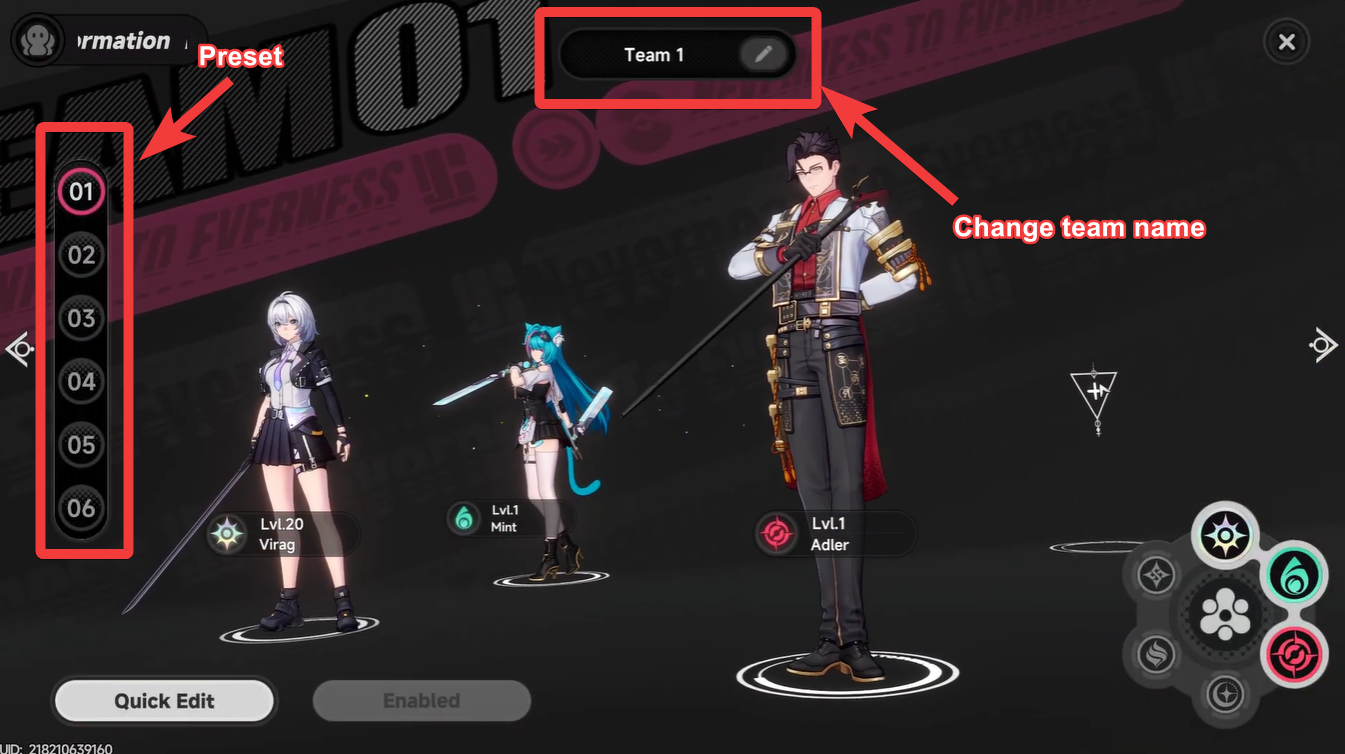
Naming your teams is especially helpful when you have several builds. It keeps your setups organized and makes switching between them much faster during gameplay sessions.
When and why you should switch teams
You’ll find yourself switching teams more often than you might expect. Certain encounters may require specific abilities or character synergies.
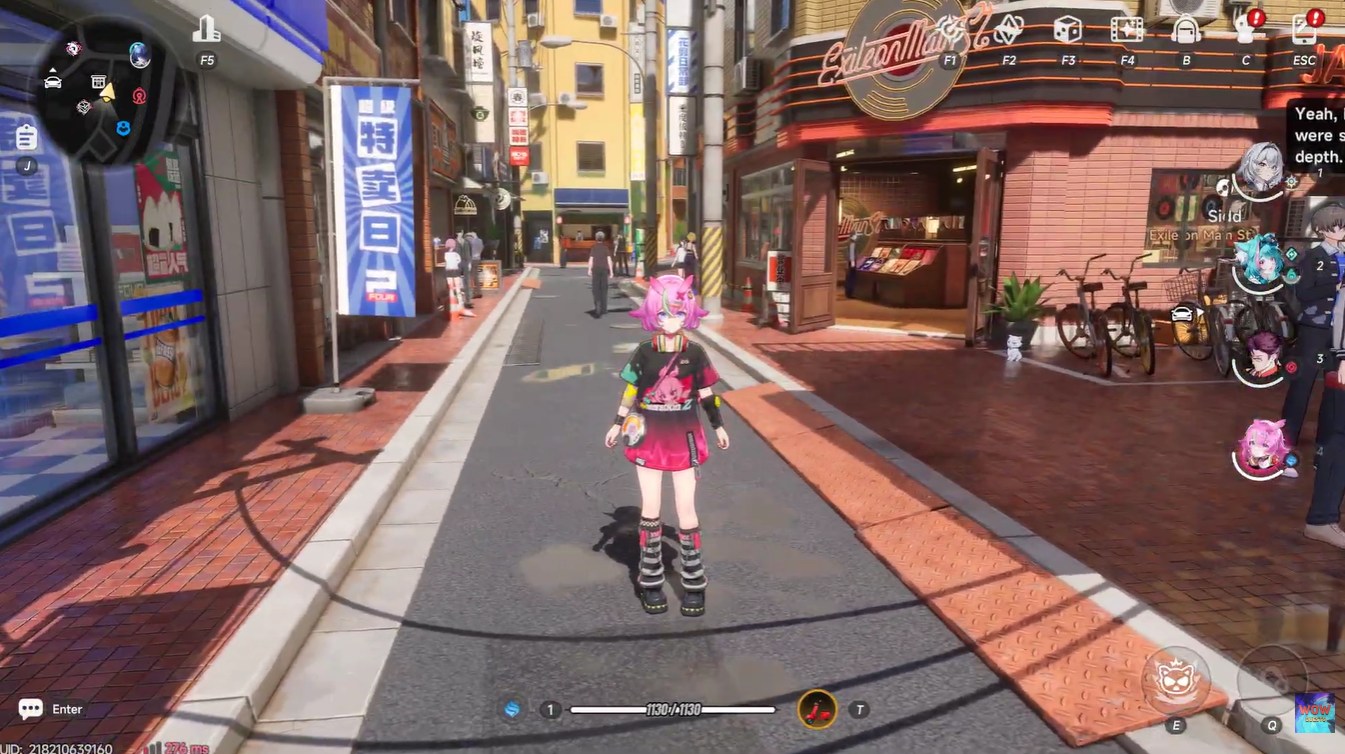
Exploration teams might prioritize mobility or utility skills, while combat-focused teams lean toward damage output and crowd control. Having multiple presets ensures you’re always prepared.
Experimentation is a key part of mastering NTE. Since changes are instant, you’re encouraged to try different combinations and discover what works best for your playstyle.
Tips to optimize your team builds effectively
Pay attention to character synergy when building your teams. Some characters complement each other better through their abilities or combat roles.
Avoid sticking to a single setup for all situations. The game is designed to reward flexibility, so rotating between teams can significantly improve your performance.
Use presets as a way to refine your strategy over time. As you unlock more characters, revisit your existing teams and adjust them to stay efficient.
Changing teams and characters in Neverness to Everness is simple, fast, and incredibly flexible. Once you understand how formations and presets work, you gain full control over your gameplay experience.
By taking advantage of instant swaps and multiple team setups, you can adapt to any situation and continuously refine your builds. This system encourages experimentation, making it one of the most valuable tools for both new and experienced players.




Leave a Reply