


What to know
- You must complete three prerequisite quests to unlock gender switching
- The feature is accessed via the in-game phone under Settings
- Switching uses the “Switch Appraiser” option in the Others tab
- A 24-hour cooldown prevents repeated switching
After spending some time in Neverness to Everness, you might want to change how your character looks or feels. The game allows you to switch your player gender, but it is not available from the start. Instead, you’ll need to unlock it through progression and then access it through a specific system tied to your in-game phone.
Below is everything you need to understand and do to successfully switch your character’s gender in NTE.
Quick overview of gender switch feature
| Feature | Details |
|---|---|
| Unlock requirement | Complete specific quests |
| Access method | In-game phone → Settings |
| Option name | Switch Appraiser |
| Cooldown | 24 hours |
| Reset effect | Returns to login screen |
Unlocking the gender switch feature through quests
Before you can even see the option to switch gender, you must complete three important quests that introduce customization mechanics into the game. These quests are tied to exploration and interaction systems, so you’ll naturally encounter them as you progress.
The required quests include “The Vintage Shop’s Mirror,” “Could It Be a Collectible,” and “Owner of the Washbasin.” Once you complete all three, the game unlocks deeper customization features, including gender switching.
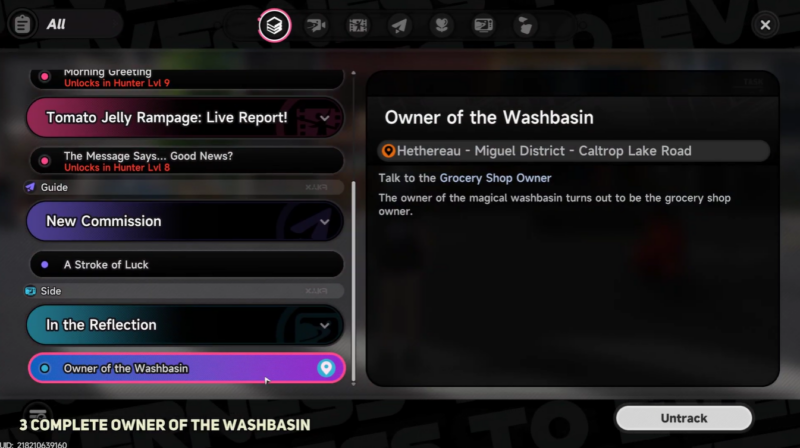
These quests are designed to familiarize you with interactive objects and cosmetic systems, so skipping them isn’t an option. If you don’t see the gender switch feature, it almost always means one of these quests is still incomplete.
Where the feature becomes available in the interface
Once unlocked, the gender switch option is not placed directly in the character customization screen. Instead, it’s tucked inside your in-game phone system, which acts as a central hub for multiple features.
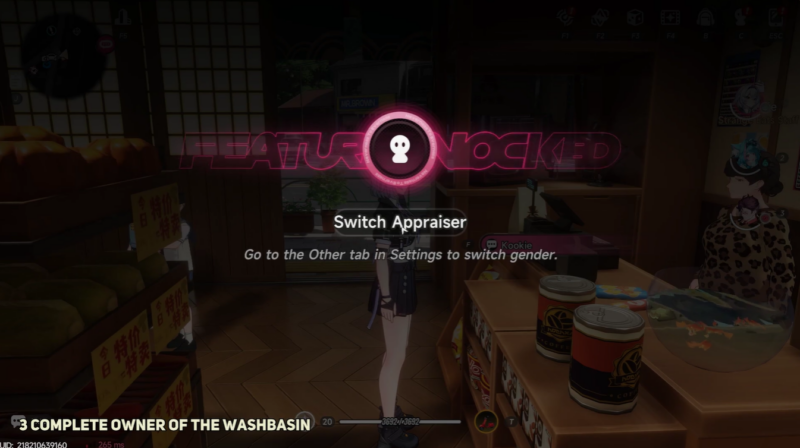
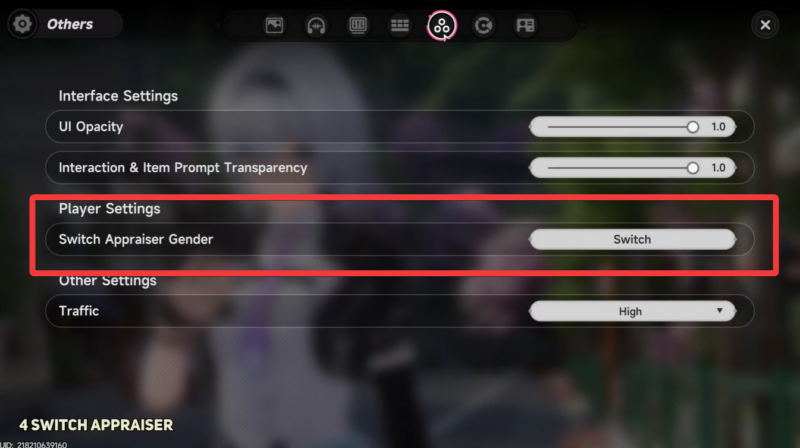
You’ll need to open your phone and navigate into the Settings tab, then scroll until you find the “Others” section. Inside this section, you’ll see the option labeled “Switch Appraiser.”
This naming can feel a bit unclear at first, but this is the exact feature used to change your character’s gender.
How to switch player gender in NTE
Step 1
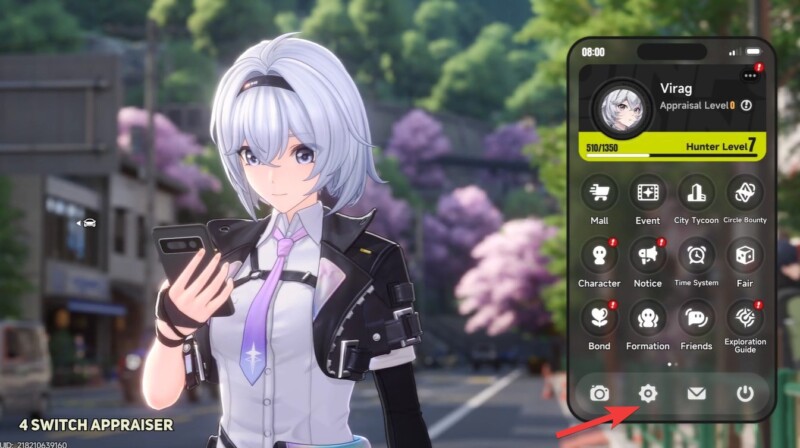
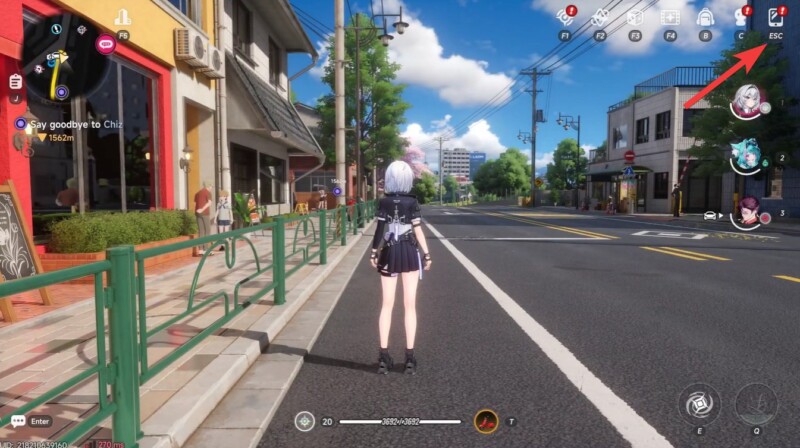
Open your in-game phone and navigate to the Settings tab. This is your starting point for most system-level changes.
Step 2
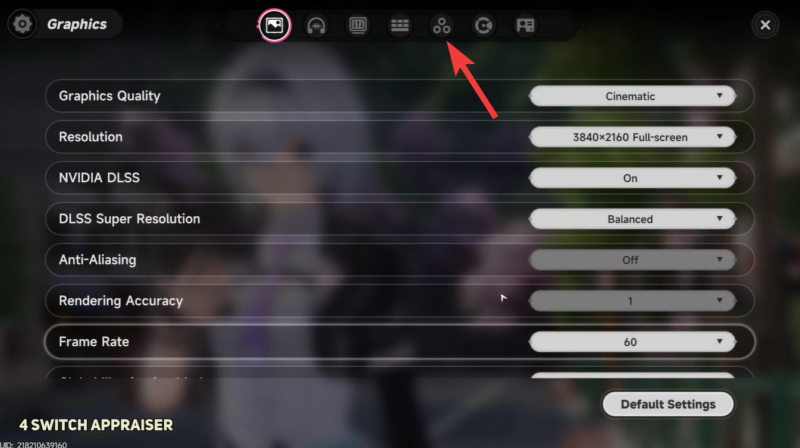
Scroll down until you find the Others tab, where additional gameplay features are stored.
Step 3
Select the Switch Appraiser option. This is the function tied to gender switching.
Step 4
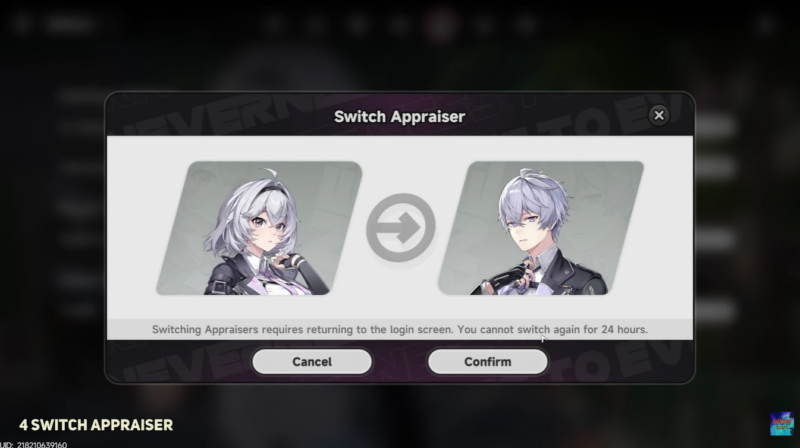
Confirm your choice. Once confirmed, the game will automatically send you back to the login screen. Log back into the game, and your character will now reflect the new gender selection.
Understanding the 24-hour cooldown limitation
One of the most important things to keep in mind is that this feature comes with a strict 24-hour cooldown. After switching your gender once, you will not be able to switch again until the cooldown period expires.
This means you should treat the decision as semi-permanent, at least for a day. Frequent toggling is intentionally restricted to maintain gameplay consistency and prevent abuse of customization systems.
If you try to access the feature again before the cooldown ends, the option will either be unavailable or disabled.
What happens after switching
When you use the Switch Appraiser, the system essentially resets your session and reloads your character from the login screen. This ensures all visual and identity changes are properly applied.
Your progress, inventory, and stats remain untouched. Only the character’s gender presentation changes, along with any related visual elements tied to it.
Common issues players encounter
Sometimes players report not seeing the option at all. In most cases, this happens because one of the prerequisite quests hasn’t been completed. Double-check your quest log and ensure all three required missions are finished.
Another issue is confusion around the naming. “Switch Appraiser” does not explicitly mention gender, which can make it easy to overlook.
Lastly, some players assume it’s a free-use feature. The 24-hour cooldown is enforced strictly, so plan your switch carefully.
Switching your player gender in Neverness to Everness is simple once unlocked, but gated behind progression and cooldown mechanics. By completing the required quests and using the Switch Appraiser option, you gain flexibility in how your character is represented.
Just remember that the cooldown means your choice matters, at least for the next 24 hours, so make sure you’re happy with the change before confirming.




Leave a Reply