

Customize your car at Joey’s Coastal Auto Care in Key Lento through the Fix Your Car story objective along Sunbelt Highway.
Fix Your Car takes Jason’s personal vehicle, the Vapid Jason’s ’70 Ganado, into the workshop for engine restoration and cosmetic work. This guide covers the workshop location, repair and respray process, customization menus, and upgrade prices.
Grand Theft Auto VI is listed for PlayStation 5 and Xbox Series X|S.
How to customize your car in Grand Theft Auto VI
Reach Joey’s workshop, repair and restore the Ganado, then choose a paint finish before leaving.
Part 1 – Reach Joey’s workshop
Set the Fix Your Car destination
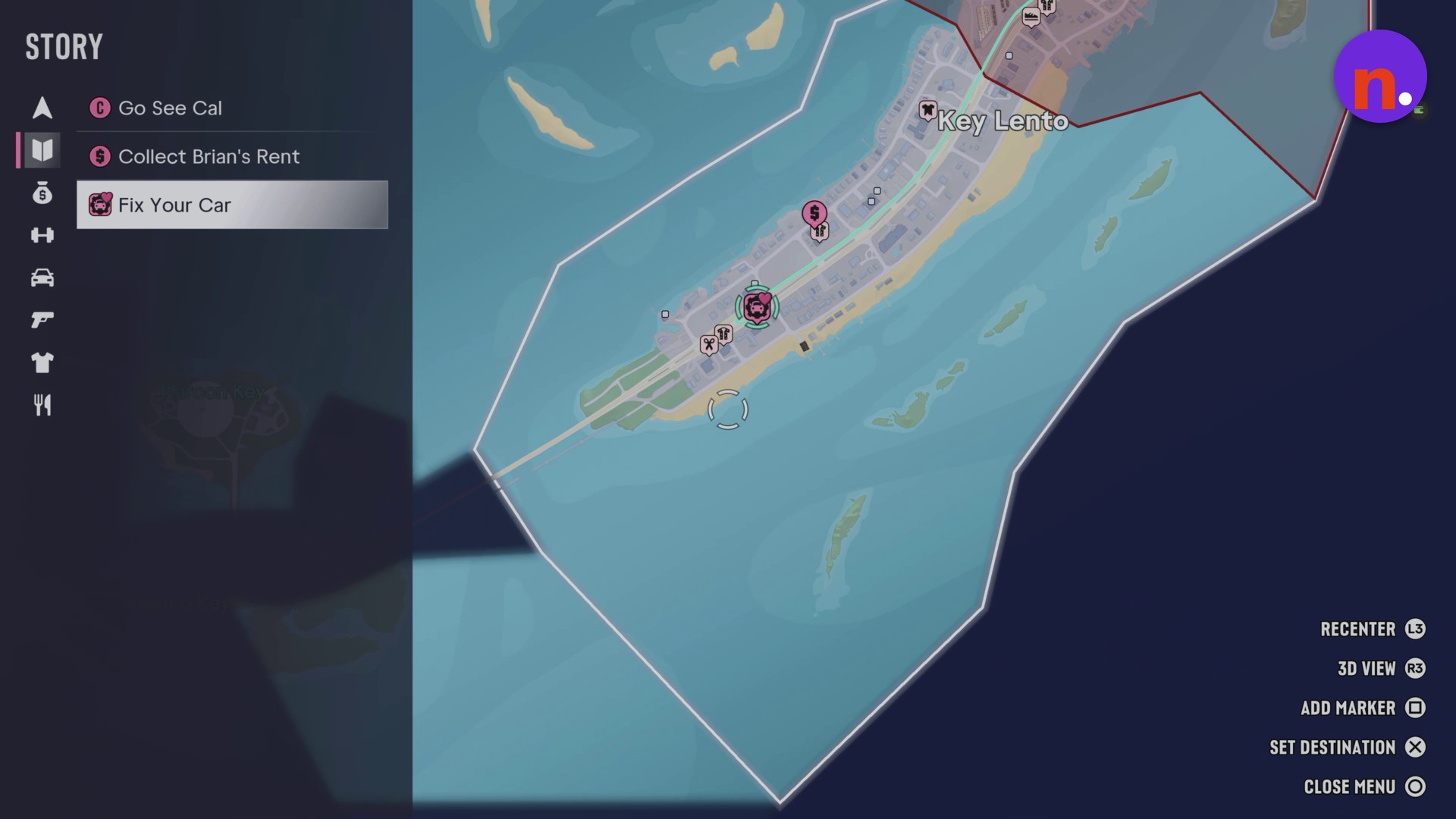
Open the map and select Fix Your Car from the Story objective list. Locate its marker southwest along Sunbelt Highway in Key Lento, then use SET DESTINATION to mark the workshop.
Drive to Coastal Auto Care
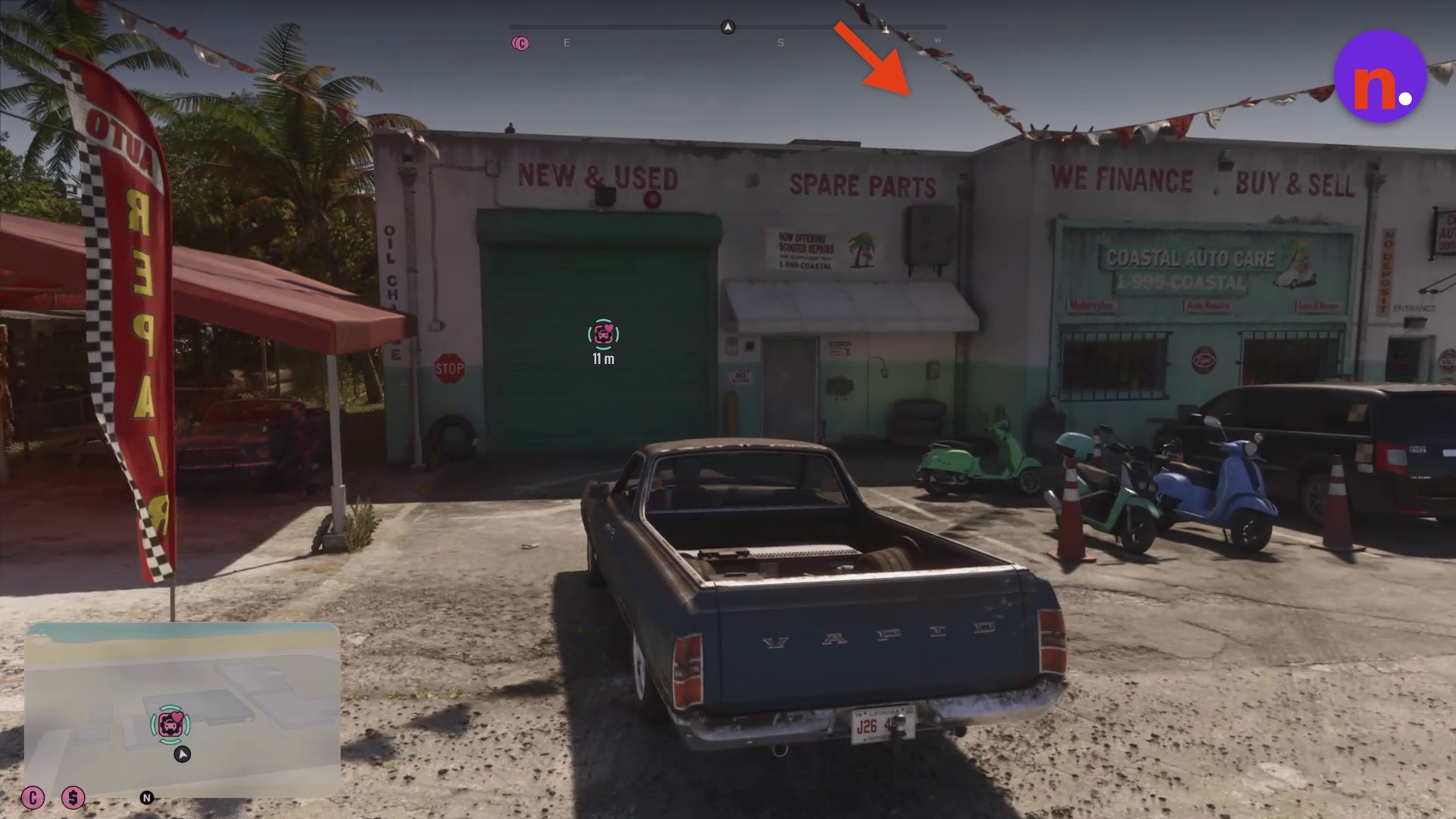
Follow the GPS south along Sunbelt Highway to Coastal Auto Care. Look for the garage beside the spare-parts storefront and its ENTRANCE signage.
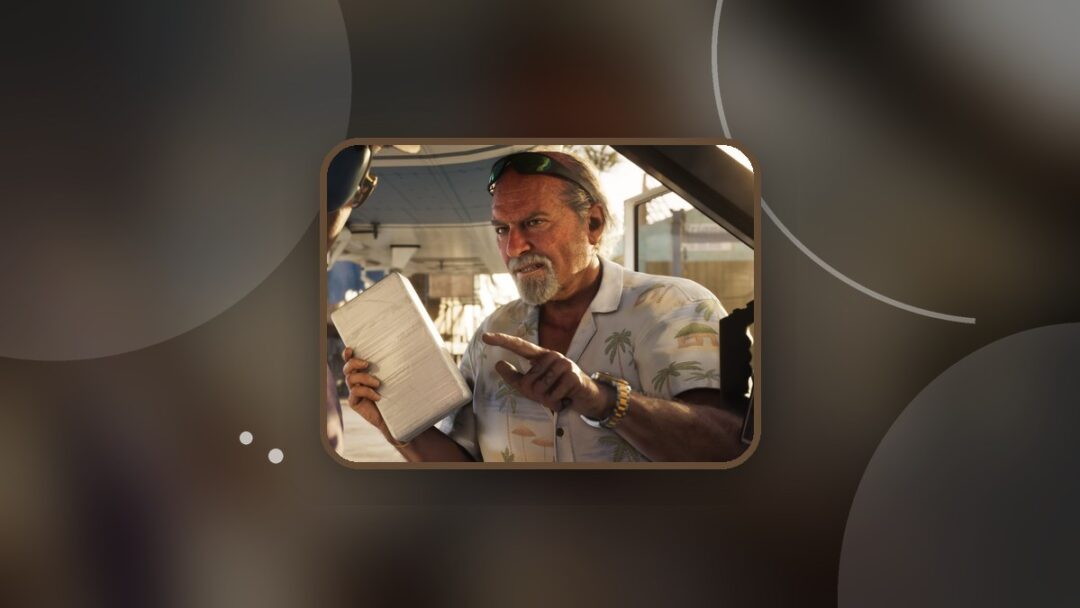
Greet Joey outside the garage
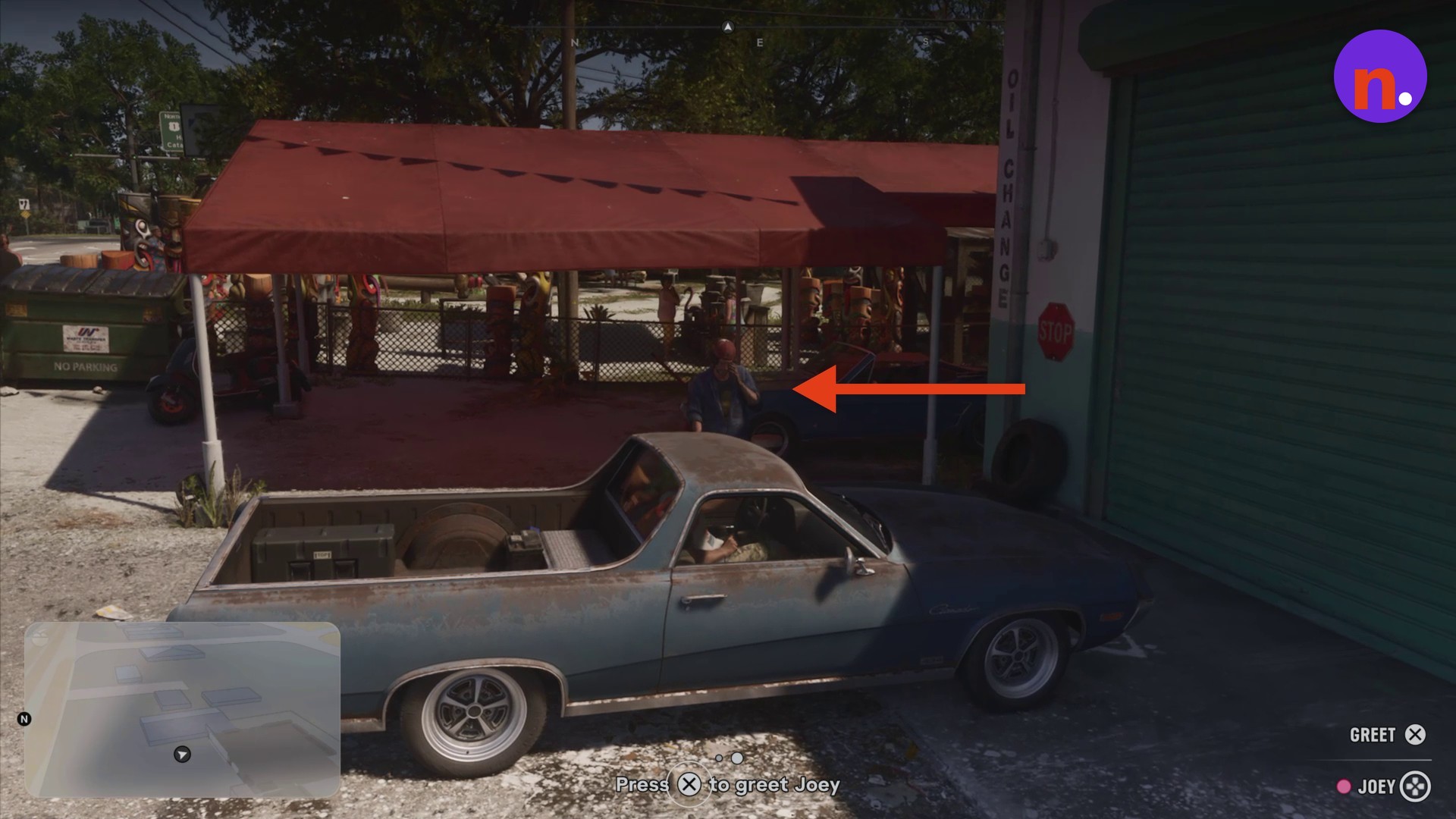
Pull up close to Joey, who stands beneath the awning beside the garage doorway. Use GREET to begin the servicing interaction.
Enter the service bay
Drive the Ganado through the open green roll-up door and into the workshop’s service bay.
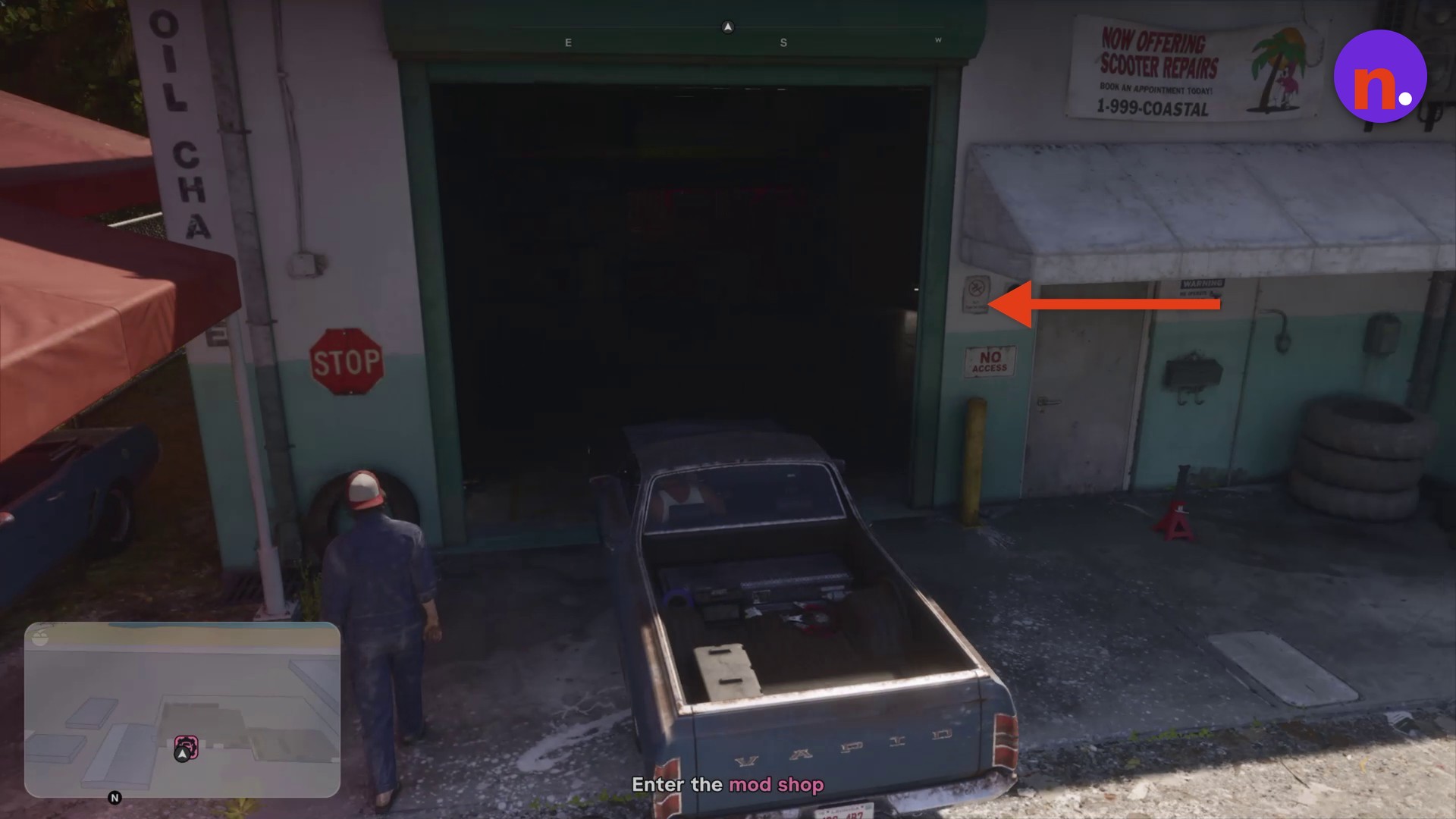
Part 2 – Repair and restore the Ganado
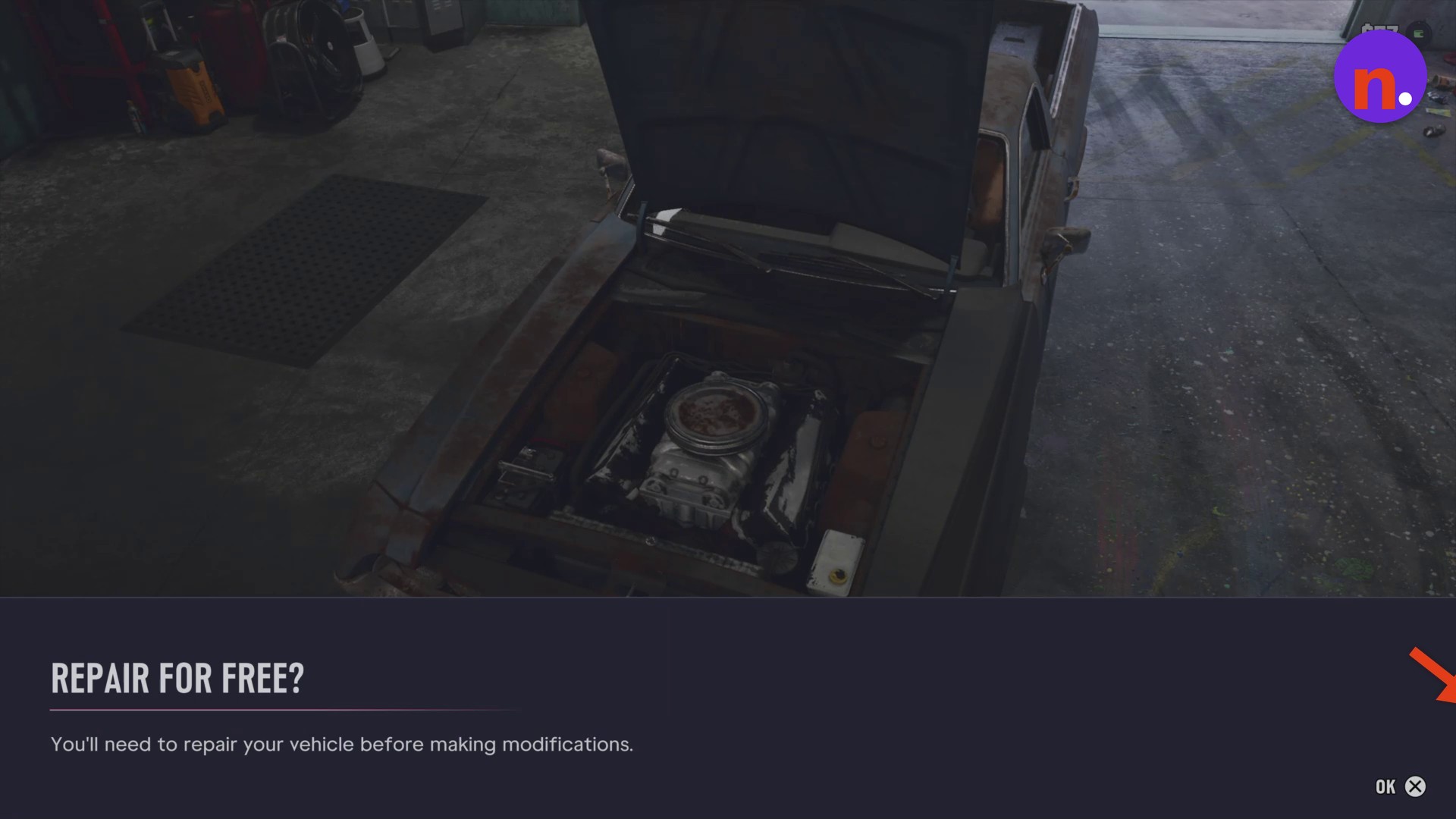
Accept the free repair
Select OK on the REPAIR FOR FREE? prompt. The vehicle repair is free.
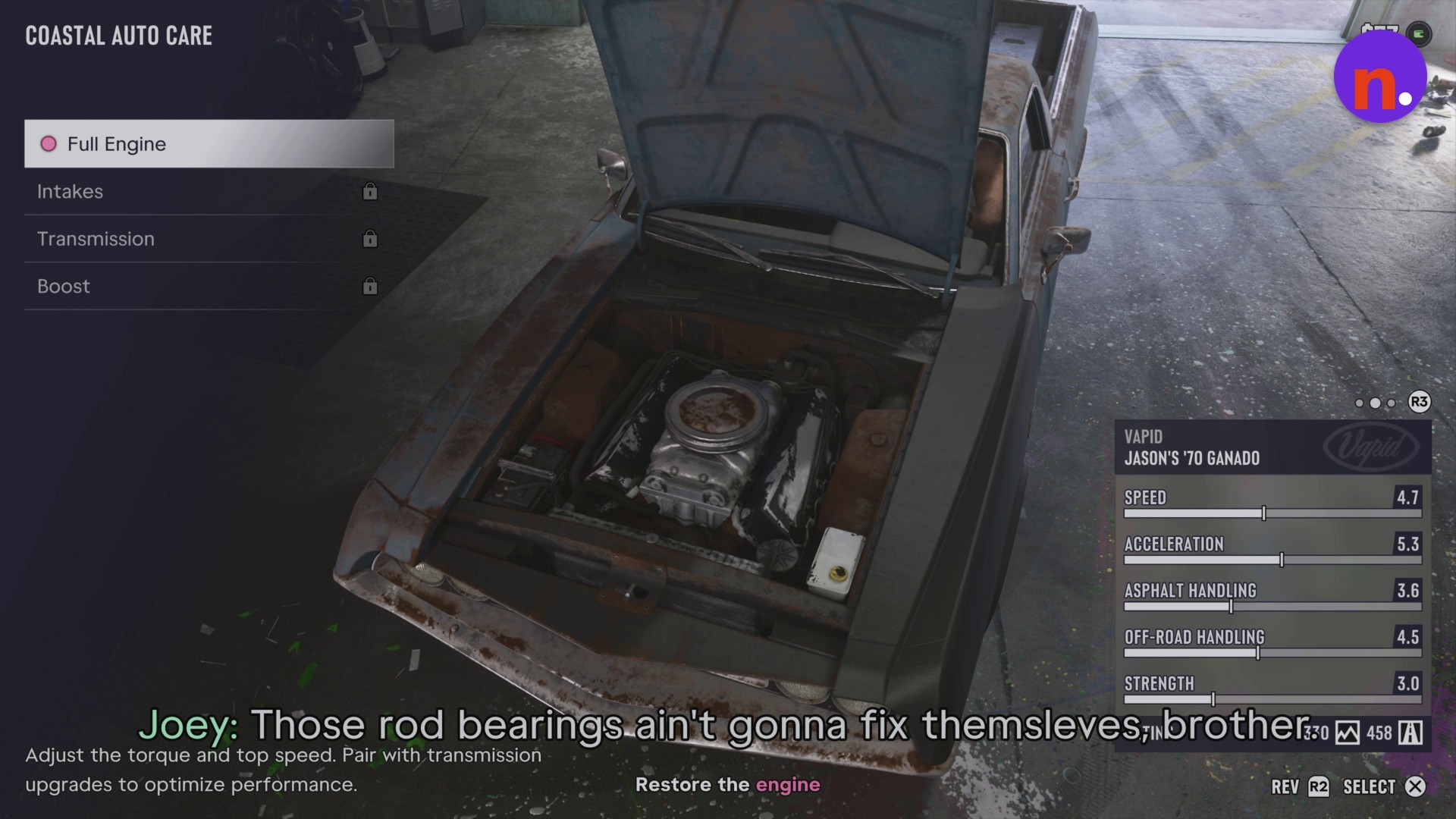
Restore the stock engine
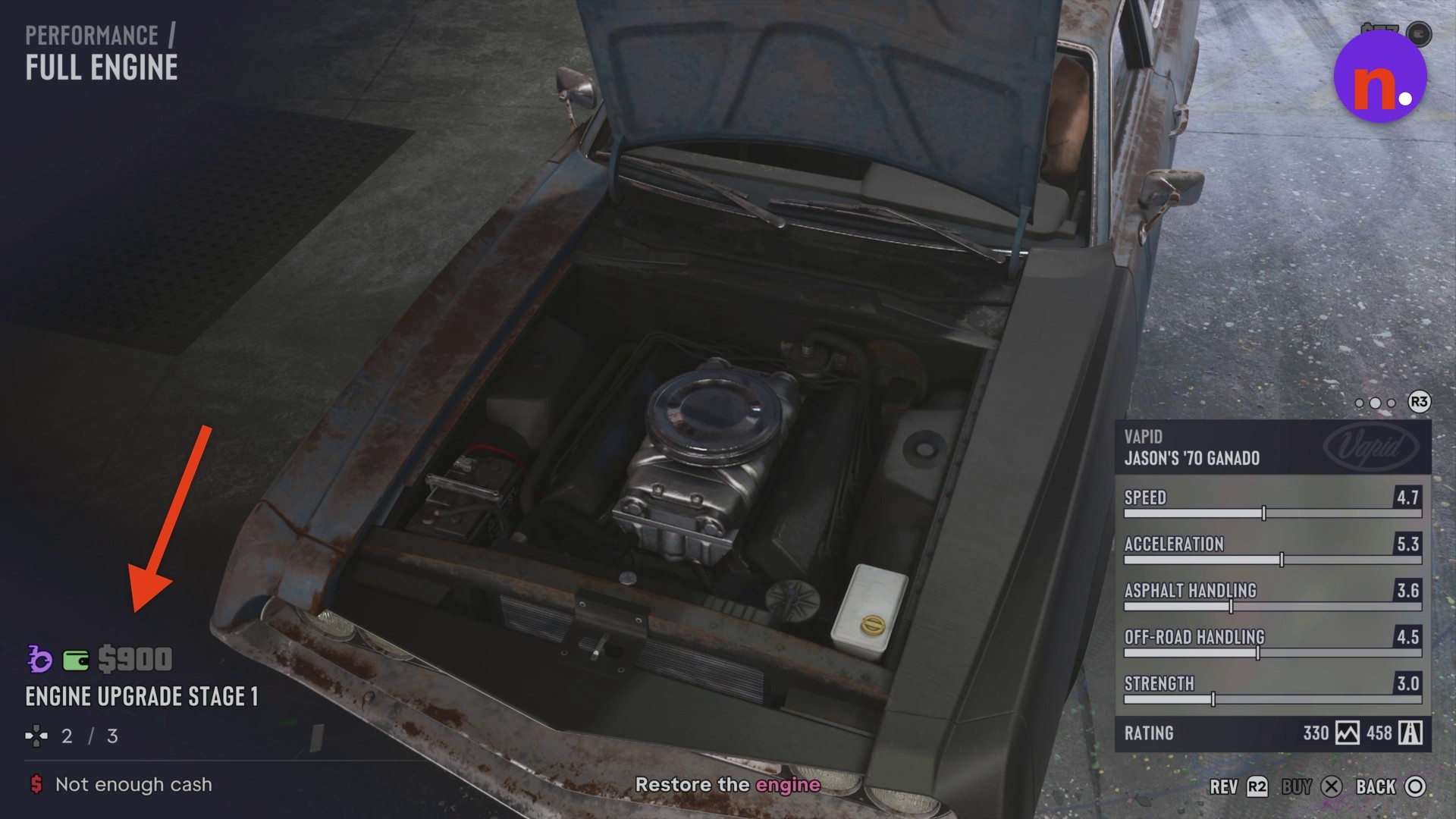
Open Performance > Full Engine and confirm Stock Engine (Restore). This stock-engine restoration is also free.
Part 3 – Respray the car and leave
Open the paint choices
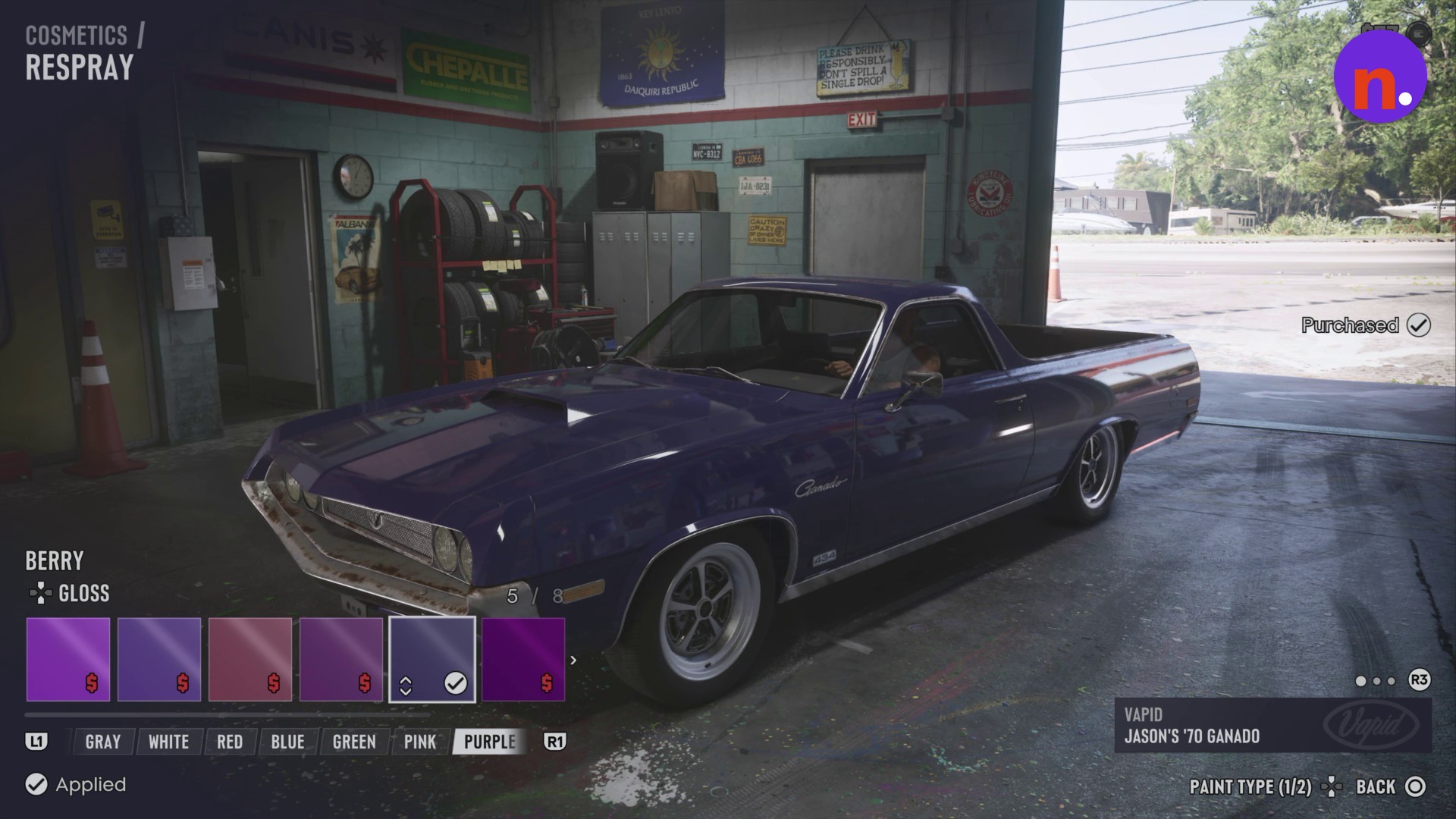
Switch to Cosmetics and select Respray to open the paint menu.
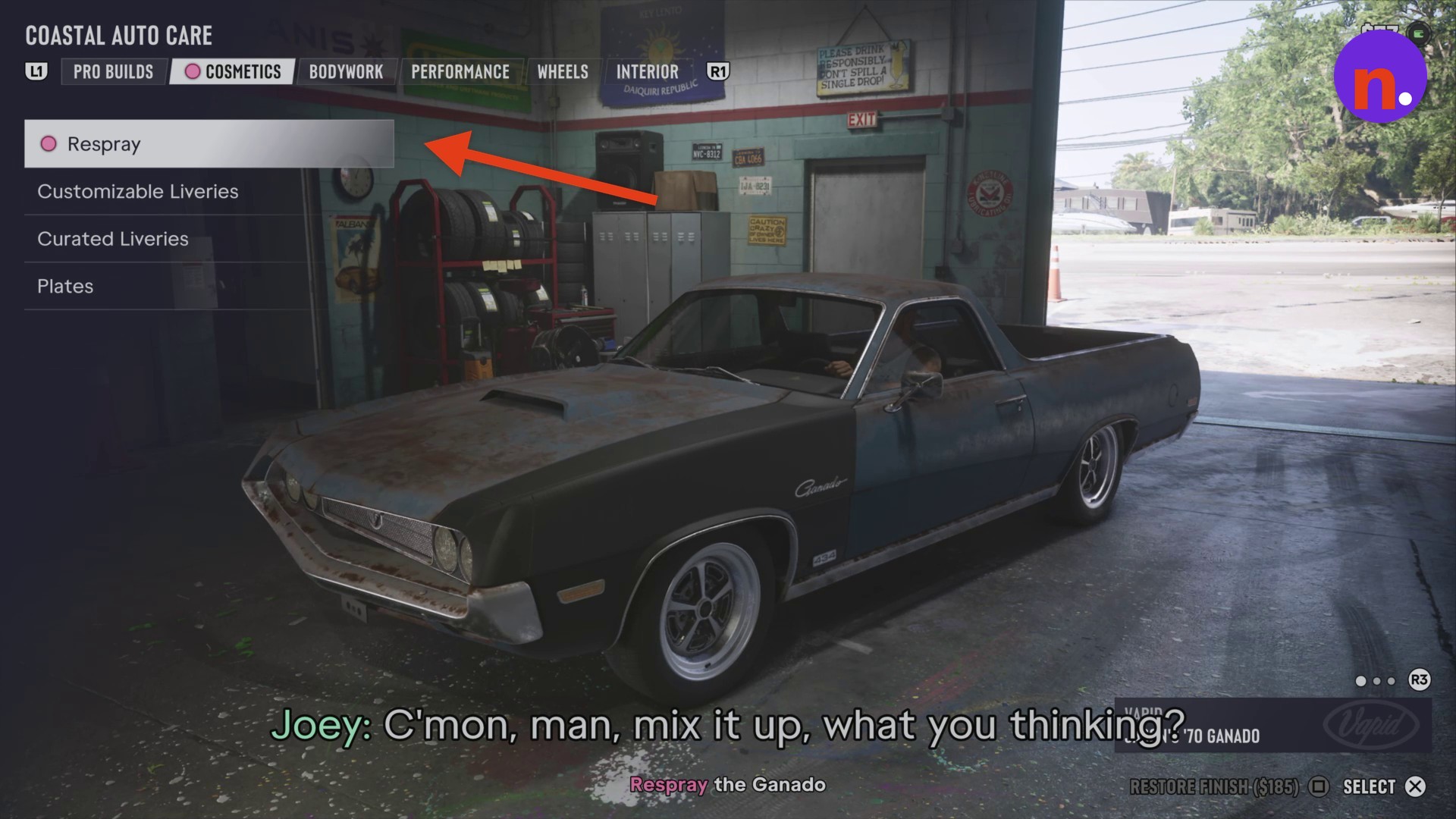
Apply your paint finish
Browse the color categories and choose a finish. Berry applies a purple Gloss finish, and that selection is free. The respray menu marks Berry as Purchased.
Leave the workshop
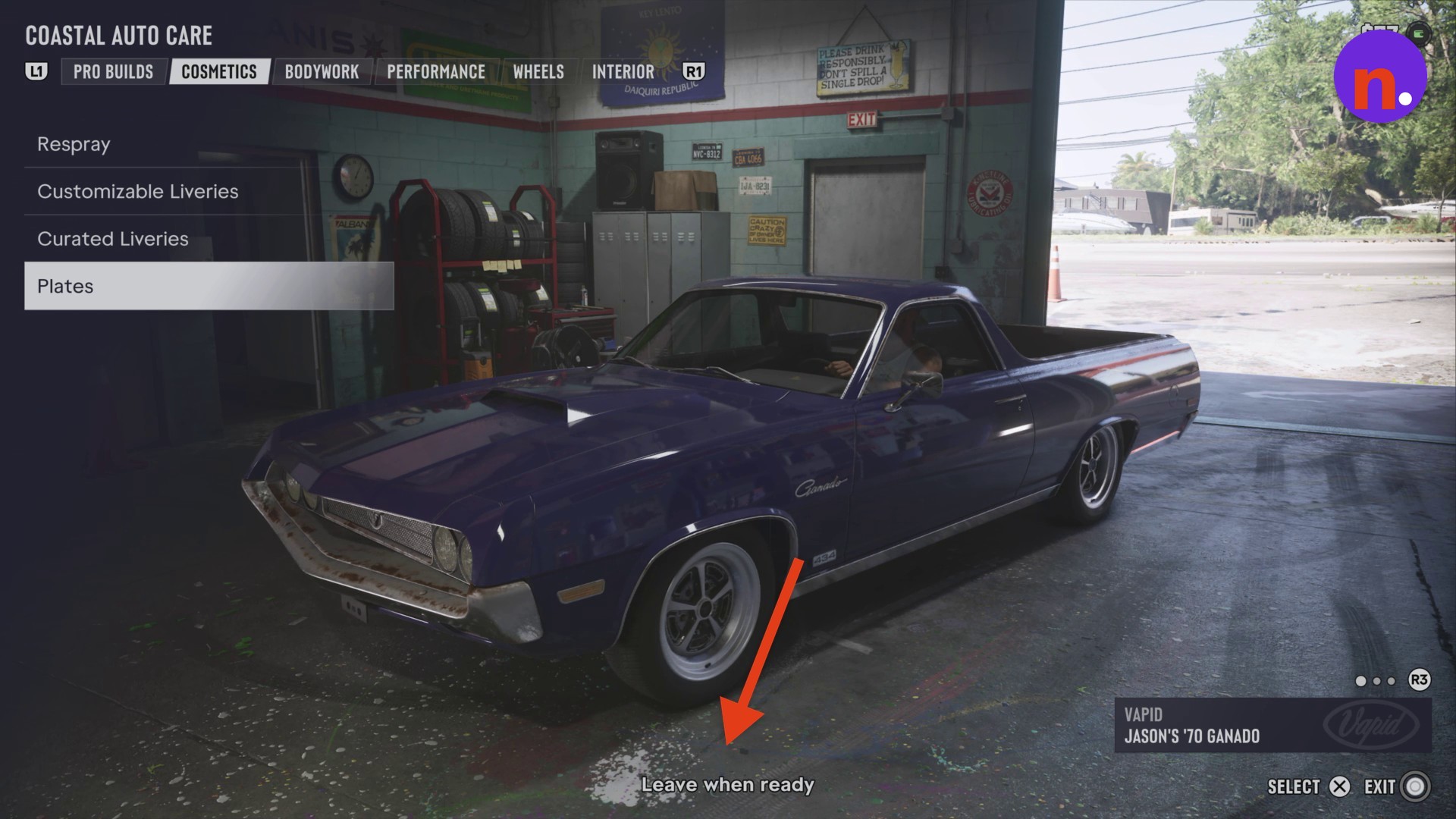
Browse other cosmetic choices if you want to continue customizing. When the menu says Leave when ready, use EXIT to close it and drive outside.
What customization options and prices are available at Coastal Auto Care?
Engine adjustments affect torque and top speed. The engine menu also lets you rev the car with R2, use X for BUY or SELECT as labeled, and press O to go back.
Pair engine adjustments with transmission upgrades to optimize performance, as recommended by the engine menu.
Customization menus
| Menu | Options |
|---|---|
| Main tabs | Pro Builds, Cosmetics, Bodywork, Performance, Wheels, Interior |
| Additional Performance entries | Intakes, Transmission, Boost |
| Additional Cosmetics entries | Customizable Liveries, Curated Liveries, Plates |
| Respray color categories | Gray, White, Red, Blue, Green, Pink, Purple |
If Engine Upgrade Stage 1 is marked Not enough cash, you can’t buy it with your available funds.
Upgrade and finish prices
| Option | Price |
|---|---|
| Engine Upgrade Stage 1 | $900 |
| Restore Finish | $185 |
The respray menu includes a PAINT TYPE control displaying 1/2.
After you leave the garage, Joey offers vehicle towing services outside the workshop.
Related Grand Theft Auto VI guides


Leave a Reply