
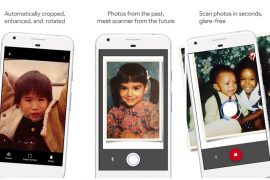
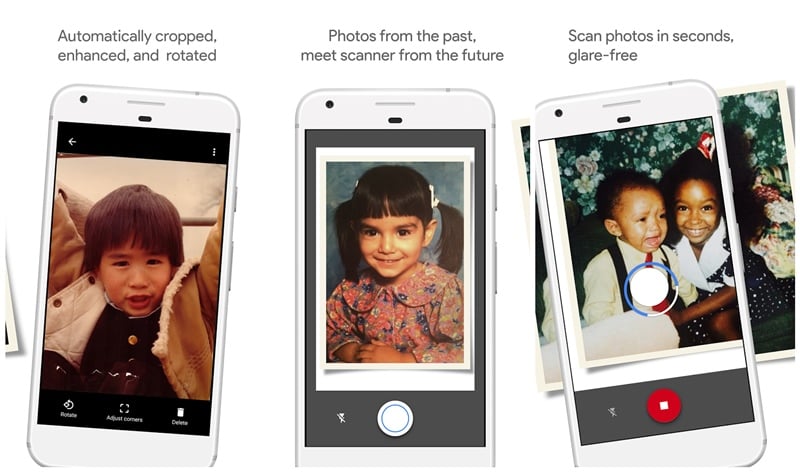
Update [April 21, 2017]: PhotoScan by Google has received a new update that makes it easier to take glare-free pics. Earlier, you had to take multiple pictures to make sure the picture was glare-free, but now, if you feel the lighting is right and you don’t need the glare removal option, you can turn off the same and scan the picture with just one tap.
If you are worried that by turning off the glare removal you would lose the access to other key features like cropping and edge detection, well, that’s not the case. You still get to use them.
Also read: How to scan documents using Android phone and store them online for easy access.
In addition to that, you don’t have to open the Google Photos app to share the pictures, the update allows you to immediately share your scans right from the app.
Launched in November 2016, PhotoScan by Google allows you to scan your printed photos using your phone’s camera and saves them on Google Photos.



6 responses to “PhotoScan by Google now allows you to take glare-free pics with just one tap”
This is nice. It was most awaited thing for many of people. Wll done Google.
awesome, it will really help in many professions whether to scan photos or documents!! great work google!!
Great! No more struggling on finding the perfect lighting like some kind of professional photographer on a photoshoot session lol
I always hated when the pictures I take have glares in them. Now with this app, at least I don’t have to worry about that anymore.
Always fun fiddling around to find that perfect angle to get a photo with no glare!
But my goto app for getting documents scanned using my phone is always going to be Camscanner!
I highly recommend this app especially after this update. I am in the process of digitalizing most of the printed picture albums to preserve them using this app.
You needed a minimum of 5 seconds to scan a picture before but this new update makes it faster if you just want a clear quick scan of say a document or a bill. And another tip is that you can access or launch this app directly from google photos.