The short version
- Press L3 + R3, clicking both thumbsticks together, to activate Focus. It helps reveal your surroundings and highlights vulnerable enemy areas in combat. One player on r/GTA6 says it also helps locate whoever is talking.
- If L3 + R3 does nothing, check SETTINGS > GAMEPLAY > Directional Button Actions. Focus has two input choices, including L3 + R3. One player in the thread says L1 + R1 opens Focus for them.
- Use Focus to locate floating packages and reveal vehicle trails while driving. Put away your weapon before tracking vehicle trails.
- Focus can help locate police during a pursuit. Combat focus slows time and marks vulnerable areas on enemies.
- One player on r/GTA6 reports that Focus works while unarmed but switches off immediately when activated while aiming a weapon.
How Focus works in GTA 6
The Focus mode slows time in certain gameplay situations and helps reveal things around you. The game’s hints demonstrate uses for locating packages and following vehicle trails.
How to turn on Focus in GTA 6
The game’s GAMEPLAY screen shows L3 + R3 as the selected Focus input. That means clicking both thumbsticks together.
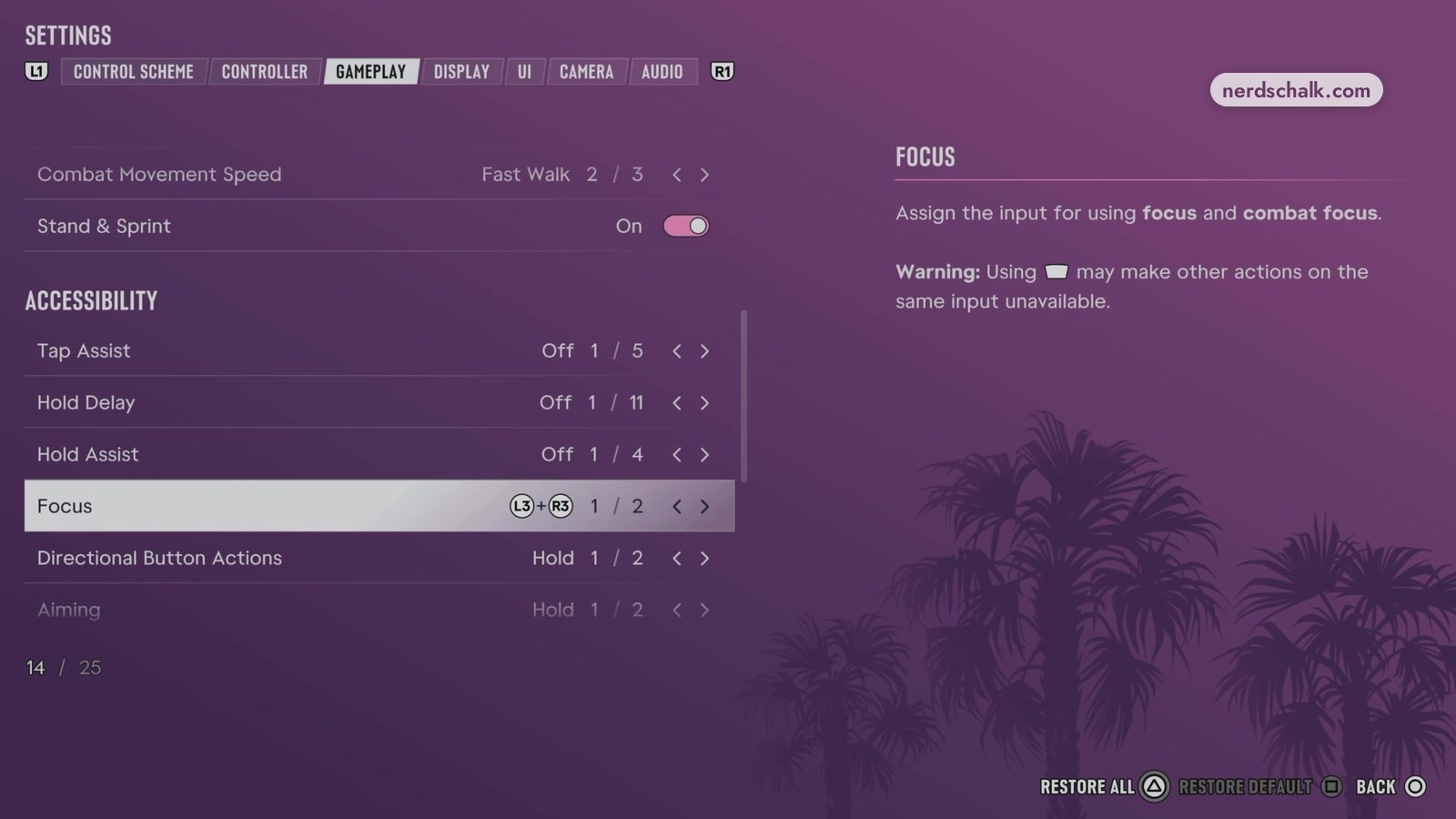
Under SETTINGS > GAMEPLAY, the game’s Directional Button Actions entry assigns the control for Focus and combat focus. Its selector shows two input choices.
The game’s input description warns that assigning this control can prevent other actions from using the same input.
One player in the thread names L1 + R1 as the input that activates Focus and highlights enemies, while the game’s settings shown here select L3 + R3.
Focus settings in GTA 6
The game’s SETTINGS screens offer a Focus input assignment and visual settings for combat highlights and vehicle trails.
Controls and visual options
| Setting | Location | What the game shows |
|---|---|---|
| Directional Button Actions | SETTINGS > GAMEPLAY | The game’s GAMEPLAY screen assigns the Focus and combat focus input, with L3 + R3 selected from two choices. |
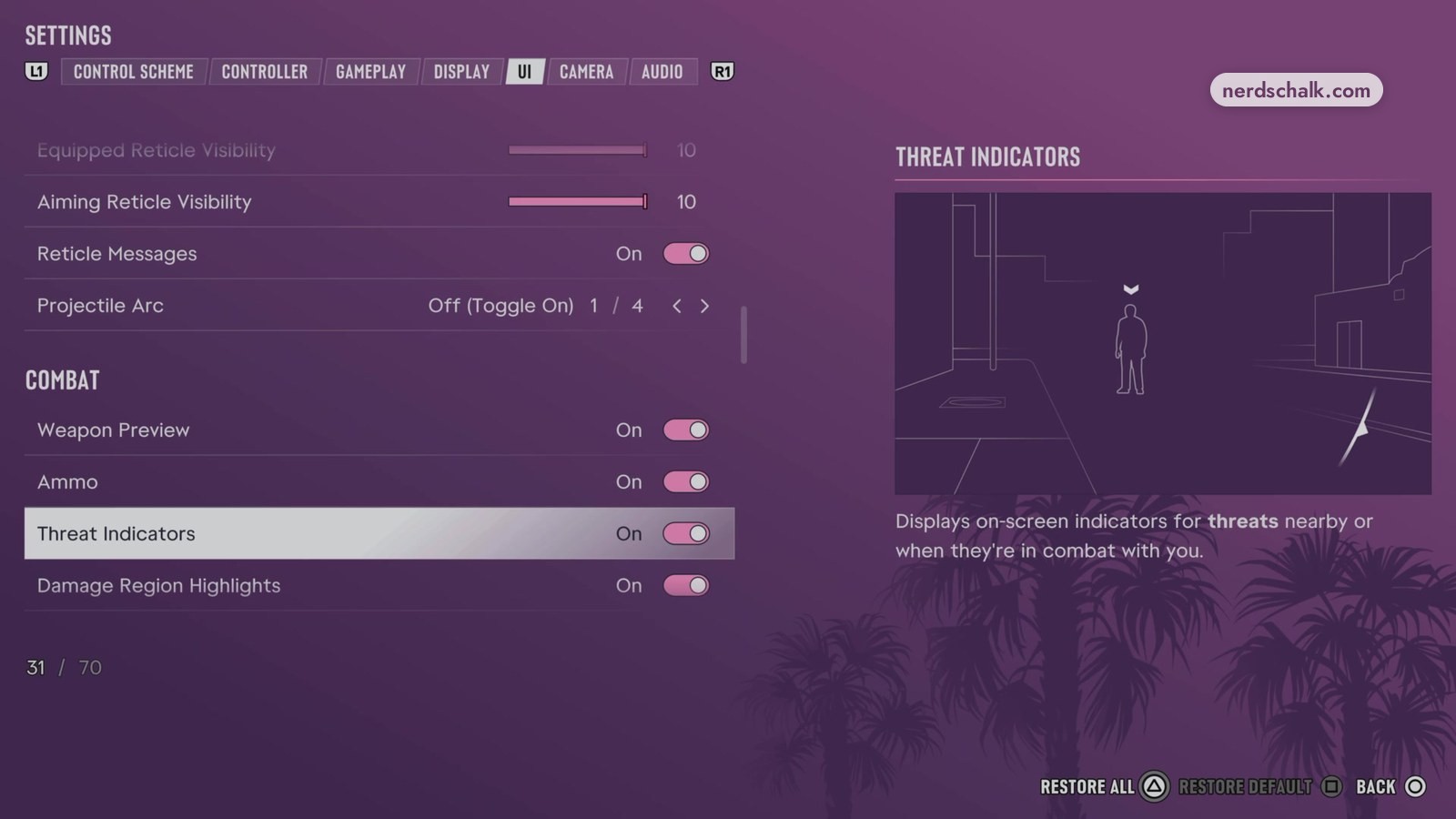
| Damage Region Highlights | SETTINGS > UI > COMBAT | The game’s COMBAT screen describes effects that mark vulnerable target areas during combat focus. |
| Focus Trail Colorblind Mode | SETTINGS > DISPLAY | The game’s DISPLAY screen shows Off and describes stronger trail colors to improve visibility and assist with colorblindness. |
Focus to find items
The game’s package hint tells you to press L3 + R3 to locate a floating package. Focus reveals packages in nearby water so you can steer toward them.
See the guide to finding packages with Focus.
If you hear someone talking but can’t see them, try Focus. One player says it shows where sounds come from.
Focus while driving
The game’s driving hint says to activate Focus with L3 + R3 to reveal vehicle trails while your weapon is unequipped.
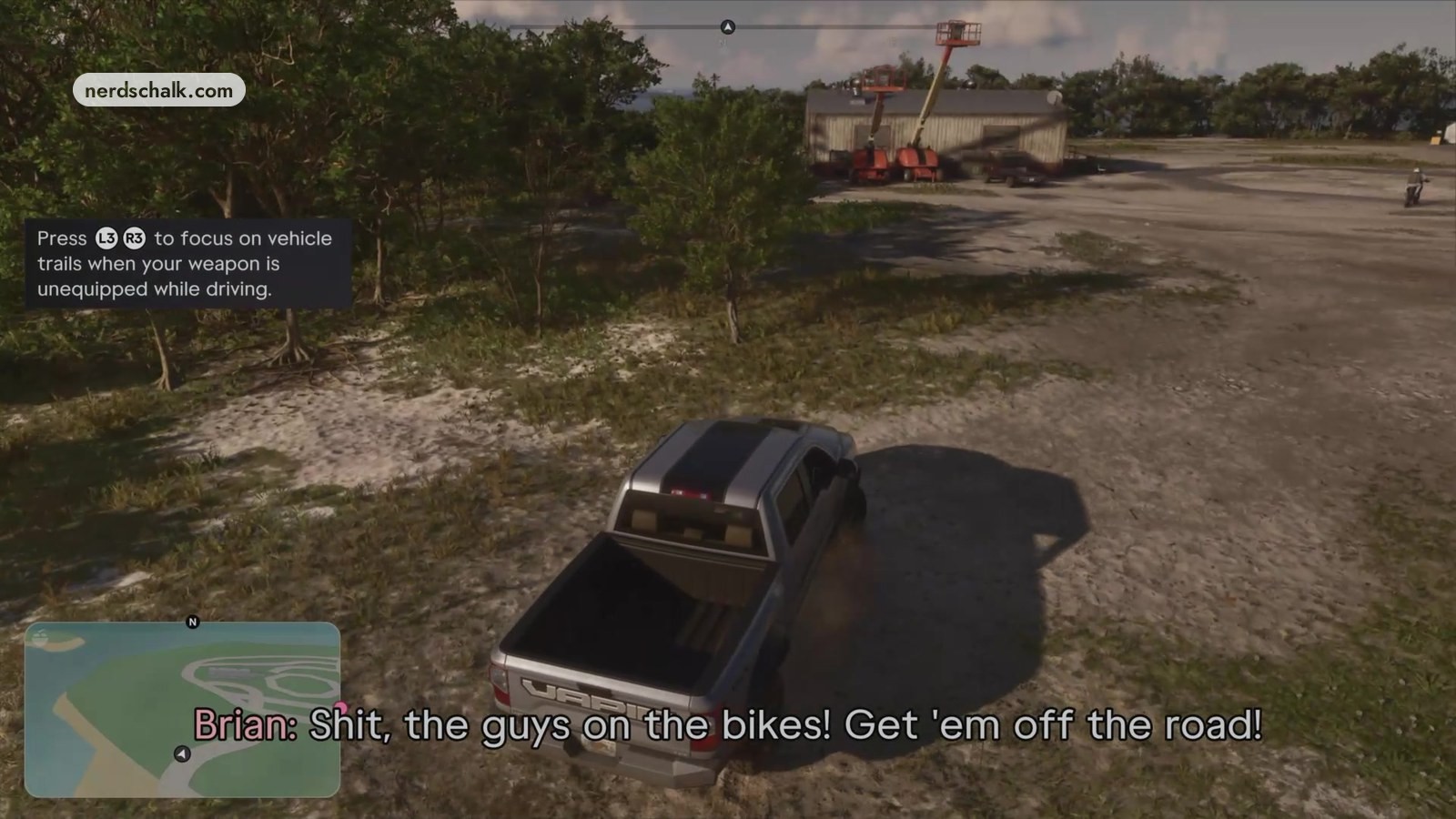
The vehicle-trail guide covers using Focus behind the wheel.
The game’s DISPLAY screen includes Focus Trail Colorblind Mode. Its description says the option strengthens trail colors for visibility and colorblindness.
How combat focus works in Grand Theft Auto VI
The combat focus slows time and marks vulnerable areas on enemies.
According to the game data, the colors distinguish these targets:
- Red areas mark lethal targets.
- Yellow areas mark targets for incapacitating an enemy without killing them.
The game’s Damage Region Highlights setting controls visual effects that mark vulnerable areas during combat focus. Find it under SETTINGS > UI > COMBAT.
Finding police with Focus
Focus can reveal police officers during a pursuit. Pursuing officers do not automatically appear on the radar.
Boosting Focus
Healthy consumables such as smoothies boost Focus and stamina. The game’s on-screen notices include “Focus buffed” and “Focus +1%”.
Problems players report
One player in the thread reports that Focus activates normally while unarmed but flashes on and immediately switches off when they aim a weapon.
FAQs
What is the Focus button on PS5 in Grand Theft Auto VI?
The game’s GAMEPLAY screen shows L3 + R3 as the selected input. Click the left and right thumbsticks together. The game’s Directional Button Actions entry under SETTINGS > GAMEPLAY offers two input choices.
Related on NerdsChalk