
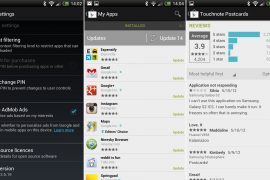
Below are the most recent versions of Play Store:
[posts-by-tag tags = “google-play-apk” number = “5”]
The Google Play Store is now v3.5.19, up from v3.5.16 which was the last update (now second-last of course). Anyway, we’ve got the APK file Google Play v3.5.19 ready for you to download and use on your Android phone or tablet, and we think one would need to be on Android 2.2 or higher to be able to use the updated the Google Play App. We’re still digging on the changes made to this version 3.5.19 of Google Play, and will update the post accordingly.
For now, let’s just install the app. Well, it’s just an APK file, the app installer file for Android, so all you need to do is download the APK file from step 1 below, and install the app using a file manager of your choice. For those new to this and would prefer a detailed guide, see below.
How to Install Google Play APK v3.5.19
- Download Google Play 3.5.19 APK file. [Alternative download link (for downloading on phones if first link doesn’t work)]
- If you downloaded it on PC, transfer it to phone.
- You’ll need a file manager to browse through SD Card. If you don’t have one already, use this file manager (install for free from your current Google Play Store/Android Market app.
- Enable “Unknown sources” under Settings » Applications, so that you can install applications from SD Card. If you are on Ice Cream Sandwich, Android 4.0, find it under Settings » Security.
- Open file manager app and go to directly where you transferred the APK file in Step 2.
- Find and tap on the file to begin installation procedure and it will be installed in less than a minute. That’s it.
Will update the post later with all changes made in this update, so hold on and check back later. Meanwhile, if you spot any changes over the last version 3.5.16, do share with us in comments below. Also, if you need any help over installation, let us know via comments and we’ll be sure to help you out.

168 responses to “Google Play APK 3.5.19”
did what you said with my Arnova 7f g3. closes immediately
did what you said with my Arnova 7f g3. closes immediately
I have a samsung galaxy note GT_I9220 from china and it came with a default market that in chinese. When I try to download the apk file for google play it just force closes. Can someone help me in finding out how to get this fixed or to get some kind of market on my phone.
I have a samsung galaxy note GT_I9220 from china and it came with a default market that in chinese. When I try to download the apk file for google play it just force closes. Can someone help me in finding out how to get this fixed or to get some kind of market on my phone.
I have a samsung galaxy note GT_I9220 from china and it came with a default market that in chinese. When I try to download the apk file for google play it just force closes. Can someone help me in finding out how to get this fixed or to get some kind of market on my phone.
i m using samsung galaxy s3.and play store doesn ‘t work.everytime i open it,it keeps saying ”Authentication is required.You need to sign in your google accout” . what happen??
you have to reboot /reset your mobile
Press and hold ‘Volume Up’ + ‘Power’ + ‘Home’
and then add ur gmail id and continue…..
i m using samsung galaxy s3.and play store doesn ‘t work.everytime i open it,it keeps saying ”Authentication is required.You need to sign in your google account” . what happen??
you have to reboot /reset your mobile
Press and hold ‘Volume Up’ + ‘Power’ + ‘Home’
and then add ur gmail id and continue…..
i m using samsung galaxy s3.and play store doesn ‘t work.everytime i open it,it keeps saying ”Authentication is required.You need to sign in your google accout” . what happen??
you have to reboot /reset your mobile
Press and hold ‘Volume Up’ + ‘Power’ + ‘Home’
and then add ur gmail id and continue…..
i m using samsung galaxy s3.and play store doesn ‘t work.everytime i open it,it keeps saying ”Authentication is required.You need to sign in your google account” . what happen??
you have to reboot /reset your mobile
Press and hold ‘Volume Up’ + ‘Power’ + ‘Home’
and then add ur gmail id and continue…..
Very Very Nice Post Bro
Thnx!
Very Very Nice Post Bro
Thnx!
Very Very Nice Post Bro
Thnx!
I went to file manager and went to unknown sources but I didn’t want to mess up my tablet cause it told me that if I tapped it I would be responsable for any damage
I went to file manager and went to unknown sources but I didn’t want to mess up my tablet cause it told me that if I tapped it I would be responsable for any damage
I went to file manager and went to unknown sources but I didn’t want to mess up my tablet cause it told me that if I tapped it I would be responsable for any damage
U Have kindle fire and why every time I opened it close
U Have kindle fire and why every time I opened it close
U Have kindle fire and why every time I opened it close