

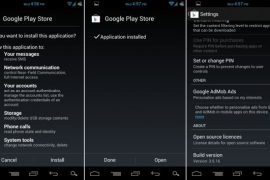
Below are the most recent versions of Play Store:
[posts-by-tag tags = “google-play-apk” number = “5”]
We just found a new version of Google Play Store making rounds on internet and thought it’s worth sharing with you guys. The new Google Play app’s version is 3.5.16, the last one being 3.5.15.
Yep, not a big update clearly, going by the change in version number (just an addition of 0.0.0.1) and it’s being said that it basically fixes problems with purchased apps not appearing under the My Apps section for many users. I you had any such problem with the earlier Play Store app, do try this.
How to Install Google Play 3.5.16
One can download the APK of Google Play v3.5.16 and install it like any other app. You don’t need root, ADB or anything, just download the Google Play’s APK file from step 1 below and transfer it to your phone’s SD Card and then use a file manager to browse to it and install. (Don’t forget select the “Unknown sources” check box under applications settings before that so that you’re able to install apps manually.)
For those pretty new on android scene, first of all welcome to android world, and check out the detailed procedure below on how to install Play Store’s using its APK:
- Download Google Play 3.5.16 APK file.
- If you downloaded it on PC, transfer it to phone.
- You’ll need a file manager to browse through SD Card. If you don’t have one already, use this file manager (install for free from your current market app, which will soon be Google Play Store App.
- Enable “Unknown sources” under Settings » Applications, so that you can install applications from SD Card. If you are on Ice Cream Sandwich, Android 4.0, find it under Settings » Security.
- Open file manager app and go to directly where you transferred the apk file in Step 2.
- Find and tap on the file to begin installation procedure and it will be installed in a minute. That’s it.
We haven’t spotted any changes — at least in appearances, that is — whatsoever with the new version 3.5.16 yet. If you do, do share it in comments. Ad in case you need help with anything regarding this, feel free to ask in comments below.

155 responses to “Google Play APK 3.5.16”
I was having the same problem that many of you are having but i found out that if you are missing your google play, you should download the “gapps” zip and install it in your recovery. Search “gapps” on google.
I was having the same problem that many of you are having but i found out that if you are missing your google play, you should download the “gapps” zip and install it in your recovery. Search “gapps” on google.
I was having the same problem that many of you are having but i found out that if you are missing your google play, you should download the “gapps” zip and install it in your recovery. Search “gapps” on google.
works on HCL mw u1…..
can u pls tell me how to install playstore in hcl me u1 ncoz its not working in me tablet
works on HCL mw u1…..
can u pls tell me how to install playstore in hcl me u1 ncoz its not working in me tablet
works on HCL mw u1…..
can u pls tell me how to install playstore in hcl me u1 ncoz its not working in me tablet
I just bought an android phone in China (where I am living at the moment) and it did not come with ANY version of google play or android market. Can I still use this apk.?
I just bought an android phone in China (where I am living at the moment) and it did not come with ANY version of google play or android market. Can I still use this apk.?
I just bought an android phone in China (where I am living at the moment) and it did not come with ANY version of google play or android market. Can I still use this apk.?
I have HCL ME U1 tablet. I want to download LIC Mobile APP on my tablet. However, am not able to do so. the message is “you have not logged in Google Play with this email id”. Even after doing this it fails.
Please suggest remedy. Is it possible?
I have HCL ME U1 tablet. I want to download LIC Mobile APP on my tablet. However, am not able to do so. the message is “you have not logged in Google Play with this email id”. Even after doing this it fails.
Please suggest remedy. Is it possible?
I have HCL ME U1 tablet. I want to download LIC Mobile APP on my tablet. However, am not able to do so. the message is “you have not logged in Google Play with this email id”. Even after doing this it fails.
Please suggest remedy. Is it possible?
Hi im having problem. I download it from off of my tablet because i don’t have a computer and its the tablet i want it on anyway it installs and everything but when it says to open it just forces closed can u help me im going nuts. I forgot to say i have a wondermedia wm 8650 Android tablet. From what i hear its the chinese version or something.
Hi im having problem. I download it from off of my tablet because i don’t have a computer and its the tablet i want it on anyway it installs and everything but when it says to open it just forces closed can u help me im going nuts. I forgot to say i have a wondermedia wm 8650 Android tablet. From what i hear its the chinese version or something.
Hi im having problem. I download it from off of my tablet because i don’t have a computer and its the tablet i want it on anyway it installs and everything but when it says to open it just forces closed can u help me im going nuts. I forgot to say i have a wondermedia wm 8650 Android tablet. From what i hear its the chinese version or something.
I downloaded google play store in my hcl me u1 but it says unfortunately google store has stopped whenever I try to download any app from play store
I downloaded google play store in my hcl me u1 but it says unfortunately google store has stopped whenever I try to download any app from play store
I downloaded google play store in my hcl me u1 but it says unfortunately google store has stopped whenever I try to download any app from play store
my mobile is galaxy y dous G-6102 error says
Authentication is required . you need to sign for Google account
U need to go to setting – accounts and sync- add account – sellect google -next – creat or sign in
Now u r done
my mobile is galaxy y dous G-6102 error says
Authentication is required . you need to sign for Google account
U need to go to setting – accounts and sync- add account – sellect google -next – creat or sign in
Now u r done
my mobile is galaxy y dous G-6102 error says
Authentication is required . you need to sign for Google account
U need to go to setting – accounts and sync- add account – sellect google -next – creat or sign in
Now u r done
I downloaded the latest version on Samsung Galaxy S I9000. But it is not working. every time I try to open the app a message appears “the app google play has stopped unexpectedly.Please try again”
Please help me with this problem. I need Google Play on my phone in order to install latest version of WhatsApp.
I downloaded the latest version on Samsung Galaxy S I9000. But it is not working. every time I try to open the app a message appears “the app google play has stopped unexpectedly.Please try again”
Please help me with this problem. I need Google Play on my phone in order to install latest version of WhatsApp.
I downloaded the latest version on Samsung Galaxy S I9000. But it is not working. every time I try to open the app a message appears “the app google play has stopped unexpectedly.Please try again”
Please help me with this problem. I need Google Play on my phone in order to install latest version of WhatsApp.
I did this on my impression i7 because their app market don’t offer near as many apps as Google play, first i downloaded the latest version on my pc and copied it to the tablet and for some reason it didn’t work so i downloaded the oldest version and follow this directions and it seems to work just fine, maybe it’ll update later. Try the oldest version before the updates of Google play if the updated version don’t work on your tablet.
I did this on my impression i7 because their app market don’t offer near as many apps as Google play, first i downloaded the latest version on my pc and copied it to the tablet and for some reason it didn’t work so i downloaded the oldest version and follow this directions and it seems to work just fine, maybe it’ll update later. Try the oldest version before the updates of Google play if the updated version don’t work on your tablet.
I did this on my impression i7 because their app market don’t offer near as many apps as Google play, first i downloaded the latest version on my pc and copied it to the tablet and for some reason it didn’t work so i downloaded the oldest version and follow this directions and it seems to work just fine, maybe it’ll update later. Try the oldest version before the updates of Google play if the updated version don’t work on your tablet.