

Send Aniimo to investigate unlocked clues in Tracing the Trail, then collect their rewards after the deployment timer finishes.
Tracing the Trail follows signs of Legendary Aniimo activity. Your investigation starts with an eyewitness report and a party you assemble for the dispatch.
Investigation clues and the board’s countdowns
Tracing the Trail: The Shadow of Legend, also called Tracing the Trail, sits in Story & discovery. It provides the dispatch activity alongside Legendary Journey, preparing you for forthcoming Legendary story content.
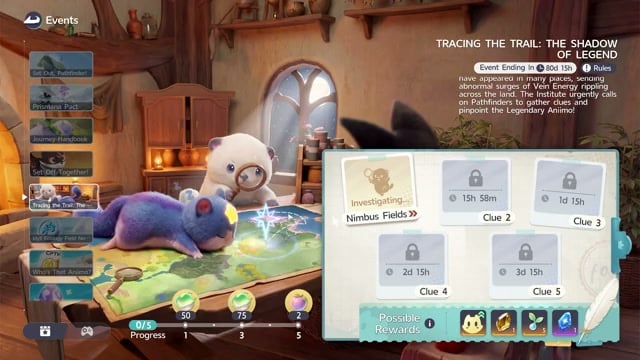
In the demonstrated board state, Nimbus Fields is the first and only selectable clue. Question marks conceal investigation details, while clues 2–5 each have their own countdown. A separate progress bar tracks milestone rewards.
The overall event timer reads 80d 16h. The separate next-event countdown reads 15h 58m. These are recorded screen readings, not current remaining times; neither is the timer for your deployed party.
Set up your investigation party
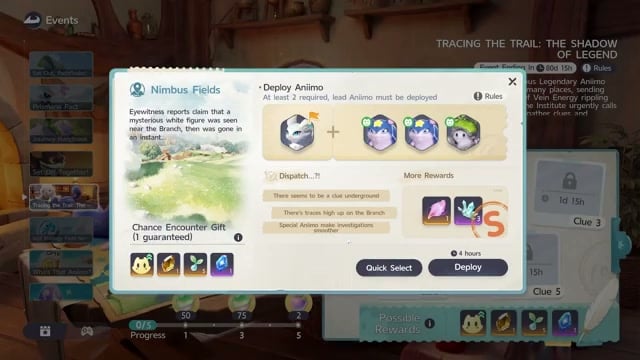
Open Events and choose Tracing the Trail: The Shadow of Legend to reach the board. Nimbus Fields opens the Deploy Animo menu, where reward tooltips accompany the investigation report.
The party area has four available slots at the top right, initially empty. You can assemble the party manually or use automatic selection.
Its dispatch hints point to an underground clue and traces high on the Branch, and say that special Aniimo help investigations run smoothly.
Deployment grades and team duration
Your selected Aniimo affect the evaluation. Automatic assembly reaches S in the demonstrated setup, while removing members changes it to A. Appropriate selections matter: that result applies to the party used in the demonstration, rather than guaranteeing S for every roster.
Rewards in the displayed grade comparison
| Grade | Displayed rewards |
|---|---|
| A | Two flux crystals and one Irisalis Petal. |
| S | Three flux crystals. |
S gives the better reward of these two previews, but it does not set one fixed duration. An earlier preview is described as 2 hours 28 minutes; a later S party takes 4 hours, while the Quick Select configuration takes 2 hours 48 minutes. That last configuration is the one launched.
The choice comes down to your preferred leader and the resulting timer. A team can retain S while its deployment time changes, so compare both values after adjusting the lineup.
If your manual party misses S, use Quick Select, then change the leader to your preferred Aniimo and review the resulting grade and duration.
Reward materials and Irisalis Petal sources
The event’s materials serve different purposes, from potential improvements to Legendary Aniipod crafting. Keep acquired potential and Innate Potential distinct when choosing which reward you want to pursue.
Event materials and their uses
| Reward material | Use |
|---|---|
| Starassist Essence | |
| Capaseed | Exchange Capaseed for Capafruit. |
| Irisalis Petal | Event currency and material obtained through Tracing the Trail and used to craft Legendary Aniipods. |
| Vein Essence | Its tooltip describes essence absorbed by a Branch in Breezy Plains. |
| Capability Fruits | Event rewards that improve an Aniimo’s Innate Potential. |
You can also obtain Irisalis Petals from Main Story Quests, starting with Ceremony Preparations. The item tooltip lists further acquisition sources under Alpha First Clear, Elite Pathfinder Challenge, Nurture Branch, Silver Badge, and Topic.
Recall an investigation and replace its team
Recall is the optional branch for changing an active dispatch. The cancellation applies to the unfinished investigation, so decide whether to abandon that attempt before confirming.
How to investigate, deploy, and recall your Aniimo
Start with Nimbus Fields, assemble your party, and launch the investigation; follow the optional recall branch if you want a replacement team.
STEP 1/13
8%
Open the Nimbus Fields investigation
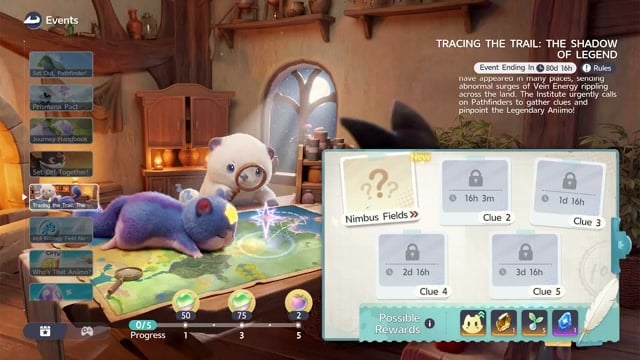
Select Nimbus Fields to open its dispatch screen.
STEP 2/13
15%
Review the report and rewards
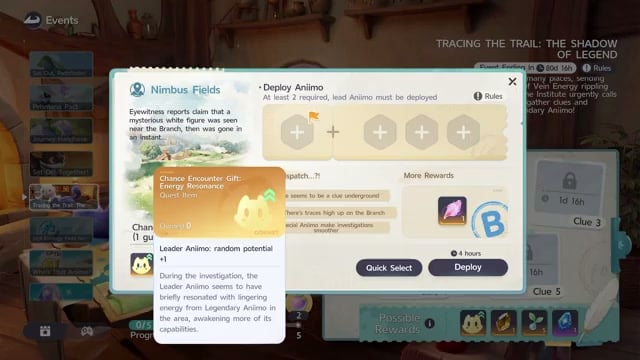
Read the eyewitness report and dispatch hints, then open the reward tooltips before choosing your party.
STEP 3/13
23%
Choose your leader manually
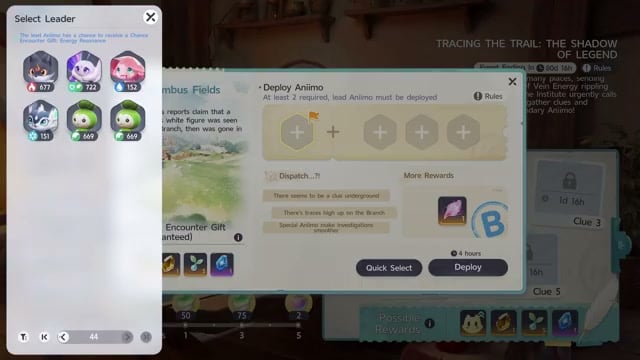
Click the first party slot to open Select Leader and choose an owned Aniimo; Lunara is selected in the demonstration.
STEP 4/13
31%
Fill the remaining party slots
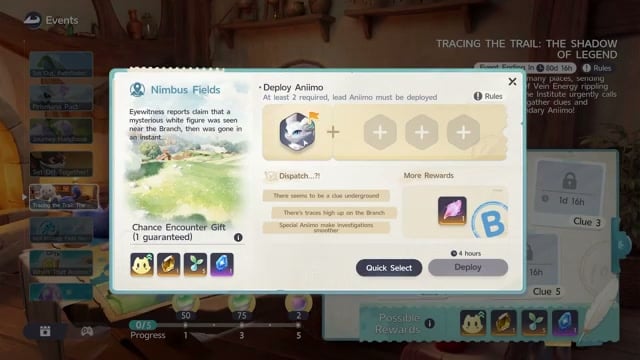
Select Aniimo for the other three positions if you are assembling the team manually.
STEP 5/13
38%
Try automatic party assembly
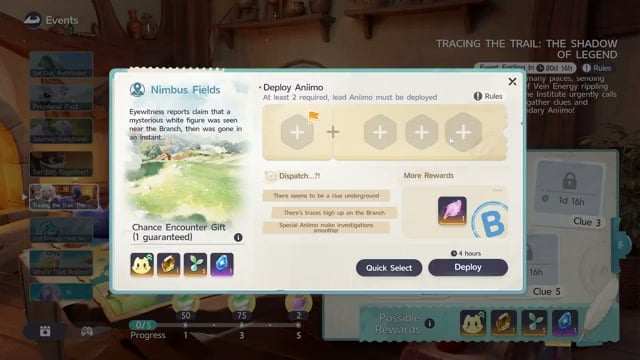
Press Quick Select to populate the party automatically.
STEP 6/13
46%
Compare a reduced lineup
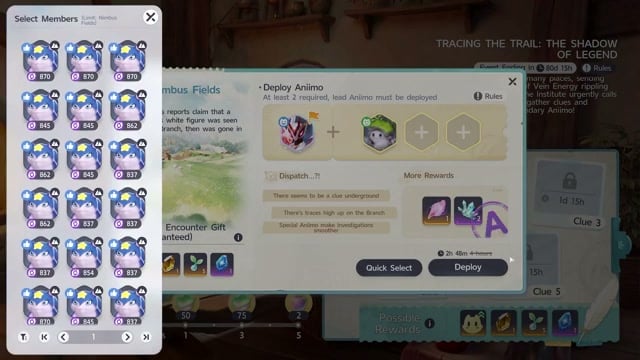
Deselect members to compare the evaluation and reward preview against the assembled party.
STEP 7/13
54%
Review your final arrangement
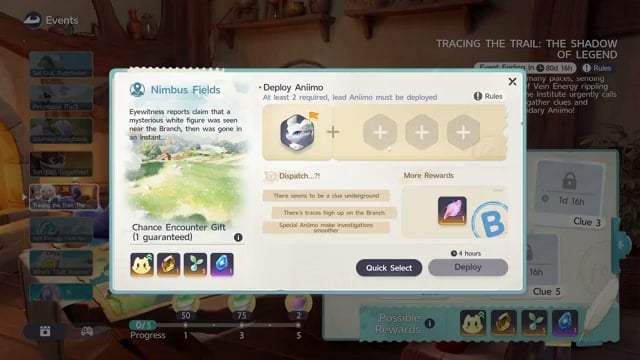
Compare the grade and deployment duration of the revised team before committing to that lineup.
STEP 8/13
62%
Launch the investigation
Press Deploy to initiate the dispatch and bring up its deployment confirmation.
STEP 9/13
69%
Optional: recall and replace the team
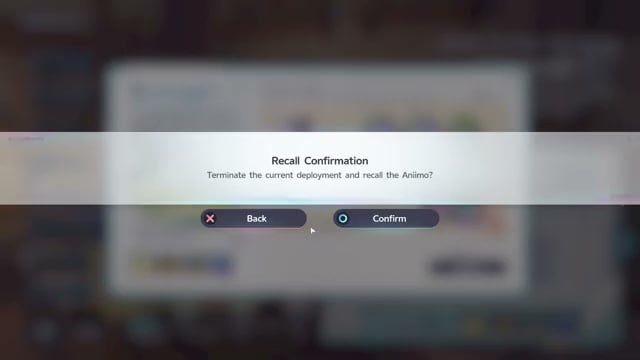
Click Recall to open Recall Confirmation when you want to end the active dispatch.
STEP 10/13
77%
Confirm cancellation
Read the prompt to terminate the current deployment, then choose Yes to confirm.
STEP 11/13
85%
Return to party setup
The Aniimo return immediately and the deployment resets, leaving redeployment available without waiting for the next event.
STEP 12/13
92%
Assemble the replacement party
Use Quick Select again or reconfigure the returned party for another dispatch.
STEP 13/13
100%
Deploy the replacement team
Press Deploy to send the newly selected party on its investigation.
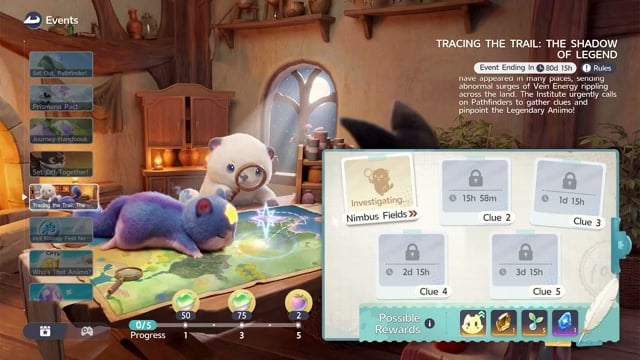
Back on the main event screen, Nimbus Fields changes to Investigating… with an active countdown. That status tracks the dispatch now underway.
Related Aniimo guides
Frequently Asked Questions
Can you still use Aniimo assigned to an investigation?
Yes, you can still use assigned Aniimo. They stay available while the dispatch runs, so putting them in a deployment party doesn’t stop you from using them.
Is Tracing the Trail the same as Who’s That Aniimo?
No, Who’s That Aniimo? is separate from Tracing the Trail. You investigate through silhouette photography, with clues and photo submissions also part of the related Polaris Institute ecology events.






Leave a Reply