


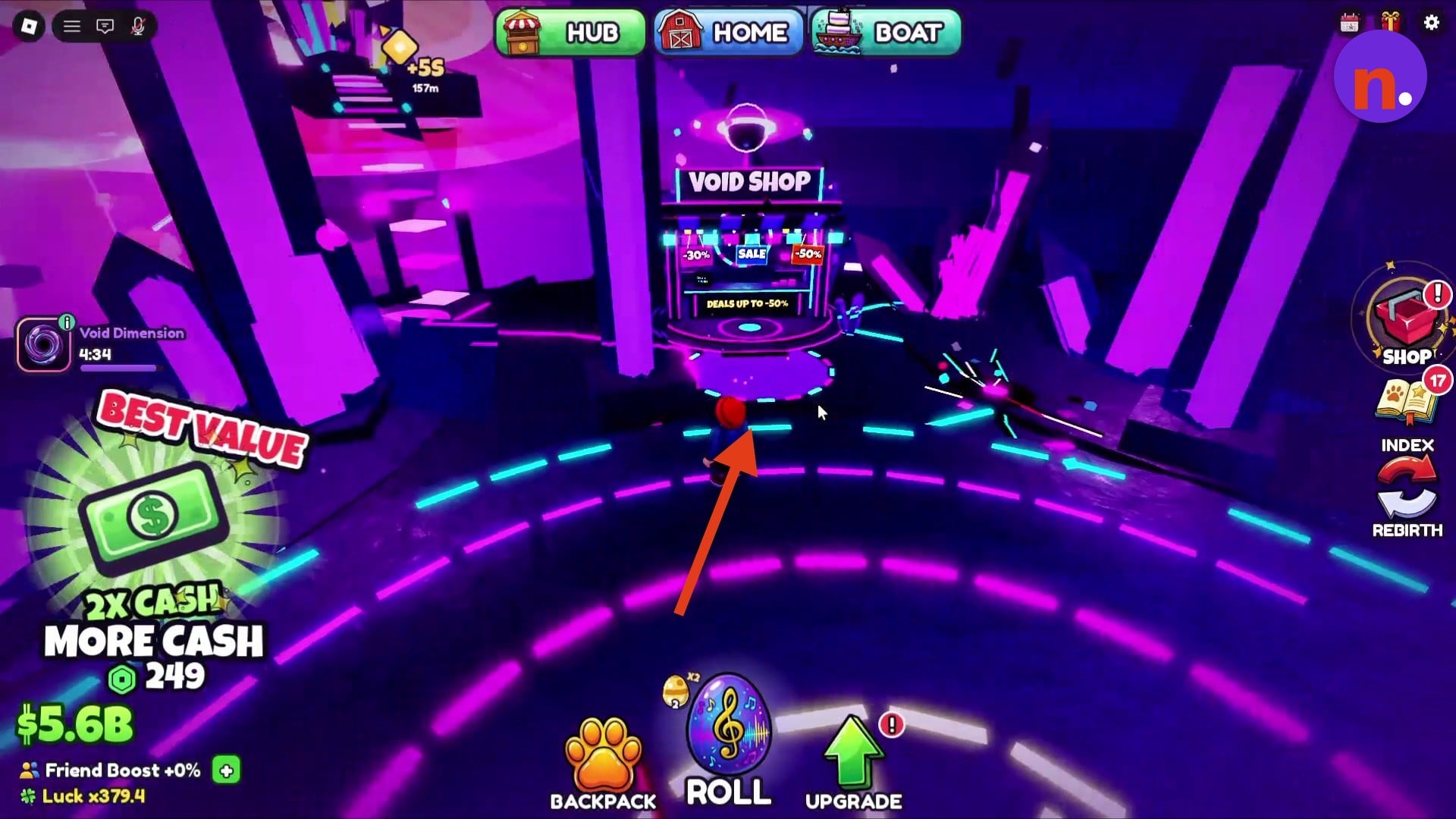
The Void Shop sits on the platform inside the Void Dimension, in the neon kiosk marked VOID SHOP.
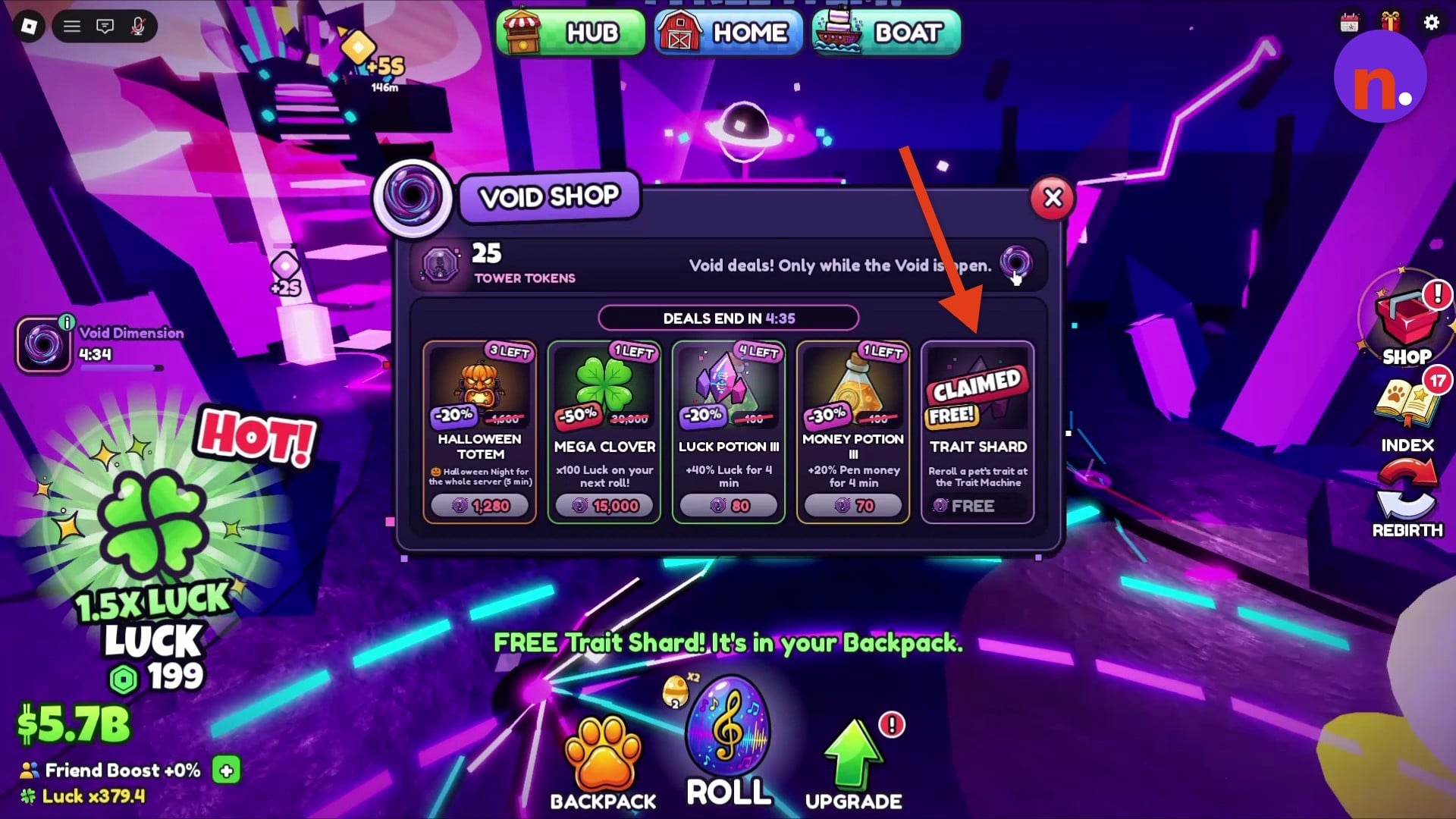
The Void Shop sells discounted items in Roll a Pet, with reductions reaching 50% off. Each paid offer has its own discount.
You can also collect a free Trait Shard daily. This guide covers finding the kiosk, claiming the shard and comparing the shop’s displayed offers.
How to find the Void Shop in Roll a Pet
Enter the Void Dimension, then find the kiosk and collect the free Trait Shard.
1 – Enter the Void Dimension
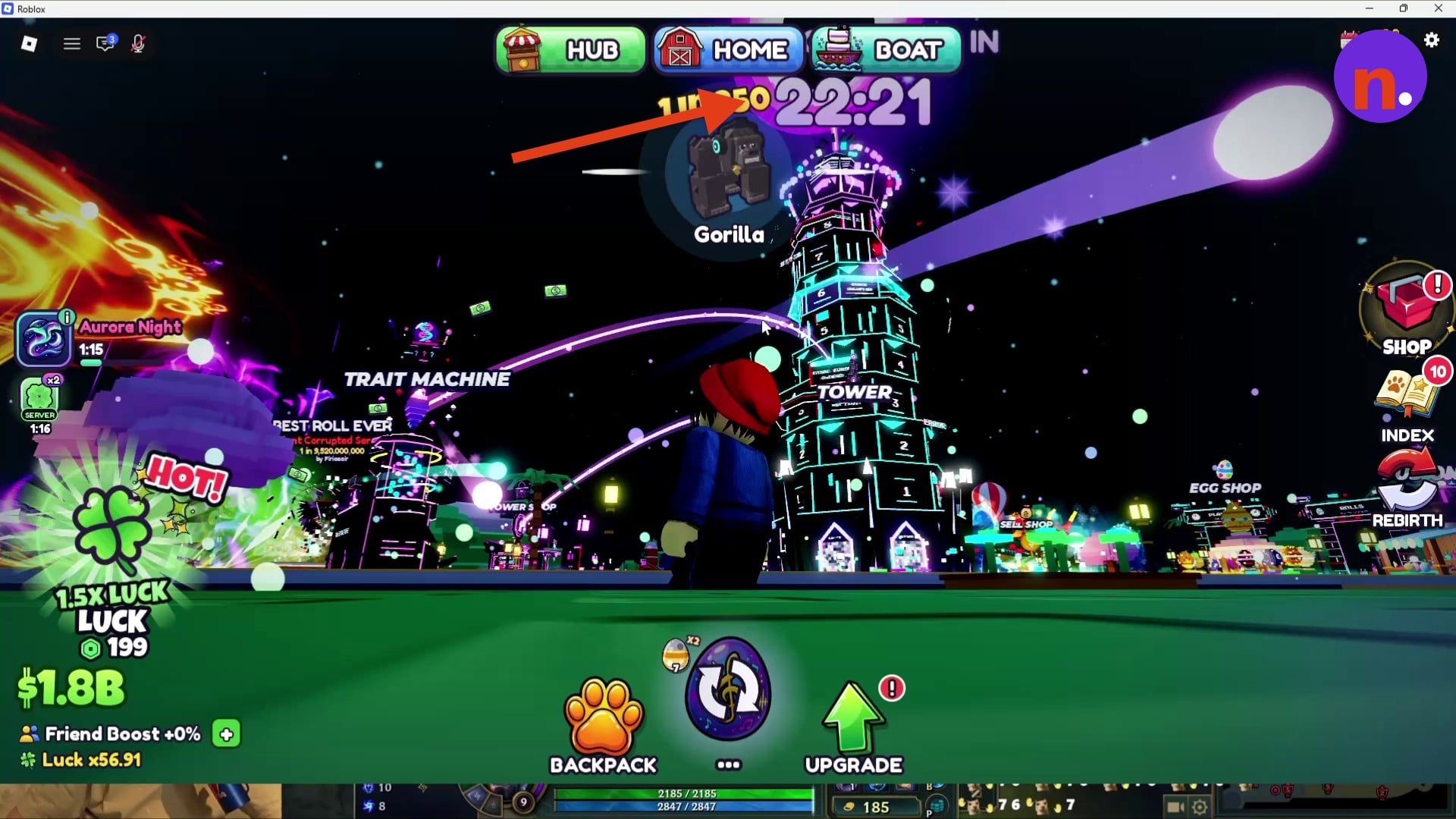
Start beside the Glow Tower and watch for the Void opening.
STEP 1/8
12%
Watch the opening countdown
Stand beside the Glow Tower and watch the THE VOID OPENS IN countdown. The Daily Event schedule separately reads Every day at 21:30.
STEP 2/8
25%
Wait for the opening cutscene
The cutscene announces that the Void is opening.
STEP 3/8
38%
Enter the Void portal
Go through the Void portal to reach the Void Dimension, which grants x20 Luck and x20 Money.

2 – Find the kiosk and claim the free Trait Shard
Look around the central portal platform for the neon VOID SHOP sign.
STEP 4/8
50%
Explore the central platform
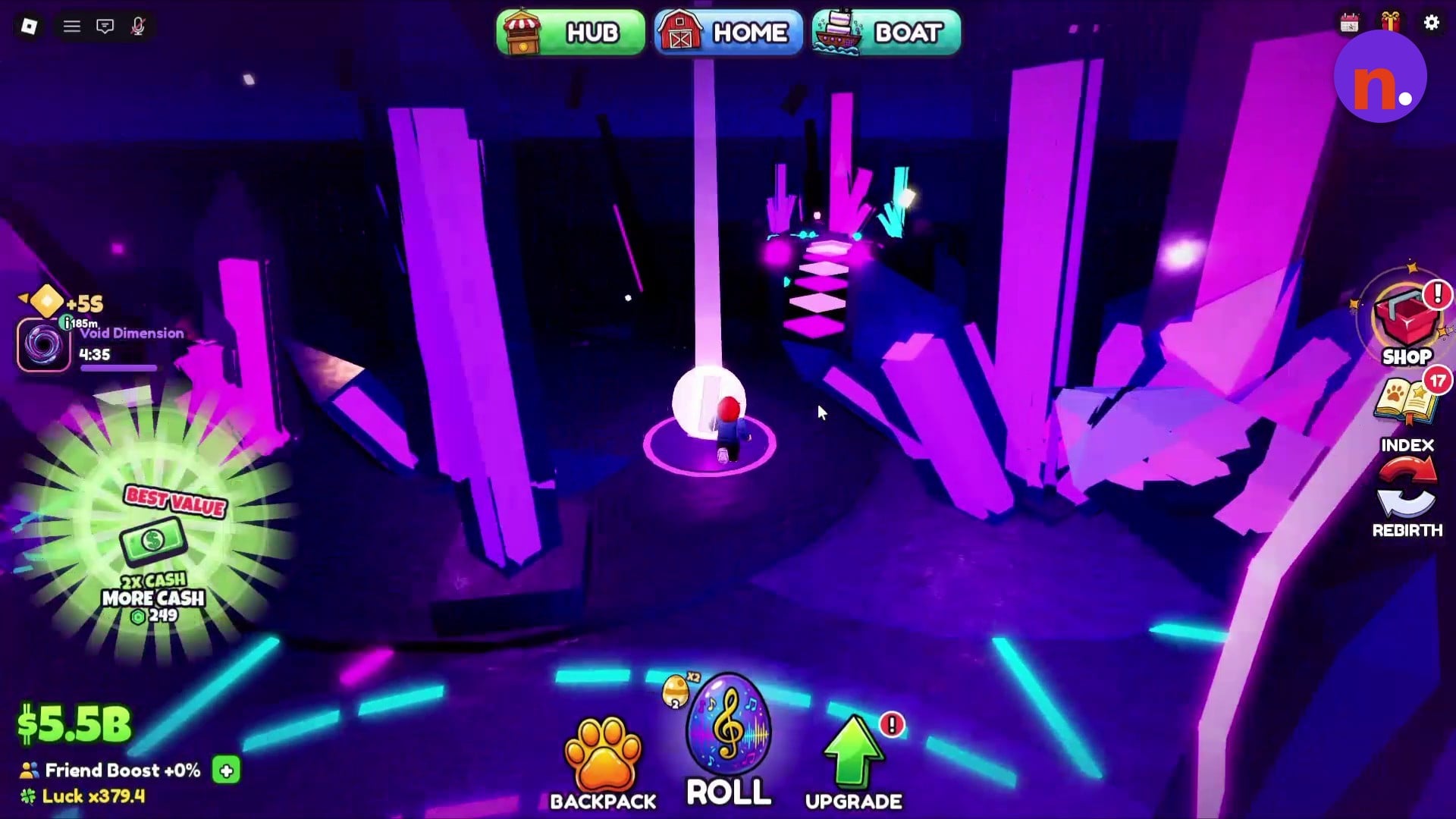
Look around the central portal platform for the shop. Collect a floating pickup for Tower Tokens.
STEP 5/8
62%
Open the Void Shop
Approach the neon kiosk marked VOID SHOP and open its shop menu.
STEP 6/8
75%
Claim the Trait Shard
Select the Trait Shard offer to collect it. Its remaining-quantity indicator reads 1 LEFT.
STEP 7/8
88%
Recognize the claim confirmation
The shard displays the CLAIMED FREE badge after collection.
STEP 8/8
100%
Close the menu
Exit the Void Shop interface to return to the platform.
The floating pickup can award +25 Tower Tokens.
What does the Void Shop sell in Roll a Pet?
| Item | Regular price | Void price | Discount | Remaining | Effect |
|---|---|---|---|---|---|
| Halloween Totem | 1,600 | 1,280 | 20% | 3 LEFT | Halloween Night for the whole server for 5 minutes. |
| Mega Clover | 30,000 | 15,000 | 50% | 1 LEFT | x100 Luck on your next roll. |
| Luck Potion III | 100 | 80 | 20% | 4 LEFT | +40% Luck for 4 minutes. |
| Money Potion III | 100 | 70 | 30% | 1 LEFT | +20% Pen money for 4 minutes. |
The paid offers display both their regular price and their Void price, alongside a discount and a remaining quantity. These are the displayed offers, with each item’s effect listed separately.
The payoff is access to discounted items for different goals. Choose the effect that fits what you want to do next, whether that’s rolling pets, increasing Pen earnings or starting a server-wide event.
Related roll a pet guides






Leave a Reply