

Go to the dock, choose an expedition, board your pets with Best Crew, press Set Sail, then return when the timer ends and press Collect.
Expeditions send your pets out to gather resources in Roll a Pet. A stronger crew brings back more loot, and additional rebirths make more destinations available.
You choose the trip and its crew at the dock, then claim the rewards when the ship returns. Those rewards can include cash, Money Potion I, and Luck Potion I.
How to send your pet on an expedition in Roll a Pet
Find the ship, send your crew, then return to collect what they bring back.
1 – Reach the dock and choose an expedition
Find the ship at the dock, then open Expeditions.
STEP 1/11
9%
Head to the dock
From your base, cross the grass, street, and beach to reach the pier.
STEP 2/11
18%
Find the ship
Follow the pier to its end, where the expedition ship is docked.
STEP 3/11
27%
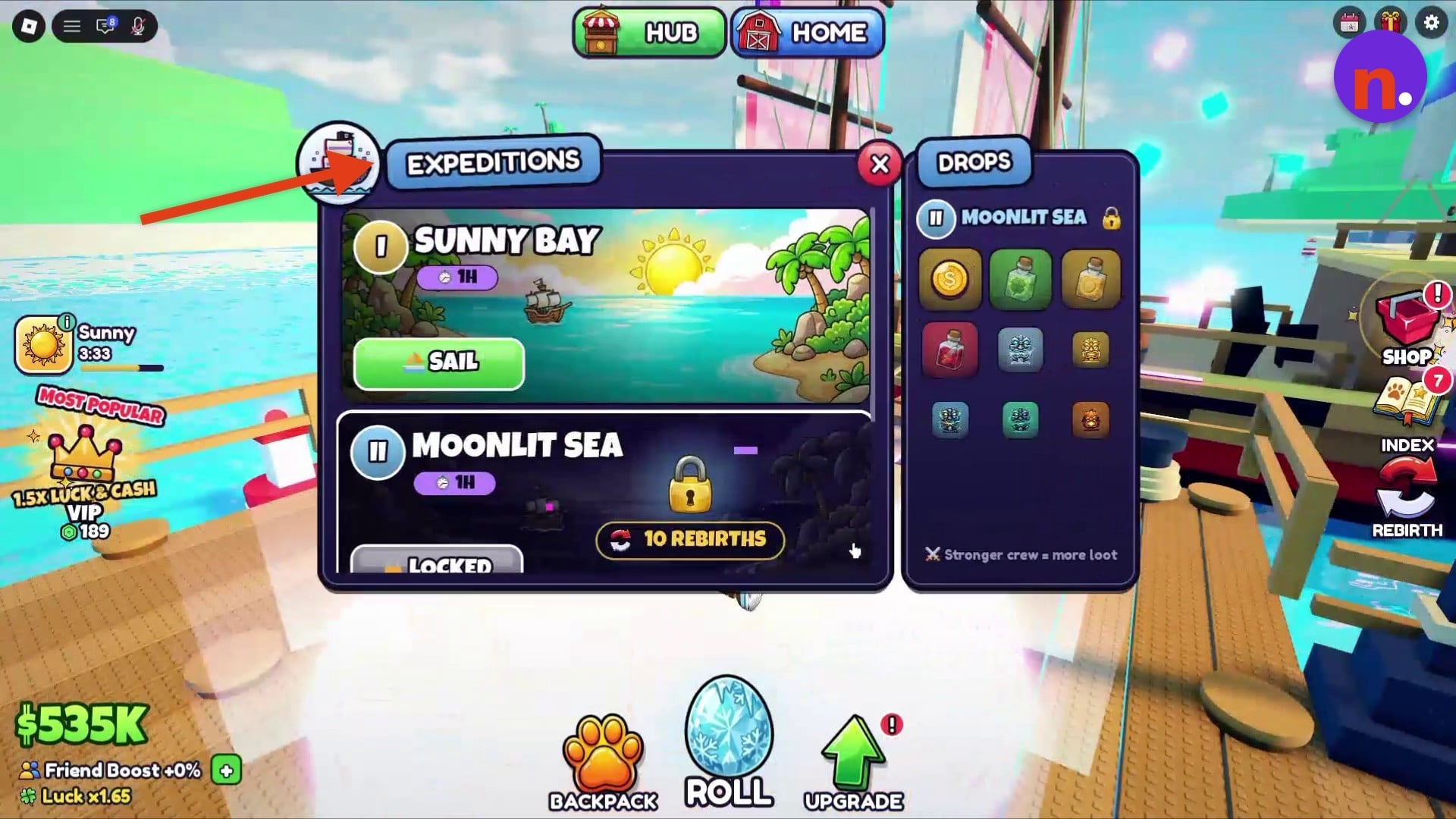
Choose a destination
Open Expeditions and select the trip you want. The menu shows item drops beside its destinations.
2 – Board your pets and set sail
Choose the crew before sending the ship out.
STEP 4/11
36%
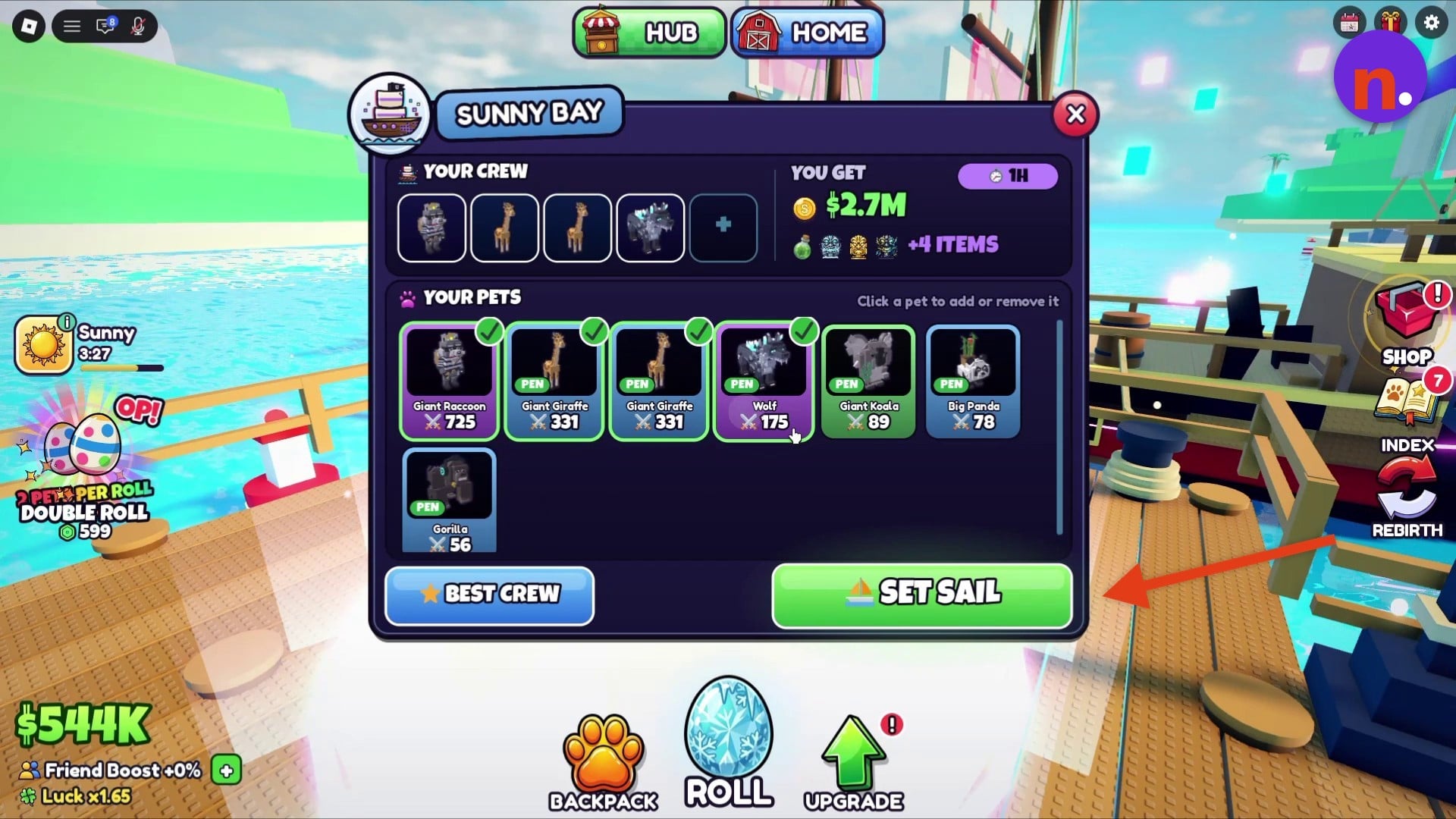
Load your crew
Press Best Crew to board your pets. Choose your best pets for the crew, since crew strength affects the loot they bring back.
STEP 5/11
45%
Adjust individual pets
Click a pet to add it to or remove it from the crew.
STEP 6/11
55%
Review the rewards
The crew screen shows the potential rewards for the selected expedition.
STEP 7/11
64%
Send the ship
Press Set Sail once your crew is ready.
3 – Track the timer and collect your rewards
Your pets return when the expedition finishes.
STEP 8/11
73%
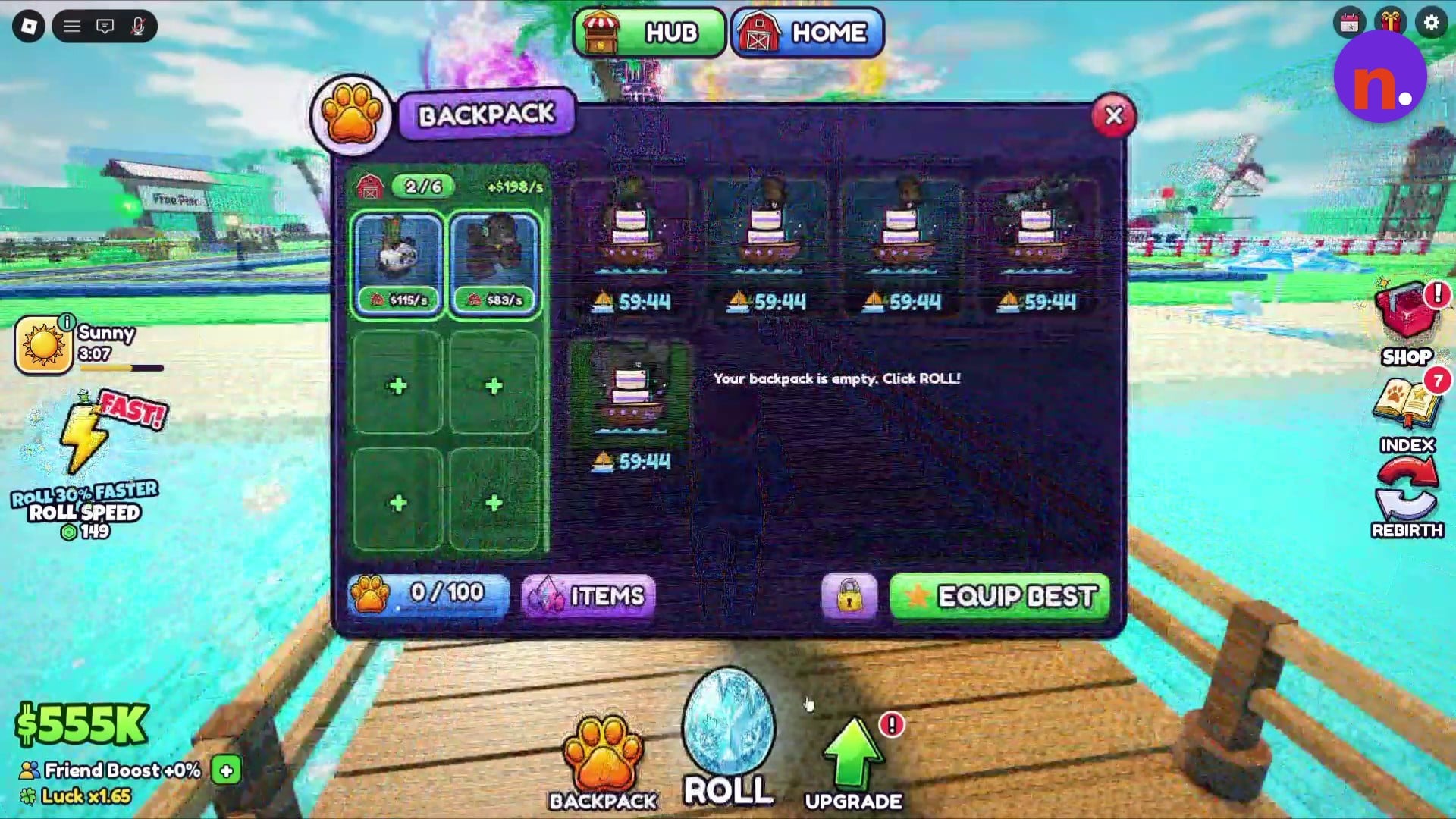
Check your pets
Open Backpack to see which pets are on the expedition and how much time remains.
STEP 9/11
82%
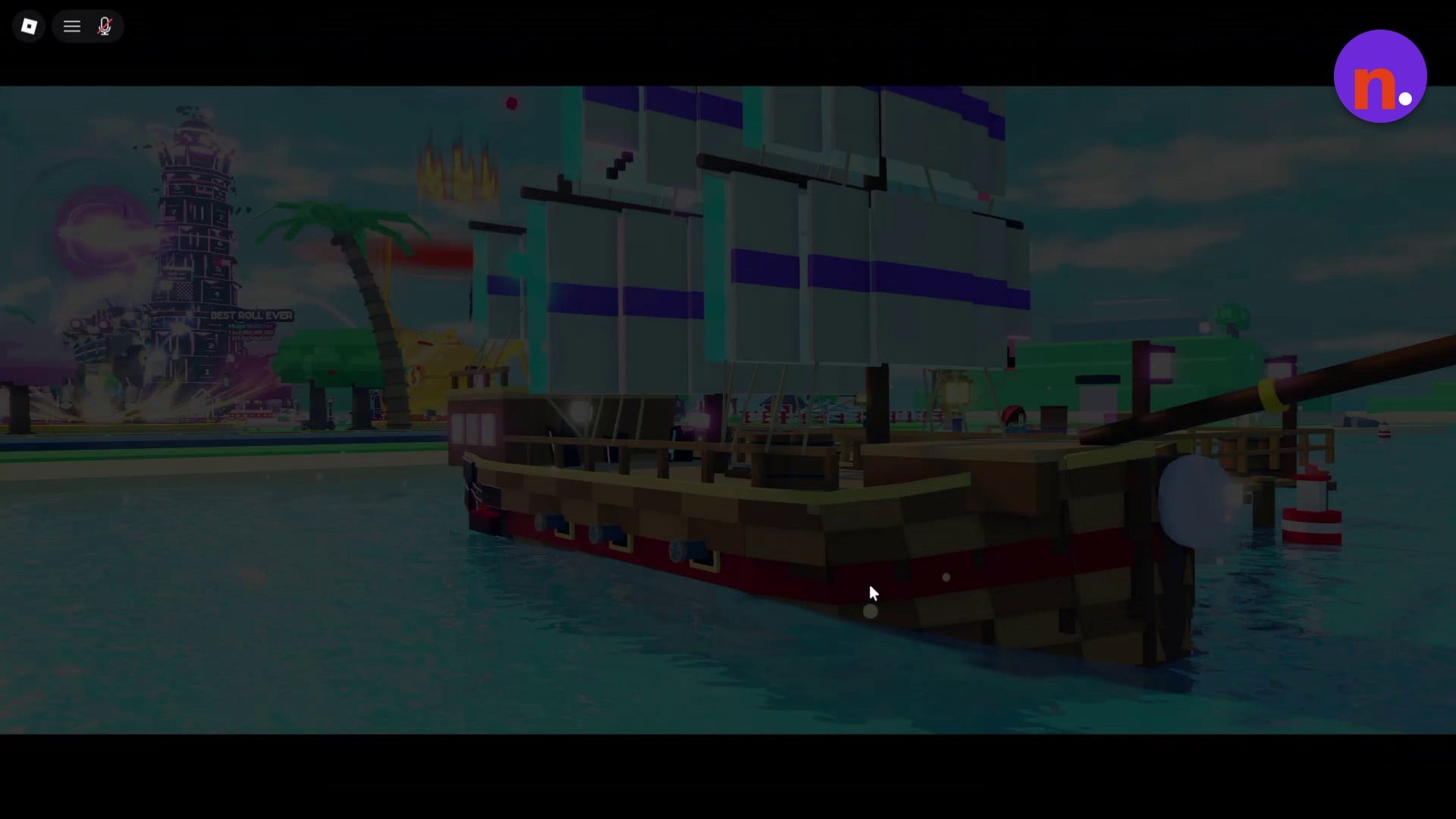
Wait for the return
You can leave the dock while the timer runs; let it finish before going back for the ship.
STEP 10/11
91%
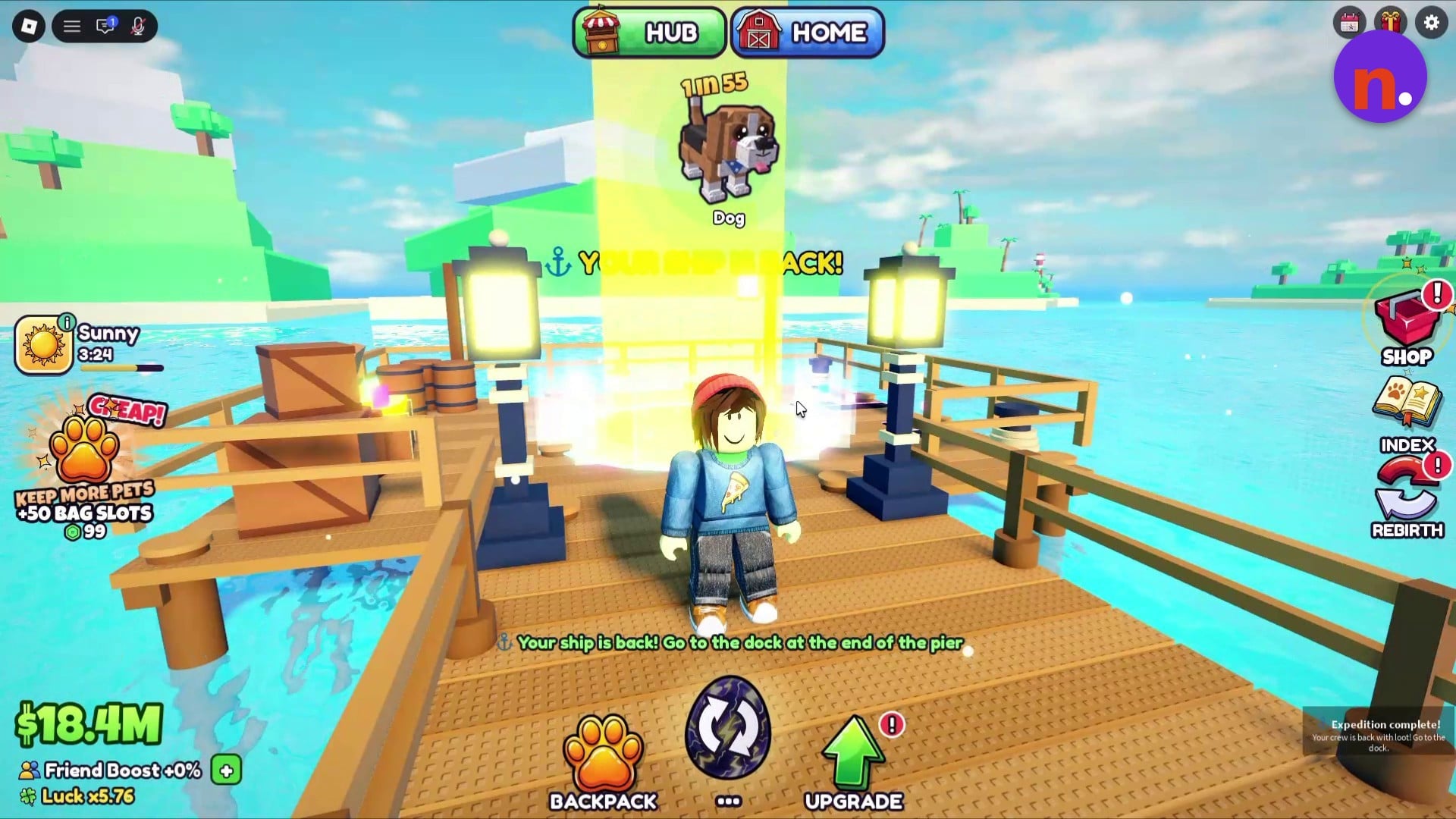
Return to the pier
When YOUR SHIP IS BACK! appears, return to the dock at the pier’s end. A separate completion notification directs you there for your crew’s loot.
STEP 11/11
100%
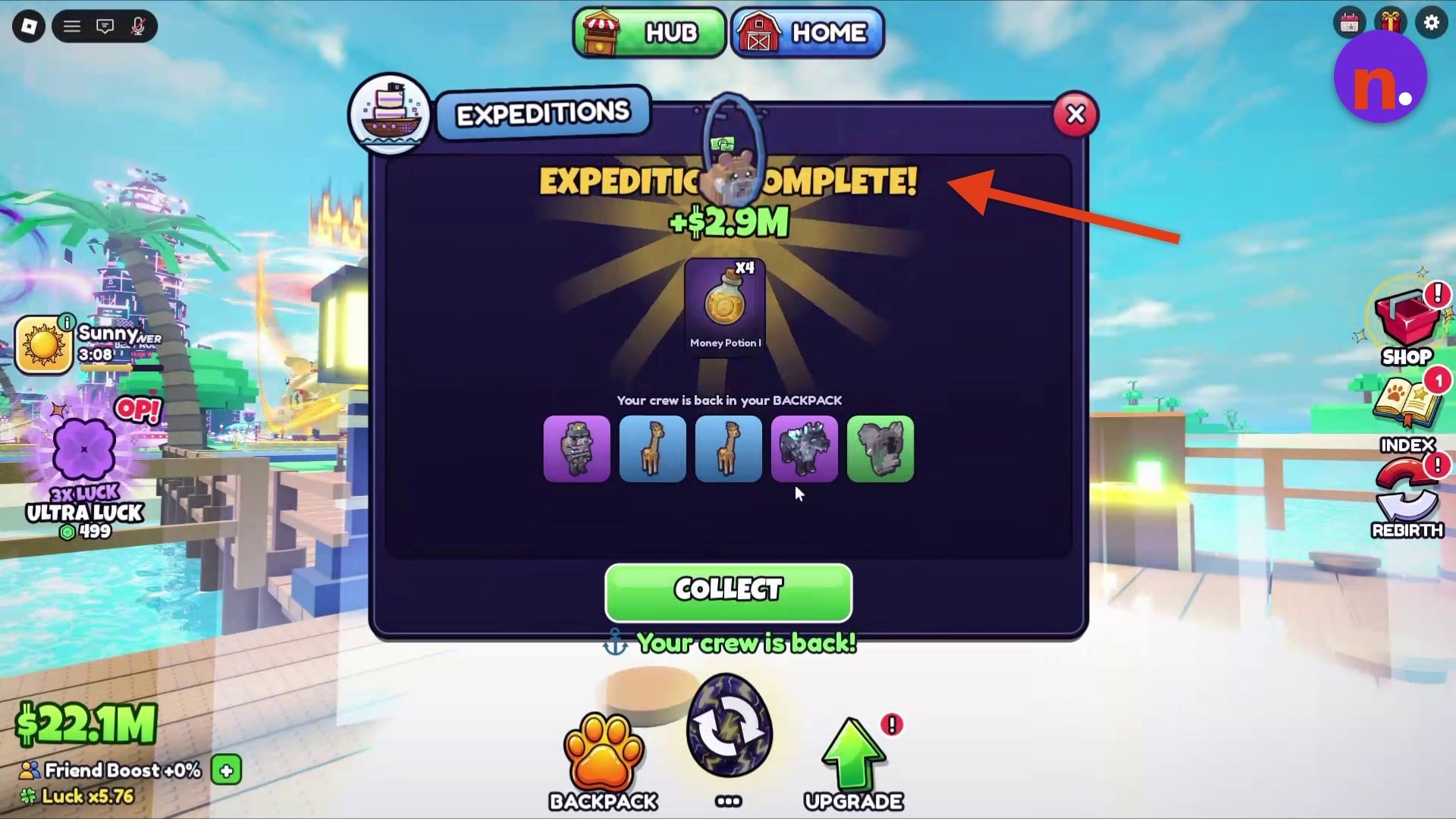
Claim the loot
Open Expedition Complete to review the results, then press Collect. Your crew returns to Backpack.
Expedition durations
| Expedition | Duration |
|---|---|
| Sunny Bay | 1 hour |
| Moonlit Sea | 1 hour |
The Expedition Complete screen shows the cash and potion rewards alongside the crew that returned. Claim them there to finish the trip.
Related Roll a Pet guides





Leave a Reply