


Equip your fish and visit Fernshore’s Mutation Dealer, where a Mutation Scroll or Ultra Mutation Scroll lets you reroll its mutation.
Mutation Rerolls in Deep Fishing let you spend a consumable to change a fish’s mutation. Your scroll choice determines the effects and odds of the roll. This guide covers the two scroll types, the dealer’s controls, and the standard and Ultra mutation chances.
How do Mutation Scrolls and Ultra Mutation Scrolls differ in Deep Fishing?
| Scroll | Rarity | Effect |
|---|---|---|
| Mutation Scroll | Mythic | Rerolls a fish’s mutation. |
| Ultra Mutation Scroll | Secret | Guarantees a mutation and prevents the fish’s size from decreasing. |
You can find both scroll types in your inventory’s Items tab under Consumables. Select a scroll to read its tooltip before deciding which one to spend.
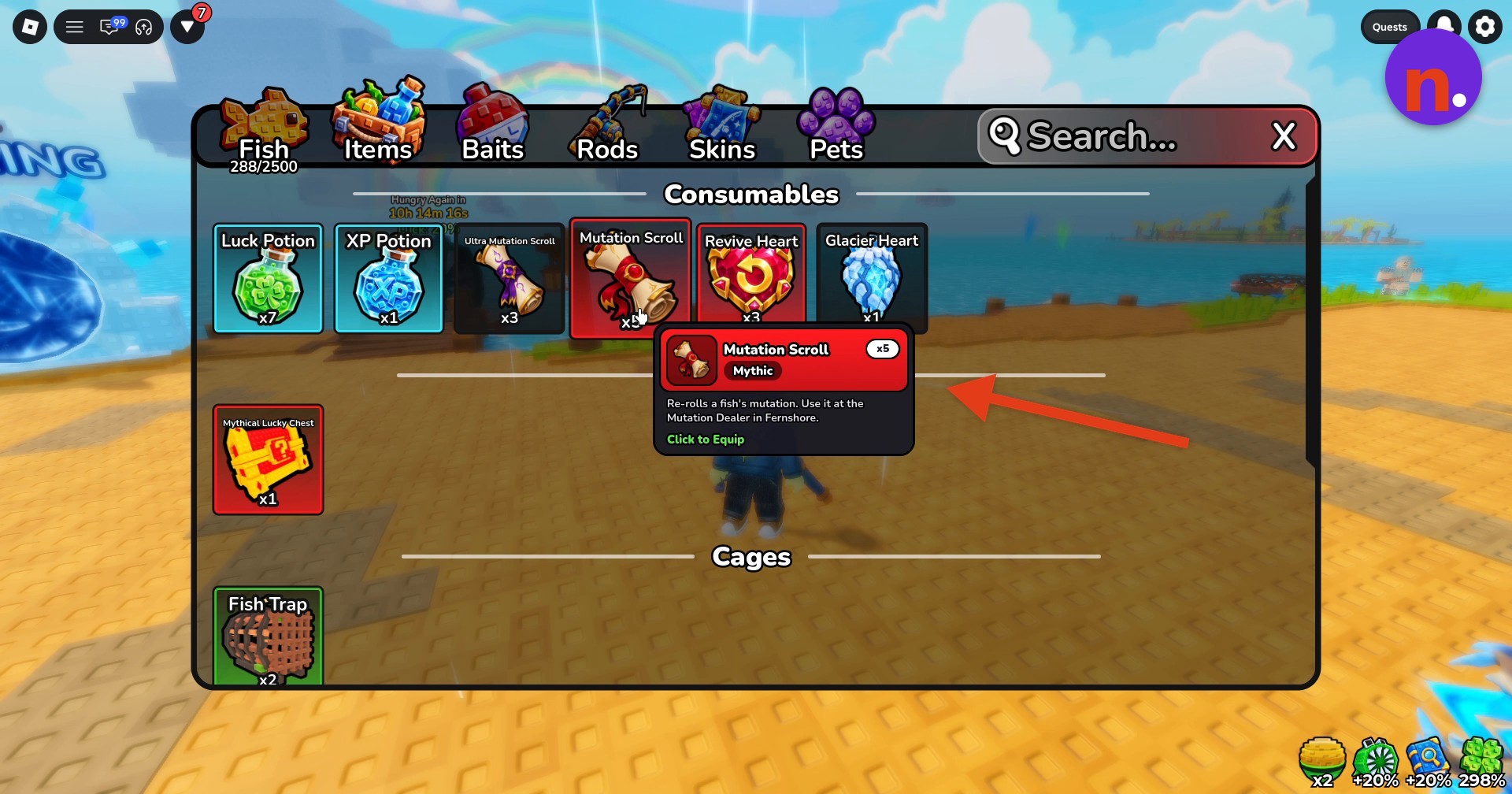
The Mutation Scroll tooltip includes a Click to Equip option. The fish you’ll reroll is selected separately in the procedure below.
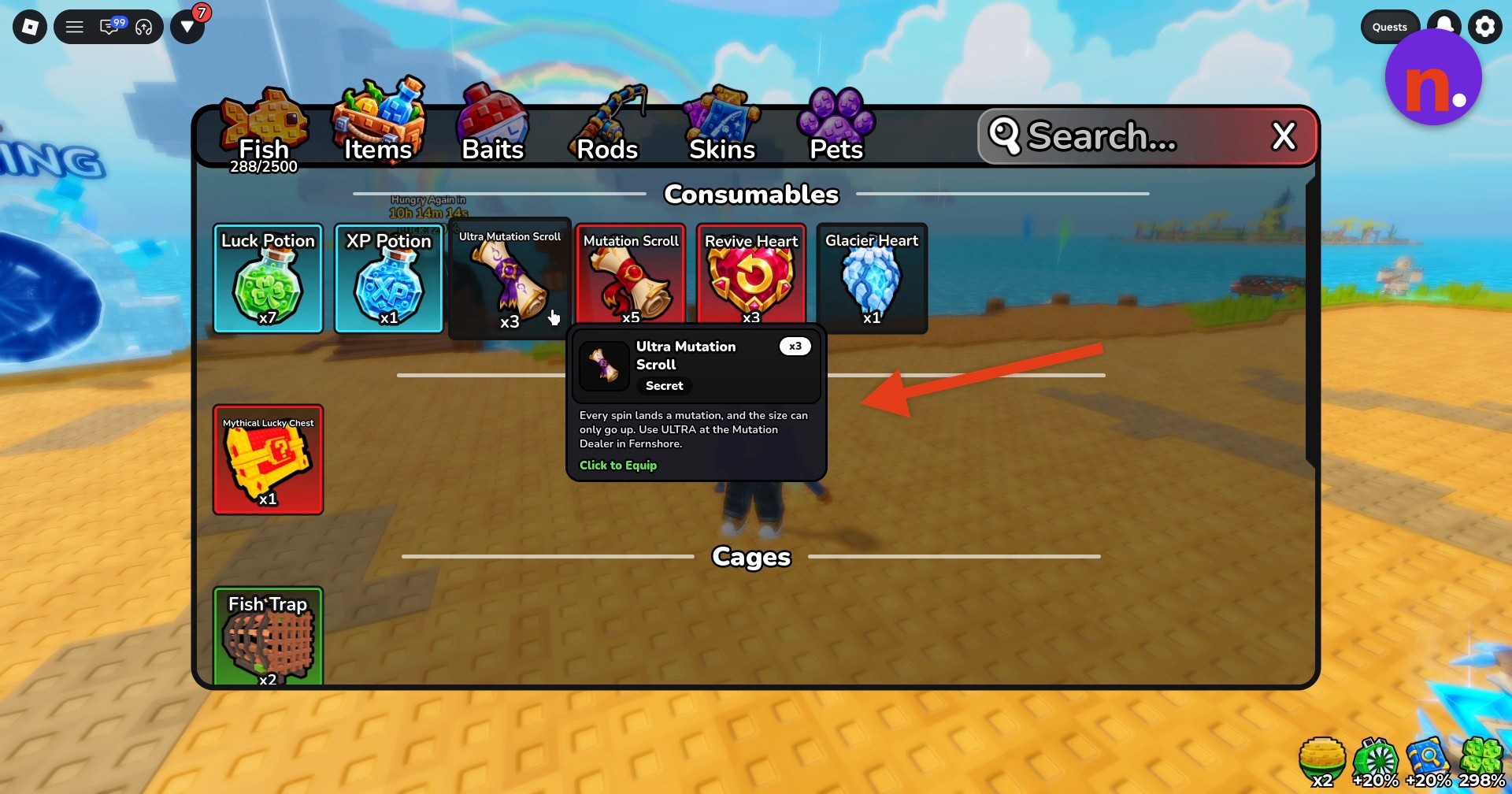
How to use Mutation Rerolls in Deep Fishing
Equip the fish you want to reroll
Select the intended fish from your hotbar so your character holds it in their hands.

Interact with the Mutation Dealer
Approach the purple shark Mutation Dealer in Fernshore and press E at the Mutation Dealer — E Reroll prompt. The menu displays your fish, its current mutation and size, spin options, and an odds table on the right.

Choose your reroll
For a standard reroll, click the green Spin button at the bottom of the screen. It consumes one Mutation Scroll. The separately labeled ULTRA REROLLS area also displays Spin x1, Spin x3, and Spin x10.
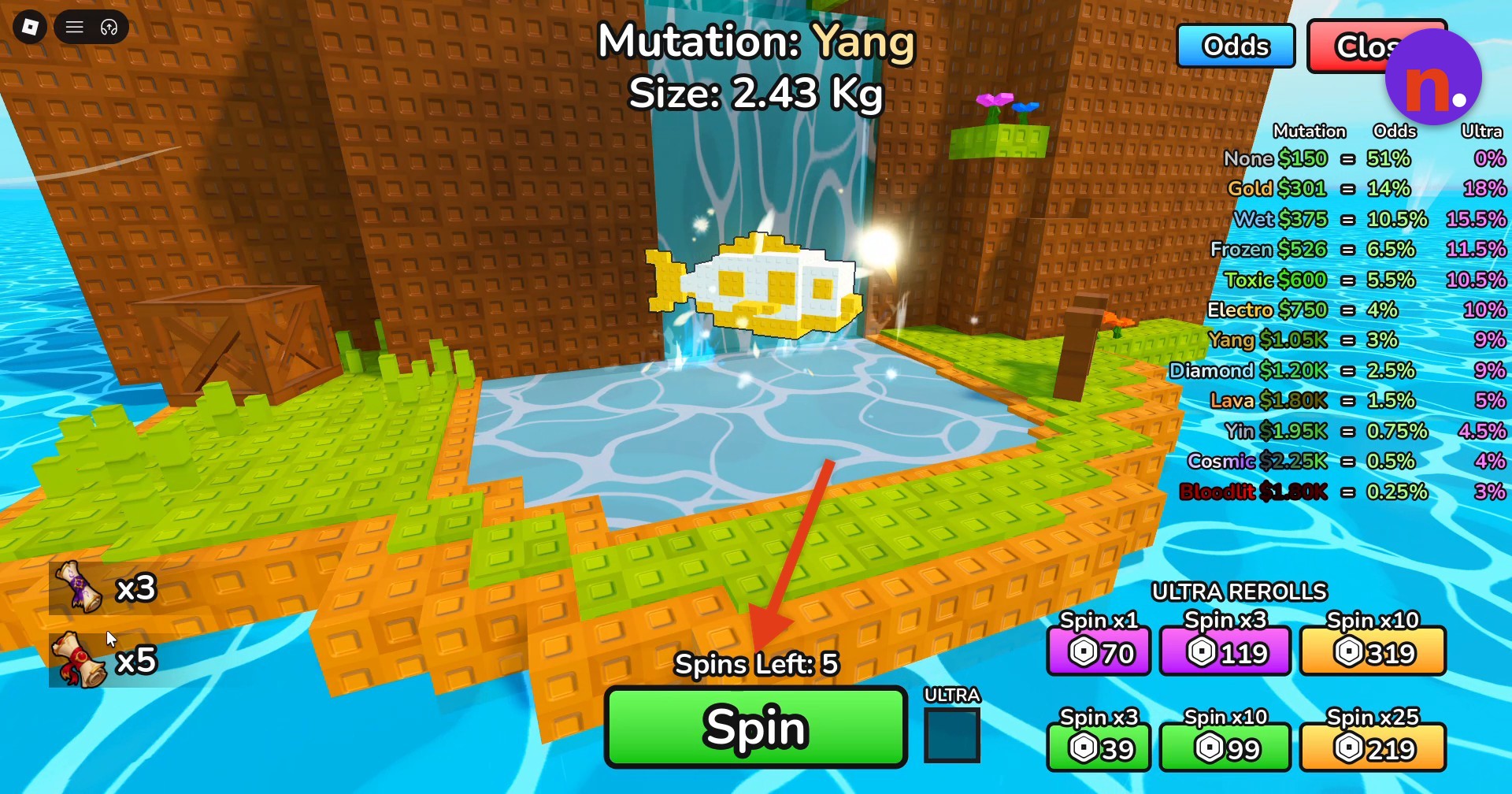
Check the mutation result
Wait for the animation to finish, then read the fish’s resulting mutation and size.
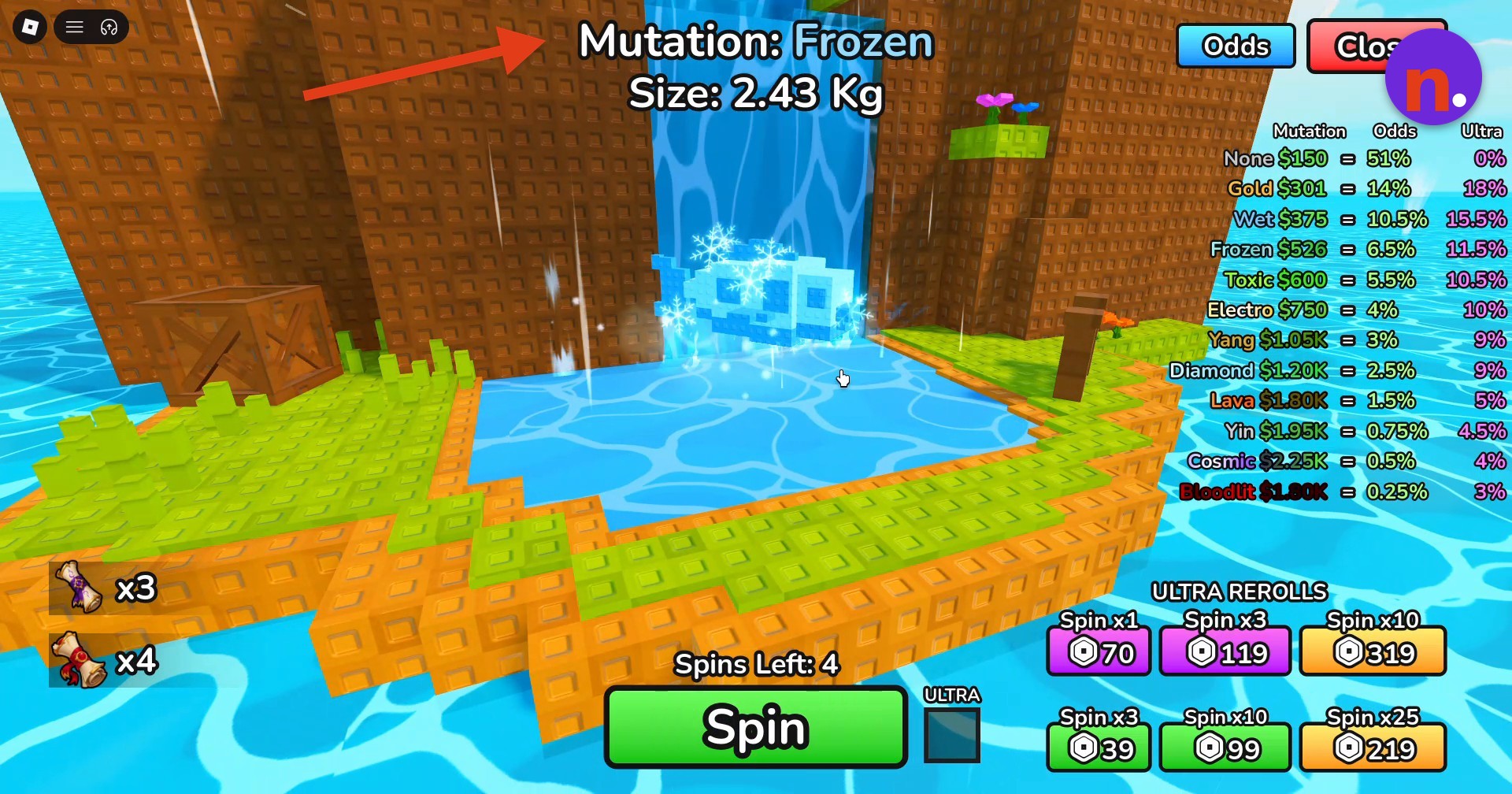
Close the reroll interface
Click Close in the upper right to return to the game world.
If the dealer asks you to equip a fish, make sure your character is holding the intended fish.
What are the standard and Ultra reroll odds in Deep Fishing?
| Mutation | Standard odds | Ultra odds |
|---|---|---|
| None | 51% | 0% |
| Gold | 14% | 18% |
| Wet | 10.5% | 15.5% |
| Frozen | 6.5% | 11.5% |
| Toxic | 5.5% | 10.5% |
| Electro | 4% | 10% |
| Yang | 3% | 9% |
| Diamond | 2.5% | 9% |
| Lava | 1.5% | 5% |
| Yin | 0.75% | 4.5% |
| Cosmic | 0.5% | 4% |
| Bloodlit | 0.25% | 3% |
The reroll menu separates its outcomes into standard and Ultra probability columns. Match the column to the type of reroll you’re using.
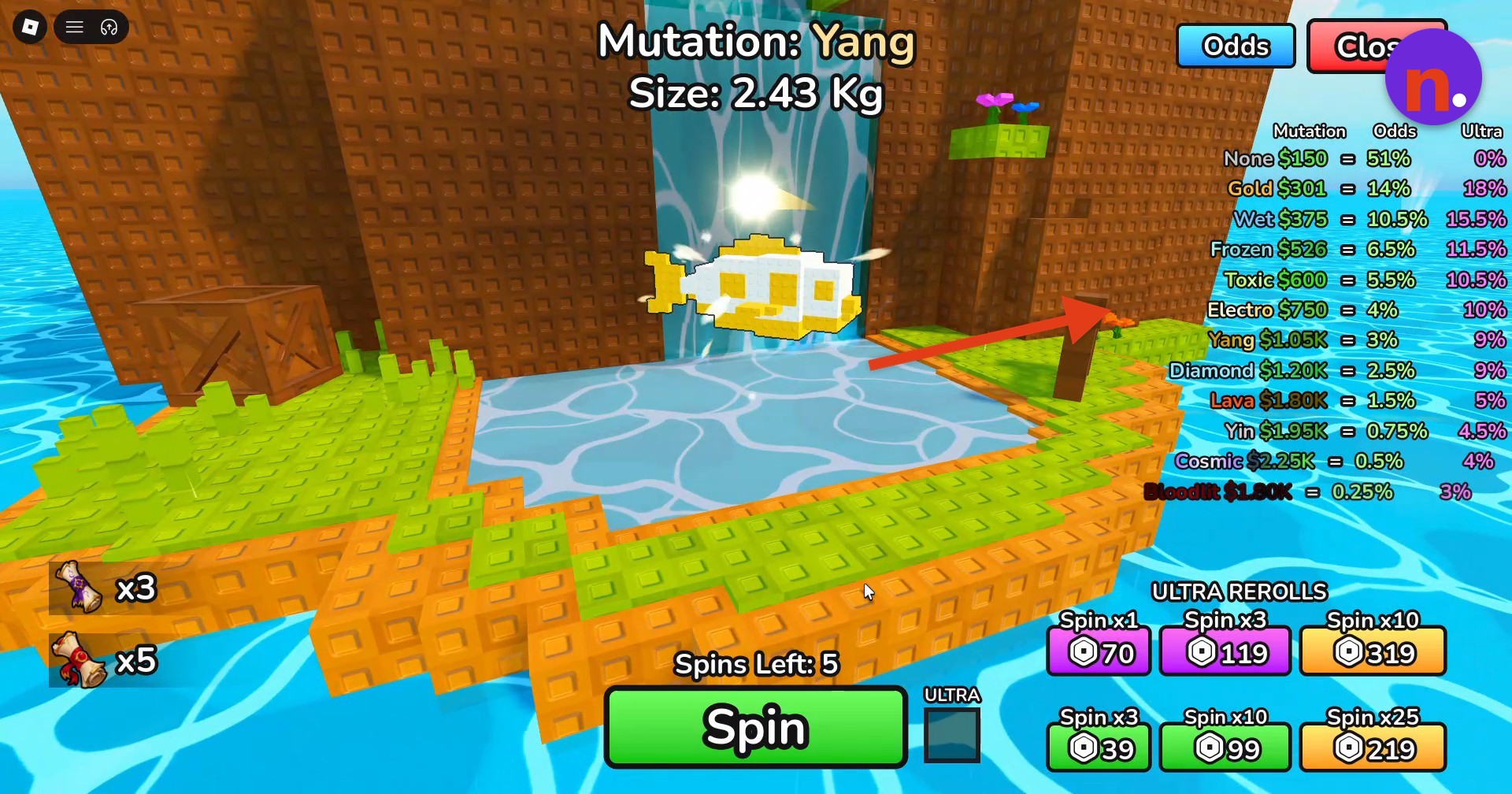
Before spending another scroll, check whether you want to keep the fish’s resulting mutation and size.
Related Deep Fishing guides






Leave a Reply