
Topic
Windows 10
-
How to Run the Task Manager From CMD (Admin, Shortcuts List, and More)
Task Manager is one of the more important Windows utilities, built to manage program priorities, enable/disable services, and a whole lot more. With it,…
-
How to Fix: “Is Not Recognized as an Internal or External Command, Operable Program or Batch File” error
The Command Prompt lets you run a variety of executable files and get complex tasks done in a jiffy. Through it, anyone with an…
-
![7 Ways To Clear Clipboard in Windows 10 [How To]](https://cdn.nerdschalk.com/wp-content/uploads/2021/03/windows-10.png)
7 Ways To Clear Clipboard in Windows 10 [How To]
Irrespective of whether you’re a novice or a battle-hardened veteran on Windows 10, you are likely to find yourself using the copy-paste combination at…
-

How To Change Administrator Windows 11
Having an administrator account is the best way to use your Windows PC. It gives you complete control of your system so you have…
-

How To Cast Phone to PC: 5 Ways Explained
What to know Cast your Android to PC using Android’s ‘Screen Cast’ settings and the ‘Cast’ option in Windows quick settings. If the cast…
-
6 Ways To Empty the Clipboard on Windows
The clipboard is the background buffer service that (temporarily) holds your copied links, texts, and images before they are pasted somewhere else. Up until…
-

7 Ways to Fix the Screenshots Not Working Issue on Windows 11
The screenshot or print-screen key comes in quite handy in everyday use for gamers, technophiles, and anyone wanting to capture the contents of their…
-
How to Create a Shortcut to VPN Connection on Windows
In the digital age, it is imperative to use a VPN to cover one’s tracks and keep one’s online data secure. Once set up,…
-

How To Turn On Bluetooth Windows 11
Windows 11 offers a variety of ways to enable and pair Bluetooth devices to your PC. From audio devices to printers, keyboards, and mice,…
-
How To Change Icons on Windows 11
The reason why Windows 11 is so popular amongst developers and users alike is the level of customization that is possible with it. Apart…
-
How to Run Multiple Android Apps at Once on Your Windows PC
With the release of Apple’s M1 Macs, the world of computing seems to be staring straight at a revolution of sorts. These new machines…
-
![How To Select Multiple Files on Windows 10 in 2021 [7 ways]](https://cdn.nerdschalk.com/wp-content/uploads/2021/02/windows-select-items-fi.png)
How To Select Multiple Files on Windows 10 in 2021 [7 ways]
Copying or moving files on Windows 10 is a pretty simple task. Using hotkeys or using the copy/cut+paste options you can change the location…
-
How To Mute an App on Windows
What to know Click on system tray (right of the taskbar). Click on the option next to the volume slider. Scroll down to ‘Volume…
-
How To Set 7zip as Default Windows 10
One of the first few things that people do when they set up Windows is to get the apps and programs that they’re going…
-
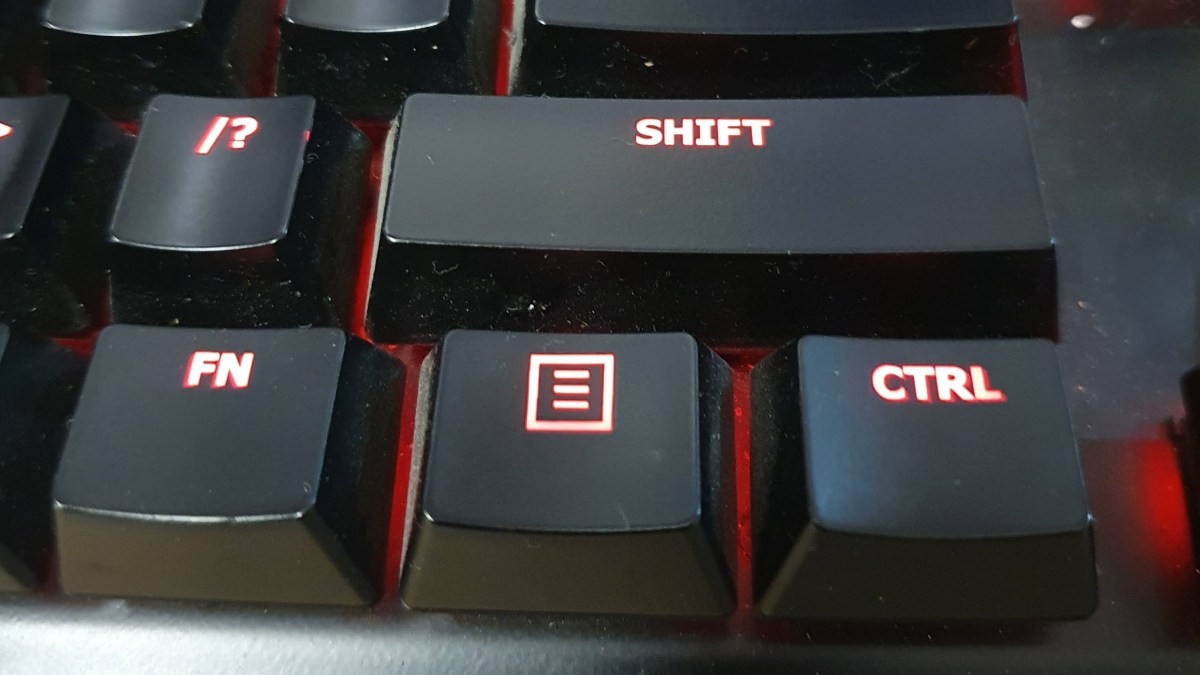
How To Right-Click With Keyboard Windows 11
Back in the day when computers had no graphical user interface and all data was entered by keyboard commands, there was no need for…
-

How To Play a Sound Every Few Minutes on Windows 10
A professional worth his/her salt knows how easy it is to lose track of time when caught up with work. An alarm, then, is…
-

How To Uninstall µTorrent on Windows 10
µTorrent is the most popular torrent client that people use for direct file sharing between users. Even though there are issues concerning piracy and…
-

How To Uninstall Blizzard App and the Games
Blizzard is one of the oldest game developers in the industry with iconic titles like Diablo, Overwatch, and Warcraft under its belt. The team…
-

How to Set Details View for All Folders on Windows 10
Microsoft’s File Explorer for Windows has been the industry standard for most tasks in the past few years. It has a comprehensive UI that…
-

How to Remove Microsoft Account From Windows 10
It’s almost a given that account removal tends to be a more difficult process and sometimes even rather convoluted depending on the reasons you…