

Redeem SECONDCHANCE through Shop → Codes in Spider Arm to get two free revives.
Revives give you a Second Chance when a climb goes wrong in Spider Arm. This guide covers claiming the free reward and using it to restart your current stage.
How to get 2 free revives in Spider Arm
Open the shop
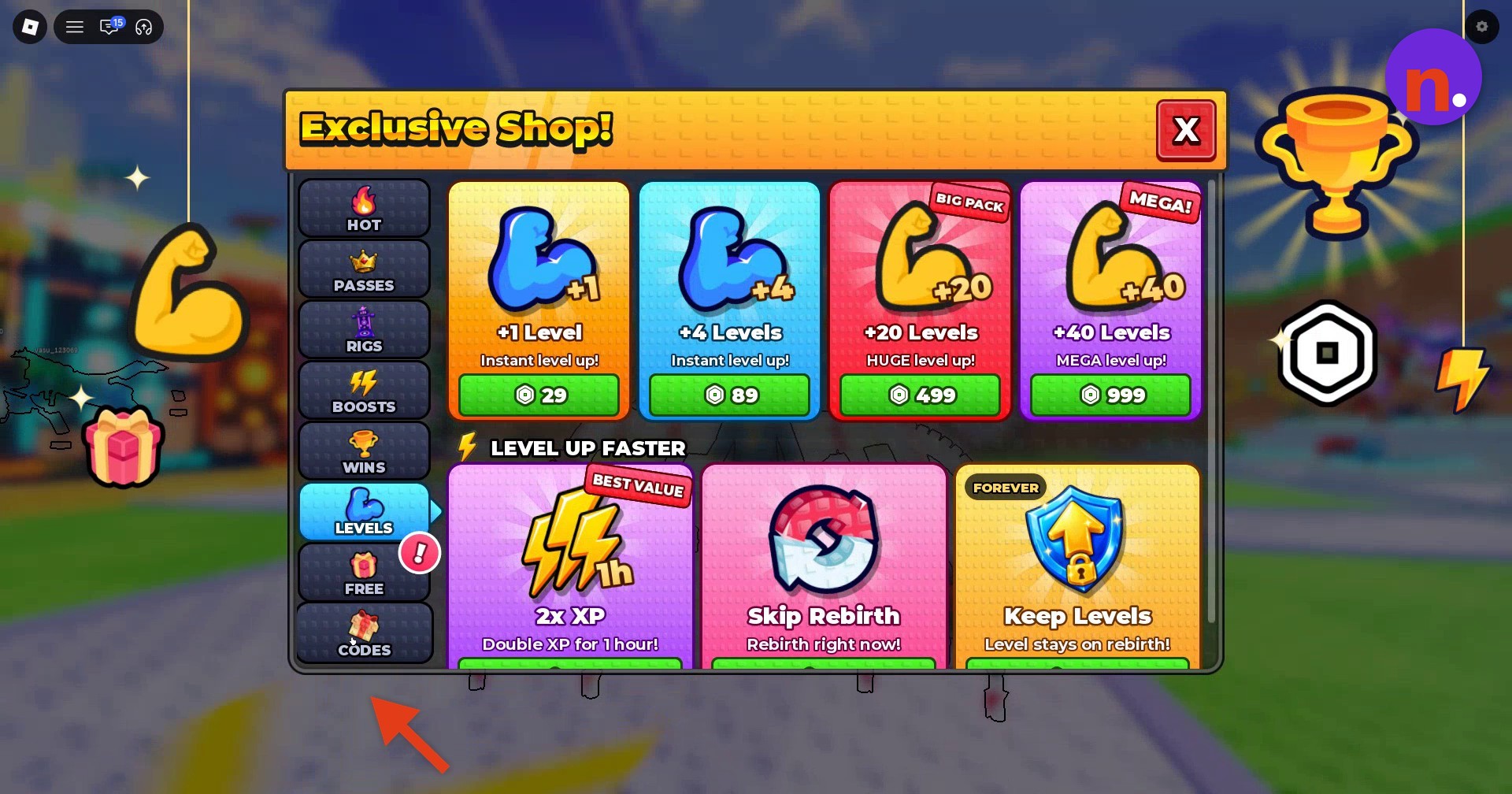
Select the Shop icon on the left side of your screen to open Exclusive Shop.
Find the code menu
Select Codes at the bottom left of the Exclusive Shop menu to open the code-entry screen.
Enter SECONDCHANCE
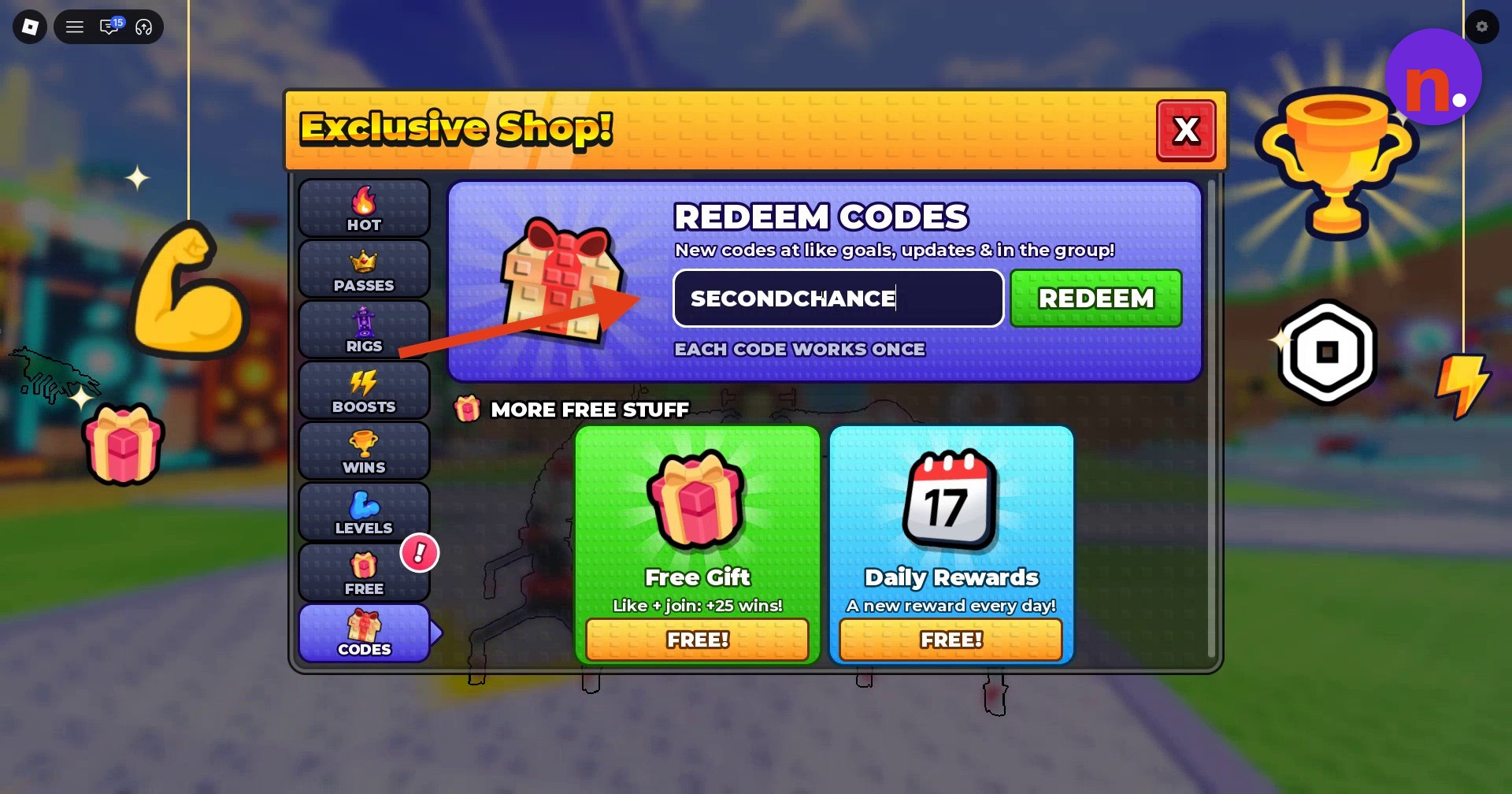
Type SECONDCHANCE into the code-entry field.
Claim the reward
Press the green REDEEM button beside the field. You’ll receive 2 free revives.
Use a revive
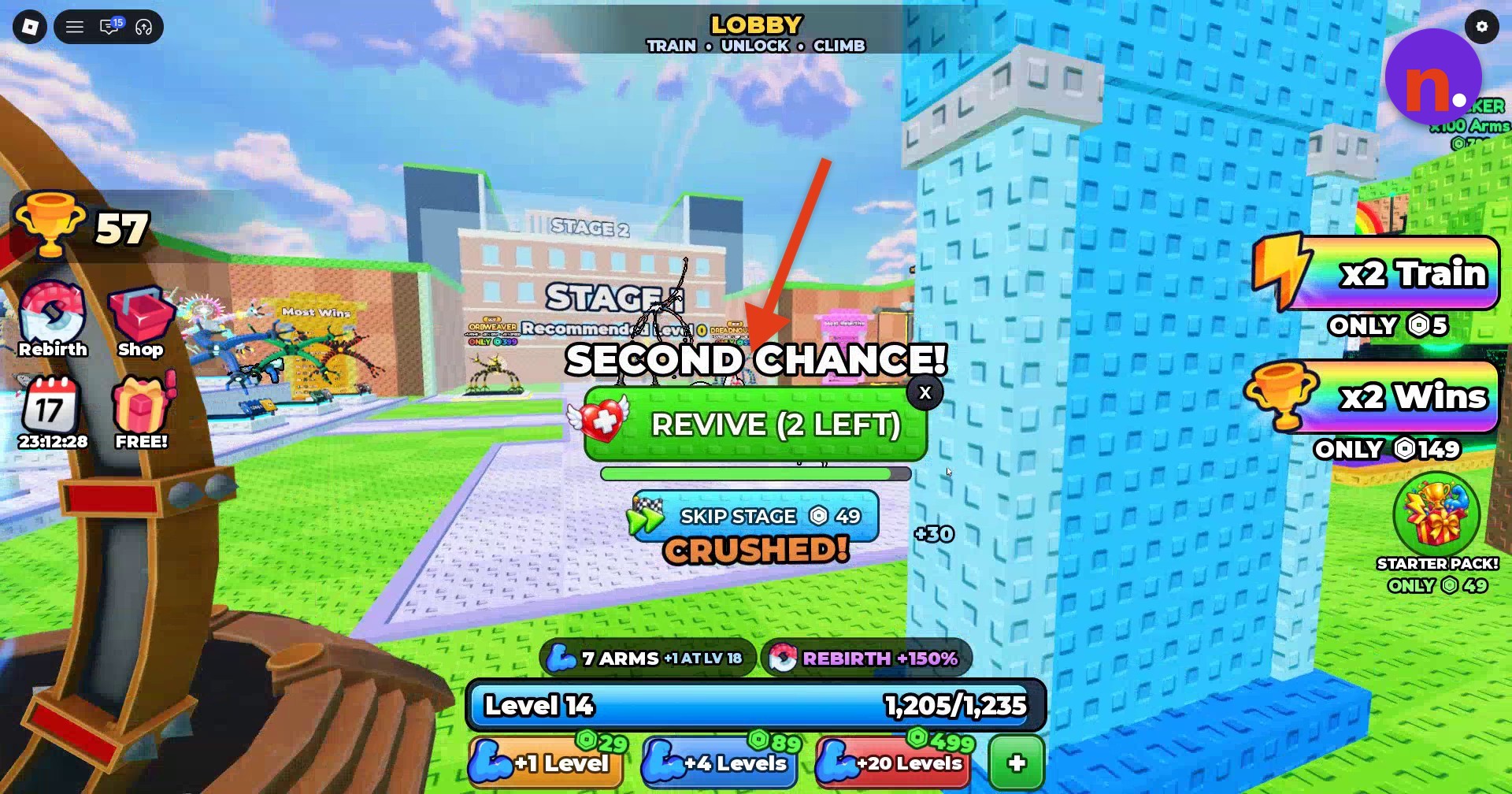
After you’re crushed or fall, select REVIVE on the Second Chance prompt.
How do revives work in Spider Arm?
Losing grip is another situation where a revive can help. On the Second Chance prompt, REVIVE (2 LEFT) combines the revive control with its remaining-use counter: 2 LEFT means you have two revives available.
The SKIP STAGE option displays a price of 49.
Using a revive returns you to the beginning of your current stage. Once your revives run out, respawning sends you back to the lobby, so having one available lets you retry the stage where your climb ended.
Related Spider Arm guides
Frequently Asked Questions
Is SECONDCHANCE the only working code in Spider Arm?
For now, SECONDCHANCE appears to be the game’s only working code.
The Codes menu advertises new codes for like goals and updates, and points you to the group as another place to find them.
Leave a Reply