

[info]This guide is applicable only for Samsung’s Galaxy S international version (i9000). If yours is Vibrant/Captivate/Fascinate/Epic 4G or any other Galaxy S variant, then this ROM — and Guide — is not for you, and that’s for definite.[/info]
[warning]The methods and procedures discussed here are considered risky and you should not attempt if you don’t know completely what it is. If any damage occurs to you or your device, we won’t be held liable. You only will be responsible — you’ve been warned. Okay![/warning]
UPDATE: Chainfire’s Root method is much better than the previous method. So, we recommend using the latest method of Chainfire, which is here.
This is rooting guide for the leaked XXJVK Android 2.3.3 ROM for Galaxy S
Here’s what you need to do to root your XXJVK Android 2.3.3 firmware on Galaxy S:
- Download CF-Root kernel. File name – CF-Root-XX_OXA_JVK-v3.1-CWM3RFS.zip. Download Link. Size 6.7 MB.
- Unzip the above file. You will get the .tar file – CF-Root-XX_OXA_JVK-v3.1-CWM3RFS.tar. We will be flashing this .tar file using ODIN to gain root access and install the CWM alongside.
- Download Odin. File name – Odin3 v1.7. Download Link. Extract the zip file to get Odin3 1.7.exe. Run Odin by double clicking on it.
- Switch Off your phone. Wait for vibration to confirm complete switch off.
- Boot your phone in Download Mode — Press and hold VolumeDOWN+HOME+POWER keys together.
- Connect your phone to PC now. You’ll notice “Added! !” message in the message box.
- On Odin, click the PDA tab and select the .tar file you got in step 2 — CF-Root-XX_OXA_JVK-v3.1-CWM3RFS.tar
- Make sure “Repartition” button is NOT checked. Leave the “Auto Reboot” and “F. Reset Time” buttons checked.
- Double check step 7 and step 8.
- Click the Start button on Odin to begin installing the CF Root kernel.
- After the CF Root is installed, phone will restart.
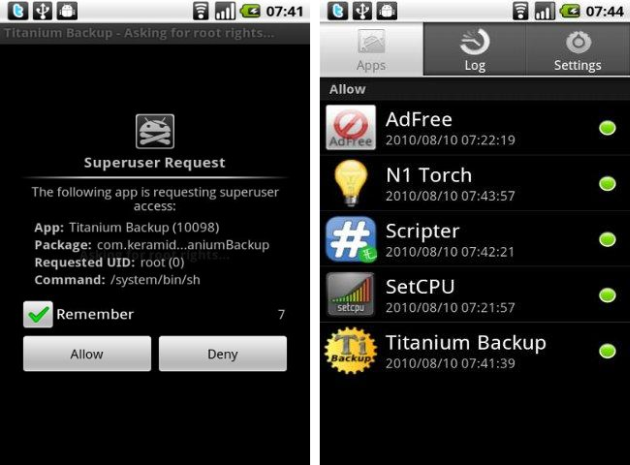
- Your phone is rooted now. Note that surperuser app is there.
ClockworkMod [CWM] Recovery:
To boot into ClockworkMod Recovery — power Off your phone completely and then, press and hold (till Galaxy S logo appears): VolumeUP+HOME+POWER. You’ll enter the CWM recovery. You can use this to:
- Backup your ROMs
- Restore backed up ROMs
- Delete Backups
- Flash update.zip files
- Flash custom themes
- Flash kernels (zImage, zImage in TAR, zImage in ZIP, zImage in TAR in ZIP)
PREVIOUS METHOD — DON’T USE NOW. Use the method given above instead.
Installation Steps:
- Download the required stuff:
- CF-Root-XW_OXX_JV1 kernel – Download Link: Mediafire.
- Odin3 v1.7 – Download link: MediaFire.
- Kernel_XXJVK – Download Link: Multiupload.
- Now, on your computer, extract the ‘CF-Root-XW_OXX_JV1-v1.3-BusyBox-1.17.1_NO-CWM’ file we downloaded in step 1.1, so that we get the ‘.tar’ file which we’ll use in step 10
- Double click on ‘Kernel_XXJVK’ and select ‘Extract’.
- Switch Off your Galaxy S. Wait for the little vibration to confirm complete switch Off.
- Get your Galaxy S in Download Mode — Press and hold these keys together – Volume Down + Home + Power. The device will enter the Download mode.
- Now, extract the file — Odin-1.7with.pit.512.803.zip — given step 1.3 above. From the extracted files, open Odin3 1.7 from double clicking on it. The other two files are useless here.
- Plug-in USB cable to connect your Galaxy S to PC. You should get the “Added! !” notification in the message box in Odin.
- In Odin, the first thing you need to do is uncheck the Re-Partition box.
- Keep the ‘Auto Reboot’ and ‘F. Reset Time’ boxes checked.
- Now, click the PDA tab and select the file we extracted in step 2 — ‘CF-Root-XW_OXX_JV1-v1.3-BusyBox-1.17.1.tar’.
- Click Start now to flash. It would take just a minute or two. And the phone will boot automatically.
- Your phone is now rooted. Check for Superuser app in the app drawer.
- Now, switch off your phone and put it into download mode again. We will flash the file we extracted in step 3 to get back to XXJVK kernel.
- Open Odin and click on ‘Reset’ button.
- Plug-in USB cable to connect your Galaxy S to PC. You should get the “Added! !” notification in the message box in Odin.
- Uncheck the ‘Re-Partition’ box. But keep the ‘Auto Reboot’ and ‘F. Reset Time’ boxes checked.
- Click the ‘PDA’ button and select the file we extracted in step 3 — ‘Kernel_XXJVK.tar’.
- Now click ‘Start’ and wait for your Galaxy S to boot.
How to Root Installation Video Guide
The video below was made for rooting the new leaked ROM, XWJVB. It’s also based on the chainfire’s method but uses the root file applicable for XWJVB. But this video is helpful for those who want to root XXJVK too, because only one file changes while the method remains completely same. So, you can use this video to watch the method for rooting your XXJVK Galaxy S.
[coming soon (uploading….)]
Thanks to XDA member ChainFire for his awesome work and Ramad for instructions.
Via XDA






151 responses to “Rooting and Installing Clockworkmod Recovery on XXJVK Android 2.3.3 ROM for Galaxy S”
Help! after flashing the ROM my phone get started and then the screen shows ‘garbage’ of multi color lines. What should I do now?
Try the with_bootloaders version of XXJVK, that would take care of screen glitches.
Hi,
Is it necessary to flash with kernel after rooting the phone..?
If true why is it so..?
Regards,
Aditya
Hello Aditya, I’ll get you another root method (developed by Chainfire) by evening. So, worry not, and bte, your phone is still okay.
Cool,
Thanks a lot..
Its been running on 2.3.3 now n really good..
However facing problem flashing with kernel, root was ok..
If its running okay, then no probs at all, you can continue using it. But in case there is a problem, flash the ROM again and apply the new root that I’ll post today, or tomo.
Help! after flashing the ROM my phone get started and then the screen shows ‘garbage’ of multi color lines. What should I do now?
Try the with_bootloaders version of XXJVK, that would take care of screen glitches.
Hi,
Is it necessary to flash with kernel after rooting the phone..?
If true why is it so..?
Regards,
Aditya
Hello Aditya, I’ll get you another root method (developed by Chainfire) by evening. So, worry not, and bte, your phone is still okay.
Cool,
Thanks a lot..
Its been running on 2.3.3 now n really good..
However facing problem flashing with kernel, root was ok..
If its running okay, then no probs at all, you can continue using it. But in case there is a problem, flash the ROM again and apply the new root that I’ll post today, or tomo.
I have rooted my phone using the above method.. but after rooting rotation sensor and magnetic sensors are not working. Tried to recalibrate but still nothing. I had to flash the rom again. I did not root again. Do you know why the sensors were not working?
Thanks
I’m on CM7 right now (have posted a guide for you guys too) — will have to go back to JVK to answer your ques. I will clarify the problem with sensor in some days, once I’m on JVK back.
m facing the same problem bro…have tried rooting several times….no luck so far…have u found any solution???
Help! I am / was running Froyo 2.2 and followed the instructions through to point 11 and my phone (after 10 min) will not boot up normally – it stays on the Galaxy S GT-I9000 Screen!
The On/Off button does nothing – I tried removing the battery and to see if will rest and still it will not boot up!
Please help.
Did you retry it? If it doesn’t work, it’s safe t o revert back to Froyo using the EZRom.
this is a root for 2.3.3 ofcorse it wont work for 2.2…. all you need to do is download a stock firmware and install it through odin.
samfirmware.com is your best bet
I have rooted my phone using the above method.. but after rooting rotation sensor and magnetic sensors are not working. Tried to recalibrate but still nothing. I had to flash the rom again. I did not root again. Do you know why the sensors were not working?
Thanks
I’m on CM7 right now (have posted a guide for you guys too) — will have to go back to JVK to answer your ques. I will clarify the problem with sensor in some days, once I’m on JVK back.
m facing the same problem bro…have tried rooting several times….no luck so far…have u found any solution???
Help! I am / was running Froyo 2.2 and followed the instructions through to point 11 and my phone (after 10 min) will not boot up normally – it stays on the Galaxy S GT-I9000 Screen!
The On/Off button does nothing – I tried removing the battery and to see if will rest and still it will not boot up!
Please help.
Did you retry it? If it doesn’t work, it’s safe t o revert back to Froyo using the EZRom.
this is a root for 2.3.3 ofcorse it wont work for 2.2…. all you need to do is download a stock firmware and install it through odin.
samfirmware.com is your best bet
Thanks, wasn’t sure what to do and proceeded with the 2.3.3 ROM and it works fine – great guides / instructions – Thank you.
Thanks, wasn’t sure what to do and proceeded with the 2.3.3 ROM and it works fine – great guides / instructions – Thank you.
Awesome guide, works like a charm… Got confused with those .tar files… Do I need to lagfix now?
No need to apply lagfix… btw, even newer version is available, it’s XWJVB — it’s official too. In fact, XXJVK was leaked beta Android 2.3.3 ROM from Samsung while XWJVB is the final release. Do try it. XWJVB Link here — https://nerdschalk.com/how-to-install-xwjvb-gingerbread-rom-gaalxy-s/
Awesome guide, works like a charm… Got confused with those .tar files… Do I need to lagfix now?
No need to apply lagfix… btw, even newer version is available, it’s XWJVB — it’s official too. In fact, XXJVK was leaked beta Android 2.3.3 ROM from Samsung while XWJVB is the final release. Do try it. XWJVB Link here — https://nerdschalk.com/how-to-install-xwjvb-gingerbread-rom-gaalxy-s/
Hiya,
I flashed CF-Root-XX_OXA_JVK-v3.1-CWM3RFS.zip through ODIN but now I am stuck at Galaxy logo. What should I do, plzzzzz..
Pls note I am able to boot into recovery but only 2e is present. I want to flash Juwe rom but there is no option to select zip from sdcard or boot into JVB ROM which I flashed.
do factory reset and it will work
if factory reset dosnt work download a stock firmware from samfirmware.com
Hiya,
I flashed CF-Root-XX_OXA_JVK-v3.1-CWM3RFS.zip through ODIN but now I am stuck at Galaxy logo. What should I do, plzzzzz..
Pls note I am able to boot into recovery but only 2e is present. I want to flash Juwe rom but there is no option to select zip from sdcard or boot into JVB ROM which I flashed.
do factory reset and it will work
if factory reset dosnt work download a stock firmware from samfirmware.com
hey guys,
I’m running gingerbread 2.3.3 xxjvk right now..I downloaded all the files in the thread but when I extract the CF-root file its not a .tar file, mine is zImage. I havent tried flashing with the zImage because tutorial has not mentioned it and I dont wanna brick my phone.
Why can’t I extract it as a .tar? I do have and use 7-zip, but still no luck…plz help!
Thanks!
hey guys,
I’m running gingerbread 2.3.3 xxjvk right now..I downloaded all the files in the thread but when I extract the CF-root file its not a .tar file, mine is zImage. I havent tried flashing with the zImage because tutorial has not mentioned it and I dont wanna brick my phone.
Why can’t I extract it as a .tar? I do have and use 7-zip, but still no luck…plz help!
Thanks!
hey guys,
I’m running gingerbread 2.3.3 xxjvk right now..I downloaded all the files in the thread but when I extract the CF-root file its not a .tar file, mine is zImage. I havent tried flashing with the zImage because tutorial has not mentioned it and I dont wanna brick my phone.
Why can’t I extract it as a .tar? I do have and use 7-zip, but still no luck…plz help!
Thanks!
I have a zfile no .tar aswell could somebody post another download link? Thanks
Use 7-zip software to extract file. It does have a .tar file.
sorry to keep posting but just to be sure so i unzip the. zip file using 7 -zip is it now the next file thats named as a .tar that i use or the next one along when i click on it it opens as a .rar and inside their is a zimage? long story short do i use the file that has the zimage inside it thanks i really appreciate it i just realy dont want to brick my phone.
You’ve to use the ‘.tar’ file in Odin. Okay 🙂
You’ve to use the ‘.tar’ file in Odin. Okay 🙂
You received this message because Kapil Malani shared it with
“I hope all of you are getting the much-wanted much-of-a-teaser precious
Google+ Invites from me and are ready to make a leap from the Mark
Zuckerburg’s no-respect-for-privacy Facebook to privacy-respecting suddenly
there social networking attempt — a mind-blowing one, mind you — the
Google+ (by Google, of course). It’s new, and it’s rad — you’ll soon find
out.
Click the “Learn More about Google+” (with orange background) in the email
you are receiving from me to get your much-deserved (since you’re in my
list, :)) chance to try the Google+ social wave that has literally taken the
Internet for the past few days — and I’m sure will continue to do so.
So, see you soon in Google+ Keep in touch. Ta Ta!
P.S. Those of you who are curious about it, hear it directly from the Google
in the link I’ve attached — Google+ Project’s official announcement from
googleblog itself!”
Accept the invitation to view the full post:
https://plus.google.com/_/notifications/ngemlink?&emid=CKj2zMm_36kCFWHF7Aod1S1GGA&path=%2F108100504619519002104%2Fposts%2Fi8Rh5MJd6mC%3Fgpinv%3DAGXbFGzYHu0gZYorlravcOIACb4hYPQr9Alpl1VVpEd1BdrrM6qAq_FfO9yS19ZaVmsuGI-uR2CJ0t1e6BJ3wVVf0WIq3Fge8jFAgBmarpPl_lxguN_mKks%26hl%3Den
The Google+ project is currently working out all the kinks with a small
group of testers. If you’re not able to access Google+, please check back
again soon. Learn more:
https://plus.google.com/_/notifications/ngemlink?&emid=CKj2zMm_36kCFWHF7Aod1S1GGA&path=%2Fwelcome%3Fgpinv%3DAGXbFGzYHu0gZYorlravcOIACb4hYPQr9Alpl1VVpEd1BdrrM6qAq_FfO9yS19ZaVmsuGI-uR2CJ0t1e6BJ3wVVf0WIq3Fge8jFAgBmarpPl_lxguN_mKks%26hl%3Den
————————
You received this message because Kapil Malani shared it with
Click here to unsubscribe from these
emails:
https://plus.google.com/_/notifications/ngemlink?&emid=CKj2zMm_36kCFWHF7Aod1S1GGA&path=%2Fnonplus%2Femailsettings%3Fgpinv%3DAGXbFGzYHu0gZYorlravcOIACb4hYPQr9Alpl1VVpEd1BdrrM6qAq_FfO9yS19ZaVmsuGI-uR2CJ0t1e6BJ3wVVf0WIq3Fge8jFAgBmarpPl_lxguN_mKks%26est%3DADH5u8UWO-faDX2vybM8SE5gFInkpzcr9mlqoXsc0Zot70k3TGQHLlXVrDyKYnScd_xWY75r_F412DLHjhnH0bnaLaHiMVdIYa3wRswu0-A5O3RKlk92IXq4a9yG-7TdLt-_6TJ7fxT4KOgouGBdVz8tsGV7_BnzGw%26hl%3Den
I have a zfile no .tar aswell could somebody post another download link? Thanks
Use 7-zip software to extract file. It does have a .tar file.
sorry to keep posting but just to be sure so i unzip the. zip file using 7 -zip is it now the next file thats named as a .tar that i use or the next one along when i click on it it opens as a .rar and inside their is a zimage? long story short do i use the file that has the zimage inside it thanks i really appreciate it i just realy dont want to brick my phone.
You’ve to use the ‘.tar’ file in Odin. Okay 🙂
You received this message because Kapil Malani shared it with
“I hope all of you are getting the much-wanted much-of-a-teaser precious
Google+ Invites from me and are ready to make a leap from the Mark
Zuckerburg’s no-respect-for-privacy Facebook to privacy-respecting suddenly
there social networking attempt — a mind-blowing one, mind you — the
Google+ (by Google, of course). It’s new, and it’s rad — you’ll soon find
out.
Click the “Learn More about Google+” (with orange background) in the email
you are receiving from me to get your much-deserved (since you’re in my
list, :)) chance to try the Google+ social wave that has literally taken the
Internet for the past few days — and I’m sure will continue to do so.
So, see you soon in Google+ Keep in touch. Ta Ta!
P.S. Those of you who are curious about it, hear it directly from the Google
in the link I’ve attached — Google+ Project’s official announcement from
googleblog itself!”
Accept the invitation to view the full post:
https://plus.google.com/_/notifications/ngemlink?&emid=CKj2zMm_36kCFWHF7Aod1S1GGA&path=%2F108100504619519002104%2Fposts%2Fi8Rh5MJd6mC%3Fgpinv%3DAGXbFGzYHu0gZYorlravcOIACb4hYPQr9Alpl1VVpEd1BdrrM6qAq_FfO9yS19ZaVmsuGI-uR2CJ0t1e6BJ3wVVf0WIq3Fge8jFAgBmarpPl_lxguN_mKks%26hl%3Den
The Google+ project is currently working out all the kinks with a small
group of testers. If you’re not able to access Google+, please check back
again soon. Learn more:
https://plus.google.com/_/notifications/ngemlink?&emid=CKj2zMm_36kCFWHF7Aod1S1GGA&path=%2Fwelcome%3Fgpinv%3DAGXbFGzYHu0gZYorlravcOIACb4hYPQr9Alpl1VVpEd1BdrrM6qAq_FfO9yS19ZaVmsuGI-uR2CJ0t1e6BJ3wVVf0WIq3Fge8jFAgBmarpPl_lxguN_mKks%26hl%3Den
————————
You received this message because Kapil Malani shared it with
Click here to unsubscribe from these
emails:
https://plus.google.com/_/notifications/ngemlink?&emid=CKj2zMm_36kCFWHF7Aod1S1GGA&path=%2Fnonplus%2Femailsettings%3Fgpinv%3DAGXbFGzYHu0gZYorlravcOIACb4hYPQr9Alpl1VVpEd1BdrrM6qAq_FfO9yS19ZaVmsuGI-uR2CJ0t1e6BJ3wVVf0WIq3Fge8jFAgBmarpPl_lxguN_mKks%26est%3DADH5u8UWO-faDX2vybM8SE5gFInkpzcr9mlqoXsc0Zot70k3TGQHLlXVrDyKYnScd_xWY75r_F412DLHjhnH0bnaLaHiMVdIYa3wRswu0-A5O3RKlk92IXq4a9yG-7TdLt-_6TJ7fxT4KOgouGBdVz8tsGV7_BnzGw%26hl%3Den
I have a zfile no .tar aswell could somebody post another download link? Thanks
Use 7-zip software to extract file. It does have a .tar file.
sorry to keep posting but just to be sure so i unzip the. zip file using 7 -zip is it now the next file thats named as a .tar that i use or the next one along when i click on it it opens as a .rar and inside their is a zimage? long story short do i use the file that has the zimage inside it thanks i really appreciate it i just realy dont want to brick my phone.
You’ve to use the ‘.tar’ file in Odin. Okay 🙂
Since installing the CF-Root-XX_OXA_JVK-v3.1-CWM3RFS.tar I’m stuck with a boot loop. Any suggestions what to do about this?
JVK was a trial Android 2.3 build from Samsung. I would recommend you to
download and install the latest and best Android 2.3.4 build — xxjvp.
Search for this here on this website and download and install it. Root guide
is also there and works quite well too.
Good luck. I hope it helps!
JVK was a trial Android 2.3 build from Samsung. I would recommend you to
download and install the latest and best Android 2.3.4 build — xxjvp.
Search for this here on this website and download and install it. Root guide
is also there and works quite well too.
Good luck. I hope it helps!
You received this message because Kapil Malani shared it with
“I hope all of you are getting the much-wanted much-of-a-teaser precious
Google+ Invites from me and are ready to make a leap from the Mark
Zuckerburg’s no-respect-for-privacy Facebook to privacy-respecting suddenly
there social networking attempt — a mind-blowing one, mind you — the
Google+ (by Google, of course). It’s new, and it’s rad — you’ll soon find
out.
Click the “Learn More about Google+” (with orange background) in the email
you are receiving from me to get your much-deserved (since you’re in my
list, :)) chance to try the Google+ social wave that has literally taken the
Internet for the past few days — and I’m sure will continue to do so.
So, see you soon in Google+ Keep in touch. Ta Ta!
P.S. Those of you who are curious about it, hear it directly from the Google
in the link I’ve attached — Google+ Project’s official announcement from
googleblog itself!”
Accept the invitation to view the full post:
https://plus.google.com/_/notifications/ngemlink?&emid=CNDE9Mm_36kCFciE7AodE4xZGA&path=%2F108100504619519002104%2Fposts%2Fi8Rh5MJd6mC%3Fgpinv%3DAGXbFGx9jBwP2AoSGBI9HBfFhkgUtzTuQLz765QDsFH9bN2zbAaNR97qPPfm112Rme_rZU_64j3rF7i3HPE8HljR6L9ebZXSy5OIon7ROSk_nUL2KfXYm1c%26hl%3Den
The Google+ project is currently working out all the kinks with a small
group of testers. If you’re not able to access Google+, please check back
again soon. Learn more:
https://plus.google.com/_/notifications/ngemlink?&emid=CNDE9Mm_36kCFciE7AodE4xZGA&path=%2Fwelcome%3Fgpinv%3DAGXbFGx9jBwP2AoSGBI9HBfFhkgUtzTuQLz765QDsFH9bN2zbAaNR97qPPfm112Rme_rZU_64j3rF7i3HPE8HljR6L9ebZXSy5OIon7ROSk_nUL2KfXYm1c%26hl%3Den
————————
You received this message because Kapil Malani shared it with
Click here to unsubscribe from these
emails:
https://plus.google.com/_/notifications/ngemlink?&emid=CNDE9Mm_36kCFciE7AodE4xZGA&path=%2Fnonplus%2Femailsettings%3Fgpinv%3DAGXbFGx9jBwP2AoSGBI9HBfFhkgUtzTuQLz765QDsFH9bN2zbAaNR97qPPfm112Rme_rZU_64j3rF7i3HPE8HljR6L9ebZXSy5OIon7ROSk_nUL2KfXYm1c%26est%3DADH5u8U2MoylyCZyA7yaPKglzKXLN4JgHauF9YZE18rC0PFBz6d0-67MRP0RBO72PlTZ0Q9P3prLLODuwHYuqzRRCyaU-7k89v7TvG0b98gLlg0hwZwix69vRiAzgVqE0xE5vb1CHik8OpdtkDEEx3Ta9E5YUx_92A%26hl%3Den
Since installing the CF-Root-XX_OXA_JVK-v3.1-CWM3RFS.tar I’m stuck with a boot loop. Any suggestions what to do about this?
JVK was a trial Android 2.3 build from Samsung. I would recommend you to
download and install the latest and best Android 2.3.4 build — xxjvp.
Search for this here on this website and download and install it. Root guide
is also there and works quite well too.
Good luck. I hope it helps!
You received this message because Kapil Malani shared it with
“I hope all of you are getting the much-wanted much-of-a-teaser precious
Google+ Invites from me and are ready to make a leap from the Mark
Zuckerburg’s no-respect-for-privacy Facebook to privacy-respecting suddenly
there social networking attempt — a mind-blowing one, mind you — the
Google+ (by Google, of course). It’s new, and it’s rad — you’ll soon find
out.
Click the “Learn More about Google+” (with orange background) in the email
you are receiving from me to get your much-deserved (since you’re in my
list, :)) chance to try the Google+ social wave that has literally taken the
Internet for the past few days — and I’m sure will continue to do so.
So, see you soon in Google+ Keep in touch. Ta Ta!
P.S. Those of you who are curious about it, hear it directly from the Google
in the link I’ve attached — Google+ Project’s official announcement from
googleblog itself!”
Accept the invitation to view the full post:
https://plus.google.com/_/notifications/ngemlink?&emid=CNDE9Mm_36kCFciE7AodE4xZGA&path=%2F108100504619519002104%2Fposts%2Fi8Rh5MJd6mC%3Fgpinv%3DAGXbFGx9jBwP2AoSGBI9HBfFhkgUtzTuQLz765QDsFH9bN2zbAaNR97qPPfm112Rme_rZU_64j3rF7i3HPE8HljR6L9ebZXSy5OIon7ROSk_nUL2KfXYm1c%26hl%3Den
The Google+ project is currently working out all the kinks with a small
group of testers. If you’re not able to access Google+, please check back
again soon. Learn more:
https://plus.google.com/_/notifications/ngemlink?&emid=CNDE9Mm_36kCFciE7AodE4xZGA&path=%2Fwelcome%3Fgpinv%3DAGXbFGx9jBwP2AoSGBI9HBfFhkgUtzTuQLz765QDsFH9bN2zbAaNR97qPPfm112Rme_rZU_64j3rF7i3HPE8HljR6L9ebZXSy5OIon7ROSk_nUL2KfXYm1c%26hl%3Den
————————
You received this message because Kapil Malani shared it with
Click here to unsubscribe from these
emails:
https://plus.google.com/_/notifications/ngemlink?&emid=CNDE9Mm_36kCFciE7AodE4xZGA&path=%2Fnonplus%2Femailsettings%3Fgpinv%3DAGXbFGx9jBwP2AoSGBI9HBfFhkgUtzTuQLz765QDsFH9bN2zbAaNR97qPPfm112Rme_rZU_64j3rF7i3HPE8HljR6L9ebZXSy5OIon7ROSk_nUL2KfXYm1c%26est%3DADH5u8U2MoylyCZyA7yaPKglzKXLN4JgHauF9YZE18rC0PFBz6d0-67MRP0RBO72PlTZ0Q9P3prLLODuwHYuqzRRCyaU-7k89v7TvG0b98gLlg0hwZwix69vRiAzgVqE0xE5vb1CHik8OpdtkDEEx3Ta9E5YUx_92A%26hl%3Den
Since installing the CF-Root-XX_OXA_JVK-v3.1-CWM3RFS.tar I’m stuck with a boot loop. Any suggestions what to do about this?
JVK was a trial Android 2.3 build from Samsung. I would recommend you to
download and install the latest and best Android 2.3.4 build — xxjvp.
Search for this here on this website and download and install it. Root guide
is also there and works quite well too.
Good luck. I hope it helps!
Just rooted my samsung galaxy s gt-i9000.
Thanks a lot, great work!
Just rooted my samsung galaxy s gt-i9000.
Thanks a lot, great work!
Just rooted my samsung galaxy s gt-i9000.
Thanks a lot, great work!
Just rooted my Samsung Galaxy GT I9000. It seemed to work just fine, it passed. However, instead of showing the “S” at the start up screen, it now says “cellular one”. That is not our carrier? The phone does not seem any different, in fact, is now locking up. Help
Just rooted my Samsung Galaxy GT I9000. It seemed to work just fine, it passed. However, instead of showing the “S” at the start up screen, it now says “cellular one”. That is not our carrier? The phone does not seem any different, in fact, is now locking up. Help
Just rooted my Samsung Galaxy GT I9000. It seemed to work just fine, it passed. However, instead of showing the “S” at the start up screen, it now says “cellular one”. That is not our carrier? The phone does not seem any different, in fact, is now locking up. Help
Hello,
I was using CM7.2 with XXXJVK.
To root the phone I downloaded CF-Root kernel. File name – CF-Root-XX_OXA_JVK-v3.1-CWM3RFS.zip
Did the ODIN process properly as explained above. But when phone started it has stuck on the Samsung logo and i cant do anything. Even recovery does not give me access to the sdcard.
Please help as im not a developer. Im just an android enthusiast !
Don’t know why that happened, but would recommend you to install the latest firmware, XXJW4, to get phone working back.
Link to install XXJW4 – nerdschalk.com/galaxy-s-gets-official-value-pack-firmware-xxjw4-includes-touchwiz-4/ If you want to root your Galaxy S on XXJW4, follow link at the step 14 of the above guide.
Hello,
I was using CM7.2 with XXXJVK.
To root the phone I downloaded CF-Root kernel. File name – CF-Root-XX_OXA_JVK-v3.1-CWM3RFS.zip
Did the ODIN process properly as explained above. But when phone started it has stuck on the Samsung logo and i cant do anything. Even recovery does not give me access to the sdcard.
Please help as im not a developer. Im just an android enthusiast !
Don’t know why that happened, but would recommend you to install the latest firmware, XXJW4, to get phone working back.
Link to install XXJW4 – nerdschalk.com/galaxy-s-gets-official-value-pack-firmware-xxjw4-includes-touchwiz-4/ If you want to root your Galaxy S on XXJW4, follow link at the step 14 of the above guide.
Hello,
I was using CM7.2 with XXXJVK.
To root the phone I downloaded CF-Root kernel. File name – CF-Root-XX_OXA_JVK-v3.1-CWM3RFS.zip
Did the ODIN process properly as explained above. But when phone started it has stuck on the Samsung logo and i cant do anything. Even recovery does not give me access to the sdcard.
Please help as im not a developer. Im just an android enthusiast !
Don’t know why that happened, but would recommend you to install the latest firmware, XXJW4, to get phone working back.
Link to install XXJW4 – nerdschalk.com/galaxy-s-gets-official-value-pack-firmware-xxjw4-includes-touchwiz-4/ If you want to root your Galaxy S on XXJW4, follow link at the step 14 of the above guide.