
Here is the required procedure for obtaining root and installing clockworkmod (CWM) recovery on XXLPQ, the official Ice Cream Sandwich Android 4.0 firmware, released for the Galaxy S2 i9100 via Samsung PC software, Kies.
Thanks to Chainfire, who as always didn’t take much time after the release of the firmware to come out with a rooted and CWM-enabled CF-Root kernel for it. Be fully aware that this root and clockworkmod recovery installation guide is only for XXLPQ firmware and not any other firmware. So, make sure you have XXLPQ installed on your Galaxy S2 international version, i9100.
Compatibility
This procedure is compatible only and only with Samsung Galaxy S2, model number i9100. It’s not compatible with any other device. Check your device’s model number in: Settings » About phone. Also, make sure you are on XXLPQ firmware as well.
Warning!
Read everything carefully and thoroughly. The methods and procedures discussed here are considered risky and you should not attempt anything if you don’t know completely what it is. If any damage occurs to you or your device, we won’t be held liable.
How to Root XXLPQ Firmware and Install Clockworkmod (CWM) Recovery
- Download CF-Root kernel from the original download page → here.
Filename: CF-Root-SGS2_XX_XEO_LPQ-v5.3-CWM5.zip - Unzip the downloaded file once. You will get a .tar file – CF-Root-SGS2_XX_XEO_LPQ-v5.3-CWM5.tar.
DO NOT extract the .tar file (this might show up as a zip file as well, but do not extract it). You need to flash the .tar file using Odin to gain root access and install the ClockWorkMod Recovery (CWM) alongside. (If you’re getting a zImage file, it means you’ve extracted the .tar file too! — and that’s not a right thing to do. Use 7-zip (free software) to extract.) - Download Odin3 v1.83 from → here
Filename: Odin3-v1.83.exe | Size: 416 KB. - Switch off your phone. Wait for vibration to confirm complete switch off.
- Now, put the Galaxy S2 in Download Mode — press and hold these keys together: Volume Down + Home + Power. You’ll see a Warning! screen.. press Volume Up to continue.
- Open Odin now by double clicking on Odin3 v1.83.exe file you got in step 3.
- Connect your phone to PC now. You should get the message “Added! !” under Odin’s message box in the bottom left (Check screenshot after step 9). If you don’t get this message, then probably there is a problem with drivers. Make sure you’ve the drivers installed.
- On Odin, click the PDA tab and select the .tar file you got in step 2 — CF-Root-SGS2_XX_XEO_LPQ-v5.3-CWM5.tar.
- Important! Do not touch any other button or make any other changes in Odin except selecting the required file in PDA tab as given in step 8. Your Odin’s screen should look like this:

- Click the Start button on Odin to flash the CF-Root kernel (after double checking the ODIN screen). After flashing is complete, you’ll get a PASS message (with green background). Upon successful flashing, your ODIN screen will look like this:

IMPORTANT Note: If ODIN gets stuck and doesn’t seem to be doing anything, or you get a FAIL message (with red background) in ODIN, do the following:Disconnect the phone from the PC, close ODIN, remove battery, re-insert it, turn phone on in Download mode again, and do the procedure again from Step 6. - After CF-Root is installed, phone will restart automatically. When the Galaxy S2 logo shows up on phone, you can disconnect the cable from phone.
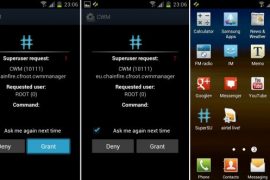
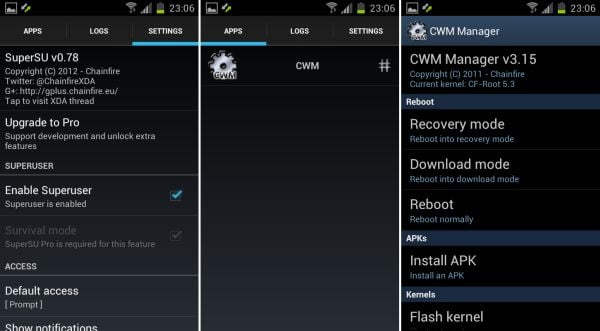
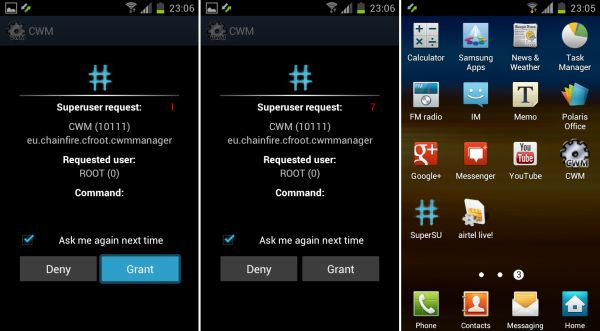
- Your phone is rooted now. Note that this time around it’s the new SuperSU app — alternative to good old superuser app — is included with the root and clockworkmod recovery. It allows you to give root access to applications and control their access. Also, CWM based recovery has been automatically installed too. Use the CWM app in app drawer to boot into recovery and do ROM backups and restore, installations, and much more.
- If you run into any problems while flashing CF-Root, let us know and we’ll try to help you out.
You have successfully rooted and obtained ClockworkMod recovery on XXLPQ Ice Cream Sandwich Android 4.0 firmware. Let us know your thoughts on it in the comments.






202 responses to “Galaxy S2 XXLPQ Root and Clockworkmod Recovery [Guide]”
Thanks for this! Worked like a charm 🙂
😀
I’m on LP2 now (after this process going wrong a few times), and I’ve tried this a few times. No problem with the process, but I keep getting Kernel Panic Mode.
I’m just flashing the PDA with the correct file. What am I missing?
Im getting the same issue! I am trying to get to it via a custom ics rom. Could this be the problem?
Wait… you flashed XXLPQ first, right, before trying the above? Flash xxlpq before trying the above.
And if your device goes to panic mode, install a gingerbread rom like xxkh3, and then install xxlpq and on xxlpq, do the above to get root and cwm.
Thanks for this! Worked like a charm 🙂
😀
Thanks for this! Worked like a charm 🙂
😀
I’m on LP2 now (after this process going wrong a few times), and I’ve tried this a few times. No problem with the process, but I keep getting Kernel Panic Mode.
I’m just flashing the PDA with the correct file. What am I missing?
Im getting the same issue! I am trying to get to it via a custom ics rom. Could this be the problem?
Wait… you flashed XXLPQ first, right, before trying the above? Flash xxlpq before trying the above.
And if your device goes to panic mode, install a gingerbread rom like xxkh3, and then install xxlpq and on xxlpq, do the above to get root and cwm.
I’m on LP2 now (after this process going wrong a few times), and I’ve tried this a few times. No problem with the process, but I keep getting Kernel Panic Mode.
I’m just flashing the PDA with the correct file. What am I missing?
Im getting the same issue! I am trying to get to it via a custom ics rom. Could this be the problem?
Wait… you flashed XXLPQ first, right, before trying the above? Flash xxlpq before trying the above.
And if your device goes to panic mode, install a gingerbread rom like xxkh3, and then install xxlpq and on xxlpq, do the above to get root and cwm.
i did as instructed but when i am trying to intall certain applications it show that that it requires rooting and i should first root and then use.Why is this comming after rooting as said by you, please help
i did as instructed but when i am trying to intall certain applications it show that that it requires rooting and i should first root and then use.Why is this comming after rooting as said by you, please help
i did as instructed but when i am trying to intall certain applications it show that that it requires rooting and i should first root and then use.Why is this comming after rooting as said by you, please help
The CF Root files simply doesn’t want to open up as a zip file on my PC!
*Ignore that, a simple Google search brought me Chainfire’s direct link to the file.
Redownload and use 7-zip to extract it to folder.
Thanks m8, work w/o n e probs. 😀
The CF Root files simply doesn’t want to open up as a zip file on my PC!
*Ignore that, a simple Google search brought me Chainfire’s direct link to the file.
Redownload and use 7-zip to extract it to folder.
The CF Root files simply doesn’t want to open up as a zip file on my PC!
*Ignore that, a simple Google search brought me Chainfire’s direct link to the file.
Redownload and use 7-zip to extract it to folder.
Thanks m8, work w/o n e probs. 😀
Thanks m8, work w/o n e probs. 😀
can i reflash with ofw over the top like with gingerbread to get rid of yellow triangle??
get rid by triangleaway.apk.. by chainfire. very easy.
App 2sd doesnt work any more
No App to sd any more
can i reflash with ofw over the top like with gingerbread to get rid of yellow triangle??
get rid by triangleaway.apk.. by chainfire. very easy.
can i reflash with ofw over the top like with gingerbread to get rid of yellow triangle??
get rid by triangleaway.apk.. by chainfire. very easy.
App 2sd doesnt work any more
App 2sd doesnt work any more
No App to sd any more
No App to sd any more
thanks for ur stock kernel and ur way of instructing.liked very much.
thanks for ur stock kernel and ur way of instructing.liked very much.
thanks for ur stock kernel and ur way of instructing.liked very much.
Thanks! Successfully rooted my S2. Geff Chang (Cebu, Philipines)
How can I get rid of yellow traingle after rooting my Galaxy
Galaxy S2 XXLPQ
I don’t know. I still have it.
triangle away.apk search in xda forum
Thanks! Successfully rooted my S2. Geff Chang (Cebu, Philipines)
How can I get rid of yellow traingle after rooting my Galaxy
Galaxy S2 XXLPQ
I don’t know. I still have it.
triangle away.apk search in xda forum
Thanks! Successfully rooted my S2. Geff Chang (Cebu, Philipines)
How can I get rid of yellow traingle after rooting my Galaxy
Galaxy S2 XXLPQ
I don’t know. I still have it.
triangle away.apk search in xda forum
Hello everyone, I have a problem with this kernel, once i have everything with odin at restart the phone it slows down a lot, I waited several minutes and it seemed he had recovered but then crashed completely and I had to remove this kernel, does anyone know why and if there is another way to get root on sgs2 xxlpq 4.0.3? sorry for my English :).
Hello everyone, I have a problem with this kernel, once i have everything with odin at restart the phone it slows down a lot, I waited several minutes and it seemed he had recovered but then crashed completely and I had to remove this kernel, does anyone know why and if there is another way to get root on sgs2 xxlpq 4.0.3? sorry for my English :).
Hello everyone, I have a problem with this kernel, once i have everything with odin at restart the phone it slows down a lot, I waited several minutes and it seemed he had recovered but then crashed completely and I had to remove this kernel, does anyone know why and if there is another way to get root on sgs2 xxlpq 4.0.3? sorry for my English :).
MTP works well after this?
MTP works well after this?
MTP works well after this?
hello ,
I get this error msg on Odin ,
” Can’t open system serial (COM) port ”
any help !!
Added!!
Odin v.3 engine (ID:6)..
File analysis..
SetupConnection..
Can’t open the serial(COM) port.
All threads completed. (succeed 0 / failed 1)
hello ,
I get this error msg on Odin ,
” Can’t open system serial (COM) port ”
any help !!
Added!!
Odin v.3 engine (ID:6)..
File analysis..
SetupConnection..
Can’t open the serial(COM) port.
All threads completed. (succeed 0 / failed 1)
hello ,
I get this error msg on Odin ,
” Can’t open system serial (COM) port ”
any help !!
Added!!
Odin v.3 engine (ID:6)..
File analysis..
SetupConnection..
Can’t open the serial(COM) port.
All threads completed. (succeed 0 / failed 1)
hi,
After the root, i am not able to access the apps which i have installed on my SD. When i try to open it, it says app not installed on phone.
What could probably be wrong ?
HELP please
I’ve Got The Same Problem Too =(
silly boys..the 5.4 version is fixing this bug, happy rooting !
what is that mean ?? could u plz elaborate it
cuz i have got same problem
hi,
After the root, i am not able to access the apps which i have installed on my SD. When i try to open it, it says app not installed on phone.
What could probably be wrong ?
HELP please
I’ve Got The Same Problem Too =(
silly boys..the 5.4 version is fixing this bug, happy rooting !
what is that mean ?? could u plz elaborate it
cuz i have got same problem
hi,
After the root, i am not able to access the apps which i have installed on my SD. When i try to open it, it says app not installed on phone.
What could probably be wrong ?
HELP please
I’ve Got The Same Problem Too =(
silly boys..the 5.4 version is fixing this bug, happy rooting !
what is that mean ?? could u plz elaborate it
cuz i have got same problem
I Cant Move Apps To Sd Help Please Somebody Please
I Cant Move Apps To Sd Help Please Somebody Please
I Cant Move Apps To Sd Help Please Somebody Please
help phone got stuck on the starting screen with the yellow triangle
phone is having xxlpq still not working !!!
Try again. Otherwise, install XXLPQ again and root it again.
How to install Cyanogen mode
help phone got stuck on the starting screen with the yellow triangle
phone is having xxlpq still not working !!!
Try again. Otherwise, install XXLPQ again and root it again.
help phone got stuck on the starting screen with the yellow triangle
phone is having xxlpq still not working !!!
Try again. Otherwise, install XXLPQ again and root it again.
How to install Cyanogen mode