
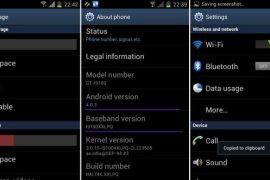
how to Updates

XXLPQ — Update Galaxy S2 to Android 4.0 Official Firmware Manually

Well, here it comes — the first official Android 4.0 update from Samsung, labeled as XXLPQ. Galaxy S2 users in Baltic, Poland, Hungary and other Nordic countries can…

Well, here it comes — the first official Android 4.0 update from Samsung, labeled as XXLPQ. Galaxy S2 users in Baltic, Poland, Hungary and other Nordic countries can…

943 Comments
XXLPQ
Kapill M Malani

Kapill M Malani A die-hard Liverpool FC fan, Kapill is a big fan of Batman, Android and street Cricket. In that order, probably. Email: [email protected]

Well, here it comes — the first official Android 4.0 update from Samsung, labeled as XXLPQ. Galaxy S2 users in Baltic, Poland, Hungary and other Nordic countries can use the Samsung’s PC software Kies to update their phone to Android 4.0.

But those of us who are apparently not from that area of earth, but are as much eager as one could be about official Ice Cream Sandwich for Galaxy S2, well, there is the Odin software to install the XXLPQ manually. It’s pretty easy and if you’ve been keeping up with us, you may have already done it countless times — XXKP8, XXLPH, XXLPJ, etc. But this time around, we flash the official Ice Cream Sandwich update for Galaxy S2 — XXLPQ.

Well, there are some features missing from the earlier leaks, XXLPH and XXLPJ, like there is no 3d anim effect in drawer and while swiping home screens, which was present in XXLPH and XXLPJ, but other than that, XXLPQ is cool — no touch lags and it’s pretty fast and fully working rom, with TouchWiz 4 UI of course, hate it or not.

So, let’s see how to upgrade to Ice Cream Sandwich with XXLPQ, the official Android 4.0 firmware via Kies.

Compatibility

This firmware and the guide below is compatible only and only with Galaxy S2, model number i9100. It’s not compatible with any other device, including US variants of S2, the Epic 4G Touch, T-mobile Galaxy S2 and AT&T Galaxy S2 along with Skyrocket. Check your device’s model number in Settings » About phone.

Warning!

The methods and procedures discussed here are considered risky and you should not attempt anything if you don’t know completely what it is. If any damage occurs to you or your device, we won’t be held liable — you only will be responsible, you’ve been warned!

Pre-Installation Requirements/Tips

  1. This procedure will wipe all your apps, data and settings (but it will NOT touch your SD cards, so don’t worry about those). Backup your Apps and important data — bookmarks, contacts, SMS, APNs (internet settings), etc. This Android backup guide would help you.
  2. If you have Samsung’s PC software Kies installed, un-install it first because it may interrupt the flashing process.
  3. Drivers! — it’s important you’ve the proper drivers installed. Download links below.
    32 bit (x86) Windows |   64-bit (x64) Windows

How to Install XXLPJ on Galaxy S2 i9100


  1. Download the XXLPQ Kies firmware from this link → XXLPQ (alternate mediafire links — part 1 and part 2). Filename: I9100XXLPQ_I9100OXALPQ_XEO.zip  |  Size: 382.43 MB
  2. Now, extract the downloaded file I9100XXLPQ_I9100OXALPQ_XEO.zip (from step 1) to any folder, you’ll get these 2 files:
    1. I9100XXLPQ_I9100OXALPQ_I9100XXLPQ_HOME.tar.md5
    2. SS_DL.dll (simply ignore this one)
  3. Now, download the Odin software which you’ll need to flash the XXLPQ on your Galaxy S2 i9100. Download Link. Filename: Odin3 v1.83.exe
  4. Power Off your phone and also disconnect it from PC if it’s connected, and don’t forget to keep phone’s battery above 50%, just to be very very safe. After the screen goes off, wait for vibration to confirm complete switch off.
  5. Boot Galaxy S2 into Download Mode in order to flash the XXLPQ firmware using Odin. For this, press and hold these keys together:Volume Down + Home + Power, you’ll get a Warning! screen.. press Volume up to continue to enter download mode.
  6. Open Odin (from step 3) — double-click the Odin3 v1.83.exe.
  7. Connect your phone to PC now. You should get the message “Added! !” under Odin’s message box in the bottom left. If you don’t get this message, then probably there is a problem with drivers. Make sure you’ve proper drivers installed. See point 3 above under Pre-Installation Requirements.
  8. Now, in the PDA tab in Odin, select the file you got in step 2.1 — I9100XXLPQ_I9100OXALPQ_I9100XXLPQ_HOME.tar.md5.
  9. Important! Do not touch any other button or make any other changes in Odin except selecting the required file as given in step 8. Your Odin’s screen should look like this: XXLPQ Galaxy S2 i9100
  10. Now, hit the START button to start flashing XXLPQ firmware. When the flashing procedure is finished, your phone will automatically reboot — and when you see the Samsung logo, you can safely unplug the cable. Plus, you’ll get a PASS (with green background) message in the left-most box at the very top of the Odin. Screen would look like this (below) on successful flashing of XXLPQ. XXLPQ Odin GuideIMPORTANT Note: If ODIN gets stuck at some stage and doesn’t get you PASS, do this — disconnect the phone from the PC, close ODIN, remove battery, re-insert it, turn phone on in Download mode again, and do the procedure again from Step 6. Same if you get FAIL in Odin.
  11. After you’ve got the PASS message, the phone will probably get stuckat S logo. If it reboots fine without getting stuck at the S logo, then okay, you’re done, skip to next step. Otherwise, worry not and do this:
    1. Boot to recovery mode — for which, first power off phone and after screen goes off, wait for 5-6 seconds, and then press and hold Home + Volume Up + Power keys together. Once you are in recovery mode, use volume keys to move the selection up and down and power or home key to select the option.
    2. Go to Factory Reset and select it. Select Yes on next screen.
    3. Now, go to Wipe Cache and select it. Confirm Yes on next screen.
    4. Now, select reboot system now to boot your Galaxy S2. It will boot up fine. And you’ll have official Android 4.0, Ice Cream Sandwich, firmware on your Galaxy S2 i9100. Go to Settings and scroll down and select About Phone and check the info there.
  12. Also, if data network (3G, GPRS, etc.) isn’t working for you, you gotta fill in APN Settings meant for your carrier in Mobile and Network settings. Here’s a full list of carriers and their APN settings » Link
  13. In case you encounter any roadblocks flashing XXLPJ, let us know in comments below and we’ll try to help you out.

Do let us know what you feel about the XXLPQ. Liking the Touchwiz 4 on ICS, or completely hating it?

Update: Root your Galaxy S2 on XXLPQ using CF kernel. Search for “root xxlpq” on our site or click here.

Screenshots of XXLPQ Kies Firmware for Galaxy S2 i9100

XXLPQ Browser

XXLPQ Apps

XXLPQ Firmware

XXLPQ Galaxy S2

XXLPQ Homescreen

XXLPQ Kies

XXLPQ Lock Screen

XXLPQ RAM

XXLPQ Camera

943 responses to “XXLPQ — Update Galaxy S2 to Android 4.0 Official Firmware Manually”

  1. Guest Avatar

    Quote from above
    “Sure, it’s a bit backwards in the naming scheme (compared to recent leaks XXLPH and XXLPJ)”

    How is the official XXLPQ a lower naming convention than the Beta XXLPJ  ??

    XXLPJ
    XXLPQ

    Isn’t Q higher than J in the Alphabet, or am just special!

    1. Krishna Avatar
      Krishna

      *eek*, missed it man.. let me edit and correct it. Thnx!

    2. Krishna Avatar
      Krishna

      *eek*, missed it man.. let me edit and correct it. Thnx!
      Had XXLPD in mind, which got released today, too.

    3. Guest Avatar

      No worries keep up the good work, Bob

  2. Guest Avatar

    Hey one thing that i don’t understand. how come these updates aren’t changing the icons and the menu outlay ?
    The physical appearance isn’t changing ?

    1. Krishna Avatar
      Krishna

      That’s up to Samsung. You can install a custom rom to get full Android 4.0 experience.

    2. Guest Avatar

      Like what rom do I need to get the ICS interface !?!
      this TwLauncher interface SUCKS :S
      only the youtube and bookmark widgets changed and everything else is da same ………

      any rom suggestions ?!

  3. Guest Avatar

    Are there any known bugs with this ROM?

  4. Guest Avatar

    yor awesome mannn….

    njoying android 4…..

  5. Bob Avatar

    Quote from above
    “Sure, it’s a bit backwards in the naming scheme (compared to recent leaks XXLPH and XXLPJ)”

    How is the official XXLPQ a lower naming convention than the Beta XXLPJ  ??

    XXLPJ
    XXLPQ

    Isn’t Q higher than J in the Alphabet, or am just special!

    1. Kapil Avatar

      *eek*, missed it man.. let me edit and correct it. Thnx!

      1. Bob Avatar

        No worries keep up the good work, Bob

  6. Bob Avatar

    Quote from above
    “Sure, it’s a bit backwards in the naming scheme (compared to recent leaks XXLPH and XXLPJ)”

    How is the official XXLPQ a lower naming convention than the Beta XXLPJ  ??

    XXLPJ
    XXLPQ

    Isn’t Q higher than J in the Alphabet, or am just special!

    1. Kapil Avatar

      *eek*, missed it man.. let me edit and correct it. Thnx!
      Had XXLPD in mind, which got released today, too.

      1. Bob Avatar

        No worries keep up the good work, Bob

  7. Sachin Agarwal Avatar
    Sachin Agarwal

    Hey one thing that i don’t understand. how come these updates aren’t changing the icons and the menu outlay ?
    The physical appearance isn’t changing ?

    1. Kapil Avatar

      That’s up to Samsung. You can install a custom rom to get full Android 4.0 experience.

      1. wellie Avatar

        Like what rom do I need to get the ICS interface !?!
        this TwLauncher interface SUCKS :S
        only the youtube and bookmark widgets changed and everything else is da same ………

        any rom suggestions ?!

  8. Sachin Agarwal Avatar
    Sachin Agarwal

    Hey one thing that i don’t understand. how come these updates aren’t changing the icons and the menu outlay ?
    The physical appearance isn’t changing ?

    1. Kapil Avatar

      That’s up to Samsung. You can install a custom rom to get full Android 4.0 experience.

      1. wellie Avatar

        Like what rom do I need to get the ICS interface !?!
        this TwLauncher interface SUCKS :S
        only the youtube and bookmark widgets changed and everything else is da same ………

        any rom suggestions ?!

  9. Trentlett6 Avatar
    Trentlett6

    Are there any known bugs with this ROM?

  10. Trentlett6 Avatar
    Trentlett6

    Are there any known bugs with this ROM?

  11. Riteish_rdxs Avatar
    Riteish_rdxs

    yor awesome mannn….

    njoying android 4…..

  12. Riteish_rdxs Avatar
    Riteish_rdxs

    yor awesome mannn….

    njoying android 4…..

  13. Guest Avatar

    Hey guys, about the contacts app, how do I sync only what’s on “My Contacts” list in google, I have 800+ contacts from the “Not Assinged” group..

    OH and BTW… I F_CKING HATE TOUCHWIZ ON ICS!!

    1. Guest Avatar

      Hello 
      Manichon01, I did my backup by Kies, contacts, pictures, musics, videos. After installing this wonderful ROM I restored my data and is everything exactly how must be. Perfect!

    2. Guest Avatar

      why not install trebuchet launcher or nova? both have an AOSP ICS feel to them

    3. Guest Avatar

      My contacts are there it’s just there are too many, aparently everyone i’ve ever contacted!

  14. Guest Avatar

    hey guys i have a problem i am using windows 8 consumer preview will odin run in this and flash successfully ?

    1. Krishna Avatar
      Krishna

      Yes.. I’m using that too… it works.

    2. Guest Avatar

       but kies dosent seem to be able to run on windows 8 u sure? just dont wanna brick my phone 😛 and awesome tutorial btw 😀

    3. Krishna Avatar
      Krishna

      I am talking about Odin, not Kies. I never used Kies…!

      Odin would work fine on win8. Thnx!

    4. Guest Avatar

       one last thing do i have to turn usb debugging on in settings? i have android 2.3.6

    5. Krishna Avatar
      Krishna

      Well.. not strictly required but you can do it anyway.

    6. Guest Avatar

       works ! all apps everything is there thanks a lot! 😀

  15. Guest Avatar

    Amazing! I’m enjoying the newest Android ICS, the touchscreen is perfect, the camera is so fast and the macro is incredible. The whole system is fast and very stable. Perfect, thanx a lot and hugs from Brazil.

  16. Guest Avatar

    Is this really official version,please??

    1. Krishna Avatar
      Krishna

      Yes, it’s the official version, available via Samsung’s PC software, Kies, in some Nordic countries. It’s not a leak.

    2. Guest Avatar

      got it, thanks!

  17. Manichon01 Avatar
    Manichon01

    Hey guys, about the contacts app, how do I sync only what’s on “My Contacts” list in google, I have 800+ contacts from the “Not Assinged” group..

    OH and BTW… I F_CKING HATE TOUCHWIZ ON ICS!!

    1. Thiago Grande Avatar
      Thiago Grande

      Hello 
      Manichon01, I did my backup by Kies, contacts, pictures, musics, videos. After installing this wonderful ROM I restored my data and is everything exactly how must be. Perfect!

      1. Manichon01 Avatar
        Manichon01

        My contacts are there it’s just there are too many, aparently everyone i’ve ever contacted!

    2. Dan Shipman Avatar
      Dan Shipman

      why not install trebuchet launcher or nova? both have an AOSP ICS feel to them

  18. Manichon01 Avatar
    Manichon01

    Hey guys, about the contacts app, how do I sync only what’s on “My Contacts” list in google, I have 800+ contacts from the “Not Assinged” group..

    OH and BTW… I F_CKING HATE TOUCHWIZ ON ICS!!

    1. Thiago Grande Avatar
      Thiago Grande

      Hello 
      Manichon01, I did my backup by Kies, contacts, pictures, musics, videos. After installing this wonderful ROM I restored my data and is everything exactly how must be. Perfect!

      1. Manichon01 Avatar
        Manichon01

        My contacts are there it’s just there are too many, aparently everyone i’ve ever contacted!

    2. Dan Shipman Avatar
      Dan Shipman

      why not install trebuchet launcher or nova? both have an AOSP ICS feel to them

  19. Guest Avatar

    Hi, I m done with the upgrade process but honestly I m very very disappointed with this new version. Apparently there is nothing new.. Anyway my point is; after I finished with this I run the Kies but it says my device dont let me upgrade my phone  anymore with Kies!! Am I not going to be able to use Kies anymore? 

  20. Guest Avatar

    Will there be any problems if i flash this over a custom rom? Sorry if this is a nobb question

    1. Krishna Avatar
      Krishna

      There shouldn’t be any problem.

  21. Rahul Debnath Avatar

    hey guys i have a problem i am using windows 8 consumer preview will odin run in this and flash successfully ?

    1. Kapil Avatar

      Yes.. I’m using that too… it works.

      1. Rahul Debnath Avatar

         but kies dosent seem to be able to run on windows 8 u sure? just dont wanna brick my phone 😛 and awesome tutorial btw 😀

        1. Kapil Avatar

          I am talking about Odin, not Kies. I never used Kies…!

          Odin would work fine on win8. Thnx!

          1. Rahul Debnath Avatar

             one last thing do i have to turn usb debugging on in settings? i have android 2.3.6

          2. Kapil Avatar

            Well.. not strictly required but you can do it anyway.

          3. Rahul Debnath Avatar

             works ! all apps everything is there thanks a lot! 😀

  22. Rahul Debnath Avatar

    hey guys i have a problem i am using windows 8 consumer preview will odin run in this and flash successfully ?

    1. Kapil Avatar

      Yes.. I’m using that too… it works.

      1. Rahul Debnath Avatar

         but kies dosent seem to be able to run on windows 8 u sure? just dont wanna brick my phone 😛 and awesome tutorial btw 😀

        1. Kapil Avatar

          I am talking about Odin, not Kies. I never used Kies…!

          Odin would work fine on win8. Thnx!

          1. Rahul Debnath Avatar

             one last thing do i have to turn usb debugging on in settings? i have android 2.3.6

          2. Kapil Avatar

            Well.. not strictly required but you can do it anyway.

          3. Rahul Debnath Avatar

             works ! all apps everything is there thanks a lot! 😀

  23. Guest Avatar

    Hi, Please help me, after i got the PASS message in Odin, the phone get stuckat
    S logo. i have tried to reboots bu same issue stucked in SII logo, i can’t reboot
    to recovery mode i do press and hold Home + Volume Up + Power keys together but device is not accepting any.
    please what to do. 

    1. Krishna Avatar
      Krishna

      Remove battery for 5 seconds… then reinsert it and hold the 3 buttons to boot into recovery — hold them until anything shows up on screen.

    2. Guest Avatar

      Hi – I have same problem, when i shut off the phone i see a gray battery with none moving round and it does not wake up nor get to recovery mode. Amos  

  24. Marcus Zorbis Avatar
    Marcus Zorbis

    Amazing! I’m enjoying the newest Android ICS, the touchscreen is perfect, the camera is so fast and the macro is incredible. The whole system is fast and very stable. Perfect, thanx a lot and hugs from Brazil.

  25. Marcus Zorbis Avatar
    Marcus Zorbis

    Amazing! I’m enjoying the newest Android ICS, the touchscreen is perfect, the camera is so fast and the macro is incredible. The whole system is fast and very stable. Perfect, thanx a lot and hugs from Brazil.

  26. Guest Avatar

    i upgraded bt it doesnt seem original…

  27. Guest Avatar

    I am not able to extract the Zip file. Is that corrupted?

    1. Krishna Avatar
      Krishna

      Try with 7-zip software. If it still fails, it’s corrupted, re-download it.

  28. Dilemma Avatar
    Dilemma

    Is this really official version,please??

    1. Kapil Avatar

      Yes, it’s the official version, available via Samsung’s PC software, Kies, in some Nordic countries. It’s not a leak.

      1. Dilemma Avatar
        Dilemma

        got it, thanks!

  29. Dilemma Avatar
    Dilemma

    Is this really official version,please??

    1. Kapil Avatar

      Yes, it’s the official version, available via Samsung’s PC software, Kies, in some Nordic countries. It’s not a leak.

      1. Dilemma Avatar
        Dilemma

        got it, thanks!

  30. Guest Avatar

    the download is taking way too much time.

    and i have 2 Mbps !!

  31. Frank_frankly Avatar
    Frank_frankly

    Hi, I m done with the upgrade process but honestly I m very very disappointed with this new version. Apparently there is nothing new.. Anyway my point is; after I finished with this I run the Kies but it says my device dont let me upgrade my phone  anymore with Kies!! Am I not going to be able to use Kies anymore? 

  32. Frank_frankly Avatar
    Frank_frankly

    Hi, I m done with the upgrade process but honestly I m very very disappointed with this new version. Apparently there is nothing new.. Anyway my point is; after I finished with this I run the Kies but it says my device dont let me upgrade my phone  anymore with Kies!! Am I not going to be able to use Kies anymore? 

  33. doomsoon Avatar
    doomsoon

    Will there be any problems if i flash this over a custom rom? Sorry if this is a nobb question

    1. Kapil Avatar

      There shouldn’t be any problem.

  34. doomsoon Avatar
    doomsoon

    Will there be any problems if i flash this over a custom rom? Sorry if this is a nobb question

    1. Kapil Avatar

      There shouldn’t be any problem.

  35. Jimmy Avatar

    Hi, Please help me, after i got the PASS message in Odin, the phone get stuckat
    S logo. i have tried to reboots bu same issue stucked in SII logo, i can’t reboot
    to recovery mode i do press and hold Home + Volume Up + Power keys together but device is not accepting any.
    please what to do. 

    1. Kapil Avatar

      Remove battery for 5 seconds… then reinsert it and hold the 3 buttons to boot into recovery — hold them until anything shows up on screen.

      1. Amos Roc Avatar
        Amos Roc

        Hi – I have same problem, when i shut off the phone i see a gray battery with none moving round and it does not wake up nor get to recovery mode. Amos  

  36. Jimmy Avatar

    Hi, Please help me, after i got the PASS message in Odin, the phone get stuckat
    S logo. i have tried to reboots bu same issue stucked in SII logo, i can’t reboot
    to recovery mode i do press and hold Home + Volume Up + Power keys together but device is not accepting any.
    please what to do. 

    1. Kapil Avatar

      Remove battery for 5 seconds… then reinsert it and hold the 3 buttons to boot into recovery — hold them until anything shows up on screen.

      1. Amos Roc Avatar
        Amos Roc

        Hi – I have same problem, when i shut off the phone i see a gray battery with none moving round and it does not wake up nor get to recovery mode. Amos  

  37. Guest Avatar

    If I install this firmware and then Samsung releases a newer version, will I still be able to recieve updates via kies or OTA? or will I have to do it each time with odin?

    Thanks in advance!

  38. Anil Yad13 Avatar
    Anil Yad13

    i upgraded bt it doesnt seem original…

  39. Anil Yad13 Avatar
    Anil Yad13

    i upgraded bt it doesnt seem original…

  40. Senthilawakes Avatar
    Senthilawakes

    I am not able to extract the Zip file. Is that corrupted?

    1. Kapil Avatar

      Try with 7-zip software. If it still fails, it’s corrupted, re-download it.

  41. Senthilawakes Avatar
    Senthilawakes

    I am not able to extract the Zip file. Is that corrupted?

    1. Kapil Avatar

      Try with 7-zip software. If it still fails, it’s corrupted, re-download it.

  42. Mishra14 Avatar
    Mishra14

    the download is taking way too much time.

    and i have 2 Mbps !!

  43. Mishra14 Avatar
    Mishra14

    the download is taking way too much time.

    and i have 2 Mbps !!

  44. Guest Avatar

    Feedback on upgrade process.
    Installed OK but it did not reboot and I could not boot into recovery mode. Re-installed and phone rebooted automatically. Then Android system automatically updated all my apps. All my data, contacts, messages, etc. were preserved.Thanks for the update.

  45. Guest Avatar

    Heyy…
    I’ve got korean version of Gs2. I cant install the official firmware due to sms is not working in my country with korean firmware so can I install this on my phone…??
    Thanks

  46. Marcel Welter Avatar
    Marcel Welter

    If I install this firmware and then Samsung releases a newer version, will I still be able to recieve updates via kies or OTA? or will I have to do it each time with odin?

    Thanks in advance!

  47. Marcel Welter Avatar
    Marcel Welter

    If I install this firmware and then Samsung releases a newer version, will I still be able to recieve updates via kies or OTA? or will I have to do it each time with odin?

    Thanks in advance!

  48. Guest Avatar

    wifi not working freeze on turning on plz Help 

    1. Guest Avatar

       Turnd My Fone Off On Again Shazam Itz Working =) Thanx

  49. Ggriffa1 Avatar
    Ggriffa1

    Feedback on upgrade process.
    Installed OK but it did not reboot and I could not boot into recovery mode. Re-installed and phone rebooted automatically. Then Android system automatically updated all my apps. All my data, contacts, messages, etc. were preserved.Thanks for the update.

  50. Ggriffa1 Avatar
    Ggriffa1

    Feedback on upgrade process.
    Installed OK but it did not reboot and I could not boot into recovery mode. Re-installed and phone rebooted automatically. Then Android system automatically updated all my apps. All my data, contacts, messages, etc. were preserved.Thanks for the update.

  51. Meeaaaoon Avatar
    Meeaaaoon

    Heyy…
    I’ve got korean version of Gs2. I cant install the official firmware due to sms is not working in my country with korean firmware so can I install this on my phone…??
    Thanks

  52. Meeaaaoon Avatar
    Meeaaaoon

    Heyy…
    I’ve got korean version of Gs2. I cant install the official firmware due to sms is not working in my country with korean firmware so can I install this on my phone…??
    Thanks

  53. Dil Avatar

    wifi not working freeze on turning on plz Help 

    1. Dil Avatar

       Turnd My Fone Off On Again Shazam Itz Working =) Thanx

  54. Dil Avatar

    wifi not working freeze on turning on plz Help 

    1. Dil Avatar

       Turnd My Fone Off On Again Shazam Itz Working =) Thanx

  55. Guest Avatar

    FWIW, I got stuck at the “S” logo but managed to make it through with only wiping the cache.

  56. Guest Avatar

    great rom. was reluctant as i have lots of apps and games, but they r all running perfectly even Shadowrun, which required chainfire3d. no prob sofar. very smooth. 
    I can only think of one downside, and it is the UI. It hasn’t changed much, smoother animation, but same as before. 
    I with samsung would buy sense or make drastic changes to touchwiz. fingers Xed

  57. Id Avatar

    FWIW, I got stuck at the “S” logo but managed to make it through with only wiping the cache.

  58. Id Avatar

    FWIW, I got stuck at the “S” logo but managed to make it through with only wiping the cache.

  59. Jahangir Raza Shah Avatar
    Jahangir Raza Shah

    great rom. was reluctant as i have lots of apps and games, but they r all running perfectly even Shadowrun, which required chainfire3d. no prob sofar. very smooth. 
    I can only think of one downside, and it is the UI. It hasn’t changed much, smoother animation, but same as before. 
    I with samsung would buy sense or make drastic changes to touchwiz. fingers Xed

  60. Jahangir Raza Shah Avatar
    Jahangir Raza Shah

    great rom. was reluctant as i have lots of apps and games, but they r all running perfectly even Shadowrun, which required chainfire3d. no prob sofar. very smooth. 
    I can only think of one downside, and it is the UI. It hasn’t changed much, smoother animation, but same as before. 
    I with samsung would buy sense or make drastic changes to touchwiz. fingers Xed

  61. Guest Avatar

    the first link isnt working so im downloading part 1(200mb) and part 2(149mb),, wht next?? am i supposed to flash them both seperately via odin on PDA section?
    ???

    1. Krishna Avatar
      Krishna

      No…. download both parts and then extract from the first one using 7-zip software. The file you’ll get from Odin is the the one you gotta flash in Odin.

  62. Guest Avatar

    the first link isnt working so im downloading part 1(200mb) and part 2(149mb),, wht next?? am i supposed to flash them both seperately via odin on PDA section???

  63. Guest Avatar

    why it show “process failed” while registering in software update?

    1. Guest Avatar

      @kapil pls help

  64. Sanjayshah_cs Avatar
    Sanjayshah_cs

    the first link isnt working so im downloading part 1(200mb) and part 2(149mb),, wht next?? am i supposed to flash them both seperately via odin on PDA section?
    ???

    1. Kapil Avatar

      No…. download both parts and then extract from the first one using 7-zip software. The file you’ll get from Odin is the the one you gotta flash in Odin.

  65. Sanjayshah_cs Avatar
    Sanjayshah_cs

    the first link isnt working so im downloading part 1(200mb) and part 2(149mb),, wht next?? am i supposed to flash them both seperately via odin on PDA section?
    ???

    1. Kapil Avatar

      No…. download both parts and then extract from the first one using 7-zip software. The file you’ll get from Odin is the the one you gotta flash in Odin.

  66. sanjay shah Avatar
    sanjay shah

    the first link isnt working so im downloading part 1(200mb) and part 2(149mb),, wht next?? am i supposed to flash them both seperately via odin on PDA section???

  67. sanjay shah Avatar
    sanjay shah

    the first link isnt working so im downloading part 1(200mb) and part 2(149mb),, wht next?? am i supposed to flash them both seperately via odin on PDA section???

  68. Ziaffaiz Avatar
    Ziaffaiz

    why it show “process failed” while registering in software update?

    1. Ziaffaiz Avatar
      Ziaffaiz

      @kapil pls help

  69. Ziaffaiz Avatar
    Ziaffaiz

    why it show “process failed” while registering in software update?

    1. Ziaffaiz Avatar
      Ziaffaiz

      @kapil pls help

  70. Guest Avatar

    while watching video more than 1min there is a red rectangle blink through the corner of screen!! what is it ?how to solve it?

    1. Guest Avatar

      @kapil pls help

    2. Krishna Avatar
      Krishna

      Which video you are talking about pls?

    3. Guest Avatar

      after upgrading to ics while we are opening the video in s2 video player and start playing the video after times there is a red color blink like a frame on 4 side of the screen….i mean you got it 

  71. Guest Avatar

    Hi, I have just upgraded my S2 using your tutorial. Its Very good.i would like to mention to that
    As it everywhere said that it will delete all phone data is not true. All the data including contacts, sms,memo,call log and all applications are remains there and working. I have done only upto step 10.
    As mentioned in step 11, my phone got stuck at s screen and i was about goto next step in a minute, my phone screen shown up with a message “Android is Upgrading” then after that it displays, Optimizing applications 1 of 115 and it completed all applications. Twice i received a message ‘Java is stopped’ . I have not done factory reset or wipe cache.Android 4 startup time 31 seconds where as 2.3 is 19 seconds

    1. Guest Avatar

      did the upgrade last night all went smoothly and kept apps , data and personilsed settings to…. running perfectl too

  72. Guest Avatar

    Running perfect except the software update shows “Processing Failed”

    1. Guest Avatar

      same in my s2 also!!

    2. Guest Avatar

      did you have this problem!!
      while watching video more than 1min there is a red rectangle blink through the corner of screen!! what is it ?how to solve it?

    3. Guest Avatar

      Did you get the solution for processing failed. please let me know how you solved it

  73. Ziaffaiz Avatar
    Ziaffaiz

    while watching video more than 1min there is a red rectangle blink through the corner of screen!! what is it ?how to solve it?

    1. Ziaffaiz Avatar
      Ziaffaiz

      @kapil pls help

      1. Kapil Avatar

        Which video you are talking about pls?

        1. Ziaffaiz Avatar
          Ziaffaiz

          after upgrading to ics while we are opening the video in s2 video player and start playing the video after times there is a red color blink like a frame on 4 side of the screen….i mean you got it 

  74. Ziaffaiz Avatar
    Ziaffaiz

    while watching video more than 1min there is a red rectangle blink through the corner of screen!! what is it ?how to solve it?

    1. Ziaffaiz Avatar
      Ziaffaiz

      @kapil pls help

      1. Kapil Avatar

        Which video you are talking about pls?

        1. Ziaffaiz Avatar
          Ziaffaiz

          after upgrading to ics while we are opening the video in s2 video player and start playing the video after times there is a red color blink like a frame on 4 side of the screen….i mean you got it 

  75. Viswanatha Reddy Guddeti Avatar
    Viswanatha Reddy Guddeti

    Hi, I have just upgraded my S2 using your tutorial. Its Very good.i would like to mention to that
    As it everywhere said that it will delete all phone data is not true. All the data including contacts, sms,memo,call log and all applications are remains there and working. I have done only upto step 10.
    As mentioned in step 11, my phone got stuck at s screen and i was about goto next step in a minute, my phone screen shown up with a message “Android is Upgrading” then after that it displays, Optimizing applications 1 of 115 and it completed all applications. Twice i received a message ‘Java is stopped’ . I have not done factory reset or wipe cache.Android 4 startup time 31 seconds where as 2.3 is 19 seconds

    1. Idtvs2 Avatar

      did the upgrade last night all went smoothly and kept apps , data and personilsed settings to…. running perfectl too

  76. Viswanatha Reddy Avatar
    Viswanatha Reddy

    Hi, I have just upgraded my S2 using your tutorial. Its Very good.i would like to mention to that
    As it everywhere said that it will delete all phone data is not true. All the data including contacts, sms,memo,call log and all applications are remains there and working. I have done only upto step 10.
    As mentioned in step 11, my phone got stuck at s screen and i was about goto next step in a minute, my phone screen shown up with a message “Android is Upgrading” then after that it displays, Optimizing applications 1 of 115 and it completed all applications. Twice i received a message ‘Java is stopped’ . I have not done factory reset or wipe cache.Android 4 startup time 31 seconds where as 2.3 is 19 seconds

    1. Idtvs2 Avatar

      did the upgrade last night all went smoothly and kept apps , data and personilsed settings to…. running perfectl too

  77. Guest Avatar

    Any idea why The SG2’s camera didn’t update to include the features promised such as time lapse, auto focus whilst filming video, live effects, less shutter lag etc? Seems like it’s the stock camera, very disappointed as these were the features i was most looking forward to with ICS

  78. Cor Kuijpers Avatar

    Running perfect except the software update shows “Processing Failed”

    1. Ziaffaiz Avatar
      Ziaffaiz

      same in my s2 also!!

    2. Ziaffaiz Avatar
      Ziaffaiz

      did you have this problem!!
      while watching video more than 1min there is a red rectangle blink through the corner of screen!! what is it ?how to solve it?

    3. gnair Avatar

      Did you get the solution for processing failed. please let me know how you solved it

  79. Cor Kuijpers Avatar
    Cor Kuijpers

    Running perfect except the software update shows “Processing Failed”

    1. Ziaffaiz Avatar
      Ziaffaiz

      same in my s2 also!!

    2. Ziaffaiz Avatar
      Ziaffaiz

      did you have this problem!!
      while watching video more than 1min there is a red rectangle blink through the corner of screen!! what is it ?how to solve it?

    3. gnair Avatar

      Did you get the solution for processing failed. please let me know how you solved it

  80. Guest Avatar

    After updating to this rom, the MHL connection doesn’t work anymore, when i connect the hdmi cable to the phone, it crashes. Anyone have this problem?

    1. Guest Avatar

      yes. i get the same. my screen freezes. this update hasn’t done much for me, other than let me use nova launcher…

  81. Tamalmighty Avatar
    Tamalmighty

    Any idea why The SG2’s camera didn’t update to include the features promised such as time lapse, auto focus whilst filming video, live effects, less shutter lag etc? Seems like it’s the stock camera, very disappointed as these were the features i was most looking forward to with ICS

  82. Tamalmighty Avatar
    Tamalmighty

    Any idea why The SG2’s camera didn’t update to include the features promised such as time lapse, auto focus whilst filming video, live effects, less shutter lag etc? Seems like it’s the stock camera, very disappointed as these were the features i was most looking forward to with ICS

  83. Sefesoft Avatar
    Sefesoft

    After updating to this rom, the MHL connection doesn’t work anymore, when i connect the hdmi cable to the phone, it crashes. Anyone have this problem?

    1. sjpn Avatar

      yes. i get the same. my screen freezes. this update hasn’t done much for me, other than let me use nova launcher…

  84. Sefesoft Avatar
    Sefesoft

    After updating to this rom, the MHL connection doesn’t work anymore, when i connect the hdmi cable to the phone, it crashes. Anyone have this problem?

    1. sjpn Avatar

      yes. i get the same. my screen freezes. this update hasn’t done much for me, other than let me use nova launcher…

  85. Guest Avatar

    Hi There. 
    I get a pass within a few seconds, and the phone reboots. I get the Samsung text, but no animated “S” logo.

    I have run this process several times, and even wiped the phone as per step 11, but phone will not start.

    Any ideas?

    1. Krishna Avatar
      Krishna

      Hey, you sure you’re trying this on the right device, the Galaxy S2 i9100? If this one isn’t working for you, I would suggest you to try an older firmware first and then the the XXLPQ above again. You cna try this old firmware, XXKP8 — https://nerdschalk.com/galaxy-s2-ice-creams-sandwich-leaked-firmware-xxkp8/

    2. Krishna Avatar
      Krishna

      Hey, you sure you’re trying this on the right device, the Galaxy S2 i9100? If this one isn’t working for you, I would suggest you to try an older firmware first and then the the XXLPQ above again. You cna try this old firmware, XXKP8 — https://nerdschalk.com/galaxy-s2-ice-creams-sandwich-leaked-firmware-xxkp8/

    3. Guest Avatar

      hi kapil, i have new version installed all works perfect, i think people with problems have wrong phone model, just one thing how do we know when an updated firmware is available as kies cannot be used now, cheers

    4. Krishna Avatar
      Krishna

      To get kies working, install any firmware by Samsung meant for your region. To keep track of ICS updates, subscribe to our email newsletter so you get daily free email of what’s going on on android scene. We cover almost every firmware, so you won’t be left in the dark on this.

    5. Guest Avatar

      thanks, if i wanted to revert back to official samsung gingerbread and then flash via kies where would i get it, my phone is sim free but i use vodafone i note that any firmware number has (vod) after it. Im unlikely to do this though as phone is working perfectly on this ics not a single problem, it is not rooted but i just wondered how i would get back to official status, thanks again

  86. Guest Avatar

    i tried but it got failed with the below message and not going on recovery mode showing connectivity logo .

    Firmware update start.. boot.bin Complete(Write) operation failed. All threads completed. (succeed 0 / failed 1)

    Please help someone …

    1. Krishna Avatar
      Krishna

      Hi Shailendra, you sure your device is the right one, the Galaxy S2 i9100? If yes, I would recommend you to try it again. Let me know after you’ve done that.

    2. Guest Avatar

      yes its Glaxy S2 only i9100 please help me …

    3. Krishna Avatar
      Krishna

      Try to install xxkp8 firmware, search here for its download links and instructions.

  87. Steve Sparrow Avatar

    Hi There. 
    I get a pass within a few seconds, and the phone reboots. I get the Samsung text, but no animated “S” logo.

    I have run this process several times, and even wiped the phone as per step 11, but phone will not start.

    Any ideas?

    1. Kapil Avatar

      Hey, you sure you’re trying this on the right device, the Galaxy S2 i9100? If this one isn’t working for you, I would suggest you to try an older firmware first and then the the XXLPQ above again. You cna try this old firmware, XXKP8 — https://nerdschalk.com/galaxy-s2-ice-creams-sandwich-leaked-firmware-xxkp8/

      1. Mattchambers13 Avatar
        Mattchambers13

        hi kapil, i have new version installed all works perfect, i think people with problems have wrong phone model, just one thing how do we know when an updated firmware is available as kies cannot be used now, cheers

        1. Kapil Avatar

          To get kies working, install any firmware by Samsung meant for your region. To keep track of ICS updates, subscribe to our email newsletter so you get daily free email of what’s going on on android scene. We cover almost every firmware, so you won’t be left in the dark on this.

        2. Mattchambers13 Avatar
          Mattchambers13

          thanks, if i wanted to revert back to official samsung gingerbread and then flash via kies where would i get it, my phone is sim free but i use vodafone i note that any firmware number has (vod) after it. Im unlikely to do this though as phone is working perfectly on this ics not a single problem, it is not rooted but i just wondered how i would get back to official status, thanks again

  88. Steve Sparrow Avatar

    Hi There. 
    I get a pass within a few seconds, and the phone reboots. I get the Samsung text, but no animated “S” logo.

    I have run this process several times, and even wiped the phone as per step 11, but phone will not start.

    Any ideas?

    1. Kapil Avatar

      Hey, you sure you’re trying this on the right device, the Galaxy S2 i9100? If this one isn’t working for you, I would suggest you to try an older firmware first and then the the XXLPQ above again. You cna try this old firmware, XXKP8 — https://nerdschalk.com/galaxy-s2-ice-creams-sandwich-leaked-firmware-xxkp8/

      1. Mattchambers13 Avatar
        Mattchambers13

        hi kapil, i have new version installed all works perfect, i think people with problems have wrong phone model, just one thing how do we know when an updated firmware is available as kies cannot be used now, cheers

        1. Kapil Avatar

          To get kies working, install any firmware by Samsung meant for your region. To keep track of ICS updates, subscribe to our email newsletter so you get daily free email of what’s going on on android scene. We cover almost every firmware, so you won’t be left in the dark on this.

        2. Mattchambers13 Avatar
          Mattchambers13

          thanks, if i wanted to revert back to official samsung gingerbread and then flash via kies where would i get it, my phone is sim free but i use vodafone i note that any firmware number has (vod) after it. Im unlikely to do this though as phone is working perfectly on this ics not a single problem, it is not rooted but i just wondered how i would get back to official status, thanks again

  89. Shailendra sinahg Avatar
    Shailendra sinahg

    i tried but it got failed with the below message and not going on recovery mode showing connectivity logo .

    Firmware update start.. boot.bin Complete(Write) operation failed. All threads completed. (succeed 0 / failed 1)

    Please help someone …

    1. Kapil Avatar

      Hi Shailendra, you sure your device is the right one, the Galaxy S2 i9100? If yes, I would recommend you to try it again. Let me know after you’ve done that.

      1. Shailendra sinahg Avatar
        Shailendra sinahg

        yes its Glaxy S2 only i9100 please help me …

        1. Kapil Avatar

          Try to install xxkp8 firmware, search here for its download links and instructions.

  90. Shailendra sinahg Avatar
    Shailendra sinahg

    i tried but it got failed with the below message and not going on recovery mode showing connectivity logo .

    Firmware update start.. boot.bin Complete(Write) operation failed. All threads completed. (succeed 0 / failed 1)

    Please help someone …

    1. Kapil Avatar

      Hi Shailendra, you sure your device is the right one, the Galaxy S2 i9100? If yes, I would recommend you to try it again. Let me know after you’ve done that.

      1. Shailendra sinahg Avatar
        Shailendra sinahg

        yes its Glaxy S2 only i9100 please help me …

        1. Kapil Avatar

          Try to install xxkp8 firmware, search here for its download links and instructions.

  91. Guest Avatar

    Camera dosent work at all.After i open the camera application,it shuts down.Why is it?

  92. Guest Avatar

    Upgraded smoothly. I had to update my google plus manually but no problems otherwise. Scrolling in some apps isnt as smooth as I would have liked but I’m satisfied. 🙂
    Quadrant scores;2.3.6 gingerbread 3800 – 4.0.3 ICS XXLPQ 4157

  93. Guest Avatar

    How long does it takes from connecting the USB up till the ‘PASS’ message appears? My odin is still showing ‘boot.bin’ for the past 5 mins? Is it okay?

    1. Krishna Avatar
      Krishna

      Nah… umm, are you still stuck?

    2. Guest Avatar

      couple of minutes

  94. Ashim2712 Avatar
    Ashim2712

    Camera dosent work at all.After i open the camera application,it shuts down.Why is it?

  95. Ashim2712 Avatar
    Ashim2712

    Camera dosent work at all.After i open the camera application,it shuts down.Why is it?

  96. Nigel Franco Avatar

    Upgraded smoothly. I had to update my google plus manually but no problems otherwise. Scrolling in some apps isnt as smooth as I would have liked but I’m satisfied. 🙂
    Quadrant scores;2.3.6 gingerbread 3800 – 4.0.3 ICS XXLPQ 4157

  97. Nigel Franco Avatar

    Upgraded smoothly. I had to update my google plus manually but no problems otherwise. Scrolling in some apps isnt as smooth as I would have liked but I’m satisfied. 🙂
    Quadrant scores;2.3.6 gingerbread 3800 – 4.0.3 ICS XXLPQ 4157

  98. Faridz Mohd Avatar
    Faridz Mohd

    How long does it takes from connecting the USB up till the ‘PASS’ message appears? My odin is still showing ‘boot.bin’ for the past 5 mins? Is it okay?

    1. Kapil Avatar

      Nah… umm, are you still stuck?

    2. Idtvs2 Avatar

      couple of minutes

  99. Faridz Mohd Avatar
    Faridz Mohd

    How long does it takes from connecting the USB up till the ‘PASS’ message appears? My odin is still showing ‘boot.bin’ for the past 5 mins? Is it okay?

    1. Kapil Avatar

      Nah… umm, are you still stuck?

    2. Idtvs2 Avatar

      couple of minutes

  100. Guest Avatar

    My camera keeps crashing please help

  101. rienhard Avatar
    rienhard

    My camera keeps crashing please help

  102. rienhard Avatar
    rienhard

    My camera keeps crashing please help

  103. Guest Avatar

    Can’t get it to go into ‘Safe Mode’ as per step 11.1. Holding Volume up, Home and Power key together but it’s just trying to start normally and getting stuck at the ‘Samsung GALAXY SII GT-I9100’ screen. Tried several times.

    Any ideas?

    1. Guest Avatar

      Solved the problem. Install it again by starting again from section 5.

    2. Guest Avatar

      flash it again but doent unplug it from the pc

    3. Guest Avatar

       I had the same problem as you Pete. Re-installation worked for me as well! Thank you!

    4. Guest Avatar

       Same thing happened to me…re-installing helped me too. Thanks Peteinhull and Kapil, U guys rule!!!!

  104. Peteinhull Avatar
    Peteinhull

    Can’t get it to go into ‘Safe Mode’ as per step 11.1. Holding Volume up, Home and Power key together but it’s just trying to start normally and getting stuck at the ‘Samsung GALAXY SII GT-I9100’ screen. Tried several times.

    Any ideas?

    1. Peteinhull Avatar
      Peteinhull

      Solved the problem. Install it again by starting again from section 5.

      1. Jaskaran Singh Avatar
        Jaskaran Singh

         I had the same problem as you Pete. Re-installation worked for me as well! Thank you!

        1. Junioragyare Avatar
          Junioragyare

           Same thing happened to me…re-installing helped me too. Thanks Peteinhull and Kapil, U guys rule!!!!

    2. Idtvs2 Avatar

      flash it again but doent unplug it from the pc

  105. Peteinhull Avatar
    Peteinhull

    Can’t get it to go into ‘Safe Mode’ as per step 11.1. Holding Volume up, Home and Power key together but it’s just trying to start normally and getting stuck at the ‘Samsung GALAXY SII GT-I9100’ screen. Tried several times.

    Any ideas?

    1. Peteinhull Avatar
      Peteinhull

      Solved the problem. Install it again by starting again from section 5.

      1. Jaskaran Singh Avatar
        Jaskaran Singh

         I had the same problem as you Pete. Re-installation worked for me as well! Thank you!

        1. Junioragyare Avatar
          Junioragyare

           Same thing happened to me…re-installing helped me too. Thanks Peteinhull and Kapil, U guys rule!!!!

    2. Idtvs2 Avatar

      flash it again but doent unplug it from the pc

  106. Guest Avatar

    whenever i switch to 5.1 channel mode in music player the player hangs..plz help????

  107. VIshesh Avatar
    VIshesh

    whenever i switch to 5.1 channel mode in music player the player hangs..plz help????

  108. VIshesh Avatar
    VIshesh

    whenever i switch to 5.1 channel mode in music player the player hangs..plz help????

  109. Guest Avatar

    mine seems to have everthing?

  110. Guest Avatar

    Thanks for guide.  All gone ok apart from i have strange system apps that have appeared, e.g. 3 Internet, 3MobilTV, 3Navigator and I also get a 3 splash screen on boot up.  I was on O2 before but had none of this before as the phone was unbranded.  Is this standard apps that come with this – sorry if I’m asking a really dumb question here. 

    1. Krishna Avatar
      Krishna

      Link updated to the firmware in step 1 above. Please download and install again, and you won’t have those extra apps.

  111. Idtvs2 Avatar

    mine seems to have everthing?

  112. Idtvs2 Avatar

    mine seems to have everthing?

  113. Pete Avatar

    Thanks for guide.  All gone ok apart from i have strange system apps that have appeared, e.g. 3 Internet, 3MobilTV, 3Navigator and I also get a 3 splash screen on boot up.  I was on O2 before but had none of this before as the phone was unbranded.  Is this standard apps that come with this – sorry if I’m asking a really dumb question here. 

    1. Kapil Avatar

      Link updated to the firmware in step 1 above. Please download and install again, and you won’t have those extra apps.

  114. Pete Avatar

    Thanks for guide.  All gone ok apart from i have strange system apps that have appeared, e.g. 3 Internet, 3MobilTV, 3Navigator and I also get a 3 splash screen on boot up.  I was on O2 before but had none of this before as the phone was unbranded.  Is this standard apps that come with this – sorry if I’m asking a really dumb question here. 

    1. Kapil Avatar

      Link updated to the firmware in step 1 above. Please download and install again, and you won’t have those extra apps.

  115. Guest Avatar

     Hi..this may seem like a really nooby question..can i install this over cwm? will cwm get erased so that the stock recovery can take it’s place? i mean on im on kl1 right now with a custom kernal which has cwm..can i flash this over it?

    1. Krishna Avatar
      Krishna

      Yes you can flash it over your current firmware with cwm. CWM will be wiped but you can get root and cwm back with a guide for root linked above after the installation steps.

  116. Guest Avatar

    i flashed my S2 before and i tried the above mentioned steps. However I got stuck at Step 5. Boot Galaxy S2 into Download Mode in order to flash the XXLPQ firmware using Odin. For this, press and hold these keys together:Volume Down + Home + Power, you’ll get a Warning! screen.. press Volume up to continue to enter download mode.

    it just prompt me a screen Downloading….. Thats all for more than 20 mins. Please advice. 🙁

  117. Guest Avatar

    for me warks reall cool at the moment  so far so good thx verry much

  118. Spideyhead256 Avatar
    Spideyhead256

     Hi..this may seem like a really nooby question..can i install this over cwm? will cwm get erased so that the stock recovery can take it’s place? i mean on im on kl1 right now with a custom kernal which has cwm..can i flash this over it?

    1. Kapil Avatar

      Yes you can flash it over your current firmware with cwm. CWM will be wiped but you can get root and cwm back with a guide for root linked above after the installation steps.

  119. Spideyhead256 Avatar
    Spideyhead256

     Hi..this may seem like a really nooby question..can i install this over cwm? will cwm get erased so that the stock recovery can take it’s place? i mean on im on kl1 right now with a custom kernal which has cwm..can i flash this over it?

    1. Kapil Avatar

      Yes you can flash it over your current firmware with cwm. CWM will be wiped but you can get root and cwm back with a guide for root linked above after the installation steps.

  120. Guest Avatar

    hey could you please help me i am stuck on boot .bin step… i try again and again but did’t work.. when i go to normal start phone give a error (
    Firmware Upgrade encountered an issue. Please select recovery mode in Kies & try again ) my phone did’t start 🙁 

    1. Krishna Avatar
      Krishna

      Can you go into Download mode — Volume Down + Home + Power?

  121. Guest Avatar

    I bricked my phone.
    Odin failed, I disconnected my phone, I’m stuck at a screen that show 2 icons a phone and a computer and I cannot even go into recovery mode.

    1. Guest Avatar

      hey hoppa

      i have same probplem it gave me same icon with this error (Firmware Upgrade encountered an issue. Please select recovery mode in Kies & try again )

      if you found any soluction plz contact me and if i found any soluction i will tell u 

      my e-mail is : sahil_6922@yahoo:disqus .com

      thanks

    2. Krishna Avatar
      Krishna

      Can you go into Download mode — Volume Down + Home + Power?

    3. Guest Avatar

      the sofware you have is wrong

    4. Guest Avatar

      what happens if you can? I have same issue

  122. BabycheLz Avatar
    BabycheLz

    i flashed my S2 before and i tried the above mentioned steps. However I got stuck at Step 5. Boot Galaxy S2 into Download Mode in order to flash the XXLPQ firmware using Odin. For this, press and hold these keys together:Volume Down + Home + Power, you’ll get a Warning! screen.. press Volume up to continue to enter download mode.

    it just prompt me a screen Downloading….. Thats all for more than 20 mins. Please advice. 🙁

  123. BabycheLz Avatar
    BabycheLz

    i flashed my S2 before and i tried the above mentioned steps. However I got stuck at Step 5. Boot Galaxy S2 into Download Mode in order to flash the XXLPQ firmware using Odin. For this, press and hold these keys together:Volume Down + Home + Power, you’ll get a Warning! screen.. press Volume up to continue to enter download mode.

    it just prompt me a screen Downloading….. Thats all for more than 20 mins. Please advice. 🙁

  124. Romeo_madalin Avatar
    Romeo_madalin

    for me warks reall cool at the moment  so far so good thx verry much

  125. Romeo_madalin Avatar
    Romeo_madalin

    for me warks reall cool at the moment  so far so good thx verry much

  126. Guest Avatar

    SWEET!!!!! Thanks 🙂

    1. Krishna Avatar
      Krishna

      Go to Settings – Applications – Manage Applications – and clear data for Camera app.

  127. shani Avatar

    hey could you please help me i am stuck on boot .bin step… i try again and again but did’t work.. when i go to normal start phone give a error (
    Firmware Upgrade encountered an issue. Please select recovery mode in Kies & try again ) my phone did’t start 🙁 

    1. Kapil Avatar

      Can you go into Download mode — Volume Down + Home + Power?

  128. shani Avatar

    hey could you please help me i am stuck on boot .bin step… i try again and again but did’t work.. when i go to normal start phone give a error (
    Firmware Upgrade encountered an issue. Please select recovery mode in Kies & try again ) my phone did’t start 🙁 

    1. Kapil Avatar

      Can you go into Download mode — Volume Down + Home + Power?

  129. Hoppa Avatar

    I bricked my phone.
    Odin failed, I disconnected my phone, I’m stuck at a screen that show 2 icons a phone and a computer and I cannot even go into recovery mode.

    1. shani Avatar

      hey hoppa

      i have same probplem it gave me same icon with this error (Firmware Upgrade encountered an issue. Please select recovery mode in Kies & try again )

      if you found any soluction plz contact me and if i found any soluction i will tell u 

      my e-mail is : sahil_6922@yahoo:disqus .com

      thanks

      1. Stehulme Avatar
        Stehulme

        the sofware you have is wrong

    2. Kapil Avatar

      Can you go into Download mode — Volume Down + Home + Power?

      1. Fe Avatar

        what happens if you can? I have same issue

  130. Hoppa Avatar

    I bricked my phone.
    Odin failed, I disconnected my phone, I’m stuck at a screen that show 2 icons a phone and a computer and I cannot even go into recovery mode.

    1. shani Avatar

      hey hoppa

      i have same probplem it gave me same icon with this error (Firmware Upgrade encountered an issue. Please select recovery mode in Kies & try again )

      if you found any soluction plz contact me and if i found any soluction i will tell u 

      my e-mail is : sahil_6922@yahoo:disqus .com

      thanks

      1. Stehulme Avatar
        Stehulme

        the sofware you have is wrong

    2. Kapil Avatar

      Can you go into Download mode — Volume Down + Home + Power?

      1. Fe Avatar

        what happens if you can? I have same issue

  131. Gaurav Mehta Avatar

    SWEET!!!!! Thanks 🙂

    1. Kapil Avatar

      Go to Settings – Applications – Manage Applications – and clear data for Camera app.

  132. Gaurav Mehta Avatar

    SWEET!!!!! Thanks 🙂

    1. Kapil Avatar

      Go to Settings – Applications – Manage Applications – and clear data for Camera app.

  133. Guest Avatar

    i managed to flash it successfully.. however i could not register my s2 for the official software update. any idea why ?

  134. BabycheLz Avatar
    BabycheLz

    i managed to flash it successfully.. however i could not register my s2 for the official software update. any idea why ?

  135. BabycheLz Avatar
    BabycheLz

    i managed to flash it successfully.. however i could not register my s2 for the official software update. any idea why ?

  136. Guest Avatar

    What are the differences with the different regions? is it just languages and bloat-ware, or is there more to it than that?
    You know, like modem and phone might operate with different tel-co and country specific standards????

    I am in Australia but have the stock ROM of the latest international version ICS LPQ flashed to my i9100 though Odin.

    I was just wanting to know if there was any advantage of flashing the Australian version of ICS LPQ when it is finally released here. (however long that will take?)

    I recon my tel-co (Telstra AKA: Hellstra) will take 3-6 months if the last GB update was anything to go by. hehe.

    I’m sure there are plenty of others with similar questions.

    Cheers     

  137. Trevor Hall Avatar
    Trevor Hall

    What are the differences with the different regions? is it just languages and bloat-ware, or is there more to it than that?
    You know, like modem and phone might operate with different tel-co and country specific standards????

    I am in Australia but have the stock ROM of the latest international version ICS LPQ flashed to my i9100 though Odin.

    I was just wanting to know if there was any advantage of flashing the Australian version of ICS LPQ when it is finally released here. (however long that will take?)

    I recon my tel-co (Telstra AKA: Hellstra) will take 3-6 months if the last GB update was anything to go by. hehe.

    I’m sure there are plenty of others with similar questions.

    Cheers     

  138. Trevor Hall Avatar
    Trevor Hall

    What are the differences with the different regions? is it just languages and bloat-ware, or is there more to it than that?
    You know, like modem and phone might operate with different tel-co and country specific standards????

    I am in Australia but have the stock ROM of the latest international version ICS LPQ flashed to my i9100 though Odin.

    I was just wanting to know if there was any advantage of flashing the Australian version of ICS LPQ when it is finally released here. (however long that will take?)

    I recon my tel-co (Telstra AKA: Hellstra) will take 3-6 months if the last GB update was anything to go by. hehe.

    I’m sure there are plenty of others with similar questions.

    Cheers     

  139. Guest Avatar

    After step 10, my cell phone reboot but get stucked in galaxy s2 entry. i tried to enter recover mode (vol up, home, power) but it dont work. what do i need to do?

  140. Guilherme_corniani Avatar
    Guilherme_corniani

    After step 10, my cell phone reboot but get stucked in galaxy s2 entry. i tried to enter recover mode (vol up, home, power) but it dont work. what do i need to do?

  141. Guilherme_corniani Avatar
    Guilherme_corniani

    After step 10, my cell phone reboot but get stucked in galaxy s2 entry. i tried to enter recover mode (vol up, home, power) but it dont work. what do i need to do?

  142. Guest Avatar

    hello…just completing the update. all was successful upto odin showing green. got stuck wtih S logo and keeps rebooting…unable to go to vol up + home + power to factory reset..just doesn’t go to that option…pls help

  143. Guest Avatar

    my entire phone is down….pls help

  144. Guest Avatar

    Hi team, 

    i just wanna know can i update this on I9100G ?

  145. Guest Avatar

    i get a big yellow triangle when i start my phone and i doesnt come further than that o.o help me

    1. Krishna Avatar
      Krishna

      That’s normal. Don’t worry.

  146. praks Avatar

    hello…just completing the update. all was successful upto odin showing green. got stuck wtih S logo and keeps rebooting…unable to go to vol up + home + power to factory reset..just doesn’t go to that option…pls help

  147. praks Avatar

    hello…just completing the update. all was successful upto odin showing green. got stuck wtih S logo and keeps rebooting…unable to go to vol up + home + power to factory reset..just doesn’t go to that option…pls help

  148. praks Avatar

    my entire phone is down….pls help

  149. praks Avatar

    my entire phone is down….pls help

  150. Gaurav Mehta Avatar

    Hi team, 

    i just wanna know can i update this on I9100G ?

  151. Gaurav Mehta Avatar

    Hi team, 

    i just wanna know can i update this on I9100G ?

  152. Alex_o Avatar

    i get a big yellow triangle when i start my phone and i doesnt come further than that o.o help me

    1. Kapil Avatar

      That’s normal. Don’t worry.

  153. Alex_o Avatar

    i get a big yellow triangle when i start my phone and i doesnt come further than that o.o help me

    1. Kapil Avatar

      That’s normal. Don’t worry.

  154. Guest Avatar

    To whomever it counts. XXLPQ is crap. It lags the phone in applications (i was browsing earlier and as i scrolled down it got stuck for a second then it moved) and battery drains out like hell. I fully charged the phone this morning at 5 am. Went to sleep and when i woke up 6 hours later battery was at 58% (without even using it). There were no extra applications running in the background than i usually had on the 2.3.6 Ginger. I will try the leaked XXLPJ and see if things are getting better.

    1. Guest Avatar

      Please… maybe Your phone is a crap ? In my case XXLPQ has no problem – fast and stable. Flashed no-wipe over KI4.

  155. Andrei Dumitriu Avatar

    To whomever it counts. XXLPQ is crap. It lags the phone in applications (i was browsing earlier and as i scrolled down it got stuck for a second then it moved) and battery drains out like hell. I fully charged the phone this morning at 5 am. Went to sleep and when i woke up 6 hours later battery was at 58% (without even using it). There were no extra applications running in the background than i usually had on the 2.3.6 Ginger. I will try the leaked XXLPJ and see if things are getting better.

    1. Guest Avatar

      Please… maybe Your phone is a crap ? In my case XXLPQ has no problem – fast and stable. Flashed no-wipe over KI4.

  156. Andy RWX Avatar
    Andy RWX

    To whomever it counts. XXLPQ is crap. It lags the phone in applications (i was browsing earlier and as i scrolled down it got stuck for a second then it moved) and battery drains out like hell. I fully charged the phone this morning at 5 am. Went to sleep and when i woke up 6 hours later battery was at 58% (without even using it). There were no extra applications running in the background than i usually had on the 2.3.6 Ginger. I will try the leaked XXLPJ and see if things are getting better.

    1. Guest Avatar

      Please… maybe Your phone is a crap ? In my case XXLPQ has no problem – fast and stable. Flashed no-wipe over KI4.

  157. Guest Avatar

    Updated my SII smoothly with no problems. Thanks for the tutorial. Now, it’s time for testing the new OS 🙂

  158. Geo Morjane Avatar

    Updated my SII smoothly with no problems. Thanks for the tutorial. Now, it’s time for testing the new OS 🙂

  159. Geo Morjane Avatar

    Updated my SII smoothly with no problems. Thanks for the tutorial. Now, it’s time for testing the new OS 🙂

  160. Guest Avatar

    @kapil – till you didnt inform the reason for  “processing fail” while registering to samsung disclaimer?

  161. Guest Avatar

    My Galaxy S2 version is GT-I9100G. I tried updating my phone by going to Settings>Software update..and then updating it. After it updated, it asked me to install and then it rebooted. While rebooting it got stuck in the Galaxy SII logo screen. After this I tried plenty of times rebooting it and taking out the battery and again rebooting it. It is still getting stuck there? Please please tell me what should I do? I live in India and i bought this phone from India itself. Please help me. Thank you!

    1. Guest Avatar

       this is only for GT-i9100 n not GT-i9100G……

    2. Guest Avatar

      Probably via Odin you can install back the firmware which was earlier in your I9100G i.e. XWKJ2. Below is the detailed guideline on how to do that.
      http://samsungmobileclub.com/how-to-update-samsung-galaxy-s2-i9100g-with-official-xwkj2-gingerbread-2-3-6-firmware/ 

      Hope this helps.

  162. Ziaffaiz Avatar
    Ziaffaiz

    @kapil – till you didnt inform the reason for  “processing fail” while registering to samsung disclaimer?

  163. Ziaffaiz Avatar
    Ziaffaiz

    @kapil – till you didnt inform the reason for  “processing fail” while registering to samsung disclaimer?

  164. anish Sachdeva Avatar
    anish Sachdeva

    My Galaxy S2 version is GT-I9100G. I tried updating my phone by going to Settings>Software update..and then updating it. After it updated, it asked me to install and then it rebooted. While rebooting it got stuck in the Galaxy SII logo screen. After this I tried plenty of times rebooting it and taking out the battery and again rebooting it. It is still getting stuck there? Please please tell me what should I do? I live in India and i bought this phone from India itself. Please help me. Thank you!

    1. KuroAmaya Avatar
      KuroAmaya

       this is only for GT-i9100 n not GT-i9100G……

    2. Rohit Avatar

      Probably via Odin you can install back the firmware which was earlier in your I9100G i.e. XWKJ2. Below is the detailed guideline on how to do that.
      http://samsungmobileclub.com/how-to-update-samsung-galaxy-s2-i9100g-with-official-xwkj2-gingerbread-2-3-6-firmware/ 

      Hope this helps.

  165. anish Sachdeva Avatar
    anish Sachdeva

    My Galaxy S2 version is GT-I9100G. I tried updating my phone by going to Settings>Software update..and then updating it. After it updated, it asked me to install and then it rebooted. While rebooting it got stuck in the Galaxy SII logo screen. After this I tried plenty of times rebooting it and taking out the battery and again rebooting it. It is still getting stuck there? Please please tell me what should I do? I live in India and i bought this phone from India itself. Please help me. Thank you!

    1. KuroAmaya Avatar
      KuroAmaya

       this is only for GT-i9100 n not GT-i9100G……

    2. Rohit Avatar

      Probably via Odin you can install back the firmware which was earlier in your I9100G i.e. XWKJ2. Below is the detailed guideline on how to do that.
      http://samsungmobileclub.com/how-to-update-samsung-galaxy-s2-i9100g-with-official-xwkj2-gingerbread-2-3-6-firmware/ 

      Hope this helps.

  166. Guest Avatar

    The update installed fine – thank you. However, now when I send an SMS the recipient receives it twice – please advise.

  167. milen Avatar

    The update installed fine – thank you. However, now when I send an SMS the recipient receives it twice – please advise.

  168. milen Avatar

    The update installed fine – thank you. However, now when I send an SMS the recipient receives it twice – please advise.

  169. Guest Avatar

    the battery also drains twice as fast.
    I have found the following version of the android ice cream – I9100XWLP3 and am wondering – is this a newer one?

    1. Krishna Avatar
      Krishna

      Yep, XWLP3 is a newer one. Do try that.

  170. milen Avatar

    the battery also drains twice as fast.
    I have found the following version of the android ice cream – I9100XWLP3 and am wondering – is this a newer one?

    1. Kapil Avatar

      Yep, XWLP3 is a newer one. Do try that.

  171. milen Avatar

    the battery also drains twice as fast.
    I have found the following version of the android ice cream – I9100XWLP3 and am wondering – is this a newer one?

    1. Kapil Avatar

      Yep, XWLP3 is a newer one. Do try that.

  172. Guest Avatar

    I feel that the battery is being drained faster also..its heating up. is this normal???

  173. saurabh Avatar
    saurabh

    I feel that the battery is being drained faster also..its heating up. is this normal???

  174. saurabh Avatar
    saurabh

    I feel that the battery is being drained faster also..its heating up. is this normal???

  175. Guest Avatar

    Can it be used to upgrade 9100T?  How 9100T is different from International?

    1. Krishna Avatar
      Krishna

      It might work but I’m not sure… you are on your own. Better search it whether i9100 roms work in i9100T or not. I think roms of Galaxy S i9000 worked on i9000T.

    2. Guest Avatar

      I find i9100 and i9100T is exactly the same except the modem, which is what the Vodaphone and Telstra (the T could be Telstra) uses. now where do I get a firmware for this modem? Any ideas?

  176. Sucharita_1 Avatar
    Sucharita_1

    Can it be used to upgrade 9100T?  How 9100T is different from International?

    1. Kapil Avatar

      It might work but I’m not sure… you are on your own. Better search it whether i9100 roms work in i9100T or not. I think roms of Galaxy S i9000 worked on i9000T.

      1. Sucharita_1 Avatar
        Sucharita_1

        I find i9100 and i9100T is exactly the same except the modem, which is what the Vodaphone and Telstra (the T could be Telstra) uses. now where do I get a firmware for this modem? Any ideas?

  177. Sucharita_1 Avatar
    Sucharita_1

    Can it be used to upgrade 9100T?  How 9100T is different from International?

    1. Kapil Avatar

      It might work but I’m not sure… you are on your own. Better search it whether i9100 roms work in i9100T or not. I think roms of Galaxy S i9000 worked on i9000T.

      1. Sucharita_1 Avatar
        Sucharita_1

        I find i9100 and i9100T is exactly the same except the modem, which is what the Vodaphone and Telstra (the T could be Telstra) uses. now where do I get a firmware for this modem? Any ideas?

  178. Guest Avatar

    hi guys thanks for the post, but i have a problem after installing XXLPQ, my camera doesnot show reviews when i take pics. pls help me 

    1. Krishna Avatar
      Krishna

      Enable that in settings, it should be there.

    2. Guest Avatar

       Hi Kapil,

      i have checked like a million times, i cant find the review option on the camera settings but i had it before i upgraded ( all what i have under settings is : Edit shortcuts, self portrait, flash, shooting mode, sceen mode, exposure value, focus mode, timer, effects, resolution, white balance, ISO, metering, outdoor visibility, anti- shake, auto contrast, blink ditection, guidelines, image quality, GPS tag, storage and reset ).
      Is there a possibility to downgrade?

    3. Krishna Avatar
      Krishna

      Downgrade it easy. Install the XXKH3 firmware. Search here for download links and guide.

  179. Ludafranc Avatar
    Ludafranc

    hi guys thanks for the post, but i have a problem after installing XXLPQ, my camera doesnot show reviews when i take pics. pls help me 

    1. Kapil Avatar

      Enable that in settings, it should be there.

      1. Ludafranc Avatar
        Ludafranc

         Hi Kapil,

        i have checked like a million times, i cant find the review option on the camera settings but i had it before i upgraded ( all what i have under settings is : Edit shortcuts, self portrait, flash, shooting mode, sceen mode, exposure value, focus mode, timer, effects, resolution, white balance, ISO, metering, outdoor visibility, anti- shake, auto contrast, blink ditection, guidelines, image quality, GPS tag, storage and reset ).
        Is there a possibility to downgrade?

        1. Kapil Avatar

          Downgrade it easy. Install the XXKH3 firmware. Search here for download links and guide.

  180. Ludafranc Avatar
    Ludafranc

    hi guys thanks for the post, but i have a problem after installing XXLPQ, my camera doesnot show reviews when i take pics. pls help me 

    1. Kapil Avatar

      Enable that in settings, it should be there.

      1. Ludafranc Avatar
        Ludafranc

         Hi Kapil,

        i have checked like a million times, i cant find the review option on the camera settings but i had it before i upgraded ( all what i have under settings is : Edit shortcuts, self portrait, flash, shooting mode, sceen mode, exposure value, focus mode, timer, effects, resolution, white balance, ISO, metering, outdoor visibility, anti- shake, auto contrast, blink ditection, guidelines, image quality, GPS tag, storage and reset ).
        Is there a possibility to downgrade?

        1. Kapil Avatar

          Downgrade it easy. Install the XXKH3 firmware. Search here for download links and guide.

  181. Guest Avatar

    Thx for all your hard work Kapil. One final question, should Kies pick up any future official updates (it hasnt found anything in the few months ive owned the phone!). Or if I need to do manuall,is there a site which shows when XXLPQ is updated? Cheers.

    1. Krishna Avatar
      Krishna

      Well, we keep posting about latest and greatest firmwares from Samsung as and when they become available/launched. So, follow us via an email subscription or on Facebook, or Google Plus, to keep yourself abreast of all firmwares that get released.

  182. Onepetesears Avatar
    Onepetesears

    Thx for all your hard work Kapil. One final question, should Kies pick up any future official updates (it hasnt found anything in the few months ive owned the phone!). Or if I need to do manuall,is there a site which shows when XXLPQ is updated? Cheers.

    1. Kapil Avatar

      Well, we keep posting about latest and greatest firmwares from Samsung as and when they become available/launched. So, follow us via an email subscription or on Facebook, or Google Plus, to keep yourself abreast of all firmwares that get released.

  183. Onepetesears Avatar
    Onepetesears

    Thx for all your hard work Kapil. One final question, should Kies pick up any future official updates (it hasnt found anything in the few months ive owned the phone!). Or if I need to do manuall,is there a site which shows when XXLPQ is updated? Cheers.

    1. Kapil Avatar

      Well, we keep posting about latest and greatest firmwares from Samsung as and when they become available/launched. So, follow us via an email subscription or on Facebook, or Google Plus, to keep yourself abreast of all firmwares that get released.

  184. Guest Avatar

    Do you need to factory reset?

    1. Krishna Avatar
      Krishna

      If it doesn’t boot up in 15 mins, then go to recovery mode and then do ‘Factory Reset’.

    2. Guest Avatar

      Hi thanks dude!!! It says it’s installing applications now, everything seems to work fine 🙂 thank you so much!!!

  185. Guest Avatar

    Oh ya and will this work on all i9100 SII? I got mine in South Africa

    1. Krishna Avatar
      Krishna

      Yes, it would work on i9100.

  186. Guest Avatar

    Hey, kapil I got my Galaxy Skyrocket from U.S.It is unlocked. Can i update it to Ice cream sandwich?? Please tell me 

    1. Krishna Avatar
      Krishna

      The above is not for Skyrocket. So, don’t try the above. Search our site for Skyrocket Ice Cream Sandwich post.

  187. Question! Avatar
    Question!

    Do you need to factory reset?

    1. Kapil Avatar

      If it doesn’t boot up in 15 mins, then go to recovery mode and then do ‘Factory Reset’.

      1. Question! Avatar
        Question!

        Hi thanks dude!!! It says it’s installing applications now, everything seems to work fine 🙂 thank you so much!!!

  188. Question! Avatar
    Question!

    Do you need to factory reset?

    1. Kapil Avatar

      If it doesn’t boot up in 15 mins, then go to recovery mode and then do ‘Factory Reset’.

      1. Question! Avatar
        Question!

        Hi thanks dude!!! It says it’s installing applications now, everything seems to work fine 🙂 thank you so much!!!

  189. Question! Avatar
    Question!

    Oh ya and will this work on all i9100 SII? I got mine in South Africa

    1. Kapil Avatar

      Yes, it would work on i9100.

  190. Question! Avatar
    Question!

    Oh ya and will this work on all i9100 SII? I got mine in South Africa

    1. Kapil Avatar

      Yes, it would work on i9100.

  191. Siddharth Avatar
    Siddharth

    Hey, kapil I got my Galaxy Skyrocket from U.S.It is unlocked. Can i update it to Ice cream sandwich?? Please tell me 

    1. Kapil Avatar

      The above is not for Skyrocket. So, don’t try the above. Search our site for Skyrocket Ice Cream Sandwich post.

  192. Siddharth Avatar
    Siddharth

    Hey, kapil I got my Galaxy Skyrocket from U.S.It is unlocked. Can i update it to Ice cream sandwich?? Please tell me 

    1. Kapil Avatar

      The above is not for Skyrocket. So, don’t try the above. Search our site for Skyrocket Ice Cream Sandwich post.

  193. Guest Avatar

    In odin, it said pass. But my phone stuck at the S logo. But the thing is, after i switch it off, it will automatically reboot back which i have no time to wait 5-6 sec and go into recovery mode to clear the cache. I already tried removed the battery but same thing still occurs. Please help me.

    1. Krishna Avatar
      Krishna

      Give it at least 15 mins to boot up.

  194. Jonathanliew91 Avatar
    Jonathanliew91

    In odin, it said pass. But my phone stuck at the S logo. But the thing is, after i switch it off, it will automatically reboot back which i have no time to wait 5-6 sec and go into recovery mode to clear the cache. I already tried removed the battery but same thing still occurs. Please help me.

    1. Kapil Avatar

      Give it at least 15 mins to boot up.

  195. Jonathanliew91 Avatar
    Jonathanliew91

    In odin, it said pass. But my phone stuck at the S logo. But the thing is, after i switch it off, it will automatically reboot back which i have no time to wait 5-6 sec and go into recovery mode to clear the cache. I already tried removed the battery but same thing still occurs. Please help me.

    1. Kapil Avatar

      Give it at least 15 mins to boot up.

  196. Guest Avatar

     i cant edit, copy or paste a words…

  197. Guest Avatar

    me too…
    the select all, cut, copy, etc. cannot be use

  198. Guest Avatar

    new model galaxy s2 i9100G SUCKS!!

  199. Guest Avatar

    ouh oh… sorry. I think I’ve figured it out.
    I can copy and paste again.
    theres no problem at all. its perfect

  200. Zaem Aim Avatar

     i cant edit, copy or paste a words…

  201. Zaem Aim Avatar

     i cant edit, copy or paste a words…

  202. prince zed Avatar
    prince zed

    me too…
    the select all, cut, copy, etc. cannot be use

  203. prince zed Avatar
    prince zed

    me too…
    the select all, cut, copy, etc. cannot be use

  204. prince zed Avatar
    prince zed

    new model galaxy s2 i9100G SUCKS!!

  205. prince zed Avatar
    prince zed

    new model galaxy s2 i9100G SUCKS!!

  206. Zaem Aim Avatar

    ouh oh… sorry. I think I’ve figured it out.
    I can copy and paste again.
    theres no problem at all. its perfect

  207. Zaem Aim Avatar

    ouh oh… sorry. I think I’ve figured it out.
    I can copy and paste again.
    theres no problem at all. its perfect

  208. Guest Avatar

    keeps telling me to set up update software cant get it off?? anyone know how to 

  209. dorikaze Avatar
    dorikaze

    keeps telling me to set up update software cant get it off?? anyone know how to 

  210. dorikaze Avatar
    dorikaze

    keeps telling me to set up update software cant get it off?? anyone know how to 

  211. Guest Avatar

    after update my s2s imei number is changed nnow what can i do plz help me my id is [email protected]

    1. Krishna Avatar
      Krishna

      Search here and flash xxkh3 firmware on your S2.

    2. Guest Avatar

       dear kapil thanks 4 reply but on that am getting that message  This file is either removed due to copyright claim or is deleted by the uploader. now plz tell me what can i do????

    3. Krishna Avatar
      Krishna

      Try this link — http://tinyurl.com/44kzzbo

    4. Guest Avatar

       thanks 4 that but 4 open this file password is req.  i will try this pass.samfirmware.com but its not working

    5. Krishna Avatar
      Krishna

      Hey…try the link from above only… it is working now.

    6. Guest Avatar

       yes dear its working and already i will download but to extract this file password is req.

    7. Krishna Avatar
      Krishna

      Forget everything.. try this link – http://hotfile.com/dl/149514867/aea2f22/I9100XXLPQ_I9100OXALPQ_XEO.zip.htmlShould not even require a password. but if it requires, try
      samfirmware.com.

    8. Guest Avatar

       ok but this is not a xxkh3 firmware this firmware this is a xxxlpq itis ok or not??

    9. Guest Avatar

       plz reply

    10. Krishna Avatar
      Krishna

      Ah, will get you proper working link xxkh3 later.. in 4-5 hours… will have to upload maybe.

    11. Guest Avatar

       kapil plz help me

    12. Krishna Avatar
      Krishna

      Sending you link in 30 mins.

    13. Krishna Avatar
      Krishna

      Hey, you can download XXKH3 from here — http://www.wuala.com/kubano/APPS/Root/I9100XXKH3.rar?lang=en — and follow the guide here: nerdschalk.com/how-to-install-xxkh3-on-samsung-galaxy-s-2-ii-i9100/I think that’s all you need. Let me know in case you need any help on this.

      Alternate link — http://www.4shared.com/rar/AA55779S/I9100XXKH3.html

    14. Guest Avatar

       am update my mobile with this version but my imei is not changed

    15. Krishna Avatar
      Krishna

      It shouldn’t change, why would it change?

    16. Guest Avatar

       i don’t know how

  212. Rizwantajani Avatar
    Rizwantajani

    after update my s2s imei number is changed nnow what can i do plz help me my id is [email protected]

    1. Kapil Avatar

      Search here and flash xxkh3 firmware on your S2.

      1. Rizwantajani Avatar
        Rizwantajani

         dear kapil thanks 4 reply but on that am getting that message  This file is either removed due to copyright claim or is deleted by the uploader. now plz tell me what can i do????

        1. Kapil Avatar

          Try this link — http://tinyurl.com/44kzzbo

          1. Rizwantajani Avatar
            Rizwantajani

             thanks 4 that but 4 open this file password is req.  i will try this pass.samfirmware.com but its not working

          2. Kapil Avatar

            Hey…try the link from above only… it is working now.

          3. Rizwantajani Avatar
            Rizwantajani

             yes dear its working and already i will download but to extract this file password is req.

          4. Kapil Avatar

            Forget everything.. try this link – http://hotfile.com/dl/149514867/aea2f22/I9100XXLPQ_I9100OXALPQ_XEO.zip.htmlShould not even require a password. but if it requires, try
            samfirmware.com.

          5. Rizwantajani Avatar
            Rizwantajani

             ok but this is not a xxkh3 firmware this firmware this is a xxxlpq itis ok or not??

          6. Rizwantajani Avatar
            Rizwantajani

             plz reply

          7. Kapil Avatar

            Ah, will get you proper working link xxkh3 later.. in 4-5 hours… will have to upload maybe.

          8. Rizwantajani Avatar
            Rizwantajani

             kapil plz help me

          9. Kapil Avatar

            Sending you link in 30 mins.

          10. Rizwantajani Avatar
            Rizwantajani

             am update my mobile with this version but my imei is not changed

          11. Kapil Avatar

            It shouldn’t change, why would it change?

          12. Rizwantajani Avatar
            Rizwantajani

             i don’t know how

          13. Kapil Avatar

            Hey, you can download XXKH3 from here — http://www.wuala.com/kubano/APPS/Root/I9100XXKH3.rar?lang=en — and follow the guide here: nerdschalk.com/how-to-install-xxkh3-on-samsung-galaxy-s-2-ii-i9100/I think that’s all you need. Let me know in case you need any help on this.

            Alternate link — http://www.4shared.com/rar/AA55779S/I9100XXKH3.html

  213. Rizwantajani Avatar
    Rizwantajani

    after update my s2s imei number is changed nnow what can i do plz help me my id is [email protected]

    1. Kapil Avatar

      Search here and flash xxkh3 firmware on your S2.

      1. Rizwantajani Avatar
        Rizwantajani

         dear kapil thanks 4 reply but on that am getting that message  This file is either removed due to copyright claim or is deleted by the uploader. now plz tell me what can i do????

        1. Kapil Avatar

          Try this link — http://tinyurl.com/44kzzbo

          1. Rizwantajani Avatar
            Rizwantajani

             thanks 4 that but 4 open this file password is req.  i will try this pass.samfirmware.com but its not working

          2. Kapil Avatar

            Hey…try the link from above only… it is working now.

          3. Rizwantajani Avatar
            Rizwantajani

             yes dear its working and already i will download but to extract this file password is req.

          4. Kapil Avatar

            Forget everything.. try this link – http://hotfile.com/dl/149514867/aea2f22/I9100XXLPQ_I9100OXALPQ_XEO.zip.htmlShould not even require a password. but if it requires, try
            samfirmware.com.

          5. Rizwantajani Avatar
            Rizwantajani

             ok but this is not a xxkh3 firmware this firmware this is a xxxlpq itis ok or not??

          6. Rizwantajani Avatar
            Rizwantajani

             plz reply

          7. Kapil Avatar

            Ah, will get you proper working link xxkh3 later.. in 4-5 hours… will have to upload maybe.

          8. Rizwantajani Avatar
            Rizwantajani

             kapil plz help me

          9. Kapil Avatar

            Sending you link in 30 mins.

          10. Rizwantajani Avatar
            Rizwantajani

             am update my mobile with this version but my imei is not changed

          11. Kapil Avatar

            It shouldn’t change, why would it change?

          12. Rizwantajani Avatar
            Rizwantajani

             i don’t know how

          13. Kapil Avatar

            Hey, you can download XXKH3 from here — http://www.wuala.com/kubano/APPS/Root/I9100XXKH3.rar?lang=en — and follow the guide here: nerdschalk.com/how-to-install-xxkh3-on-samsung-galaxy-s-2-ii-i9100/I think that’s all you need. Let me know in case you need any help on this.

            Alternate link — http://www.4shared.com/rar/AA55779S/I9100XXKH3.html

  214. Guest Avatar

    Brilliant!  I thought I was stuck on the S logo but when I did the recovery mode start it just told me me it was updating (x/107 apps or similar message) which it did and all is good. thanks heaps.

  215. Guest Avatar

    auto rotation cannot use!!!

  216. Guest Avatar

    OMG auto rotation not working .. someone help me pls.

  217. Tony Avatar

    Brilliant!  I thought I was stuck on the S logo but when I did the recovery mode start it just told me me it was updating (x/107 apps or similar message) which it did and all is good. thanks heaps.

  218. Tony Avatar

    Brilliant!  I thought I was stuck on the S logo but when I did the recovery mode start it just told me me it was updating (x/107 apps or similar message) which it did and all is good. thanks heaps.

  219. Lol Avatar

    auto rotation cannot use!!!

  220. Lol Avatar

    auto rotation cannot use!!!

  221. Andy Avatar

    OMG auto rotation not working .. someone help me pls.

  222. Andy Avatar

    OMG auto rotation not working .. someone help me pls.

  223. Guest Avatar

    Thanks, that was sweet and simple! Perfect!

  224. Adeel Avatar

    Thanks, that was sweet and simple! Perfect!

  225. Adeel Avatar

    Thanks, that was sweet and simple! Perfect!

  226. Guest Avatar

    It looks like after flashing my phone is no longer rooted. Can that be? What am I missing? (probably a lot…)

  227. Nico Avatar

    It looks like after flashing my phone is no longer rooted. Can that be? What am I missing? (probably a lot…)

  228. Nico Avatar

    It looks like after flashing my phone is no longer rooted. Can that be? What am I missing? (probably a lot…)

  229. Guest Avatar

    It keeps failing, and now my phone won’t power up in download or reg mode!! All it shows is a cell phone icon, a triangle with an exclamation symbol in it, and a pc icon?? please help

    1. Krishna Avatar
      Krishna

      You are trying it on i9100 Galaxy S2, right?

    2. Guest Avatar

      yes, i9100g galaxys2 

    3. Guest Avatar

      I’m so upset right now…I don’t know what I did wrong but my phone will not get past those icons

    4. Krishna Avatar
      Krishna

      I don’t think it works on i9100G… you got to flash a firmware for i9100G now to recover your phone.

    5. Guest Avatar

      I’m not as smart as you with that stuff, obviously, do you have a link or maybe a brief 1-2-3 on how I can get started doing that?

    6. Guest Avatar

      Sorry, this is still, Amira, it’s just using my business name on my email now, for some reason.

    7. Krishna Avatar
      Krishna

      You can install this firmware, called XXLB1, on your i9100G.
      Link — http://www.hotfile.com/dl/149703615/0c9c3af/I9100GXXLB1_I9100GATOKL1_ATO.zip.html
      Installation is very similar, so just download the firmware and give it a try. Let me know if help needed.

    8. Guest Avatar

       Kapil I need help man. The same problem and display as this guy but the added problem is that now it does not get detected by Odin….

    9. Krishna Avatar
      Krishna

      Have you flashed XXLPQ?

  230. Guest Avatar

    dose xxlpq have arabic language ? 

  231. Amira Avatar

    It keeps failing, and now my phone won’t power up in download or reg mode!! All it shows is a cell phone icon, a triangle with an exclamation symbol in it, and a pc icon?? please help

    1. Kapil Avatar

      You are trying it on i9100 Galaxy S2, right?

      1. Amira Avatar

        yes, i9100g galaxys2 

        1. DanielPayne Property Avatar
          DanielPayne Property

          I’m so upset right now…I don’t know what I did wrong but my phone will not get past those icons

        2. Kapil Avatar

          I don’t think it works on i9100G… you got to flash a firmware for i9100G now to recover your phone.

          1. DanielPayne Property Avatar
            DanielPayne Property

            I’m not as smart as you with that stuff, obviously, do you have a link or maybe a brief 1-2-3 on how I can get started doing that?

          2. DanielPayne Property Avatar
            DanielPayne Property

            Sorry, this is still, Amira, it’s just using my business name on my email now, for some reason.

          3. Mayank Vasandani Avatar
            Mayank Vasandani

             Kapil I need help man. The same problem and display as this guy but the added problem is that now it does not get detected by Odin….

          4. Kapil Avatar

            Have you flashed XXLPQ?

          5. Kapil Avatar

            You can install this firmware, called XXLB1, on your i9100G.
            Link — http://www.hotfile.com/dl/149703615/0c9c3af/I9100GXXLB1_I9100GATOKL1_ATO.zip.html
            Installation is very similar, so just download the firmware and give it a try. Let me know if help needed.

  232. Amira Avatar

    It keeps failing, and now my phone won’t power up in download or reg mode!! All it shows is a cell phone icon, a triangle with an exclamation symbol in it, and a pc icon?? please help

    1. Kapil Avatar

      You are trying it on i9100 Galaxy S2, right?

      1. Amira Avatar

        yes, i9100g galaxys2 

        1. DanielPayne Property Avatar
          DanielPayne Property

          I’m so upset right now…I don’t know what I did wrong but my phone will not get past those icons

        2. Kapil Avatar

          I don’t think it works on i9100G… you got to flash a firmware for i9100G now to recover your phone.

          1. DanielPayne Property Avatar
            DanielPayne Property

            I’m not as smart as you with that stuff, obviously, do you have a link or maybe a brief 1-2-3 on how I can get started doing that?

          2. DanielPayne Property Avatar
            DanielPayne Property

            Sorry, this is still, Amira, it’s just using my business name on my email now, for some reason.

          3. Mayank Vasandani Avatar
            Mayank Vasandani

             Kapil I need help man. The same problem and display as this guy but the added problem is that now it does not get detected by Odin….

          4. Kapil Avatar

            Have you flashed XXLPQ?

          5. Kapil Avatar

            You can install this firmware, called XXLB1, on your i9100G.
            Link — http://www.hotfile.com/dl/149703615/0c9c3af/I9100GXXLB1_I9100GATOKL1_ATO.zip.html
            Installation is very similar, so just download the firmware and give it a try. Let me know if help needed.

  233. Sneak_96 Avatar
    Sneak_96

    dose xxlpq have arabic language ? 

  234. Sneak_96 Avatar
    Sneak_96

    dose xxlpq have arabic language ? 

  235. Guest Avatar

    Thanks a lot for the upload, just follow your clear steps and tell u what, IT JUST WORKS PERFECTLY 😀 thumbs up guys….. The only point to make is that, when rebooting it takes a while in fact few minutes move ahead from that S logo and every body I think should wait there for a while prior to attempting a reboot in recovery mood……….

    1. Krishna Avatar
      Krishna

      Thanks!

  236. Samitha Jayasundara Avatar
    Samitha Jayasundara

    Thanks a lot for the upload, just follow your clear steps and tell u what, IT JUST WORKS PERFECTLY 😀 thumbs up guys….. The only point to make is that, when rebooting it takes a while in fact few minutes move ahead from that S logo and every body I think should wait there for a while prior to attempting a reboot in recovery mood……….

    1. Kapil Avatar

      Thanks!

  237. Samitha Jayasundara Avatar
    Samitha Jayasundara

    Thanks a lot for the upload, just follow your clear steps and tell u what, IT JUST WORKS PERFECTLY 😀 thumbs up guys….. The only point to make is that, when rebooting it takes a while in fact few minutes move ahead from that S logo and every body I think should wait there for a while prior to attempting a reboot in recovery mood……….

    1. Kapil Avatar

      Thanks!

  238. Guest Avatar

    The upgrade worked 1st time.
    Only one problem though, since the upgrade I cannot download from the Play Store anymore…
    It hangs at downloading…
    Restarted the phone, upgraded to the newest version of Play Store, cleared data and cache…
    Still not working

    1. Guest Avatar

      i also found that i can’t use the internet using 3G data pakage. 

    2. Krishna Avatar
      Krishna

      Fill the APN settings under mobile and networks settings to get data 2G/3G) working.

    3. Guest Avatar

      Problem solved…
      Was APN settings after all…

  239. Nelis van Rooyen Avatar
    Nelis van Rooyen

    The upgrade worked 1st time.
    Only one problem though, since the upgrade I cannot download from the Play Store anymore…
    It hangs at downloading…
    Restarted the phone, upgraded to the newest version of Play Store, cleared data and cache…
    Still not working

    1. Adliben10 Avatar
      Adliben10

      i also found that i can’t use the internet using 3G data pakage. 

      1. Kapil Avatar

        Fill the APN settings under mobile and networks settings to get data 2G/3G) working.

    2. Nelis van Rooyen Avatar
      Nelis van Rooyen

      Problem solved…
      Was APN settings after all…

  240. Nelis van Rooyen Avatar
    Nelis van Rooyen

    The upgrade worked 1st time.
    Only one problem though, since the upgrade I cannot download from the Play Store anymore…
    It hangs at downloading…
    Restarted the phone, upgraded to the newest version of Play Store, cleared data and cache…
    Still not working

    1. Adliben10 Avatar
      Adliben10

      i also found that i can’t use the internet using 3G data pakage. 

      1. Kapil Avatar

        Fill the APN settings under mobile and networks settings to get data 2G/3G) working.

    2. Nelis van Rooyen Avatar
      Nelis van Rooyen

      Problem solved…
      Was APN settings after all…

  241. Guest Avatar

    screenshot?

  242. Redelite Avatar
    Redelite

    screenshot?

  243. Redelite Avatar
    Redelite

    screenshot?

  244. Guest Avatar

    after upgrade, i cant useing music player HELP!!!!!!!!

  245. Yujc96 Avatar

    after upgrade, i cant useing music player HELP!!!!!!!!

  246. Yujc96 Avatar

    after upgrade, i cant useing music player HELP!!!!!!!!

  247. Guest Avatar

    should i root the phone to do these steps???rooting is neccesary or not????

  248. Guest Avatar

    i cant download apps from google play after upgrading.
    i also did the apn settings. still error 941. please help.

  249. Zubru916 Avatar
    Zubru916

    should i root the phone to do these steps???rooting is neccesary or not????

  250. Zubru916 Avatar
    Zubru916

    should i root the phone to do these steps???rooting is neccesary or not????

  251. Soffian Mohamad Avatar
    Soffian Mohamad

    i cant download apps from google play after upgrading.
    i also did the apn settings. still error 941. please help.

  252. Soffian Mohamad Avatar
    Soffian Mohamad

    i cant download apps from google play after upgrading.
    i also did the apn settings. still error 941. please help.

  253. Guest Avatar

    i love it

  254. stark Avatar

    i love it

  255. stark Avatar

    i love it

  256. Guest Avatar

    It works but I found some bugs:
    1)With wifi….everytime it disconnects and connects
    2)With the reproductor of music….sometimes it play a song with distorsion and very slow
    3)Sometimes it take a few time to reappear the menu again when you finished other aplication
    The only way to resolve this is reboot the phone, because i tried the two wipe and doesn’t work….anyone have the same issues or just me??

    1. Guest Avatar

      i also had this issue, but not with this version, it was with the beta version.. try to install this version.. and check in settings about phone that do u have xxlpq or not.. 

    2. Guest Avatar
      Guest

      No men i use the right link and installed the I9100XXLPQ_I9100OXALPQ_I9100XXLPQ_HOME.tar so i´ve had the same issues

    3. Krishna Avatar
      Krishna

      re you still facing those problems you mentioned above? I would recommend you to do Factory Reset from Recovery, and also Fix Permissions, under the Advanced option of recovery.

    4. Guest Avatar

      I have upgraded and everything is working great, except I am having a problem with browsing from wireless accesspoints. It connects to the access point and shows that I am getting a signal. but if a launch firefox or anyother browser and don’t get connected… Would the factory Reset IN CWM correct this??

  257. jahwi Avatar

    It works but I found some bugs:
    1)With wifi….everytime it disconnects and connects
    2)With the reproductor of music….sometimes it play a song with distorsion and very slow
    3)Sometimes it take a few time to reappear the menu again when you finished other aplication
    The only way to resolve this is reboot the phone, because i tried the two wipe and doesn’t work….anyone have the same issues or just me??

    1. haider Avatar

      i also had this issue, but not with this version, it was with the beta version.. try to install this version.. and check in settings about phone that do u have xxlpq or not.. 

    2. haider Avatar

      i also had this issue, but not with this version, it was with the beta version.. try to install this version.. and check in settings about phone that do u have xxlpq or not.. 

    3. haider Avatar

      i also had this issue, but not with this version, it was with the beta version.. try to install this version.. and check in settings about phone that do u have xxlpq or not.. 

      1. jahwi Avatar
        jahwi

        No men i use the right link and installed the I9100XXLPQ_I9100OXALPQ_I9100XXLPQ_HOME.tar so i´ve had the same issues

        1. Kapil Avatar

          re you still facing those problems you mentioned above? I would recommend you to do Factory Reset from Recovery, and also Fix Permissions, under the Advanced option of recovery.

          1. bkeshwah Avatar
            bkeshwah

            I have upgraded and everything is working great, except I am having a problem with browsing from wireless accesspoints. It connects to the access point and shows that I am getting a signal. but if a launch firefox or anyother browser and don’t get connected… Would the factory Reset IN CWM correct this??

  258. jahwi Avatar

    It works but I found some bugs:
    1)With wifi….everytime it disconnects and connects
    2)With the reproductor of music….sometimes it play a song with distorsion and very slow
    3)Sometimes it take a few time to reappear the menu again when you finished other aplication
    The only way to resolve this is reboot the phone, because i tried the two wipe and doesn’t work….anyone have the same issues or just me??

    1. haider Avatar

      i also had this issue, but not with this version, it was with the beta version.. try to install this version.. and check in settings about phone that do u have xxlpq or not.. 

      1. jahwi Avatar
        jahwi

        No men i use the right link and installed the I9100XXLPQ_I9100OXALPQ_I9100XXLPQ_HOME.tar so i´ve had the same issues

        1. Kapil Avatar

          re you still facing those problems you mentioned above? I would recommend you to do Factory Reset from Recovery, and also Fix Permissions, under the Advanced option of recovery.

          1. bkeshwah Avatar
            bkeshwah

            I have upgraded and everything is working great, except I am having a problem with browsing from wireless accesspoints. It connects to the access point and shows that I am getting a signal. but if a launch firefox or anyother browser and don’t get connected… Would the factory Reset IN CWM correct this??

  259. Guest Avatar

    Successfully updated from 2.3.6 to ICS 4.0.3 on my Galaxy S2, I didn’t uninstall Samsung Kies software from my system. Everything went fine, Thank you very much for this guide..

  260. nrgopalin Avatar
    nrgopalin

    Successfully updated from 2.3.6 to ICS 4.0.3 on my Galaxy S2, I didn’t uninstall Samsung Kies software from my system. Everything went fine, Thank you very much for this guide..

  261. nrgopalin Avatar
    nrgopalin

    Successfully updated from 2.3.6 to ICS 4.0.3 on my Galaxy S2, I didn’t uninstall Samsung Kies software from my system. Everything went fine, Thank you very much for this guide..

  262. Guest Avatar

    This has so many bugs. My contacts don’t work as smooth as before. I cant add new contacts. I cant edit contacts. Contacts crashes everytime. I get absurd notifications for example your battery voltage is too high when my phone is not even being charged. This firmware needs update, and fast.

    1. Krishna Avatar
      Krishna

      Do Factory Reset from recovery mode, that should fix this. Or, simply ‘clear data’ of contacts app under settings – app.

    2. Guest Avatar
      Guest

      along with clearing data from contacts app, you have to clear data from ‘Contacts storage’ as well.

    3. Krishna Avatar
      Krishna

      Aha, thanks for the info.

  263. MnagalaxyII Avatar
    MnagalaxyII

    This has so many bugs. My contacts don’t work as smooth as before. I cant add new contacts. I cant edit contacts. Contacts crashes everytime. I get absurd notifications for example your battery voltage is too high when my phone is not even being charged. This firmware needs update, and fast.

    1. Kapil Avatar

      Do Factory Reset from recovery mode, that should fix this. Or, simply ‘clear data’ of contacts app under settings – app.

      1. Suresh Burde Avatar

        along with clearing data from contacts app, you have to clear data from ‘Contacts storage’ as well.

        1. Kapil Avatar

          Aha, thanks for the info.

  264. MnagalaxyII Avatar
    MnagalaxyII

    This has so many bugs. My contacts don’t work as smooth as before. I cant add new contacts. I cant edit contacts. Contacts crashes everytime. I get absurd notifications for example your battery voltage is too high when my phone is not even being charged. This firmware needs update, and fast.

    1. Kapil Avatar

      Do Factory Reset from recovery mode, that should fix this. Or, simply ‘clear data’ of contacts app under settings – app.

      1. Suresh Burde Avatar

        along with clearing data from contacts app, you have to clear data from ‘Contacts storage’ as well.

        1. Kapil Avatar

          Aha, thanks for the info.

  265. Guest Avatar
    Guest

    i was install according to your instruction.
    but battery life is very first to drain and also ph Display also so hot.

    so how can i continue for that ..
    any idea ? for installation of LPQ 

  266. Aung Avatar

    i was install according to your instruction.
    but battery life is very first to drain and also ph Display also so hot.

    so how can i continue for that ..
    any idea ? for installation of LPQ 

  267. Aung Avatar

    i was install according to your instruction.
    but battery life is very first to drain and also ph Display also so hot.

    so how can i continue for that ..
    any idea ? for installation of LPQ 

  268. Guest Avatar
    Guest

    I followed the instructions to the letter, and seem to have bricked my phone. It endlessly loops on the first Galaxy sII screen. Holding volume down, home + power works, but the device is no longer seen by the PC, so cannot repeat process from scratch. Holding volume up, home + power doesn’t work, so can’t do factory reset. Power button does not work to turn phone off, have to pull battery to get out of cycle. Looks like an expensive repair job for me… :-(?

    1. Krishna Avatar
      Krishna

      Are you still stuck? Let me know if yes, i’ll try to help you out. And you sure your device is international Galaxy S2, model number i9100?

    2. Guest Avatar
      Guest

      at first had the same issue as howardthewebb but it is working now. thanks.

    3. Krishna Avatar
      Krishna

      You mean all of this:

      1. Can’t go to recovery mode.
      2. Can go to download mode.
      3. PC is not recognizing anymore.

      Right?

    4. Guest Avatar
      Guest

       Kapil you are a freakin genius, thank you so much. I was stuck in the samsung screen with the yellow triangle followed your instructions to the letter et voila anew samsung. Cheers mate.

  269. howardthewebb Avatar
    howardthewebb

    I followed the instructions to the letter, and seem to have bricked my phone. It endlessly loops on the first Galaxy sII screen. Holding volume down, home + power works, but the device is no longer seen by the PC, so cannot repeat process from scratch. Holding volume up, home + power doesn’t work, so can’t do factory reset. Power button does not work to turn phone off, have to pull battery to get out of cycle. Looks like an expensive repair job for me… :-(?

    1. Kapil Avatar

      Are you still stuck? Let me know if yes, i’ll try to help you out. And you sure your device is international Galaxy S2, model number i9100?

      1. Loretta Tay Avatar

        at first had the same issue as howardthewebb but it is working now. thanks.

        1. Kapil Avatar

          You mean all of this:

          1. Can’t go to recovery mode.
          2. Can go to download mode.
          3. PC is not recognizing anymore.

          Right?

          1. Mufcmark Avatar
            Mufcmark

             Kapil you are a freakin genius, thank you so much. I was stuck in the samsung screen with the yellow triangle followed your instructions to the letter et voila anew samsung. Cheers mate.

  270. howardthewebb Avatar
    howardthewebb

    I followed the instructions to the letter, and seem to have bricked my phone. It endlessly loops on the first Galaxy sII screen. Holding volume down, home + power works, but the device is no longer seen by the PC, so cannot repeat process from scratch. Holding volume up, home + power doesn’t work, so can’t do factory reset. Power button does not work to turn phone off, have to pull battery to get out of cycle. Looks like an expensive repair job for me… :-(?

    1. Kapil Avatar

      Are you still stuck? Let me know if yes, i’ll try to help you out. And you sure your device is international Galaxy S2, model number i9100?

      1. lorettatay Avatar
        lorettatay

        at first had the same issue as howardthewebb but it is working now. thanks.

        1. Kapil Avatar

          You mean all of this:

          1. Can’t go to recovery mode.
          2. Can go to download mode.
          3. PC is not recognizing anymore.

          Right?

          1. Mufcmark Avatar
            Mufcmark

             Kapil you are a freakin genius, thank you so much. I was stuck in the samsung screen with the yellow triangle followed your instructions to the letter et voila anew samsung. Cheers mate.

  271. Guest Avatar
    Guest

    Umm… is anyone experiencing gpu problems? 

    I cant set any camera pic as my wallpaper. Gallery hangs after the re-sizing screen
    Also, some live wallpapers are blotchy and pixelated… is that normal??

    1. Guest Avatar
      Guest

      Okay…restored to factory settings thru recovery…

      camera thing solved, but live wallpapers are still pixelated…as if they’re set to a lower resolution… what do i do??

    2. Guest Avatar
      Guest

      BTW… thank you so much for this… highly appreciated… you must have worked exceptionally hard on this and not to recognize that would be foolish… so bravo… hats of to you…

  272. Jesterogue Avatar
    Jesterogue

    Umm… is anyone experiencing gpu problems? 

    I cant set any camera pic as my wallpaper. Gallery hangs after the re-sizing screen
    Also, some live wallpapers are blotchy and pixelated… is that normal??

    1. Jesterogue Avatar
      Jesterogue

      Okay…restored to factory settings thru recovery…

      camera thing solved, but live wallpapers are still pixelated…as if they’re set to a lower resolution… what do i do??

    2. Jesterogue Avatar
      Jesterogue

      BTW… thank you so much for this… highly appreciated… you must have worked exceptionally hard on this and not to recognize that would be foolish… so bravo… hats of to you…

  273. Jesterogue Avatar
    Jesterogue

    Umm… is anyone experiencing gpu problems? 

    I cant set any camera pic as my wallpaper. Gallery hangs after the re-sizing screen
    Also, some live wallpapers are blotchy and pixelated… is that normal??

    1. Jesterogue Avatar
      Jesterogue

      Okay…restored to factory settings thru recovery…

      camera thing solved, but live wallpapers are still pixelated…as if they’re set to a lower resolution… what do i do??

    2. Jesterogue Avatar
      Jesterogue

      BTW… thank you so much for this… highly appreciated… you must have worked exceptionally hard on this and not to recognize that would be foolish… so bravo… hats of to you…

  274. Guest Avatar
    Guest

    using this update in India…. flawless update….everythin workin fine..battery backup has increased….as specified that this update is for Baltic, Poland, Hungary and other Nordic countries only hope there is no problem if im using it in india ..plz comment

    1. Krishna Avatar
      Krishna

      It’s okay… you won’t have any problem using it in India. I’m using this on my S2, too.

    2. Guest Avatar
      Guest

      whether we hav do these steps after installing ice cream sandwich OS on phone

    3. Krishna Avatar
      Krishna

      Do the steps above to get Android 4.0 Ice Cream Sandwich on your phone.

    4. Guest Avatar
      Guest

      after 11th step whether we have to do those steps 

    5. Krishna Avatar
      Krishna

      If it boots up fine, then no need to do those steps.

    6. Guest Avatar
      Guest

      if it gets rebooted then it will automatically go to home screen ya

    7. Krishna Avatar
      Krishna

      As said in step 11, if it boots up fine, then okay, you are good. Don’t do step 11.1 to 11.4. and simply proceed to step 12. That’s it. 🙂

  275. Parminder_pec Avatar
    Parminder_pec

    using this update in India…. flawless update….everythin workin fine..battery backup has increased….as specified that this update is for Baltic, Poland, Hungary and other Nordic countries only hope there is no problem if im using it in india ..plz comment

    1. Kapil Avatar

      It’s okay… you won’t have any problem using it in India. I’m using this on my S2, too.

      1. Javidmansoor2009 Avatar
        Javidmansoor2009

        whether we hav do these steps after installing ice cream sandwich OS on phone

        1. Kapil Avatar

          Do the steps above to get Android 4.0 Ice Cream Sandwich on your phone.

          1. Javidmansoor2009 Avatar
            Javidmansoor2009

            after 11th step whether we have to do those steps 

          2. Kapil Avatar

            If it boots up fine, then no need to do those steps.

          3. Javidmansoor2009 Avatar
            Javidmansoor2009

            if it gets rebooted then it will automatically go to home screen ya

          4. Kapil Avatar

            As said in step 11, if it boots up fine, then okay, you are good. Don’t do step 11.1 to 11.4. and simply proceed to step 12. That’s it. 🙂

  276. Parminder_pec Avatar
    Parminder_pec

    using this update in India…. flawless update….everythin workin fine..battery backup has increased….as specified that this update is for Baltic, Poland, Hungary and other Nordic countries only hope there is no problem if im using it in india ..plz comment

    1. Kapil Avatar

      It’s okay… you won’t have any problem using it in India. I’m using this on my S2, too.

      1. Javidmansoor2009 Avatar
        Javidmansoor2009

        whether we hav do these steps after installing ice cream sandwich OS on phone

        1. Kapil Avatar

          Do the steps above to get Android 4.0 Ice Cream Sandwich on your phone.

          1. Javidmansoor2009 Avatar
            Javidmansoor2009

            after 11th step whether we have to do those steps 

          2. Kapil Avatar

            If it boots up fine, then no need to do those steps.

          3. Javidmansoor2009 Avatar
            Javidmansoor2009

            if it gets rebooted then it will automatically go to home screen ya

          4. Kapil Avatar

            As said in step 11, if it boots up fine, then okay, you are good. Don’t do step 11.1 to 11.4. and simply proceed to step 12. That’s it. 🙂

  277. Guest Avatar
    Guest

    Pls help, I updated to 4.0m and was working fine for day and suddenly started going off and on and right now cant use the phone. how to I revise back to gingerbread 2.3.6? Ples help

    1. Krishna Avatar
      Krishna

      Go back to Gingerbread using this firmware, XXKH3 — https://nerdschalk.com/how-to-install-xxkh3-on-samsung-galaxy-s-2-ii-i9100/

    2. Krishna Avatar
      Krishna

      Go back to Gingerbread using this firmware, XXKH3 — https://nerdschalk.com/how-to-install-xxkh3-on-samsung-galaxy-s-2-ii-i9100/

  278. Guest Avatar
    Guest

    hey guys,
    i was trying to update s2 firmware. the phone got stuck in bootloader.i had not synced the phone with kies on desktop so couldn’t resume the update.hence i decided to flash ICS files from above.the odin is repeatedly failing to flash the file. also now my phone is stuck with phone to cell link, with yellow alert mark!!! i can get in neither download nor system recovery mode!please help!

    1. Krishna Avatar
      Krishna

      I think the firmware download for corrupted… redownload it and make sure it doesn’t get corrupted, or broken. Try again, then.

  279. Guest Avatar
    Guest

    Worked well on my GS2 without a hitch.. this process was a whole lot more successful than that joke of a program KIES

  280. Osayidv Avatar
    Osayidv

    Pls help, I updated to 4.0m and was working fine for day and suddenly started going off and on and right now cant use the phone. how to I revise back to gingerbread 2.3.6? Ples help

    1. Kapil Avatar

      Go back to Gingerbread using this firmware, XXKH3 — https://nerdschalk.com/how-to-install-xxkh3-on-samsung-galaxy-s-2-ii-i9100/

  281. Osayidv Avatar
    Osayidv

    Pls help, I updated to 4.0m and was working fine for day and suddenly started going off and on and right now cant use the phone. how to I revise back to gingerbread 2.3.6? Ples help

    1. Kapil Avatar

      Go back to Gingerbread using this firmware, XXKH3 — https://nerdschalk.com/how-to-install-xxkh3-on-samsung-galaxy-s-2-ii-i9100/

  282. Pushkarsp16 Avatar
    Pushkarsp16

    hey guys,
    i was trying to update s2 firmware. the phone got stuck in bootloader.i had not synced the phone with kies on desktop so couldn’t resume the update.hence i decided to flash ICS files from above.the odin is repeatedly failing to flash the file. also now my phone is stuck with phone to cell link, with yellow alert mark!!! i can get in neither download nor system recovery mode!please help!

    1. Kapil Avatar

      I think the firmware download for corrupted… redownload it and make sure it doesn’t get corrupted, or broken. Try again, then.

  283. Pushkarsp16 Avatar
    Pushkarsp16

    hey guys,
    i was trying to update s2 firmware. the phone got stuck in bootloader.i had not synced the phone with kies on desktop so couldn’t resume the update.hence i decided to flash ICS files from above.the odin is repeatedly failing to flash the file. also now my phone is stuck with phone to cell link, with yellow alert mark!!! i can get in neither download nor system recovery mode!please help!

    1. Kapil Avatar

      I think the firmware download for corrupted… redownload it and make sure it doesn’t get corrupted, or broken. Try again, then.

  284. Downtofish Avatar
    Downtofish

    Worked well on my GS2 without a hitch.. this process was a whole lot more successful than that joke of a program KIES

  285. Downtofish Avatar
    Downtofish

    Worked well on my GS2 without a hitch.. this process was a whole lot more successful than that joke of a program KIES

  286. Guest Avatar
    Guest

    Hi…. am not getting 3G on my phone.. if it does come its for less than a Second. Please advise on what i can do to get it. thanks.

  287. Guest Avatar
    Guest

    wifi tethering not wroking….showing error…but wifi is wworking flawlessly,,,help pls

  288. Frankiya Avatar
    Frankiya

    Hi…. am not getting 3G on my phone.. if it does come its for less than a Second. Please advise on what i can do to get it. thanks.

  289. Frankiya Avatar
    Frankiya

    Hi…. am not getting 3G on my phone.. if it does come its for less than a Second. Please advise on what i can do to get it. thanks.

  290. niks666 Avatar
    niks666

    wifi tethering not wroking….showing error…but wifi is wworking flawlessly,,,help pls

  291. niks666 Avatar
    niks666

    wifi tethering not wroking….showing error…but wifi is wworking flawlessly,,,help pls

  292. Guest Avatar
    Guest

    Hey dude. Thanks very much for all of this. I managed to flash my S2 to ICS. Everything works fine except for the Polaris Office. Now I can’t open any doc or xls file with it. Any idea why? Thanks once again.

  293. lokemw Avatar
    lokemw

    Hey dude. Thanks very much for all of this. I managed to flash my S2 to ICS. Everything works fine except for the Polaris Office. Now I can’t open any doc or xls file with it. Any idea why? Thanks once again.

  294. lokemw Avatar
    lokemw

    Hey dude. Thanks very much for all of this. I managed to flash my S2 to ICS. Everything works fine except for the Polaris Office. Now I can’t open any doc or xls file with it. Any idea why? Thanks once again.

  295. Guest Avatar
    Guest

    I have a problem, When do the processing. I do process 1 to 10 very carefully but didn’t get complete message. in odin message box i saw now aded and remove message. My phone is not turn on now. How i can turn on of my phone. Pls help ………

  296. Guest Avatar
    Guest

    Hi.. It’s Faruq again. Now i see in my phone screen in Yellow ! sign in middle with Mobile and computer logo…… Still my phone didn’t turn on….. Pls help…

    1. Krishna Avatar
      Krishna

      Hello Faruq, are you still stuck with your Galaxy S2? Let me know if you are I will help you out. It’s easy, btw, I think just flashing the firmware again might fix it. Just make sure you are trying this on right device, the Galaxy S2 model number i9100, and not i9100G.

      Also, simply doing the step 11 might also fix it. Do the step 11 first and if doesn’t fixes it, do all the steps above again, including download the firmware again in case the earlier download got corrupted.

  297. Guest Avatar
    Guest

    hi there

    i have galaxy s2 I900xxki4

    is it possible to update to ice creme sandwitch

    1. Krishna Avatar
      Krishna

      Yes, it’s easily possible. just follow the guide above and you’ll be on Android 4.0 Ice Cream Sandwich in no time.

  298. faruq Avatar
    faruq

    I have a problem, When do the processing. I do process 1 to 10 very carefully but didn’t get complete message. in odin message box i saw now aded and remove message. My phone is not turn on now. How i can turn on of my phone. Pls help ………

  299. faruq Avatar
    faruq

    I have a problem, When do the processing. I do process 1 to 10 very carefully but didn’t get complete message. in odin message box i saw now aded and remove message. My phone is not turn on now. How i can turn on of my phone. Pls help ………

  300. faruq Avatar
    faruq

    Hi.. It’s Faruq again. Now i see in my phone screen in Yellow ! sign in middle with Mobile and computer logo…… Still my phone didn’t turn on….. Pls help…

    1. Kapil Avatar

      Hello Faruq, are you still stuck with your Galaxy S2? Let me know if you are I will help you out. It’s easy, btw, I think just flashing the firmware again might fix it. Just make sure you are trying this on right device, the Galaxy S2 model number i9100, and not i9100G.

      Also, simply doing the step 11 might also fix it. Do the step 11 first and if doesn’t fixes it, do all the steps above again, including download the firmware again in case the earlier download got corrupted.

  301. faruq Avatar
    faruq

    Hi.. It’s Faruq again. Now i see in my phone screen in Yellow ! sign in middle with Mobile and computer logo…… Still my phone didn’t turn on….. Pls help…

    1. Kapil Avatar

      Hello Faruq, are you still stuck with your Galaxy S2? Let me know if you are I will help you out. It’s easy, btw, I think just flashing the firmware again might fix it. Just make sure you are trying this on right device, the Galaxy S2 model number i9100, and not i9100G.

      Also, simply doing the step 11 might also fix it. Do the step 11 first and if doesn’t fixes it, do all the steps above again, including download the firmware again in case the earlier download got corrupted.

  302. Guest Avatar
    Guest

    I followed the instructions to the letter, and received the PASS message, however the phone stucks on SII galaxy Screen. Holding volume up, home + power doesn’t work, so can’t do factory reset, any other suggestion to bump out my cell phone?? Tks in advance

  303. shafeek Avatar
    shafeek

    hi there

    i have galaxy s2 I900xxki4

    is it possible to update to ice creme sandwitch

    1. Kapil Avatar

      Yes, it’s easily possible. just follow the guide above and you’ll be on Android 4.0 Ice Cream Sandwich in no time.

  304. shafeek Avatar
    shafeek

    hi there

    i have galaxy s2 I900xxki4

    is it possible to update to ice creme sandwitch

    1. Kapil Avatar

      Yes, it’s easily possible. just follow the guide above and you’ll be on Android 4.0 Ice Cream Sandwich in no time.

  305. Alvaro Jose Chala Avatar

    I followed the instructions to the letter, and received the PASS message, however the phone stucks on SII galaxy Screen. Holding volume up, home + power doesn’t work, so can’t do factory reset, any other suggestion to bump out my cell phone?? Tks in advance

  306. Alvaro Jose Chala Avatar

    I followed the instructions to the letter, and received the PASS message, however the phone stucks on SII galaxy Screen. Holding volume up, home + power doesn’t work, so can’t do factory reset, any other suggestion to bump out my cell phone?? Tks in advance

  307. Guest Avatar
    Guest

    I tried the Android 4.0.3 ICS update in my Samsung Galaxy S2 mobile as described above, it was perfectly done. Thanks Kapil. Ice cream sandwhich is not that much attractive as I expected. But it is not bad. Ginger bread and ICS are having a few changes in the User Interface styles. If somebody is eagered to see ICS User Interface, they may do this update, Otherwise Gingerbread is quite enough. I don’t like ICS more than Gingerbread. Both are attractive.
    Waiting for another update from Android.
    Kapil, is any updates available from Google for this ICS 4.0.3 ? If any updates availble, how to update it on my phone ?, Is auto update is possible, or manual update is the only way ? How to manually update it ? Can you please tell us ? Thanks.

    1. Krishna Avatar
      Krishna

      Yes you are right, there aren’t much differences in Galaxy S2 Android 2.3 and Android 4.0 firmware, because of the Touchwiz UI overlaid on both.
      Actually there are some updates from Google after the Android 4.0.3. It’s Android 4.0.4, IMM76D, but even newer is the IMM76I, still on 4.0.4. You don’t have it on S2 as an update from Samsung, but there are various custom roms which get you IMM76I. It’s not much anyway, so you are okay on 4.0.3. No need to bother.

    2. Guest Avatar
      Guest

      thanks very much..!

  308. Guest Avatar
    Guest

    Will you please tell us how to do the “Screenshot capture” ..???

    1. Guest Avatar
      Guest

      in Samsung Galaxy S2 Android 4.0.3

    2. Krishna Avatar
      Krishna

      Hold Volume Down and Power key to take a screenie.

  309. Guest Avatar
    Guest

    what is the pass code for zip file on media fire ????

  310. Sam George Avatar
    Sam George

    I tried the Android 4.0.3 ICS update in my Samsung Galaxy S2 mobile as described above, it was perfectly done. Thanks Kapil. Ice cream sandwhich is not that much attractive as I expected. But it is not bad. Ginger bread and ICS are having a few changes in the User Interface styles. If somebody is eagered to see ICS User Interface, they may do this update, Otherwise Gingerbread is quite enough. I don’t like ICS more than Gingerbread. Both are attractive.
    Waiting for another update from Android.
    Kapil, is any updates available from Google for this ICS 4.0.3 ? If any updates availble, how to update it on my phone ?, Is auto update is possible, or manual update is the only way ? How to manually update it ? Can you please tell us ? Thanks.

    1. Kapil Avatar

      Yes you are right, there aren’t much differences in Galaxy S2 Android 2.3 and Android 4.0 firmware, because of the Touchwiz UI overlaid on both.
      Actually there are some updates from Google after the Android 4.0.3. It’s Android 4.0.4, IMM76D, but even newer is the IMM76I, still on 4.0.4. You don’t have it on S2 as an update from Samsung, but there are various custom roms which get you IMM76I. It’s not much anyway, so you are okay on 4.0.3. No need to bother.

      1. Sam George Avatar
        Sam George

        thanks very much..!

  311. Sam George Avatar
    Sam George

    I tried the Android 4.0.3 ICS update in my Samsung Galaxy S2 mobile as described above, it was perfectly done. Thanks Kapil. Ice cream sandwhich is not that much attractive as I expected. But it is not bad. Ginger bread and ICS are having a few changes in the User Interface styles. If somebody is eagered to see ICS User Interface, they may do this update, Otherwise Gingerbread is quite enough. I don’t like ICS more than Gingerbread. Both are attractive.
    Waiting for another update from Android.
    Kapil, is any updates available from Google for this ICS 4.0.3 ? If any updates availble, how to update it on my phone ?, Is auto update is possible, or manual update is the only way ? How to manually update it ? Can you please tell us ? Thanks.

    1. Kapil Avatar

      Yes you are right, there aren’t much differences in Galaxy S2 Android 2.3 and Android 4.0 firmware, because of the Touchwiz UI overlaid on both.
      Actually there are some updates from Google after the Android 4.0.3. It’s Android 4.0.4, IMM76D, but even newer is the IMM76I, still on 4.0.4. You don’t have it on S2 as an update from Samsung, but there are various custom roms which get you IMM76I. It’s not much anyway, so you are okay on 4.0.3. No need to bother.

      1. Sam George Avatar
        Sam George

        thanks very much..!

  312. Sam George Avatar
    Sam George

    Will you please tell us how to do the “Screenshot capture” ..???

    1. Sam George Avatar
      Sam George

      in Samsung Galaxy S2 Android 4.0.3

    2. Kapil Avatar

      Hold Volume Down and Power key to take a screenie.

  313. Sam George Avatar
    Sam George

    Will you please tell us how to do the “Screenshot capture” ..???

    1. Sam George Avatar
      Sam George

      in Samsung Galaxy S2 Android 4.0.3

    2. Kapil Avatar

      Hold Volume Down and Power key to take a screenie.

  314. darky Avatar
    darky

    what is the pass code for zip file on media fire ????

  315. darky Avatar
    darky

    what is the pass code for zip file on media fire ????

  316. Guest Avatar
    Guest

    HI.
    SInce installing ICS I cant download software from play store. Please advise. Thanks

    1. Krishna Avatar
      Krishna

      Is internet working on your phone? Connect to WiFi or fill in APN settings if you plan to use mobile internet (2G/3G).
      There is no other reason why it wouldn’t work.Also, make sure you have added one gmail account under settings » Accounts and Sync. Let me know after you’ve done all this.

  317. Guest Avatar
    Guest

    Hi Kapil, i did all the steps till Step 6, but ODIN is not detecting my phone at all. I downloaded the drivers you provided but still. and i have a GT I9100. Could you please advise

    1. Krishna Avatar
      Krishna

      No idea why it won’t detect your phone. Try this: restart both phone and PC. Switch off phone. Remove battery for 4-5 seconds and then place it back. Then, use any other USB plug to connect phone to computer. Don’t use USB 3.0 on Laptop. Also, if you have desktop, use the USB plug in the back side. Do all this and let me know whether it works or not. Also, use the USB cable that came with phone.

  318. Khes Avatar

    HI.
    SInce installing ICS I cant download software from play store. Please advise. Thanks

    1. Kapil Avatar

      Is internet working on your phone? Connect to WiFi or fill in APN settings if you plan to use mobile internet (2G/3G).
      There is no other reason why it wouldn’t work.Also, make sure you have added one gmail account under settings » Accounts and Sync. Let me know after you’ve done all this.

  319. Khes Avatar

    HI.
    SInce installing ICS I cant download software from play store. Please advise. Thanks

    1. Kapil Avatar

      Is internet working on your phone? Connect to WiFi or fill in APN settings if you plan to use mobile internet (2G/3G).
      There is no other reason why it wouldn’t work.Also, make sure you have added one gmail account under settings » Accounts and Sync. Let me know after you’ve done all this.

  320. Abhishek Avatar
    Abhishek

    Hi Kapil, i did all the steps till Step 6, but ODIN is not detecting my phone at all. I downloaded the drivers you provided but still. and i have a GT I9100. Could you please advise

    1. Kapil Avatar

      No idea why it won’t detect your phone. Try this: restart both phone and PC. Switch off phone. Remove battery for 4-5 seconds and then place it back. Then, use any other USB plug to connect phone to computer. Don’t use USB 3.0 on Laptop. Also, if you have desktop, use the USB plug in the back side. Do all this and let me know whether it works or not. Also, use the USB cable that came with phone.

  321. Abhishek Avatar
    Abhishek

    Hi Kapil, i did all the steps till Step 6, but ODIN is not detecting my phone at all. I downloaded the drivers you provided but still. and i have a GT I9100. Could you please advise

    1. Kapil Avatar

      No idea why it won’t detect your phone. Try this: restart both phone and PC. Switch off phone. Remove battery for 4-5 seconds and then place it back. Then, use any other USB plug to connect phone to computer. Don’t use USB 3.0 on Laptop. Also, if you have desktop, use the USB plug in the back side. Do all this and let me know whether it works or not. Also, use the USB cable that came with phone.

  322. Guest Avatar
    Guest

    I have done this update via Kies (I’m in Brazil) and I can see many ICS features are not there, namely
    Resizable widgets, continuous “open microphone” experience and streaming voice recognition, Redesigned Gallery app with photo editor, Live Effects for transforming video, and Use your voice to command your device.

    Does anyone know anything about this? The version here says 4.03.
    Thanks!

    1. Guest Avatar
      Guest

      Those are features of ICS, but not all features of ICS are adopted by the manufacturers, hence some of them are missing on your S2. Nexus has those features because it runs stock ICS, but S2 and other phones have customized versions of ICS and the companies don’t always put it all features.

  323. Ma Avatar

    I have done this update via Kies (I’m in Brazil) and I can see many ICS features are not there, namely
    Resizable widgets, continuous “open microphone” experience and streaming voice recognition, Redesigned Gallery app with photo editor, Live Effects for transforming video, and Use your voice to command your device.

    Does anyone know anything about this? The version here says 4.03.
    Thanks!

    1. Abhijeet Mishra Avatar
      Abhijeet Mishra

      Those are features of ICS, but not all features of ICS are adopted by the manufacturers, hence some of them are missing on your S2. Nexus has those features because it runs stock ICS, but S2 and other phones have customized versions of ICS and the companies don’t always put it all features.

  324. Ma Avatar

    I have done this update via Kies (I’m in Brazil) and I can see many ICS features are not there, namely
    Resizable widgets, continuous “open microphone” experience and streaming voice recognition, Redesigned Gallery app with photo editor, Live Effects for transforming video, and Use your voice to command your device.

    Does anyone know anything about this? The version here says 4.03.
    Thanks!

    1. Abhijeet Mishra Avatar
      Abhijeet Mishra

      Those are features of ICS, but not all features of ICS are adopted by the manufacturers, hence some of them are missing on your S2. Nexus has those features because it runs stock ICS, but S2 and other phones have customized versions of ICS and the companies don’t always put it all features.

  325. Guest Avatar
    Guest

    i updated my phone through this update but through my phone now i have so many problems like i have to manual boot each time i switch on my phone! it switches off whenever it wants to, over heats wen it wants to!

  326. Guest Avatar
    Guest

    ive updated my phone like this but now i have many problems like i have to do a manual boot every time it switches off when it wants to when i switch it on it says
    ‘logo.jpg’ draw failed anyone have a solution for this please email me at [email protected]

    1. Krishna Avatar
      Krishna

      Flash the firmware again. It shouldn’t happen.

  327. Shaz Khan Avatar
    Shaz Khan

    i updated my phone through this update but through my phone now i have so many problems like i have to manual boot each time i switch on my phone! it switches off whenever it wants to, over heats wen it wants to!

  328. Shaz Khan Avatar
    Shaz Khan

    i updated my phone through this update but through my phone now i have so many problems like i have to manual boot each time i switch on my phone! it switches off whenever it wants to, over heats wen it wants to!

  329. Shaz Khan Avatar
    Shaz Khan

    ive updated my phone like this but now i have many problems like i have to do a manual boot every time it switches off when it wants to when i switch it on it says
    ‘logo.jpg’ draw failed anyone have a solution for this please email me at [email protected]

    1. Kapil Avatar

      Flash the firmware again. It shouldn’t happen.

  330. Shaz Khan Avatar
    Shaz Khan

    ive updated my phone like this but now i have many problems like i have to do a manual boot every time it switches off when it wants to when i switch it on it says
    ‘logo.jpg’ draw failed anyone have a solution for this please email me at [email protected]

    1. Kapil Avatar

      Flash the firmware again. It shouldn’t happen.

  331. Guest Avatar
    Guest

    hello i installed ics 4.0 as per u r installation guide its really working good i found the speed has improved and all other apps working fine thanks …. but the only issue i have is the volume quality and strength has gone down if the volume setting is at 7 its almost mute …please help regarding this….

  332. Guest Avatar
    Guest

    Guys help phone stuck at galaxy sII logo..
    Nothing works..
    Doesnt start at recovery mode…
    Please help!!!

    1. Krishna Avatar
      Krishna

      Remove battery for 4-5 seconds and then insert it back. Try to boot into recovery mode now by pressing and holding 3 buttons together: Volume Up+Home+Power. When it boots into recovery mode, do a factory reset. And then reboot it from there. This should boot it fine. And, all of this is for i9100, not for i9100G, so make sure you have the right device.

    2. Guest Avatar

      u want sell ur dad s2 so contect me on 09376220003

  333. Guest Avatar
    Guest

    hello i installed ics 4.0 as per u r installation guide its really working good i found the speed has improved and all other apps working fine thanks …. but the only issue i have is the volume quality and strength has gone down if the volume setting is at 7 its almost mute …please help regarding this.

  334. RAJESSH_01 Avatar
    RAJESSH_01

    hello i installed ics 4.0 as per u r installation guide its really working good i found the speed has improved and all other apps working fine thanks …. but the only issue i have is the volume quality and strength has gone down if the volume setting is at 7 its almost mute …please help regarding this….

  335. RAJESSH_01 Avatar
    RAJESSH_01

    hello i installed ics 4.0 as per u r installation guide its really working good i found the speed has improved and all other apps working fine thanks …. but the only issue i have is the volume quality and strength has gone down if the volume setting is at 7 its almost mute …please help regarding this….

  336. Saugat Pulami Avatar
    Saugat Pulami

    Guys help phone stuck at galaxy sII logo..
    Nothing works..
    Doesnt start at recovery mode…
    Please help!!!

    1. Kapil Avatar

      Remove battery for 4-5 seconds and then insert it back. Try to boot into recovery mode now by pressing and holding 3 buttons together: Volume Up+Home+Power. When it boots into recovery mode, do a factory reset. And then reboot it from there. This should boot it fine. And, all of this is for i9100, not for i9100G, so make sure you have the right device.

    2. rizwantajani@gmail.com Avatar

      u want sell ur dad s2 so contect me on 09376220003

  337. Saugat Pulami Avatar
    Saugat Pulami

    Guys help phone stuck at galaxy sII logo..
    Nothing works..
    Doesnt start at recovery mode…
    Please help!!!

    1. Kapil Avatar

      Remove battery for 4-5 seconds and then insert it back. Try to boot into recovery mode now by pressing and holding 3 buttons together: Volume Up+Home+Power. When it boots into recovery mode, do a factory reset. And then reboot it from there. This should boot it fine. And, all of this is for i9100, not for i9100G, so make sure you have the right device.

    2. rizwantajani@gmail.com Avatar

      u want sell ur dad s2 so contect me on 09376220003

  338. Guest Avatar
    Guest

    did anyone have the problem as me?the lock screen wont come out..even when i activate the screen lock option,meaning my s2 ont locked the phone.but the os got install,the problem only the screen lock

    1. Guest Avatar
      Guest

      Yes I m in KSA same problem with me. Lock Screen and all security options not working. Even with all other ICS version also… like XLWPD Official. Any Solutions?

    2. Guest Avatar

      Here is the solution for lock screeen, Enjoy ICS 😉

      http://forum.xda-developers.com/showthread.php?t=1648026

  339. Rajessh Barfa Avatar

    hello i installed ics 4.0 as per u r installation guide its really working good i found the speed has improved and all other apps working fine thanks …. but the only issue i have is the volume quality and strength has gone down if the volume setting is at 7 its almost mute …please help regarding this.

  340. Rajessh Barfa Avatar

    hello i installed ics 4.0 as per u r installation guide its really working good i found the speed has improved and all other apps working fine thanks …. but the only issue i have is the volume quality and strength has gone down if the volume setting is at 7 its almost mute …please help regarding this.

  341. عبد سامري عبد الصمد Avatar

    did anyone have the problem as me?the lock screen wont come out..even when i activate the screen lock option,meaning my s2 ont locked the phone.but the os got install,the problem only the screen lock

    1. zOnY Avatar

      Yes I m in KSA same problem with me. Lock Screen and all security options not working. Even with all other ICS version also… like XLWPD Official. Any Solutions?

    2. Mista Avatar

      Here is the solution for lock screeen, Enjoy ICS 😉

      http://forum.xda-developers.com/showthread.php?t=1648026

  342. عبد سامري عبد الصمد Avatar

    did anyone have the problem as me?the lock screen wont come out..even when i activate the screen lock option,meaning my s2 ont locked the phone.but the os got install,the problem only the screen lock

    1. zOnY Avatar

      Yes I m in KSA same problem with me. Lock Screen and all security options not working. Even with all other ICS version also… like XLWPD Official. Any Solutions?

    2. Mista Avatar

      Here is the solution for lock screeen, Enjoy ICS 😉

      http://forum.xda-developers.com/showthread.php?t=1648026

  343. Guest Avatar
    Guest

    Hi Kapil!
    Thanks for this information. I have just flash my GS2 as instructed and all went well… I think… I got the “Android is upgrading…” screen and passed the applications upgrade. Whoever, since 30minutes I am “stopped” at the “Upgrading Contacts database.” with a rotating animated circle on the left handside. Waiting… Is this normal, as it takes time to upgrade my contacts database? How long do you think it is reasonable to wait until concluding that something went wrong? Many thanks in advance! Victor.

    1. Krishna Avatar
      Krishna

      It should not take more than 5-10 mins at that little upgrade stage… I think it’s stuck at contacts… anyway, remove battery and then put it back and then reboot. This should fix it.

    2. Guest Avatar
      Guest

      Hi Kapil! I let the phone upgrading for the night and woke up with the case closed… so it really took some time to go through the upgrade process (I do have a lot of contacts…). Now all is good: works smoothly and all data are in place. Just have to customize back my screen with the app (all are installed and running). Great! I am very happy… thanks to you! Have a great day! Vic.

    3. Krishna Avatar
      Krishna

      Nice! Enjoy the ICS!!

  344. victor Avatar
    victor

    Hi Kapil!
    Thanks for this information. I have just flash my GS2 as instructed and all went well… I think… I got the “Android is upgrading…” screen and passed the applications upgrade. Whoever, since 30minutes I am “stopped” at the “Upgrading Contacts database.” with a rotating animated circle on the left handside. Waiting… Is this normal, as it takes time to upgrade my contacts database? How long do you think it is reasonable to wait until concluding that something went wrong? Many thanks in advance! Victor.

    1. Kapil Avatar

      It should not take more than 5-10 mins at that little upgrade stage… I think it’s stuck at contacts… anyway, remove battery and then put it back and then reboot. This should fix it.

      1. victor Avatar
        victor

        Hi Kapil! I let the phone upgrading for the night and woke up with the case closed… so it really took some time to go through the upgrade process (I do have a lot of contacts…). Now all is good: works smoothly and all data are in place. Just have to customize back my screen with the app (all are installed and running). Great! I am very happy… thanks to you! Have a great day! Vic.

        1. Kapil Avatar

          Nice! Enjoy the ICS!!

  345. victor Avatar
    victor

    Hi Kapil!
    Thanks for this information. I have just flash my GS2 as instructed and all went well… I think… I got the “Android is upgrading…” screen and passed the applications upgrade. Whoever, since 30minutes I am “stopped” at the “Upgrading Contacts database.” with a rotating animated circle on the left handside. Waiting… Is this normal, as it takes time to upgrade my contacts database? How long do you think it is reasonable to wait until concluding that something went wrong? Many thanks in advance! Victor.

    1. Kapil Avatar

      It should not take more than 5-10 mins at that little upgrade stage… I think it’s stuck at contacts… anyway, remove battery and then put it back and then reboot. This should fix it.

      1. victor Avatar
        victor

        Hi Kapil! I let the phone upgrading for the night and woke up with the case closed… so it really took some time to go through the upgrade process (I do have a lot of contacts…). Now all is good: works smoothly and all data are in place. Just have to customize back my screen with the app (all are installed and running). Great! I am very happy… thanks to you! Have a great day! Vic.

        1. Kapil Avatar

          Nice! Enjoy the ICS!!

  346. Guest Avatar
    Guest

    does this works with GT-I9100?

  347. Guest Avatar
    Guest

    does this works with GT-I9100G?

  348. Gagan Avatar
    Gagan

    does this works with GT-I9100?

  349. Gagan Avatar
    Gagan

    does this works with GT-I9100?

  350. Gagan Avatar
    Gagan

    does this works with GT-I9100G?

  351. Gagan Avatar
    Gagan

    does this works with GT-I9100G?

  352. Guest Avatar
    Guest

    Hi,

    I have tried installing different version of ICS 4.03 to my SGS2 but unfortunately the same problem arises in all as mentioned below:
    Screen Lock function and other security options in settings like PIN CODE, PASSWORD even the SLIDE is not working.
    When I activate the screen lock and press power button it just closes the screen and then it returns to the home screen without any security patters or slide etc.
    Otherside when you keep press the power button it just turned off immediately and vibrated. Then I have to open it again. in 2.3.6 when you keep pressed Power button it gives you out some options like Silent Mode, Data Network mode, Flight Mode and Power Off. In ICS its just switching off…. I have searched many forums and I think this kind of problem happening in Middle East ?
    Please advice. ASAP.

    1. Guest Avatar
      Guest

      this problem me too. My phone is Korean model SHW-M250S. I update this version. but screen Lock function and other security options in settings like PIN CODE, PASSWORD even the SLIDE is not working. please help me

    2. Guest Avatar

      first root your phone with odin then install terminal emulater form android market Open it and type this “ON” in location /efs/imei/keystr……..you have to create keystr file than open it and write on……done problm solved

    3. Guest Avatar

      how to use terminal emulator i have install it but got confused plz help me

  353. zOnY Avatar

    Hi,

    I have tried installing different version of ICS 4.03 to my SGS2 but unfortunately the same problem arises in all as mentioned below:
    Screen Lock function and other security options in settings like PIN CODE, PASSWORD even the SLIDE is not working.
    When I activate the screen lock and press power button it just closes the screen and then it returns to the home screen without any security patters or slide etc.
    Otherside when you keep press the power button it just turned off immediately and vibrated. Then I have to open it again. in 2.3.6 when you keep pressed Power button it gives you out some options like Silent Mode, Data Network mode, Flight Mode and Power Off. In ICS its just switching off…. I have searched many forums and I think this kind of problem happening in Middle East ?
    Please advice. ASAP.

    1. DR Avatar

      this problem me too. My phone is Korean model SHW-M250S. I update this version. but screen Lock function and other security options in settings like PIN CODE, PASSWORD even the SLIDE is not working. please help me

      1. farhan Avatar
        farhan

        first root your phone with odin then install terminal emulater form android market Open it and type this “ON” in location /efs/imei/keystr……..you have to create keystr file than open it and write on……done problm solved

        1. zohaib Avatar

          how to use terminal emulator i have install it but got confused plz help me

  354. zOnY Avatar

    Hi,

    I have tried installing different version of ICS 4.03 to my SGS2 but unfortunately the same problem arises in all as mentioned below:
    Screen Lock function and other security options in settings like PIN CODE, PASSWORD even the SLIDE is not working.
    When I activate the screen lock and press power button it just closes the screen and then it returns to the home screen without any security patters or slide etc.
    Otherside when you keep press the power button it just turned off immediately and vibrated. Then I have to open it again. in 2.3.6 when you keep pressed Power button it gives you out some options like Silent Mode, Data Network mode, Flight Mode and Power Off. In ICS its just switching off…. I have searched many forums and I think this kind of problem happening in Middle East ?
    Please advice. ASAP.

    1. DR Avatar

      this problem me too. My phone is Korean model SHW-M250S. I update this version. but screen Lock function and other security options in settings like PIN CODE, PASSWORD even the SLIDE is not working. please help me

      1. farhan Avatar
        farhan

        first root your phone with odin then install terminal emulater form android market Open it and type this “ON” in location /efs/imei/keystr……..you have to create keystr file than open it and write on……done problm solved

        1. zohaib Avatar

          how to use terminal emulator i have install it but got confused plz help me

  355. Guest Avatar
    Guest

    Thanks a lot for this, my phone was stuck with soft brick, after pressing all 3 buttons i followed these instructions and my phone rebooted and started working. Thanks a ton for the detailed points

  356. Saurabh Avatar
    Saurabh

    Thanks a lot for this, my phone was stuck with soft brick, after pressing all 3 buttons i followed these instructions and my phone rebooted and started working. Thanks a ton for the detailed points

  357. Saurabh Avatar
    Saurabh

    Thanks a lot for this, my phone was stuck with soft brick, after pressing all 3 buttons i followed these instructions and my phone rebooted and started working. Thanks a ton for the detailed points

  358. Guest Avatar
    Guest

    its all jam nothing works help me im in saudi arabia

  359. ravi Avatar

    its all jam nothing works help me im in saudi arabia

  360. ravi Avatar

    its all jam nothing works help me im in saudi arabia

  361. Guest Avatar
    Guest

    visit http://www.cashinforex.com for managed accounts

  362. sukumar Avatar
    sukumar

    visit http://www.cashinforex.com for managed accounts

  363. Guest Avatar
    Guest

    Follow GalaxyS2Root. Much better instructions

  364. dex Avatar

    Follow GalaxyS2Root. Much better instructions

  365. dex Avatar

    Follow GalaxyS2Root. Much better instructions

  366. Guest Avatar
    Guest

    mine stuck with phone and pc image with black screen. can’t restart my S2 anymore…HELPPPPPP MEEEE

    1. Guest Avatar
      Guest

      Anyone pls help

    2. Krishna Avatar
      Krishna

      Well , that should not happen. Did the process complete in Odin? Did you get PASS or FAIL message on Odin’s top left? Have you followed each and every step very very carefully. It’s working everyone, you should try again 🙂

    3. Guest Avatar

      hi u want sell ur dad s2 so plz cont. me on 09376220003

  367. Guest Avatar
    Guest

    Odin stops at “get PIT for mapping”:…tried restarting PC and using different USB port..but does not work:(…Please help!

    1. Krishna Avatar
      Krishna

      Are you selecting the Re-Partition checkbox, which you do not have to? That’s why it is asking for pit file. Leave Re-Partition checkbox un-ticked.

    2. Guest Avatar

      Hi Kapil, thanks for the reply. Nope, I am keeping it unticked. I tried removing the battery and reinstalling the drivers via KIES and rebooting but ODIN keeps getting stuck at either PIT Mapping or Boot.bin or most of the times it is failing completely :(…this is the latest from ODIN Log
      Added!! Enter CS for MD5.. Check MD5.. Do not unplug the cable.. Please wait.. GT-I9100_SER_I9100XWLP2_I9100OXELP4_I9100XXLPQ.tar.md5 is valid. Checking MD5 finished Sucessfully.. Leave CS.. Odin v.3 engine (ID:4).. File analysis.. SetupConnection.. Initialzation.. Get PIT for mapping.. Firmware update start.. boot.bin NAND Write Start!! Complete(Write) operation failed. All threads completed. (succeed 0 / failed 1) Removed!!

    3. Krishna Avatar
      Krishna

      Try this: Close Odin, disconnect phone and then restart both phone and PC. Switch off phone. Remove battery for 4-5 seconds and then place it back. Then, use any other USB plug to connect phone to computer. Don’t use USB 3.0 on Laptop. Also, if you have desktop, use the USB plug in the back side. Do all this and let me know whether it works or not. Also, use the USB cable that came with phone.

    4. Guest Avatar

      Hi Kapil, Tried that. Used 2 ports at the back. When I initially connect the phone, Windows 7 installs the drivers and I wait till ODIN says added…but when I flash, I still get the above log and FAIL:(…I tried rebooting and using all ports. Dunno whats the problem.
      read somewhere online…..someone said wipe the cache and Factory reset in recovery mode…But when I tried getting to recovery mode it says. Firmware encountered and issue and please try selecting Recovery mode in KIES but KIES does not connect too!!:(

    5. Krishna Avatar
      Krishna

      Do one thing.. try with this new Odin, link: http://www.mediafire.com/?189h7dqldccnrq8

    6. Guest Avatar

      hi u want sell ur dad s2 so plz cont. me on 09376220003

    7. Guest Avatar

      hi u want sell ur dad s2 so plz cont. me on rizwan 09376220003

  368. AG Avatar

    mine stuck with phone and pc image with black screen. can’t restart my S2 anymore…HELPPPPPP MEEEE

    1. AG Avatar

      Anyone pls help

      1. rizwantajani@gmail.com Avatar

        hi u want sell ur dad s2 so plz cont. me on 09376220003

    2. Kapil Avatar

      Well , that should not happen. Did the process complete in Odin? Did you get PASS or FAIL message on Odin’s top left? Have you followed each and every step very very carefully. It’s working everyone, you should try again 🙂

  369. AG Avatar

    mine stuck with phone and pc image with black screen. can’t restart my S2 anymore…HELPPPPPP MEEEE

    1. AG Avatar

      Anyone pls help

      1. rizwantajani@gmail.com Avatar

        hi u want sell ur dad s2 so plz cont. me on 09376220003

    2. Kapil Avatar

      Well , that should not happen. Did the process complete in Odin? Did you get PASS or FAIL message on Odin’s top left? Have you followed each and every step very very carefully. It’s working everyone, you should try again 🙂

  370. roandroid Avatar
    roandroid

    Odin stops at “get PIT for mapping”:…tried restarting PC and using different USB port..but does not work:(…Please help!

    1. Kapil Avatar

      Are you selecting the Re-Partition checkbox, which you do not have to? That’s why it is asking for pit file. Leave Re-Partition checkbox un-ticked.

      1. roandroid Avatar
        roandroid

        Hi Kapil, thanks for the reply. Nope, I am keeping it unticked. I tried removing the battery and reinstalling the drivers via KIES and rebooting but ODIN keeps getting stuck at either PIT Mapping or Boot.bin or most of the times it is failing completely :(…this is the latest from ODIN Log
        Added!! Enter CS for MD5.. Check MD5.. Do not unplug the cable.. Please wait.. GT-I9100_SER_I9100XWLP2_I9100OXELP4_I9100XXLPQ.tar.md5 is valid. Checking MD5 finished Sucessfully.. Leave CS.. Odin v.3 engine (ID:4).. File analysis.. SetupConnection.. Initialzation.. Get PIT for mapping.. Firmware update start.. boot.bin NAND Write Start!! Complete(Write) operation failed. All threads completed. (succeed 0 / failed 1) Removed!!

        1. Kapil Avatar

          Try this: Close Odin, disconnect phone and then restart both phone and PC. Switch off phone. Remove battery for 4-5 seconds and then place it back. Then, use any other USB plug to connect phone to computer. Don’t use USB 3.0 on Laptop. Also, if you have desktop, use the USB plug in the back side. Do all this and let me know whether it works or not. Also, use the USB cable that came with phone.

          1. roandroid Avatar
            roandroid

            Hi Kapil, Tried that. Used 2 ports at the back. When I initially connect the phone, Windows 7 installs the drivers and I wait till ODIN says added…but when I flash, I still get the above log and FAIL:(…I tried rebooting and using all ports. Dunno whats the problem.
            read somewhere online…..someone said wipe the cache and Factory reset in recovery mode…But when I tried getting to recovery mode it says. Firmware encountered and issue and please try selecting Recovery mode in KIES but KIES does not connect too!!:(

          2. Kapil Avatar

            Do one thing.. try with this new Odin, link: http://www.mediafire.com/?189h7dqldccnrq8

          3. rizwantajani@gmail.com Avatar

            hi u want sell ur dad s2 so plz cont. me on 09376220003

          4. rizwantajani@gmail.com Avatar

            hi u want sell ur dad s2 so plz cont. me on rizwan 09376220003

  371. roandroid Avatar
    roandroid

    Odin stops at “get PIT for mapping”:…tried restarting PC and using different USB port..but does not work:(…Please help!

    1. Kapil Avatar

      Are you selecting the Re-Partition checkbox, which you do not have to? That’s why it is asking for pit file. Leave Re-Partition checkbox un-ticked.

      1. roandroid Avatar
        roandroid

        Hi Kapil, thanks for the reply. Nope, I am keeping it unticked. I tried removing the battery and reinstalling the drivers via KIES and rebooting but ODIN keeps getting stuck at either PIT Mapping or Boot.bin or most of the times it is failing completely :(…this is the latest from ODIN Log
        Added!! Enter CS for MD5.. Check MD5.. Do not unplug the cable.. Please wait.. GT-I9100_SER_I9100XWLP2_I9100OXELP4_I9100XXLPQ.tar.md5 is valid. Checking MD5 finished Sucessfully.. Leave CS.. Odin v.3 engine (ID:4).. File analysis.. SetupConnection.. Initialzation.. Get PIT for mapping.. Firmware update start.. boot.bin NAND Write Start!! Complete(Write) operation failed. All threads completed. (succeed 0 / failed 1) Removed!!

        1. Kapil Avatar

          Try this: Close Odin, disconnect phone and then restart both phone and PC. Switch off phone. Remove battery for 4-5 seconds and then place it back. Then, use any other USB plug to connect phone to computer. Don’t use USB 3.0 on Laptop. Also, if you have desktop, use the USB plug in the back side. Do all this and let me know whether it works or not. Also, use the USB cable that came with phone.

          1. roandroid Avatar
            roandroid

            Hi Kapil, Tried that. Used 2 ports at the back. When I initially connect the phone, Windows 7 installs the drivers and I wait till ODIN says added…but when I flash, I still get the above log and FAIL:(…I tried rebooting and using all ports. Dunno whats the problem.
            read somewhere online…..someone said wipe the cache and Factory reset in recovery mode…But when I tried getting to recovery mode it says. Firmware encountered and issue and please try selecting Recovery mode in KIES but KIES does not connect too!!:(

          2. Kapil Avatar

            Do one thing.. try with this new Odin, link: http://www.mediafire.com/?189h7dqldccnrq8

          3. rizwantajani@gmail.com Avatar

            hi u want sell ur dad s2 so plz cont. me on 09376220003

          4. rizwantajani@gmail.com Avatar

            hi u want sell ur dad s2 so plz cont. me on rizwan 09376220003

  372. Guest Avatar

    Kapil, Thanks for all the great work. I installed this on my SGS2 and it works well. Only 2 problems, i) screen gets heated up ii) i cant connect to bluetooth headsets it says password is wrong, but i dont have a place to enter password.

    Please help

    1. Krishna Avatar
      Krishna

      Some times, using it too much right after you’ve installed the new rom/firmware on your phone, doesn’t allow new kernels and all things to complete their background processing. So, keep phone idle for 10 mins or so and then switch it off. Then, power it on and I hope it won’t overheat like it’s doing now. Although, no guarantee.

      And, sry, no idea about the Bluetooth password thing.

  373. Apurv Avatar

    Kapil, Thanks for all the great work. I installed this on my SGS2 and it works well. Only 2 problems, i) screen gets heated up ii) i cant connect to bluetooth headsets it says password is wrong, but i dont have a place to enter password.

    Please help

    1. Kapil Avatar

      Some times, using it too much right after you’ve installed the new rom/firmware on your phone, doesn’t allow new kernels and all things to complete their background processing. So, keep phone idle for 10 mins or so and then switch it off. Then, power it on and I hope it won’t overheat like it’s doing now. Although, no guarantee.

      And, sry, no idea about the Bluetooth password thing.

  374. Apurv Avatar

    Kapil, Thanks for all the great work. I installed this on my SGS2 and it works well. Only 2 problems, i) screen gets heated up ii) i cant connect to bluetooth headsets it says password is wrong, but i dont have a place to enter password.

    Please help

    1. Kapil Avatar

      Some times, using it too much right after you’ve installed the new rom/firmware on your phone, doesn’t allow new kernels and all things to complete their background processing. So, keep phone idle for 10 mins or so and then switch it off. Then, power it on and I hope it won’t overheat like it’s doing now. Although, no guarantee.

      And, sry, no idea about the Bluetooth password thing.

  375. Guest Avatar

    I cannot switch on my Samsung Galaxy S2 LTE NTT DOCOMO since i tried to upgrade android 4. Can anyone help me to solve this issue. THanks

  376. eric Avatar

    I cannot switch on my Samsung Galaxy S2 LTE NTT DOCOMO since i tried to upgrade android 4. Can anyone help me to solve this issue. THanks

  377. eric Avatar

    I cannot switch on my Samsung Galaxy S2 LTE NTT DOCOMO since i tried to upgrade android 4. Can anyone help me to solve this issue. THanks

  378. Guest Avatar

    Hi,
    When i clicked on start after couple of minutes it got failed so as per the instructions i removed my battery and reinserted it and tried getting into download mode but it wont go it is stuck on some weird logo which shows an exclamation mark between the phone and PC
    Please help

  379. Sanket Avatar
    Sanket

    Hi,
    When i clicked on start after couple of minutes it got failed so as per the instructions i removed my battery and reinserted it and tried getting into download mode but it wont go it is stuck on some weird logo which shows an exclamation mark between the phone and PC
    Please help

  380. Sanket Avatar
    Sanket

    Hi,
    When i clicked on start after couple of minutes it got failed so as per the instructions i removed my battery and reinserted it and tried getting into download mode but it wont go it is stuck on some weird logo which shows an exclamation mark between the phone and PC
    Please help

  381. Guest Avatar

    thanx man its work perfect… :))))

  382. Guest Avatar

    hi @itskapil:disqus really want to upgrade my sgs2 to ics.. i followed every instructions.. installed all the requirements but odin3 still cannot add my device on it.. no ID:COM showing neither “ADDED” message on the message box.. please help me what should i do??

  383. Budala Raspala Avatar

    thanx man its work perfect… :))))

  384. Budala Raspala Avatar

    thanx man its work perfect… :))))

  385. tish Avatar

    hi @itskapil:disqus really want to upgrade my sgs2 to ics.. i followed every instructions.. installed all the requirements but odin3 still cannot add my device on it.. no ID:COM showing neither “ADDED” message on the message box.. please help me what should i do??

  386. tish Avatar

    hi @itskapil:disqus really want to upgrade my sgs2 to ics.. i followed every instructions.. installed all the requirements but odin3 still cannot add my device on it.. no ID:COM showing neither “ADDED” message on the message box.. please help me what should i do??

  387. Guest Avatar

    this firmware have a Rosmary font or not?

  388. sham Avatar

    this firmware have a Rosmary font or not?

  389. sham Avatar

    this firmware have a Rosmary font or not?

  390. Guest Avatar

    Thanks a million..
    Just upgraded my Samsung Galaxy I9100 and everything went well.. Am loving the new feel.. 😉

  391. Casey Avatar

    Thanks a million..
    Just upgraded my Samsung Galaxy I9100 and everything went well.. Am loving the new feel.. 😉

  392. Casey Avatar

    Thanks a million..
    Just upgraded my Samsung Galaxy I9100 and everything went well.. Am loving the new feel.. 😉

  393. Guest Avatar

    how to start back the hone to normal setting if the installation fails . im having problem to start back the phone after the installation fails . a symbol warning in between phone and computer showing which i couldnt on the phone . please help me

  394. intran Avatar
    intran

    how to start back the hone to normal setting if the installation fails . im having problem to start back the phone after the installation fails . a symbol warning in between phone and computer showing which i couldnt on the phone . please help me

  395. intran Avatar
    intran

    how to start back the hone to normal setting if the installation fails . im having problem to start back the phone after the installation fails . a symbol warning in between phone and computer showing which i couldnt on the phone . please help me

  396. Guest Avatar

    Thanks for this firmware
    installed this firmware but getting problems in 1……. wifi. wifi automatically stops while in idle mode after 1 r 2 hours (sometimes)…. 2…..3D effect is not smooth… 3……..games get closed while playing it sys that ” unfortunately this game has stop working” 4…… calender is not sync with facebook5……yellow sign at start up of andriod.
    How to get rid of abv all …. plzzzz guid me waiting for your responce

  397. Farhan Avatar
    Farhan

    Thanks for this firmware
    installed this firmware but getting problems in 1……. wifi. wifi automatically stops while in idle mode after 1 r 2 hours (sometimes)…. 2…..3D effect is not smooth… 3……..games get closed while playing it sys that ” unfortunately this game has stop working” 4…… calender is not sync with facebook5……yellow sign at start up of andriod.
    How to get rid of abv all …. plzzzz guid me waiting for your responce

  398. Farhan Avatar
    Farhan

    Thanks for this firmware
    installed this firmware but getting problems in 1……. wifi. wifi automatically stops while in idle mode after 1 r 2 hours (sometimes)…. 2…..3D effect is not smooth… 3……..games get closed while playing it sys that ” unfortunately this game has stop working” 4…… calender is not sync with facebook5……yellow sign at start up of andriod.
    How to get rid of abv all …. plzzzz guid me waiting for your responce

  399. Guest Avatar

    on first attempt , in message box there is success 0 and failed 1. and then my phone is not power on. there is symbol like (computer and phone and wire connecting them). now tell me what to do my phone is stuck at that symbol. i try both method of opening in download mode or in recovery mode. now help me plz.

  400. awais Avatar

    on first attempt , in message box there is success 0 and failed 1. and then my phone is not power on. there is symbol like (computer and phone and wire connecting them). now tell me what to do my phone is stuck at that symbol. i try both method of opening in download mode or in recovery mode. now help me plz.

  401. awais Avatar

    on first attempt , in message box there is success 0 and failed 1. and then my phone is not power on. there is symbol like (computer and phone and wire connecting them). now tell me what to do my phone is stuck at that symbol. i try both method of opening in download mode or in recovery mode. now help me plz.

  402. Guest Avatar
    Guest

    i cant reboot nor enter recovery mode , i have 19100g, plz help

  403. sam Avatar

    i cant reboot nor enter recovery mode , i have 19100g, plz help

  404. sam Avatar

    i cant reboot nor enter recovery mode , i have 19100g, plz help

  405. Guest Avatar
    Guest

    does this work for the i9100M?

  406. Cyrus Maxie Avatar

    does this work for the i9100M?

  407. Cyrus Maxie Avatar

    does this work for the i9100M?

  408. Guest Avatar
    Guest

    you have my respect

  409. Trinide Avatar
    Trinide

    you have my respect

  410. Trinide Avatar
    Trinide

    you have my respect

  411. Guest Avatar
    Guest

    thnx!! everything works fine. but when i connect it with kies uder the firmware head it shows” the device connot upgrade via kies” can u pls help

  412. rahul Avatar
    rahul

    thnx!! everything works fine. but when i connect it with kies uder the firmware head it shows” the device connot upgrade via kies” can u pls help

  413. rahul Avatar
    rahul

    thnx!! everything works fine. but when i connect it with kies uder the firmware head it shows” the device connot upgrade via kies” can u pls help

  414. Guest Avatar

    Hello Mr. Kapil… please tell me is it support Arabic keyboard? …waiting for your answer.
    thanks

  415. Sherif Avatar
    Sherif

    Hello Mr. Kapil… please tell me is it support Arabic keyboard? …waiting for your answer.
    thanks

  416. Sherif Avatar
    Sherif

    Hello Mr. Kapil… please tell me is it support Arabic keyboard? …waiting for your answer.
    thanks

  417. Guest Avatar

    It is showing me sign which connect the computer to mobile

  418. Sohom Bhowmick Avatar
    Sohom Bhowmick

    It is showing me sign which connect the computer to mobile

  419. Sohom Bhowmick Avatar
    Sohom Bhowmick

    It is showing me sign which connect the computer to mobile

  420. Guest Avatar

    HI, thanks for the Android 4. I upgrade just now n its seems to be great so far.
    question. JB 4.1 will be for S2 or not. I saw the JB 4.1 its seems great to me.

  421. quraishmy Avatar
    quraishmy

    HI, thanks for the Android 4. I upgrade just now n its seems to be great so far.
    question. JB 4.1 will be for S2 or not. I saw the JB 4.1 its seems great to me.

  422. quraishmy Avatar
    quraishmy

    HI, thanks for the Android 4. I upgrade just now n its seems to be great so far.
    question. JB 4.1 will be for S2 or not. I saw the JB 4.1 its seems great to me.

  423. Guest Avatar

    Hey guys, thanks for this. Since I flashed XXLPQ to my SGS2, every three seconds or so it freezes and I get the message that android.process.acore has stopped. It’s making the phone pretty much unusable – is there something I can do to stop this? Thanks!

  424. Scott Flashheart Elliott Avatar

    Hey guys, thanks for this. Since I flashed XXLPQ to my SGS2, every three seconds or so it freezes and I get the message that android.process.acore has stopped. It’s making the phone pretty much unusable – is there something I can do to stop this? Thanks!

  425. Scott Flashheart Elliott Avatar

    Hey guys, thanks for this. Since I flashed XXLPQ to my SGS2, every three seconds or so it freezes and I get the message that android.process.acore has stopped. It’s making the phone pretty much unusable – is there something I can do to stop this? Thanks!

  426. Guest Avatar

    Hi…

    My first upgrade to v. 4.0.3 worked perfectly. (and I should have remained there 🙁 )

    BUT,curiosity killed the cat! I downloaded the new v. 4.0.4 upgrade and attempted to
    install in the same way as previously. PROBLEMS!!

    Using KIES,having set the Galaxy S II in Osin receive modus,it could not find the USB
    port. I then remembered your advice to remove Kies and I un-installed it.

    Following your points EXACTLY I started Odin and plugged in my Galaxy.
    A green field came up displaying the COM port.
    I activated the PDA button and loaded up the new upgrade file.
    I then hit START and waited for Odin to connect with my Galaxy.

    The top left window turned red and no connection!!

    I also tried the various repeat actions you recommended but no dice,still not connecting.

    Checking the Win 7 system manager,the Samsung Galaxy USB driver was listed and running correctly.

    I am stuck in no-man´s-land now as I have no option to return to base,only to upgrade the firmware.

    I ´d very much appreaciate your advice.

    Tore Christiansen
    tore.christiansen()gmail.com

  427. Guest Avatar

    Hi again..

    Using EXACTLY the method you recommended,I re-installed v. 4.0.3 which worked perfectly!

    I think it must have been the v. 4.0.4 I had downloaded from the Internet which must have been in-compatible or faulty.

    Any idea when the v. 4.0.4 will be available from this site?

    Thanks anyway..

    Tore

  428. Tore Christiansen Avatar
    Tore Christiansen

    Hi…

    My first upgrade to v. 4.0.3 worked perfectly. (and I should have remained there 🙁 )

    BUT,curiosity killed the cat! I downloaded the new v. 4.0.4 upgrade and attempted to
    install in the same way as previously. PROBLEMS!!

    Using KIES,having set the Galaxy S II in Osin receive modus,it could not find the USB
    port. I then remembered your advice to remove Kies and I un-installed it.

    Following your points EXACTLY I started Odin and plugged in my Galaxy.
    A green field came up displaying the COM port.
    I activated the PDA button and loaded up the new upgrade file.
    I then hit START and waited for Odin to connect with my Galaxy.

    The top left window turned red and no connection!!

    I also tried the various repeat actions you recommended but no dice,still not connecting.

    Checking the Win 7 system manager,the Samsung Galaxy USB driver was listed and running correctly.

    I am stuck in no-man´s-land now as I have no option to return to base,only to upgrade the firmware.

    I ´d very much appreaciate your advice.

    Tore Christiansen
    tore.christiansen()gmail.com

  429. Tore Christiansen Avatar
    Tore Christiansen

    Hi…

    My first upgrade to v. 4.0.3 worked perfectly. (and I should have remained there 🙁 )

    BUT,curiosity killed the cat! I downloaded the new v. 4.0.4 upgrade and attempted to
    install in the same way as previously. PROBLEMS!!

    Using KIES,having set the Galaxy S II in Osin receive modus,it could not find the USB
    port. I then remembered your advice to remove Kies and I un-installed it.

    Following your points EXACTLY I started Odin and plugged in my Galaxy.
    A green field came up displaying the COM port.
    I activated the PDA button and loaded up the new upgrade file.
    I then hit START and waited for Odin to connect with my Galaxy.

    The top left window turned red and no connection!!

    I also tried the various repeat actions you recommended but no dice,still not connecting.

    Checking the Win 7 system manager,the Samsung Galaxy USB driver was listed and running correctly.

    I am stuck in no-man´s-land now as I have no option to return to base,only to upgrade the firmware.

    I ´d very much appreaciate your advice.

    Tore Christiansen
    tore.christiansen()gmail.com

  430. Tore Christiansen Avatar
    Tore Christiansen

    Hi again..

    Using EXACTLY the method you recommended,I re-installed v. 4.0.3 which worked perfectly!

    I think it must have been the v. 4.0.4 I had downloaded from the Internet which must have been in-compatible or faulty.

    Any idea when the v. 4.0.4 will be available from this site?

    Thanks anyway..

    Tore

  431. Tore Christiansen Avatar
    Tore Christiansen

    Hi again..

    Using EXACTLY the method you recommended,I re-installed v. 4.0.3 which worked perfectly!

    I think it must have been the v. 4.0.4 I had downloaded from the Internet which must have been in-compatible or faulty.

    Any idea when the v. 4.0.4 will be available from this site?

    Thanks anyway..

    Tore

  432. Guest Avatar

    can you contact me on [email protected] for unrooting of s2?

  433. Sanu Avatar

    can you contact me on [email protected] for unrooting of s2?

  434. Sanu Avatar

    can you contact me on [email protected] for unrooting of s2?

  435. Guest Avatar

    my phone cannot open the camera and gallery. keep telling media running. please help

  436. Sameer Nasree Avatar
    Sameer Nasree

    my phone cannot open the camera and gallery. keep telling media running. please help

  437. Sameer Nasree Avatar
    Sameer Nasree

    my phone cannot open the camera and gallery. keep telling media running. please help

  438. Guest Avatar

    Thank you SO MUCH! For some weird reason, couldnt update my phone either OTA or via the wonderful Kies software. I’m VERY happy to have ICS. Now shut up and take my mon…thanks!

  439. Philip Timm Avatar

    Thank you SO MUCH! For some weird reason, couldnt update my phone either OTA or via the wonderful Kies software. I’m VERY happy to have ICS. Now shut up and take my mon…thanks!

  440. Philip Timm Avatar
    Philip Timm

    Thank you SO MUCH! For some weird reason, couldnt update my phone either OTA or via the wonderful Kies software. I’m VERY happy to have ICS. Now shut up and take my mon…thanks!

  441. Guest Avatar

    my s2 was faster with gingerbread 2.3.3. Could you please tell me how to downgrade to android 2.3.3?

  442. adepp23 Avatar

    my s2 was faster with gingerbread 2.3.3. Could you please tell me how to downgrade to android 2.3.3?

  443. adepp23 Avatar

    my s2 was faster with gingerbread 2.3.3. Could you please tell me how to downgrade to android 2.3.3?

  444. Guest Avatar

    Once you install this on your phone, your USB connection is dead…

  445. Nithin Shetty Avatar

    Once you install this on your phone, your USB connection is dead…

  446. Nithin Shetty Avatar

    Once you install this on your phone, your USB connection is dead…

  447. Guest Avatar

    I have just upgraded my I9100 which had Gingerbread 2.3.6 on a phone from Telcel Mexico. I followed your steps exactly and the process went through flawlessly. Thank you so much!

  448. Zanek Avatar

    I have just upgraded my I9100 which had Gingerbread 2.3.6 on a phone from Telcel Mexico. I followed your steps exactly and the process went through flawlessly. Thank you so much!

  449. Zanek Avatar

    I have just upgraded my I9100 which had Gingerbread 2.3.6 on a phone from Telcel Mexico. I followed your steps exactly and the process went through flawlessly. Thank you so much!

  450. Guest Avatar

    excuse me,can i flash this rom(I9100XXLPQ_I9100OXALPQ_XEO.zip) on my gt19100 with baseband version 19100DXLP7. Thanks in advance.

  451. Miko93 Avatar

    excuse me,can i flash this rom(I9100XXLPQ_I9100OXALPQ_XEO.zip) on my gt19100 with baseband version 19100DXLP7. Thanks in advance.

  452. Miko93 Avatar

    excuse me,can i flash this rom(I9100XXLPQ_I9100OXALPQ_XEO.zip) on my gt19100 with baseband version 19100DXLP7. Thanks in advance.

  453. Guest Avatar

    how do we extract file into tar file, iam getting image n am stuck pls tel me wat to do???

  454. lee Avatar

    how do we extract file into tar file, iam getting image n am stuck pls tel me wat to do???

  455. lee Avatar

    how do we extract file into tar file, iam getting image n am stuck pls tel me wat to do???

  456. Guest Avatar

    Now, download the Odin software which you’ll need to flash the XXLPQ on your Galaxy S2 i9100. Download Link. Filename: Odin3 v1.83.exe

    there is no any link

  457. ashraf Avatar

    Now, download the Odin software which you’ll need to flash the XXLPQ on your Galaxy S2 i9100. Download Link. Filename: Odin3 v1.83.exe

    there is no any link

  458. ashraf Avatar

    Now, download the Odin software which you’ll need to flash the XXLPQ on your Galaxy S2 i9100. Download Link. Filename: Odin3 v1.83.exe

    there is no any link

  459. Guest Avatar

    Cannot connect my phone to wifi…..please help.
    Everything installed successfully still cannot connect to wifi.

  460. Sandeep Sra Avatar

    Cannot connect my phone to wifi…..please help.
    Everything installed successfully still cannot connect to wifi.

  461. Sandeep Singh Avatar

    Cannot connect my phone to wifi…..please help.
    Everything installed successfully still cannot connect to wifi.

  462. Guest Avatar

    It doesnt work it is still froozen on the S symbol and I cannot reset or do nothing… and when I press all the buttons at the same time and I press volume up it goes directly to odin… help my email is [email protected]

  463. Guest Avatar

    Never mind its working great. The problem was that I did it with 20% of battery. Thanks…

  464. rperez Avatar

    It doesnt work it is still froozen on the S symbol and I cannot reset or do nothing… and when I press all the buttons at the same time and I press volume up it goes directly to odin… help my email is [email protected]

  465. rperez Avatar

    It doesnt work it is still froozen on the S symbol and I cannot reset or do nothing… and when I press all the buttons at the same time and I press volume up it goes directly to odin… help my email is [email protected]

  466. rperez Avatar

    Never mind its working great. The problem was that I did it with 20% of battery. Thanks…

  467. rperez Avatar

    Never mind its working great. The problem was that I did it with 20% of battery. Thanks…

  468. Guest Avatar

    Just tried this today and it worked perfectly. Didnt get stuck anywhere and didnt erase any existing data, contacts, apps, or settings. Thanks a million

  469. Sidhdharth Shah Avatar

    Just tried this today and it worked perfectly. Didnt get stuck anywhere and didnt erase any existing data, contacts, apps, or settings. Thanks a million

  470. Sidhdharth Shah Avatar

    Just tried this today and it worked perfectly. Didnt get stuck anywhere and didnt erase any existing data, contacts, apps, or settings. Thanks a million

  471. Guest Avatar

    Updated fine. Only but HUGE issue is that usb is gone. adb connection just doesn’t find the device. HELP!!!!

  472. Asun Avatar

    Updated fine. Only but HUGE issue is that usb is gone. adb connection just doesn’t find the device. HELP!!!!

  473. Asun Avatar

    Updated fine. Only but HUGE issue is that usb is gone. adb connection just doesn’t find the device. HELP!!!!

  474. Guest Avatar

    dont i need bootloader and csc file..

  475. saikat Avatar

    dont i need bootloader and csc file..

  476. saikat Avatar

    dont i need bootloader and csc file..

  477. Guest Avatar

    I seem to have lost my root access after installing this rom. Everything is working fine. Before adding custom rom, I had rooted my phones. Now Superuser is installed but I am unable to add any rot user applications. Any suggestions how to go ahead with this?

  478. Indu Avatar

    I seem to have lost my root access after installing this rom. Everything is working fine. Before adding custom rom, I had rooted my phones. Now Superuser is installed but I am unable to add any rot user applications. Any suggestions how to go ahead with this?

  479. Indu Avatar

    I seem to have lost my root access after installing this rom. Everything is working fine. Before adding custom rom, I had rooted my phones. Now Superuser is installed but I am unable to add any rot user applications. Any suggestions how to go ahead with this?

  480. Guest Avatar

    My phone was still using an old software 2. something! It stopped registering my SIM and I was looking at losing a lot of info etc as the shop said it would have to be sent away to be reset etc. I used the above and updated my software and now my phone is like a new. It feels like having a new phone in the same shell, its fantastic. Thank you!!

  481. Eveh Avatar

    My phone was still using an old software 2. something! It stopped registering my SIM and I was looking at losing a lot of info etc as the shop said it would have to be sent away to be reset etc. I used the above and updated my software and now my phone is like a new. It feels like having a new phone in the same shell, its fantastic. Thank you!!

  482. Eveh Avatar

    My phone was still using an old software 2. something! It stopped registering my SIM and I was looking at losing a lot of info etc as the shop said it would have to be sent away to be reset etc. I used the above and updated my software and now my phone is like a new. It feels like having a new phone in the same shell, its fantastic. Thank you!!

  483. Guest Avatar

    thank you so much from the core of my heart, you people made my problem solved, I really really thanks to you

  484. Faisal Avatar

    thank you so much from the core of my heart, you people made my problem solved, I really really thanks to you

  485. Faisal Avatar

    thank you so much from the core of my heart, you people made my problem solved, I really really thanks to you

  486. Guest Avatar

    i have changed my s2 jellybean to slim bean I don’t like this so how I can go back to jellybean

  487. Guest Avatar

    my s2 mobile not connecting to my laptop after I instal slim bean

  488. ashraf Avatar

    i have changed my s2 jellybean to slim bean I don’t like this so how I can go back to jellybean

  489. ashraf Avatar

    i have changed my s2 jellybean to slim bean I don’t like this so how I can go back to jellybean

  490. ashraf Avatar

    my s2 mobile not connecting to my laptop after I instal slim bean

  491. ashraf Avatar

    my s2 mobile not connecting to my laptop after I instal slim bean




