

QUICK ANSWER
Open the lockbox beneath the floorboards at Jason’s house, select PHOTOS with Cross, and press R1 to browse the photographs.
Open the lockbox beneath the floorboards at Jason’s house, select PHOTOS with Cross, and press R1 to browse the photographs.
The old photographs are tucked inside the lockbox at Jason’s house in Grand Theft Auto VI. The game is listed for PlayStation 5 as well as Xbox Series X|S. This guide covers accessing and inspecting them with the floor compartment already open.
locationJason’s housestorageLockbox beneath the floorboardsselect itemsCross
QUICK WIN
Look at the bottom-right corner while holding the photographs to find the inspection controls.
How to inspect the old photographs at Jason’s house in Grand Theft Auto VI
STEP 1
Open the lockbox
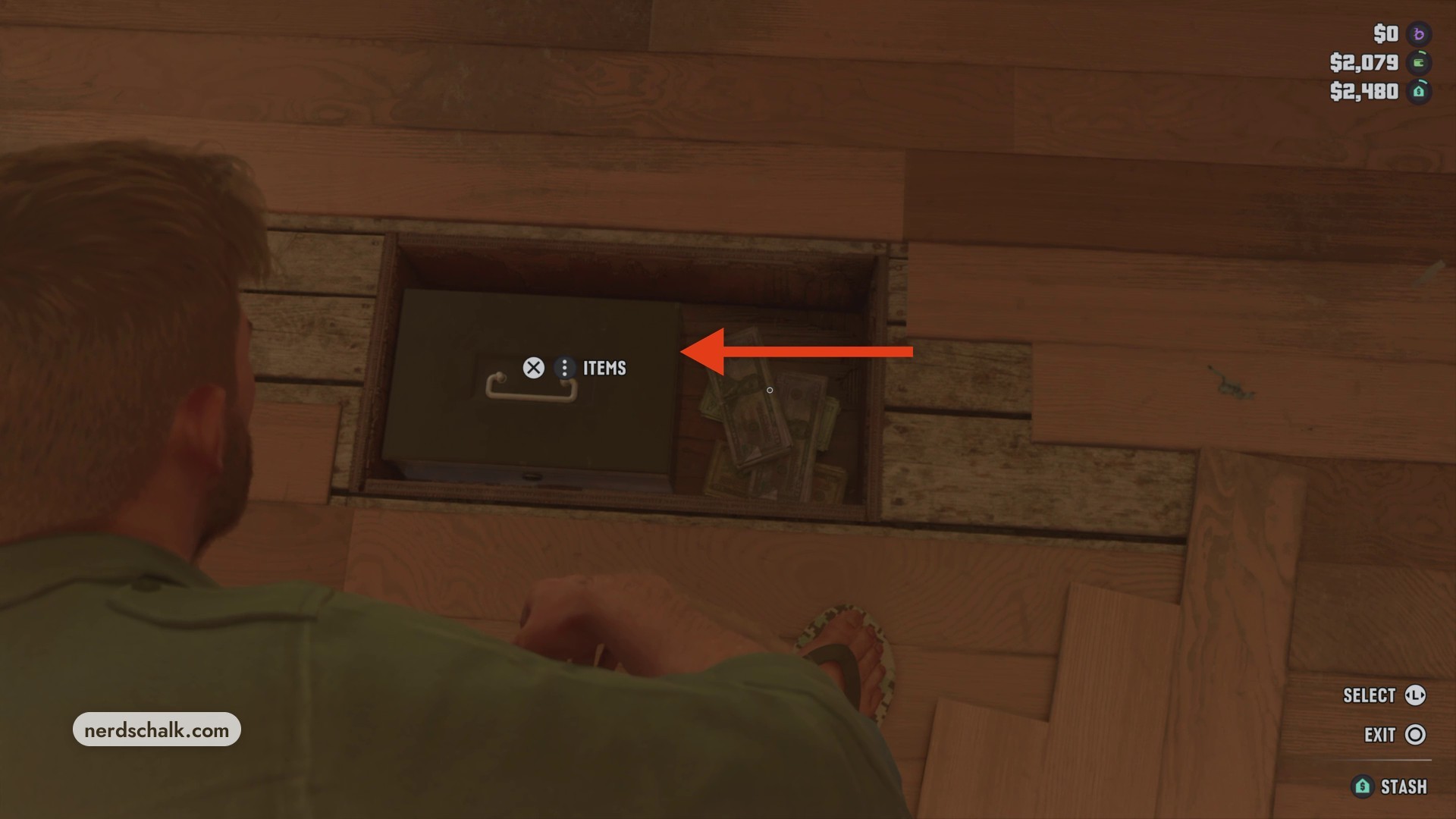
With the floor compartment open, aim at the lockbox and press Cross at the ITEMS prompt to view its contents.
STEP 2
Select the photographs
Find PHOTOS alongside the separate RAINY DAY FUND option. Highlight PHOTOS and press Cross to pick up the photographs.
STEP 3
Inspect the photographs
Press R1 at NEXT to advance to another photograph. Use Triangle at SHOW TEXT to toggle the text display on or off.
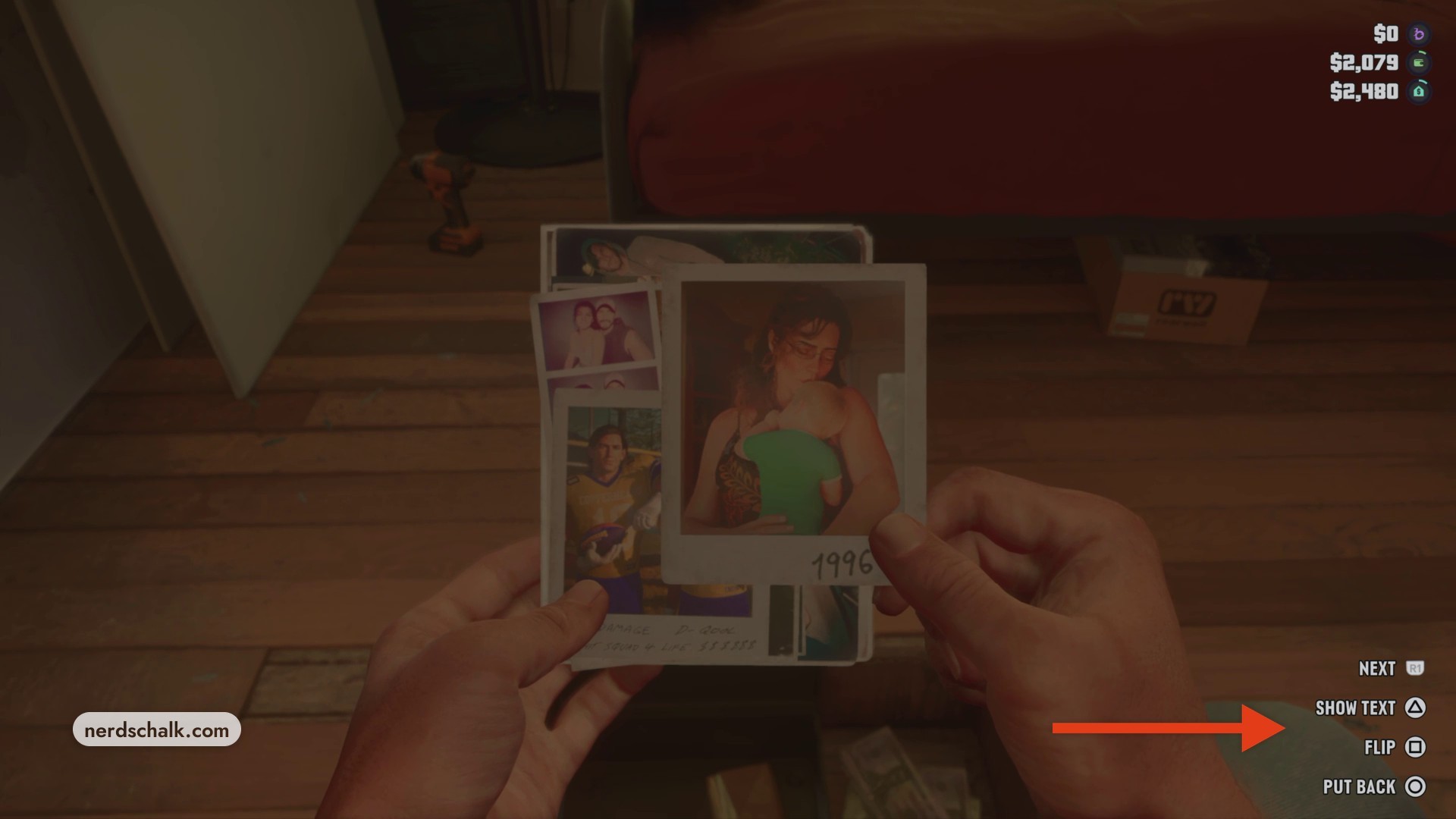
Don’t miss thisFLIP SquarePress Square only when the photograph displays the FLIP promptOnly some photographs offer this control. When FLIP appears, press Square to turn the photograph over.
Related Grand Theft Auto VI guides
Leave a Reply