
Gaming

Ride A Pet Trade Guide: Trade Setup, Offer Review, and Ready Checks

This Ride A Pet trade guide explains how to set up an exchange, select pets, review both offers, and use the Ready checks before waiting for the trade to finish.

This Ride A Pet trade guide explains how to set up an exchange, select pets, review both offers, and use the Ready checks before waiting for the trade to finish.

0 Comments
QUICK ANSWER
To trade in Ride A Pet, accept a request, select pets, press Done, review both offers, click Ready, and wait for the exchange to finish.

Trading in Ride A Pet lets you exchange pets with another player. The Trading window displays both offers, while Your Pets is where you choose what to give. This guide covers selecting pets, confirming your offer, and checking the completed exchange.
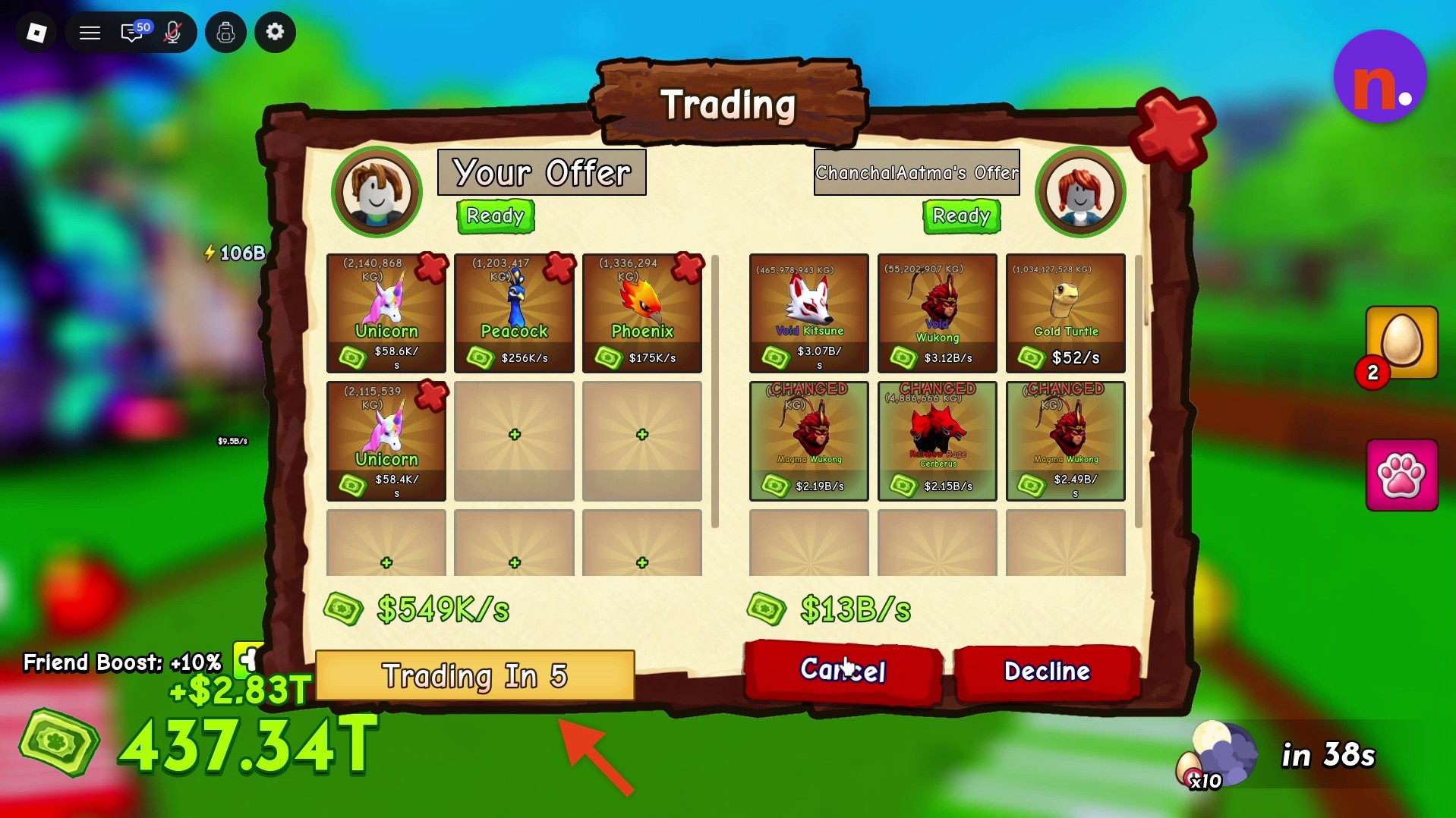
Both offers in the Trading window
Both offers in the Trading window · Screenshot by NerdsChalk
pet limit9 pets per offerinventory sortingWeight or Valuetrading event7 November 2026, 13:00 UTC–10 November 2026, 13:00 UTC
QUICK WIN

Look for Back To Trade and Clear All in the Your Pets selection menu.
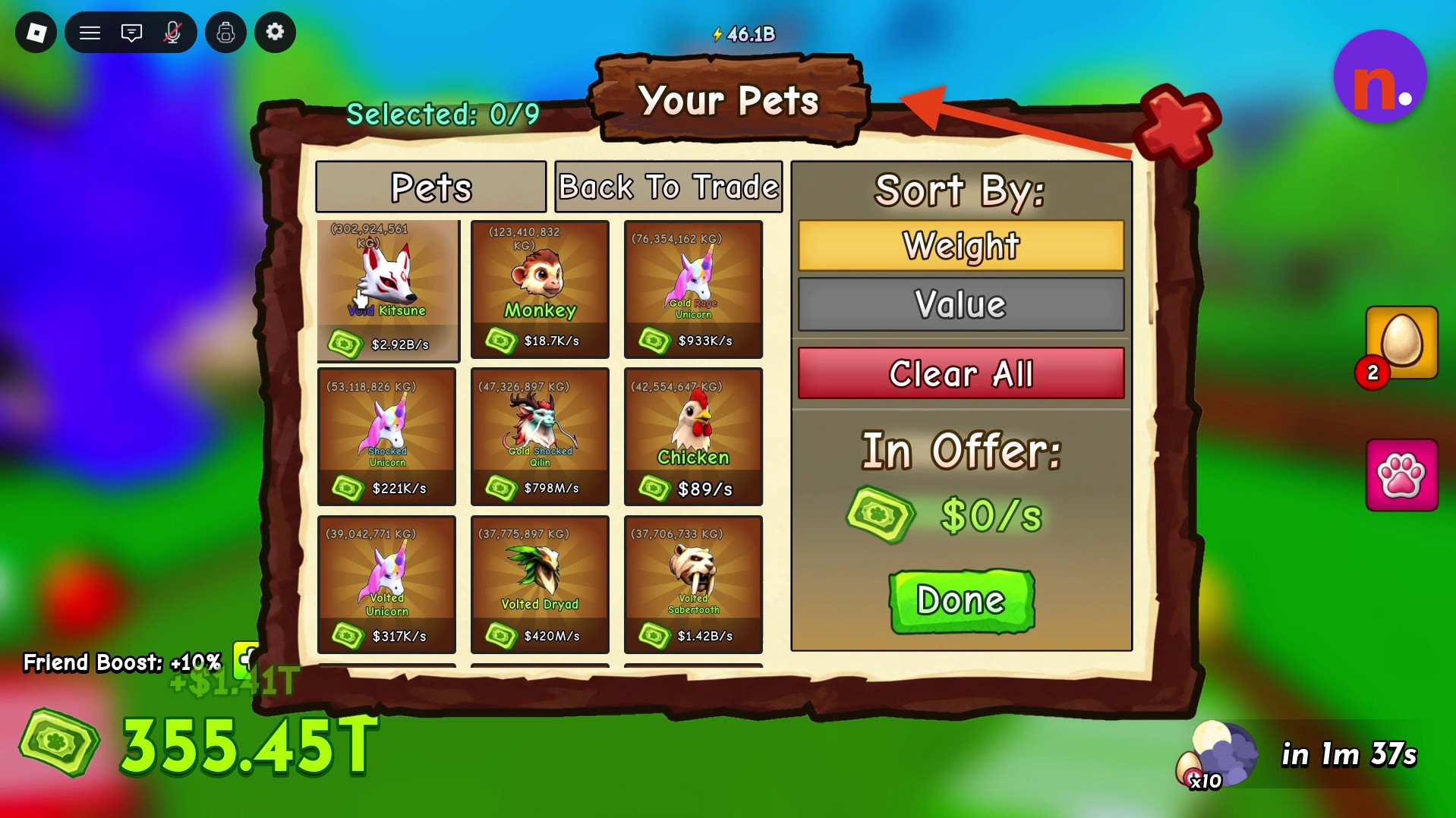
The Your Pets selection menu and its controls
The Your Pets selection menu and its controls · Screenshot by NerdsChalk

How to trade in Ride A Pet

STEP 1

Accept a trade request

To choose a trading partner, open Trade and select your friend. When you receive a request, click the green Accept button to open Trading, or choose Decline to reject it. Both sides initially display Not Ready.
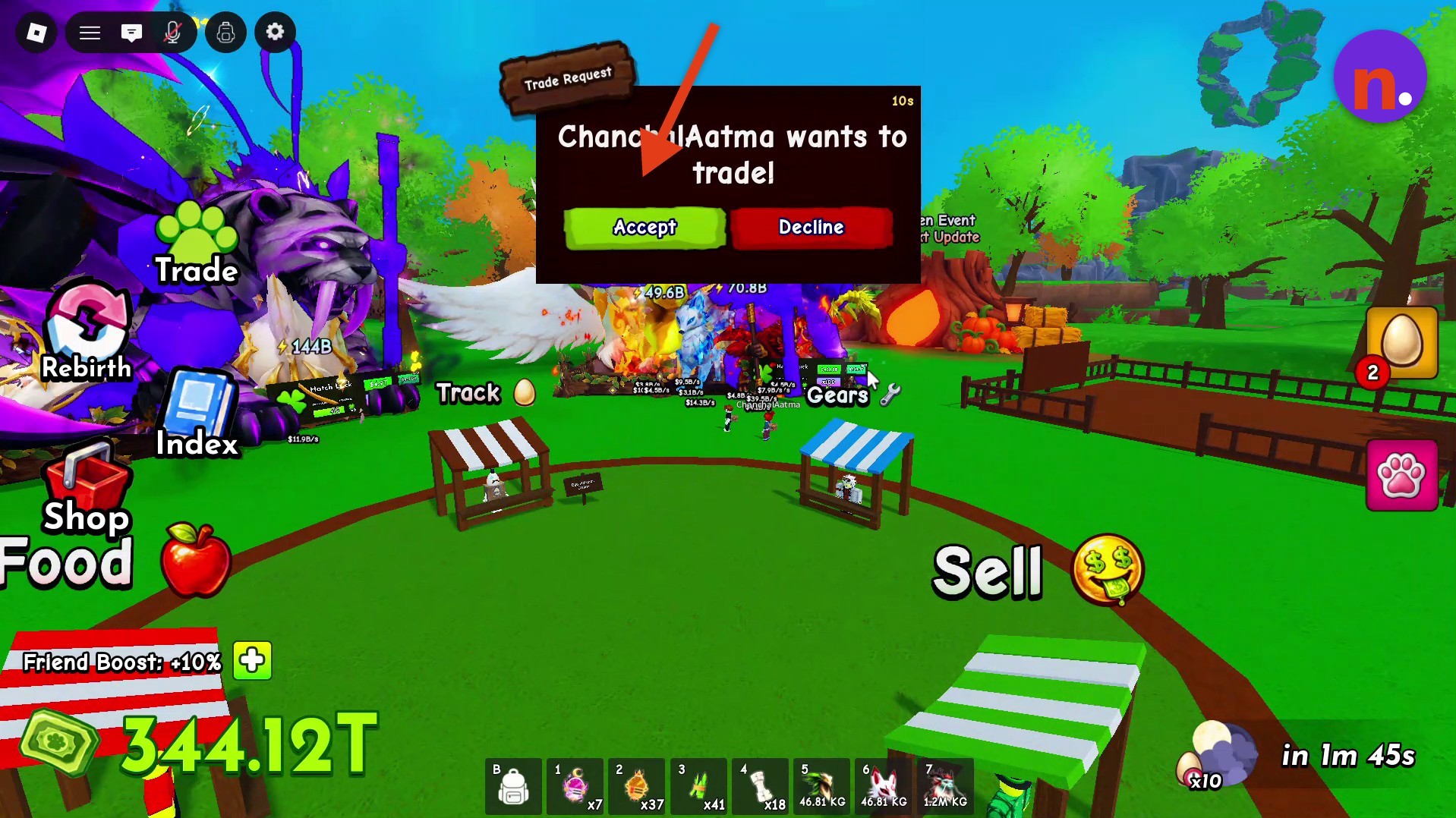
Accept or decline the incoming trade request
Accept or decline the incoming trade request · Screenshot by NerdsChalk
STEP 2

Open pet selection

Click an empty slot under Your Offer to open Your Pets.
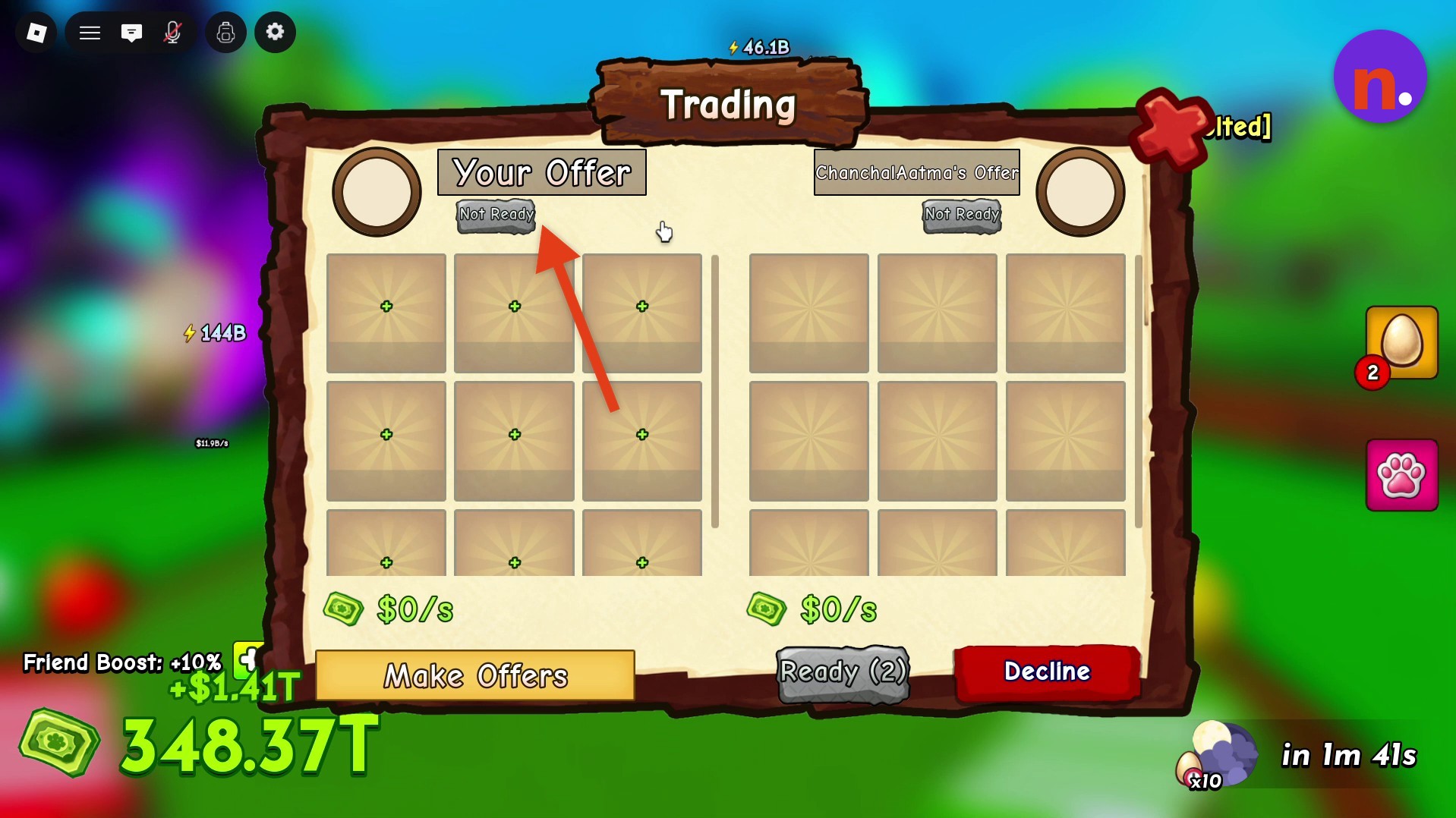
An empty slot under Your Offer opens pet selection
An empty slot under Your Offer opens pet selection · Screenshot by NerdsChalk
STEP 3

Choose the pets to offer

Browse your inventory and click each pet you want to include.
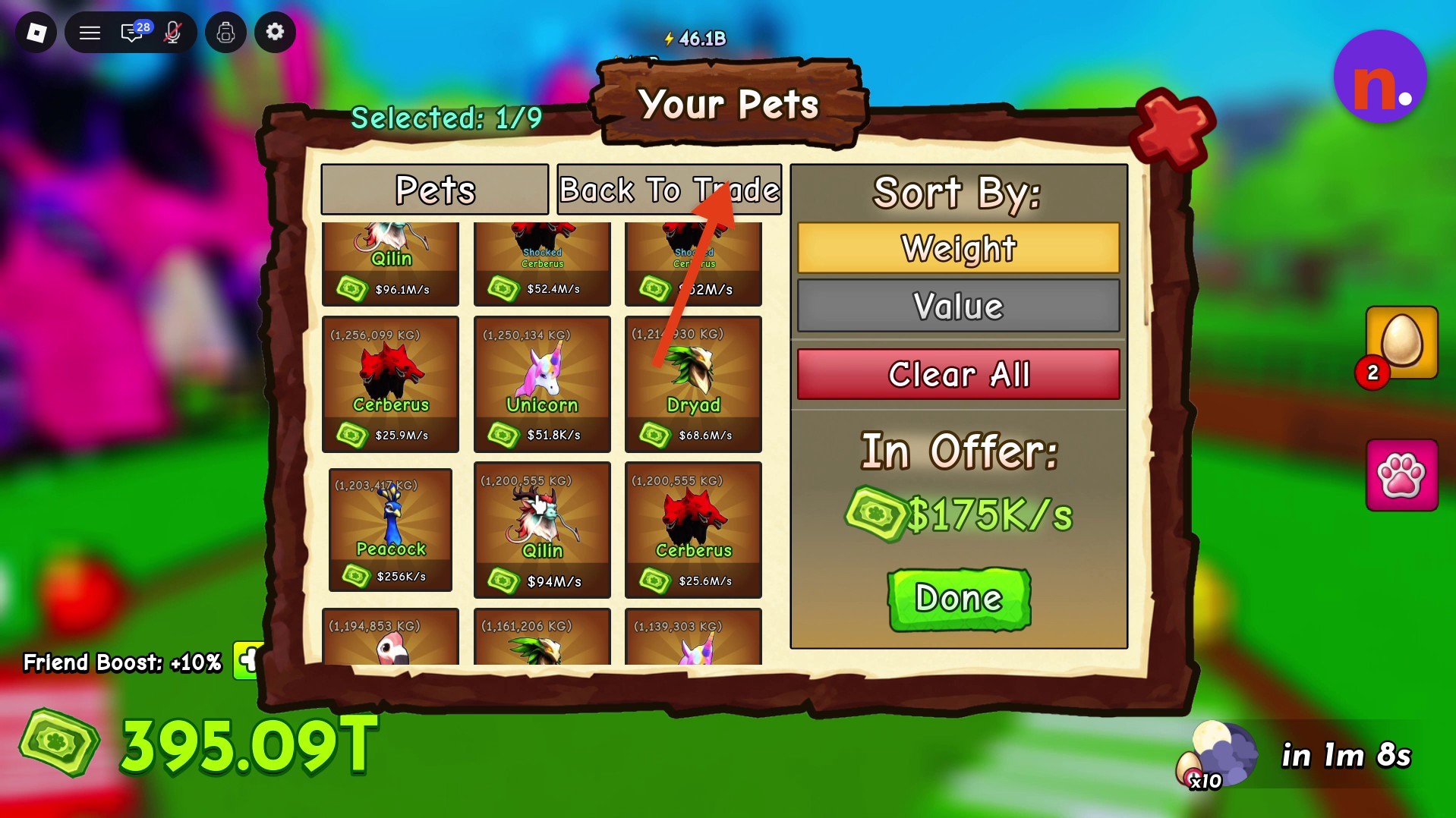
Choose pets from your inventory
Choose pets from your inventory · Screenshot by NerdsChalk
STEP 4

Confirm your selection

Press the green Done button to place your selected pets into the trading window.

STEP 5

Review both offers and get ready

Check the pets offered on both sides. When you’re happy with the exchange, click the green Ready button.
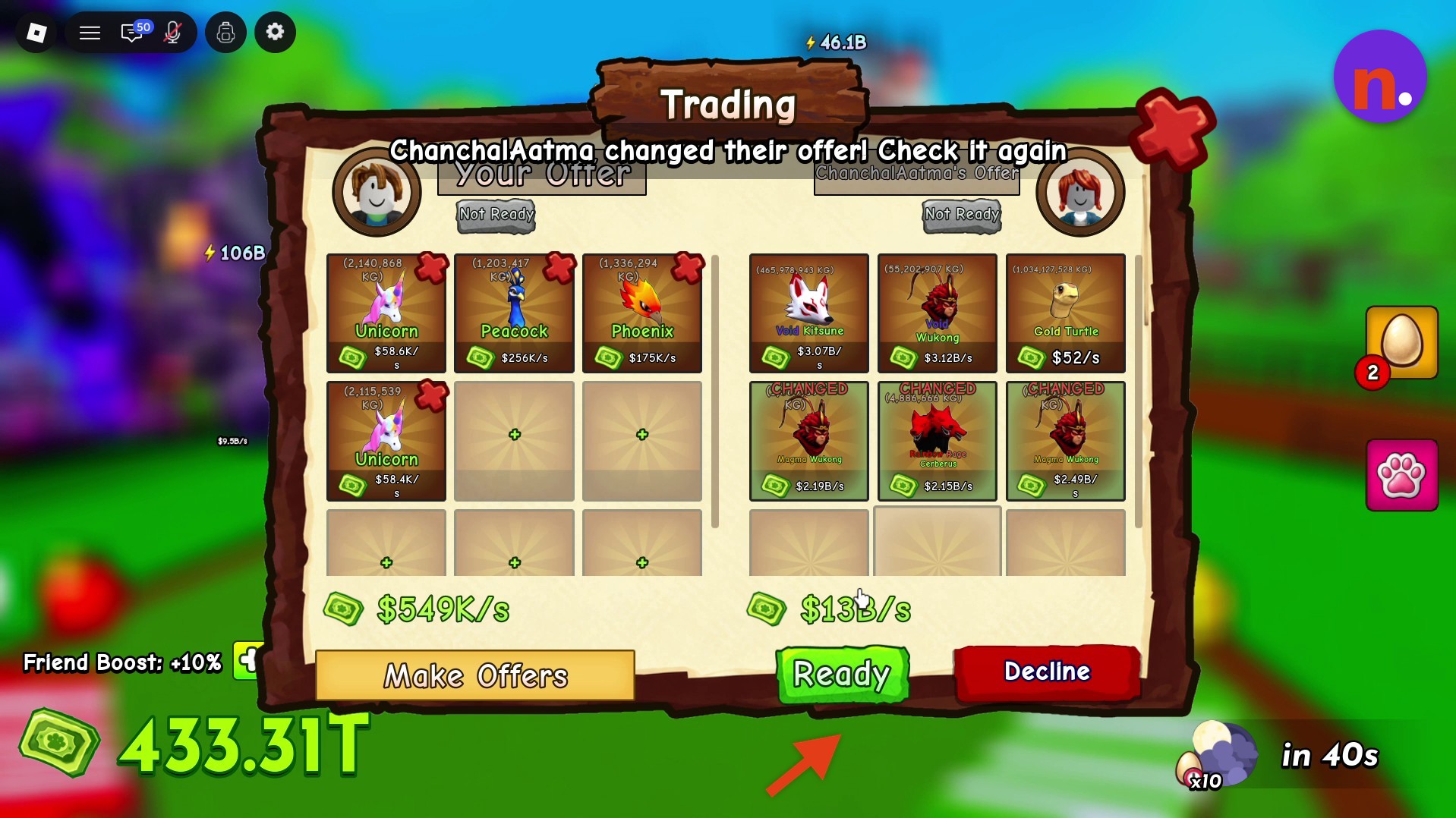
Review the offered pets before clicking Ready
Review the offered pets before clicking Ready · Screenshot by NerdsChalk
STEP 6

Wait for the countdown

Both traders show Ready during the final five-second countdown. Let the timer finish to complete the exchange.

STEP 7

Check the completed trade

On Trade Complete!, review You Gave for outgoing pets and You Got for incoming pets, then close the summary.
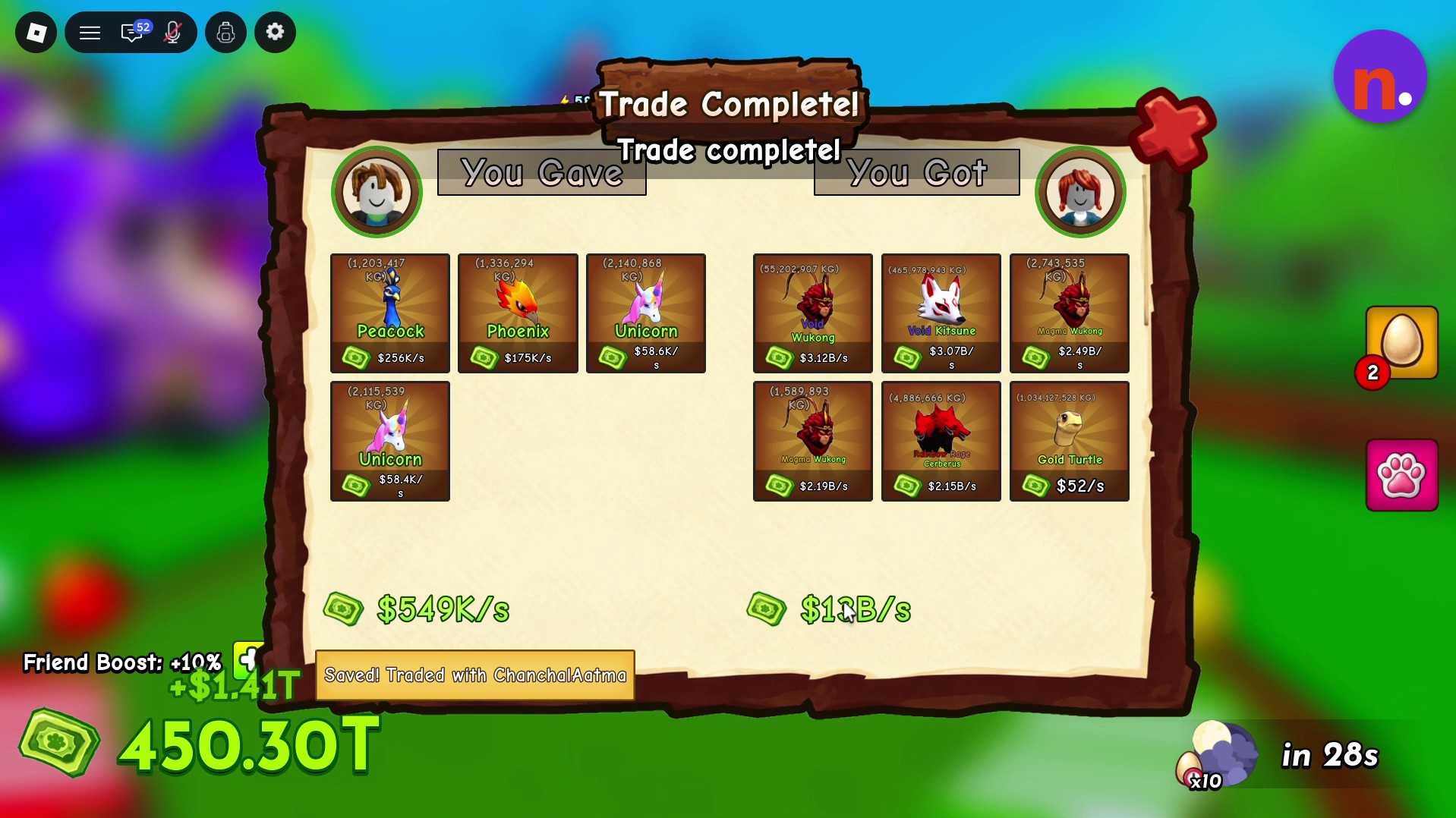
Check the pets you gave and received
Check the pets you gave and received · Screenshot by NerdsChalk
Don’t miss thisNot ReadyWhen the other trader updates their offer, readiness resetsWhen the other trader changes their offer, the game asks you to check it again. Review the revised offer and click Ready again to continue.

With the exchange complete and the summary closed, you’re back in the play area.


Related Ride A Pet guides
Leave a Reply

Your email address will not be published. Required fields are marked *