
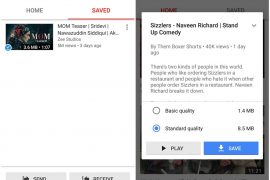
Where the main Youtube app allows you to both download and upload videos, the stand-alone app from Youtube, Youtube Go, is designed to offer better and refined experience of watching and downloading videos at low data speed.
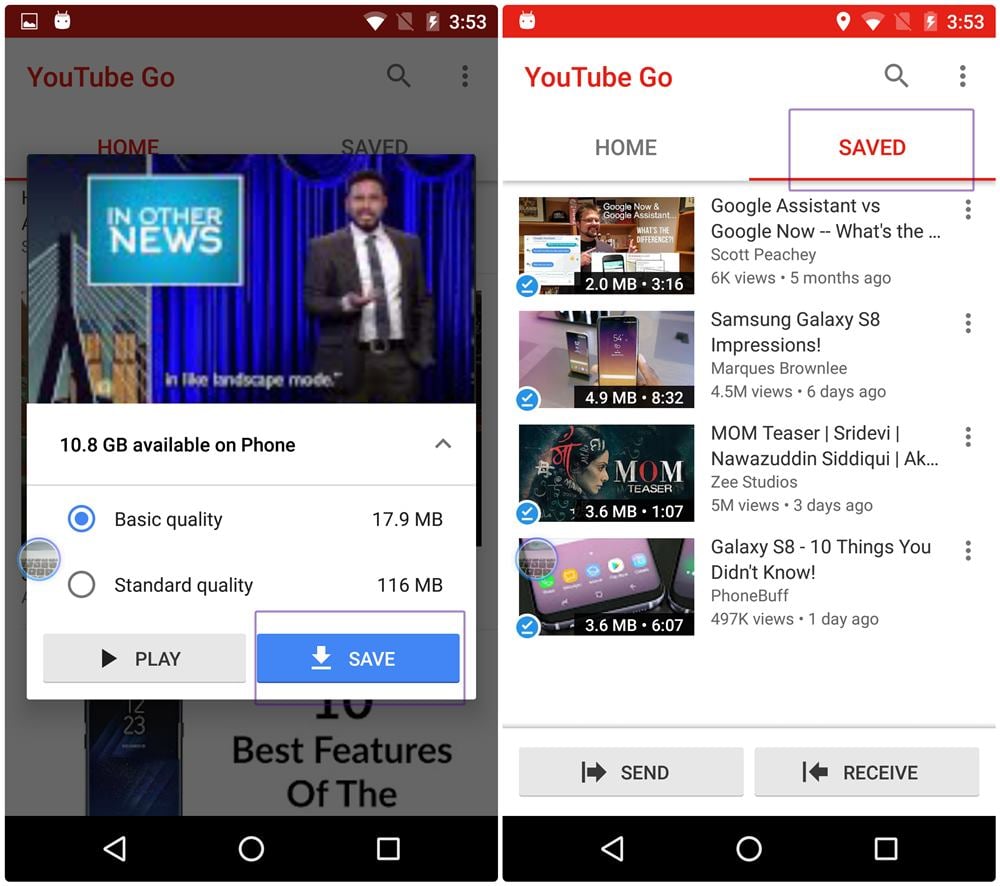
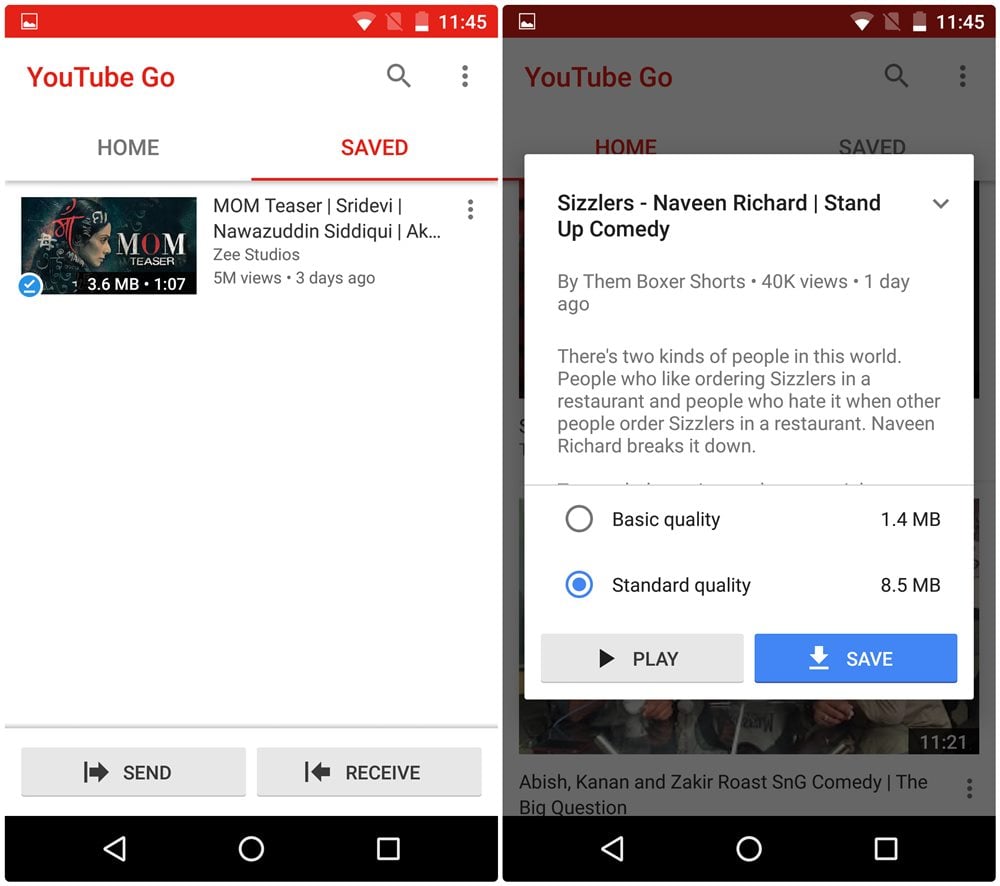
The Youtube Go app makes sure you have the maximum fun while watching the videos without affecting your data usage. Not only does the app allow you to view and control data usage while playing the video, it also helps you to view and control data usage while downloading the Youtube videos to your device. Thus, giving you full control on whether you want to download the video in low quality or high quality.
And you know what? The Youtube Go app allows you to share the saved videos with your nearby friends, without requiring them to download the videos again. The transfer that happens via a hotspot is independent of your internet data. Interestingly, both you and your friends(with whom you shared the video) can watch the saved videos unlimited times, anywhere, without any internet connection. Of course, the other person should also have Youtube Go app installed on their device.
If you are wondering how to do so, here is a simple guide to share the downloaded Youtube Go videos with your nearby friends and family.
Keep in mind: Youtube and Youtube Go are separate apps. Videos saved on Youtube are not available on Youtube Go and vice versa.
How to share Youtube Go videos
Also read: Best Galaxy S8 and S8+ Accessories
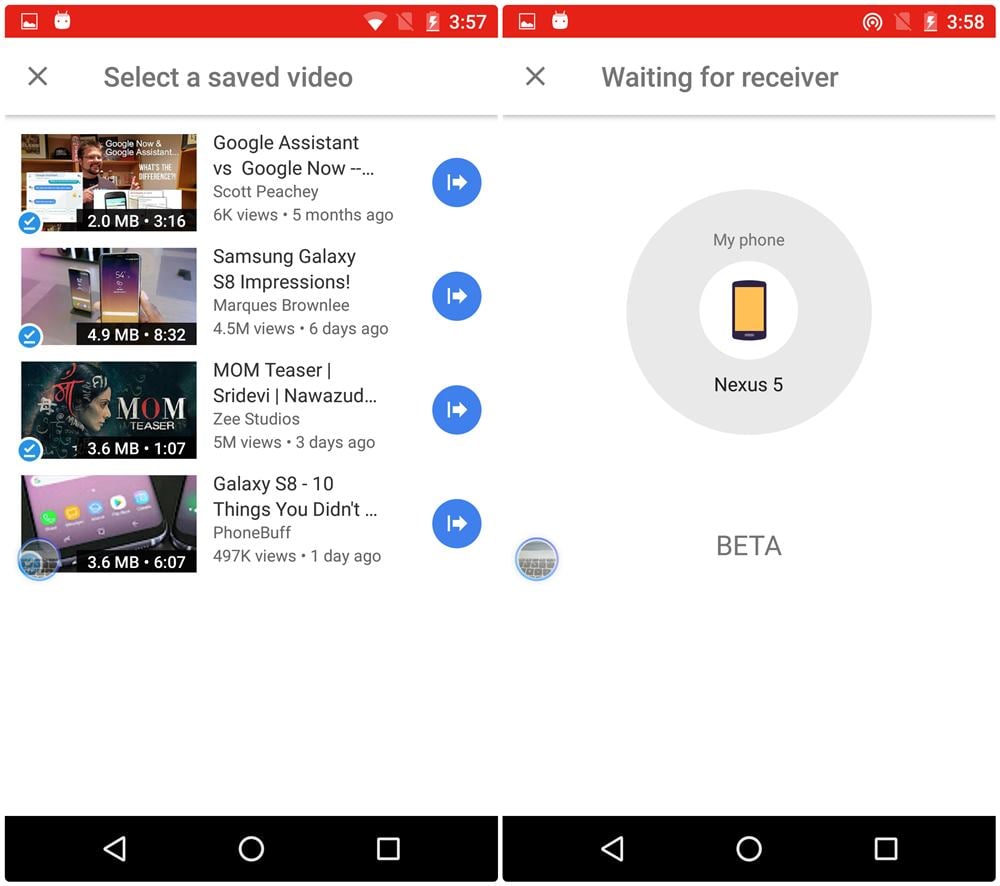
Currently, you can only send one video at a time. Once you select the video, the hotspot will start on your device and it will look for the receiver.
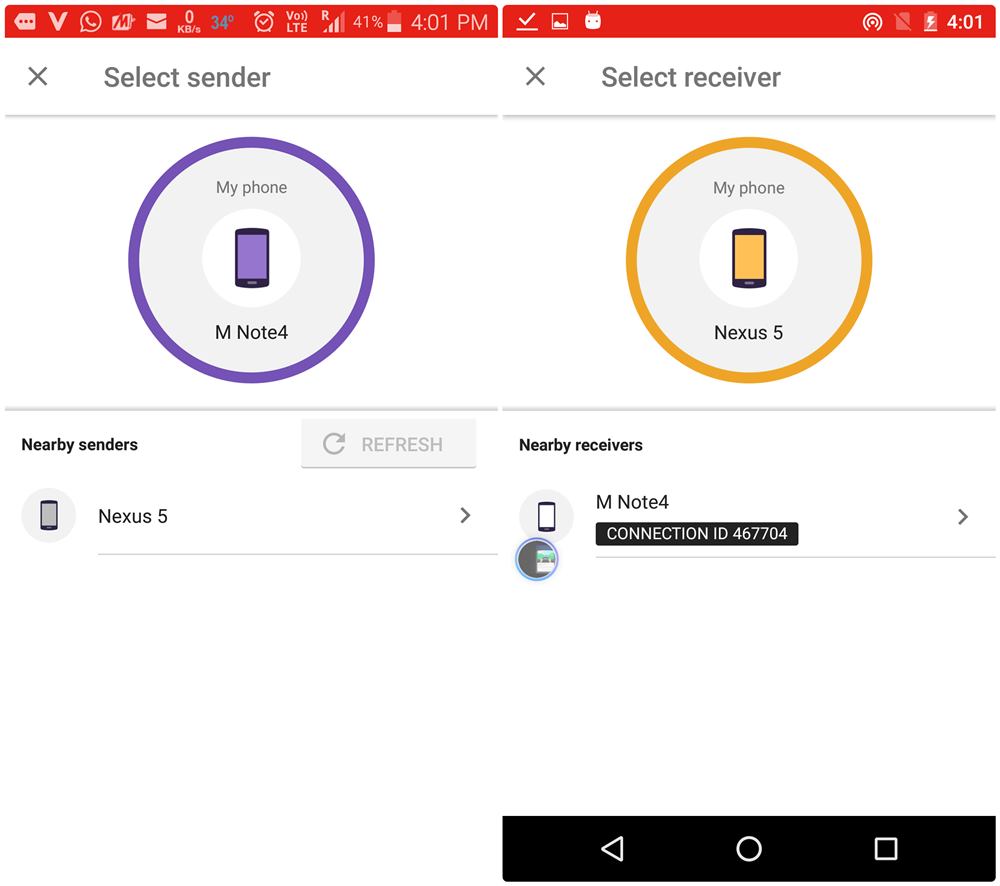
The video transfer is done at super-fast speed and the video is available in your “saved” list. Although you don’t need the internet connection on the second device to play the video, you need the internet connection to verify the authenticity of video which just requires 15kb.
Also read: Cool hidden features of your Android device
You can further share the videos with your friends from the second device itself using the same steps.
However, certain videos cannot be shared due to owner restrictions, you will be notified beforehand.
→ Download Youtube Go Beta Android app
How was your experience with Youtube Go app? Did you face any issue? Let us know in the comments below.

5 responses to “How to share downloaded Youtube Go videos”
I did not know about youtube go at all! Let alone all the added perks. I think it is perfect for developing countries with less than lightning fast internet. Are there any loss in functionality from the original app?
I did not know about youtube go at all! Let alone all the added perks. I think it is perfect for developing countries with less than lightning fast internet. Are there any loss in functionality from the original app?
Downloaded Swiss air flight 111 and only 15 minutes of the 41:30 minute video is audible
AM UNABLE TO SHARE MY DOWNLOADED YOUTUBE GO VIDEOS TO MY FRIEND’S
I can’t see a share icon on my YouTube go app so I can send my downloaded video to my friend