

In Palworld 1.0, you enhance player ability by collecting Pal Effigies while exploring, then using them at a Statue of Power to upgrade your player stats.
The ability enhancement system is easy to miss in Palworld. You need the Statue of Power, and the points you spend there come from Pal Effigies found while exploring the world.
KEY!The 1.0 update also changes the old terminology: Lifmunk Effigies were reworked into Pal Effigies. If you are continuing an older save, your existing Lifmunk Effigies still carry over, so do not treat them as junk.
Player ability upgrades use the Statue of Power
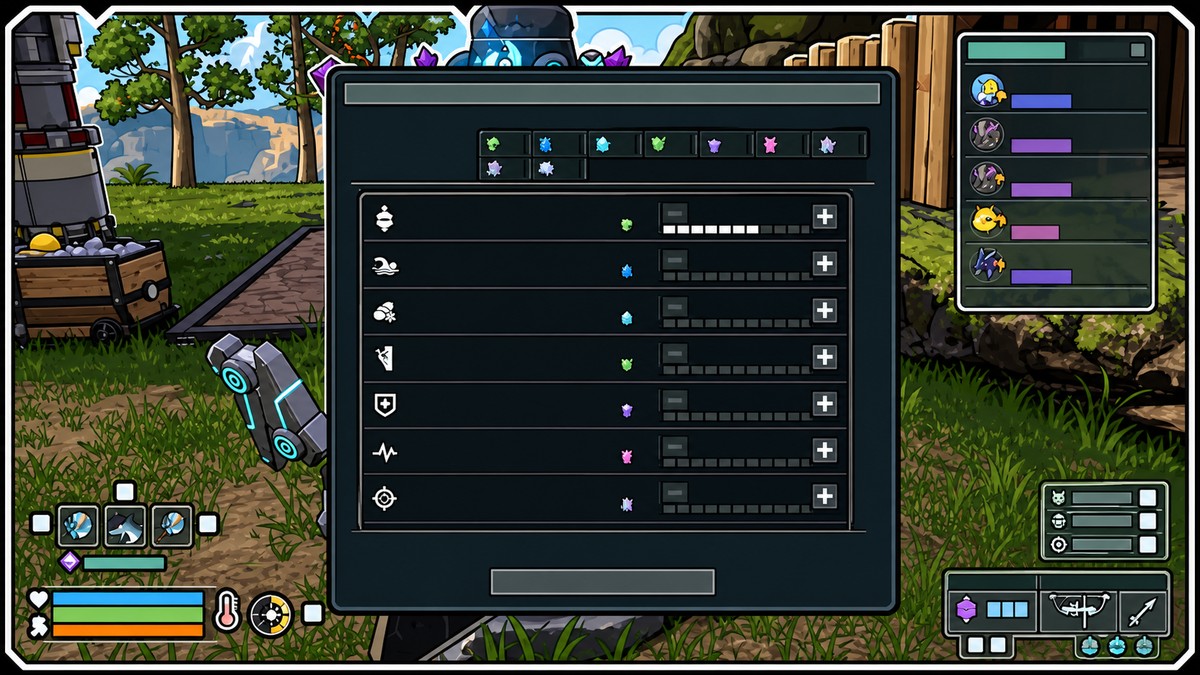
To enhance player ability in Palworld 1.0, collect Pal Effigies out in the world, then spend those exploration points at a Statue of Power. The statue is the upgrade station for this system, so opening your inventory and looking for a direct upgrade button will not help.
This is separate from ordinary level-up Status Points. Pal Effigies are tied to the Statue of Power upgrade loop, while Status Points are the normal points you spend after leveling your character.
Accessing the Statue of Power
| Method | How to use it |
|---|---|
| Build your own Statue of Power | Unlock it from the Technology menu when available, then place it at your base for easy repeat upgrades. |
| Use a discovered church statue | Interact with an existing statue at a church location such as Desolate Church or Abandoned Church if you find one while exploring. |
You can use a Statue of Power in two main ways: build one at your base, or use a statue you discover while exploring. The build route is the most reliable once it is available in your Technology menu, while a discovered church statue can let you use the system before you have one placed at home.
The exact unlock timing is the one part to treat carefully: one in-game showcase places the statue at level 9, while current build references also cite Technology Level 6. In practice, check your Technology menu as you level and unlock the Statue of Power as soon as it appears.
How to enhance player ability in Palworld
Use the Statue of Power after collecting exploration points to turn Pal Effigies into player stat enhancements.
STEP 1/5
Unlock the Statue of Power
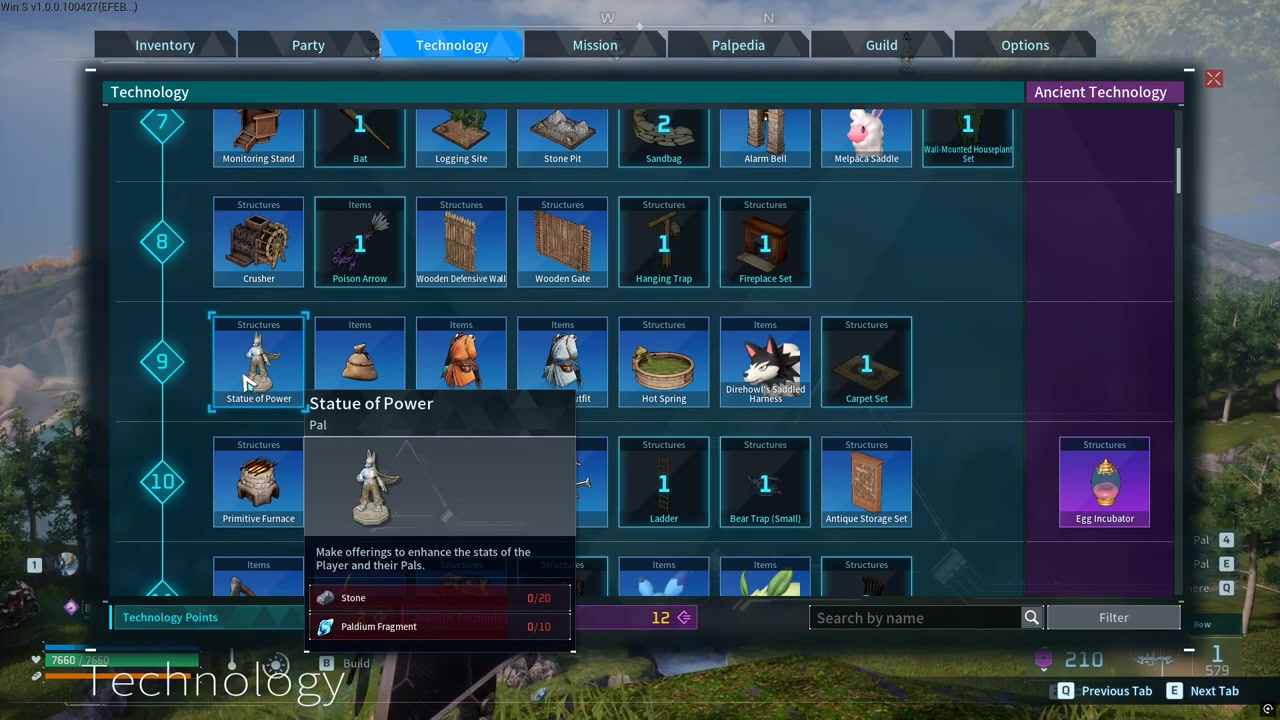
Reach the level where the Statue of Power appears for you, then unlock it from the Technology menu.
STEP 2/5
Build the statue
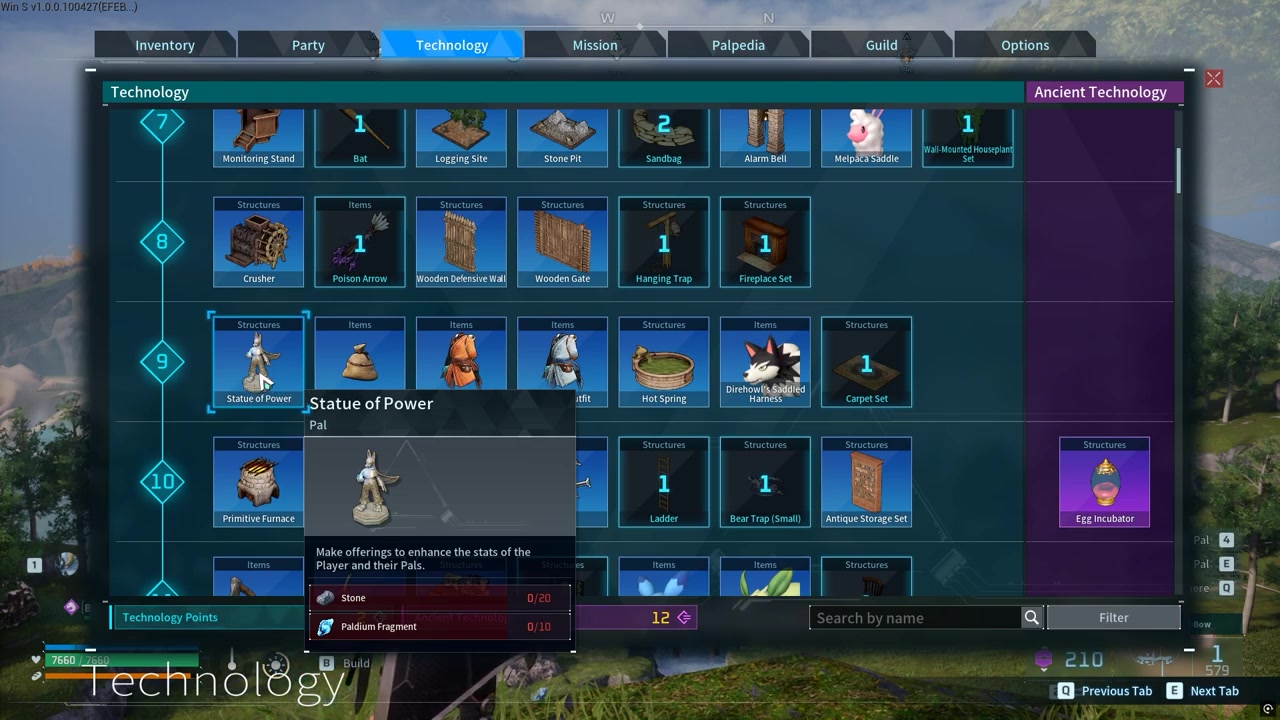
Place the Statue of Power at your base so you can return to it whenever you have points to spend.
STEP 3/5
Interact with the statue
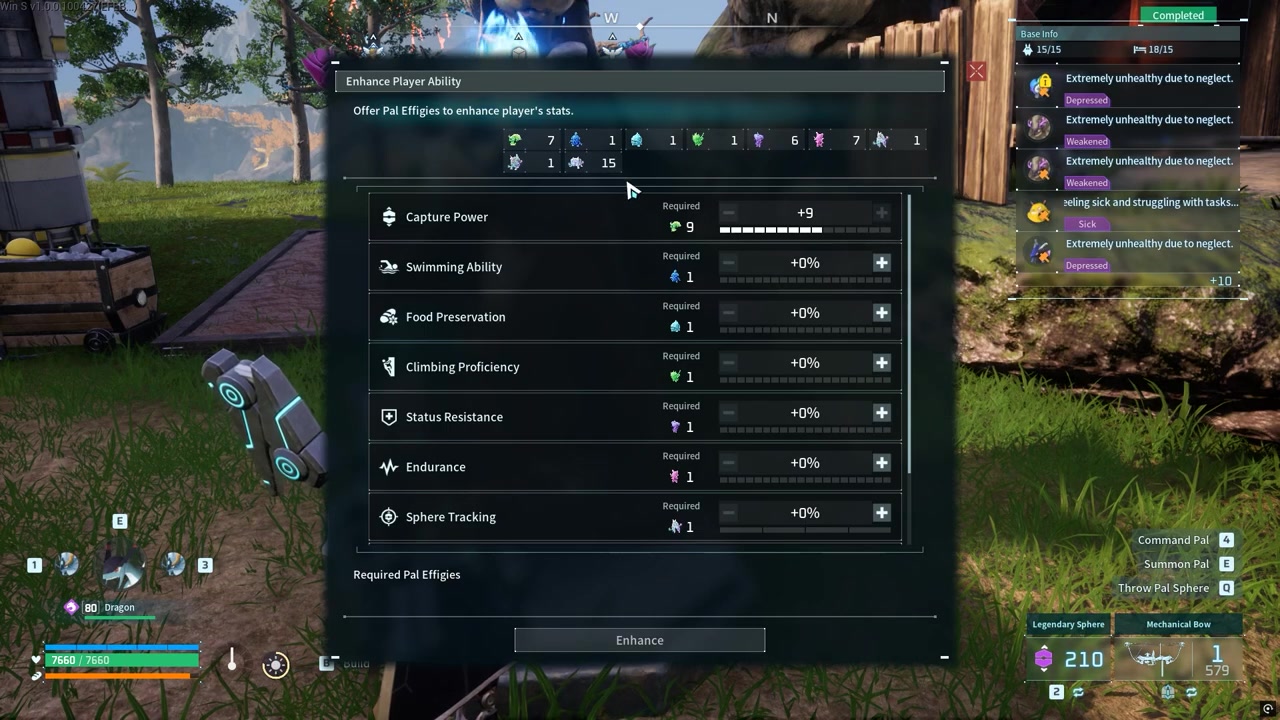
Open the Statue of Power menu and look for the player enhancement options instead of checking your inventory.
STEP 4/5
Collect points by exploring
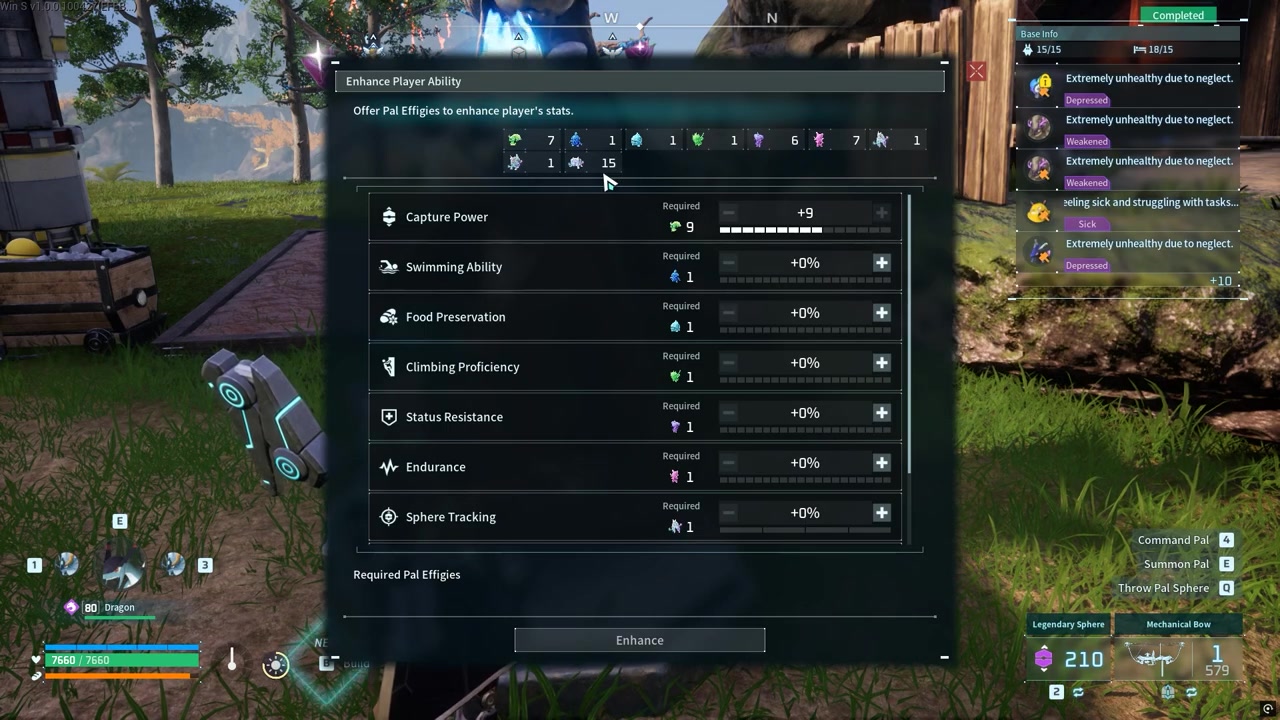
Find Pal Effigies while exploring the world, since those pickups provide the points used for this upgrade system.
STEP 5/5
Spend points on player ability
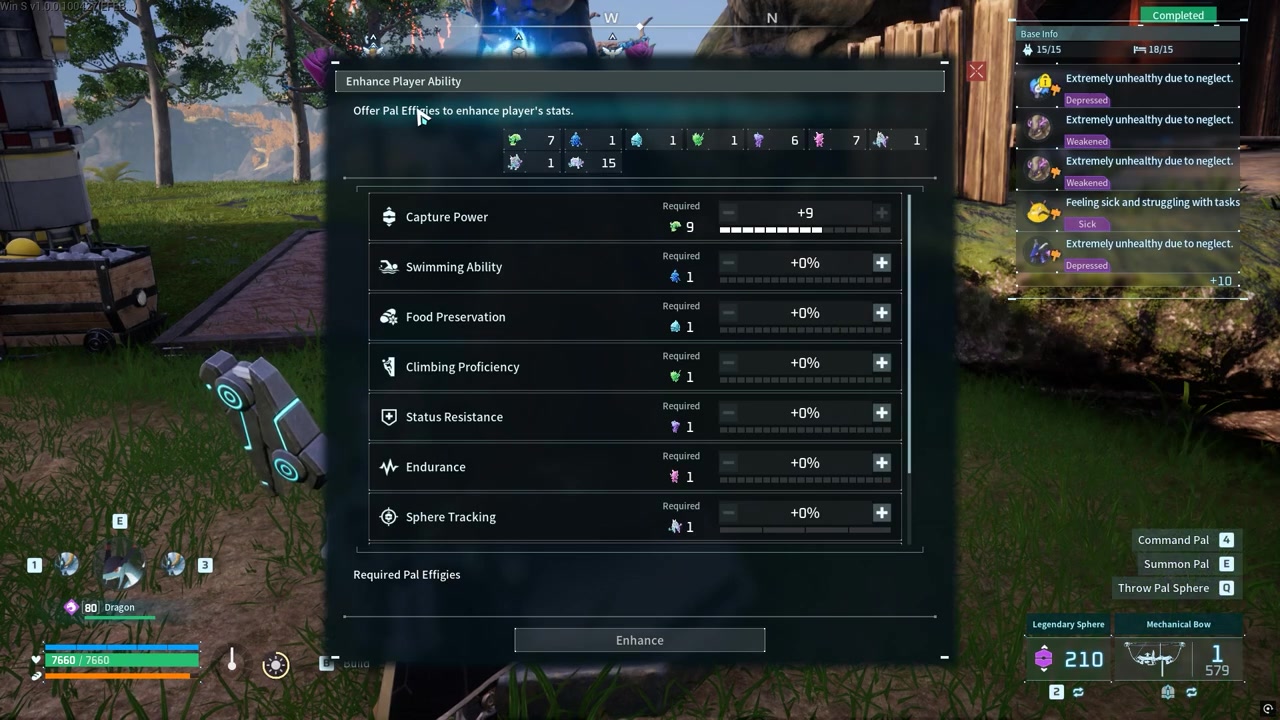
Use your available points at the statue to enhance your player stats.
Video help
Stats affected by player upgrades
| Stat or system | How it improves |
|---|---|
| Pal Effigy player enhancement | Spend collected Pal Effigy points at the Statue of Power to enhance player stats. |
| Health | Spend normal level-up Status Points to increase survivability. |
| Stamina | Spend normal level-up Status Points to improve running, climbing, and other stamina-heavy actions. |
| Attack | Spend normal level-up Status Points to increase player damage. |
| Weight | Spend normal level-up Status Points to carry more resources and gear. |
| Work Speed | Spend normal level-up Status Points to craft, build, and work faster. |
| Defense | Improve it through gear and related effects, not regular Status Point spending. |
The Statue of Power is where Pal Effigy-based player enhancement happens, but it sits alongside the normal character stat system. When you level up normally, you get Status Points for familiar player stats such as Health, Stamina, Attack, Weight, and Work Speed.
Defense is the important exception. It exists as a player stat, but it is not normally raised by spending regular Status Points; armor, accessories, and certain Pal effects are the usual way to improve it.
Best stat priorities with Pal Effigy upgrades
Use Pal Effigy upgrades whenever you have enough points at the Statue of Power, then shape your normal Status Point build around how you actually play. For most early games, Weight is the smoothest first investment because it lets you carry more ore, wood, stone, loot, and spare gear before returning to base.
After that, Stamina and Health are strong general picks. Stamina helps with travel and exploration, while Health gives you more room to survive fights, boss attempts, and bad landings.
Later, specialize. Pick Attack if you want your own weapons to matter more in combat, or Work Speed if you spend a lot of time crafting, building, and handling base tasks yourself.
Check the Statue of Power after every exploration run so Pal Effigies turn into player upgrades instead of sitting unused while you level normally.
Mistakes that waste Pal Effigies and stat points
| Mistake | Correction |
|---|---|
| Not checking the Statue of Power | Interact with the statue to spend your exploration points on player enhancements. |
| Assuming old Lifmunk Effigies are useless | Old-save Lifmunk Effigies carry over into the 1.0 Pal Effigy system. |
| Hoarding effigies too long | Spend them steadily so your player stats improve while you progress. |
| Confusing Pal upgrades with player upgrades | Use Pal Effigies for player enhancement, not as a Pal stat upgrade shortcut. |
| Treating Defense like a normal spendable stat | Use gear and related effects for Defense instead of regular Status Points. |
KEY!The biggest mistake is looking in the wrong place. Enhancing player ability is a Statue of Power interaction, not an inventory action, so collected Pal Effigies will not do much until you bring them to the statue.
Another common mix-up is treating player upgrades, Pal upgrades, and normal Status Points as one system. Keep them separate: Pal Effigies feed player enhancement at the statue, Status Points come from leveling, and Pal-focused upgrades use their own resources and menus.
Frequently Asked Questions
Do old Lifmunk Effigies still matter in Palworld?
Yes. Lifmunk Effigies were reworked into Pal Effigies, and old-save Lifmunk Effigies carry over, so they still matter for player enhancement.
Is enhancing player ability done from the inventory?
No. Enhancing player ability is done at the Statue of Power. Collect Pal Effigy points while exploring, then interact with the statue to spend them.
Can you spend normal Status Points on Defense?
No. Defense is not normally upgraded with regular Status Points. Improve it through armor, accessories, and related effects instead.
Do Pal Effigies upgrade Pals or the player?
Pal Effigies are used for player enhancement through the Statue of Power. Do not confuse them with Pal-focused upgrades, which use separate systems.
What should I upgrade first in Palworld?
Start with Weight for easier gathering and longer trips, then build into Stamina and Health. Later, choose Attack for combat or Work Speed for crafting and base work.






Leave a Reply