Gaming

How to Pull up at Cal’s Dock in GTA 6 During Recalibration

Learn how to pull up at Cal's dock in GTA 6 during Recalibration by following the yellow waypoint, aligning your boat beside the wooden landing, and using the docking prompt.

Learn how to pull up at Cal’s dock in GTA 6 during Recalibration by following the yellow waypoint, aligning your boat beside the wooden landing, and using the docking prompt.

0 Comments
QUICK ANSWER
Follow the yellow waypoint to Cal’s dock, slow beside the wooden landing, and press SquareX when DOCK appears.

In Grand Theft Auto VI, reaching Cal’s dock means bringing the boat alongside the landing and activating the docking interaction. The approach leads into the next objective, Wait for Cal.

current objectivePull up at Cal’s docklandmarkWooden dock with a thatched shelternext objectiveWait for Cal

buttons PS5 / Xbox

How to pull up at Cal’s dock in Grand Theft Auto VI

STEP 1

Approach Cal’s dock

You start 130 m from Cal’s dock. Steer the motorboat across the water, following the yellow minimap waypoint. Look for the wooden dock with a thatched shelter; the yellow destination marker identifies the landing.
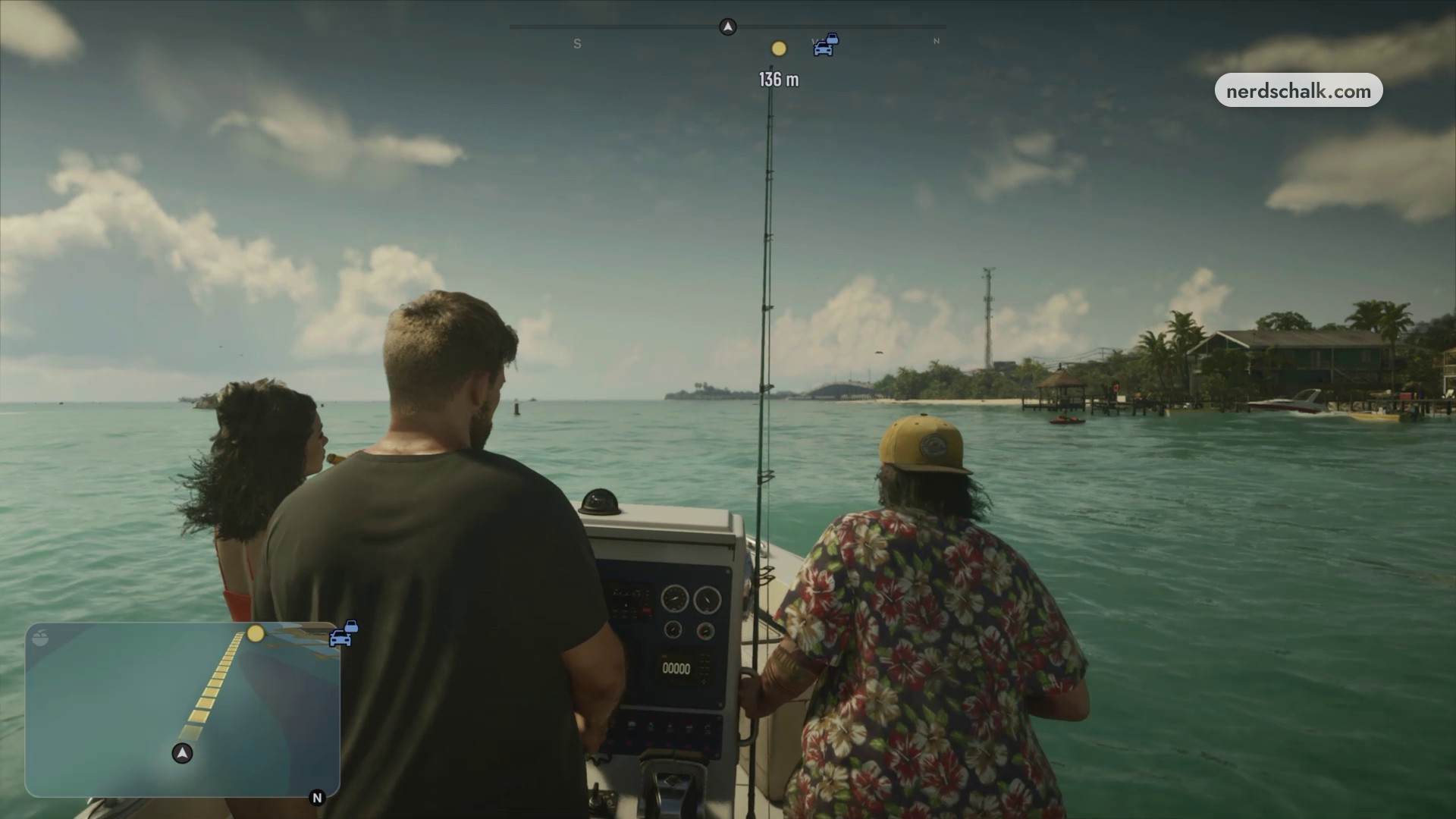
Approach Cal's dock across the water
Approach Cal’s dock across the water · Screenshot by NerdsChalk

Follow the yellow destination marker toward the wooden dock ahead.
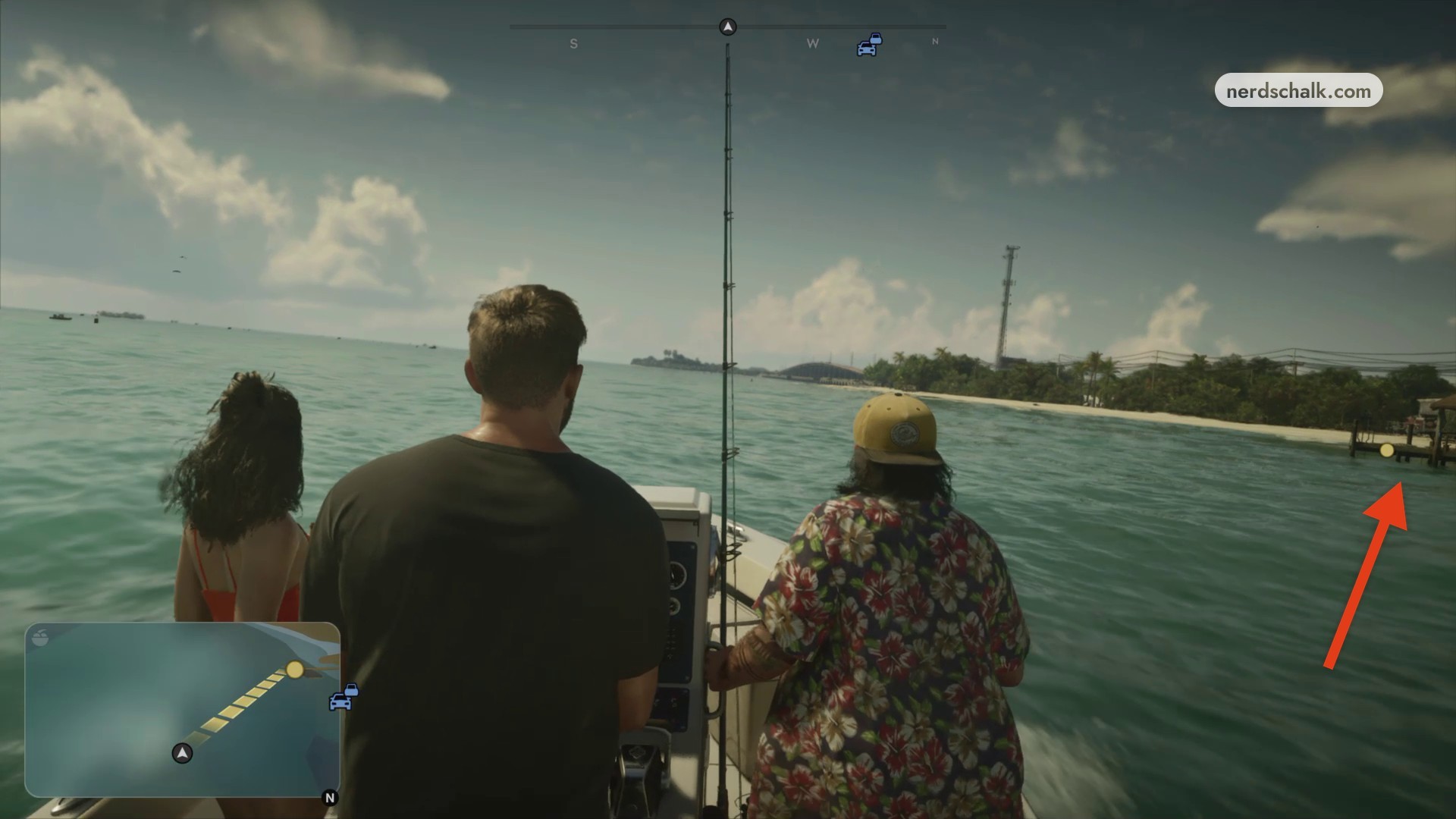
Locate Cal's dock ahead
Locate Cal’s dock ahead · Screenshot by NerdsChalk

Bring the boat toward the wooden landing beneath the thatched shelter.
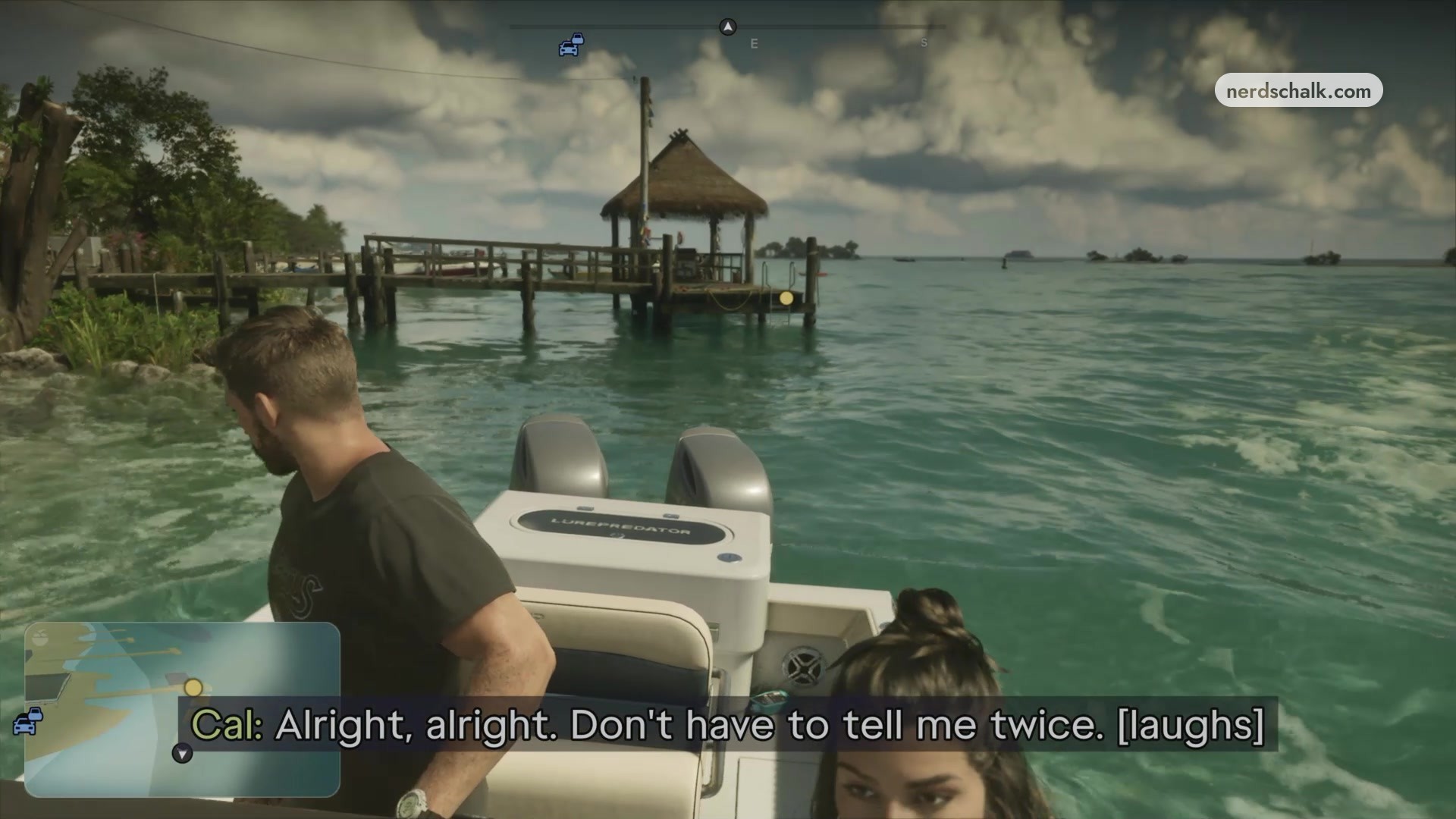
Approach Cal's thatched dock
Approach Cal’s thatched dock · Screenshot by NerdsChalk
STEP 2

Dock the boat

Reduce your speed as you reach the wooden landing. When DOCK appears, press SquareX to dock the boat. A cutscene plays.
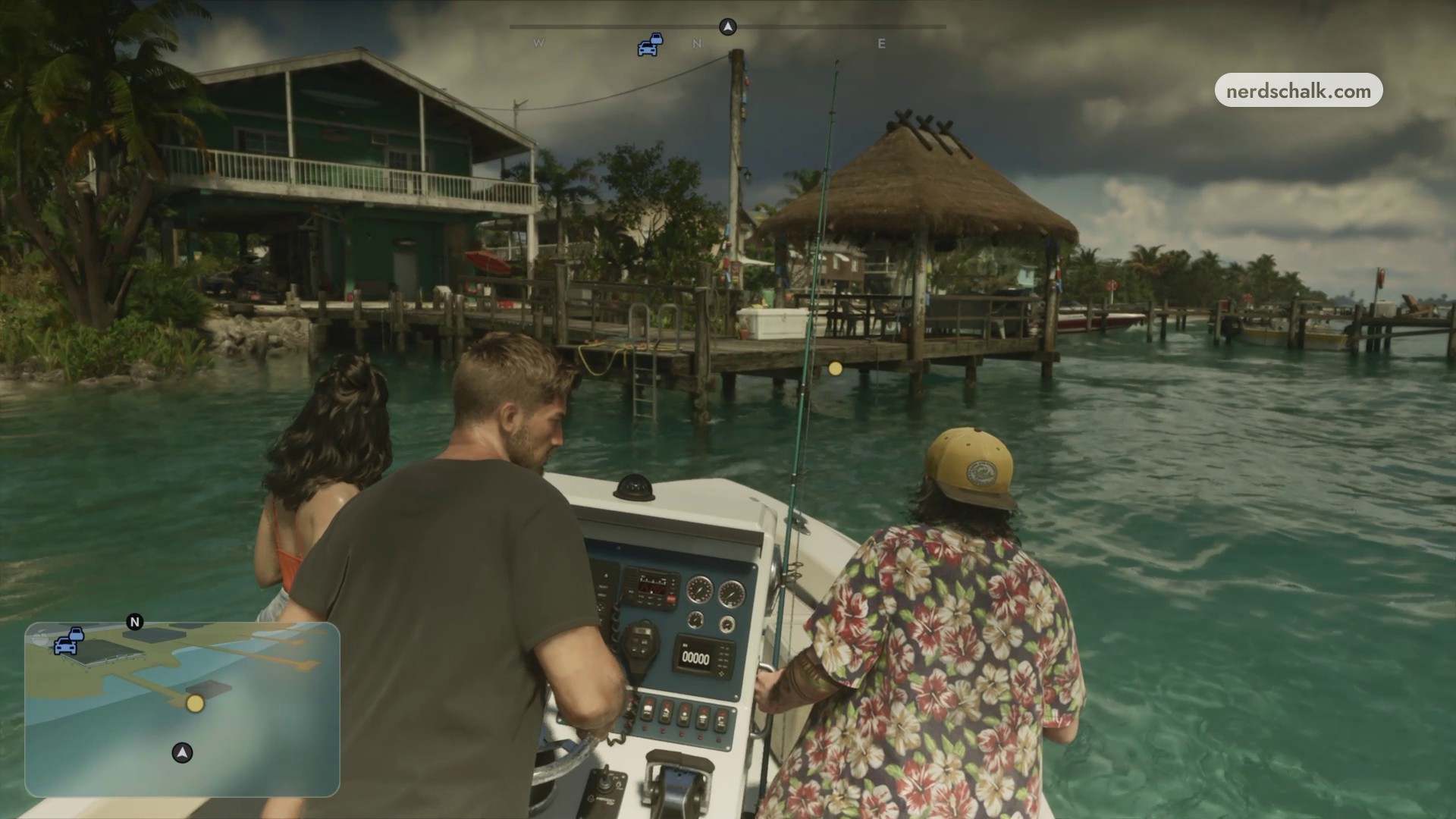
Bring the boat beside Cal's dock
Bring the boat beside Cal’s dock · Screenshot by NerdsChalk

At the dockside interaction display, select DOCK with SquareX.
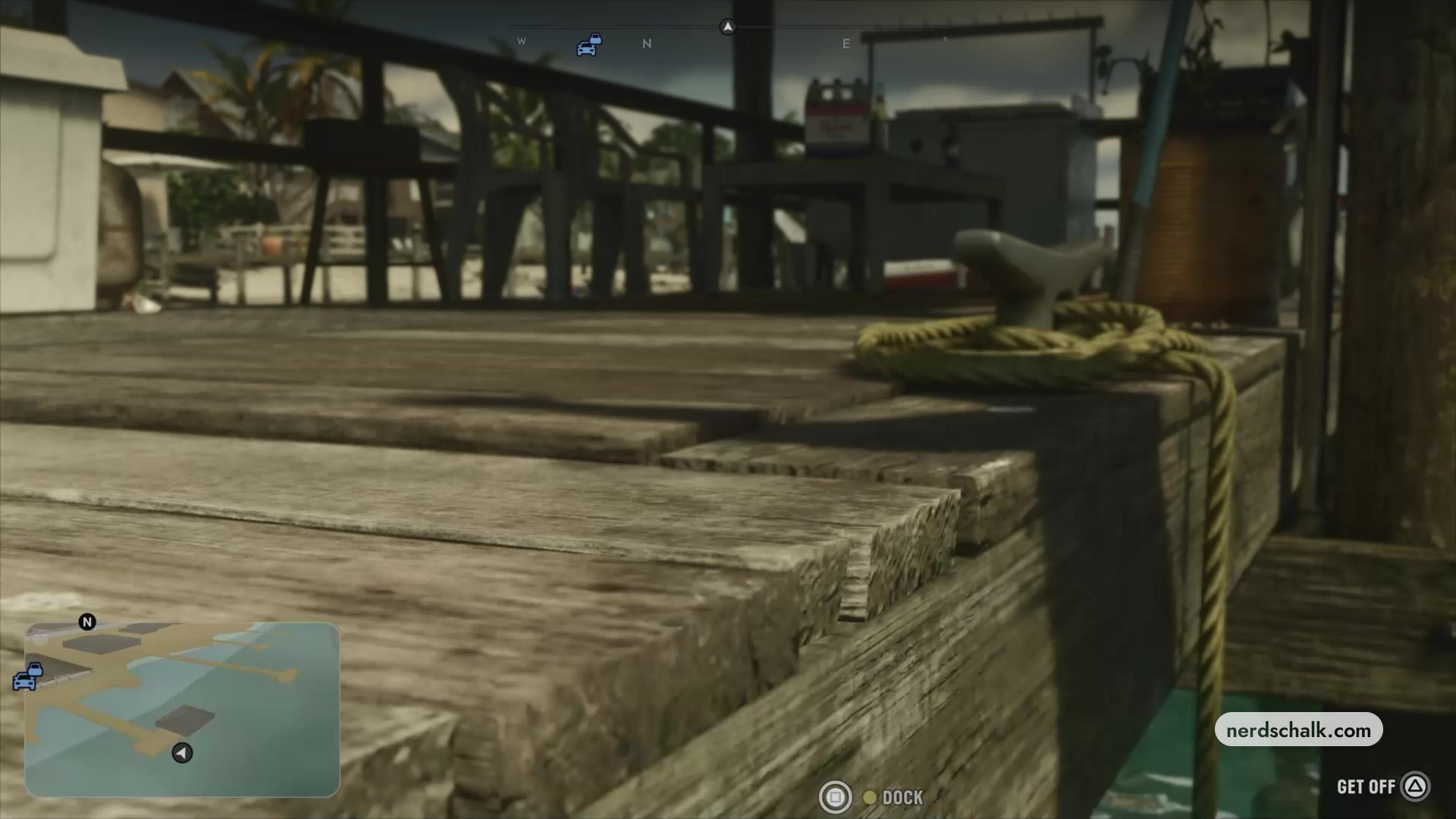
Use DOCK at Cal's landing
Use DOCK at Cal’s landing · Screenshot by NerdsChalk
STEP 3

Wait at Cal’s dock

After the cutscene, move along the wooden walkway under the pavilion. Stay on the dock as the objective changes to Wait for Cal.
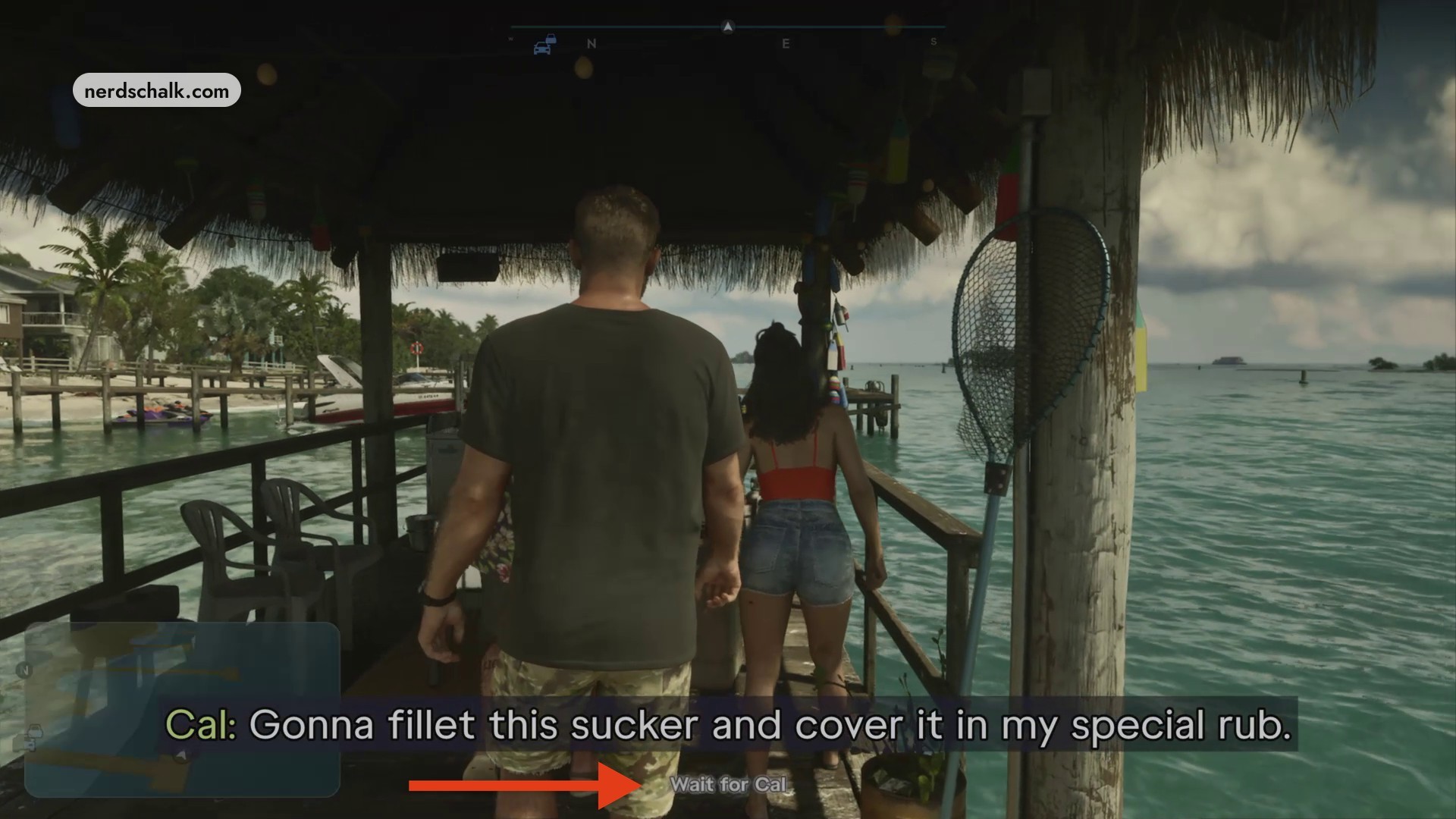
Wait at Cal's dock
Wait at Cal’s dock · Screenshot by NerdsChalk
Don’t miss thisStarboard sidePosition the boat’s starboard side directly against the wooden pierKeep the boat aligned there until the docking prompt appears.
QUICK WIN

The dockside controls also display GET OFF. Choose DOCK for the docking interaction.

› story detailsSpoilers for the story. Open to read.

What happens when you dock

Cal steps onto the dock and helps Lucia unload the cooler containing their catch.

releaseNovember 19, 2026platformsPlayStation 5, Xbox Series X|SeditionsStandard Edition, Ultimate EditionratingsUS: ESRB M (Mature 17+); Europe: PEGI 18

Related Grand Theft Auto VI guides
Leave a Reply

Your email address will not be published. Required fields are marked *