
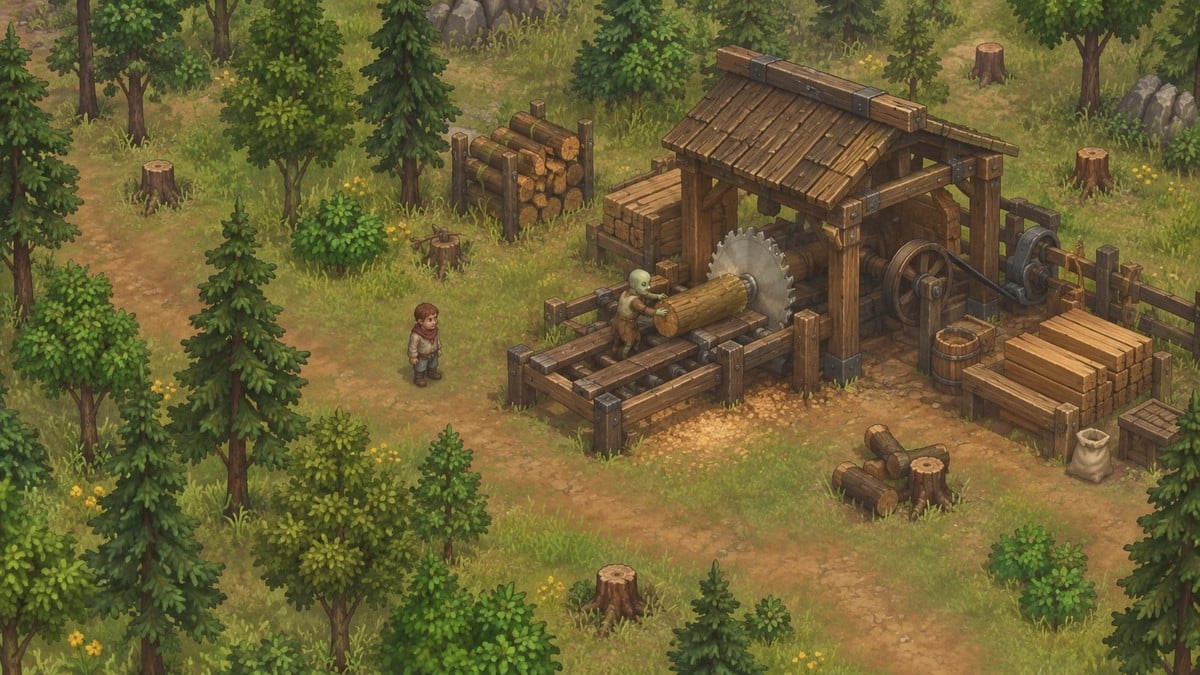
Staff a Lumberjack stand and Porter Station at the sawmill to harvest logs and deliver them through the Factory to your Yard.
Zombie woodcutting is an automation system in the Building technology branch of Graveyard Keeper 2. Forest Pass opens access to the region, while the blocked Old Mine passage stands between you and the lumberjack technology.
A working lumberjack fills the sawmill stockpile, and delivered logs become available outside your house. Zombie Lumberjack II extends the system when you need more harvesting space. This guide covers the requirements, the delivery setup, optional expansion, and the mastery that controls cutting speed.
- What do you need for zombie woodcutting in Graveyard Keeper 2?
- How to automate zombie woodcutting in Graveyard Keeper 2
- 1 – Open the Forest and clear the Old Mine
- 2 – Build the first lumberjack setup
- 3 – Connect the sawmill to home delivery
- 4 – Manage storage and transport capacity
- 5 – Expand the sawmill when more harvesting capacity is needed
- How do mastery and Logger speed up woodcutting in Graveyard Keeper 2?
What do you need for zombie woodcutting in Graveyard Keeper 2?
| Unlock or construction | Required materials or tech points |
|---|---|
| Old Mine rubble | 4 Building Kit I, 1 Reinforced Beam |
| Zombie Lumberjack | 75 Red and 10 Blue tech points |
| Lumberjack stand | 16 Flitch, 4 Wooden beam, 16 Nail |
| Porter Station | 8 Wooden beam, 4 Simple iron parts |
| Timber stockpile (optional storage) | 16 Flitch, 4 Wooden beam, 32 Nail |
| Zombie Lumberjack II (optional expansion) | 120 Red and 25 Blue tech points |
| Upgrade Sawmill (optional expansion) | 16 Wooden beam, 4 Simple iron parts |
Clearing the Old Mine tunnel makes Zombie Lumberjack available to purchase in the Tech Tree. For the rubble, find Create Building Kit I under Woodworking II and Create: Reinforced Beam under Metallurgy. Buying Zombie Lumberjack gives you the blueprints for the Lumberjack stand, Timber stockpile, and Porter Station.
You also need zombies to staff the work sites. The Plague Doctor supplies two; Gunter the Astrologer supplies three after the first battle and the errands that follow. Bring workers to the sawmill when you are ready to assign them.
How to automate zombie woodcutting in Graveyard Keeper 2
Open the Forest and mine route, start harvesting at the sawmill, then connect its logs to the Yard.
1 – Open the Forest and clear the Old Mine
The blocked mine passage is the access gate for the woodcutting technology.
STEP 1/22
5%
Complete Forest Pass
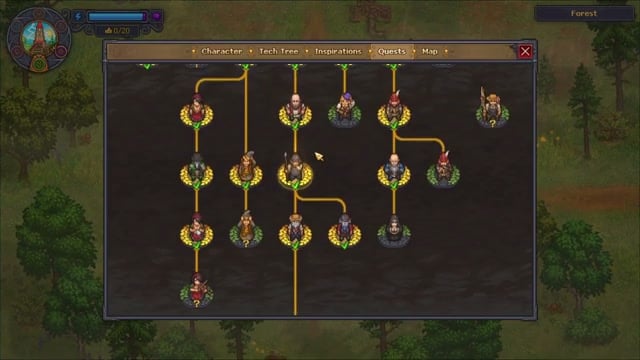
Find the Forest on the Map and Forest Pass in Quests, then finish the quest to enter the region.
STEP 2/22
9%
Reach the Old Mine
Follow the Forest road past the teleport stone toward the Quarry, enter the Old Mine, and head north to its blocked corridor.
STEP 3/22
14%
Clear the mine rubble
Remove the obstruction to open the passage; Larry’s cutscene follows, and the zombie lumberjack technologies become available in the Tech Tree.
STEP 4/22
18%
Continue into the Factory
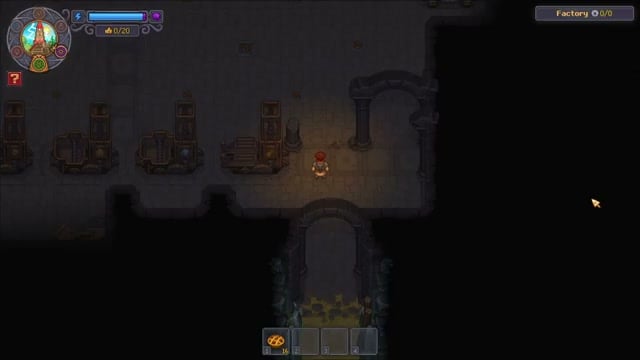
Go through the opened passage to the Factory and its wooden transport platform, where delivered logs will arrive later.
2 – Build the first lumberjack setup
Put a worker on the sawmill’s initial harvesting stand.
STEP 5/22
23%
Find the Abandoned sawmill
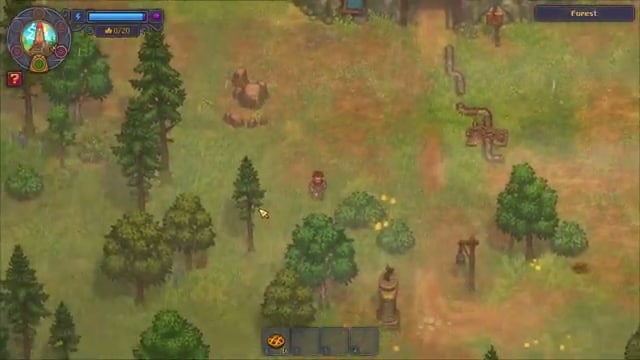
Exit south through the mine to the Quarry, then follow the trail southwest through the Forest to the Abandoned sawmill.
STEP 6/22
27%
Use the existing sawmill storage
The work site already has a stockpile and chest; you can build additional storage there as needed.
STEP 7/22
32%
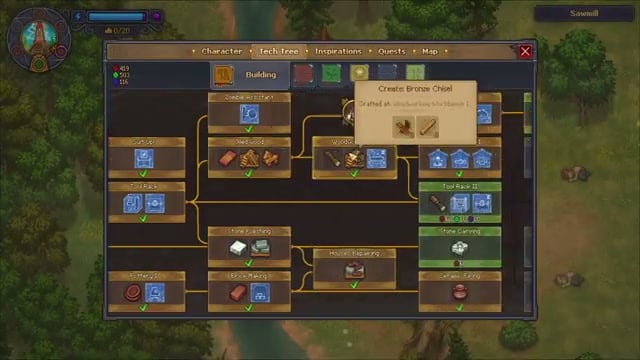
Buy Zombie Lumberjack
Open the Tech Tree’s Building branch and purchase Zombie Lumberjack to access its sawmill blueprints.
STEP 8/22
36%
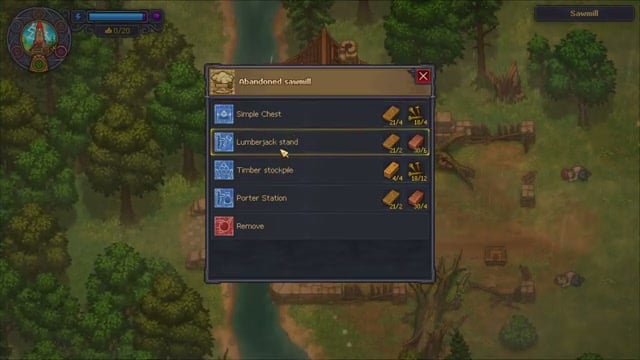
Construct a Lumberjack stand
Use the Abandoned sawmill build table to select and place the first stand; the initial site permits one.
STEP 9/22
41%
Assign a woodcutter
Put a zombie on the completed stand. It crosses the stone bridge into a harvesting area you cannot enter, then brings logs back to the sawmill.
STEP 10/22
45%
Open Zombie mastery levels
Open the working zombie’s inspection panel to view its woodcutting mastery and skill tree.
STEP 11/22
50%
Select Logger
Choose Logger in the mastery menu to shorten the progress needed for a log.
3 – Connect the sawmill to home delivery
A staffed porter moves harvested logs into the Factory network.
STEP 12/22
55%
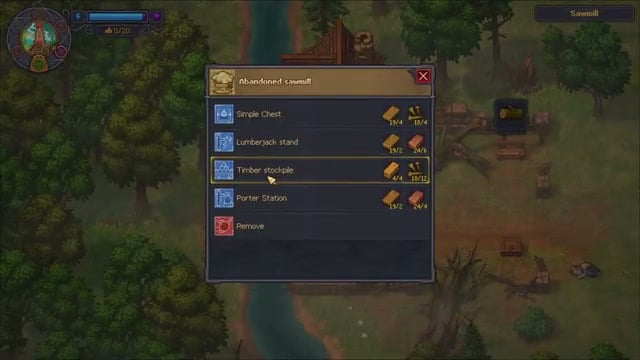
Build a Porter Station
Select Porter Station at the sawmill build table; its construction placement appears so stockpiled logs can be hauled away.
STEP 13/22
59%
Assign a porter
Put another zombie in the station to start transport from the sawmill stockpile.
STEP 14/22
64%
Follow the delivery route
Each porter carries two logs per trip east from the sawmill, through the Old Mine, and onto the Factory’s log platform.
STEP 15/22
68%
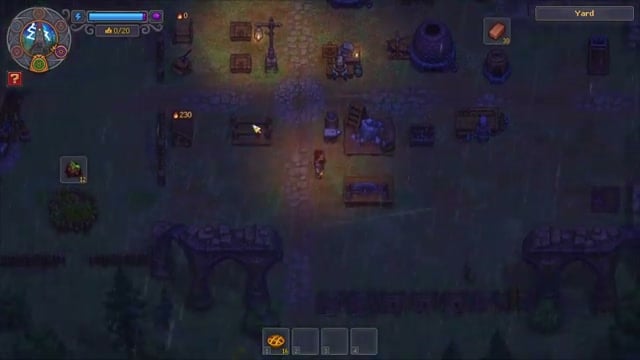
Find the Yard delivery box
At the southern edge of your Yard’s crafting area, locate the dedicated log resource box; the Factory’s delivered logs appear there, separate from a Timber stockpile.
4 – Manage storage and transport capacity
Build a second Porter Station when logs pile up at the sawmill.
STEP 16/22
73%
Store more logs in the Yard
Move delivered logs from their resource box to a Timber stockpile when you want additional local storage.
STEP 17/22
77%
Shorten manual carrying if useful
In Graveyard construction mode, replace a distant Timber stockpile with one nearer the log box and southern fence opening, leaving room to walk beside it.
STEP 18/22
82%
Add transport when logs pile up
If a fast lumberjack fills the sawmill pile faster than one porter can haul it, bring another zombie to the Forest and build a second Porter Station.
STEP 19/22
86%
Staff the second station
Assign another zombie to the second Porter Station.
5 – Expand the sawmill when more harvesting capacity is needed
The later technology opens space for additional stands.
STEP 20/22
91%
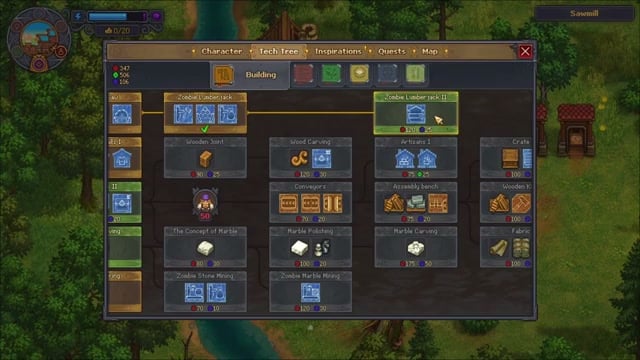
Unlock Zombie Lumberjack II
Buy Zombie Lumberjack II in the Building branch to receive the Upgrade Sawmill blueprint.
STEP 21/22
95%
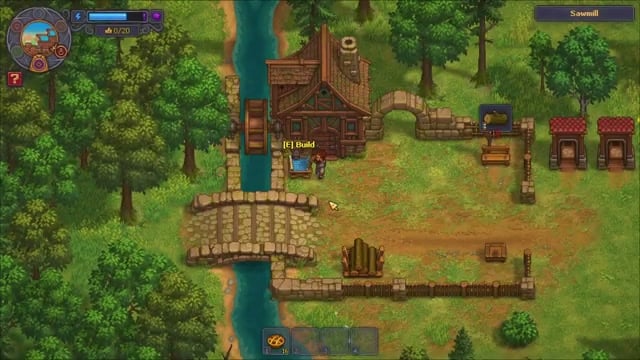
Build Upgrade Sawmill
Select Upgrade Sawmill at the sawmill station to clear the fallen obstruction and open more placement space.
STEP 22/22
100%
Add stands if you need more logs
The expanded sawmill supports up to three Lumberjack stands in its cleared space; if their output accumulates, increase hauling capacity alongside harvesting.
Craft directly from delivered logs in the Yard resource box. The Circular Saw can turn them into Wooden beams without a manual transfer to a stockpile.
Once the delivery route is working, those logs support crafting at home. With more base automation, other zombies can process incoming logs into additional materials.
How do mastery and Logger speed up woodcutting in Graveyard Keeper 2?
The active stand shows a green progress display. Each tick adds dots according to the zombie’s woodcutting mastery, so higher mastery awards more progress per tick. When the cycle fills, the worker deposits a log at the sawmill and returns to the harvesting area.
Logger changes how much progress the cycle requires: six dots instead of eight. For a zombie earning three dots per tick, eight dots take three ticks, with contributions of three, three, and the remaining two. Six dots take two ticks, and the first tick fills half the cycle. That arithmetic depends on the worker’s dots per tick; mastery can change the pace.
High mastery and Logger make harvesting quicker. Keep transport staffed as output grows, and the logs can continue from the sawmill into your base’s crafting and processing.






Leave a Reply