
Use Mushroom Tea from the Cooking tab, preferably assigned to your quick bar, to resurrect a fallen hero in DragonSword: Awakening.
When a party member dies, DragonSword: Awakening marks them as a fallen hero. While they are in that state, you cannot switch to them, so the fix is to use the resurrection item and then select that hero again if needed.
What a fallen hero means
A fallen hero is a dead party member who is still part of your team but temporarily unavailable. If you try to switch to them before reviving them, the game tells you that you cannot switch to a fallen hero.
This does not require a long menu detour if you have the right item prepared. Mushroom Tea can resurrect the hero, and keeping it on the quick bar makes the recovery much faster during exploration or combat.
How to revive a fallen hero with Mushroom Tea in DragonSword: Awakening
Use the quick bar item first, then switch to the revived party member if they do not appear automatically.
STEP 1/4
Find Mushroom Tea on the quick bar
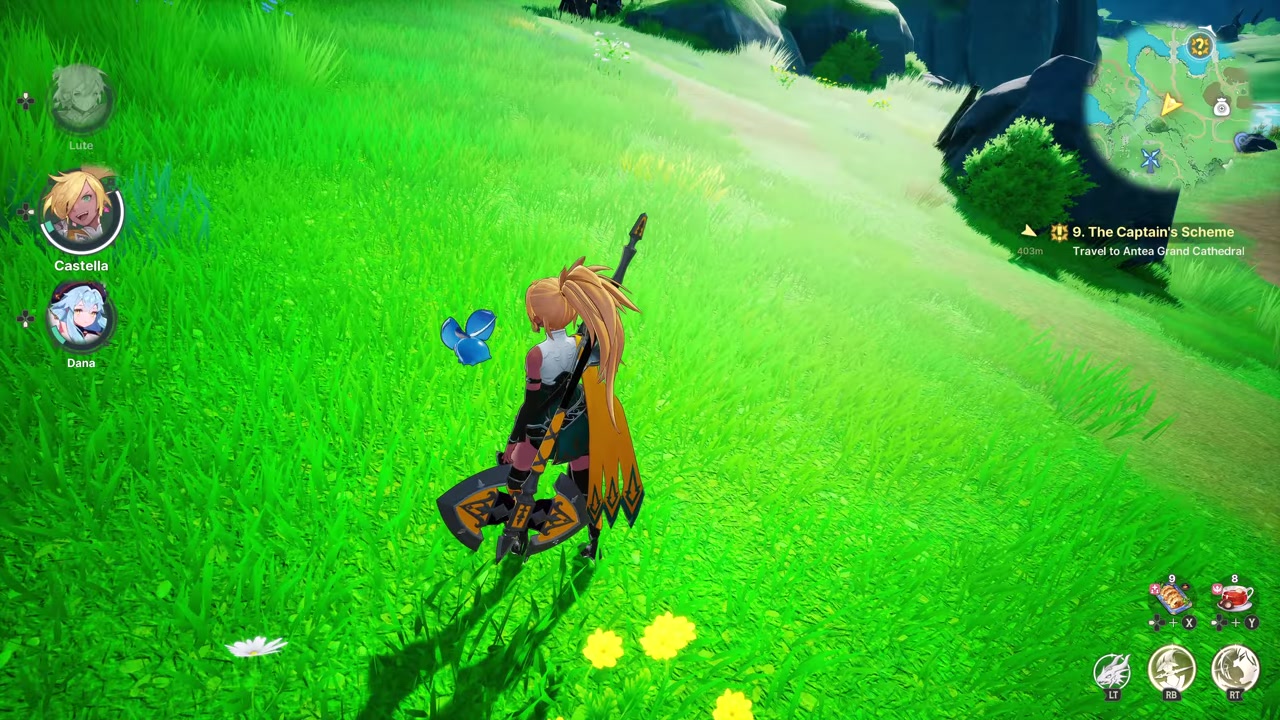
Look at the bottom-right quick bar for the assigned Mushroom Tea resurrection item.
STEP 2/4
Activate the quick bar slot
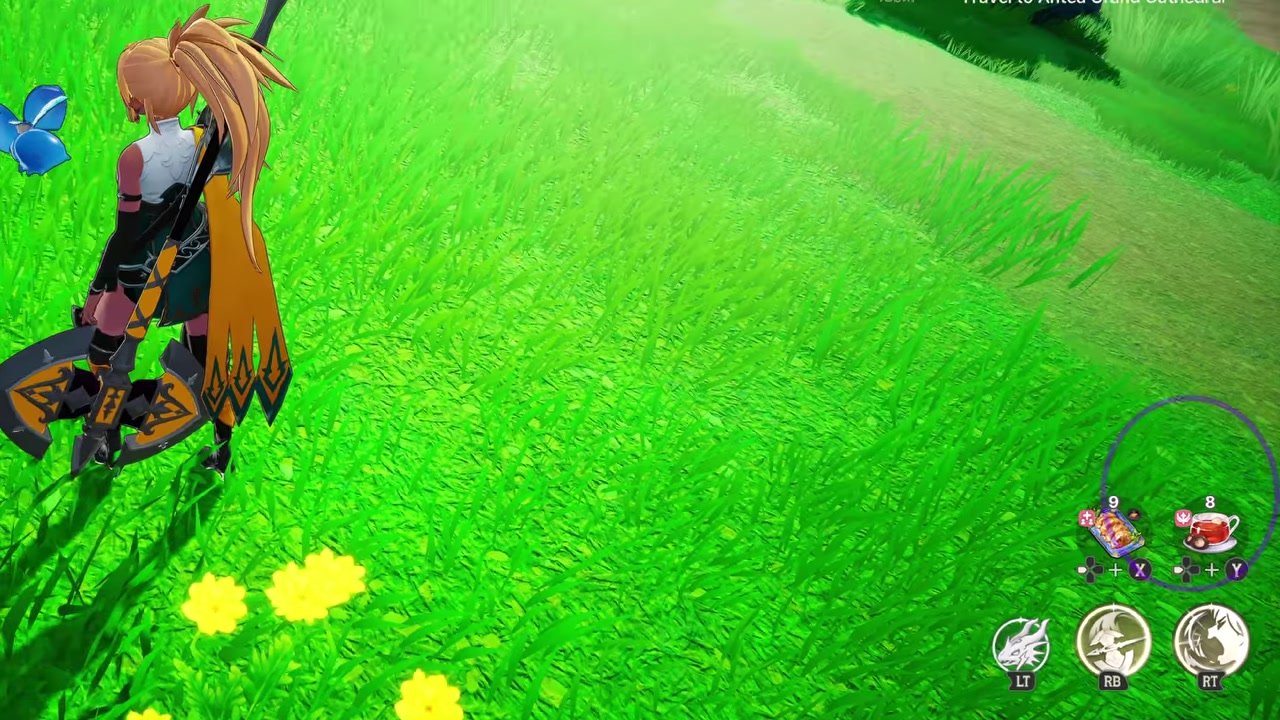
On the controller setup shown here, press Left D-pad and then Y to use Mushroom Tea.
STEP 3/4
Select the revived hero
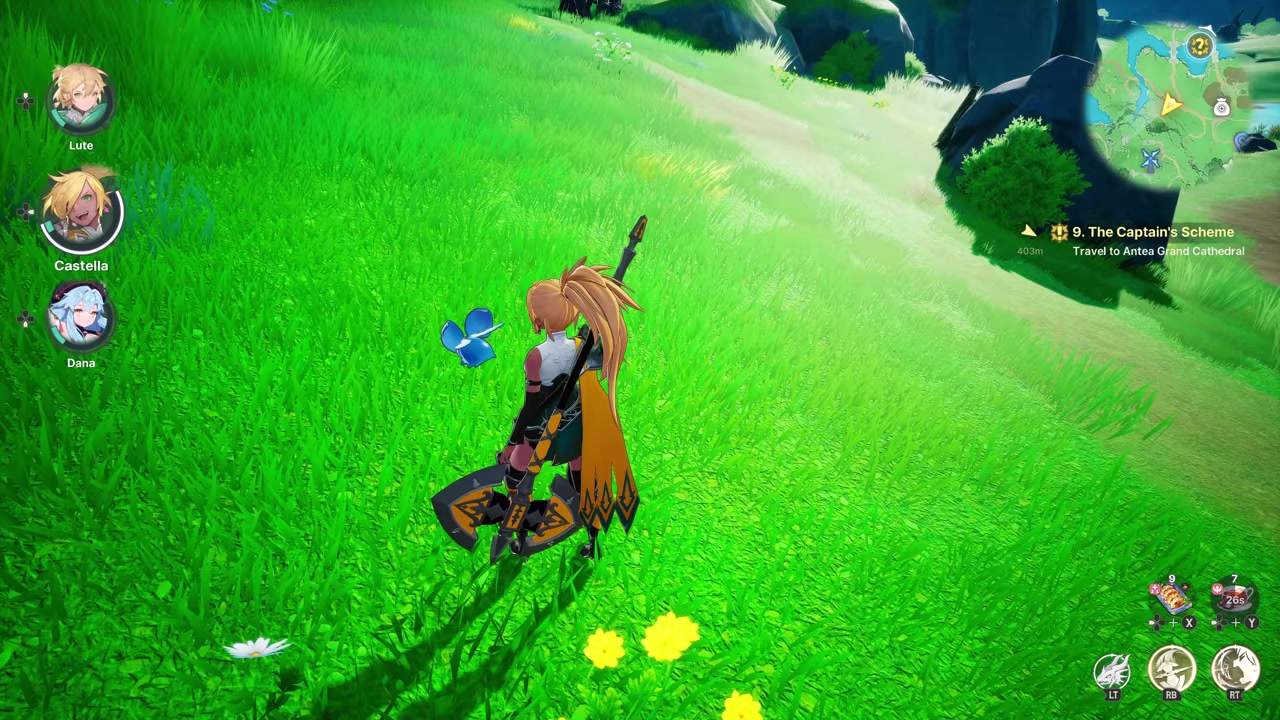
If the party member is not visible right away, press the matching party-switch button; for Lute, that was D-pad Up.
STEP 4/4
Check the party lineup
Once the revive and switch register, the full three-member team appears again.
Video help
Keep Mushroom Tea ready on the quick bar
| Item | Use |
|---|---|
| Mushroom Tea | Resurrection item found under Cooking, with a 30-second cooldown. |
The easiest way to avoid fumbling after a death is to assign Mushroom Tea to a quick slot before you need it. Once assigned, it appears on the bottom-right quick bar, where you can use it without digging through inventory screens.
To find it manually, open the menu, go to Inventory, and check the Cooking tab. The provided material does not show where to obtain or craft Mushroom Tea, so keep any you already have assigned instead of letting it sit buried in the inventory.
Assign Mushroom Tea to the quick bar before risky traversal or fights so the revive item is already visible when a party member falls.
Select the hero after using Mushroom Tea
Using Mushroom Tea handles the resurrection, but the revived hero may not immediately become the active character on screen. If that happens, use the corresponding party-switch button for that hero.
That final switch is important because the game can still leave you looking at another party member after the revive item is consumed. Once the switch works, the fallen hero is back in the lineup.
Avoid stamina deaths while testing mounts
One easy way to lose a hero is pushing stamina too far while experimenting with a mount. If the mount stamina runs out during a risky test, the character may not survive the fall or mistake that follows.
Treat stamina experiments the same way you would treat a boss attempt: keep Mushroom Tea ready, and avoid testing dangerous drops or movement tricks when your revive item is on cooldown.
Frequently Asked Questions
What item revives a fallen hero?
Mushroom Tea revives a fallen hero.
Where is Mushroom Tea in the menu?
Open the menu, go to Inventory, then check the Cooking tab.
Why can’t I switch to a fallen hero?
The hero is dead and unavailable until resurrected, so the game blocks the character switch.
What should I do if the revived hero does not appear right away?
Use that hero’s party-switch input after consuming Mushroom Tea.
Are the D-pad and Y prompts the only controls?
No. Those are controller prompts from one setup; mouse and keyboard bindings were not shown, so use whatever inputs are assigned to your quick bar and party switching.






Leave a Reply