
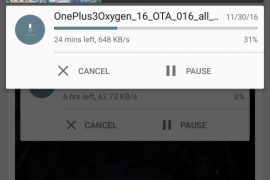
Update [December 28, 2016]: A new Android 7.0 Nougat update is available today as Open Beta 10, links for which have been added below.
Original article: Finally some good news for OnePlus 3 users. As promised, OnePlus has released the first Open Beta of the OnePlus 3 Nougat update. As this is an open beta, anyone can download and try it. The Chinese company thanked all the beta members for testing and providing feedback on the Android Nougat beta.
The OxygenOS Open Beta 8 for OnePlus 3 is available for download from the source link. It is based on Android 7.0 Nougat and also includes some OnePlus features. This beta will not be available as an OTA for the beta members. It has to be downloaded and manually flashed using the recovery.
Apart from Nougat features such as new and improved notifications, direct reply, multi-window, new Settings menu and custom DPI, OnePlus has included some of their own features. For example, you get new Status Bar Icon options, a Quick launch for third-party apps, and better shelf customization.
Since this is a beta build, there will be some bugs and issues. Android Pay does not work properly at the moment and it will be difficult to roll back to Marshmallow. Only those who’re sure of the risks involved should download the Open Beta.
OnePlus recently announced the OnePlus 3T, an improved version of the OnePlus 3. Both these devices are scheduled to get the Android 7.0 Nougat update by the end of this year. Even though the OnePlus 3 is now discontinued, it will get software updates alongside the 3T.
Source: OnePlus Forums
Download OnePlus 3 Open Beta 10 Nougat update
You have to go to the folder where you have the OTA file, and use shift + right click to get a pop-up, form which you have to choose the option ‘open command windows here’. Ignore other files in the screenshot below.

adb reboot recovery
If you have TWRP, choose Advanced > ADB sideload. Tick the two boxes at the top called ‘wipe cache’ and ‘wipe dalvik cache’, and then swipe to enable ADB sideload.
adb sideload ota_file_name.zip
Replace the ota_file_name.zip in the above command with the actual file name of the OTA file. It’s good to simple rename to OTA file to update.zip and then use the command adb sideload update.zip to install it.
That’s it.


One response to “Download OnePlus 3 Open Beta 10 OTA/Full ROM Nougat update”
This is how to get official Android nougat system update in OnePlus 3https://youtu.be/baYsk4-dFio