

While driving in Grand Theft Auto VI, hold D-pad Left to open the radio controls, then browse stations with L1/R1 or the right analog stick.
Changing your soundtrack in Grand Theft Auto VI starts with the vehicle’s radio menu. The game’s platform lineup includes PlayStation 5 and Xbox Series X|S. This guide covers opening the controls, browsing stations and recognizing the names in the menu.
How to change radio stations in Grand Theft Auto VI
Open the radio controls
While driving a vehicle, hold D-pad Left, as the access prompt indicates. This opens the radio and vehicle controls in an overlay over your driving view.
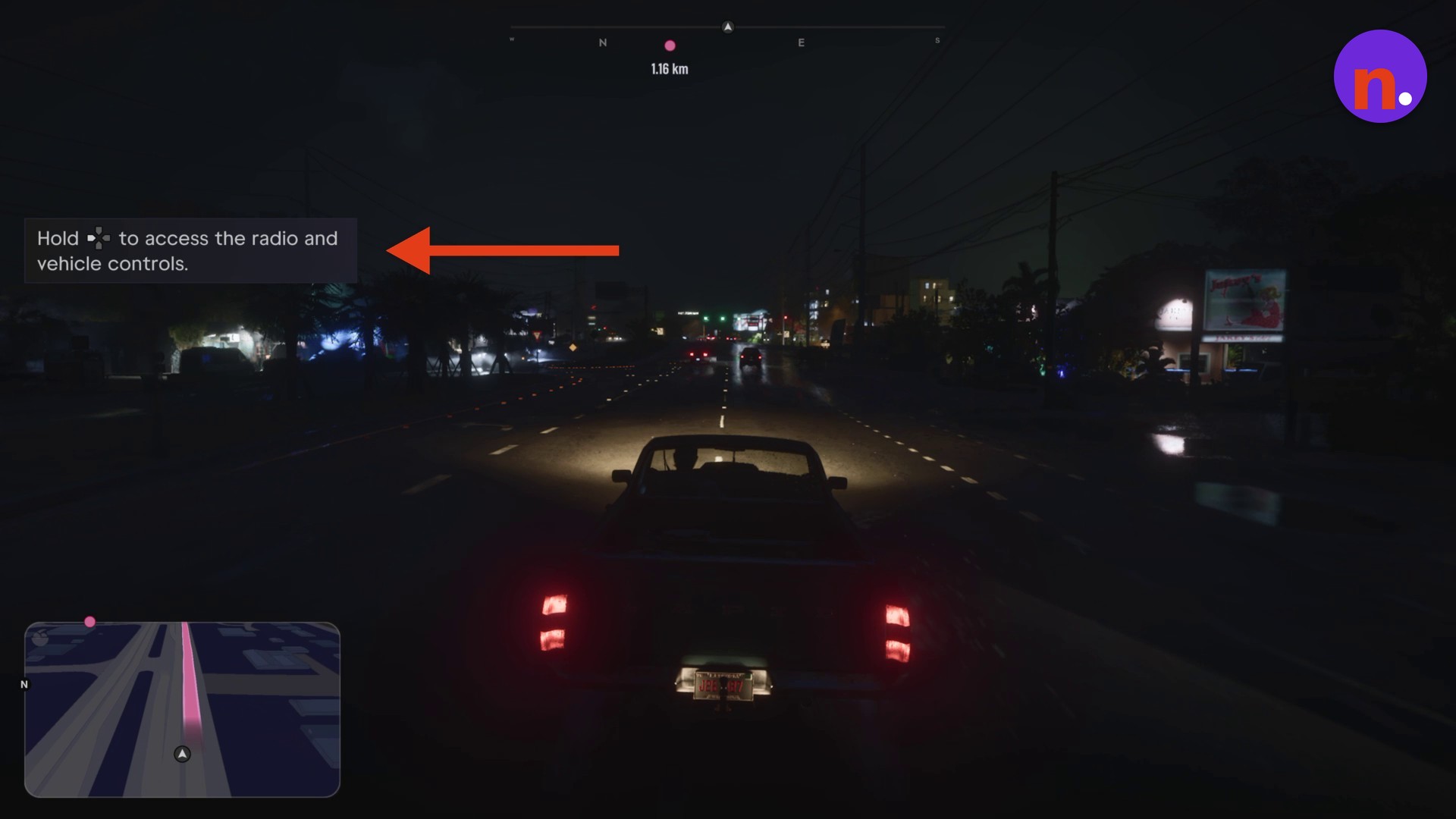
Browse the stations
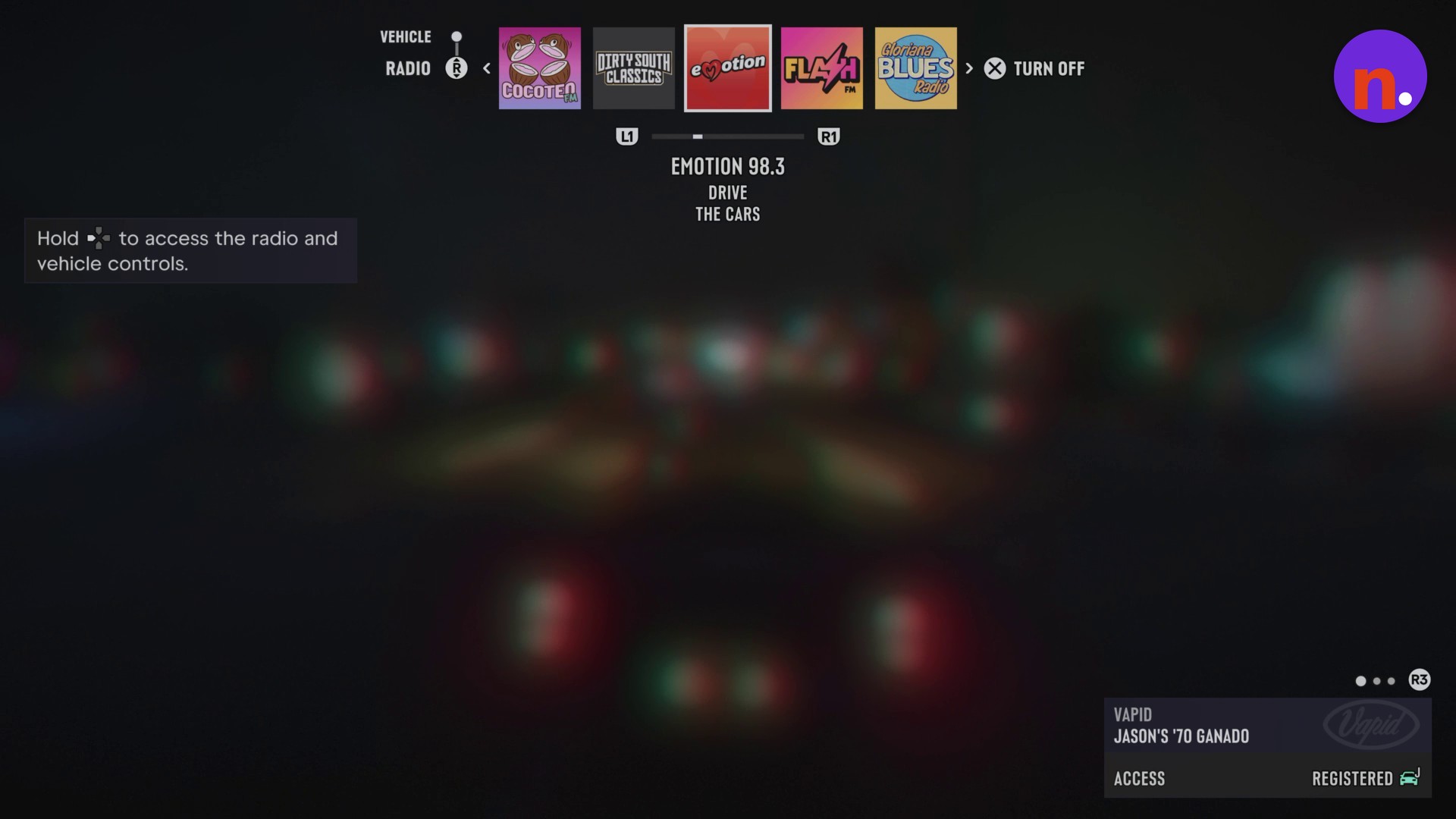
In the RADIO menu, use L1/R1 or the right analog stick to browse the stations across the top bar. The menu also contains a TURN OFF label.
When you’ve finished browsing, close the radio menu and continue driving.
The station choices include EMOTION 98.3, FLASH FM, DIRTY SOUTH CLASSICS, COCOTEO FM, THE CHAMBER 106.6, BACK COUNTRY RADIO, AFROBANK FM, WORLDWIDE FM, WKTT, V-ROCK, VICE CITY FM, VCRR, THE WIPE, SYMPHONY FM, STOCKYARD FM, RADIO ON-U, RADIO LA OLA and LEONIDA JAZZ RADIO.
The radio menu also includes the label COCOTEA FM.
Gloriana BLUES Radio also appears as a label in the radio menu. Once you’re done browsing, it’s back to the drive.
Related Grand Theft Auto VI guides

Leave a Reply