

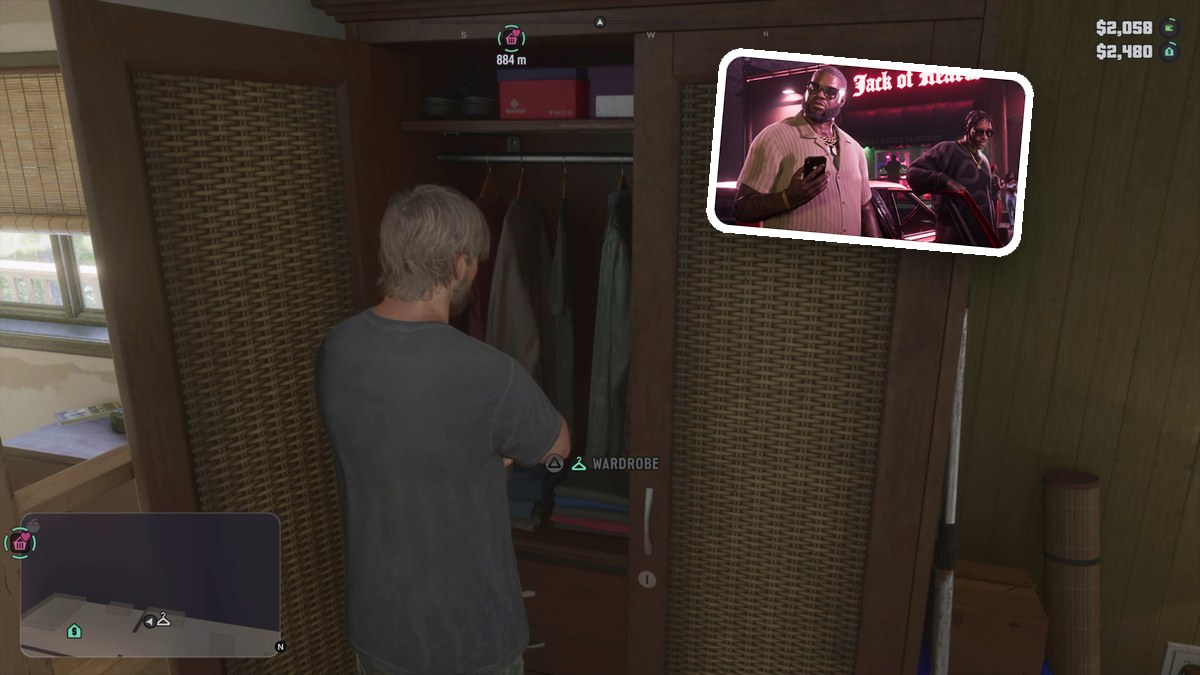
Use the bedroom wardrobe in Jason’s house, select Big Shots Workwear under OUTFITS, and press Cross to equip it.
Jason’s house gives you a Wardrobe menu for changing his clothes in Grand Theft Auto VI. This guide covers finding the closet, equipping Big Shots Workwear, and the other clothing options available in the menu.
The game’s platforms are PlayStation 5 and Xbox Series X|S.
How to change clothes at Jason’s house in Grand Theft Auto VI
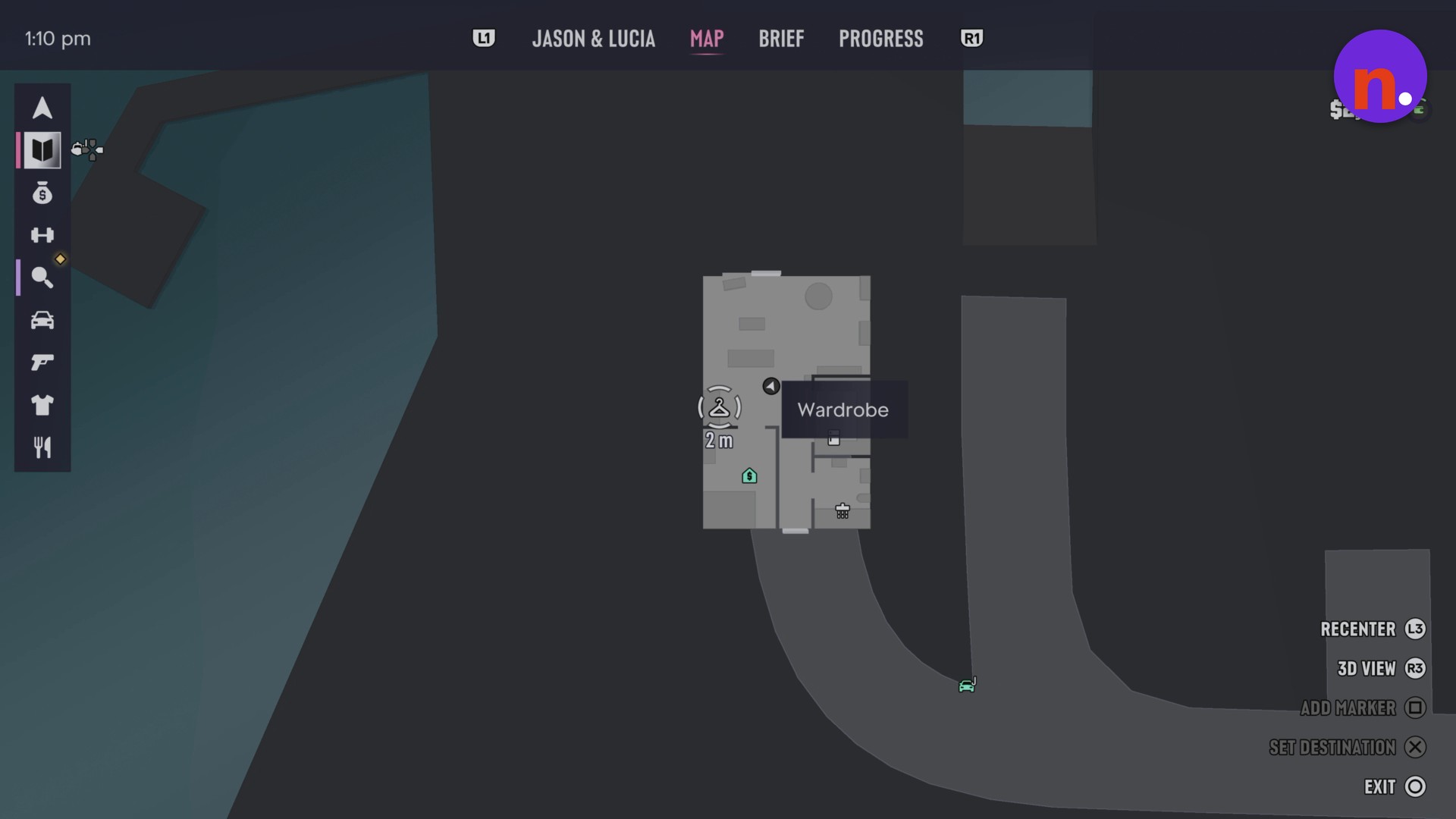
Find the Wardrobe marker
Open the interior map and look for the marker labeled Wardrobe inside Jason’s house. In the pictured map view, Jason is at the Wardrobe location, with 2 m displayed beside its icon.
Approach the bedroom closet
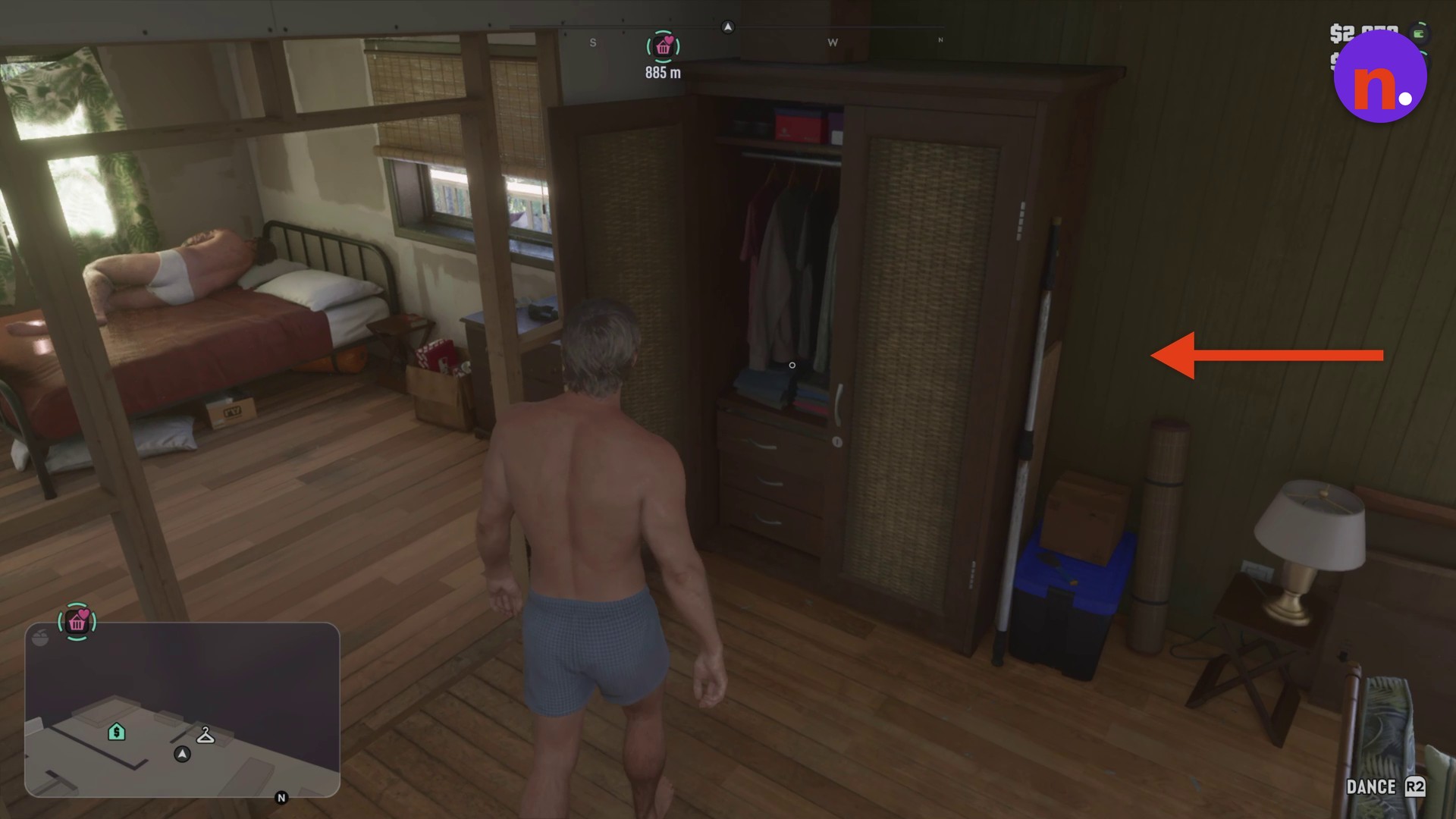
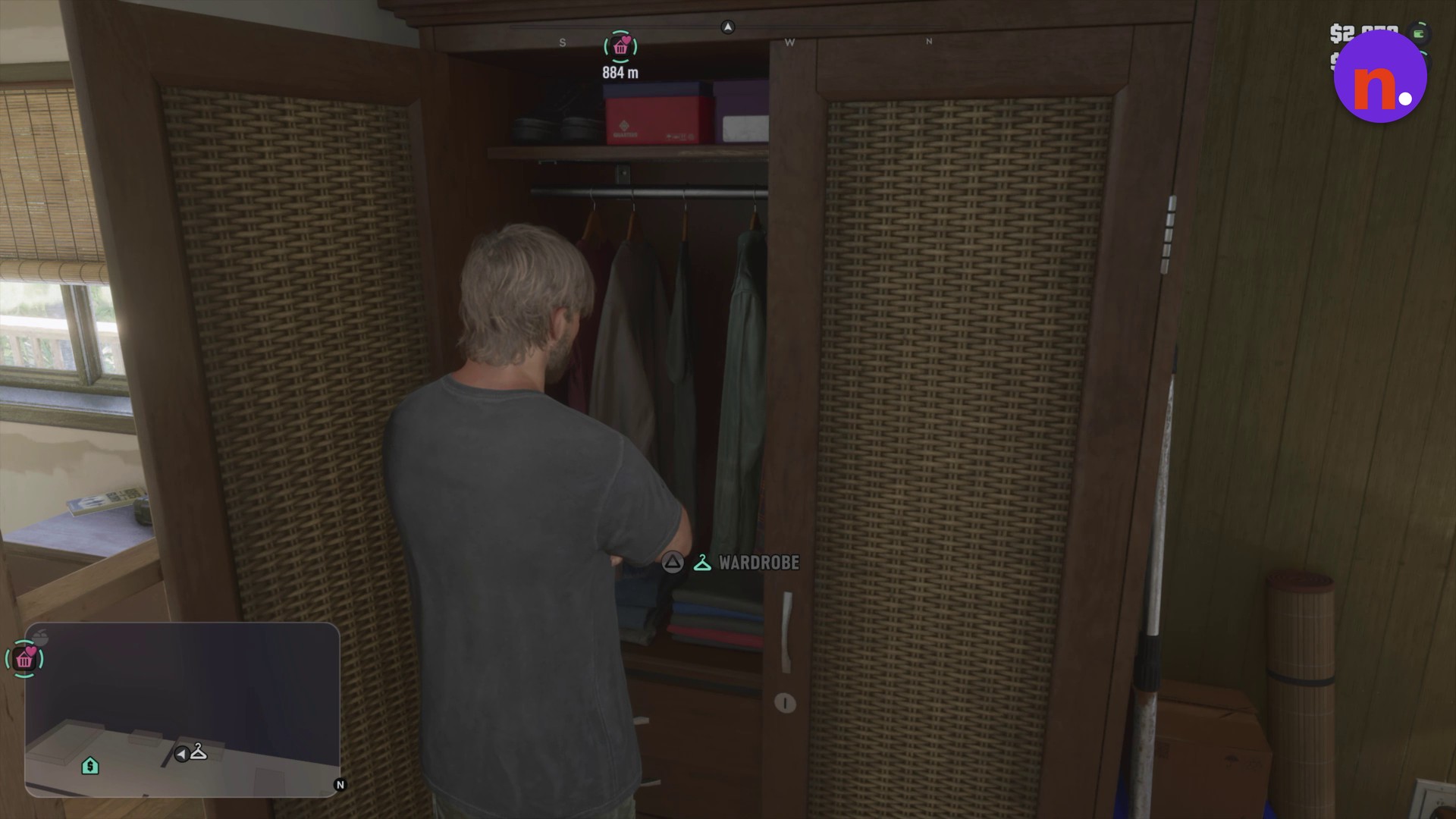
Head to the bedroom and walk up to the open wooden wardrobe.
Access the wardrobe
Use the wardrobe interaction to open the WARDROBE menu and its outfit choices.
Highlight Big Shots Workwear
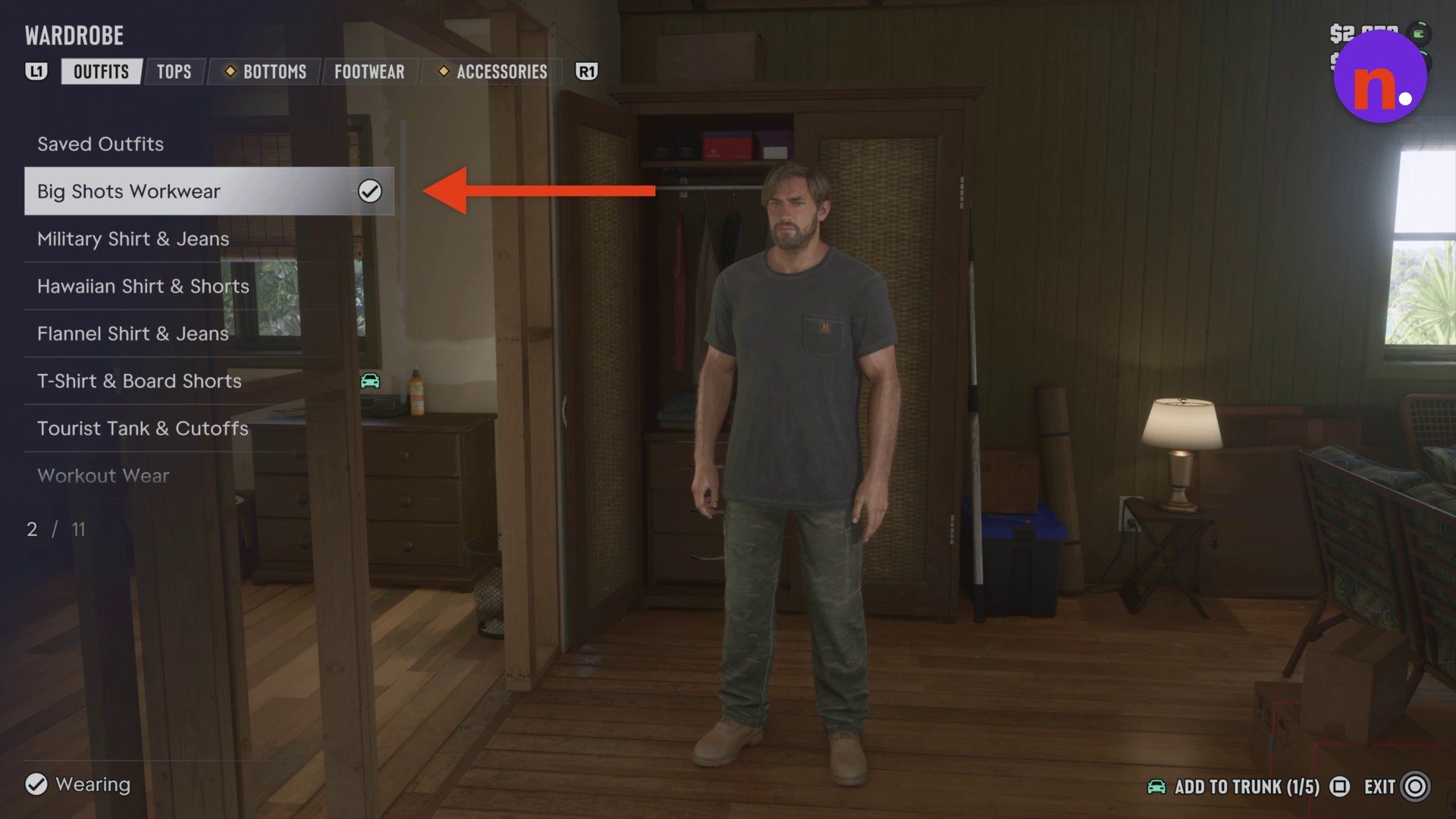
In the OUTFITS tab, scroll through the list until Big Shots Workwear is highlighted.
Equip the outfit
Press Cross to put on Big Shots Workwear. Jason’s character preview changes into the outfit.
Return to gameplay
Press Circle to exit the wardrobe menu. Jason keeps wearing the outfit when gameplay resumes.
Look for the checkmark beside Big Shots Workwear to tell that the outfit is equipped.
What other clothing options does Jason’s wardrobe show?
After equipping your outfit, you can browse TOPS, BOTTOMS, and FOOTWEAR. An ACCESSORIES tab also appears alongside those categories and OUTFITS.
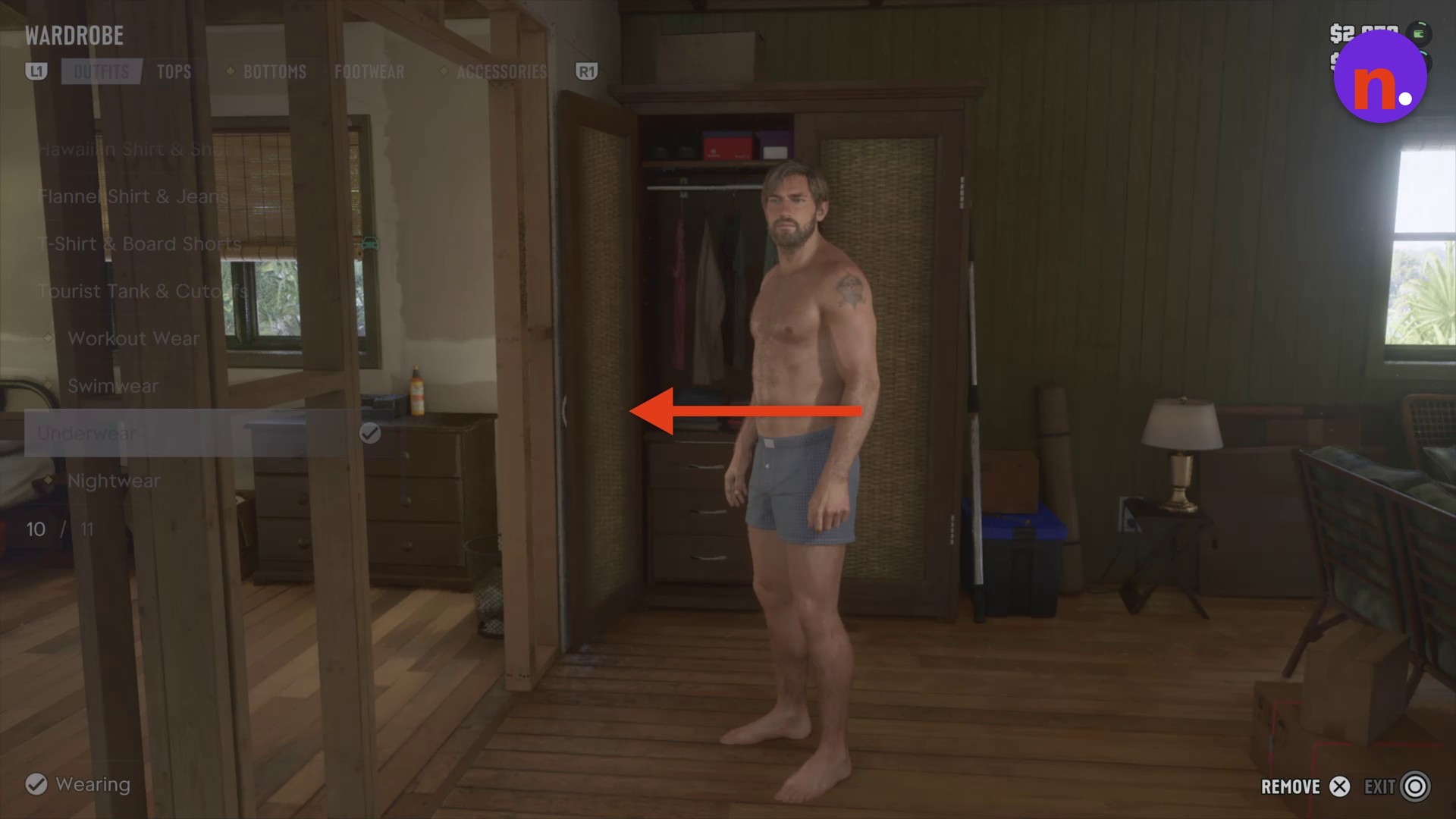
The other outfit choices include Military Shirt & Jeans, Hawaiian Shirt & Shorts, Flannel Shirt & Jeans, T-Shirt & Board Shorts, Tourist Tank & Cutoffs, Workout Wear, Swimwear, Underwear, and Nightwear. The list also includes Saved Outfits, while REMOVE and ADD TO TRUNK appear among the wardrobe controls.
Related Grand Theft Auto VI guides

Leave a Reply