


QUICK ANSWER
Highlight a perk with the D-pad, then press Cross to confirm your choice.
Highlight a perk with the D-pad, then press Cross to confirm your choice.
Street Trash III Dezombifier in Grand Theft Auto VI presents perk cards with different bonuses. The game’s platforms include PlayStation 5 and Xbox Series X|S. This guide covers how to compare those bonuses and use the selection controls.
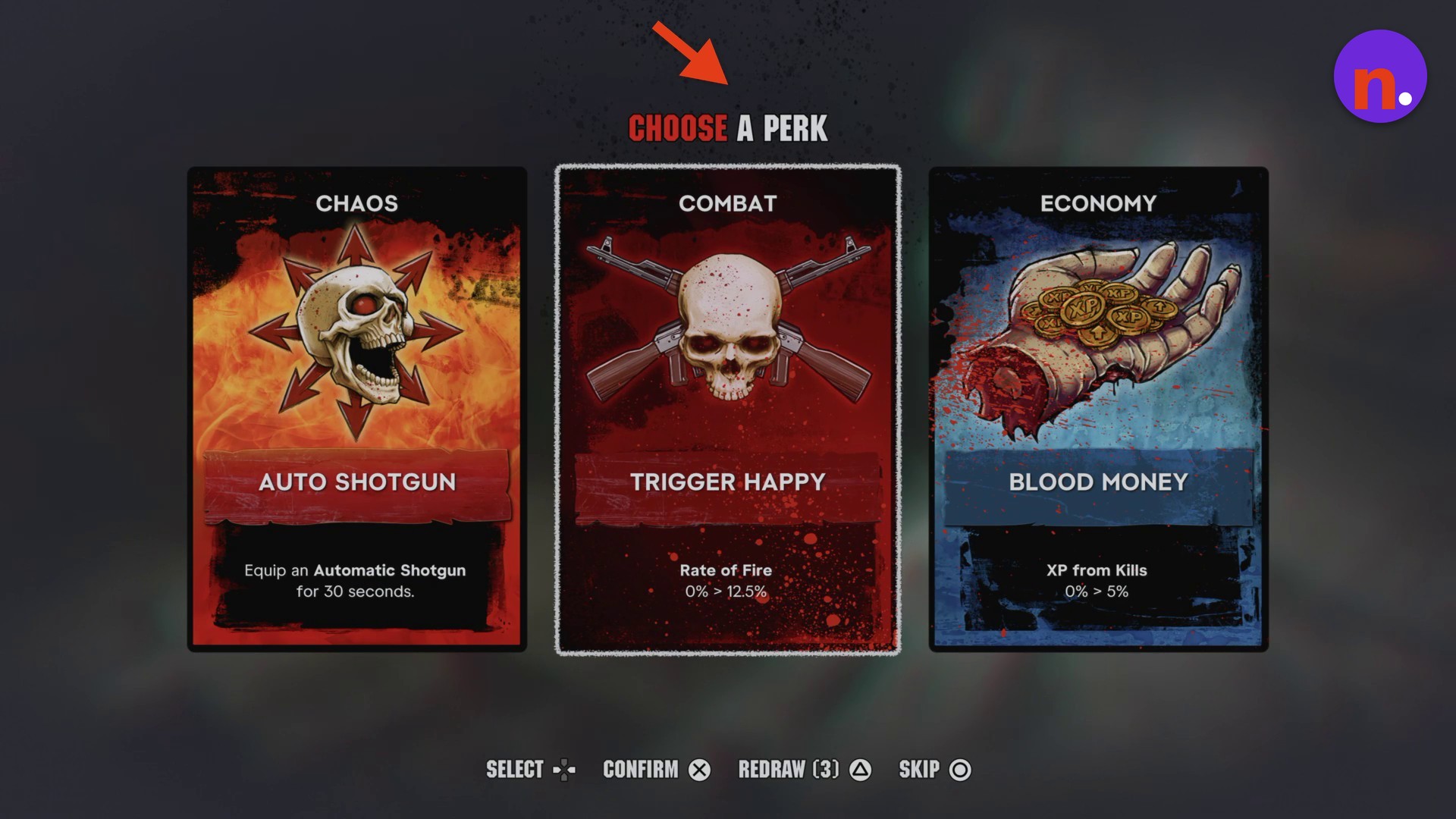
when to chooseDuring a level-upmenuCHOOSE A PERKavailable choicesThree displayed cards
How to choose perks in Street Trash III Dezombifier in Grand Theft Auto VI
STEP 1
Review the perk cards
Read each card’s displayed bonus before making your choice.
Displayed perk bonuses
| Position | Category | Perk | Displayed effect |
|---|---|---|---|
| Left | CHAOS | AUTO SHOTGUN | Equips an Automatic Shotgun for 30 seconds. |
| Middle | COMBAT | TRIGGER HAPPY | Rate of Fire: 0% → 12.5%. |
| Right | ECONOMY | BLOOD MONEY | XP from Kills: 0% → 5%. |
STEP 2
Choose a perk or skip
Use the D-pad to move the highlight, following the SELECT D-PAD prompt. Press Cross to confirm the highlighted perk. To skip the choice instead, press Circle, matching the SKIP Circle prompt.
Don’t miss this3 redrawsPress Triangle to redraw the available perk cardsThe starting REDRAW (3) prompt gives you up to three redraws if you want to change the available choices.
Related Grand Theft Auto VI guides





Leave a Reply