

Google introduced factory reset protection to Android devices last year with the release of Android Lollipop build. However, it’s only now that manufacturers and carriers are rolling out the feature to their devices.
The Factory Reset Protection works by securing your device using your Google account credentials, so when someone steals your phone and factory reset it, the user will still need to verify the registered Google account on the phone prior to Factory reset to setup and use the device. This makes it pointless for the thief to steal your phone.
However, if you didn’t steal but bought the phone off Craigslist or other similar market, and you’re now stuck with account verification after a factory reset of the phone. Well, in that case, you might find a little hacker’s magic helpful.
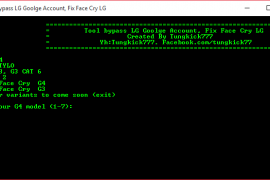
Developer tungkick over at xda has created a simple batch script tool that can bypass factory reset protection (FRP) on a number of LG devices, check the full list of supported devices below:
- LG G4
- LG G3
- LG G Flex 2
- LG G Stylo
Support for more devices coming soon..
You can grab tungkick’s Factory Reset Protection bypass tool for LG devices from the download link below:
[ecko_button target=”blank” size=”6″ radius=”3″ style=”ghost” background=”#a161bf” color=”#333333″ url=”http://downloadmirror.co/android/ux/toolbypass_google_account_g4.rar”]Download Bypass Tool LG Factory Reset Protection[/ecko_button]
How to Bypass Account Verification on LG Devices
- Put your LG device into download mode and connect it to PC.
- Download and extract the bypass tool by tungkick on your PC.
- Double-click/Run Tool.exe file » Select your LG device from the list and let the tool do its work.
- Once bypass tool is done, reboot your phone.
That’s it. You shouldn’t see account verification anymore on your LG device.
Happy Androiding!
via xda






295 responses to “How to Bypass Google Account Verification on LG G4, G3 and other LG devices”
Hi,
I’m already 20 minuets within the process and it still on “#” (at the end).
At the instructions it says: “Once bypass tool is done, reboot your phone”
It should take so long?
What is happaning?
Thanks!
Sammee
when you get the # press ctrl+c then type reboot phone then press enter then type n then press enter again
i did same as you said bro but my phone is not rebooting. please help me
hello i dont understand how it works i have lg stylo metropcs
After 10 minutes unplug phone then it will say reboot so u want to unplug battery and then turn on phone after reinserting battery WORKS I PROMISE DID IT YESTERDAY
Hi,
I’m already 20 minuets within the process and it still on “#” (at the end).
At the instructions it says: “Once bypass tool is done, reboot your phone”
It should take so long?
What is happaning?
Thanks!
Sammee
After 10 minutes unplug phone then it will say reboot so u want to unplug battery and then turn on phone after reinserting battery WORKS I PROMISE DID IT YESTERDAY
when you get the # press ctrl+c then type reboot phone then press enter then type n then press enter again
i did same as you said bro but my phone is not rebooting. please help me
hello i dont understand how it works i have lg stylo metropcs
Is download mode when it says Firmware update on the screen?
I don’t know.
I read that actually Firmware update is download mode…
Is it right?
But in anyway – i got to manage.
Thanks.
Is download mode when it says Firmware update on the screen?
I don’t know.
I read that actually Firmware update is download mode…
Is it right?
But in anyway – i got to manage.
Thanks.
Ugh didn’t work for me. Nothing works. How do you know when its done? Nobody gives clear instructions on how to do this, i don’t get it.
read my comment
hi,this is how i bypassed the whole google verification .when your phone starts up go into accessibilitys and turn on shortcut keys and theres a setting that will show the icon on your screen when you tap the icon hold the home button and it will put you thru to the internet then type settings and search it will take you to a page where at the bottom it shows icons slide it to the left till you see phone then hit search again it will take you into your phone settings go to apps and then to all then disable google apps and restart your phone it worked for me.
I see no place for assessabilities
. a mi me sale esto”el sistema no encuentra la etiqueta por lotes” y no instala el fireware
I am having the same problem I have no accessibility on mine is there any way to do this
couldn’t understand any of what you said. unclear to follow
What google apps
Thanks Pepper your way worked for me too!!! God Bless!!!
Hi . i tried that but when i pressed the Icon and home button it didnt do anything or take me anywhere.
I don’t get an accessibility icon on my screen
Pepper what apps do I disable
its NOT like that after the new google update duh.,..
Did it take forever to check connection on urs pepper
Ugh didn’t work for me. Nothing works. How do you know when its done? Nobody gives clear instructions on how to do this, i don’t get it.
read my comment
hi,this is how i bypassed the whole google verification .when your phone starts up go into accessibilitys and turn on shortcut keys and theres a setting that will show the icon on your screen when you tap the icon hold the home button and it will put you thru to the internet then type settings and search it will take you to a page where at the bottom it shows icons slide it to the left till you see phone then hit search again it will take you into your phone settings go to apps and then to all then disable google apps and restart your phone it worked for me.
I see no place for assessabilities
I am having the same problem I have no accessibility on mine is there any way to do this
. a mi me sale esto”el sistema no encuentra la etiqueta por lotes” y no instala el fireware
couldn’t understand any of what you said. unclear to follow
What google apps
Thanks Pepper your way worked for me too!!! God Bless!!!
Hi . i tried that but when i pressed the Icon and home button it didnt do anything or take me anywhere.
I don’t get an accessibility icon on my screen
Pepper what apps do I disable
its NOT like that after the new google update duh.,..
Did it take forever to check connection on urs pepper
it worked for me,as soon as i saw the # at the end of the script i waited 3 minutes then i unplugged the lg stylo.i took out the battery put it back and powered up the phone and that was it no more google account bull
How long was it before you saw any words or numbers???
Imediately
this really helped me i didnt know whether it was done or not after thr # sign thanks!
I’m not sure some say press Ctrl+c then some other stuff are you sure I need help this is pissing me off lol help would make it better because ppl acting dumb and not helping that saying it but not saying if that makes sense but if you can help that would be so dope
The program does not run on the computer? ??
We just reinstalled the stock firmware. The stylo was bootlooped too tho. Soo
Hey where did you get the stock firmware, I’m having nothing work!! It’s like impossible to find a working kdz file lololololol it’s not funny!
it worked for me,as soon as i saw the # at the end of the script i waited 3 minutes then i unplugged the lg stylo.i took out the battery put it back and powered up the phone and that was it no more google account bull
How long was it before you saw any words or numbers???
Imediately
The program does not run on the computer? ??
this really helped me i didnt know whether it was done or not after thr # sign thanks!
I’m not sure some say press Ctrl+c then some other stuff are you sure I need help this is pissing me off lol help would make it better because ppl acting dumb and not helping that saying it but not saying if that makes sense but if you can help that would be so dope
We just reinstalled the stock firmware. The stylo was bootlooped too tho. Soo
Hey where did you get the stock firmware, I’m having nothing work!! It’s like impossible to find a working kdz file lololololol it’s not funny!
How long does the screen stay blank??
At what point does the screen turn blank?
I don’t see any words or numbers after I selected my phone..I have a g stylo
Did you connect the phone to the pc and let the drivers install before using the program?
i did all that, it just stays blank. im trying it on a lg stylo
the drivers are failing
my phone unplugged while downloding the installer is there any way i van fix that
How long does the screen stay blank??
At what point does the screen turn blank?
I don’t see any words or numbers after I selected my phone..I have a g stylo
Did you connect the phone to the pc and let the drivers install before using the program?
i did all that, it just stays blank. im trying it on a lg stylo
the drivers are failing
my phone unplugged while downloding the installer is there any way i van fix that
What do I download there is 3 different links
Either one is fine
What do I download there is 3 different links
Either one is fine
Tengo una lg ls665 y ya puse todas las opciones y ninguna m djo Ayuda!! cual opcion es para mi lg
Tengo una lg ls665 y ya puse todas las opciones y ninguna m djo Ayuda!! cual opcion es para mi lg
doesnt work just stays blank
doesnt work just stays blank
I have noticed that quite a few people are having trouble using this tool…lets clarify some things…1st, make sure that you have installed the LG Universal Driver (all LG models except Verizon), download link: http://downloads.codefi.re/autoprime/LG/LG_G4/LGUnitedMobile_Win_Driver_Ver_3.14.1.exe
2nd, the bypass tool consists of 19 files, and all 19 files are packaged in the .rar file and you will need to install a program like 7zip to unpackage the files.
3rd, copy all 19 files to the desktop of your pc
4th, run the tool.exe file first before connecting your device and make sure you are connecting the USB cable to the pc first before connecting it to your phone…you will know that the LG drivers are installed and the phone is being read by the program because it will display what COM port the phone is on
5th, in some cases, you may need to manually reboot your device when prompted by the tool and reconnect (this was the case with an LG G4 model H811)
6th, once device reboots a small set of script will run, this “scripture” if you will is completed when the “#” appears at the end….again, you may need to disconnect the USB cable and manually reboot your device. Any questions, you may reach me at XDA developers or email: [email protected]
So, how can I do this right with a Verizon version of LG G4? I was trying to do everything by the instruction, but it just shows me the blank screen and nothing happens. Any help out there?
Do you download the LG universal driver on the phone or the PC?
Thanks. That’s what was missing for me. After downloading and running the driver program, and then re-running the tools.exe program, it worked. Woohoo!
I would simply add that if you run the program and you see an icon about the firmware updating, along with a progress bar that never goes past 0%, as I saw, just ignore it. Otherwise, you’ll sit there for hours, when the real work is done in less than a minute.
mine shows firmware update and not moving forward..
on the pc window i saw # but still on screen
i see the firmware update part. what do i do after that? i tried unplugging the phone, rebooted and it still shows the gmail verify account part.
I get an error The system cannot find the batch label specified. Any thoughts?
did you ever get it to work? if yes, then how did you do it?
I have noticed that quite a few people are having trouble using this tool…lets clarify some things…1st, make sure that you have installed the LG Universal Driver (all LG models except Verizon), download link: http://downloads.codefi.re/autoprime/LG/LG_G4/LGUnitedMobile_Win_Driver_Ver_3.14.1.exe
2nd, the bypass tool consists of 19 files, and all 19 files are packaged in the .rar file and you will need to install a program like 7zip to unpackage the files.
3rd, copy all 19 files to the desktop of your pc
4th, run the tool.exe file first before connecting your device and make sure you are connecting the USB cable to the pc first before connecting it to your phone…you will know that the LG drivers are installed and the phone is being read by the program because it will display what COM port the phone is on
5th, in some cases, you may need to manually reboot your device when prompted by the tool and reconnect (this was the case with an LG G4 model H811)
6th, once device reboots a small set of script will run, this “scripture” if you will is completed when the “#” appears at the end….again, you may need to disconnect the USB cable and manually reboot your device. Any questions, you may reach me at XDA developers or email: [email protected]
So, how can I do this right with a Verizon version of LG G4? I was trying to do everything by the instruction, but it just shows me the blank screen and nothing happens. Any help out there?
did you ever get it to work? if yes, then how did you do it?
Do you download the LG universal driver on the phone or the PC?
Thanks. That’s what was missing for me. After downloading and running the driver program, and then re-running the tools.exe program, it worked. Woohoo!
I would simply add that if you run the program and you see an icon about the firmware updating, along with a progress bar that never goes past 0%, as I saw, just ignore it. Otherwise, you’ll sit there for hours, when the real work is done in less than a minute.
i see the firmware update part. what do i do after that? i tried unplugging the phone, rebooted and it still shows the gmail verify account part.
mine shows firmware update and not moving forward..
on the pc window i saw # but still on screen
I get an error The system cannot find the batch label specified. Any thoughts?
actually it does work and i have done it with two lg g4 phones with success first make sure you have the lg drivers downloaded and installed then down load and extract the bypass tool scroll down to tool.exe open that up but don’t select it yet then plug in cable into usb port on laptop hold volume up button until you see the phone go into download mode then connect it and then select phone and click ok then it starts to download it once done reboot phone and the google account should be gone which will enable you to set up phone as new user
What are the lg drivers ? How do I download it?
I am not good with computers at all and trying to figure out how to do this. Is there any video to watch this.
You need to power on you phone like normal and install driver from: http://downloads.codefi.re/autoprime/LG/LG_G4/LGUnitedMobile_Win_Driver_Ver_3.14.1.exe after thats installed you should plug in your phone and see it installing you phones drivers. Then power off phone put in download mode and run the program. Should work every time very easy
actually it does work and i have done it with two lg g4 phones with success first make sure you have the lg drivers downloaded and installed then down load and extract the bypass tool scroll down to tool.exe open that up but don’t select it yet then plug in cable into usb port on laptop hold volume up button until you see the phone go into download mode then connect it and then select phone and click ok then it starts to download it once done reboot phone and the google account should be gone which will enable you to set up phone as new user
What are the lg drivers ? How do I download it?
You need to power on you phone like normal and install driver from: http://downloads.codefi.re/autoprime/LG/LG_G4/LGUnitedMobile_Win_Driver_Ver_3.14.1.exe after thats installed you should plug in your phone and see it installing you phones drivers. Then power off phone put in download mode and run the program. Should work every time very easy
I am not good with computers at all and trying to figure out how to do this. Is there any video to watch this.
When my phone goes reboots into download mode the device driver starts installing again and fails. Any idea how or why it would do that? Also its says special command : enter, leave.. I’m not sure what to do there. Plz help
You need to power on you phone like normal and install driver from: http://downloads.codefi.re/autoprime/LG/LG_G4/LGUnitedMobile_Win_Driver_Ver_3.14.1.exe after thats installed you should plug in your phone and see it installing you phones drivers. Then power off phone put in download mode and run the program. Should work every time very easy
When my phone goes reboots into download mode the device driver starts installing again and fails. Any idea how or why it would do that? Also its says special command : enter, leave.. I’m not sure what to do there. Plz help
You need to power on you phone like normal and install driver from: http://downloads.codefi.re/autoprime/LG/LG_G4/LGUnitedMobile_Win_Driver_Ver_3.14.1.exe after thats installed you should plug in your phone and see it installing you phones drivers. Then power off phone put in download mode and run the program. Should work every time very easy
Just wanted to say thank you! seriously! worked for LG G4
Just wanted to say thank you! seriously! worked for LG G4
Tengo un lg leon y no me ha funcionado
yo se como quitar el del lg leon
Tengo un lg leon y no me ha funcionado
yo se como quitar el del lg leon
you are the man!!!! worked perfectly!!! wow blew my mind
you are the man!!!! worked perfectly!!! wow blew my mind
very good it works i was getting tired but i did you must need the lg drivers to make this thing work thank you all for the help and it works but you must be patient calm it takes only 2 minutes you dont need to do nathing just put the driver and enjoy it
Do u have the bypass tool still and can u send it to me. It’s been deleted from Google thanks. I [email protected]
Download link updated. You may download the tool now.
very good it works i was getting tired but i did you must need the lg drivers to make this thing work thank you all for the help and it works but you must be patient calm it takes only 2 minutes you dont need to do nathing just put the driver and enjoy it
Do u have the bypass tool still and can u send it to me. It’s been deleted from Google thanks. I [email protected]
Download link updated. You may download the tool now.
it doesn’t let me download the link…
it doesn’t let me download the link…
Please advise when tool for LG K7 might be available ?
Please advise when tool for LG K7 might be available ?
Thanks for this tool.It worked perfectly.Thank you!
Thanks for this tool.It worked perfectly.Thank you!
telling me “can’t start – msvc…..dll missing” what do i do about this
I got the same error message msvc.dll what did you do to fix it please help very frustating
You need to transfer all the files from the zip folder to a new one on your desktop or some other location on your computer
got it figured out – worked like a champ. very nice tool!!
Can u send me tungkicks bypass tool. I google won’t allow it. And I need it asap. [email protected]
telling me “can’t start – msvc…..dll missing” what do i do about this
I got the same error message msvc.dll what did you do to fix it please help very frustating
You need to transfer all the files from the zip folder to a new one on your desktop or some other location on your computer
I got a lg tribute 2 boost mobile I can get bypass the Google cus I hard reset it
got it figured out – worked like a champ. very nice tool!!
Can u send me tungkicks bypass tool. I google won’t allow it. And I need it asap. [email protected]
I got a lg tribute 2 boost mobile I can get bypass the Google cus I hard reset it
how can i get around the account verify if i cant download the tungkick
how can i get around the account verify if i cant download the tungkick
Can u send me the Google account bypass thru email. Google has deleted it and I need it asap. Thanks
Can u send me the Google account bypass thru email. Google has deleted it and I need it asap. Thanks
Hello please send me the other download link, this was closed
Download link updated. You may download the tool now.
Hello please send me the other download link, this was closed
Download link updated. You may download the tool now.
HEKP
HEKP