

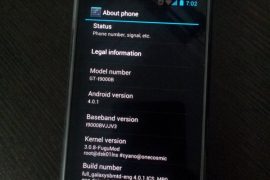
While Samsung would take ages — if they intend to bring the update in first place, which itself is debatable — to release the latest Android 4.0 update to Galaxy S officially via Kies, our beloved developers have already started burning their midnight oil to get you Ice Cream Sandwich love on your very dear very venerable phone in android blogosphere, the Galaxy S.
And their hard work is showing up now in the form of a custom ROM — we’re talking about the first ICS (Android 4.0) port for Galaxy S, made by pretty famous now on Galaxy S development scene, Galnet.
Developers: Galnet was first one to boot ICS on Galaxy S but since then, he and his team has been quite on this. The development came to life only after Onecosmic started working on it and he is the one who took further, making it a bit usable and fixing the touchscreen and doing all the crazy part. After Onecosmic got busy with other stuff, work was resumed by PaulForde, who is responsible for current stage of rom, among with other devs who are working continuously on it right now.
Developers and Donation Link
Here is list to all devs who are currently active on this rom. And we hope you donate them to show your gratitude to them for work they have, while also encouraging them for working more on this development.
Android 4.0 Ice Cream Sandwich (ICS) ROM Status
Update (As of February 12, 2012): RC 4.2 is out — it’s simply one incredible rom, by certain awesome teams of devs.
Big Update: RC1 is out. Features working from this release: Video recording and playback, Hardware Acceleration, Calendar Sync, etc. You may want to celebrate this!! People avoiding the ICS — somehow, I mean — should try this version. Kudos to PaulForde (we’re really thankful to him for this) and Onecosmic.
Almost everything is working — though, of course, there are bugs!
COMPATIBILITY
[error]This guide is applicable only for Samsung’s Galaxy S international version — GT-i9000 and GT-i9000B. Check your phone’s version in Settings – About Phone. It has to be “GT-i9000” or “GT-i9000B” for this Android 4.0 port ROM to be compatible with your phone. Otherwise, simply don’t try this ROM on your android handset — don’t even think about it if you care about your android device.[/error]
WANRING!
[warning]The methods and procedures discussed here are considered risky and you should not attempt anything if you don’t know completely what it is. If any damage occurs to you or your device, we won’t be held liable — you only will be responsible, you’ve been warned!!![/warning]
Installing the Android 4.0 ICS custom ROM isn’t that hard if you’ve already done flashing stuff a couple of times. But even if you’re new to flashing and custom ROMs, don’t worry one bit, we’ve got you covered. Just watch the video below, read the instructions and you are good to do it yourself.
Pre-Installation thoughts:
- Installing/Flashing this ROM will erase your apps and data. So, it’s a very important you back them up, before proceeding further. To backup your apps and important data — bookmarks, contacts, SMS, APNs (internet settings), etc. Restore APN settings if Internet isn’t working for you. This Android backup guide would help you. And if you’ve rooted your Galaxy S, you can save application’s data too, using Titanium backup (free app on android market) to backup apps with data. And use this this app only again to restore those apps with data.
- Drivers! — it’s important you’ve the proper drivers installed. Download links below:
- If you have Samsung’s PC software Kies installed, be sure to exit it before using flashing this ROM, or anything with odin software.
Android 4.0 Ice Cream Sandwich for Galaxy S
Update: The installation process is much different now that what was for the initial release. But you can still watch the video — especially if you’re new to this — to get the idea of flashing and stuff. And the guide below has been duly updated to take care of installation needs of the latest release. So, go ahead!
So, the video below is not to be followed, but if you want to learn about rebooting into recovery, using CWM recovery, and other things, watching the video for once is recommended.
Here’s the video showing the installation of Android 4.0 custom ROM (AOSP port, version alpha4):
Note: There is a brief overview (from 6:58) of Android 4.0 running on Galaxy S in the above video.
How to Install Ice Cream Sandwich on Galaxy S [step-by-step guide]:
- Flash XXJVU Android 2.3.6 based firmware first.
- Install CWM and Root on the XXJVU.
- Download the latest version of “Android 4.0 ROM” from here — let’s call it rom file — and then continue the steps below to flash it without any worries. be careful while downloading since that page has downloads for all version of Galaxy S for which this rom is available. Download one meant for your phone, i9000.
- Transfer the rom file to your phone’s sdcard (don’t use external sdcard, btw). Remember the location where you transfer this files.
- Power Off your Galaxy S. Wait for 5-6 seconds until you feel the vibration to confirm complete switch off.
- Boot into Recovery mode. Then, press and hold these 3 buttons together: VolumeUP+Home+Power till the Galaxy S logo shows up on screen. You’ll boot into CWM recovery soon enough. (In recovery, use Volume keys to scroll up and down and power key to select an option. Use back key to go back.)
- Do Wipe Data/Factory Reset
- Do Wipe Cache Partition
- Go to advanced and do Wipe Dalvik Cache
- Now, flash the rom file. Select install zip from sdcard » choose zip from sdcard » browse through sdcard and select the rom file you downloaded in step 3 and transferred in step 4 above. Select “Yes – Install ______” on the next screen.
- After flashing necessary stuff, phone will boot up into recovery again. You will notice it’s a different recovery, colored blue now, and this is what was flashed in step 10 above to make the phone ready for installation.
- Now, flash the rom file again. Select install zip from sdcard » choose zip from sdcard » browse through sdcard and select the rom file you downloaded in step 3 and transferred in step 4 above. Select “Yes – Install ______” on the next screen.
- Go back and select ‘reboot system now’ to restart the phone. Be patient while phone boots up, it may take between 5 to 15 mins for first boot.
- IF IT FAILS TO BOOT in 15 mins, then, well we got problem here. Do this:
- When the phone is restarting (still booting up) open the back cover and REMOVE the battery. Yes you read it right. Reinsert it after 3-4 seconds and then boot into recovery again.
- In recovery, do a Wipe Data/ Factory Reset. And then, select reboot system now to restart the phone. it should boot up properly now. If it doesn’t, then perhaps you did not follow something correctly.
- Also, if you are not happy with the performance of this rom — maybe because it lacks some apps/features you cared too much for, or reboots itself — I would suggest you to install the Android 4.0 AOKP Rom for Galaxy S, it’s simply damn good.
- [Optional] Support the development and appreciate the hard work put in by the team by donating them. Find donation link given above.
- Also, it’s already rooted. You don’t need to root it.
- Just for your info, Android 4.0 custom ROM is available Galaxy S2 too — find our Installation Guide for Android 4.0 on Galaxy S2 i9100 here.
GOING BACK TO ANDROID 2.3 (Gingerbread) [IMPORTANT!!!]
Btw, if you want to revert back to Android 2.3 Gingerbread firmware from this Android 4.0 custom rom, get (install) the XXJVU firmware, linked in at step 1 above. And if wanted by you, root it as given in step 2.
Overview — Android 4.0 AOSP ROM (version Alpha 4) on Galaxy S
Screenshots:








3,840 responses to “Android 4.0 Ice Cream Sandwich (ICS) Update for Galaxy S i9000 [Custom ROM]”
Hi,
I have GT i9000 gingerbread 2.3.7. Cyanogenmod 7.1. Can i update directly to Android 4.0 ?
thanks
Yes you can.
Got it. Thank you.
– Where is the status bar ?
– how can i import contacts from the sim ?
– how can i define global touch vibrating settings ?
– does not come with market ?
–
Some interesting, mainly graphic related, new features. But very far behind cyanogenmod concerning customization.
Unninstalling….
Olá Rui pelas tuas “criticas” dei um passo atrás essa ginger está melhor?
Hi everyone
i have GT i9000 gingerbread 2.3.3 I9000XXJVO with root can i upgrade direct to android 4.0 or first get 2.3.6 and then upgrade to android 4.0?
thanks
You can update to Android 4.0 directly, no issues 🙂
Thanks Kapil
Hi everyone
i have GT i9000 gingerbread 2.3.3 I9000XXJVO with root can i upgrade direct to android 4.0 or first get 2.3.6 and then upgrade to android 4.0?
thanks
You can update to Android 4.0 directly, no issues 🙂
Thanks Kapil
Been using this rom for a few weeks and I love it, it runs bit laggy but i’m sure it will get better
Hi,
I have GT i9000 gingerbread 2.3.7. Cyanogenmod 7.1. Can i update directly to Android 4.0 ?
thanks
Yes you can.
Got it. Thank you.
– Where is the status bar ?
– how can i import contacts from the sim ?
– how can i define global touch vibrating settings ?
– does not come with market ?
–
Some interesting, mainly graphic related, new features. But very far behind cyanogenmod concerning customization.
Unninstalling….
Olá Rui pelas tuas “criticas” dei um passo atrás essa ginger está melhor?
Hi,
I have GT i9000 gingerbread 2.3.7. Cyanogenmod 7.1. Can i update directly to Android 4.0 ?
thanks
Yes you can.
Got it. Thank you.
– Where is the status bar ?
– how can i import contacts from the sim ?
– how can i define global touch vibrating settings ?
– does not come with market ?
–
Some interesting, mainly graphic related, new features. But very far behind cyanogenmod concerning customization.
Unninstalling….
Olá Rui pelas tuas “criticas” dei um passo atrás essa ginger está melhor?
Been using this rom for a few weeks and I love it, it runs bit laggy but i’m sure it will get better
Been using this rom for a few weeks and I love it, it runs bit laggy but i’m sure it will get better
Hi, I already done with all the steps, bun when it finish booting, it always said : android.media.process has stopped.
and also my gmail always force closed, is there any solution??
thx before..
Reboot to recovery mode, and then do Factory Reset and Wipe Cache Partition from there. Then, reboot your device.
thanks alot Kapil, it’s working now, even a lil bit lagging, but thats okay.. 😀
does it work on i9003sl???
Nope 🙁
Hi, I already done with all the steps, bun when it finish booting, it always said : android.media.process has stopped.
and also my gmail always force closed, is there any solution??
thx before..
Reboot to recovery mode, and then do Factory Reset and Wipe Cache Partition from there. Then, reboot your device.
thanks alot Kapil, it’s working now, even a lil bit lagging, but thats okay.. 😀
Hi, I already done with all the steps, bun when it finish booting, it always said : android.media.process has stopped.
and also my gmail always force closed, is there any solution??
thx before..
Reboot to recovery mode, and then do Factory Reset and Wipe Cache Partition from there. Then, reboot your device.
thanks alot Kapil, it’s working now, even a lil bit lagging, but thats okay.. 😀
plz tell me how i tranfer data from mobile to pc . galaxy s i9000
my e mail is iqrar086@yahoo:disqus .com
plz tell me from where i downoad software
does it work on i9003sl???
Nope 🙁
does it work on i9003sl???
Nope 🙁
will this work for the gt-i9000m
Nope, I guess. If gingerbread firmwares of Galaxy s i9000 worked for you, this might too.
But before trying, make sure you have gingerbread firmware for your phone to go back, in case it doesn’t work out.
plz tell me how i tranfer data from mobile to pc . galaxy s i9000
my e mail is iqrar086@yahoo:disqus .com
plz tell me from where i downoad software
plz tell me how i tranfer data from mobile to pc . galaxy s i9000
my e mail is iqrar086@yahoo:disqus .com
plz tell me from where i downoad software
Hi, all the download links are updated? I’ve read apx all the comments below and i see that some guys are having problems (bugs with wi-fi and so on) what version of ICS should i install? One month ago i’ve updated my firmware to 2.3.5 xxjvt, as i already read here in some comments it should be work right? sry for my bad english, thanks.
You can install the above safely.
will this work for the gt-i9000m
Nope, I guess. If gingerbread firmwares of Galaxy s i9000 worked for you, this might too.
But before trying, make sure you have gingerbread firmware for your phone to go back, in case it doesn’t work out.
will this work for the gt-i9000m
Nope, I guess. If gingerbread firmwares of Galaxy s i9000 worked for you, this might too.
But before trying, make sure you have gingerbread firmware for your phone to go back, in case it doesn’t work out.
Hi, all the download links are updated? I’ve read apx all the comments below and i see that some guys are having problems (bugs with wi-fi and so on) what version of ICS should i install? One month ago i’ve updated my firmware to 2.3.5 xxjvt, as i already read here in some comments it should be work right? sry for my bad english, thanks.
You can install the above safely.
Hi, all the download links are updated? I’ve read apx all the comments below and i see that some guys are having problems (bugs with wi-fi and so on) what version of ICS should i install? One month ago i’ve updated my firmware to 2.3.5 xxjvt, as i already read here in some comments it should be work right? sry for my bad english, thanks.
You can install the above safely.
can u plzz put tutorials for updating i9003 to ICS. there are many users waiting for it and i could hardly find any video tutorial for updating i9003
can u plzz put tutorials for updating i9003 to ICS. there are many users waiting for it and i could hardly find any video tutorial for updating i9003
can u plzz put tutorials for updating i9003 to ICS. there are many users waiting for it and i could hardly find any video tutorial for updating i9003
instaled it and it works, unable to sync it with Kies, how to connect it to PC what driver to use?
Has anyone sorted out the auto brightness issue yet??
Can’t connect to wifi anybody else?
dear theandroidsoul,
I’m an idiot and should have read more comments firsts!
Thank you for everything, it’s all working now!
The stock browser is not working “Unfortunately, Browser has stopped” nor does Dolphin HD work or any other internet browser
Did you restore everything from titanium backup? Don’t restore system apps on new firmware or rom.
I did restore all my apps from Titanium, but not the stock internet, everytime I try to launch it, it crashes 🙁
Do Factory Reset and then it would be okay again. Do NOT restore any system apps then.
Hi Kapil. I finally figured it out. I used ES Task Manager to erase all cache and force stopped ‘internet’. That seems to do the job. Thanks for your speedy reply’s. Any news on the Auto Brightness issue yet? Thanks
Hi Kapil. Good news, the auto brightness just started working all by it self. I did not do anything to make it work or any updates…
I’ve check my APN settings, everything is as it should be, but both my wireless and mobile data is competely dead
UPDATE: Firewall was preventing dolphin to connect, but something is seriously wrong with the stock browser “unfortunately, Browser has stopped” even before the program opens
wifi is not working any solution?
instaled it and it works, unable to sync it with Kies, how to connect it to PC what driver to use?
instaled it and it works, unable to sync it with Kies, how to connect it to PC what driver to use?
Has anyone sorted out the auto brightness issue yet??
Has anyone sorted out the auto brightness issue yet??
Can’t connect to wifi anybody else?
dear theandroidsoul,
I’m an idiot and should have read more comments firsts!
Thank you for everything, it’s all working now!
Can’t connect to wifi anybody else?
dear theandroidsoul,
I’m an idiot and should have read more comments firsts!
Thank you for everything, it’s all working now!
The stock browser is not working “Unfortunately, Browser has stopped” nor does Dolphin HD work or any other internet browser
Did you restore everything from titanium backup? Don’t restore system apps on new firmware or rom.
I did restore all my apps from Titanium, but not the stock internet, everytime I try to launch it, it crashes 🙁
Do Factory Reset and then it would be okay again. Do NOT restore any system apps then.
Hi Kapil. I finally figured it out. I used ES Task Manager to erase all cache and force stopped ‘internet’. That seems to do the job. Thanks for your speedy reply’s. Any news on the Auto Brightness issue yet? Thanks
Hi Kapil. Good news, the auto brightness just started working all by it self. I did not do anything to make it work or any updates…
The stock browser is not working “Unfortunately, Browser has stopped” nor does Dolphin HD work or any other internet browser
Did you restore everything from titanium backup? Don’t restore system apps on new firmware or rom.
I did restore all my apps from Titanium, but not the stock internet, everytime I try to launch it, it crashes 🙁
Do Factory Reset and then it would be okay again. Do NOT restore any system apps then.
Hi Kapil. I finally figured it out. I used ES Task Manager to erase all cache and force stopped ‘internet’. That seems to do the job. Thanks for your speedy reply’s. Any news on the Auto Brightness issue yet? Thanks
Hi Kapil. Good news, the auto brightness just started working all by it self. I did not do anything to make it work or any updates…
I’ve check my APN settings, everything is as it should be, but both my wireless and mobile data is competely dead
I’ve check my APN settings, everything is as it should be, but both my wireless and mobile data is competely dead
UPDATE: Firewall was preventing dolphin to connect, but something is seriously wrong with the stock browser “unfortunately, Browser has stopped” even before the program opens
UPDATE: Firewall was preventing dolphin to connect, but something is seriously wrong with the stock browser “unfortunately, Browser has stopped” even before the program opens
wifi is not working any solution?
wifi is not working any solution?
I HAVE I9000B 2.3.3 JV3, HOW I HAVE TO DO FOR INSTALL THAT ICS?? IM WAITING YOUR ANSWERS THANKSS
I HAVE I9000B 2.3.3 JV3, HOW I HAVE TO DO FOR INSTALL THAT ICS?? IM WAITING YOUR ANSWERS THANKSS
I HAVE I9000B 2.3.3 JV3, HOW I HAVE TO DO FOR INSTALL THAT ICS?? IM WAITING YOUR ANSWERS THANKSS