

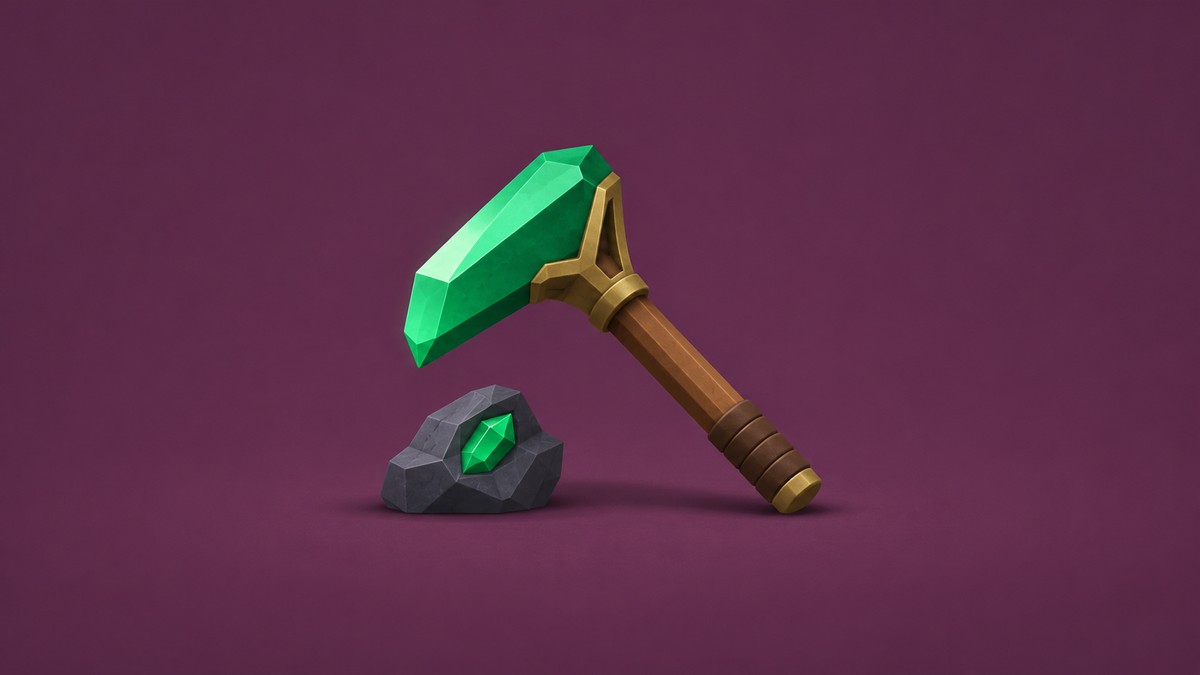
My Anime Mine’s Pickaxes shop lists pickaxes from Stone through Foxfire, with damage multipliers and requirements you can inspect while browsing.
The Buy Pickaxes! ~Do more damage!~ stand offers a shop menu where hovering over pickaxes reveals their stats. This guide covers the 25 named shop pickaxes, their listed requirements and multipliers, and how to browse them.
What are all the pickaxes in My Anime Mine?
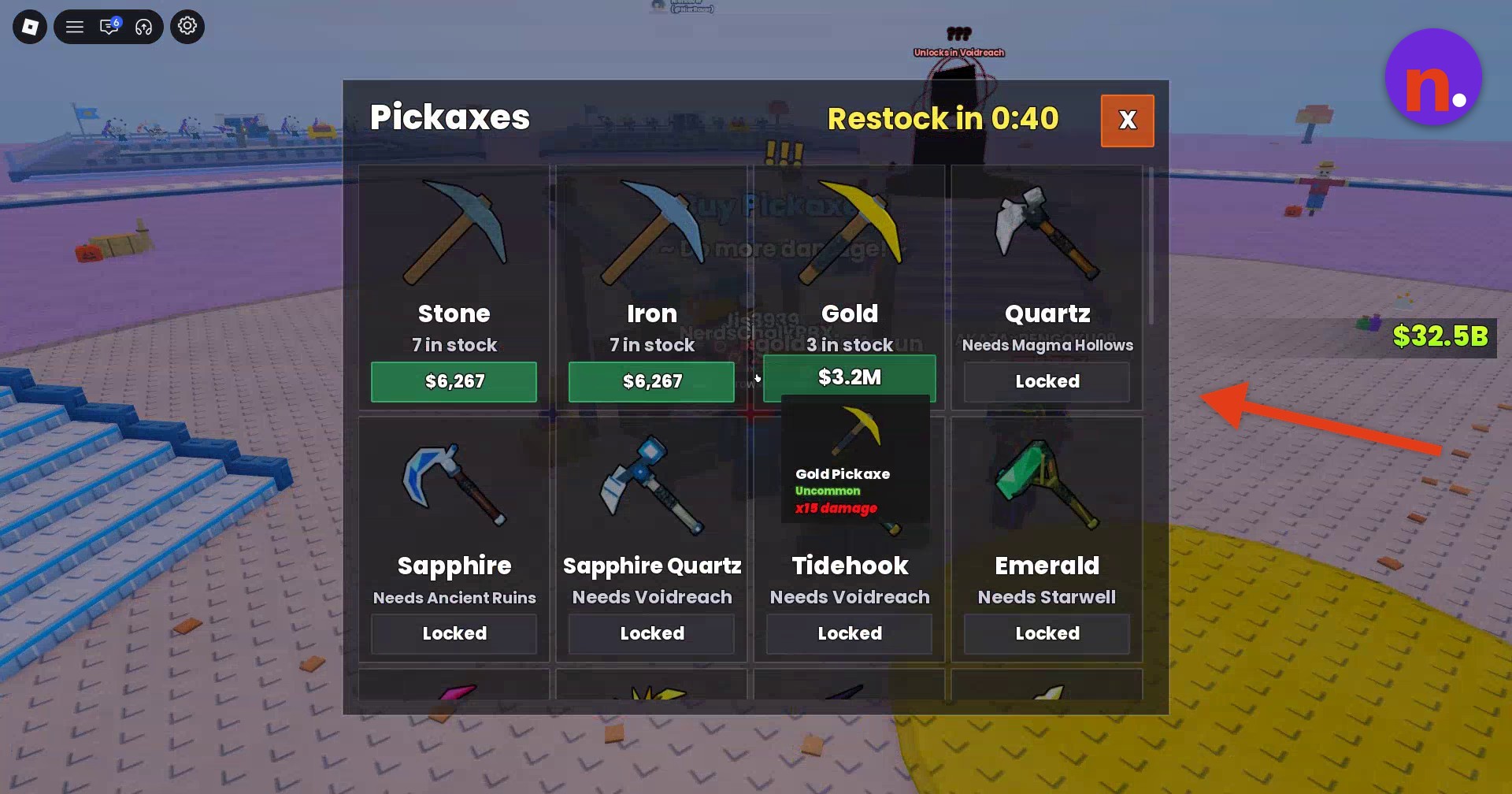
The shop displayed Locked on every entry from Quartz through Koifin. Those entries also carry named requirements, while the purchase entries for Stone, Iron and Gold display prices and available stock.
Pickaxe requirements and stats
| Pickaxe | Requirement | Damage multiplier | Rarity |
|---|---|---|---|
| Stone | x2.5 | ||
| Iron | x6 | ||
| Gold | x15 in the tooltip; player notes give x18 | Uncommon | |
| Quartz | Magma Hollows | x39 | |
| Sapphire | Ancient Ruins | x85 | |
| Sapphire Quartz | Voidreach | x210 | |
| Tidehook | Voidreach | x500 | |
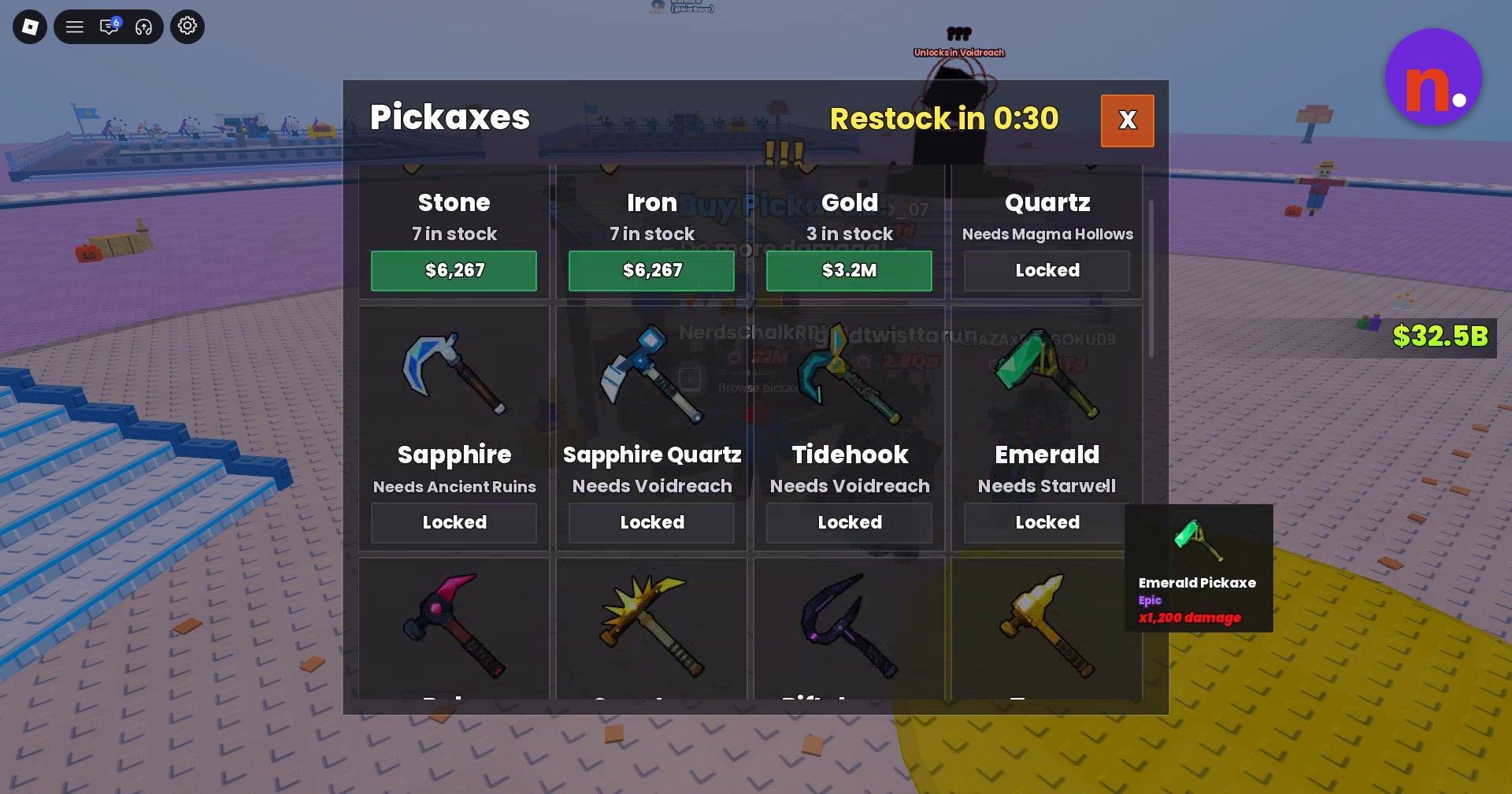
| Emerald | Starwell | x1,200 | Epic |
| Ruby | Starwell | x3,000 | |
| Sunstone | Dawnvault | x7,500 | Epic |
| Riftcleaver | Dawnvault | x18,000 | |
| Topaz | Dawnvault | x45,000 | |
| Dawnwing | Dawnvault | x108,000 | |
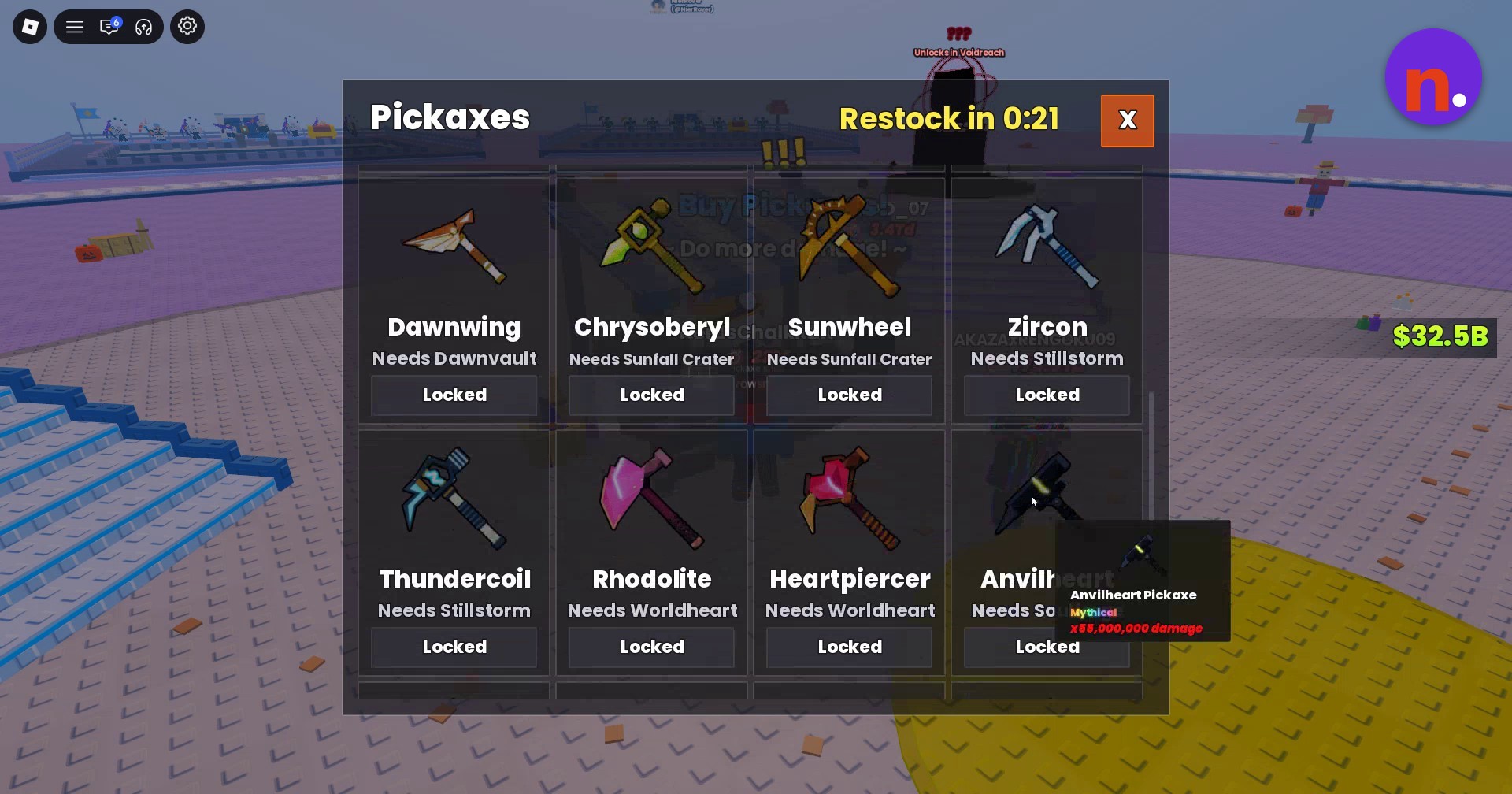
| Chrysoberyl | Sunfall Crater | x270,000 | |
| Sunwheel | Sunfall Crater | x650,000 | |
| Zircon | Stillstorm | x1,600,000 | |
| Thundercoil | Stillstorm | x3,800,000 | |
| Rhodolite | Worldheart | x9,500,000 | |
| Heartpiercer | Worldheart | x23,000,000 | |
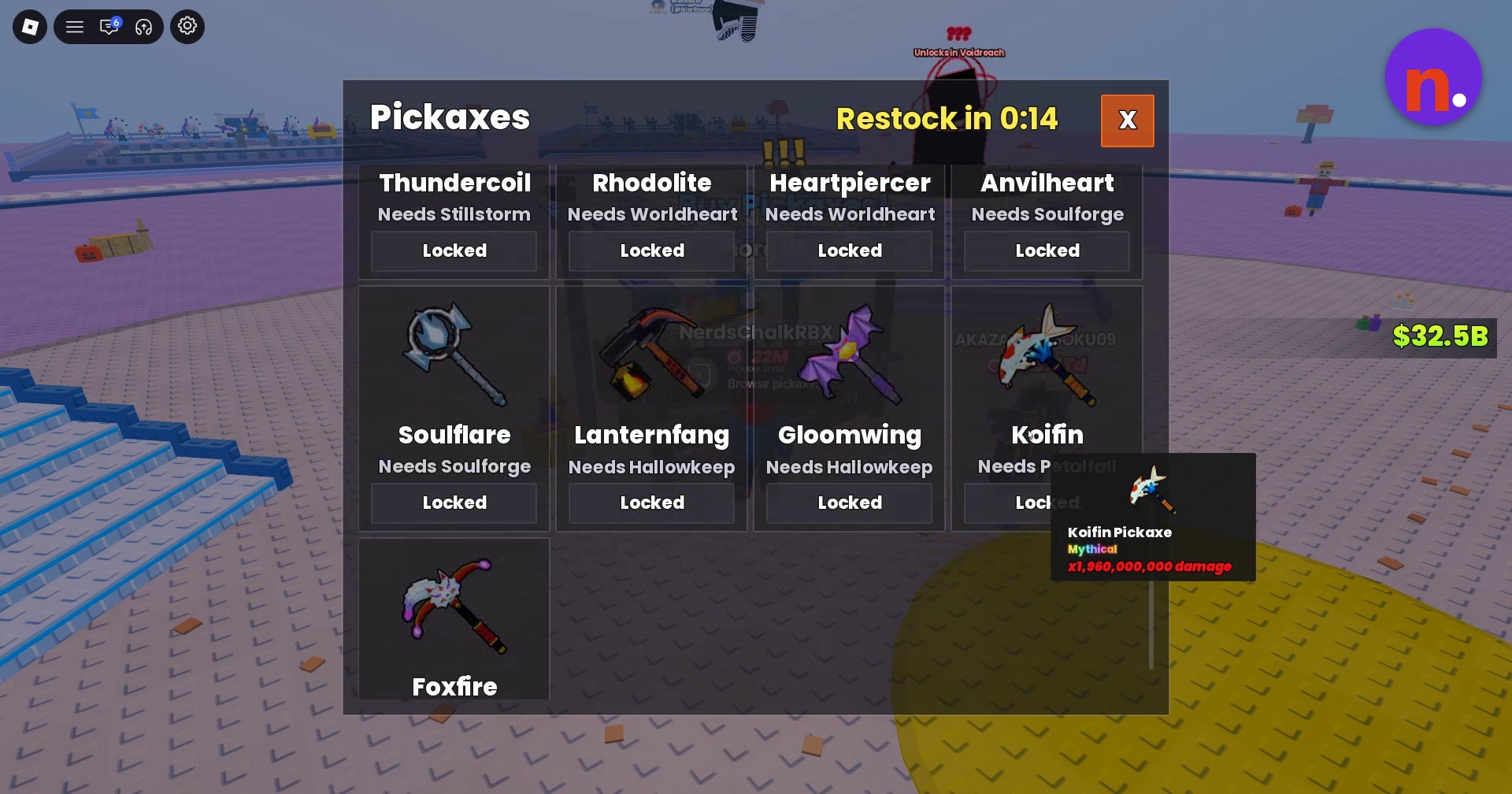
| Anvilheart | Soulforge | x55,000,000 | Mythical |
| Soulflare | Soulforge | ||
| Lanternfang | Hallowkeep | ||
| Gloomwing | Hallowkeep | ||
| Koifin | Petalfall | x1,960,000,000 in the tooltip; player notes give x1,950,000,000 | Mythical |
| Foxfire | Petalfall |
For the purchasable entries, the shop displayed the following prices and stock quantities alongside their names.
Shop prices and stock
| Pickaxe | Price | Stock |
|---|---|---|
| Stone | $6,267 | 7 |
| Iron | $6,267 | 7 |
| Gold | $3.2M | 3 |
How to find and inspect all pickaxes in My Anime Mine
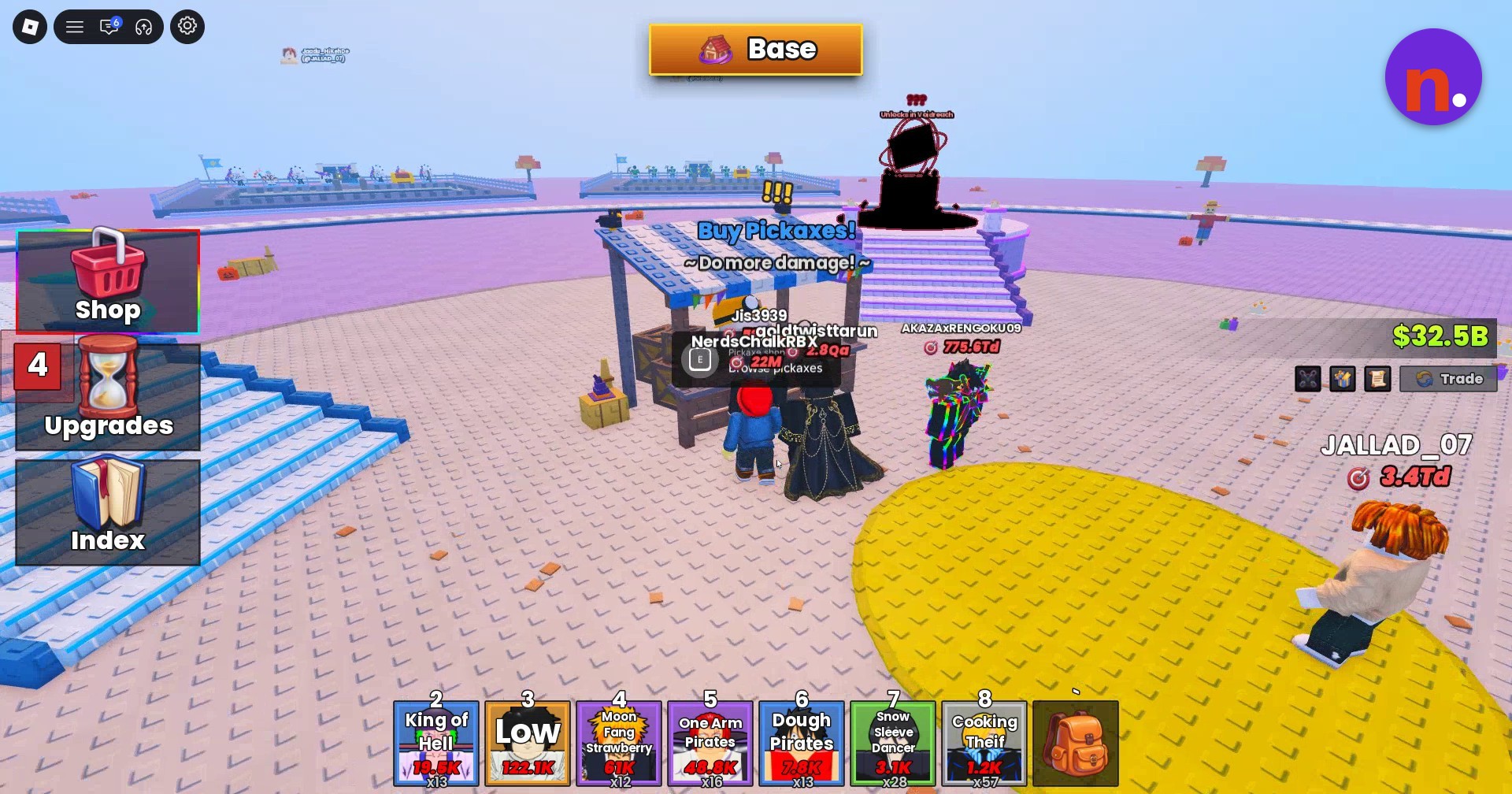
Find the Buy Pickaxes stand
Head to Base and approach the wooden Buy Pickaxes stand.
Open the Pickaxes shop
Press E or interact with the Browse pickaxes prompt to open the menu. Its Restock in countdown shows the remaining time until restock.
Inspect the early entries
Review Stone, Iron, Gold, Quartz and Sapphire, examining their requirement fields and damage multipliers.
Scroll through the middle entries
Move down the list to inspect options including Ruby, Sunstone, Riftcleaver and Topaz.
Continue through the later requirements
Scroll farther down through entries requiring Dawnvault, Sunfall Crater, Stillstorm, Worldheart and Soulforge.
Finish with the final entries
Review Soulflare, Lanternfang, Gloomwing, Koifin and Foxfire at the end of the list.
As you browse, use each pickaxe’s requirement and damage multiplier to compare the listed options.
Related My Anime Mine guides





Leave a Reply