
To get the Community Rewards code in +1 Speed Monkey Escape, join the game’s Community Server from its Roblox page, open the #reward-code Discord channel, run /getcode, then paste the generated code into the in-game Community Rewards box and redeem it.
The Community Rewards code is a separate reward flow from normal public promo codes in +1 Speed Monkey Escape. Use it for the community reward bundle tied to the in-game Community Rewards panel. Use the regular code menu only for public codes shown in current code lists or official community announcements.
Community Rewards code vs public promo codes in +1 Speed Monkey Escape
| Code type | How to get it |
|---|---|
| Community Rewards code | Join the official community server, open #reward-code, and run /getcode to generate your own code. |
| Public milestone/promo codes | Use codes shared through community announcements or current code lists, then redeem them through the regular codes UI. |
Key The code generated through Discord is a unique Community Rewards code. It comes from the official community server and goes into the Community Rewards box, not the normal public milestone-code menu.
How to get and redeem the Community Rewards code in +1 Speed Monkey Escape
Follow this route from the Roblox page to the in-game Community Rewards claim so you do not mix it up with normal promo codes.
STEP 1/7
Open Community Rewards
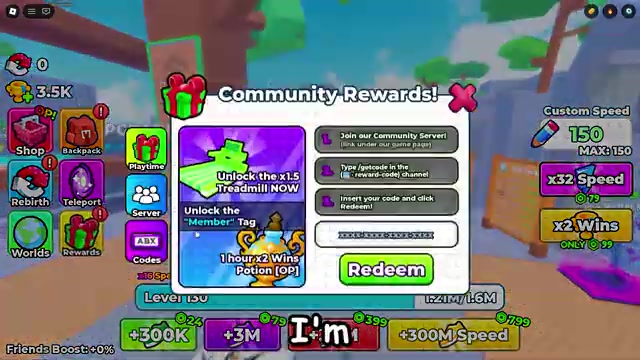
Start in +1 Speed Monkey Escape and open the Community Rewards panel. This is where your generated code goes.
STEP 2/7
Join the Community Server
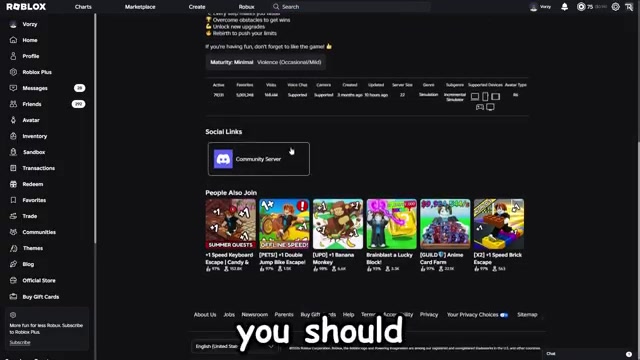
Open the +1 Speed Monkey Escape Roblox page, scroll to the social links, and choose Community Server.
STEP 3/7
Find #reward-code
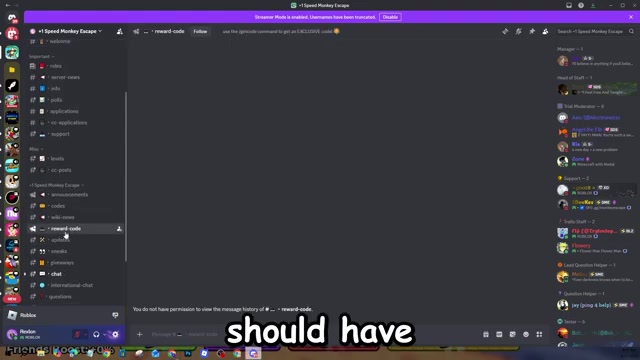
In Discord, scroll to the #reward-code channel marked with the small computer icon.
STEP 4/7
Run /getcode
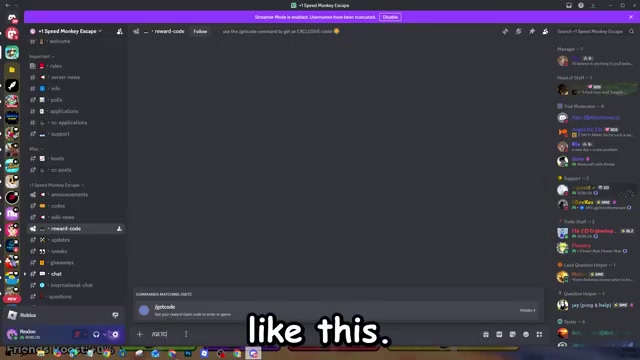
Type /getcode in the channel and send it to generate your personal reward code.
STEP 5/7
Copy the returned code
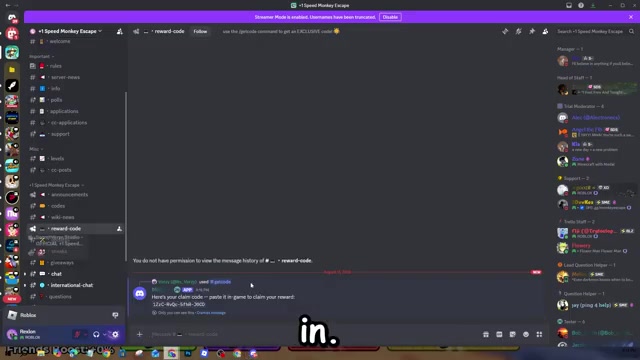
Copy the unique code the server gives you for the Community Rewards claim.
STEP 6/7
Paste it in-game
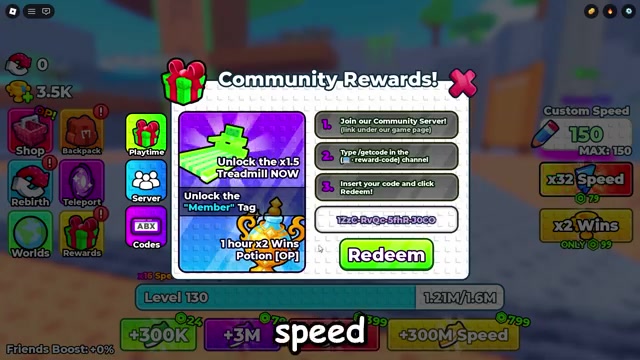
Return to +1 Speed Monkey Escape and enter the generated code in the Community Rewards code box.
STEP 7/7
Click Redeem
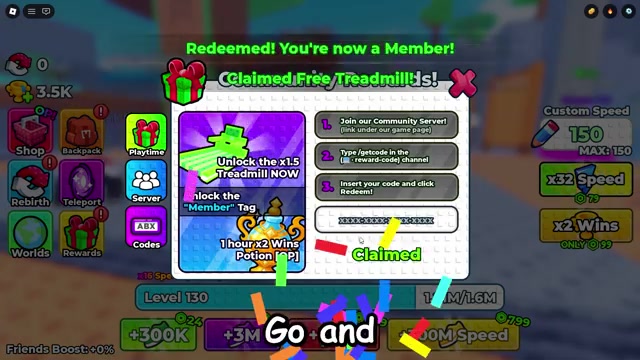
Press Redeem to claim the reward bundle on your account.
Use the generated Discord code only in the Community Rewards box; save any current public promo codes for the normal codes menu.
Video help
Community Rewards items in +1 Speed Monkey Escape
| Reward | What you get |
|---|---|
| Member tag | A Member tag for your account. |
| 1.5x Treadmill | Access to the 1.5x Treadmill. |
| 1-hour 2x Wins Potion | A 2x Wins Potion lasting 1 hour. |
Redeeming the generated Community Rewards code gives the bundle shown in the claim panel. Keep this separate from public codes, which have their own rewards and can change as milestones rotate.
Fixes when /getcode or redeem does not work
If the command or redemption fails, fix the part of the flow that creates the Community Rewards code. Most issues come from using the wrong server, the wrong channel, or trying to redeem a generated code as if it were a normal public code.
Use the official server
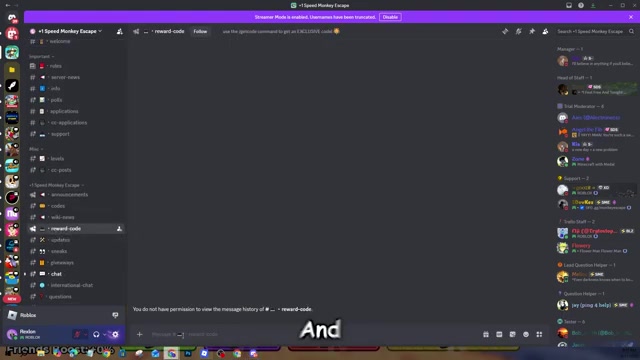
Join the Community Server linked from the +1 Speed Monkey Escape Roblox page.
Check the channel name
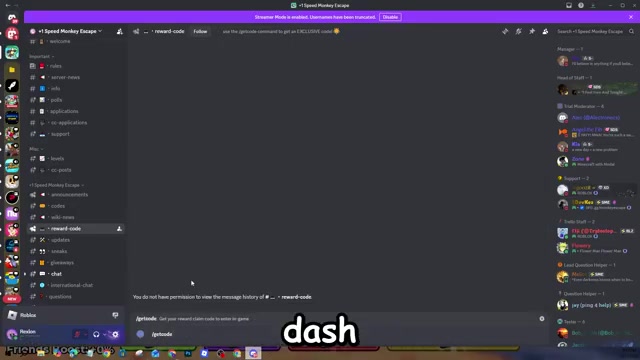
Run the command only inside #reward-code.
Type the command exactly
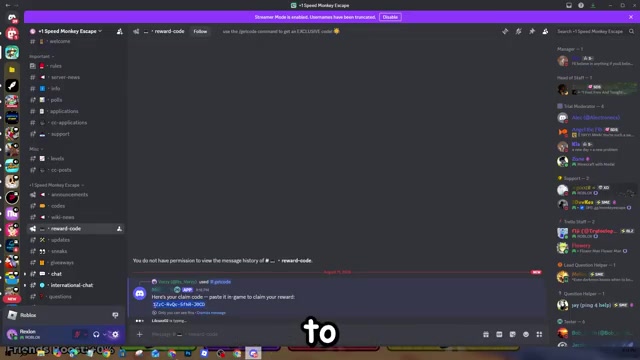
Enter /getcode as the Discord slash command.
Copy the generated code
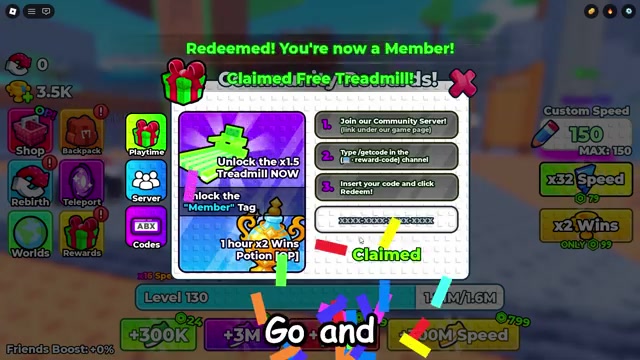
Use the unique code returned to you, not a public code from an older or inconsistent active-code list.
Use Community Rewards
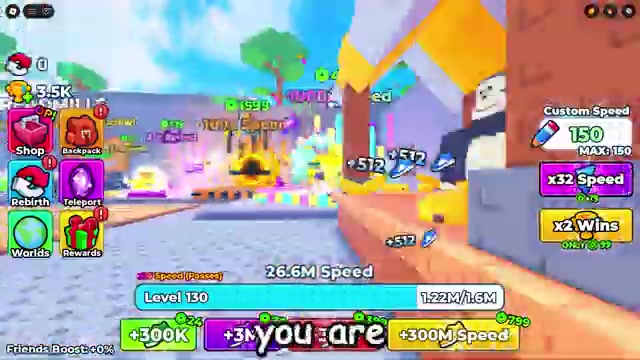
Paste the generated code into the in-game Community Rewards box and click Redeem.
Avoid reusing it
Generated Community Rewards codes are single-use and linked to the Discord account that requested them.
Current public codes for +1 Speed Monkey Escape
| Code | Reward |
|---|---|
| 250KCCU | Use only if it appears in the game’s latest announcements or redeems in-game. |
| 100MVISITS | Use only if it appears in the game’s latest announcements or redeems in-game. |
| 80MVISITS | Use only if it appears in the game’s latest announcements or redeems in-game. |
| 50MVISITS | Use only if it appears in the game’s latest announcements or redeems in-game. |
| CODESYAY | Use only if it appears in the game’s latest announcements or redeems in-game. |
| STREAK | Use only if it appears in the game’s latest announcements or redeems in-game. |
Current public +1 Speed Monkey Escape code lists disagree with each other, and several previously listed codes are missing from active lists. Use the entries below only when they also appear in the game’s latest official announcements or redeem successfully in-game.
Related +1 Speed Monkey Escape guides






Leave a Reply