
World of Warships Legends hands out redeemable codes for camos, crates, flags, and captain boosters that you’d otherwise have to grind or buy. You just need to know which codes are still live and where to type them in.
Working World of Warships Legends Codes
Here’s everything you can redeem right now. Punch these in soon since Wargaming tends to retire codes without much notice.
XL53GLEHF5
Explorer’s Chest
New
H7JFEU9CA2
A Summer Big Crate, 5 Anniversary Camos, 5 Transparent Piñata Camos, 10 Common Battle Boosters, and the Captain Reader flag
42XP46TKY6
2 Potato Patches and a Summer Crate
BEAUTIFULFLAG
A flag
NORTHERNFLAG
A flag
VENIVIDIVICI26
Veni Vidi Vici flag
HOISTTHECOLORS2026
Pirate camo
NOFLYZONE
5 Common Crates
TURNTHETIDE2026
Mystic Box
USNAVY250
12 Red, White, and Blue Camos and a US Navy Day Patch
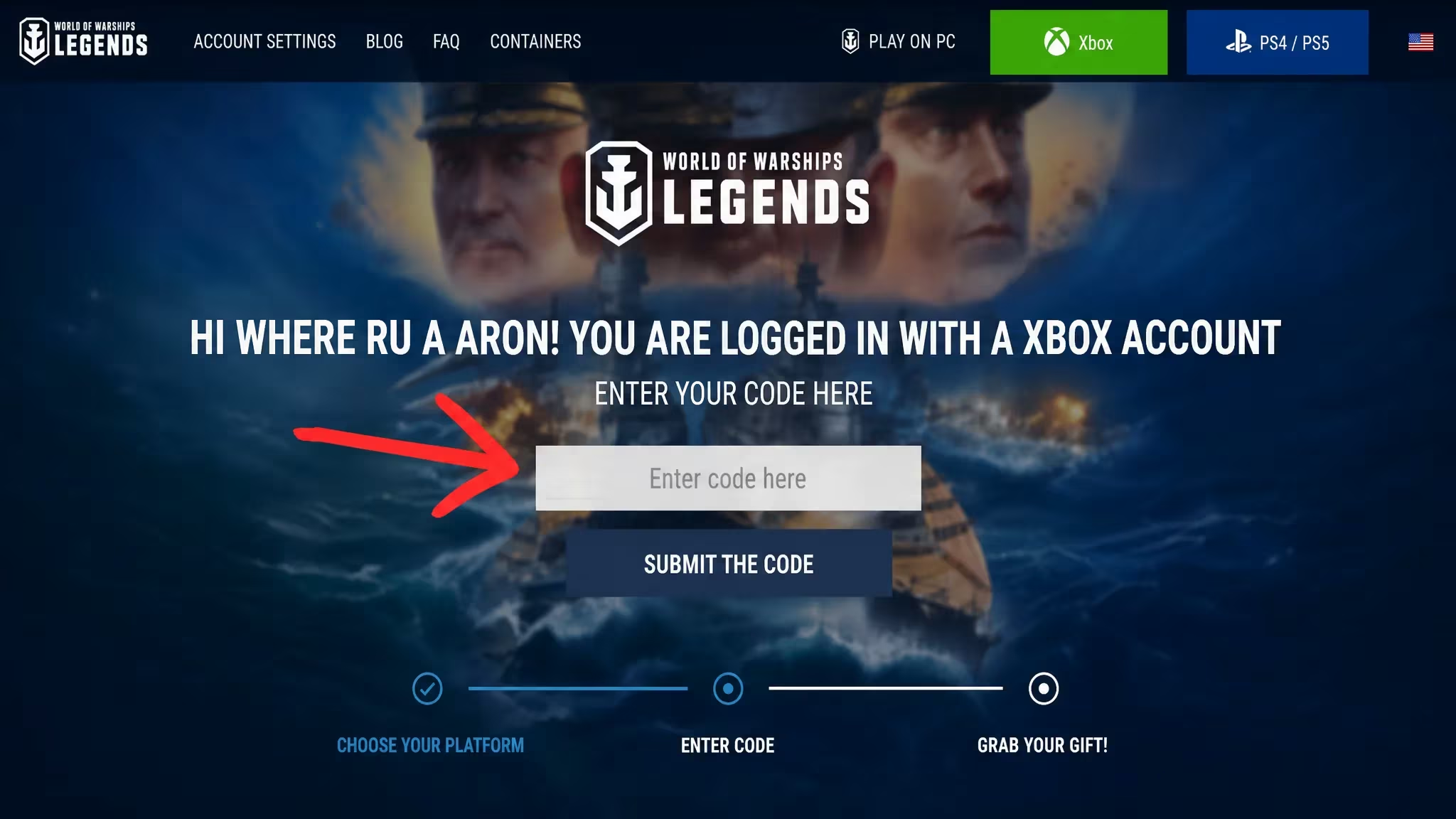
How to redeem codes in World of Warships Legends
You won’t find a code entry box inside the game client itself. Wargaming keeps redemption on a separate web page that’s linked to your Legends account, so you’ll need a browser to get your rewards into your mailbox.
Tip: Redeem codes with the same account you play on. Rewards are tied to whichever Legends account you sign in with on the redemption page.
Expired World of Warships Legends codes
These no longer go through. Skip typing any of these into the redeemer.
1PGWGHTAUJPCR32DTQX4NJ457J3RPURRN54GIYD1DJ74NYSH1CF91RNRLYYFULTIBLACK252TLYS1LP7RJWTK3DFDNSS4HU8CCDWRESQ2MLMQPX1M8PC912SBA49EBHH76DBK2NDMDN2IW6K2TYNVBS2025XWOWSLXMAS2026XWOWSLNEW2026WOWSLEGENDSHHVCS5HTAN2026WAVE7AL5U6TC3S5FG4X9GP5WASG8AH8MWHCHRMIDWAYBATTLE26U3YY7GIRGNNQX6X9UL5TB74XH2F5MCL39UMPV5761UD2SPC1LW3GUWQAGHH7CCOFLEGENDSFDTADSE26S04IQMJWM0ZAK4IEB4QXG589IRB0CKG5LJF6BNK2SHK94MJUL6JR3INL7PYSN2KGEF9E7AFTIVAM4PJPBT1CD4A2JHAF6QMAH2FZATRAFALGARDAY20WOWSLVMORFLOT20JULYFOURTHMEMORIAL206RL7CINSW219SDL8RF8F2026SAKURAFHNYS43C1AUMS6ID47HXYFLE96L5PAANCHORSTRONGHow to get more World of Warships Legends codes
Wargaming ties most new codes to seasonal events, anniversaries, and holidays like Navy Day or summer campaigns, so fresh drops tend to show up around those dates rather than on a fixed schedule. The most reliable place to catch them as they’re announced is the official World of Warships Legends Discord server, where the team posts codes alongside other update news.
We checked for new codes and updated the working and expired lists above, so bookmark this page and check back whenever a new event kicks off.
Why didn’t my code work?
The redemption page returns an error instead of a confirmation when a code has already expired or if it was typed with a mistake, like an extra space or a mixed-up character. Retype the code carefully and confirm it’s still listed as working before trying again.
Redeeming a batch of codes only takes a few minutes, and stacking crates, camos, and flags across accounts adds up fast if you’re playing multiple ships. Keep this list handy and run through it whenever you sit down to play.






Leave a Reply