
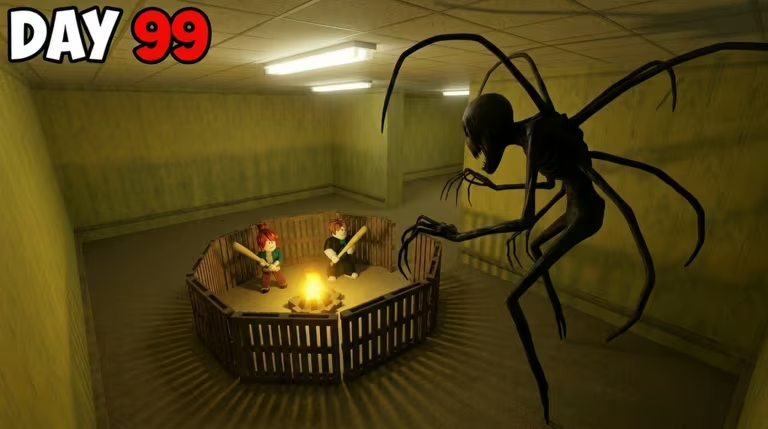
Survive the Backrooms drops you into an endless maze of unsettling rooms where staying alive means finding supplies, avoiding entities, and working with (or against) other players. Codes are the game’s way of handing you free Emeralds, the currency you’ll want on hand for gear and upgrades without grinding every last drop yourself.
Working Survive the Backrooms Codes
Here’s the code you can redeem right now.
SALIMBRADLEY
7 Emeralds
New
How to redeem codes in Survive the Backrooms
Redeeming is quick once you know where the button lives, and it only takes a few taps to see your Emerald count go up.
SALIMBRADLEY into the text field exactly as it’s written. Codes are case-sensitive, so pasting it directly is safer than typing it out by hand.Tip: If your Emerald count doesn’t move after clicking Claim, double-check for stray spaces before or after the code — that’s usually what trips up redemption.
How to get more Survive the Backrooms codes
New codes tend to show up around updates, milestones, or special events, so keeping an eye on the game’s own channels is your best bet. The official Discord server is where announcements usually land first, and it’s worth joining if you want codes as soon as they’re posted.
You can also jump straight into the experience to check the Codes button yourself whenever you’re in doubt about what’s currently active.
You can also open the experience directly on Survive the Backrooms on Roblox to check for the Codes button yourself.
Are Survive the Backrooms codes free?
Yes. Every code is released by the developer at no cost and simply needs to be typed into the Codes menu to claim the reward attached to it.
Why didn’t my code work?
The most common culprit is a typo or an extra space sneaking into the text box. Copy and paste the code straight from the list above rather than typing it manually to avoid this.
Come back and check this page whenever you’re running low on Emeralds — new codes get added here as soon as they’re confirmed active.




Leave a Reply