
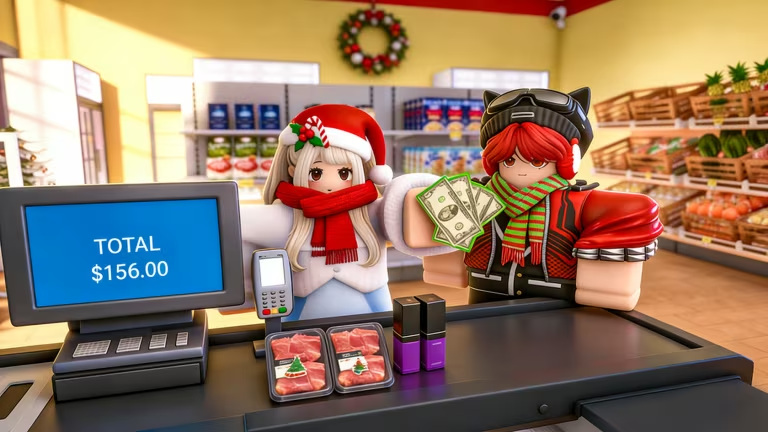
Supermarket Simulator has you running your own grocery store on Roblox, and codes are the fastest way to pad your starting Cash so you can buy more shelves, stock, and upgrades without grinding through slow shifts.
Working Supermarket Simulator Codes
These codes are confirmed active right now, so redeem them before they get pulled.
Excellence
Cash reward
New
Outstanding
1,300 Cash
Wonderful
1,100 Cash
Type each code exactly as shown, since a stray space or wrong capital letter will stop it from working.
How to redeem codes in Supermarket Simulator
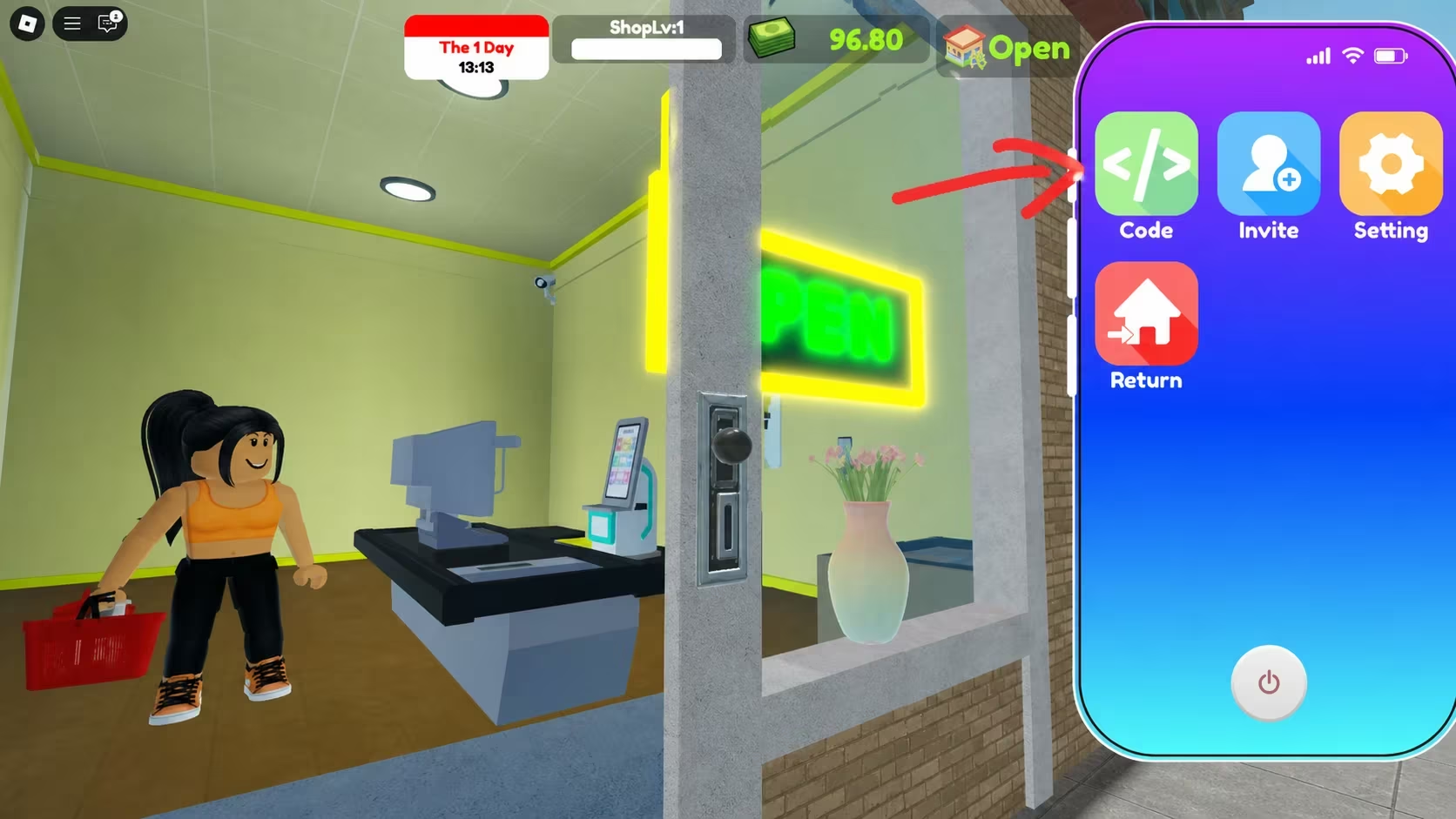
You don’t need to hunt through menus for this one. Redeeming codes happens through a dedicated hotkey once you’re inside your store.
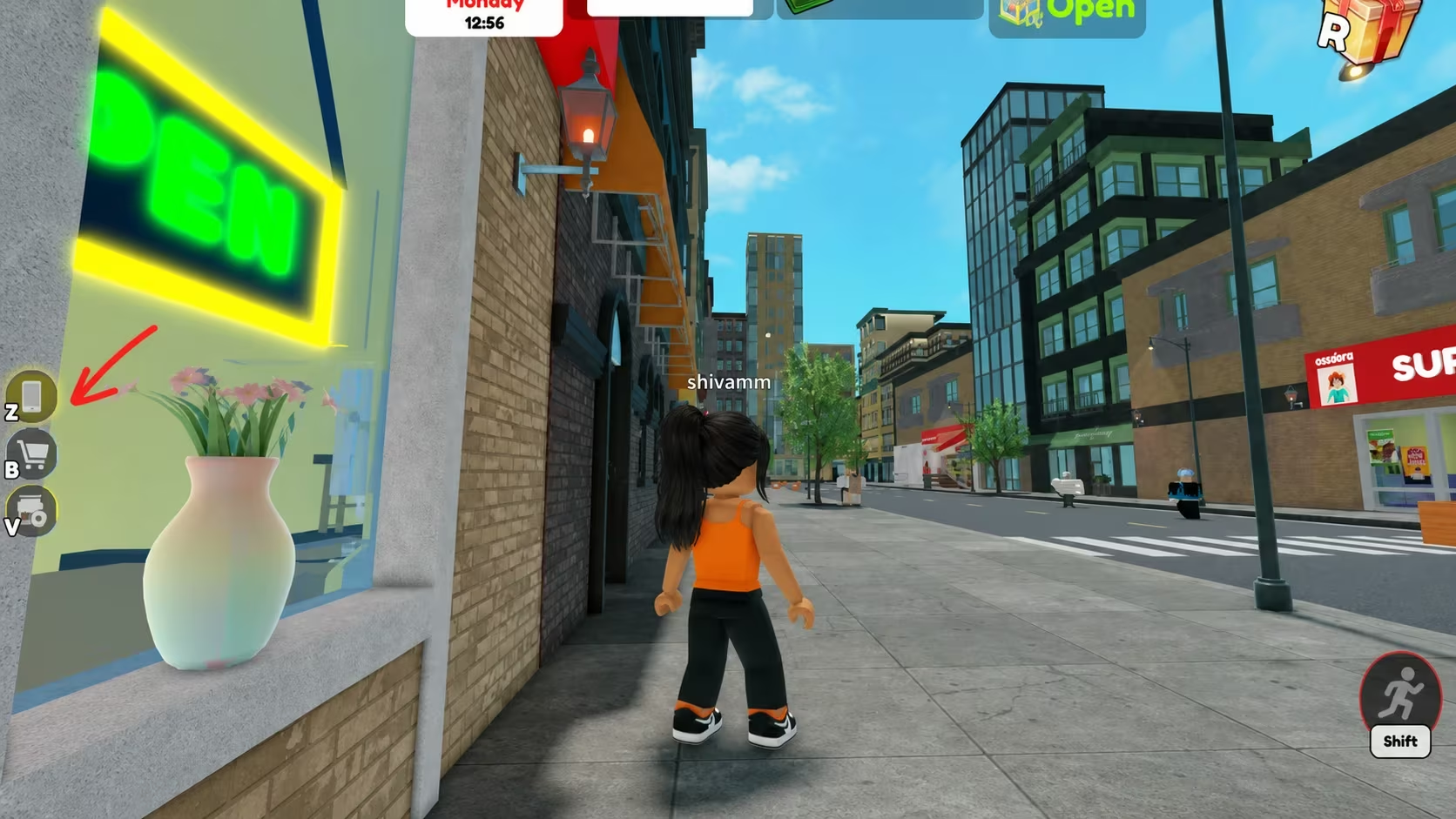
If nothing happens after you hit Enter, double-check your spelling and capitalization first, since that’s the most common reason a code gets rejected.
Expired Supermarket Simulator codes
These codes no longer give out Cash, so don’t waste time trying them.
Halloween2025
Incredible
Unbelievable
Awesome
Fantastic
Amazing
Super
Great
SORRYFORBUG
Incredible80k
Marvelous15k
Impressive8k
3klikes
PLAYTEST
Great5k
Marvelous
DELAYMBBRO
Super1500
Awesome25k
Fantastic20k
Impressive
Unbelievable50k
Amazing2500
Favorites200k
Wonderful30k
IsBack
How to get more Supermarket Simulator codes
New codes tend to show up around milestones like follower or like counts on the developer’s official social pages, or around special events tied to the game itself. Joining the official Roblox community for the game keeps you close to any announcements about fresh rewards, and checking back on the game’s Roblox page itself is worth doing too since that’s where MagicCube posts updates directly.
We checked for new codes and updated the working list above, removing anything that stopped granting Cash. Bookmark this page and swing by every so often, since codes here don’t last long once players start redeeming them in bulk.
Why didn’t my code work?
The most common cause is a typo or mismatched capitalization, since Supermarket Simulator codes are case-sensitive. The other likely reason is that the code has already expired, in which case it won’t be in the working list above anymore.
Grab the codes while they last, since Cash from them goes straight toward growing your store without extra grinding.






Leave a Reply