
Star Wars Tycoon is a Fortnite island where you build up a base and unlock upgrades as you play. Codes here are tied to the Star Pass system, and redeeming one can hand you rewards like a Premium Pass unlock without any extra grinding.
Working Star Wars Tycoon codes
Only one code is confirmed to be working right now, and it’s worth redeeming right away since it unlocks the Premium Pass on your Star Pass terminal.
0066
Unlocks the Premium Pass
How to redeem codes in Star Wars Tycoon
You won’t find a code entry box in any settings menu here. Instead, the redemption field lives inside the Star Pass terminal on your base, so you’ll need to be in the island itself before you can type anything in.
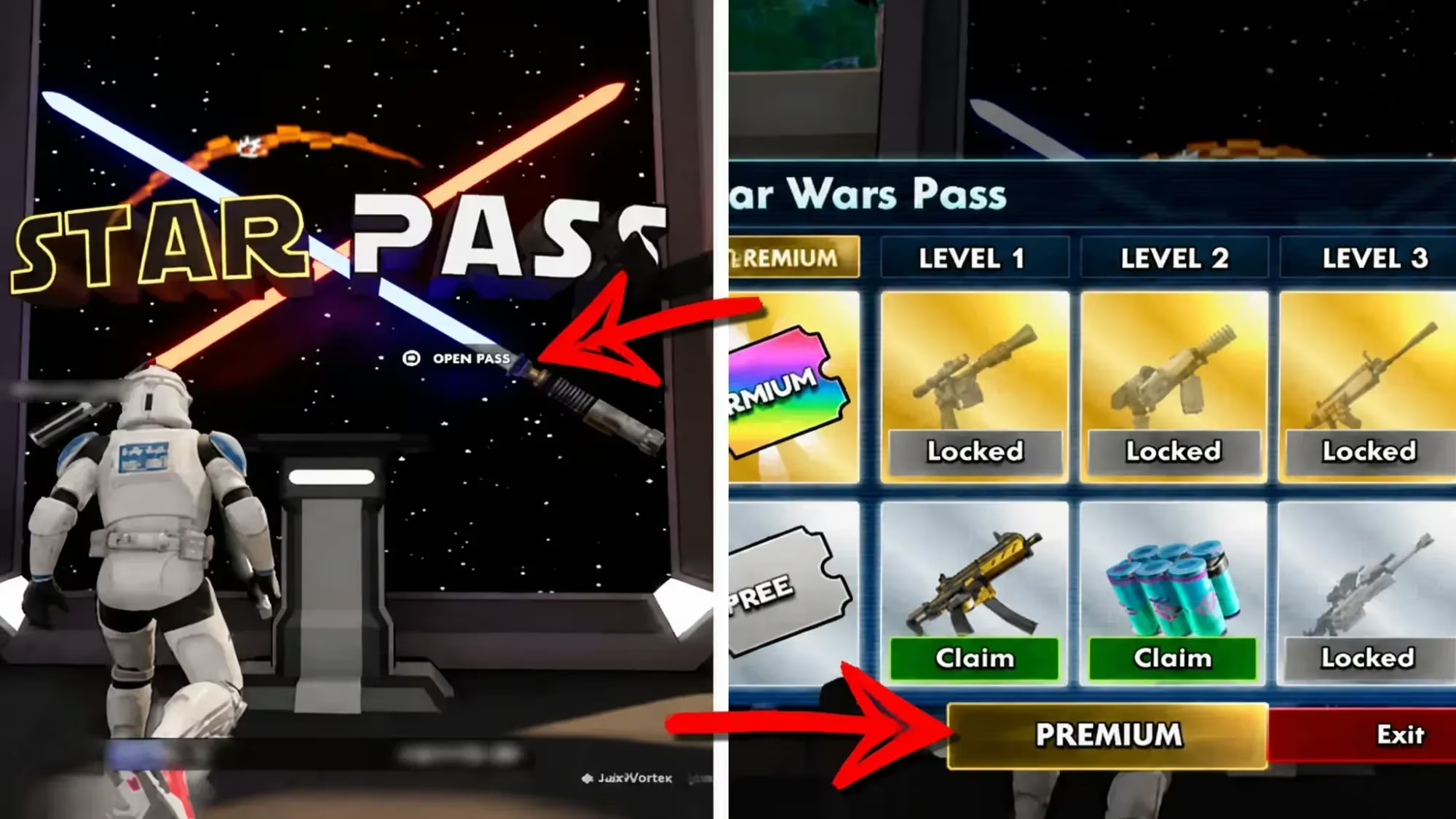
You’ll know it worked when the Premium Pass icon updates immediately inside the terminal, confirming the reward is now active on your Star Pass.
How to get more Star Wars Tycoon codes
New codes typically come from the people running the experience, so keeping an eye on their official channels is your best bet for catching one before it expires. The official Discord server is where announcements tend to show up first, and it’s worth joining if you want to redeem codes as soon as they go live rather than finding out about them later.
We checked for new codes and will update this page if the developer releases more.
Why didn’t my code work?
Double-check that you typed the code exactly as written, with no extra spaces before or after it, since the text field in the terminal doesn’t trim entries automatically. Make sure you’re entering it in the PREMIUM section of the STAR PASS terminal rather than anywhere else on the base.
Redeeming that single code for the Premium Pass only takes a minute once you’re standing at the terminal, so it’s worth doing before jumping into the rest of your base building.






Leave a Reply