

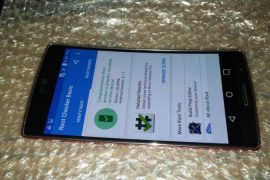
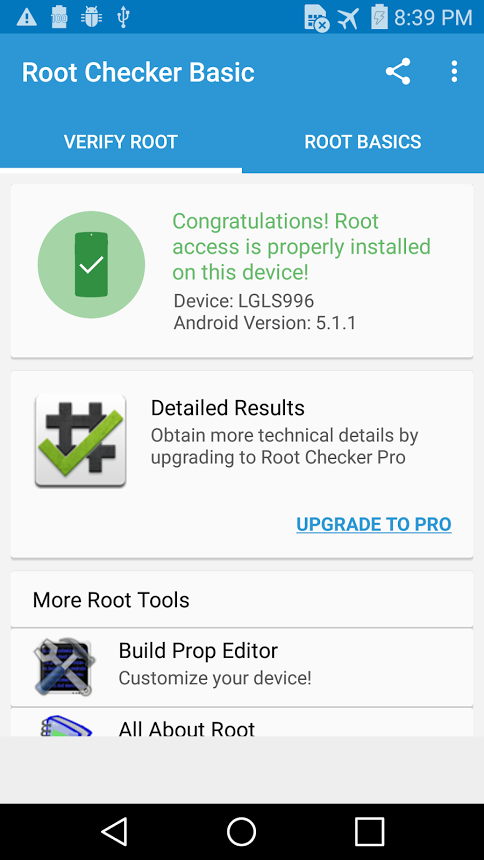
Well, look at the pic above — that’s the Sprint LG G Flex 2 (model no. LS996), and it’s plenty proof that it’s been successfully rooted! It’s second high-end device from LG in as many weeks that’s been rooted, the earlier one being the current flagship LG G4.
The root process hasn’t exactly been detailed out yet, but the brains behind it — randrew87 and Google~Android — promise that a decent how-to is to arrive soon. Moreover, this root method can be used on other LG G Flex 2 sets too, for example AT&T G Flex 2 (H950), on but we are yet to get any confirmation of that.
While the current root trick is fully working on the Sprint G Flex 2 on build no. ZV6, support for software version ZV7 is under processing too. Once the full procedures are out, we will be sure to lay down a guide for you to help you root your Sprint G Flex 2 and other variants like AT&T G Flex 2, on Android 5.1.1.
How to Root LG G Flex 2
Downloads
- Send_Command tools — Link | File: LG_Root.zip (4.85 MB)
- Root package in .tar.gz file format:
- For Sprint 5.1.1, build no. ZV6 — Direct Link | Google Drive Link | File: rootedsystemLS996_ZV6.rar (1.63 GB)
- For Sprint 5.1.1, build no. ZV7 — Direct Link | Google Drive Link | File: rootedsystemZV7_LS996.rar (1.62 GB)
Supported devices
- Sprint LG G Flex 2, model no. LS996, on build no. ZV6 and ZV7
- Don’t try this on any other LG G Flex 2 that set with different model no. and build no. than stated above!
- Don’t try this one any other device of LG or any other company!
Warning: Warranty may be void of your device if you follow the procedures given on this page. You only are responsible for your device. We won’t be liable if any damage occurs to your device and/or its components.
Backup your Android. Backup important files stored on your device before proceeding with the steps below, so that in case something goes wrong you’ll have backup of all your important files.
Step-by-step Guide
- Go to Settings > About phone, and then tap ‘Build number’ 7 times to unlock developer options.
- Go back to Settings, then choose ‘Developer options’. Find the ‘USB debugging’ option and use its toggle button to enable it. Accept warning by tapping on OK button.
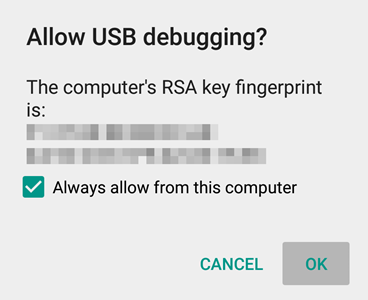
If you don’t get this, it means drivers aren’t installed properly. So, install the driver from step 1 and 2 again.
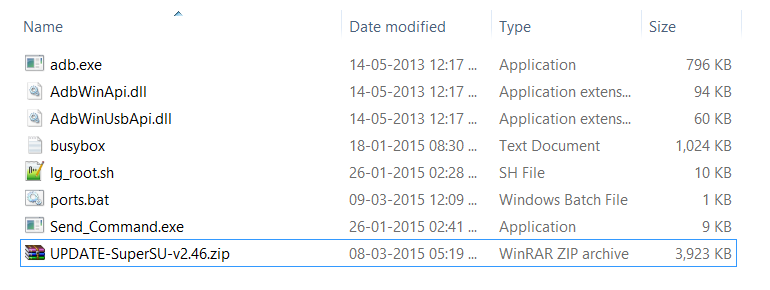
- Open that folder first, and then left click on empty white space in the folder.
- Now, while holding shift key, right click on empty white space to get a pop-up as shown below.
- Now choose Open command window here option from that.
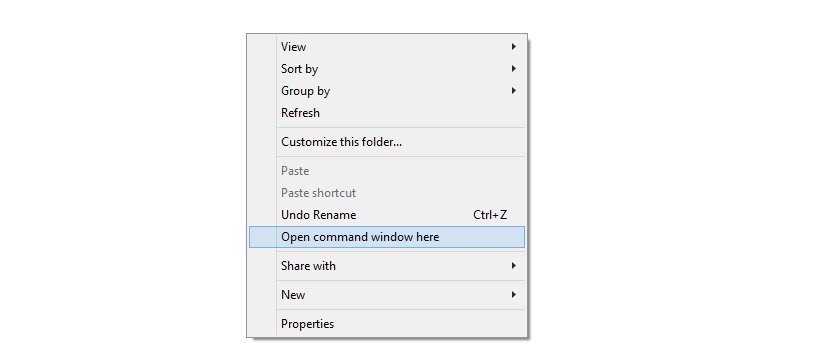
You will see a command window open up, with location directed to folder where you have the send_command.exe file.
- Power off your G Flex 2. Wait for 5-6 seconds after screen goes off.
- Now, while holding the Volume up button, connect your G Flex 2 to PC using USB cable.
- Wait for drivers to install.
- That’s it. When screen turns on of your G Flex 2, you are in download mode. You would have the text ‘Firmware Update’ written.

→ In the above pic, the COM4 port is useful to us. In this guide, we will use COM4 port as reference but you use the COM# of yours.
Send_Command.exe .COM4
→ Don’t forget to replace the ‘4’ in COM4 above with your own DIAG COM Port number.
Once you do this, you will get # sign as the end line in your command window.

→ Important! If you don’t get text ‘uid=(0)root gid=(0)root’, then press ctrl+c and then do the above step’s command again (Send_Command.exe .COM4). Then run the id command again. You should get the text ‘uid=(0)root gid=(0)root’ now.
- For Sprint G Flex 2, mode. no. LS996, and software version ZV6 or ZV7, run this command.
dd if=/data/media/0/rootedsystem.img bs=8192 seek=58368 count=522240 of=/dev/block/mmcblk0
Let the command run. It will take some time to finish.
LEAVE
That’s it. If you need any help regarding rooting your LG G Flex 2, sure ask us in comments section below.



2 responses to “Sprint LG G Flex 2 Root achieved on Android 5.1.1 [Update: Guide added]”
Hello will this work for ls996ZVB? thank you
Hello will this work for ls996ZVB? thank you