

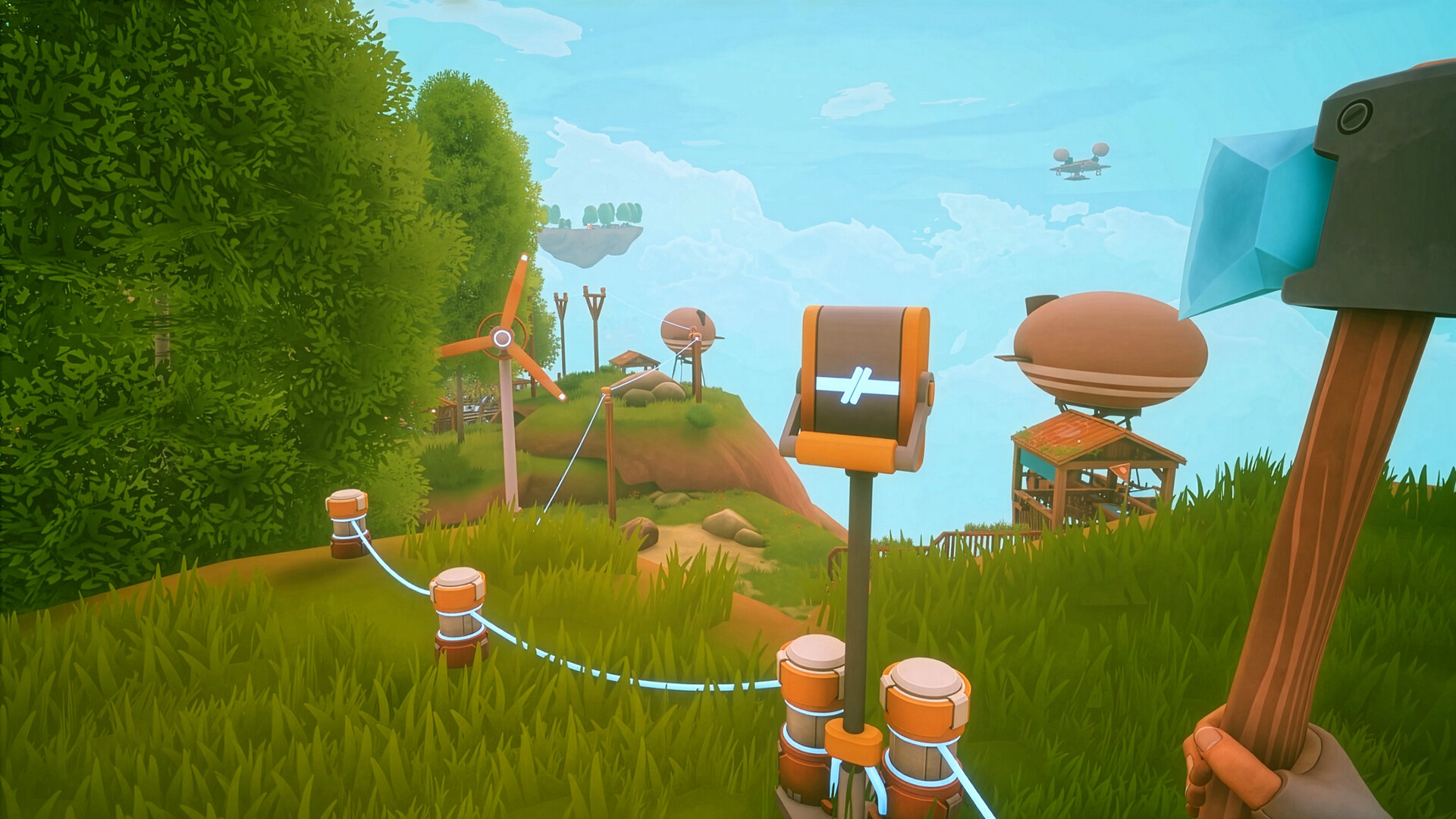
What to know
- The inventory upgrade system consists of 1 Backpack and 2 Backpack Extensions.
- You need at least two airship upgrades to reach all required islands.
- The main backpack is reportedly bugged and may not spawn immediately.
- The extensions only become useful after obtaining the main backpack.
After a few hours of gathering resources in Solarpunk, inventory space quickly becomes one of the biggest limitations. Fortunately, the game includes a backpack upgrade system that increases your carrying capacity. However, many players have reported issues with the backpack spawn, making this progression path somewhat unreliable in the current version of the game.
Quick overview of all backpack locations
| Upgrade | Region | Requirements | Notes |
|---|---|---|---|
| Main Backpack | Western outer-ring island | Airship access | Currently reported as bugged |
| Backpack Extension 1 | Southeastern narrow island | Main Backpack required | Found near stone archway |
| Backpack Extension 2 | Northwestern snowy island | Main Backpack and airship upgrades | Located beside lone tree |
All three inventory upgrades are scattered across remote islands, meaning you’ll need a reasonably upgraded airship before attempting the hunt. Most players will not be able to reach these locations during the early game.
Main backpack location
The first and most important upgrade is the Backpack itself.
Head to the western edge of the world map. Look for a medium-sized island positioned along the outer ring of islands. Once you land, follow the grassy trail that winds upward between rock formations.
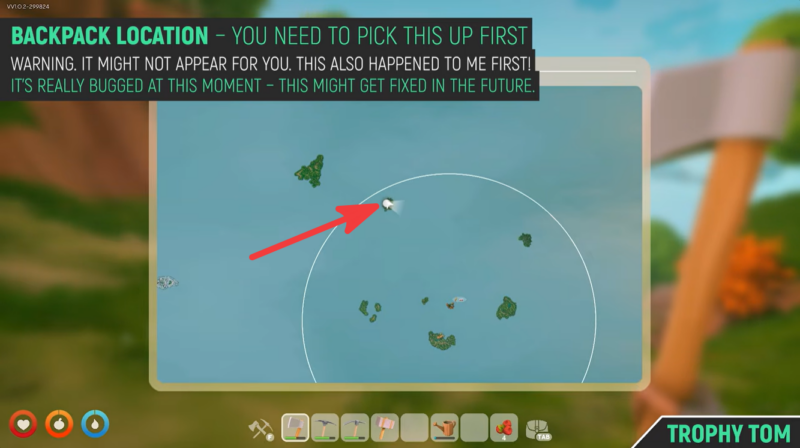
Continue toward the cliffside area. The backpack should be sitting directly against a rock wall near the edge of the cliff.
Reported backpack bug
Many players have reported that the backpack does not always appear when visiting the location.
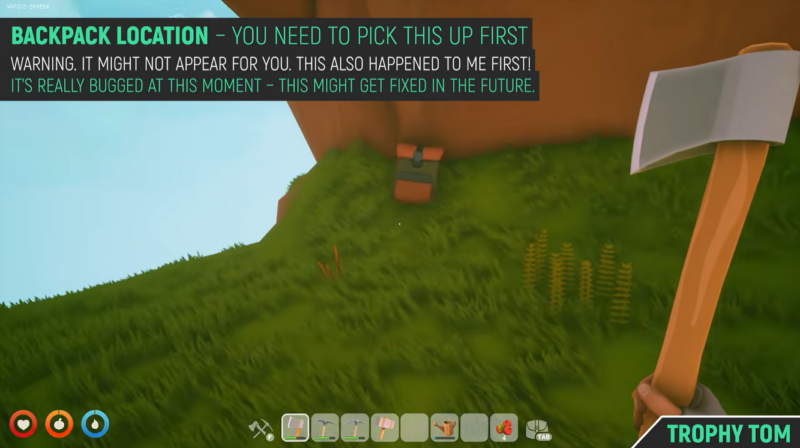
According to player reports, the backpack may only spawn after significant game progression. Some players have stated that it appeared only after obtaining the Lootchest Detector, which is unlocked much later in the game.
Because of this, if you visit the location and the backpack is missing, try:
| Possible Fix | Description |
|---|---|
| Reload the game | Exit and restart Solarpunk |
| Progress further | Unlock additional technologies and islands |
| Obtain the Lootchest Detector | Several players report success after unlocking it |
| Revisit later | Return after completing other objectives |
At the time of writing, this appears to be a game bug rather than a missed requirement.
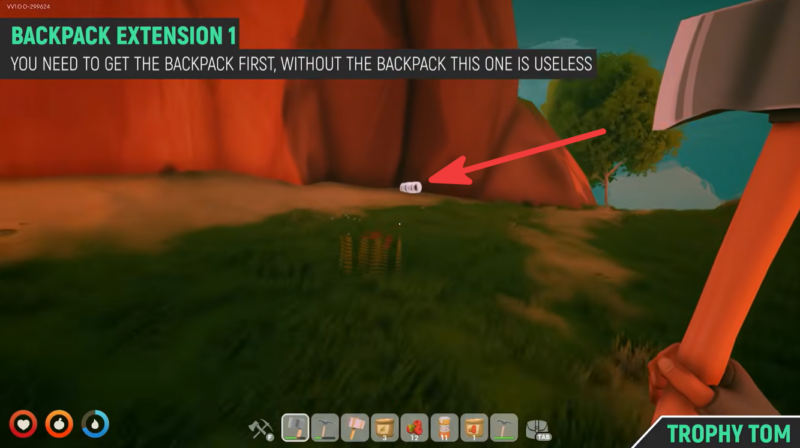
How to find Backpack Extension 1
Once you have successfully collected the main backpack, you can begin searching for the first extension.
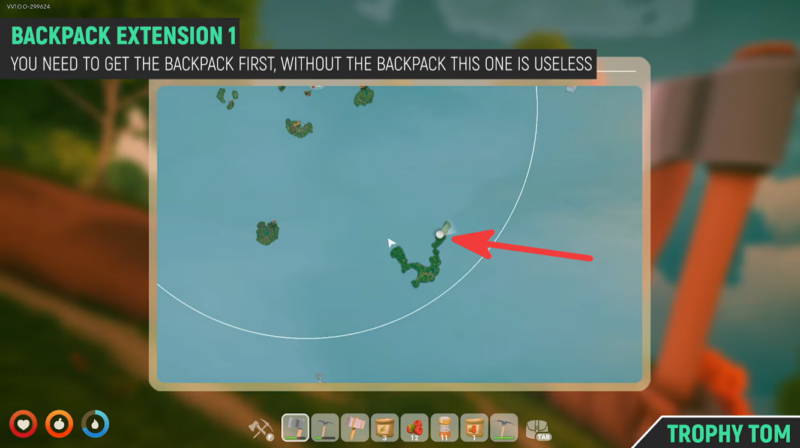
Travel to the southeastern quadrant of the map. Look for a long, narrow green island situated below the center-right island cluster.
After landing, locate the natural stone archway. Pass through it and continue along the dirt path.
The extension barrel is hidden inside a small rocky corner on the right-hand side of the trail. Interact with it to unlock the first inventory expansion.
Extension 1 rewards
| Upgrade | Effect |
|---|---|
| Backpack Extension 1 | Increases inventory capacity |
How to find Backpack Extension 2
The final inventory upgrade is located much farther away and requires better airship mobility.
Travel to the far northwestern corner of the world map where the snowy biome is located. You’ll find a large icy island.
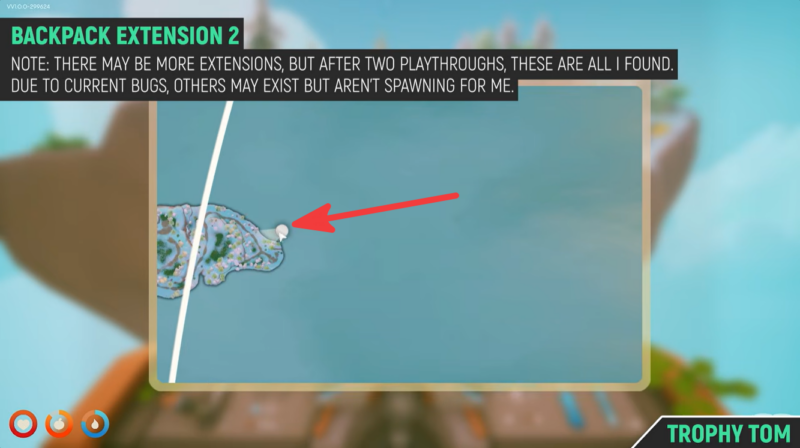
Near the edge of this island is a tiny separate floating landmass containing a single tree.
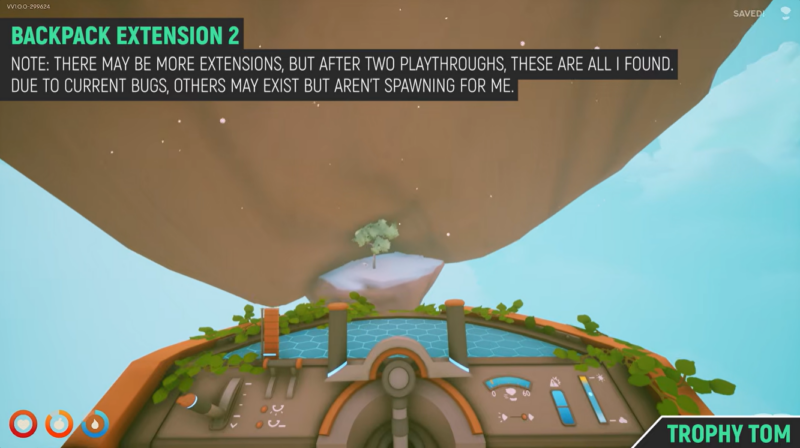
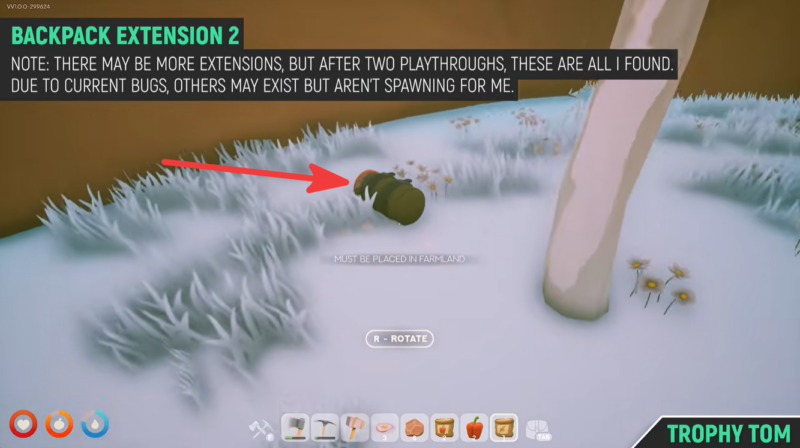
Carefully maneuver your airship toward this small island. The second extension barrel can be found sitting directly beside the tree on the snowy ground.
Interact with it to obtain the final inventory upgrade.
Extension 2 rewards
| Upgrade | Effect |
|---|---|
| Backpack Extension 2 | Further increases inventory capacity |
How to get all backpack items in one run of Solarpunk
- Upgrade your airship until you can comfortably travel to outer-ring islands. The backpack and extensions are all located far from the starting area.
- Visit the western island first and attempt to collect the main backpack.
- If the backpack is missing, continue progressing through the game rather than spending hours searching elsewhere.
- After obtaining the backpack, travel to the southeastern island and collect Backpack Extension 1.
- Finally, head to the northwestern snowy region and pick up Backpack Extension 2 from the small floating island.
Why inventory upgrades are worth getting
Inventory space becomes increasingly valuable as you begin gathering advanced resources, exploring distant islands, and completing larger construction projects. The additional capacity reduces the number of trips back to storage, making resource farming and exploration much more efficient.
Because Solarpunk places a heavy emphasis on collecting materials from multiple biomes, obtaining all backpack upgrades can significantly improve your overall gameplay experience.
The Solarpunk inventory upgrade chain consists of a hidden backpack on the western outer islands and two additional extensions located in the southeastern and northwestern regions of the map. While reaching them requires at least two airship upgrades, the bigger challenge is the currently reported backpack spawn bug. If the backpack is not present, continue progressing through the game and revisit the location later, as many players have found it appearing after unlocking more advanced equipment.



Leave a Reply