
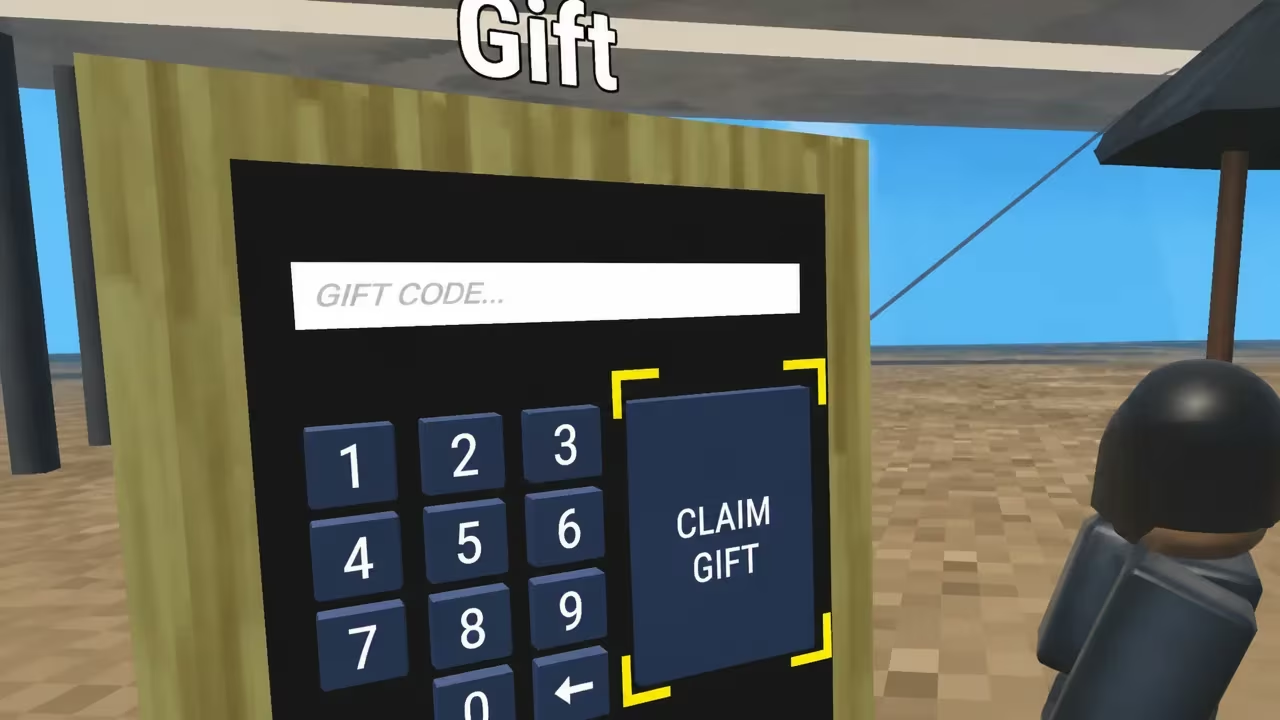
Shark Go puts you in the ocean on Meta Quest, where you grow your shark, collect creatures, and spend Shells to upgrade your setup. Codes are the fastest way to stack up extra Shells without grinding, and one of them even hands you a free creature to add to your collection.
Working Shark Go codes
Type these into the game’s keypad exactly as shown below to claim your rewards.
48291
500 Shells
New
74836
500 Shells
22965
5,000 Shells
27295
A Seahorse creature
52593
250 Shells
19573
500 Shells
You’ll know a code worked when the game shows your reward pop up right after you hit the claim button. If nothing appears, double-check the digits before trying again.
How to redeem codes in Shark Go
Since Shark Go runs on Meta Quest, you won’t find a menu where you can paste a code in. Instead, you type each one out on a virtual keypad that lives inside the game world itself. Here’s how to get there and claim your reward.
Tip: If a code fails, it’s almost always a typo rather than a bad code. Re-check every digit on the keypad before assuming the code itself is expired.
Expired Shark Go codes
This one no longer works, so don’t waste a keypad entry on it.
75826
How to get more Shark Go codes
New Shark Go codes tend to show up around updates and community milestones. Your best bet is to keep an eye on the game’s official Discord server, where the developers post fresh codes as they go live. Check back there, or on this page, whenever you’re running low on Shells.
Are Shark Go codes free?
Yes. Every code listed above is free to redeem and gives you Shells or a creature at no cost, as long as it’s still active.
Why didn’t my code work?
The most common cause is a mistyped character on the VR keypad, since there’s no way to paste a code and confirm it matches. Retype it slowly, check every digit, and try again before assuming it’s expired.
Keep checking back for fresh Shark Go codes, and grab the Shells while they’re active since codes can be pulled without much warning.






Leave a Reply