

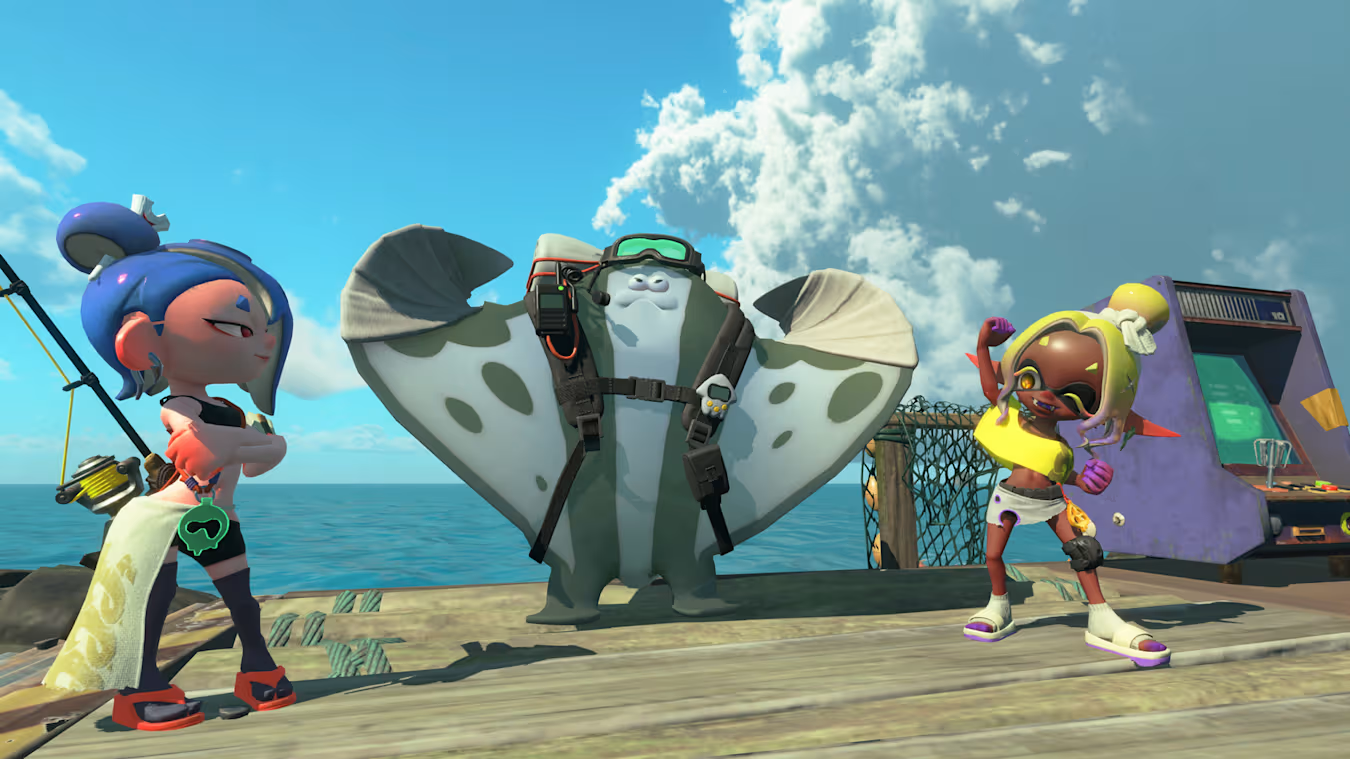
What to know
- Splatoon Raiders supports amiibo scanning through the Style menu.
- Scanning compatible Splatoon amiibo unlocks exclusive cosmetic outfits.
- Both classic Splatoon series amiibo and the new Splatoon Raiders trio offer unique rewards.
- Unlocked outfits can be equipped anytime from the Outfit section of the Style menu.
If you’re wondering how to use your amiibo in Splatoon Raiders, the process is quick and only takes a few seconds once you’re in-game. Compatible Splatoon series amiibo reward exclusive cosmetic outfits that let you customize your character’s appearance. While these rewards are purely cosmetic, they’re a fun bonus for longtime Splatoon fans and collectors.
| Quick Overview | Details |
|---|---|
| Feature | amiibo Scanning |
| Menu Location | Gear → Style |
| Reward Type | Cosmetic Outfits |
| Compatible Figures | Splatoon series amiibo and Splatoon Raiders amiibo |
| NFC Required | Yes |
| Repeat Scanning | Only needed to unlock eligible rewards |
How to scan amiibo in Splatoon Raiders
Using an amiibo is straightforward as long as your controller supports NFC functionality.
Step 1
Open the Gear menu while you’re in-game. This is where all character customization options are located.
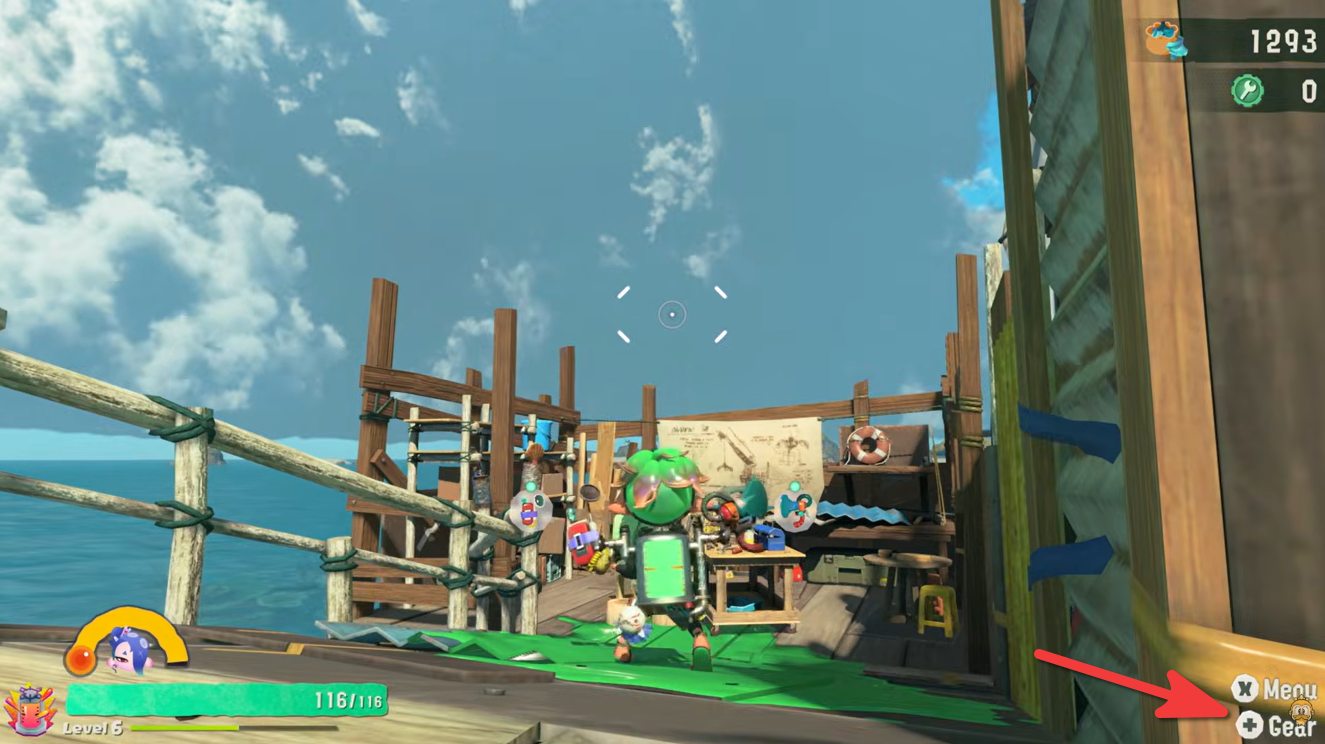
Step 2
Navigate to the Style option found in the lower-right portion of the Gear menu.
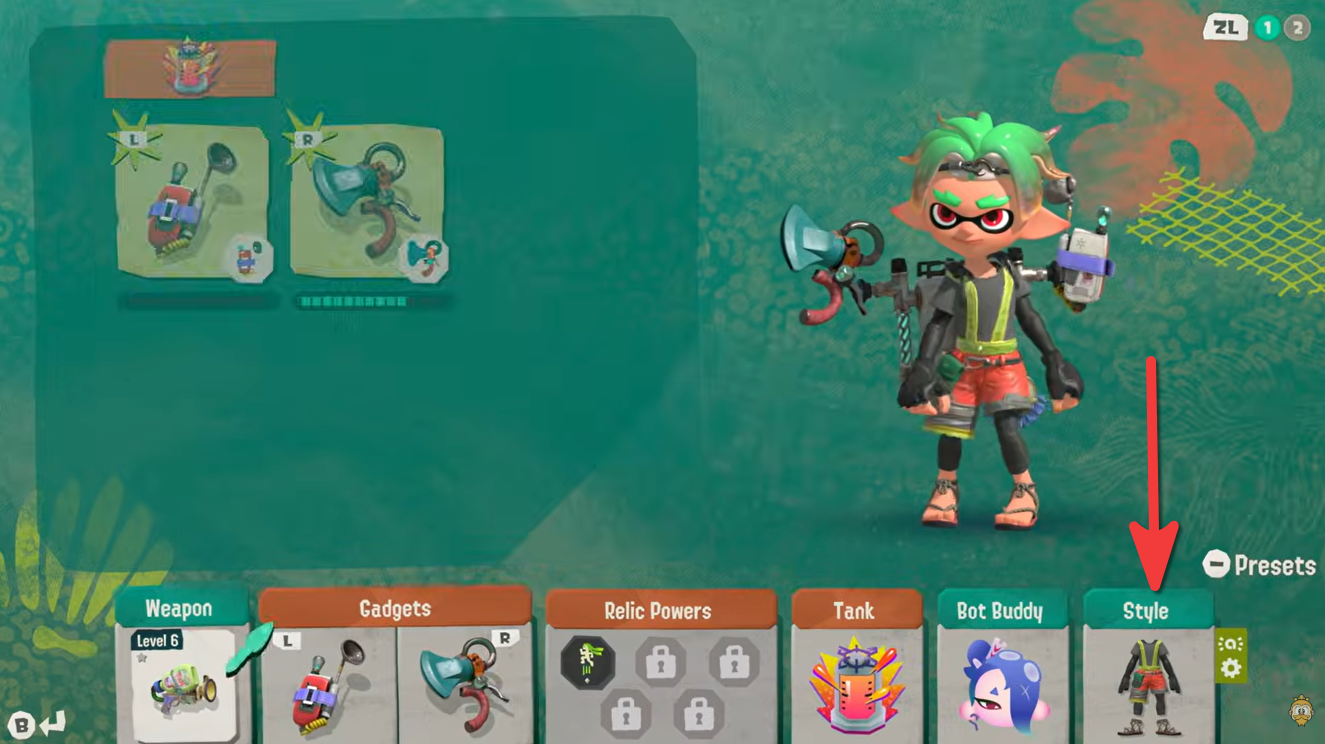
Step 3
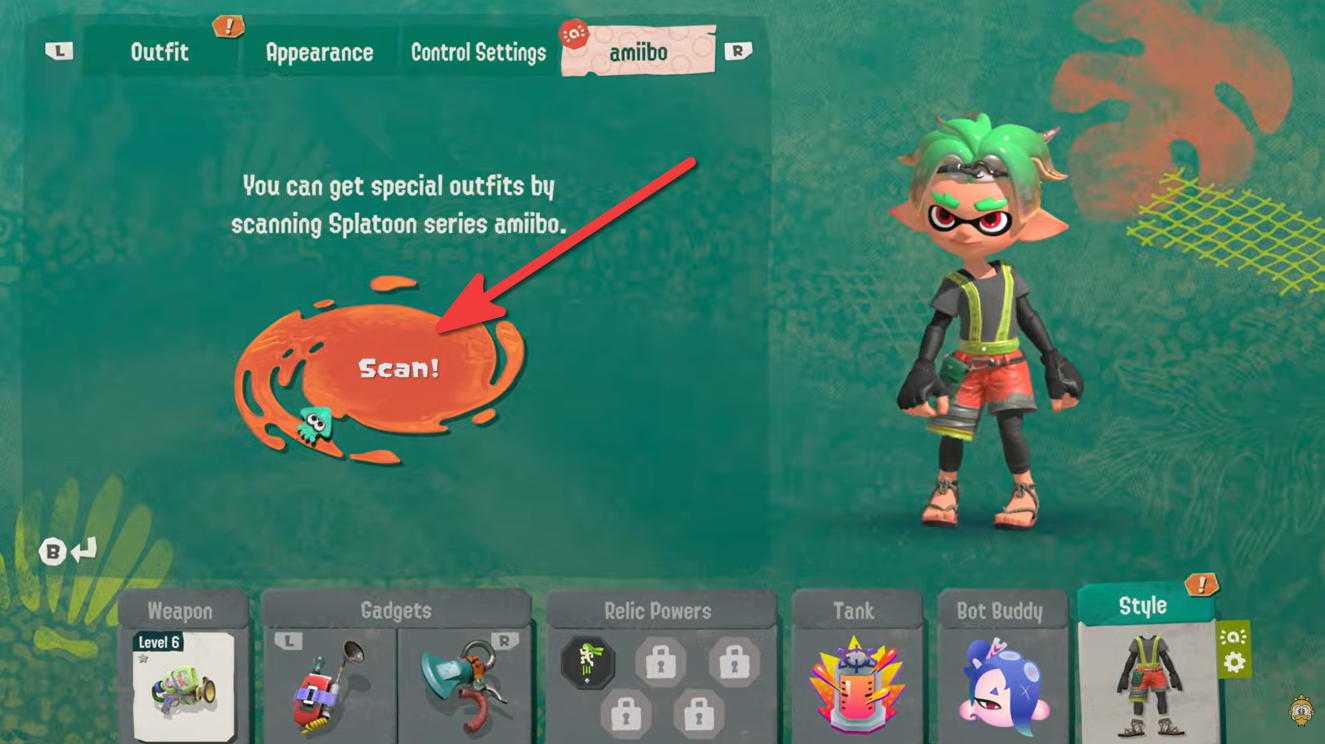
At the top of the Style screen, switch to the amiibo tab.
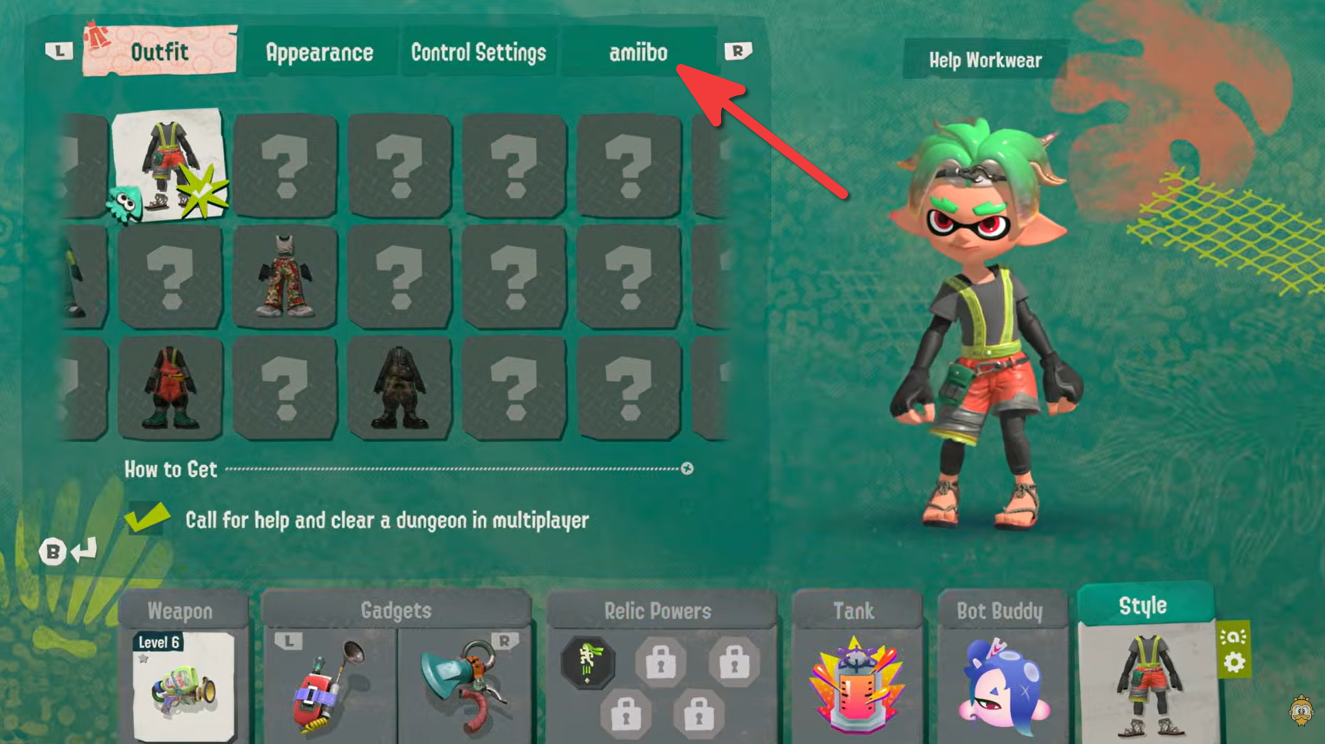
Step 4
Select the Scan! option to begin the scanning process.
Step 5
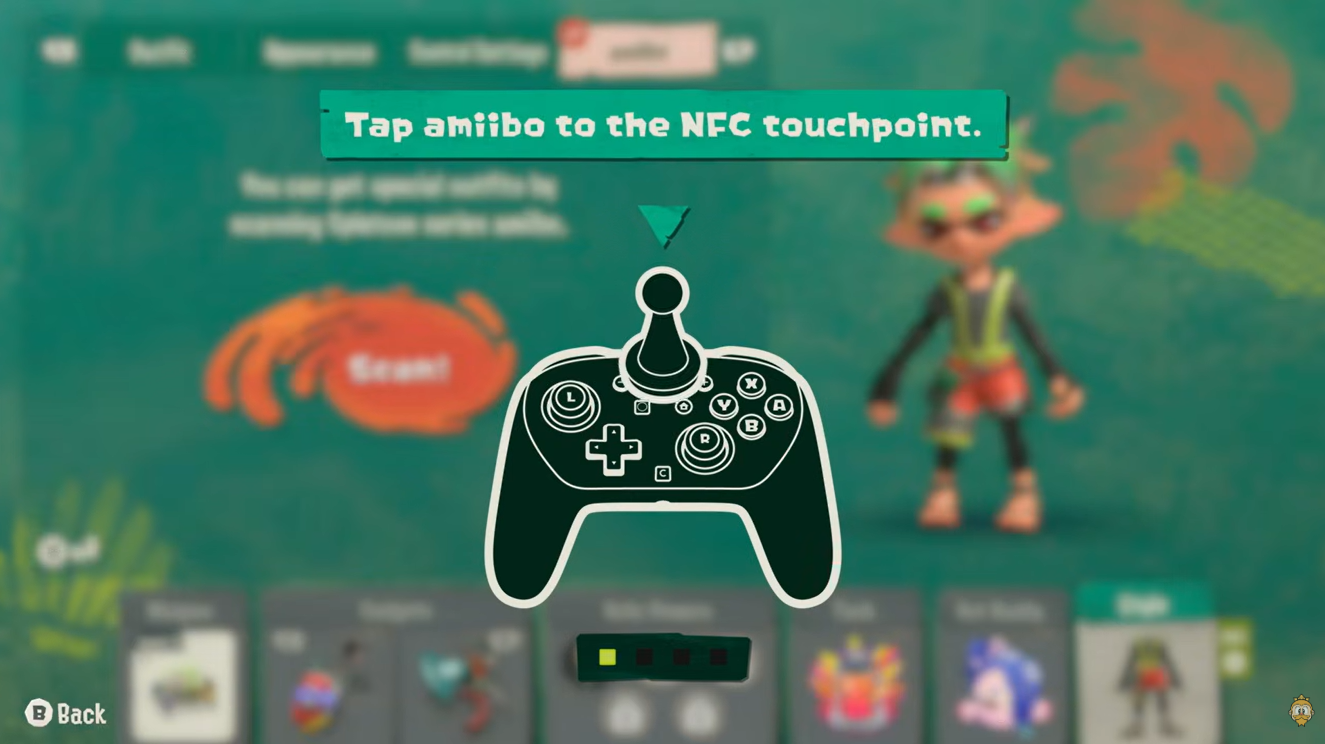
Place your compatible Splatoon amiibo on your controller’s NFC touchpoint. The exact location depends on your controller:
| Controller | NFC Touchpoint |
|---|---|
| Nintendo Switch Pro Controller | Nintendo Switch logo on the top center |
| Joy-Con (Right) | Right analog stick area |
| Nintendo Switch 2 Pro Controller (if supported) | NFC touchpoint on the controller |
Step 6
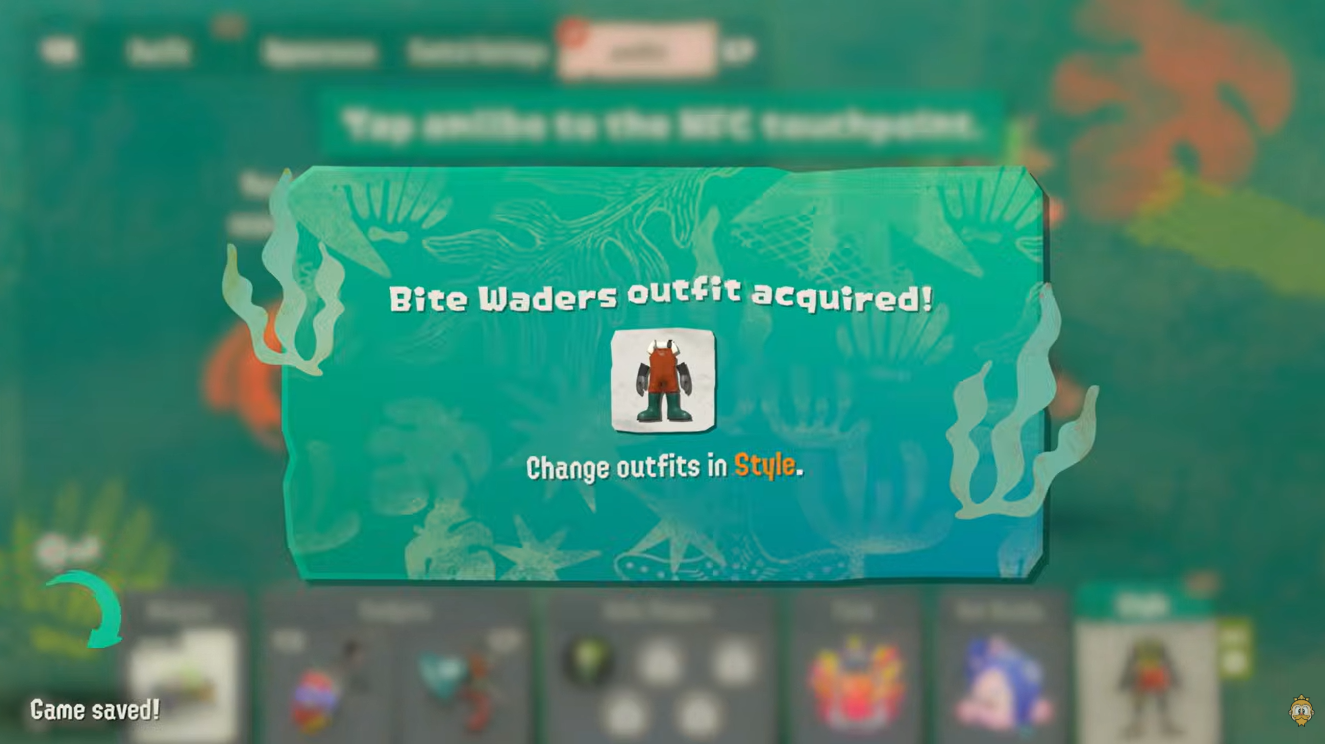
Once the scan is complete, the reward is unlocked automatically and added to your available cosmetics.
All amiibo outfit rewards in Splatoon Raiders
Scanning different amiibo unlocks different outfits. Here’s every confirmed reward currently available.
| amiibo | Reward |
|---|---|
| Standard Splatoon series amiibo | Bite Waders Outfit |
| Shiver (Splatoon Raiders) | Shiver Outfit |
| Frye (Splatoon Raiders) | Frye Outfit |
| Big Man (Splatoon Raiders) | Big Man Outfit |
These outfits are cosmetic only and do not provide gameplay bonuses or stat increases.
How to equip outfits in Splatoon Raiders
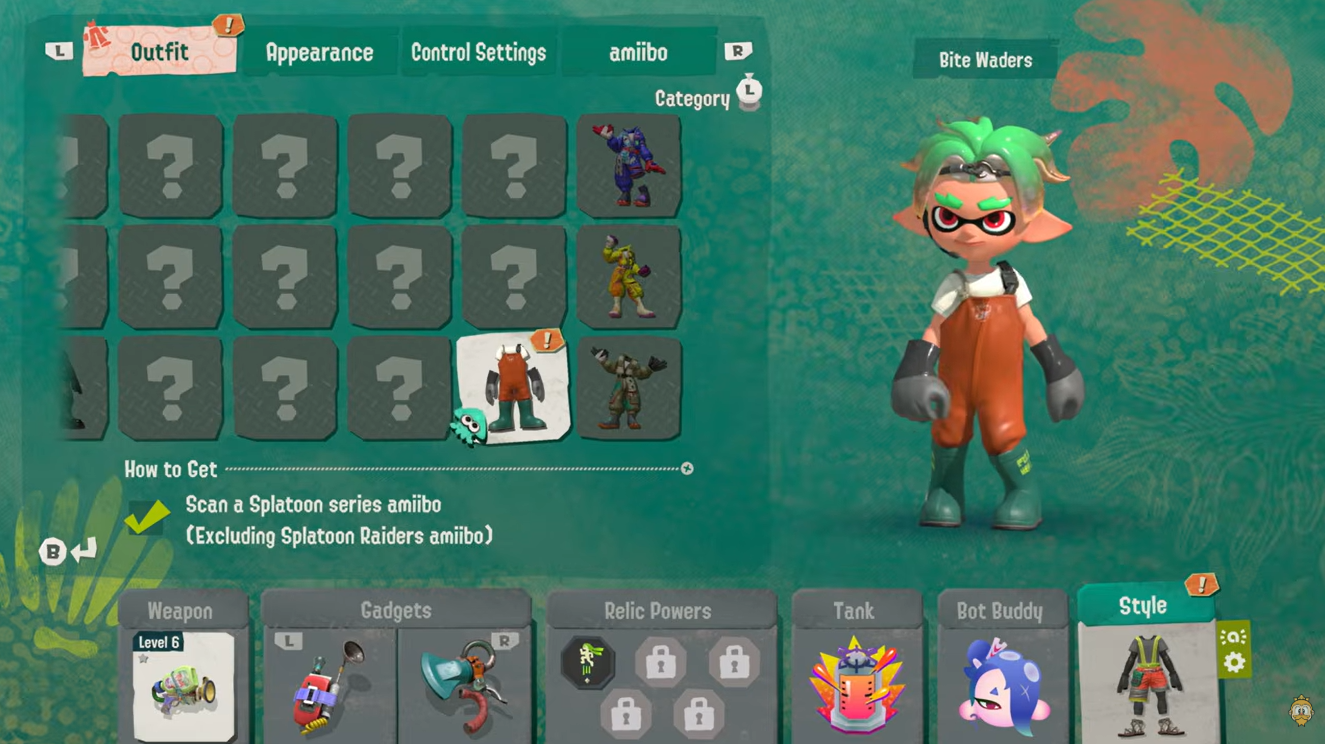
After unlocking an outfit through an amiibo scan, equipping it is simple. Here is how you can equip outfits in Splatoon Raiders:
- Open the Gear menu.
- Select Style.
- Open the Outfit category.
- Choose any unlocked outfit from your collection and equip it instantly. You can freely switch between outfits whenever you want.
Which amiibo are compatible?
The game supports compatible Splatoon series amiibo, including the newly released Splatoon Raiders characters. Older Splatoon amiibo unlock the Bite Waders outfit, while the new idols each grant their signature appearance.
| Compatible Category | Reward Type |
|---|---|
| Classic Splatoon amiibo | Bite Waders Outfit |
| Splatoon Raiders Shiver | Shiver Outfit |
| Splatoon Raiders Frye | Frye Outfit |
| Splatoon Raiders Big Man | Big Man Outfit |
Can you scan the same amiibo multiple times?
Once you’ve unlocked an outfit, there’s generally no need to repeatedly scan the same amiibo for that reward. The cosmetic remains permanently available in your Outfit collection and can be equipped whenever you like.
If you already own Splatoon amiibo, it’s worth scanning them as soon as you start playing Splatoon Raiders. The process only takes a moment and unlocks exclusive cosmetic outfits that help personalize your character. Whether you prefer the Bite Waders look or want to dress as Shiver, Frye, or Big Man, all unlocked outfits are easily accessible through the Style → Outfit menu whenever you want to change your appearance.






Leave a Reply