
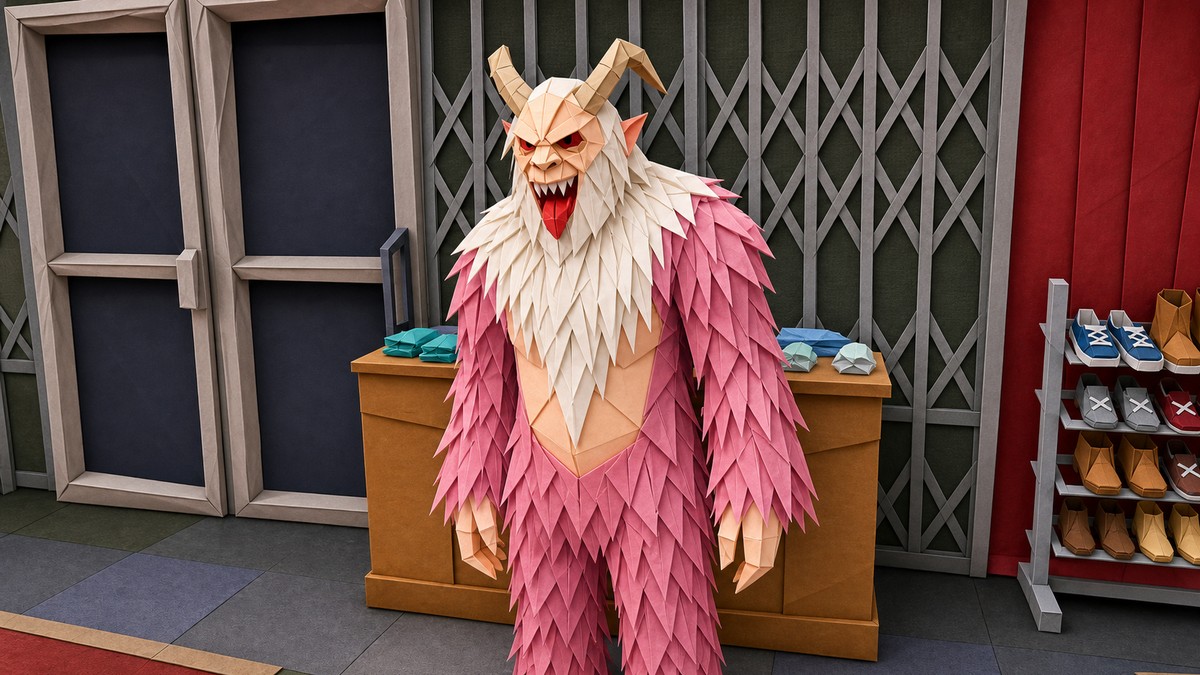
You can save rare Krampus outfits solo by making a private Mission Creator job with the Krampus team outfit forced, launching that job, changing Illuminated Clothing inside the mission, getting kicked back to Online, and then saving the outfit at a clothing store.
This is a glitch-style outfit save method for Krampus looks visible inside Creator’s special and Xmas outfit categories, not an official Rockstar unlock path. After the July 14, 2026 Kortz Center Heist update, treat Creator outfit behavior as patch-sensitive and save only into an empty outfit slot.
What this Krampus outfit method is for
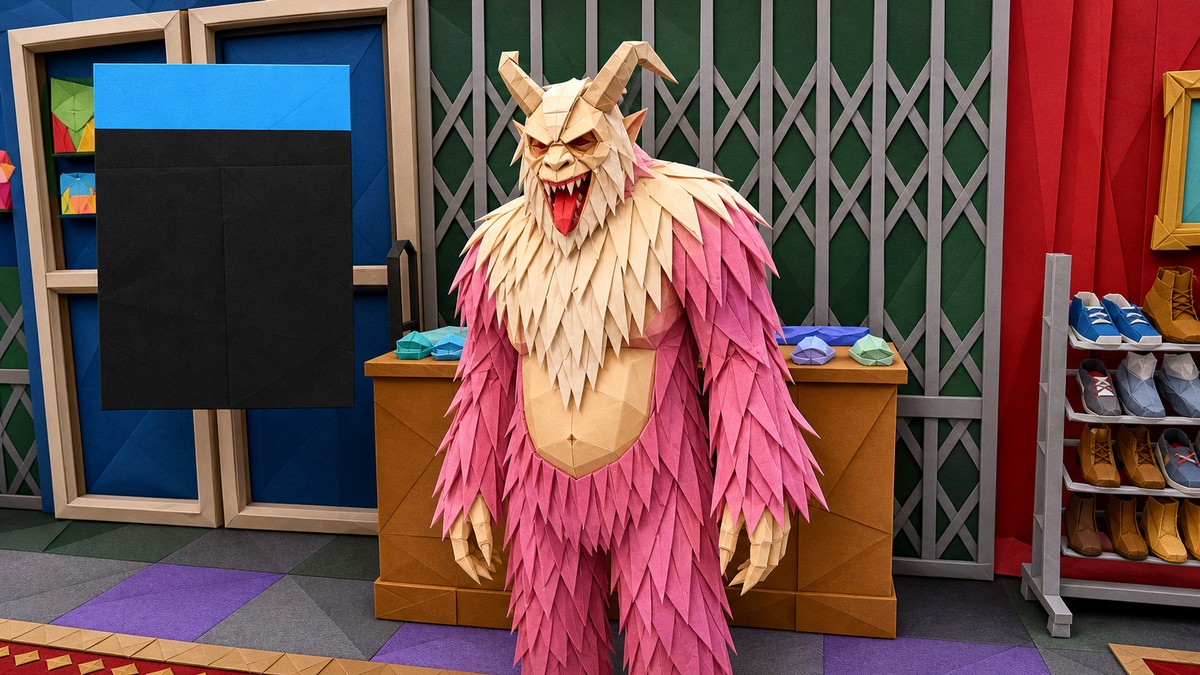
The method is built around Mission Creator, where the team appearance settings can force a holiday outfit onto your character for a custom mission. In this case, the target category is Xmas Krampus, which appears alongside other special Creator outfit categories such as Xmas Santa, Xmas elf, Halloween beast, and Halloween alien.
Use it when you want to carry a rare Krampus outfit from a one-player custom mission back into a normal Online lobby. The important caveat is that you are saving the outfit through job-state behavior, so do not treat it like a menu unlock or a permanent catalog purchase until you have manually stored it in a wardrobe slot.
Requirements before making the Creator mission
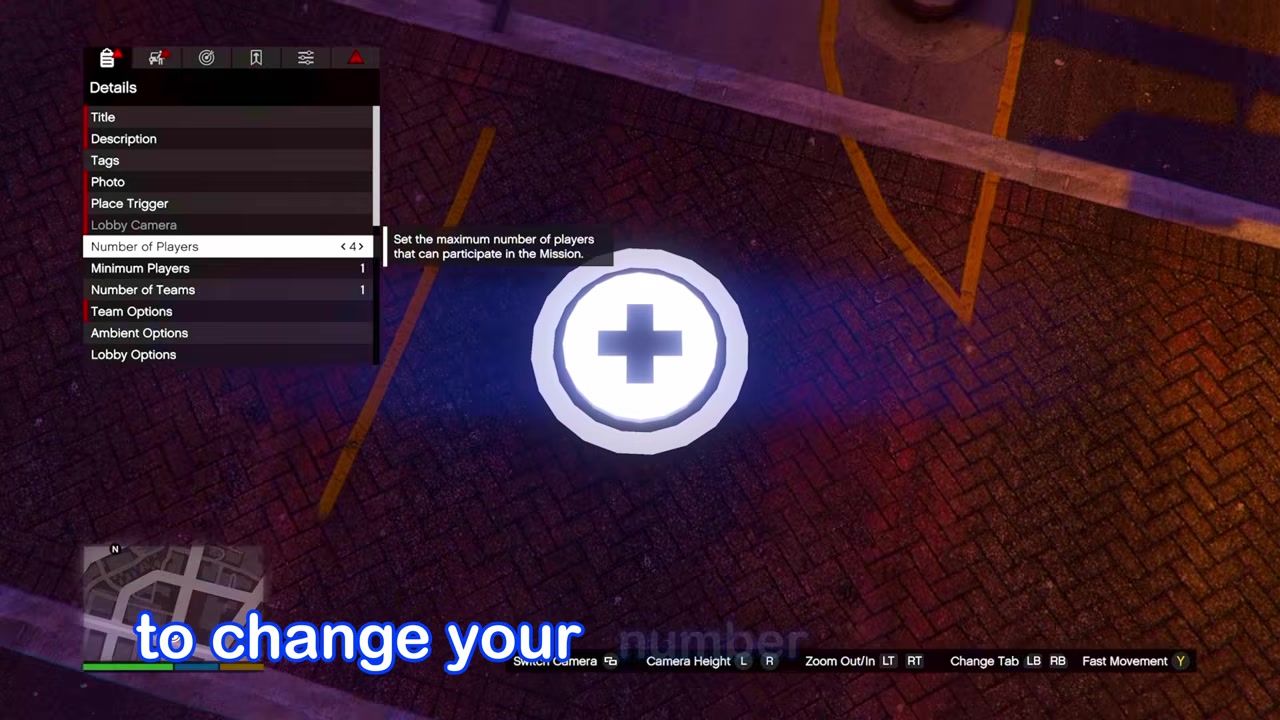
| Need | Use |
|---|---|
| Creator access | Build the private Mission Creator job. |
| Empty saved outfit slot | Store the Krampus outfit after returning to Online. |
| Idle time on console menu | Stay away long enough for the mission to kick you. |
You need a clean setup before starting because the save depends on the mission forcing the outfit, the job kicking you back to Online, and your character still wearing the outfit long enough to store it. The run shown uses a one-player custom mission, so the player count settings matter.
Do not publish the custom job. The method only needs the mission saved to your own jobs list, and publishing custom jobs like this adds unnecessary account risk.
How to save a Krampus outfit solo in Grand Theft Auto Online
KEY!Build a one-player Mission Creator job that forces a Krampus team outfit, then use the mission kick-back to carry it into Online and save it.
STEP 1/17
<
p class=”vg-step-title” data-vg-step=”1″ data-vg-of=”17″ id=”open-mission-creator” style=”margin:16px 0 6px”>Open Mission Creator
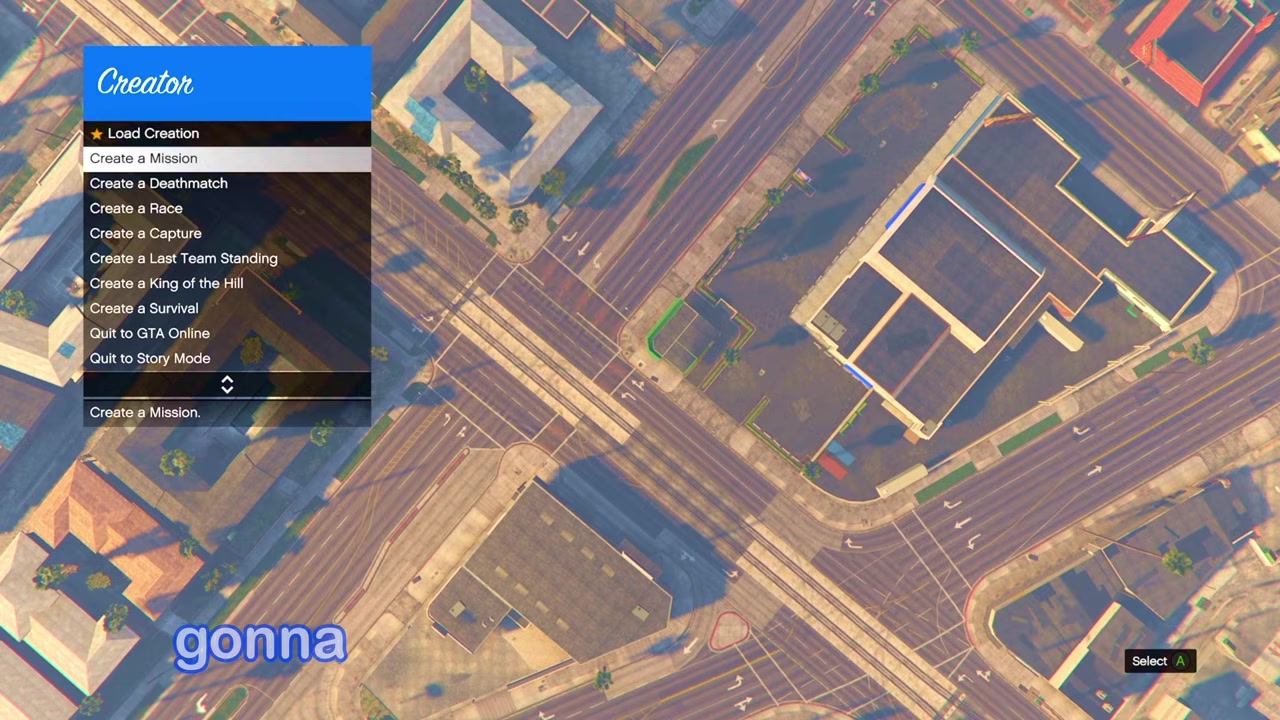
Go to Creator and choose Create a Mission.
STEP 2/17
Open Team Options
In the mission setup, go to Team Options.
STEP 3/17
Enter Appearance settings
Select Appearance, then open Default Outfit.
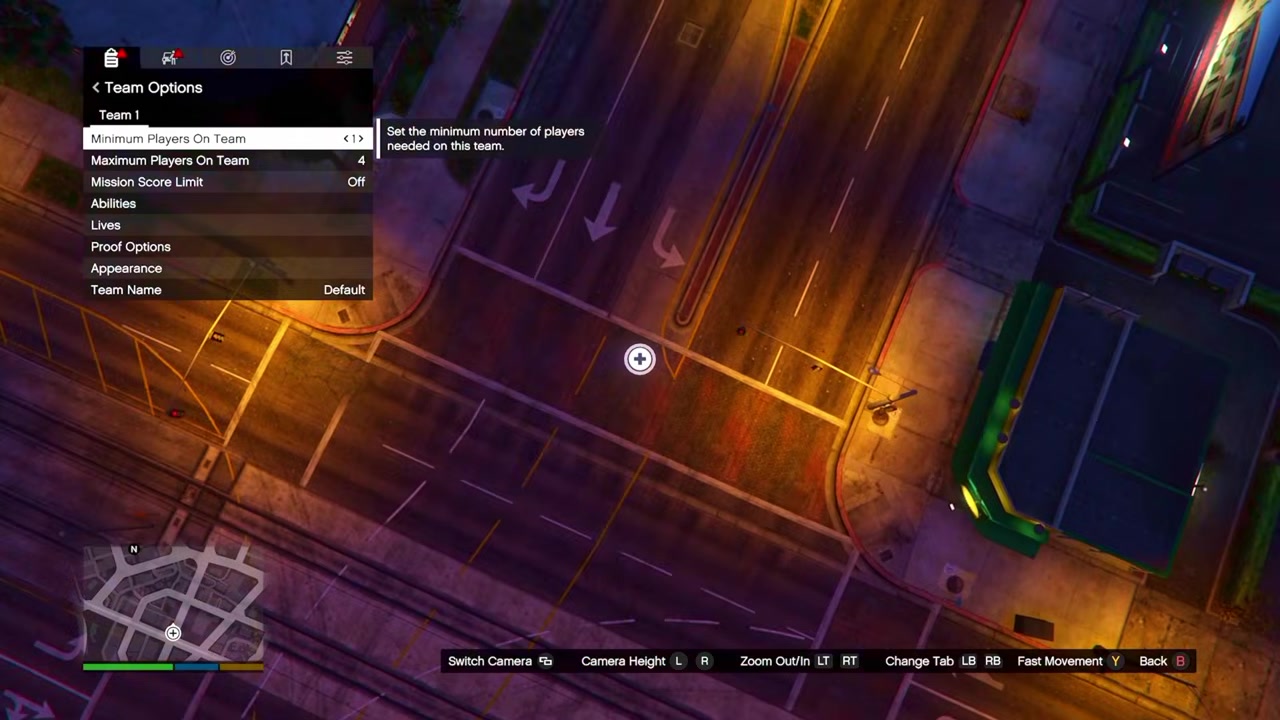
STEP 4/17
Select the outfit category
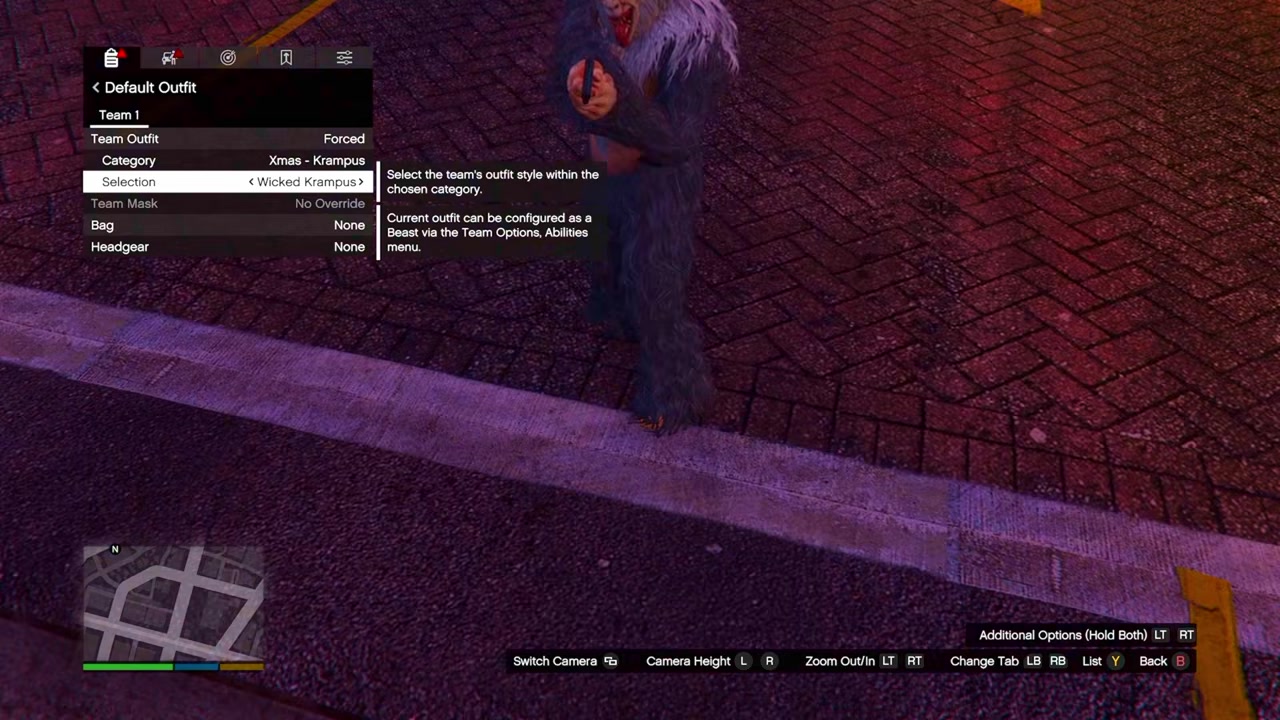
Move to Category and choose Xmas Krampus from the special holiday outfit categories.
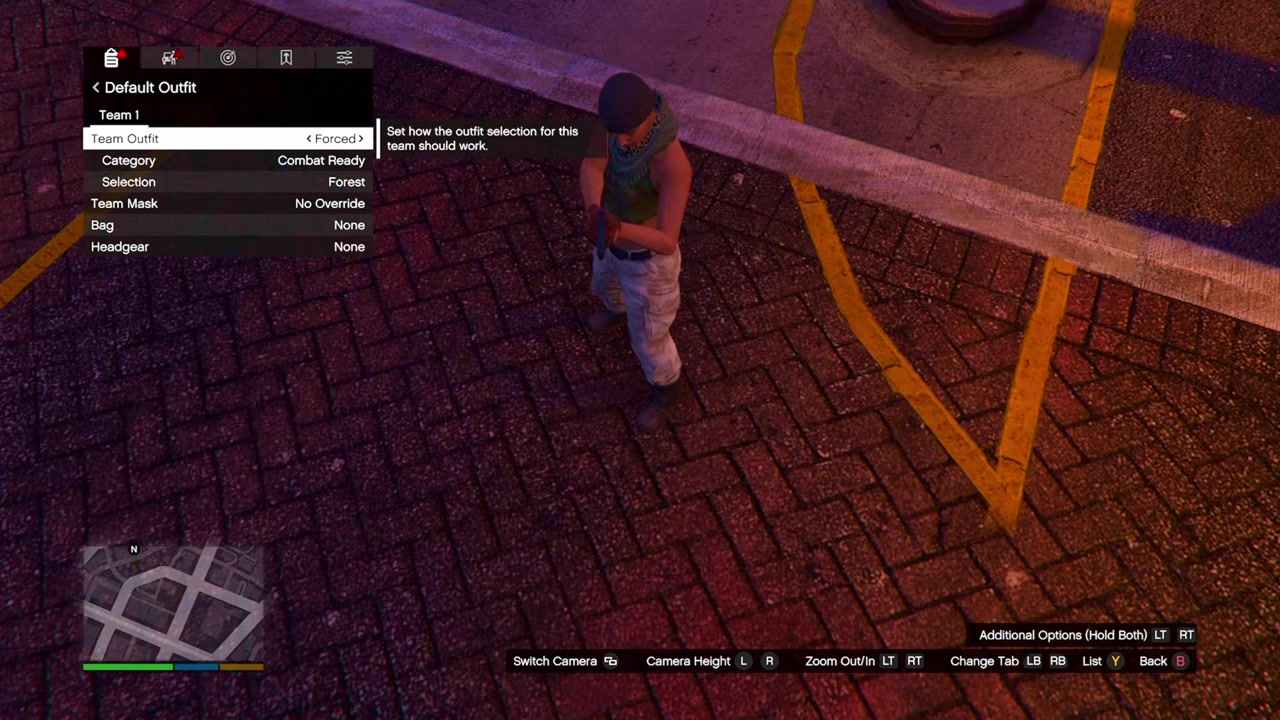
STEP 5/17
Force the team outfit
Set Team Outfit to Forced, then choose the Krampus outfit you want to carry out.
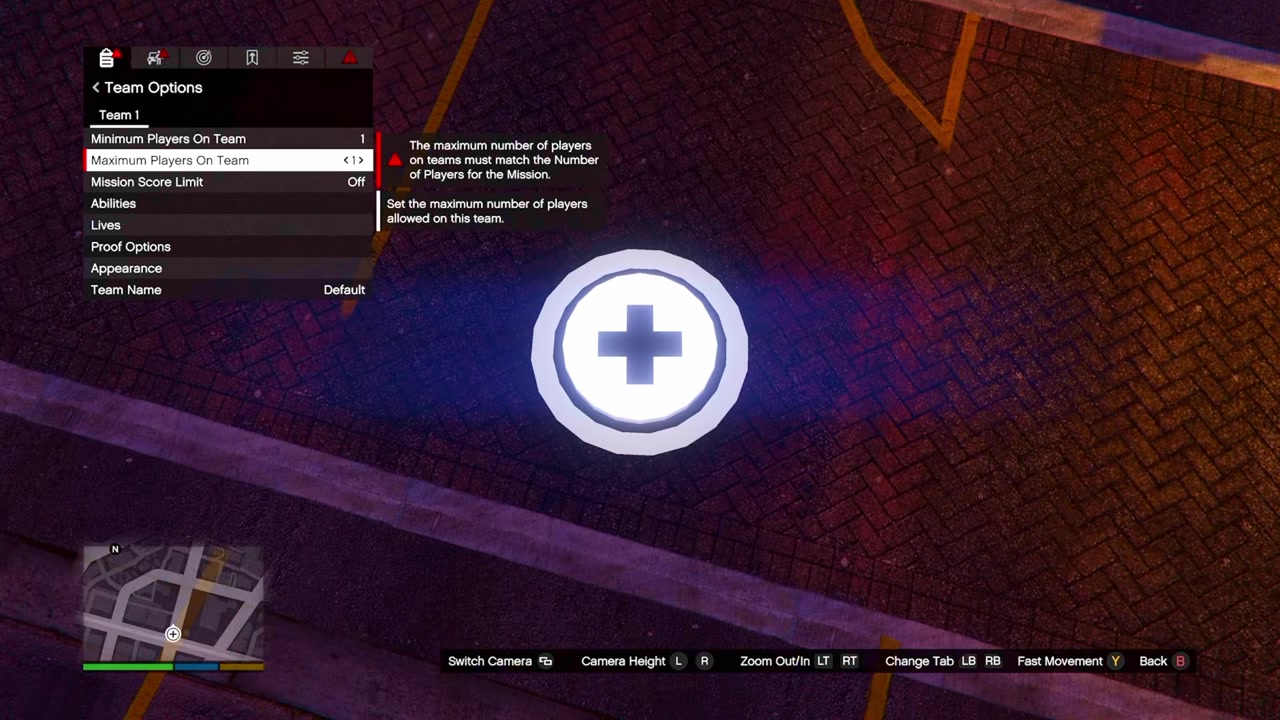
STEP 6/17
Set maximum players to one
Change Maximum Players to 1 for the solo mission setup.
STEP 7/17
Set number of players to one
Also change Number of Players to 1 so the mission accepts the solo setup.
STEP 8/17
Add the mission title and description
Fill in the required Title and Description fields.
STEP 9/17
Place the lobby camera and spawn points
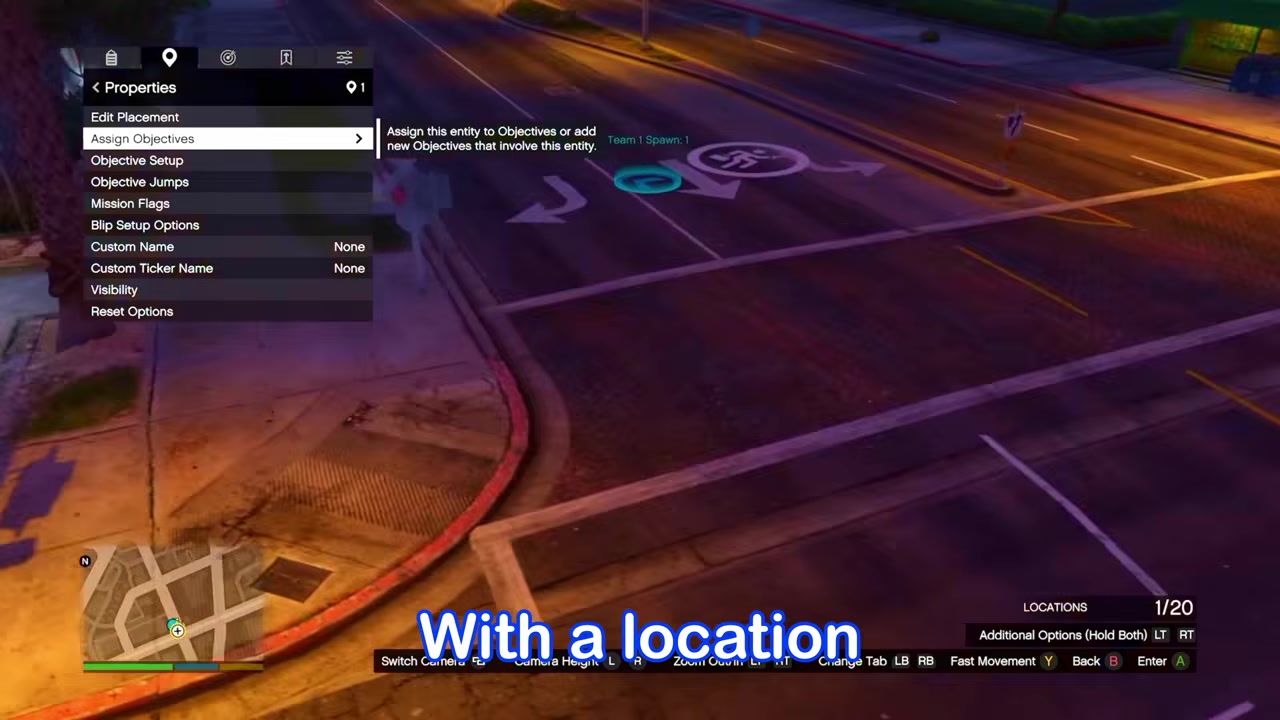
Add the Lobby Camera, player Spawn Points, location details, and objective assignment required to save the mission.
STEP 10/17
Save the custom mission
Save the mission, but keep it private instead of publishing it.
STEP 11/17
Start the saved mission
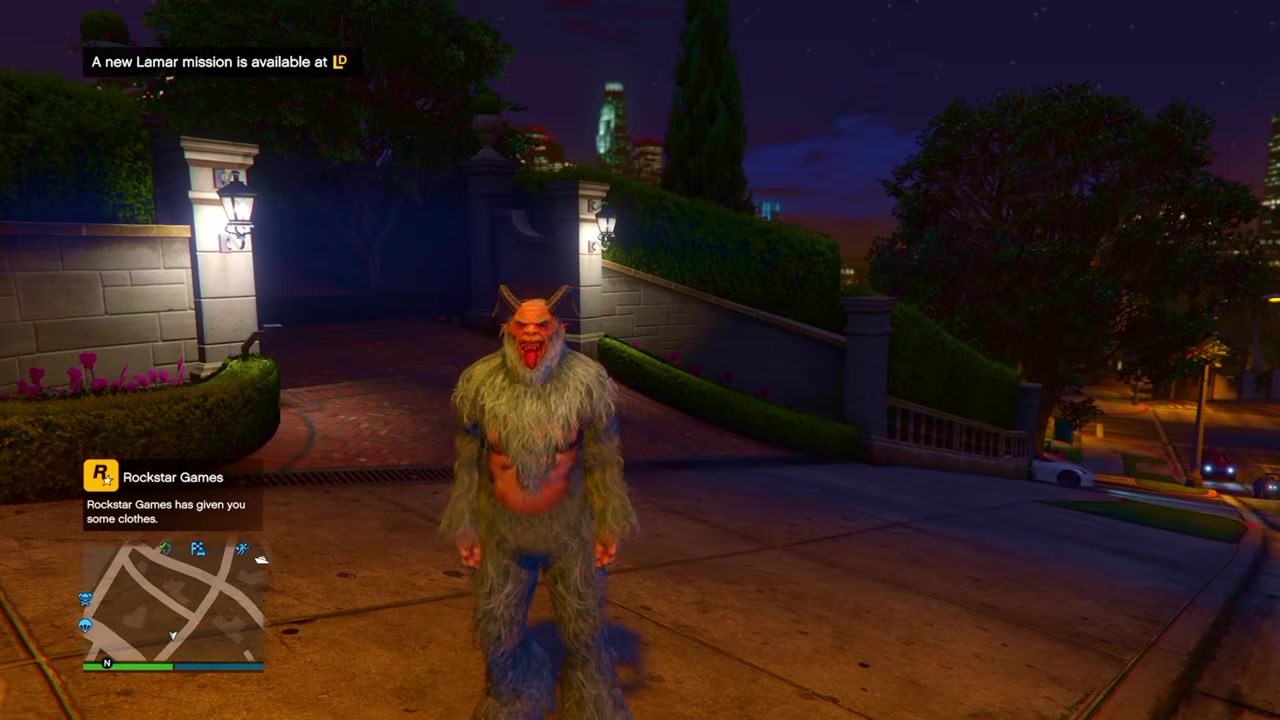
Open Pause Menu > Online > Jobs > Play Job > My Jobs > Mission Creator Content, then launch your saved mission.
STEP 12/17
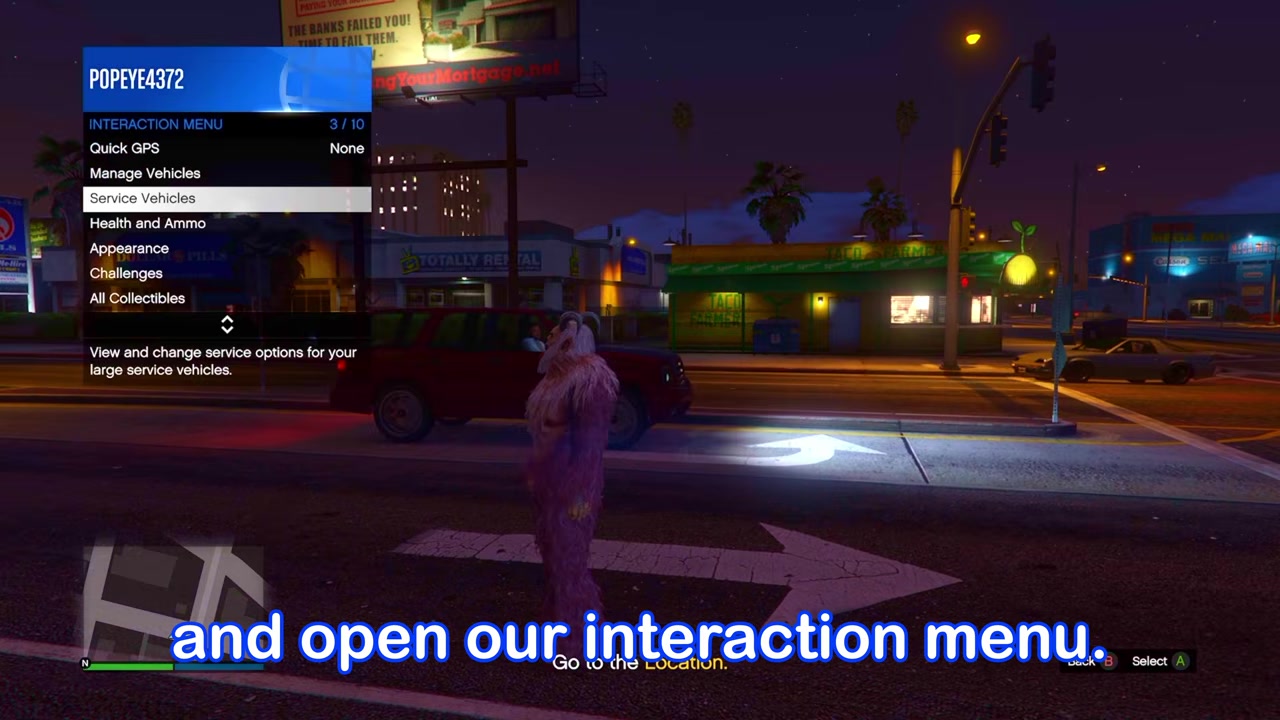
Once loaded into the mission, open the Interaction Menu.
STEP 13/17
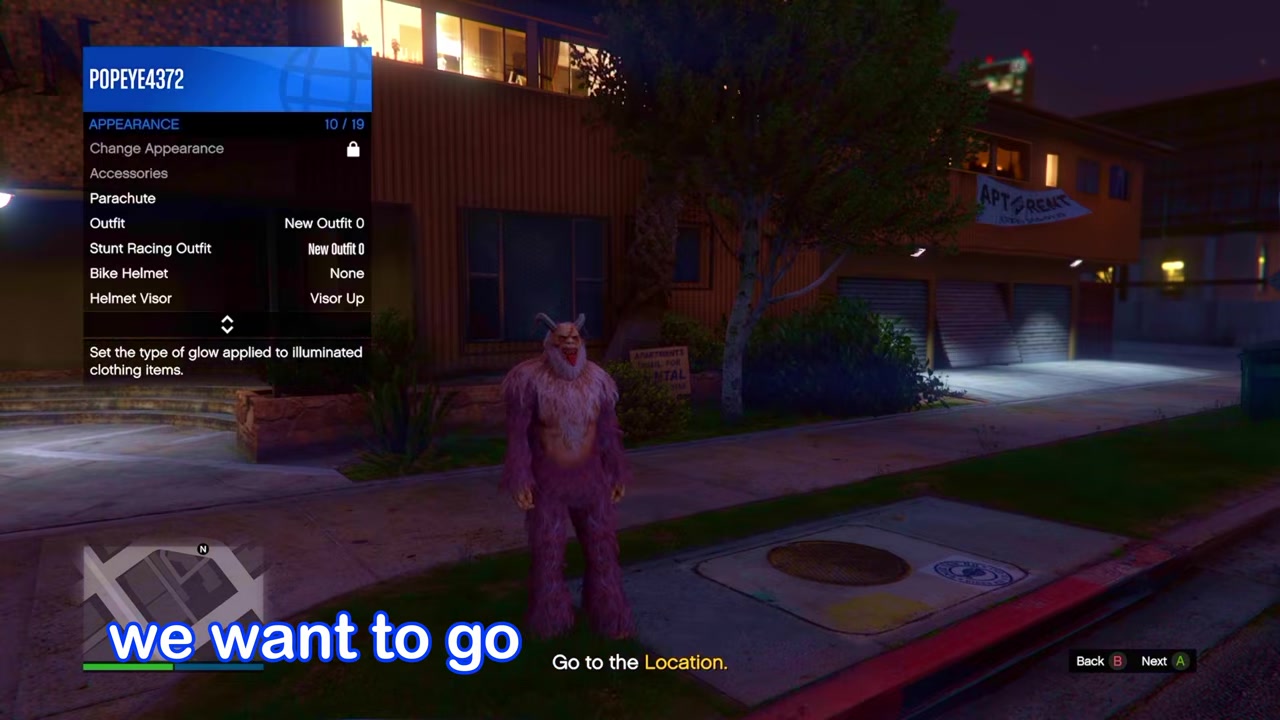
Change Illuminated Clothing
Go to Appearance > Illuminated Clothing and press Right on the D-pad twice, or change it in another direction.
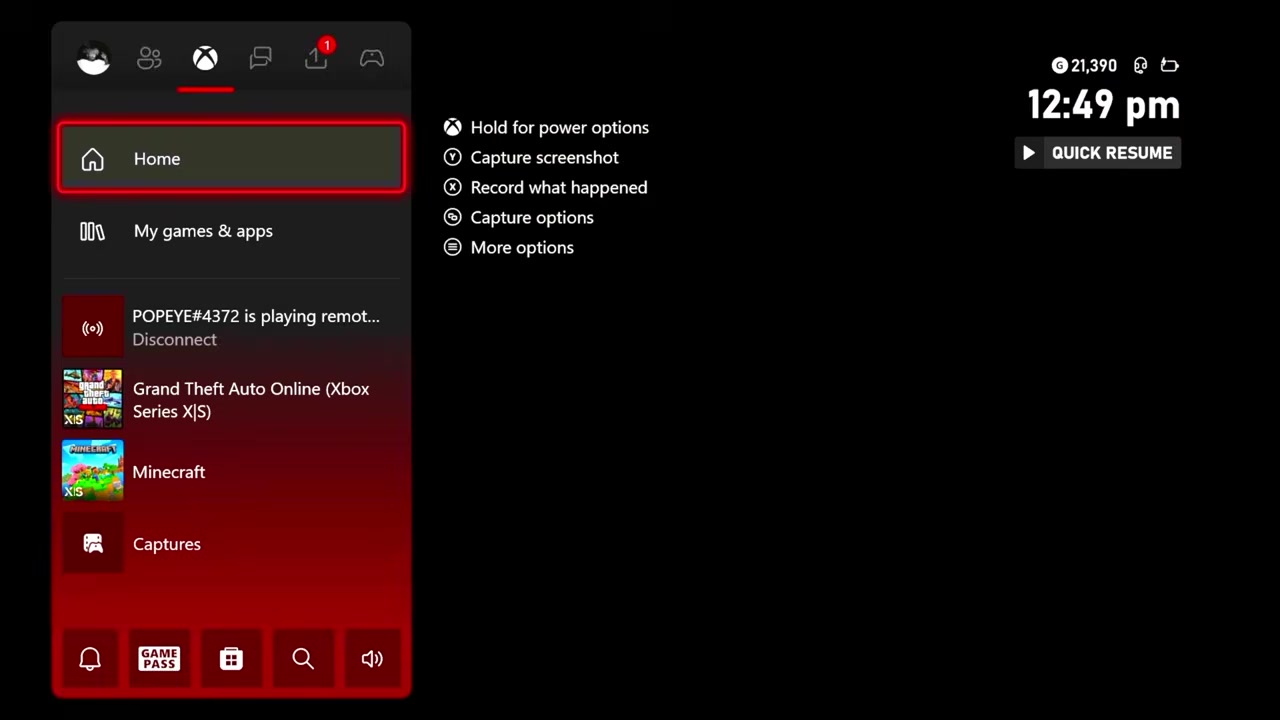
STEP 14/17
Open the Xbox or PlayStation system menu and stay there until the mission kicks you.
STEP 15/17
Return to a new Online lobby
After the kick, load into a new Online lobby while still wearing the Krampus outfit.
STEP 16/17
Go to a clothing store
Head straight to a clothing store or wardrobe before changing sessions or outfits.
STEP 17/17
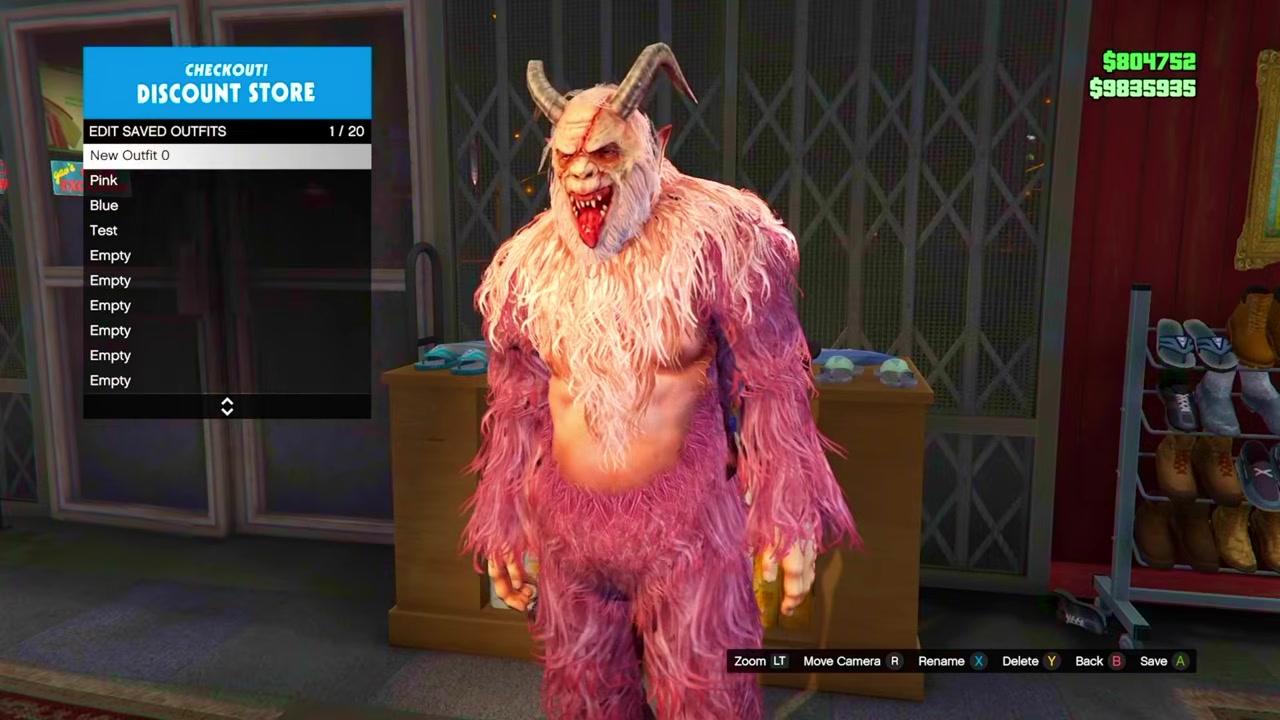
Save into an empty outfit slot
Save the Krampus outfit in an empty slot like a normal saved outfit.
Change Illuminated Clothing inside the mission before idling on the console menu; skipping that menu change is the easiest way to lose the outfit when the job ends.
Video help
Which rare outfits this method covers
| Outfit | Save status |
|---|---|
| Krampus | Built for this Mission Creator save method. |
| Impotent Rage | Blacklisted for saving; can only be carried temporarily like the cop outfit. |
| Sasquatch | Not part of the demonstrated Krampus route. |
| Yeti | Not part of the demonstrated Krampus route. |
| Gooch | Not part of the demonstrated Krampus route. |
The Krampus outfits are the focus here, and the method is aimed at the outfits inside the Xmas Krampus Creator category. Other Creator-only looks are more limited: Impotent Rage is blacklisted for normal saving, while Sasquatch, Yeti, and Gooch are only adjacent possibilities, not part of this Krampus route.
Keep the method narrow: make the mission for the specific Krampus look you want, force that team outfit, and save that outfit immediately after you return to Online.
Why the Krampus outfit may fail to save
If the outfit disappears after the mission, the problem is usually in the setup or the handoff back to Online. The most common mistake is leaving the team outfit as a normal selection instead of setting it to Forced, because the mission needs to load your character in the chosen Krampus outfit every time.
The solo settings can also break the run. Set both Maximum Players and Number of Players to 1; changing only one of them leaves the mission setup in the wrong state for this one-player method.
Inside the mission, make the Illuminated Clothing change before idling on the Xbox or PlayStation system menu. After the kick, do not roam, change sessions, swap outfits, or close the game. Go straight to a wardrobe or clothing store and save the outfit into the empty slot you prepared.
Frequently Asked Questions
Can you do the Krampus outfit save method solo?
Yes. The mission setup uses Maximum Players: 1 and Number of Players: 1, then launches from your own Mission Creator content.
Do you need to publish the Creator job?
No. Saving the mission is enough for it to appear under My Jobs > Mission Creator Content.
Why do you change Illuminated Clothing inside the mission?
The menu change gives the game a style update while the forced Krampus outfit is active in the job.
What should you do if the outfit disappears after the job?
Rebuild or edit the mission and check the forced outfit setting, both one-player fields, and the Illuminated Clothing change before trying again.
Can the Impotent Rage outfit be saved with this method?
No. Impotent Rage is blacklisted for normal saving, so it is not handled like the Krampus outfits.

Leave a Reply