
Loud Music is a Roblox experience built around one simple idea: cranking up sound clips through an in-game boombox as loud as possible. The codes you punch in aren’t for coins or pets, they’re numeric sound IDs that swap out whatever’s playing for a specific audio clip, from meme sounds to genuinely obnoxious “loud” tracks meant to fill the room.
Working Loud Music codes
Here’s every sound ID that’s currently loading correctly through the boombox. Punch these in exactly as shown, no spaces or extra characters.
126267754440216
Backrooms Monster clip (loud, viewer discretion advised)
New
139668725303708
Metal Pipe Falling clip (extremely loud, earrape-style)
New
125417221326880
“silence is loud.” audio clip
117492777052206
“What Up Son!” loud meme clip
6073491164
Android notification sound at loud volume
4769589095
“Can You Hear Me?” loud clip
9043274176
“Live It Loud” track
7111183238
“What the Dog Doin” loud meme clip
366983090
Generic “LOUD AUDIO” clip
How to redeem codes in Loud Music
These codes only do anything inside experiences that actually have a boombox or radio object placed in the world, so you need to be in a hangout, roleplay, or plaza-style game with one before any of this works. Loud Music is built around exactly that setup, so once you’re in, follow these steps.
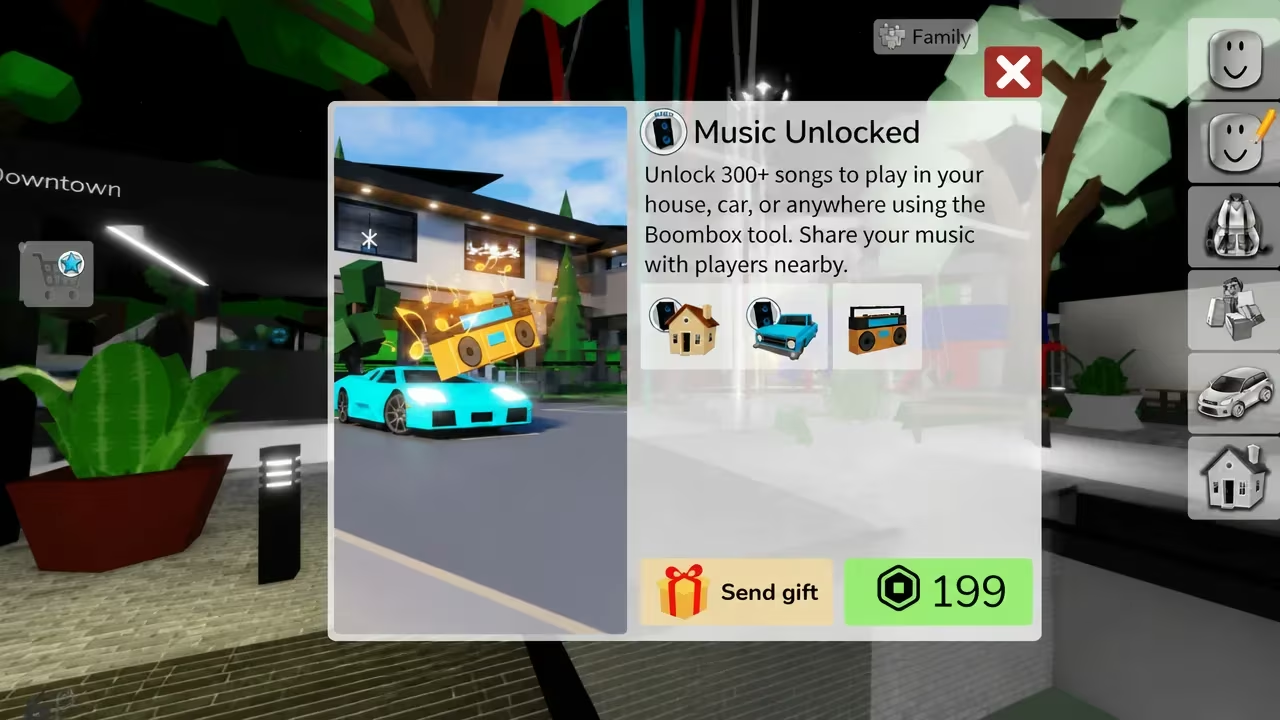
Note: in some setups, playing custom audio requires you to already have permissions tied to the boombox item. If your code entry box instead pops up a purchase window, you’ve likely hit a pass prompt, such as one for “Music Unlocked” priced at 199 Robux, complete with a “Send gift” option, rather than the free code box.
How to get more Loud Music codes
New sound IDs for Loud Music typically surface through the game’s own official channels rather than anywhere hidden in the menus. Checking back periodically is your best bet, since Roblox audio IDs get added or swapped out as older ones get taken down or muted by Roblox’s moderation system. Since sound clips can get flagged and removed at any time, it’s worth testing a code as soon as you see it rather than saving it for later.
Are Loud Music codes free?
Yes. Every sound ID on the list above is free to enter into the boombox. The only paid option tied to the audio system is the separate “Music Unlocked” pass, which is unrelated to entering codes.
Why didn’t my code work?
If nothing plays after you hit play, double-check that you copied the full numeric ID with no extra spaces. If the ID is correct and still nothing happens, the clip has likely been taken down since it was added to this list, sound IDs on Roblox can get muted or removed at any time.
Keep this list handy the next time you’re setting up a boombox session, since fresh IDs tend to replace muted ones fairly often.






Leave a Reply