

What to know
-
Reporting is available during play via the Roblox icon and player lists, and from profiles and game tiles.
-
When reporting a player in-game you pick the user, tap the flag, explain the reason, and submit.
-
Reporting a friend is done from their profile using the report option, with a required explanation.
-
To report unsafe content you hover or use the three-dot menu on a game/experience, select report, explain, and submit.
Roblox has updated how users file reports so anyone can act quickly when they encounter rule-breaking behavior or unsafe content. The system keeps reports anonymous to the reported party and routes them to Roblox moderators who compare submissions against Community Standards before taking action.
New Roblox Reports details
How to report a player while in a game
Step 1
Open the Roblox icon in the game UI and bring up the player list.
Step 2
Select the player you want to report.
Step 3
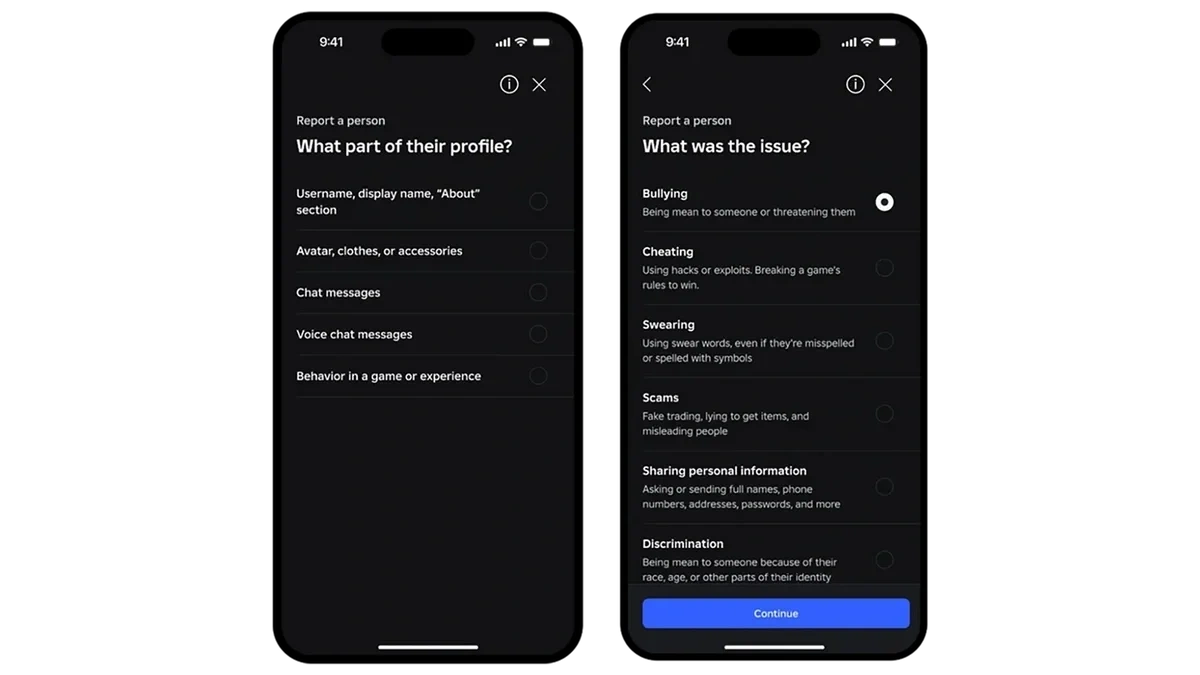
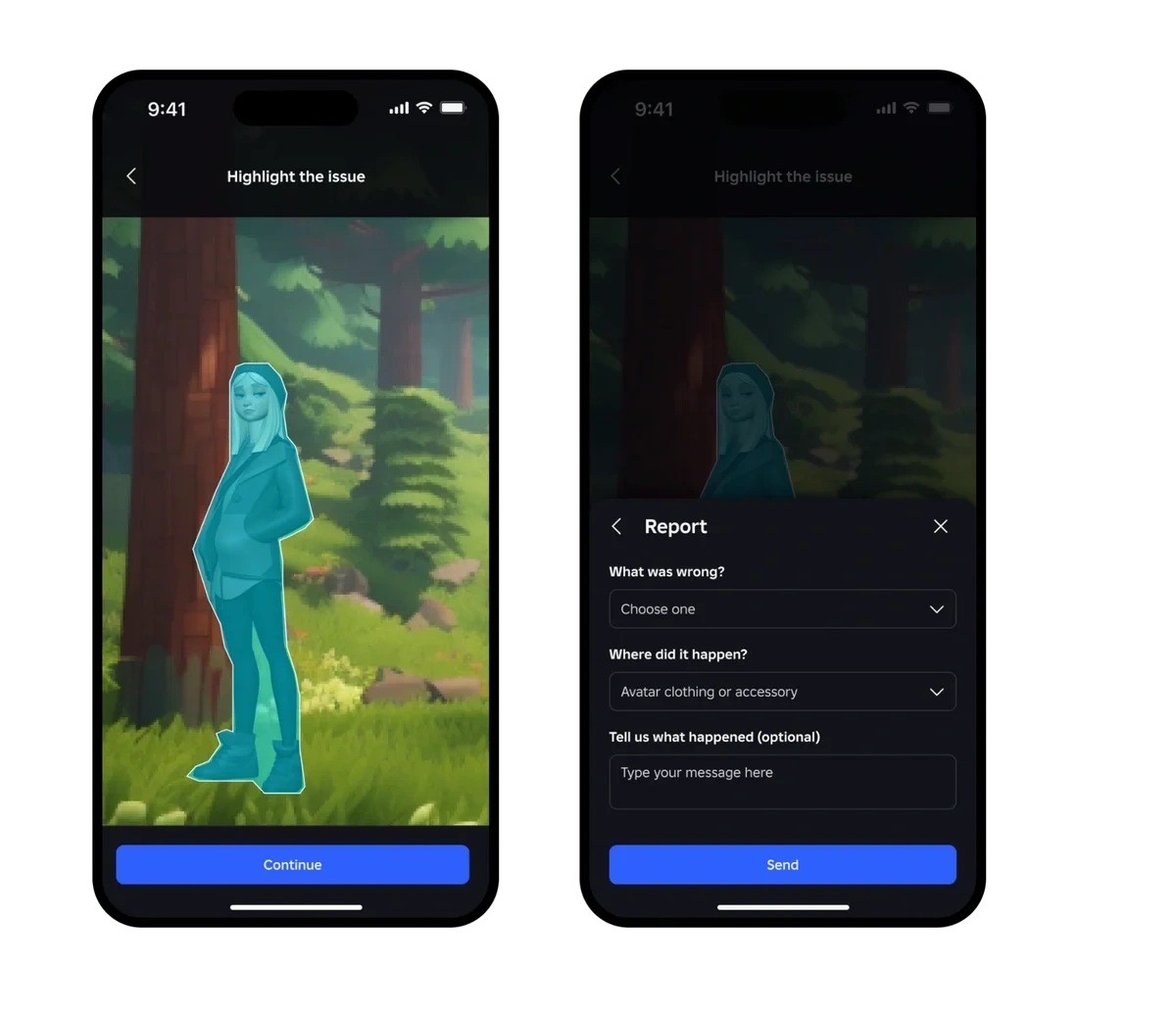
Tap the flag beside their name to open the report form.
Step 4
Explain why you are reporting them—give concise, specific details—and submit the report.
How to report someone from their profile
Step 1
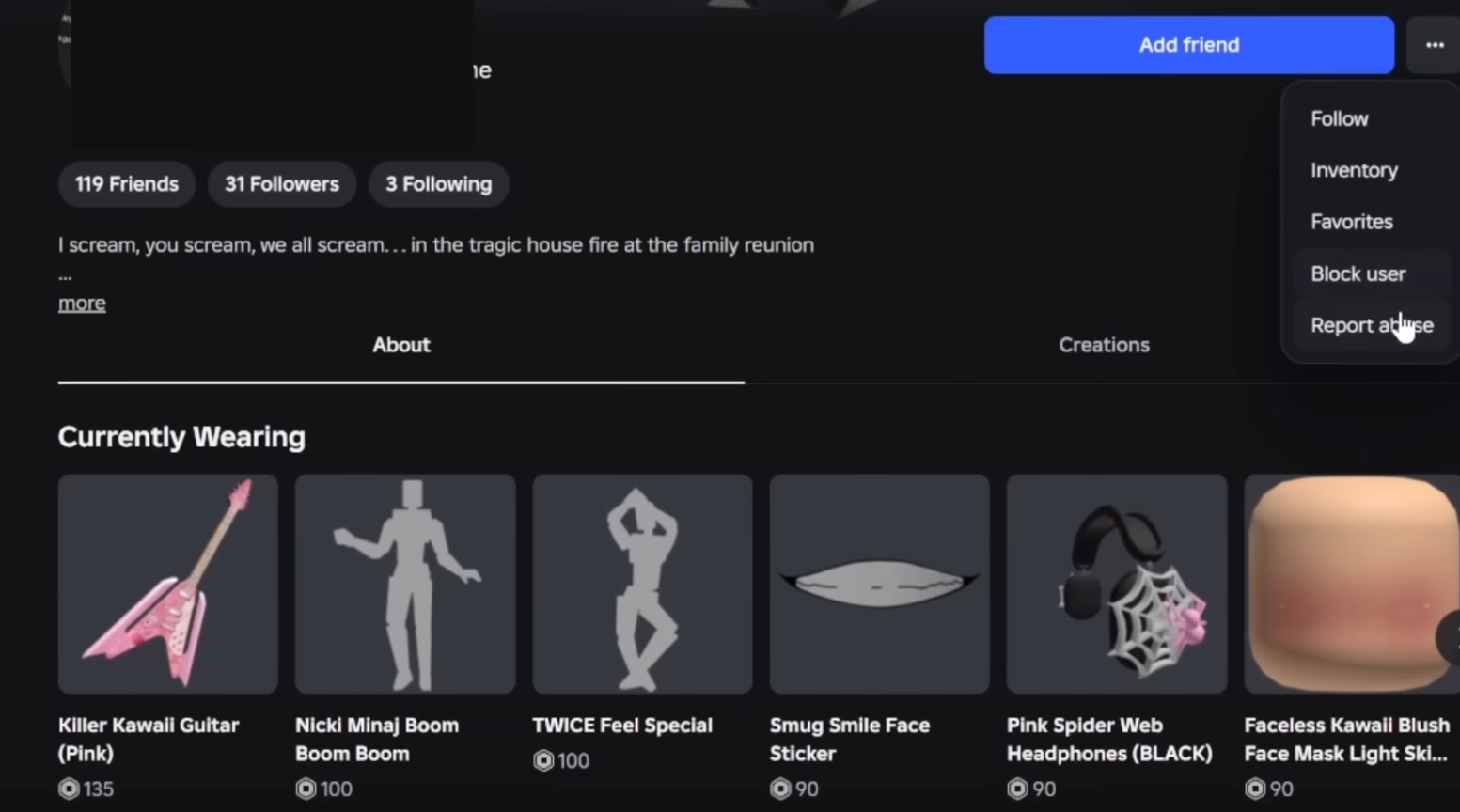
Go to the user’s Roblox profile page.
Step 2
Choose the Report Abuse option on their profile.
Step 3
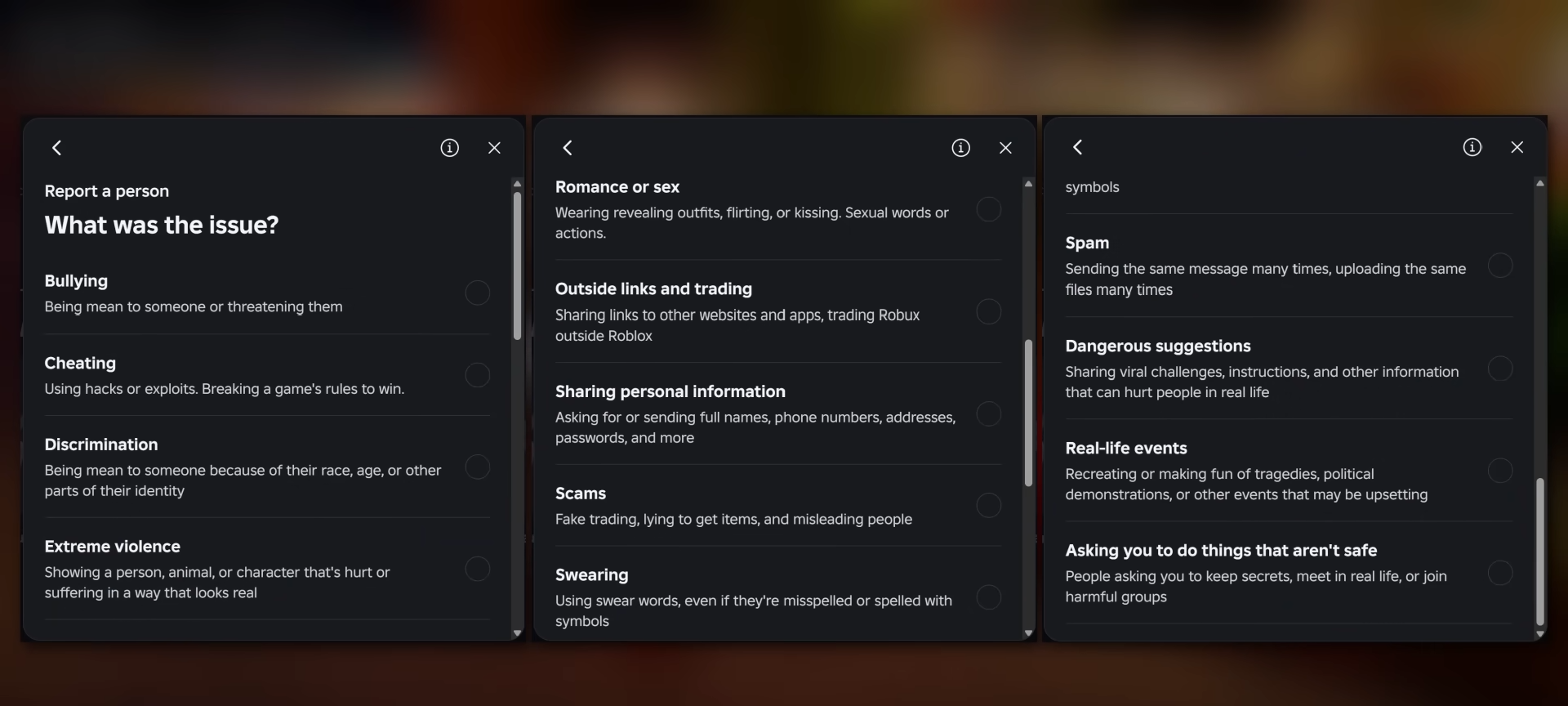
Provide an explanation of the issue and submit for review.
How to report a game or unsafe content
Step 1
Hover over the game or experience tile you want to report, or click the three-dot menu.
Step 2
Select Report from the menu to open the reporting form.
Step 3
Explain why the content is unsafe or breaking rules, then submit.
What happens after you submit a report
-
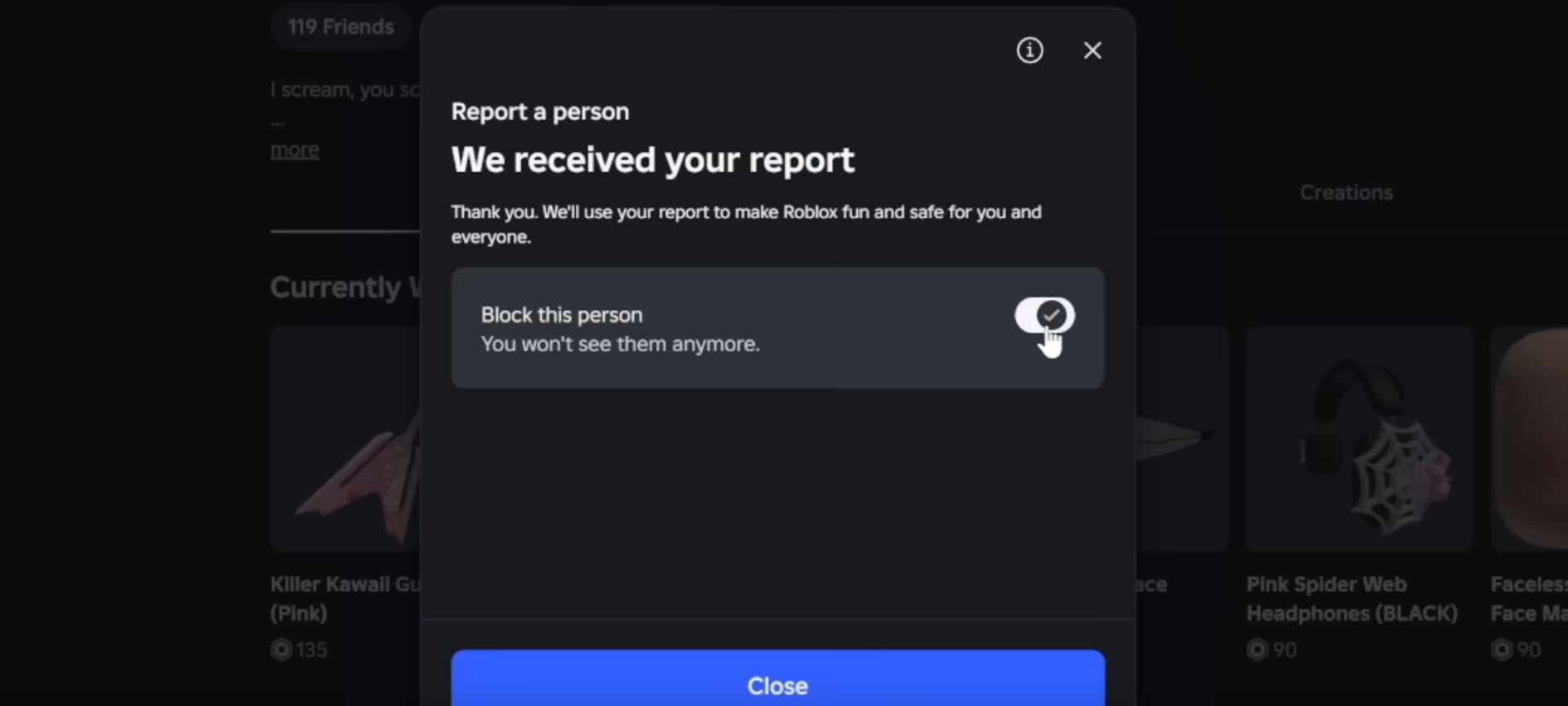
Reports go to Roblox moderation and are checked against Community Standards before any action is taken.
-
Submissions that do not violate rules will not produce penalties, but valid reports can lead to sanctions that improve safety for everyone.
-
The system preserves the reporter’s anonymity, so the person you reported will not be told who filed the report.
Tips for filing useful reports
- Keep explanations clear and specific so moderators can quickly assess the incident.
- Report any behavior or content that clearly violates platform rules; frivolous reports are unnecessary because moderation checks for actual violations.
How reporting helps the community
Filing reports when you see harassment, scams, inappropriate builds, or rule-breaking content helps Roblox’s moderation identify issues faster and keeps experiences safer for all players.
Use the in-game icon, profile report, or game tile report consistently when you encounter problems; the updated flow makes it straightforward to explain the issue and send it to moderation for review.



Leave a Reply