
RECLONE is a Roblox experience where Tokens let you unlock gear and cosmetics, and codes from the developer are the fastest way to stack up extra Tokens or grab a skin without grinding for it. Below you’ll find every code currently redeemable, plus the exact steps to cash them in before they expire.
Working RECLONE Codes
Three codes are live right now, and one of them is capped to a small number of claims, so redeem it first if you want a shot at it.
SURGE
Golden NF-27 Viper skin, limited to the first 100 redemptions with no substitute reward if you already own the skin
New
BREACH
50 Tokens
PEAK
75 Tokens
Note: Once the 100th person redeems SURGE, it stops handing out the skin entirely, even if you paste it correctly. Redeem it as soon as you can if you want the Golden NF-27 Viper.
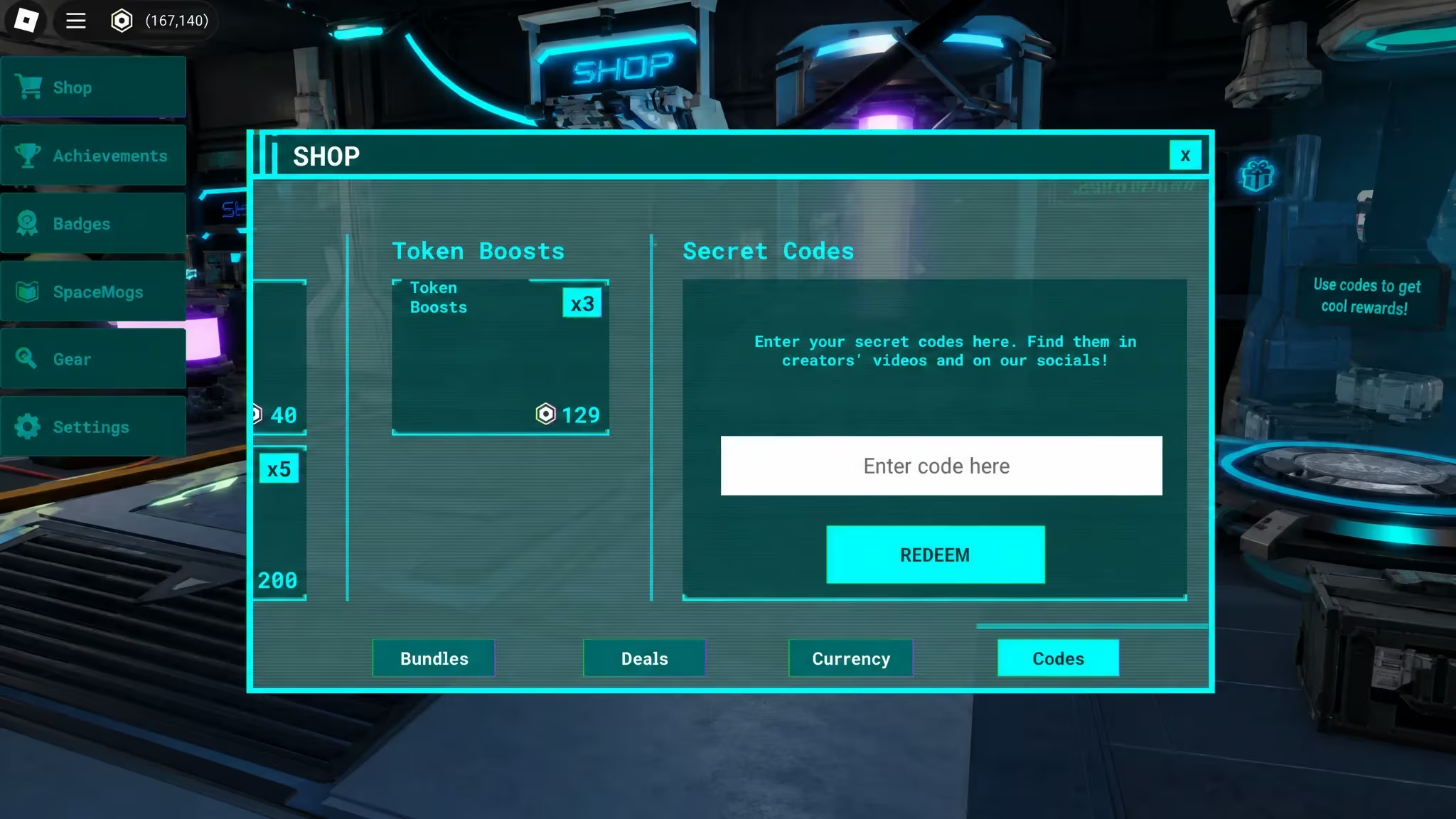
How to redeem codes in RECLONE
Redemption happens entirely inside the game’s Shop menu, not through a separate website or social media post. Here’s the exact path.
How to get more RECLONE codes
New codes for RECLONE typically come from the developer’s own official channels rather than in-game announcements alone. Firebolt Games posts fresh codes through its official Discord server, so joining it is the most direct way to catch a new code the moment it drops. The Firebolt Games Roblox community is also worth following, since group updates sometimes line up with new code releases tied to milestones or events.
If you haven’t added the game yet, you can jump into RECLONE on Roblox directly and check the Codes tab described above any time you suspect a new one has gone live.
Why didn’t my code work?
Codes in RECLONE are case- and space-sensitive, so a mistyped letter or an accidental trailing space is the most likely culprit. For SURGE specifically, the skin reward runs out once 100 players have claimed it, so a “no reward” result after that point isn’t a typo issue, it just means the cap has been reached.
BREACH and PEAK tend to get refreshed whenever the developer has something new to celebrate.





Leave a Reply