
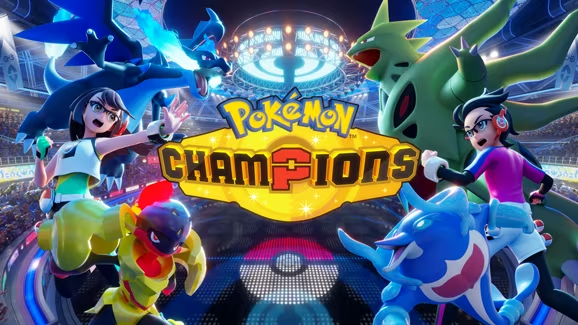
Pokemon Champions hands out Mystery Gift codes that unlock free Quick Coupons and pre-built teams stacked with strong Pokemon, gear, and movesets you’d otherwise have to assemble yourself. Punch in a working code and you’ll have a new squad or a coupon boost waiting in your mailbox within seconds.
Working Pokemon Champions Codes
Here’s every code that’s still redeemable right now. Type them in exactly as shown, since Mystery Gift codes are case-sensitive.
10M1NTRNR
100 Quick Coupons
D96E6SXLN8
Rain team with Palafin, Pelipper, Incineroar, Klefki, Sinistcha, and Dragonite
QGYAG5WE3C
Mega Charizard Y team with Charizard, Venusaur, Garchomp, Milotic, Gardevoir, and Incineroar
PTVY9BE1V3
Sash Gengar team with Gengar, Garchomp, Clefable, Meowscarada, Delphox, and Corviknight
K5N29KPU9T
Meganium Rain team with Meganium, Archaludon, Basculegion, Maushold, Politoed, and Talonflame
HH3MF048VV
Golurk Trick Room team with Hatterene, Oranguru, Golurk, Clefable, Hydreigon, and Torkoal
How to redeem codes in Pokemon Champions
You’ll need an internet connection to pull in your gift, but you don’t need a Nintendo Switch Online membership to do it. The whole process happens through the Mystery Gift menu.
You’ll know it worked when a message pops up telling you to check your mailbox for the gift. If that message doesn’t show up after you hit Confirm, look the code over again for typos, or check whether it’s already expired.
Expired Pokemon Champions codes
These have all stopped working, so don’t waste your time typing them into Mystery Gift.
DRAG0NDANCEPTC26
Gyarados, expired May 31, 2026
L12ARD0NPJCS26
Charizard, expired June 14, 2026
CHAMP10NSATNA1C
500 Victory Points, expired June 14, 2026
NA1CCHAMP
22 Quick Coupons, expired June 15, 2026
W0R1DCHAMP10NS26
5,000 Victory Points, expired August 30, 2026
HAJ1MAR1G1FT
100 Quick Coupons, expired August 31, 2026
CHAMP10N
Machamp, expired August 31, 2026
ENJ0YW0RLDS26
Red 2026 Worlds Cap and Shirt, expired September 3, 2026
How to get more Pokemon Champions codes
New codes tend to show up tied to tournaments, seasonal events, and promotional milestones, so keep an eye on the game’s official social media accounts and in-game announcements for fresh ones. Check back on this page too, since we keep it updated with new codes as they go live and pull expired ones out of the working list.
Note: Mystery Gift codes usually run for a limited window tied to their promotion, so it’s worth redeeming a new one as soon as you spot it rather than saving it for later.
Grab the teams and coupons while the codes above are still live, and swing back by whenever you’re chasing your next free squad in Pokemon Champions.






Leave a Reply