
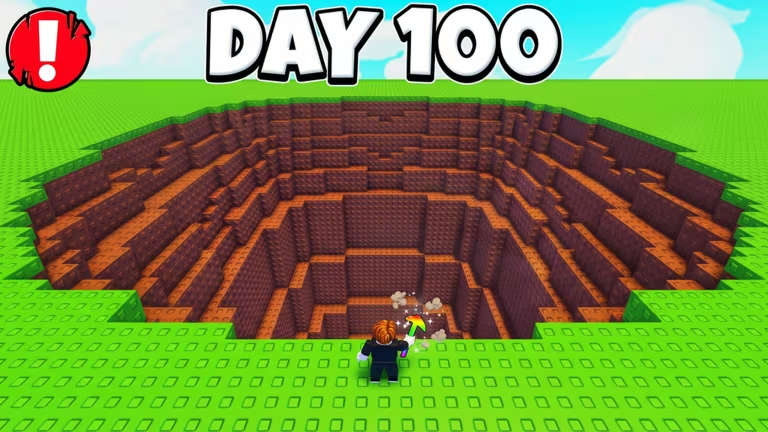
Pickaxe Simulator has you swinging away in the mine to earn coins and upgrade your gear, and the developer hands out free codes every so often to speed that grind up. Redeeming one gets you Potions that boost your speed, luck, coin gain, or damage, along with Dice you can use for extra rolls. Here’s everything you can currently punch in, plus how to actually redeem them in the game.
Working Pickaxe Simulator codes
Type these into the game exactly as shown below, since a stray capital letter or space will stop them from working.
update17
2 Speed Potions, 2 Luck Potions, 2 Coin Potions, and 2 Damage Potions
New
event60m
2 Speed Potions, 2 Luck Potions, 2 Coin Potions, and 2 Damage Potions
New
evenmoredices
2 Golden Dice, 2 Speed Dice, and 2 Dice
New
update16
2 Speed Potions, 2 Luck Potions, 2 Coin Potions, and 2 Damage Potions
update15
1 Golden Dice, 3 Speed Dice, and 3 Dice
update14
2 Speed Potions, 2 Luck Potions, 2 Coin Potions, and 2 Damage Potions
event35m
Potions
update9
Potions
update11
Potions
update6
2 of every Potion
update13
1 Golden Dice, 3 Speed Dice, and 3 Dice
update12
2 Speed Potions, 2 Luck Potions, 2 Coin Potions, and 2 Damage Potions
part2
2 Snowflake Potions and 2 Snowballs
update7
2 of every Potion
dices
Potions
update10
Potions
update8
Potions
2026
Potions
christmas
2 Snowflake Potions and 2 Snowballs
How to redeem codes in Pickaxe Simulator
You won’t find a redemption page on any website for this one. Everything happens inside the game itself, so get your character into the mine before you start typing.
You can find Pickaxe Simulator’s Roblox page at roblox.com/games/82013336390273/Pickaxe-Simulator if you need to jump straight in.
Expired Pickaxe Simulator codes
These codes stopped working, so don’t waste time trying them.
UPDATE1
UPDATE2
update5
update4
update3
release
How to get more Pickaxe Simulator codes
New codes tend to show up alongside game updates and timed events, which matches the naming pattern you see above, with codes tied to update numbers and event milestones. Keep an eye on the game’s official Discord server for announcements, since that’s where new codes typically get posted first.
You can join the community through the official Discord invite at discord.com/invite/a93Vrurm7c, and there’s also a Roblox community group at roblox.com/communities/606540350/6-7-Games worth following for updates.
Why didn’t my code work?
Double-check your spelling and casing first, since codes like update17 or evenmoredices need to be typed exactly as listed. If it’s spelled right and still won’t redeem, it’s likely expired.
Codes like these don’t stick around forever, so redeem the ones you want before they get pulled. Bookmark this page and check back after major updates, since that’s usually when fresh codes land.

Leave a Reply