
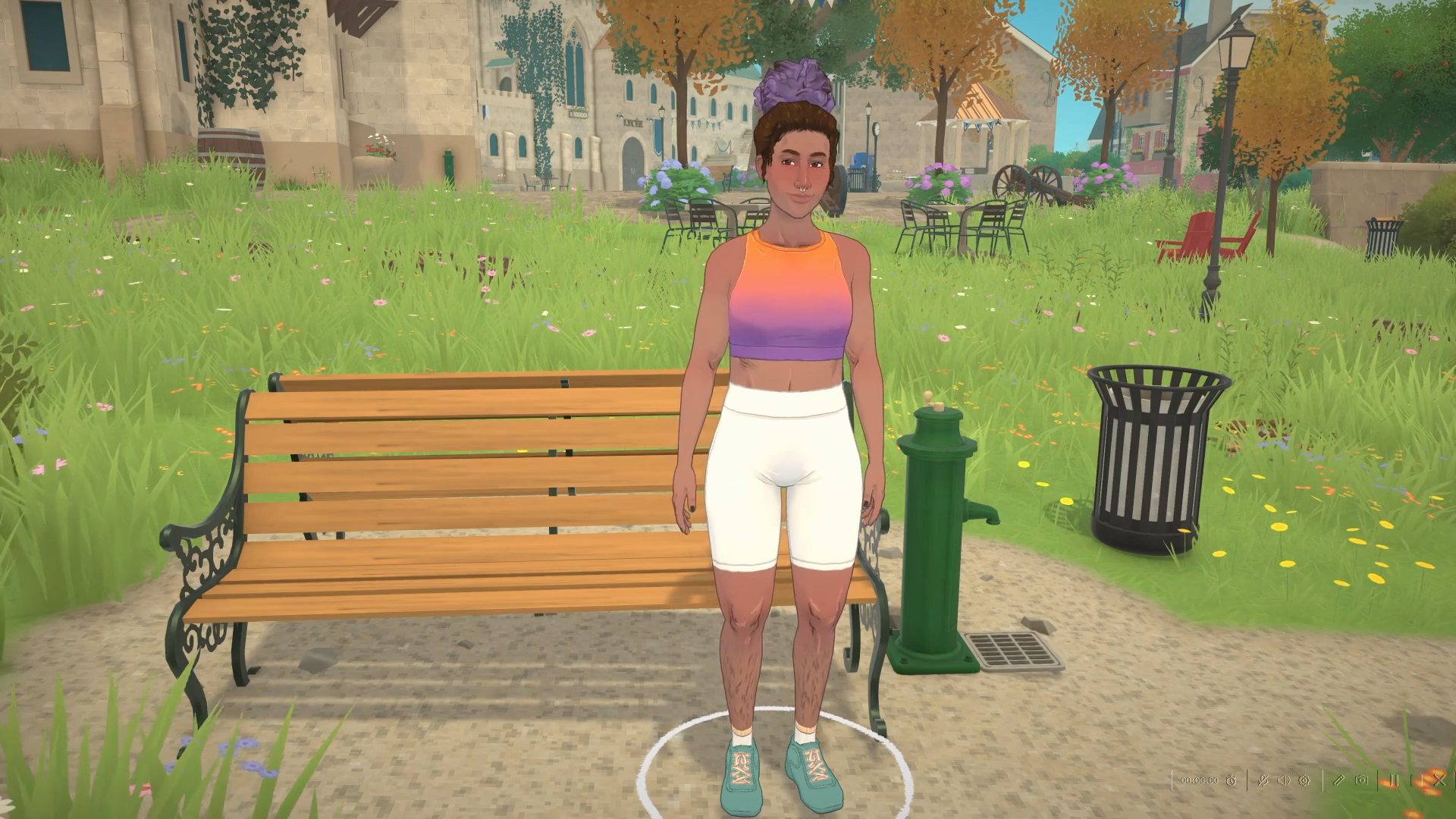
In Paralives, sometimes a Para just ends up in the wrong clothes — out in their workout gear for no reason, or stuck in pajamas while you’re trying to send them out the door. But swapping outfits doesn’t need a mirror, a dresser, or any kind of changing station. There are two ways to do it, plus a small clothing editor for building new looks, and the game even handles some changes on its own. Here’s how:
To change your Para’s clothes in Paralives, click the Para, then click the white t-shirt button under their name and pick any saved outfit — they swap instantly, with no mirror or dresser needed.
How to change your Para’s outfit in Paralives
| Method | Speed | Where | Best for |
|---|---|---|---|
| T-shirt button (portrait) | Instant | Anywhere | Quick swaps on the fly |
| Wardrobe or drawers | Slower — the Para walks over | At the furniture | A more immersive change |
Click your Para
Select the Para you’re controlling so their info panel opens on screen.
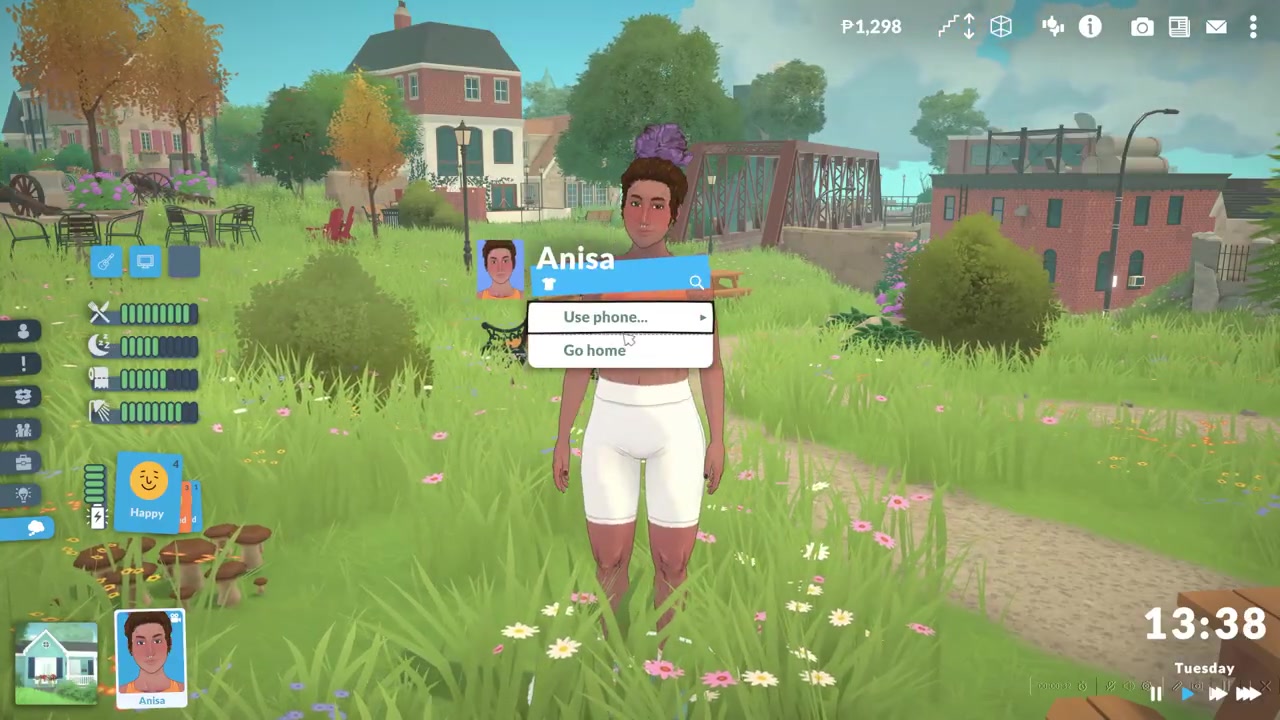
Find the t-shirt button under their name
Look just beneath the name for the small white t-shirt icon — that’s the outfit control.
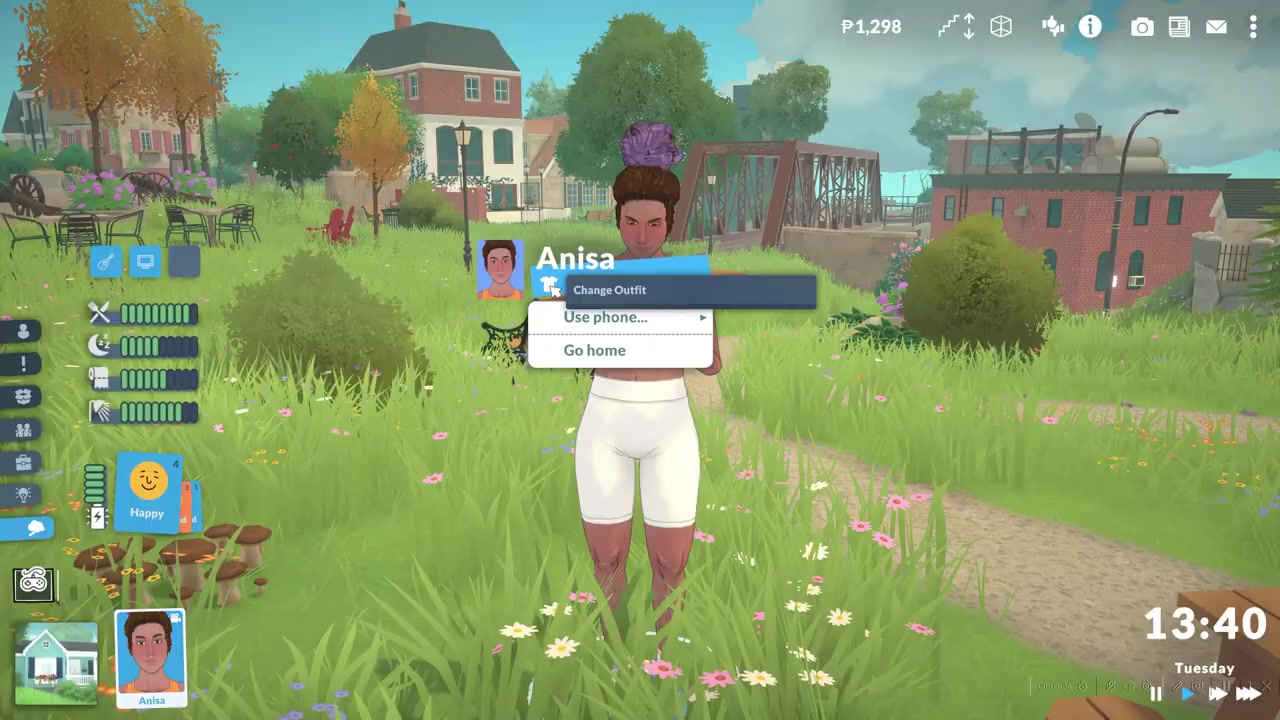
Open the outfit list
Click the t-shirt icon to see all of that Para’s saved outfits, like sleep, formal, and exercise. The game auto-pauses while this menu is open.
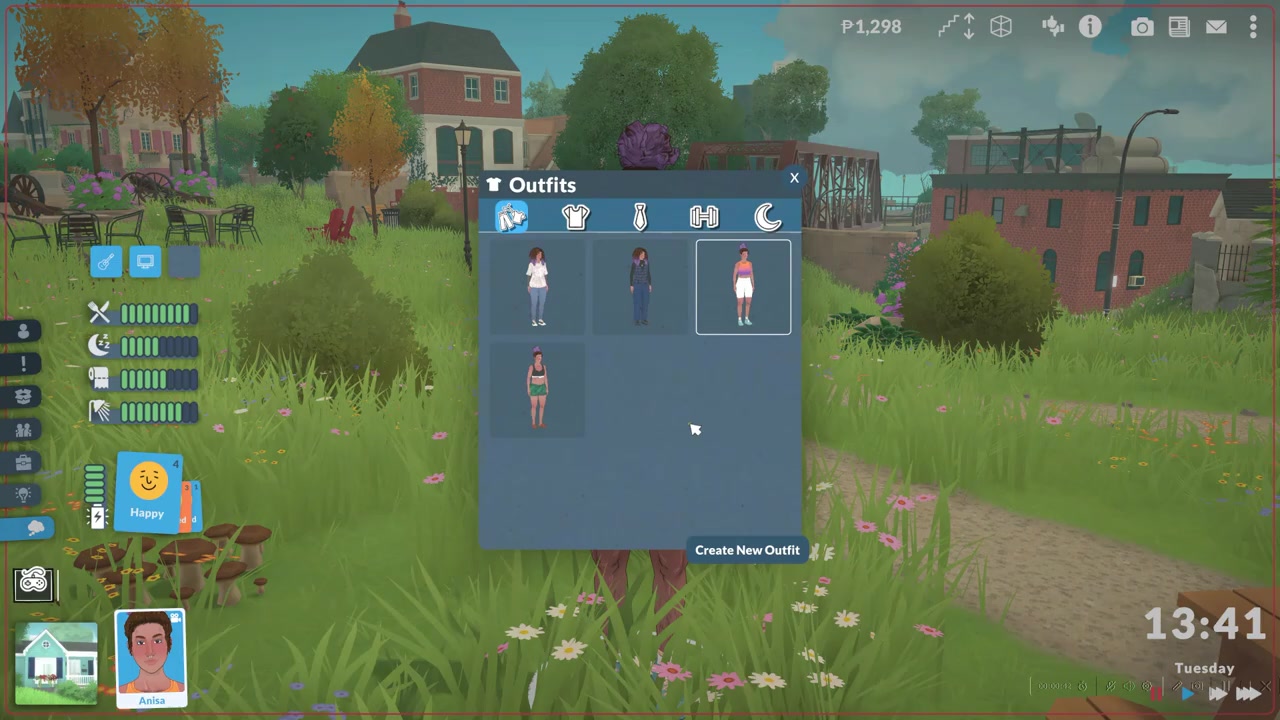
Pick an outfit to swap instantly
Click any outfit and the Para changes into it right away, as long as they aren’t asleep or locked into another action.
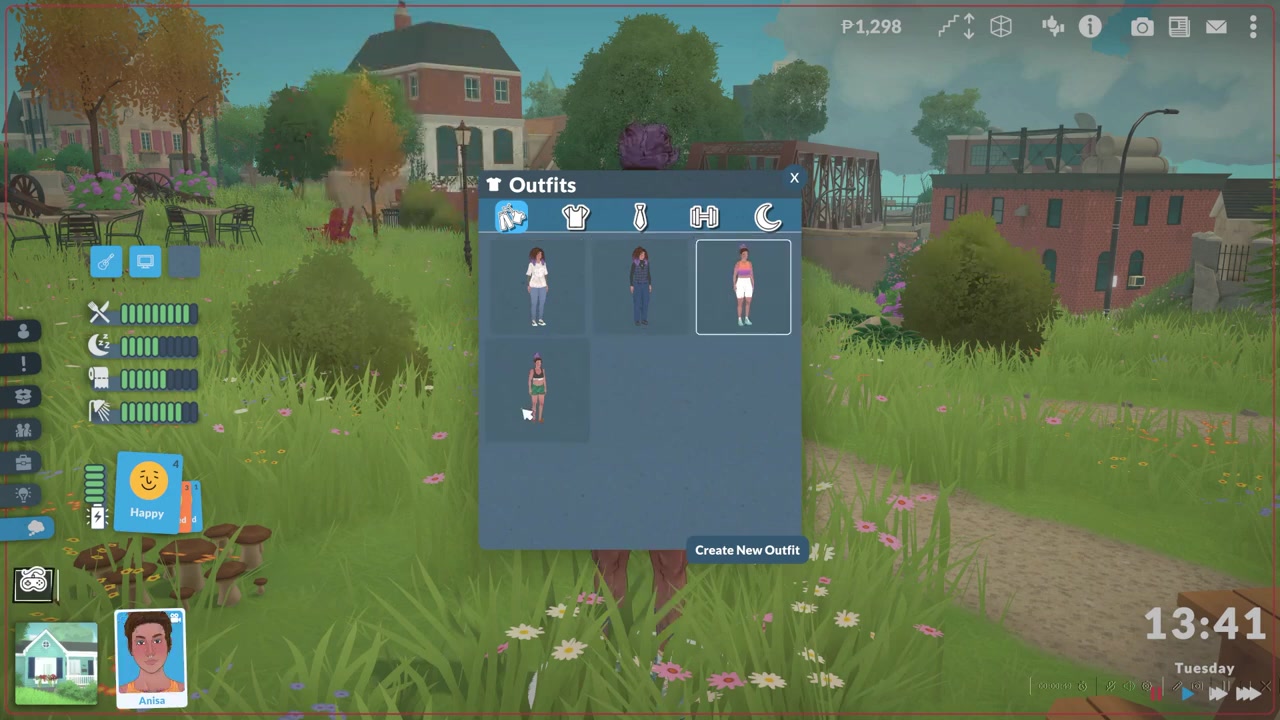
Close the menu
Hit the X to close the outfit list and carry on.
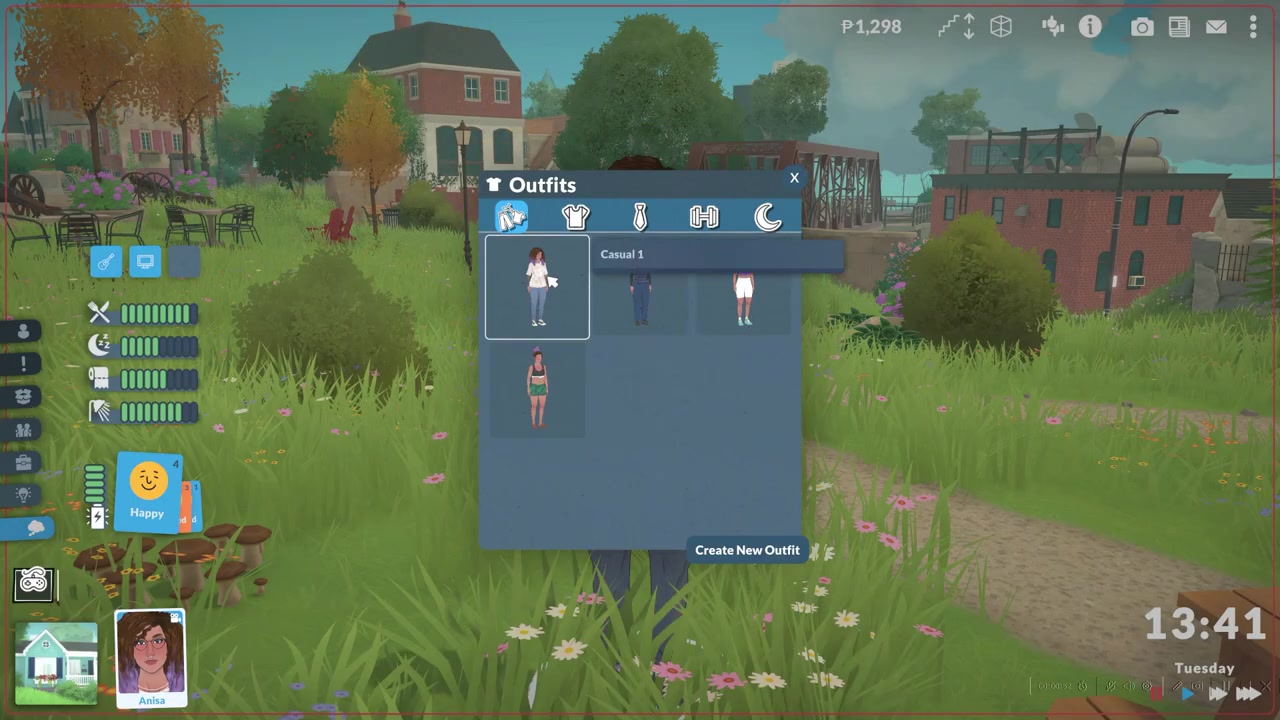
Click the Para, then the white t-shirt button under their name — it’s the fastest route and works anywhere, so you never have to walk them to a wardrobe just to get out of their pajamas.
Changing clothes at a wardrobe or drawers
If you’d rather do it the old-fashioned way, you can. Click a wardrobe or a set of drawers in the house and choose Change Outfit from the interaction menu. The Para will physically walk over to the furniture and change there, drawing from the same set of outfit categories you’d see on the portrait menu.
The trade-off is time. Because the Para has to travel to the furniture and play out the animation, this route is slower in practice than the instant t-shirt-button swap — though it does make the moment feel more natural if that’s what you’re after. Either way, there’s no in-game currency cost to change clothes; both methods are free.
Creating new outfits and extra category variants
You’re not limited to the looks a Para starts with. From the Outfits menu, click Create New Outfit.
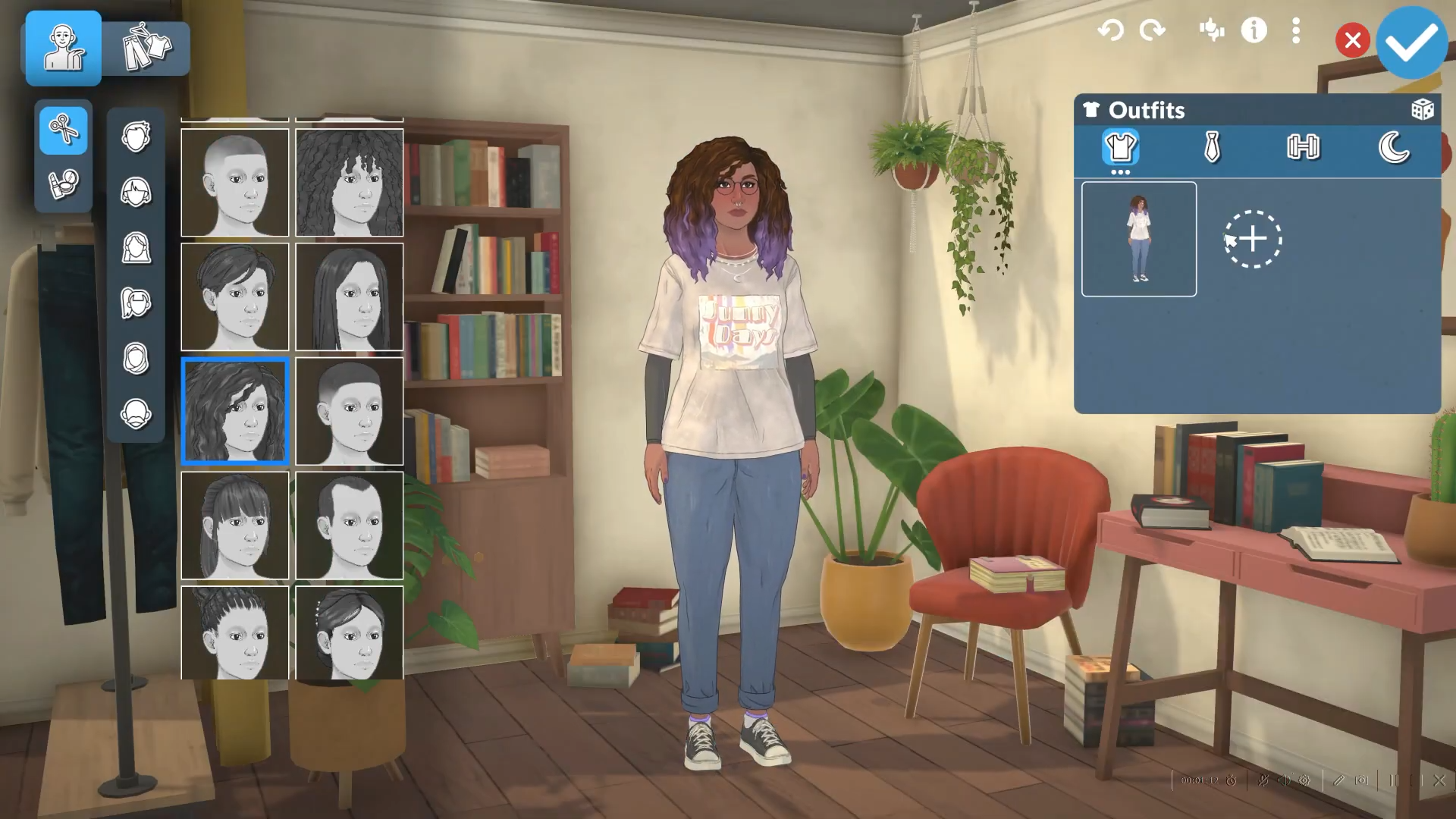
And the game opens a clothing-focused version of the Para Maker.
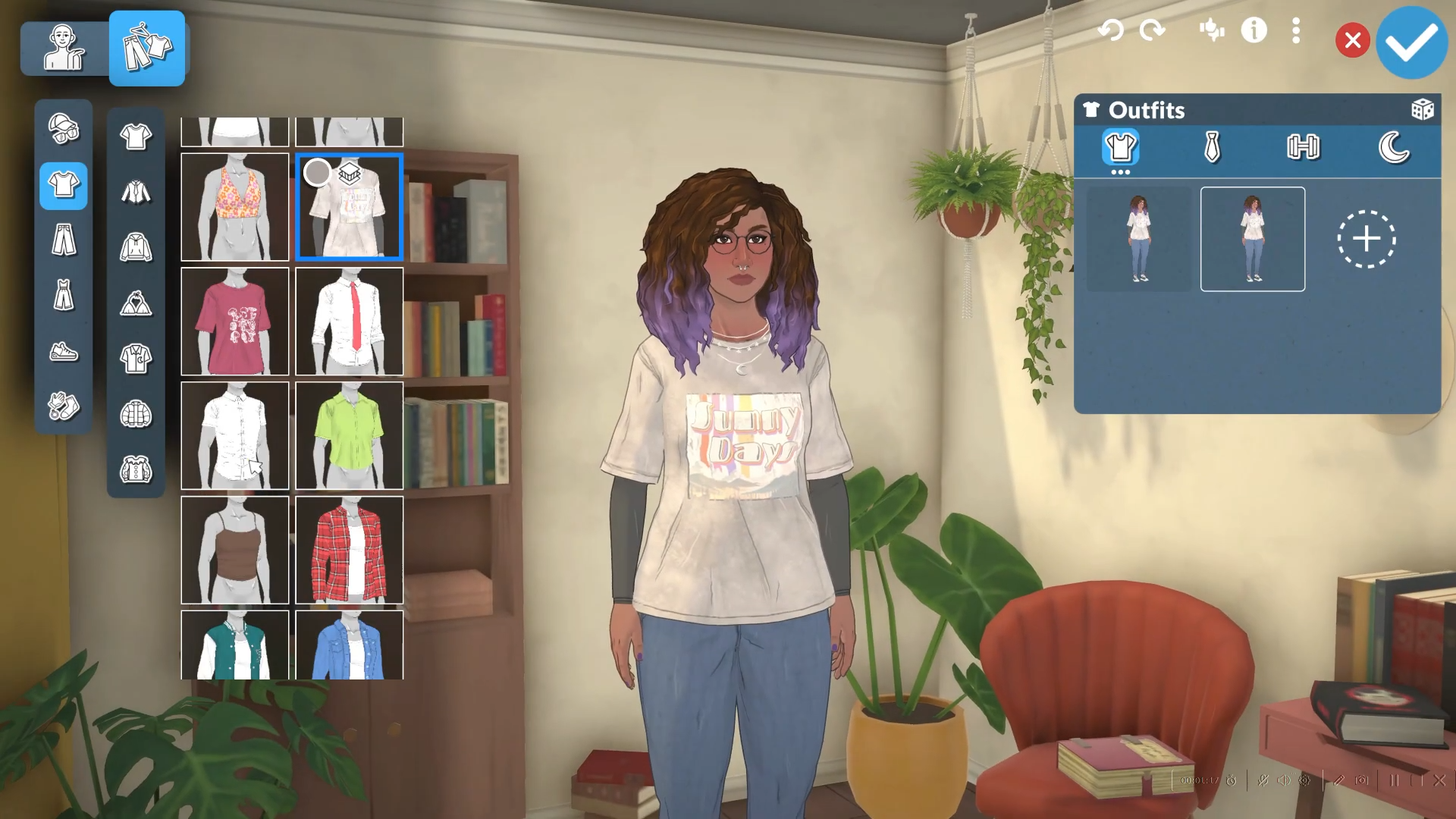
This trimmed-down editor covers clothes, hair, makeup, jewelry, and accessories, along with a color palette for recoloring individual items.
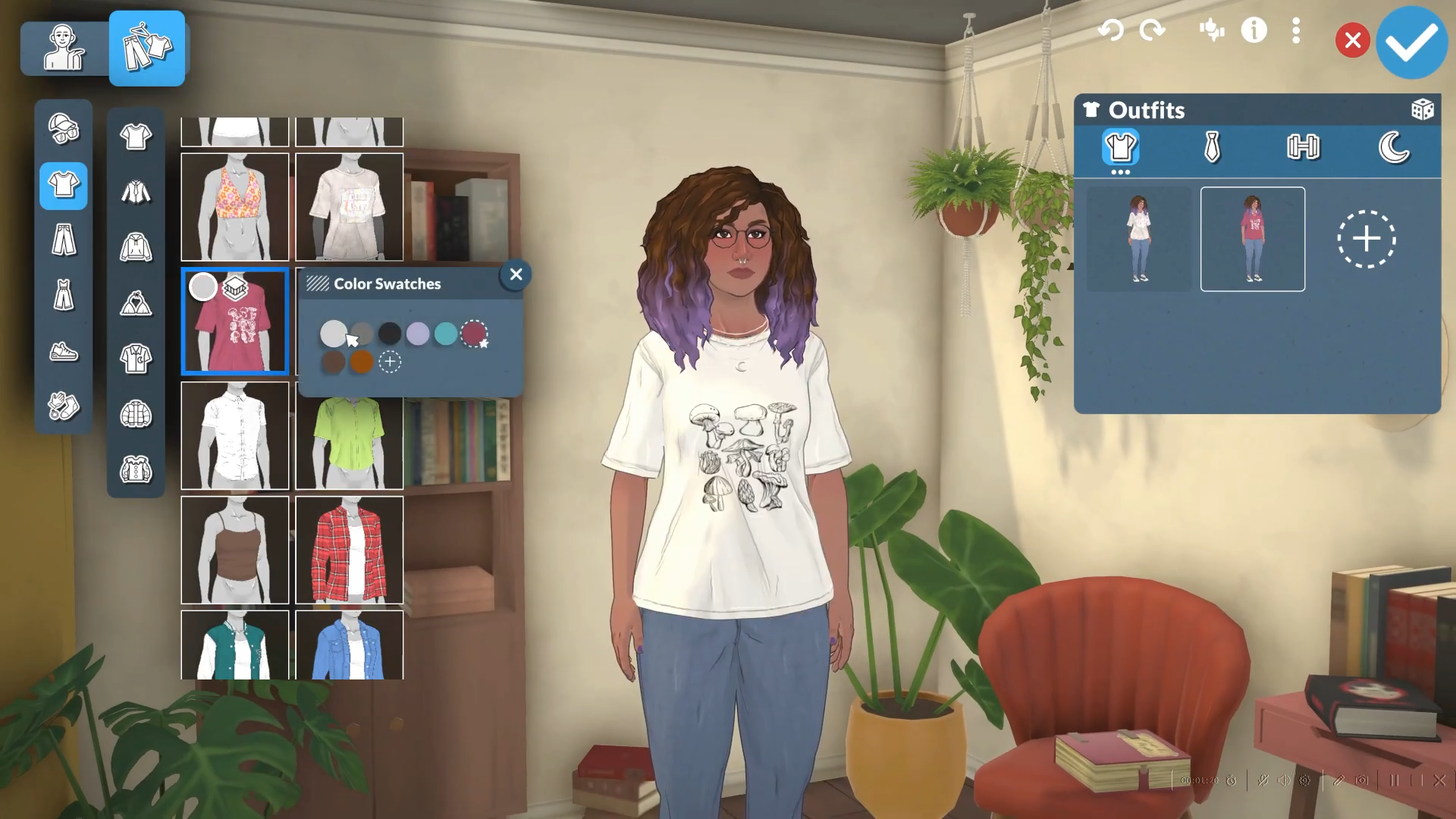
It’s deliberately not a full appearance overhaul, so you won’t be touching body shape or genetics here. It’s a different tool from the edit-character cheat, which is what you’d reach for to change everything about a Para.
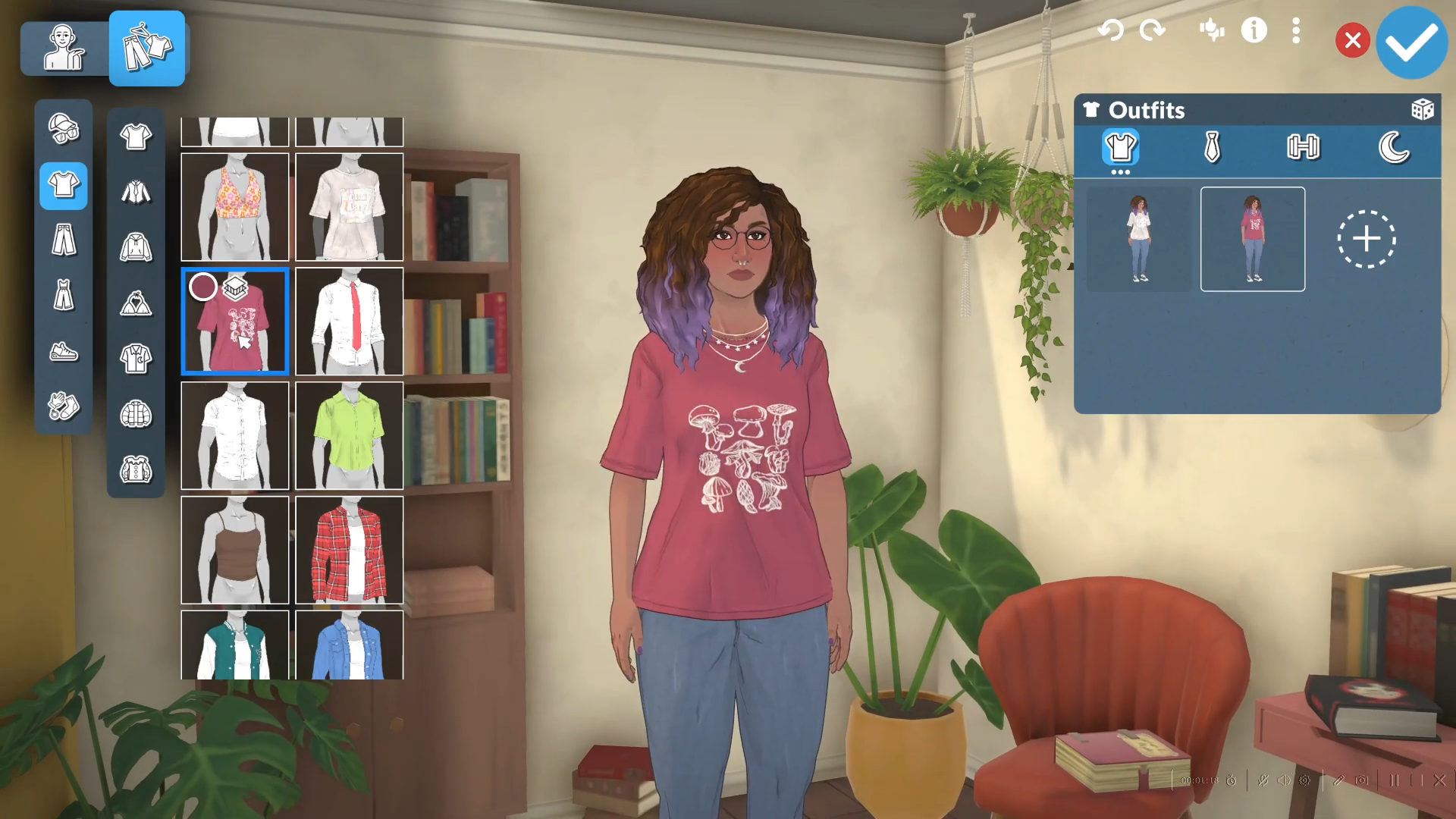
Outfit categories sit in the top-right of that editor — switch between Casual, Formal, Workout, Pajamas, and so on. To stack more than one look in a single category, click the three-dots button under that category’s outfit icon, then press the plus (+) button to duplicate the selected outfit and edit the copy. From there you can keep adding variants.
When Paralives swaps outfits automatically
The game also changes clothes for you in certain situations, so you won’t always need to reach for the menu. Sending a Para to bed switches them into their Pajamas, and heading off to work or certain jobs swaps them into appropriate work clothing.
Beyond that, some previews suggest the game may also auto-switch outfits for weather, sports, or events.
Frequently Asked Questions
What outfit categories does every Para start with?
Each Para is created with at least four core outfit categories: Casual, Formal, Workout, and Pajamas. Some previews also mention Sleepwear, Athletic, Swimwear, and Seasonal, but those appear to be planned or build-dependent and may vary depending on your version of the game.
Is there a limit to how many outfits I can save per category?
There doesn’t appear to be a hard limit — you can keep duplicating an outfit with the three-dots and plus (+) buttons to add more variants in a category.
Does changing clothes cost money or pause the game?
It’s free — no currency cost, cooldown, or duration for changing outfits. And you don’t need to pause manually: opening the outfit menu from the t-shirt button auto-pauses the game clock while you pick, then resumes when you close it.
How do I fully edit a Para’s face or body instead of just the outfit?
The Create New Outfit editor only covers clothing, hair, makeup, and accessories — not facial features or body shape. For a full appearance edit, one guide points to the EDITCHARACTER console command, opened with CTRL + F1 or CTRL + SHIFT + C.






Leave a Reply