

The best Palworld 1.0 mods are mostly quality-of-life upgrades: start with PalMiniMap, Open Palbox Anywhere, Palbox Search Plus, Pal Insight, Stutter Fix Pack, PalPriority, Better Night Light V2.6, and Shining Luckies, then add travel, cosmetic, or cheat-style mods based on how far you want to bend the game.
Palworld 1.0 changed enough systems that older mod lists need a fresh pass. The strongest picks now are the ones that reduce menu friction, make Pals easier to evaluate and organize, smooth out stutter, or clean up annoyances without turning the whole save into a test world.
Below is the full featured set first, then the better way to choose: install the core quality-of-life mods, add performance help if your PC needs it, and save the progression-breaking options for relaxed or replay worlds.
- Every featured Palworld mod at a glance
- Safety notes for Palworld mods
- Map, travel, and night exploration mods
- Palbox, Pal data, and base-control mods
- Performance help and visual cleanup mods
- Lucky Pal, shiny, and character-skin mods
- Relaxed-world convenience mods
- First mods to install for your Palworld save
- Frequently Asked Questions
Every featured Palworld mod at a glance
| Mod | Use |
|---|---|
| PalMiniMap | Adds a configurable minimap with nearby Pals, eggs, nodes, chests, and other points of interest. |
| Ultra Graphics | Adds stronger lighting, ray tracing-style effects, shadows, and more dramatic light propagation. |
| Open Palbox Anywhere | Lets you open your Palbox from the field with O. |
| Palbox Search Plus | Adds better Palbox searching by Pal name, type, and partner skill keywords. |
| Fast Travel to Any Map Icon | Lets you teleport to map icons and custom markers by shift-clicking them. |
| Pal Insight v1.0.2 | Shows Pal stats, skills, drops, and other details while targeting a Pal with Left Alt. |
| Zenara | Replaces the player model with Zenara, with face-only and body options. |
| Stutter Fix Pack | Reduces stutter tied to ground items and aiming down sights with guns. |
| Multi-Pal Summon – Rebirth (FORK) | Lets you keep multiple party Pals summoned at the same time. |
| AntiPhat – Pal Resize | Adds controls for resizing large, Alpha, boss, shiny, base, party, and wild Pals. |
| Better Night Light V2.6 | Makes nighttime brighter with a blue lighting pass. |
| Remove All Back Weapons | Hides holstered back weapons from your character model. |
| Wing Pack No Wing Cell Cost | Removes Wing Pack cell cost and can hide the wings visually. |
| Instant Fishing Auto-Catch | Skips the fishing minigame by catching instantly after casting. |
| Recover Pal Spheres | Makes missed or deflected Pal Spheres collectible from the ground. |
| Play as Lucy | Replaces the female character model with Lucy. |
| Effigy Beacons | Adds tall light pillars to Lifmunk Effigies so they are visible from far away. |
| Keep working when Alt-Tabbed | Keeps the world and Pal work running while the game is alt-tabbed. |
| Increased shiny chance (customizable) (1.0 compatible) | Raises Lucky Pal spawn odds with configurable settings. |
| PalPriority | Adds a RimWorld-style priority grid to the Monitoring Stand for Pal work tasks. |
| No Game Version on HUD (for 1.0) | Removes the version and mod text from the HUD. |
| No Crafting Cost | Removes resource costs for crafting items, structures, and gear. |
| Shining Luckies – Recolored Lucky Pals | Gives Lucky Pals unique recolors so they stand out from normal variants. |
KEY!That list splits cleanly into five groups: map and travel tools, Pal-management tools, performance or visual cleanup, collector cosmetics, and cheat-style convenience. Most players should start with the first two groups before touching anything that changes progression.
Safety notes for Palworld mods
Back up your save before installing mods, especially on a long-running world or any save created before the 1.0 update. Palworld has continued receiving post-1.0 patches, so check that each mod is made for your current build before loading it into a save you care about.
Install mods one at a time and launch the game after each change. Be extra careful with overhaul mods, save-editing tools, free-crafting changes, and anything used on multiplayer or dedicated server worlds, because those are the categories most likely to affect progression, sync, or save health.
Map, travel, and night exploration mods
| Mod | Best for |
|---|---|
| PalMiniMap | Tracking nearby Pals, eggs, nodes, and points of interest without opening the full map. |
| Fast Travel to Any Map Icon | Quick farming routes, boss trips, and marker-based travel. |
| Effigy Beacons | Finding Lifmunk Effigies across the map for completion. |
| Better Night Light V2.6 | Brighter nighttime exploration with a cooler blue look. |
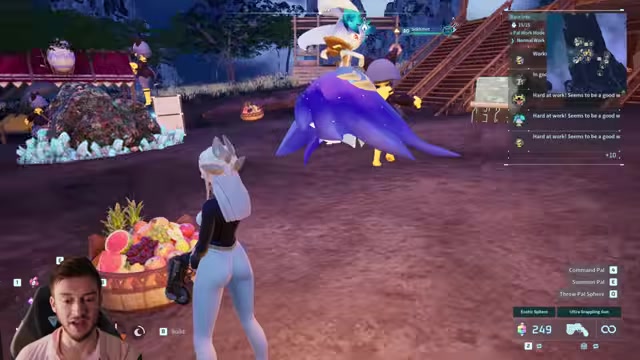
PalMiniMap is the first exploration mod to install if you keep checking the full map or hunting specific Pals. It places a minimap in the top-right corner and lets you resize it, move it, toggle what appears, and tune how often it updates for performance.
Fast Travel to Any Map Icon is the stronger travel shortcut. It lets you teleport to icons and custom markers, which is excellent for boss runs, fugitive fights, farming routes, and returning to a faraway area without crossing the whole map again. Its one real catch is placement: sometimes the teleport can put you under terrain, so keep it for convenience rather than precision movement.
Effigy Beacons is for completionists. It makes Lifmunk Effigies visible from long range with tall beacon-like pillars, which speeds up map cleanup but also makes the landscape busier. Better Night Light V2.6 is the comfort pick for night travel, especially if your monitor or gamma setup makes the default nights too dark.
Palbox, Pal data, and base-control mods
Open Palbox Anywhere
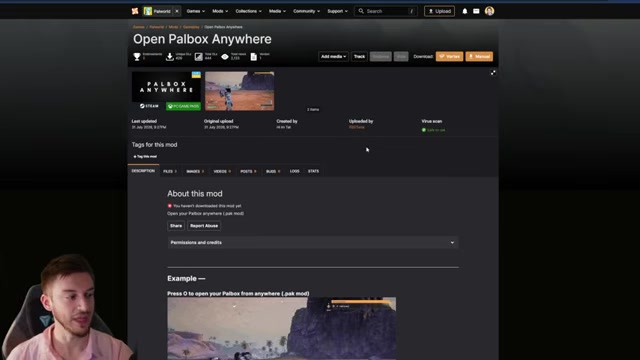
Open Palbox Anywhere removes one of Palworld’s most common interruptions: returning to base just to change your team. Press O in the field and you can swap Pals, test builds, bring a flyer only when needed, or reorganize your party without breaking your route.
Palbox Search Plus
Palbox Search Plus is the Palbox upgrade that feels most likely to become hard to live without. It lets you search not only by Pal name, but also by things like partner skill keywords, so finding a specific Grintale or a Pal tied to a remembered skill stops being a long scroll through storage.
Pal Insight v1.0.2
Pal Insight v1.0.2 is for catching and farming decisions. Hold Left Alt while looking at a Pal and you can see the information that matters before committing a sphere or a fight, including stats, skills, and possible drops.
PalPriority
PalPriority adds numerical work priorities through the Monitoring Stand. If your base feels messy because Pals keep choosing the wrong job first, this gives you a clearer priority flow so a Pal can do one task before another instead of following the default assignment behavior.
AntiPhat – Pal Resize
AntiPhat – Pal Resize is a base-space fix for oversized Pals, Alpha Pals, and other large models that block visibility or crowd work areas. Its menu can target different Pal categories and sizes, so you can normalize only the problem cases instead of shrinking every Pal in the world.
Multi-Pal Summon – Rebirth (FORK)
Multi-Pal Summon – Rebirth (FORK) changes party feel by letting all five party Pals stay out at once. That is fun if you want to travel and fight with a full squad, but it is also a balance change, so it fits better in replay or sandbox-style saves than a strict first run.
Recover Pal Spheres
Recover Pal Spheres turns missed or deflected throws into pickups. It works with normal throws and launchers, which makes capture attempts less wasteful, though heavy use can leave a lot of spheres on the ground if you are firing rapidly.
Performance help and visual cleanup mods
| Mod | Use |
|---|---|
| Stutter Fix Pack | Use first for micro-stutter, ground-item hitching, or gun ADS lag spikes. |
| Ultra Graphics | Use on stronger PCs for richer lighting, shadows, and effects. |
| No Game Version on HUD (for 1.0) | Use for a cleaner screen without version or mod text. |
| Remove All Back Weapons | Use with character skins or screenshots where back weapons get in the way. |
| Wing Pack No Wing Cell Cost | Use if the Wing Pack cost or wing model bothers you. |
Stutter Fix Pack is the actual performance-first mod here. It targets stutters that can happen when many items are on the ground and can also help with lag spikes when aiming down sights with firearms, making it the first pick if Palworld 1.0 feels uneven on your system.
Ultra Graphics goes in the opposite direction: it is for players with headroom who want stronger lighting, shadows, and more dramatic effects from campfires, attacks, and the player. It can be demanding, and the performance hit varies heavily by PC, so try it only after you already know your baseline frame rate is comfortable.
The rest are visual-preference cleanup mods. No Game Version on HUD (for 1.0) removes the version and mod text from the top-left HUD, Remove All Back Weapons clears weapons from your character’s back, and Wing Pack No Wing Cell Cost can remove the visible wings while also removing the Wing Pack cell cost.
Lucky Pal, shiny, and character-skin mods
| Mod | Use |
|---|---|
| Shining Luckies – Recolored Lucky Pals | Turns Lucky Pals into visually distinct recolors. |
| Increased shiny chance (customizable) (1.0 compatible) | Makes Lucky Pals more common with adjustable settings. |
| Zenara | Changes the player model into Zenara. |
| Play as Lucy | Changes the female player model into Lucy. |
Shining Luckies – Recolored Lucky Pals is the standout collecting mod because it makes Lucky Pals look meaningfully different, not just statistically rarer. If you enjoy creature-catching games where rare variants have unique colors, this gives Palworld that same chase.
Increased shiny chance (customizable) (1.0 compatible) pairs naturally with it by making Lucky Pals appear more often through configurable odds. Use it when you want a collection-focused world; skip it if rare spawns are part of the appeal for you.
Zenara and Play as Lucy are character-model swaps, so they are flavor picks rather than core QoL. Zenara supports face-only or body options and can work with default hairstyles, while Play as Lucy is for players who want that specific character look on the female model.
Relaxed-world convenience mods
| Mod | Use |
|---|---|
| Instant Fishing Auto-Catch | Removes the timing and minigame friction from fishing. |
| No Crafting Cost | Makes crafting free for large builds and experimentation. |
Instant Fishing Auto-Catch and No Crafting Cost are cheat-style convenience mods. They do exactly what their names imply: one skips the fishing minigame after casting, and the other removes resource costs from crafting items, structures, and gear.
Use these in creative builds, relaxed replays, testing saves, or worlds where you care more about building and experimenting than the normal economy. Avoid them in a serious first playthrough, because they remove major pieces of Palworld’s progression friction.
Install PalMiniMap, Open Palbox Anywhere, Palbox Search Plus, Pal Insight v1.0.2, Stutter Fix Pack, and PalPriority first, then play for a session before adding travel, cosmetic, or cheat-style mods.
First mods to install for your Palworld save
| Player type | Install first |
|---|---|
| Most players | PalMiniMap, Open Palbox Anywhere, Palbox Search Plus, Pal Insight v1.0.2, PalPriority |
| Performance-conscious players | Stutter Fix Pack, then skip Ultra Graphics unless your frame rate has room |
| Completionists | Effigy Beacons, Shining Luckies – Recolored Lucky Pals |
| Cosmetic-focused players | No Game Version on HUD (for 1.0), Remove All Back Weapons, Zenara, Play as Lucy |
| Relaxed replay players | Fast Travel to Any Map Icon, Instant Fishing Auto-Catch, No Crafting Cost |
For most players, the clean starter loadout is PalMiniMap, Open Palbox Anywhere, Palbox Search Plus, Pal Insight v1.0.2, and PalPriority. That group improves exploration, storage, catching decisions, and base work without turning the save into a different game.
If your PC is struggling, add Stutter Fix Pack before visual upgrades and leave Ultra Graphics for later. If you are chasing collectibles, add Effigy Beacons, Shining Luckies – Recolored Lucky Pals, and then Increased shiny chance (customizable) (1.0 compatible) only if you want Lucky Pals to become easier to farm.
For cosmetics, use No Game Version on HUD (for 1.0), Remove All Back Weapons, Zenara, or Play as Lucy. For serious multiplayer or a first playthrough, avoid No Crafting Cost, Instant Fishing Auto-Catch, and Multi-Pal Summon – Rebirth (FORK) unless everyone in the world wants that easier rule set.
Frequently Asked Questions
Are Palworld mods safe to use?
They can be safe, but treat every mod as save-sensitive until you have backed up your world and tested it alone. Palworld 1.0 reworked enough systems that old pre-1.0 files should be removed or replaced with current versions before loading an important save.
Do these Palworld mods work on Steam and Game Pass?
Some utility mods have separate Steam and Game Pass versions, but that is not true for every mod in this list. Check the file version for your platform before installing, because the wrong build may simply fail or cause issues on launch.
What is the best Palworld mod for quality of life?
Open Palbox Anywhere is the best single QoL pick if you hate returning to base to change your team. If you manage lots of Pals, Palbox Search Plus is just as valuable because it fixes storage search friction.
What is the best Palworld mod for performance?
Stutter Fix Pack is the performance pick from this set. It targets stutter tied to dropped items and gun aiming, while Ultra Graphics is a visual upgrade that can lower performance.
Can you use these mods in multiplayer or on servers?
You can use mods in multiplayer only when the world, server, and players are set up for the same mod behavior. Be stricter with mods that change crafting costs, summoning rules, fast travel, Pal data, or work priorities, because mismatched gameplay changes can affect shared progression.
More questions⤵
Are No Crafting Cost and Instant Fishing Auto-Catch cheat mods?
Yes. No Crafting Cost removes the normal resource economy, and Instant Fishing Auto-Catch removes the fishing minigame. They are better for creative, testing, or replay saves than for a normal survival run.
Video help






Leave a Reply